Read before this
Read these direct prerequisites in order. Each guide lists any earlier context it assumes.
Decide whether an activity can earn credits
You have a tutorial to share and want to know whether it qualifies for a reward. Check the actions, eligibility and terms currently displayed in Earn credits before you do the activity. Treat an action as eligible only when your account offers it.
If your subscription renewed and the balance looks wrong, first check your credit balance and renewal rules. A referral action is a separate transaction. Check credit balances and resets.
Check eligibility first (illustrated guide)
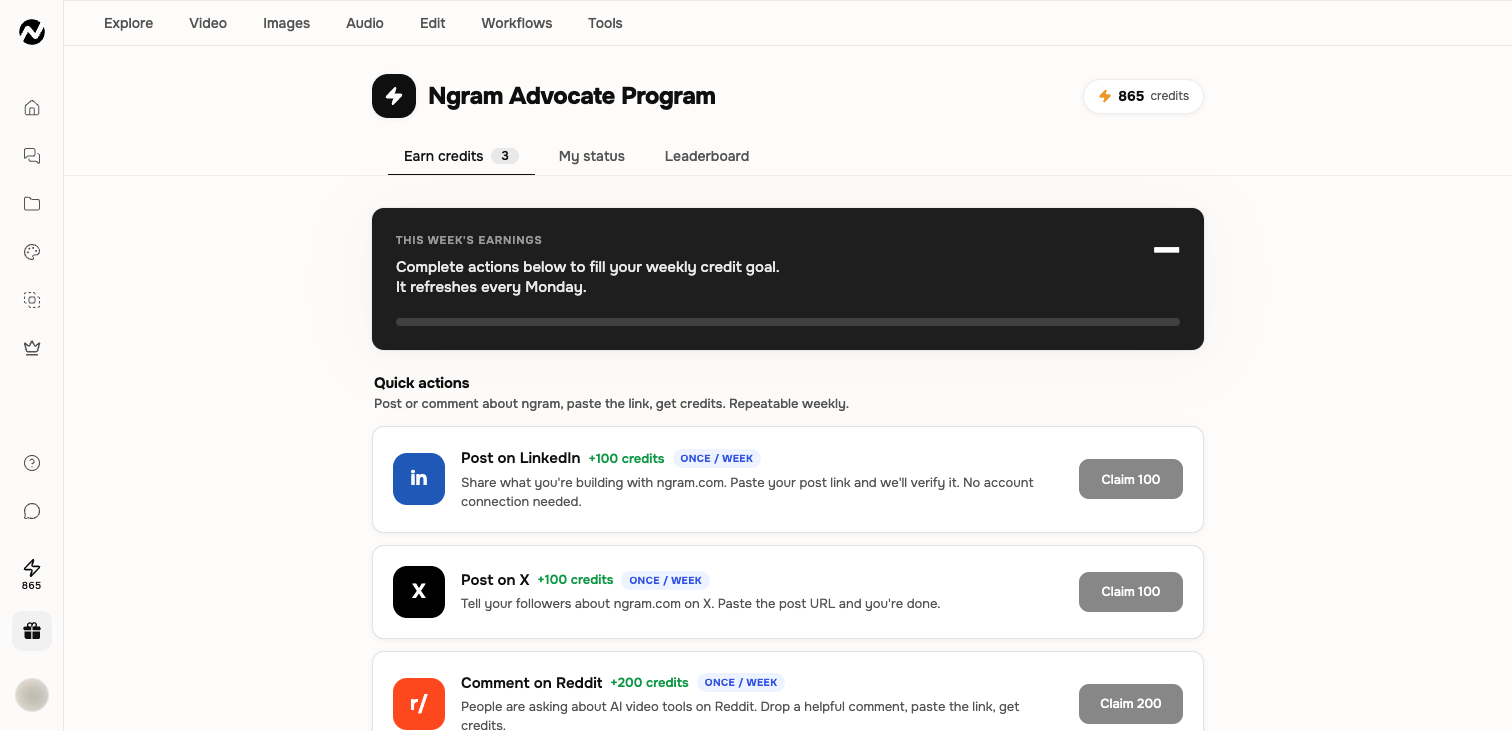
Availability can differ
Earn credits and Advocate experiences are controlled by the current program configuration. Your account may show a legacy earned-credit page, a newer advocate experience, or no program entry. Do not rely on an older screenshot as proof that an action or reward is still available.
Review an available action
- Open Earn credits from the current Studio navigation when it is present.
- Read the action, eligibility, frequency, verification, and reward shown before doing the work.
- Complete only an action you are permitted to publish and can verify through the stated method.
- Submit the requested public link or evidence through the visible Claim flow.
- Use My status or the equivalent current view to check whether the claim is pending, approved, or rejected.
Referrals and larger programs
A visible program may include referral milestones, creator or writer opportunities, an affiliate offer, or a leaderboard. Eligibility, attribution, verification, credits, payout, and commission terms can change independently. The live page and any linked partner terms are authoritative at the time you participate.
If a reward or claim is missing
Confirm that the action was active when completed and that the submitted account or public link matches its rules. Allow the review period stated in the live program. If the status remains incorrect, contact Support with the action name, submission time, public evidence link, and visible status; do not send account passwords or access tokens.
Keep going
Understand credit estimates, reservations, charges, plan grants, top-ups, and auto top-up.
Review current Free, Basic, Premium, Ultimate, and Enterprise plan behavior.
Use the current Usage page to understand credit activity and investigate unexpected charges.