YouTube Description Generator by ngram
YouTube Description Generator for videos your team is ready to publish
Add the working title, audience, subject, and what viewers should do next
What it does
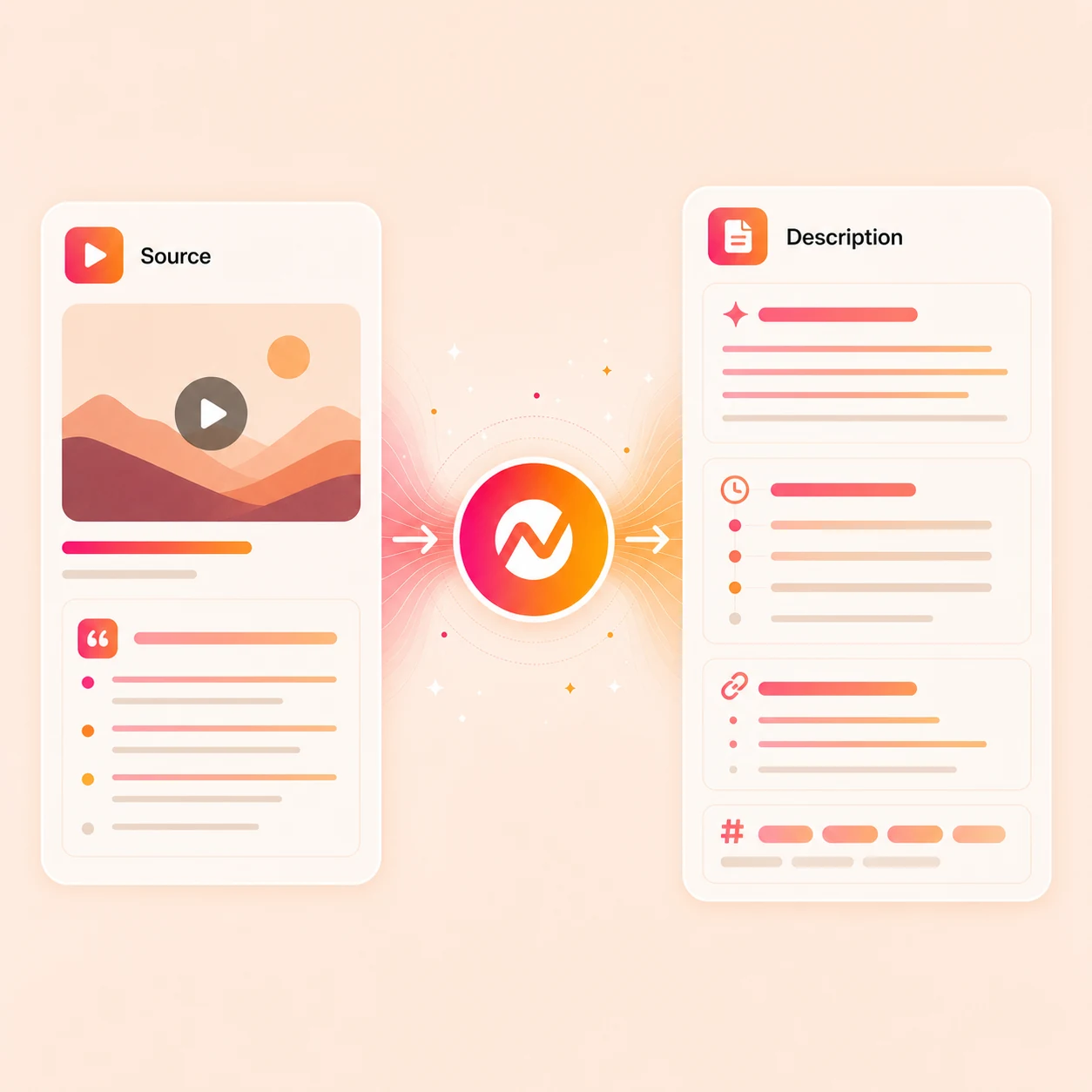
Create a description from the actual video and the product context behind it, not a disconnected keyword prompt. Review links and claims, then keep the copy with the publish-ready project.
Trusted by teams at












How it works
From video context to a complete description.
Give the generator a topic or transcript, review the structured draft, and edit every line before using it in YouTube Studio.
Add the source
Paste the topic, transcript, script, notes, or URL behind the video so the description starts from the actual message, not a generic channel blurb.
Source context ready
Draft the description
ngram writes the 125-character hook, summary paragraph, chapter timestamps, link block, hashtags, and CTA so the first 200 characters carry the primary keyword and the promise.
Description drafted
Match the channel voice
Adjust tone, swap product or affiliate links, drop hashtags you do not use, and keep the description consistent with the title and thumbnail.
Channel voice matched
Publish or keep polishing
Copy the description into YouTube Studio, or stay in ngram to fix captions, generate a thumbnail, render the final cut, and route the upload.
Ready for upload
What it can do
What the YouTube description generator writes.
A useful upload description needs more than a paragraph. The generator structures the parts viewers and channel teams actually use.
A clear opening hook
Lead with what the viewer will learn or see, using the main topic naturally in the opening lines.
A readable video summary
Turn the transcript or notes into a concise summary without copying metadata from another YouTube video.
Editable chapter labels
Draft chapter names and timestamp placeholders that you can align to the final cut before publishing.
Links with explicit labels
Create a section for product, resource, social, or disclosure links, with labels that tell viewers where each link goes.
Learn more about captionsHashtags used selectively
Suggest a small set of relevant hashtags instead of stuffing unrelated terms into the description.
Learn more about Image LabA closing call to action
End with the next action you actually want: watch another video, read a resource, subscribe, or visit a product page.
Built for YouTube descriptions tied to the actual video
When it matters
Videos that need a real description, not a placeholder.
These use-case pages are the closest matches for teams and creators who treat the YouTube description as part of the production, not an afterthought before publish.
Marketing Social Clips
Use this workflow to create marketing social clips assets from approved business source material.
Open AI video use caseTraining Video
Use this workflow to create training video assets from approved business source material.
Open AI video use caseProduct Demo Video
Turn product recordings into demos and ship them with a description that explains the workflow, lists the chapters, and links to docs or signup.
Open AI video use caseWebinar Clips
Publish the full webinar replay on YouTube with a chapter-rich description, and give each derivative clip its own short description for repurposing.
Open AI video use caseFeature Announcement Video
Turn release notes and product context into announcement videos, and let the description carry the changelog summary, demo timestamps, and links.
Open AI video use caseExplainer Video
Publish explainers on YouTube with a description that restates the problem, summarizes the answer, and links to related resources for deeper reading.
Open AI video use caseTutorial Video
Walk viewers through a tutorial and ship a description with every step timestamped, so the chapter list mirrors the spoken instructions.
Open AI video use caseSaaS Demo Video
Publish SaaS demos and product tours on YouTube with a description that summarizes the use case, lists chapters, and links to a trial or booking page.
Open AI video use caseCustomer Testimonial Video
Post customer story videos with a description that names the customer, lists key moments, and links to the case study page on your site.
Open AI video use caseProduct stack
The description is one upload asset among many.
Use these feature pages when the YouTube description needs the video, captions, thumbnail, brand, and export to stay aligned.
Script Generation
Before the upload copy, ngram turns prompts, URLs, transcripts, and notes into a script that the description and chapter list can quote directly.
Learn more about script generationCaptions & Subtitles
Generate captions from speech, then reuse the timestamped transcript when writing chapter cues so the description maps to the actual video.
Learn more about captionsImage Lab
Generate or edit a branded thumbnail that visually mirrors the hook in the YouTube description and reinforces the chosen title.
Learn more about Image LabBrand Kit
Keep tone, approved CTAs, blocked phrases, and channel links consistent across every description, title, and thumbnail you ship to YouTube.
Learn more about brand kitVideo Editing
Edit scenes, fix dead air, and lock the final cut in the timeline so the chapter timestamps in the description match the published runtime.
Learn more about video editingMore tools
More tools for the YouTube upload package.
Use these existing pages when the description belongs to a larger YouTube workflow.
Plan the upload
Shape the metadata around the video
YouTube Title Generator
Generate and rank title options from the same topic or transcript, then choose one before finalizing the opening description lines.
Open toolVideo Script Generator
Write the hook, body, and CTA for the video before the description, then quote the script directly when shaping chapter cues.
Open toolImage Lab
Create and refine thumbnail visuals separately while keeping the description focused on the video's content.
Open toolPrepare the source
Turn recordings and audio into transcript material the description can quote
Video to Text
Create a transcript from the finished video, then use that text as the factual source for chapters and the summary.
Open toolScreen Recorder
Record a walkthrough in the browser, then feed the recording into ngram so the description draft starts from the actual demo.
Open toolAudio to Text
Transcribe a podcast episode or voice memo when the YouTube video is audio-led, so the description can pull quotes and timestamps directly.
Open toolFinish the video
Polish the upload around the description
Auto Subtitle Generator
Generate captions from the spoken track, then keep chapter labels and description wording aligned with the final video.
Open toolAdd Text to Video
Add lower thirds, section titles, and callouts that match the chapter labels you wrote into the YouTube description.
Open toolVideo Editor
Trim, cut, and finish the YouTube edit so the runtime locks before you paste the description into YouTube Studio.
Open toolConvert
Start from the material behind the YouTube video.
Create the video first, then use its approved topic, transcript, or notes as the source for a description that matches the final cut.
Text to Video
Turn a script, outline, or notes into a YouTube-ready video, then draft a description that quotes the same script and timestamps each section.
Open converterURL to Video
Hand ngram a product page or article and get a video draft, with a description that carries the same hook, links, and key points back to YouTube.
Open converterWebinar to Clips
Turn a webinar replay into the full YouTube upload plus short clips, and write a description with chapters for the main video and tight copy for each clip.
Open converterWho it is for
Teams that ship YouTube uploads on a real schedule.
A description is easier to approve when the video, captions, thumbnail, and upload copy all reflect the same final source material.
Support Teams
Create help, troubleshooting, and support-response videos from the source material your team already maintains.
See support workflowsGrowth & Marketing
Marketing teams running a content calendar that includes long-form YouTube videos plus repurposed Shorts and LinkedIn clips, each with its own description.
See growth workflowsProduct Marketing
PMM teams shipping demo, launch, and explainer videos on YouTube with descriptions that match the positioning narrative and link to product pages.
See product marketing workflowsAgencies & Consultants
Agencies producing client YouTube uploads who need the description and chapter list ready alongside the cut, without rebuilding the brief in a separate tool.
See agency workflowsFounders & Solopreneurs
Founders publishing product updates, demos, and founder pieces to YouTube who need a clean description with a clear ask and a link to the product.
See founder workflowsProduct Managers
PMs posting changelog and roadmap walkthroughs to YouTube with descriptions that summarize what changed and link to the docs or changelog.
See product workflowsSales Enablement
Sales enablement teams publishing demo and battlecard videos on YouTube with descriptions that help reps find and share the right asset.
See sales workflowsCustomer Success
CS teams posting onboarding and education videos to YouTube with descriptions customers can scan before they start watching the walkthrough.
See CS workflowsIntegrations
Move approved copy into the YouTube workflow.
Generate and review the description first. The live YouTube integration page explains the currently supported publishing handoff.
Publishing handoff guide
GuideWhenThe YouTube description is reviewed and the video is ready for your publishing checklist
ThenRead the current handoff guide, then paste the approved copy into YouTube Studio yourself
Why ngram
How ngram compares for YouTube descriptions.
A description generator writes new copy from the topic or transcript you provide. It is not a YouTube metadata extractor and does not copy another video's description.
| Compare | ngram | vidIQ | Canva Magic Write | YouTube Studio |
|---|---|---|---|---|
| Workflow fit | Creates editable description options from a topic, transcript, or notes. | vidIQ's AI description generator suggests three descriptions based on a title and target keywords, surfaced through its dashboard and Chrome extension. | Canva's YouTube description generator runs inside Magic Write and pairs with the design tools used for thumbnails and channel art. | YouTube Studio is the final place where the description, chapters, hashtags, and tags get pasted before publishing. |
| How ngram fits | Structures a hook, summary, chapters, labeled links, hashtags, and a closing CTA. | It is built for creators whose primary job is YouTube channel SEO and metadata optimization. | It works well when the description sits next to thumbnail and channel design work in the same Canva tab. | Manual editing works when you already know the hook, chapters, links, and CTA in advance. |
| Best use | Pairs naturally with ngram's title generator, video-to-text tool, captions, Image Lab, and YouTube integration pages. | ngram is a better fit when the description should be drafted from the actual video transcript and stay connected to production. | ngram is more focused on writing the description from the video's source material and keeping captions, brand, and export aligned. | ngram helps draft and revise that description before the paste, with source context, chapters, and the video itself in one workspace. |
FAQ
Common questions about the YouTube description generator
Still curious?
Generate the description, edit every line
Start from a topic, transcript, or notes and get an editable YouTube description with hook, summary, chapters, links, hashtags, and CTA labels.
The tool writes new copy from your inputs; it does not copy existing YouTube metadata.
Hook, summary, chapters, links, CTA