Voice Dubber by ngram
Voice Dubber for videos that need a different voice
Drop a video or click to upload
MP4, MOV, WebM, MKV, AVI, or M4V, up to 500 MB
What it does
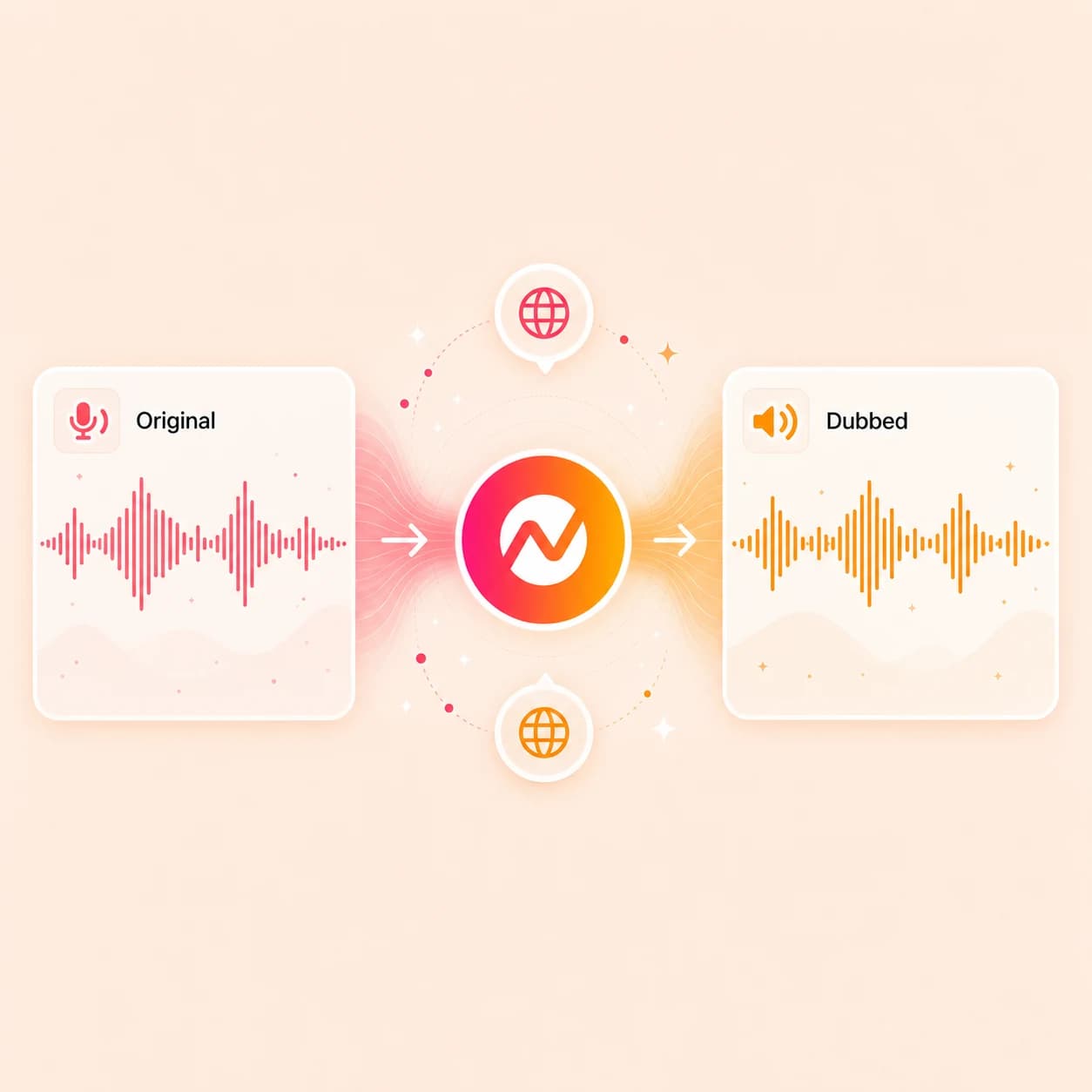
Replace an existing voice track without rebuilding the visuals around it. Review the new narration with captions, timing, brand, and supporting scenes before you export the finished version.
Trusted by teams at









How it works
Replace the voice without rebuilding the video.
Upload the source, pick the new voice, let ngram regenerate the spoken track against the existing timing, then keep editing the rest of the project.
Upload the video with the voice you want to replace
Drop in a talking-head clip, screen-recording walkthrough, course lesson, webinar cut, or narrated demo. ngram transcribes the speech so the new voice can land on the same timing.
Source transcribed
Pick the replacement voice
Choose a voice from the ElevenLabs and MiniMax picker, a saved team voice from /app/settings/voice, or clone a fresh voice from a consent-based reference recording.
Voice selected
Regenerate the spoken audio
ngram renders the new voiceover line-by-line against the original transcript or a target-language version, so pacing tracks the existing scenes.
Voice swapped
Review, lip sync, and export
Check the new track against captions, regenerate avatar or talking-head lip movement for supported workflows, then export the dubbed cut as MP4, WebM, or vertical.
Ready to publish
What it can do
What voice dubbing covers inside ngram.
Replace the spoken track with a stock voice, a saved team voice, or a cloned voice, then keep timing, captions, and lip sync wired to the same project.
Swap to a library voice
Pick from the ElevenLabs and MiniMax picker without leaving the project, then regenerate the spoken track against the original transcript or a translated version.
Reuse saved team voices
Apply a consent-based custom voice saved at /app/settings/voice so the same speaker carries the brand across launches, training, and support dubs.
Clone a voice with ElevenLabs
Clone a founder, AE, or presenter voice from a consent-approved reference clip, save it to the team library, and use it as the replacement voice on business video.
Learn more about AI voiceoverDub into another language
Translate the source transcript first, then dub the same video in the target language with multilingual voices and pacing that fits the existing cut.
Learn more about translationRe-sync the speaker on screen
For supported avatar or talking-head workflows, regenerate the mouth movement so the visible speaker matches the dubbed audio. This is not automatic for every uploaded video.
Learn more about avatarsBuilt for branded and localized voice swaps
When it matters
Where swapping the voice keeps the video usable.
These use-case pages cover videos where the spoken track does most of the work and a different speaker, language, or branded voice would change who can watch.
Training Video
Re-voice SOP walkthroughs, lessons, and screen recordings so the same training video carries a different narrator or a localized voice for distributed teams.
Open AI video use caseCustomer Onboarding Video
Replace the narrator in onboarding videos so a single recorded walkthrough can go out in a saved team voice or a regional voice without filming again.
Open AI video use caseProduct Explainer Video
Swap the placeholder VO on an explainer for the brand's approved voice, or hand the same explainer to another market with a different speaker.
Open AI video use caseProduct Demo Video
Re-voice a demo recording for a different region, a different persona, or the founder's cloned voice without re-shooting the screen capture.
Open AI video use caseInternal Communication Video
Use a single leadership recording, then dub the same update in a consistent internal voice for offices that need a different language or speaker.
Open AI video use caseHR Training Video
Re-voice policy and compliance videos so employees in another region hear the same guidance from an approved HR voice instead of the original recording.
Open AI video use caseMarketing Social Clips
Use this workflow to create marketing social clips assets from approved business source material.
Open AI video use caseSales Demo Video
Take one recorded sales demo and dub it in the AE's cloned voice or a regional voice for prospects who buy in a different language.
Open AI video use caseWebinar Clips
Cut a long webinar into short clips, then dub the highest-value moments with a localized voice so the same recording becomes a regional follow-up asset.
Open AI video use caseProduct stack
The product stack around voice dubbing.
Voice replacement works best when the picker, team voice library, captions, brand, editing, and export stay in the same project.
AI Voiceover
Use the same ElevenLabs and MiniMax voice picker that drives Voice Dubber, plus consent-based custom voices saved per team for repeat dubs.
Learn more about AI voiceoverTranslation & Localization
Translate the source transcript first when the dub is a localization job, then dub against the translated script with multilingual voices.
Learn more about translationDynamic AI Avatar Talking Head
Regenerate lip movement in supported avatar and talking-head workflows. Uploaded videos do not all receive automatic lip sync.
Learn more about avatarsCaptions & Subtitles
Re-render captions against the new voice when the dub changes language, or keep the original captions aligned when only the speaker changes.
Learn more about captionsVideo Editing
Edit clips, captions, dubbed audio, scenes, and timing around the replaced voice instead of starting the video over.
Learn more about video editingBrand Kit
Apply the approved colors, fonts, logos, and intro or outro treatments around dubbed versions so the finished video stays on brand.
Learn more about brand kitMore tools
More tools around voice dubbing.
Use these when the source needs cleanup, the script needs preparation, or the dubbed cut needs to land in another tool.
Build or replace the voice
Create the voiceover that replaces the original speaker.
AI Voice Generator
Generate fresh narration from a script when you do not have a source recording to dub over.
Open toolText to Speech Video
Turn a written script into a narrated video when starting from text instead of replacing an existing voice.
Open toolAI Avatar Video Generator
Build a presenter-led version when the dubbed message needs a visible speaker with synced lips.
Open toolVideo Translator
Use the full translation pipeline when captions, on-screen text, and voice all need to localize together.
Open toolClean the source recording
Tidy the audio and transcript before the new voice is generated.
Remove Background Noise from Video
Strip hum, wind, room noise, and chatter so the transcribed source feeds a cleaner dub.
Open toolRemove Background Noise from Audio
Clean narration files before they become the transcript driving the new voice.
Open toolVideo to Text
Transcribe the source video so the dub can be reviewed and edited line by line before regeneration.
Open toolAudio to Text
Transcribe narration audio before swapping the voice on a podcast, lesson, or VO file.
Open toolVideo Cutter
Trim the source clip to the segment that actually needs a new voice before generating the dub.
Open toolFinish the dubbed cut
Carry the dubbed video into captions, music, and channel-ready export.
Add Subtitles to Video
Render burned-in subtitles that match the dubbed voice instead of the original speaker.
Open toolVideo Caption Generator
Create social captions for the dubbed cut without retranscribing by hand.
Open toolAdd Text to Video
Localize titles, lower thirds, and callouts when the dub also changes the language.
Open toolAdd Music to Video
Rebalance background music under the new voiceover so the dub does not fight the score.
Open toolVideo Editor
Refine clips, captions, and timing around the dubbed audio before final export.
Open toolVideo Converter
Convert the finished dubbed video into the format the publishing channel expects.
Open toolConvert
Start from source material with speech to dub.
These converters create or reshape material that becomes the input for a voice dub.
Screen Recording to Video
Polish a rough product walkthrough into a clean recording before swapping the narrator on top.
Open converterWebinar to Clips
Cut long webinars into shorter clips, then dub the strongest moments with a localized or branded voice.
Open converterText to Video
Create a narrated video from a script when there is no existing voice to replace.
Open converterWho it is for
Teams that re-voice the same video for more audiences.
Voice dubbing matters when training, support, demos, and launches need to carry a different speaker, a branded voice, or a localized version.
Product Marketing Managers
Re-voice launch and explainer videos with the brand's approved voice or a regional voice without a new recording session.
See product marketing workflowsCustomer Success
Dub onboarding and feature-education videos so customers in another market hear the same walkthrough in a familiar voice.
See CS workflowsSupport Teams
Re-voice help-center and ticket-response clips with a regional voice so support content reaches more customer accounts.
See support workflowsEducators & Trainers
Dub course and training videos for distributed learners without re-recording the lesson narration from scratch.
See educator workflowsHR & Internal Comms
Re-voice policy, onboarding, and company-update videos in an approved HR voice for offices that need a different language or speaker.
See HR workflowsSales Enablement
Take one recorded demo and dub it in the AE's cloned voice or a regional voice for prospects in different markets.
See sales workflowsGrowth Marketing Teams
Repurpose webinars, launch assets, and campaign source material into channel-ready business video.
See growth marketing workflowsDeveloper Relations
Re-voice technical tutorials and integration walkthroughs so the same code-led video reaches developer audiences in another language.
See DevRel workflowsEnterprise
Governed voice replacement workflows when the same recorded video needs to ship under approved voices and reviewed transcripts across regions.
See enterprise workflowsIntegrations
Route voice dubs through the tools you already use.
Use live ngram integrations to start, route, review, and publish voice-replacement work.
Zapier
No-codeWhenA recording is uploaded to Drive, Notion, or a marketing intake form as a candidate for voice replacement
ThenStart the ngram voice dubber on the file with the assigned replacement voice and post the dubbed cut back to the team
MCP Server
AgenticWhenClaude or ChatGPT is asked to dub a video with a saved team voice or a cloned voice from a reference clip
ThenCall ngram, regenerate the spoken track against the transcript, and return the dubbed video URL to the agent
n8n
WorkflowWhenA CRM stage, training LMS record, or CMS item flags a video for a re-voice in a regional speaker
ThenGenerate the dubbed version with the assigned voice, route it to the reviewer, and write the link back to the record
WhenThe finished re-voiced product demo is cleared for LinkedIn.
ThenCompose the LinkedIn post for the re-voiced product demo, then set its one-off schedule.
X (Twitter)
BetaWhenThe dubbed founder update is ready to share on X.
ThenCompose and publish the X post for the dubbed founder update.
YouTube
BetaWhenThe finished voice-replaced tutorial is cleared for YouTube.
ThenPrepare the YouTube post; schedule the voice-replaced tutorial for one release.
Why ngram
How ngram compares for voice dubbing.
A fair view of dedicated dubbing tools versus a connected production workflow that handles the spoken track plus the rest of the video.
| Compare | ngram | ElevenLabs Dubbing | HeyGen | Rask AI |
|---|---|---|---|---|
| Workflow fit | Replaces the spoken track inside the same project that drives captions, on-screen text, brand, lip sync, and export. | Strong standalone dubbing studio with speaker detection, voice cloning, and multilingual delivery. | HeyGen offers video translation with voice cloning, lip sync, and broad language coverage as a packaged feature. | Rask AI focuses on video and audio localization with translation, voice cloning, and lip-sync options across many languages. |
| How ngram fits | Voice picker spans ElevenLabs and MiniMax plus consent-based custom voices saved per team at /app/settings/voice. | Best when the job is dub-only and the team already lives inside the ElevenLabs studio. | Useful when avatar realism and one-click translated versions are the main job. | Useful when the dub job is mostly dedicated localization across existing media files. |
| Best use | Best when the dub needs to stay tied to the source video, the brand kit, and a publishing path. | ngram is a better fit when the dub needs to land inside the same project as captions, on-screen text, brand, and export. | ngram fits teams that also need storyboard, source context, integrations, and brand-governed dubs in one place. | ngram keeps voice replacement connected to business video creation, brand kit, editing, automation, and MP4 output. |
FAQ
Common questions about voice dubbing
Still deciding?
Give the video the right voice
Pick the speaker, upload the source video, and regenerate the spoken track while captions, brand, and export stay editable. Lip sync is limited to supported avatar and talking-head workflows.
Use the focused voice dubber now, then finish the dubbed cut in ngram.
Voice swap, captions, review, export