Read before this
Read these direct prerequisites in order. Each guide lists any earlier context it assumes.
Correct gaze in a talking-head recording
You have permission to use an instructor’s recording. The wording and framing are right, but the instructor often looks just below the camera. Use Eye Contact AI to create a corrected version and compare the eyes and facial motion with the original.
If the line itself is wrong or the speaker needs another voice, correct the narration. Gaze correction cannot change what was said. Choose narration and presenter settings.
Check the source recording (illustrated guide)
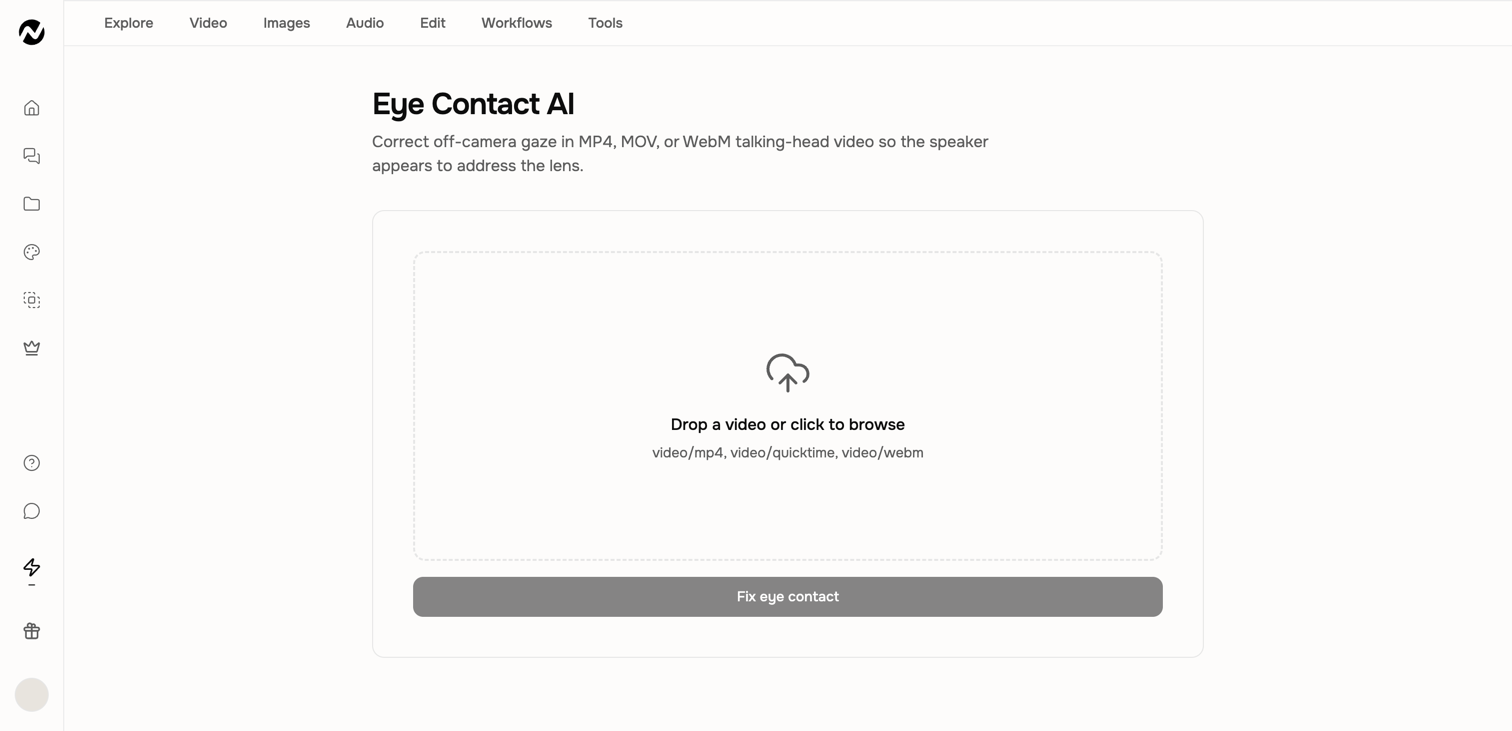
Use a suitable source video
- Upload an MP4, MOV, or WebM that you own or are permitted to process.
- Choose a talking-head shot where the face and eyes remain clearly visible.
- Prefer stable framing, useful lighting, and limited obstruction around the eyes.
- Keep the original file; the Tool creates a processed result rather than changing the source in place.
Create the corrected version
- Open Eye Contact AI from Tools.
- Drop the video into the upload area or choose it from your device.
- Confirm that the live input screen accepts the file and review any duration, plan, or credit guidance shown.
- Choose Fix eye contact and wait for processing to complete.
- Play the full result and compare it with the original before downloading it.
Review more than the first frame
Check gaze direction, blinking, eyelids, face shape, head turns, transitions into and out of corrected moments, lip movement, audio, and total duration. A natural improvement matters more than forcing perfect eye contact in every frame.
If the face looks distorted
Try a shorter segment with a clearer, more front-facing face. Remove sections with extreme turns, heavy obstruction, or motion blur before processing. If a compatible representative clip repeatedly fails, contact Support with the Tool name, time, project URL if present, input format, and duration.
Before you finish
Keep the original input until the processed file is approved. Record the Tool, settings, and project URL for important work so the result can be reproduced or investigated without exposing private source material. Compare the complete output with the original for missing audio, clipped timing, changed faces, unreadable text, and other unintended transformations.
Keep going
Choose, run, verify, and recover focused video and audio editing Tools.
Search and use the current Tools library and understand where Tool results are saved.
Use the Screen Recorder, browser permissions, recording tips, review, and editor handoff.
Choose the right help channel and include useful, privacy-safe diagnostic details.