Read before this
Read these direct prerequisites in order. Each guide lists any earlier context it assumes.
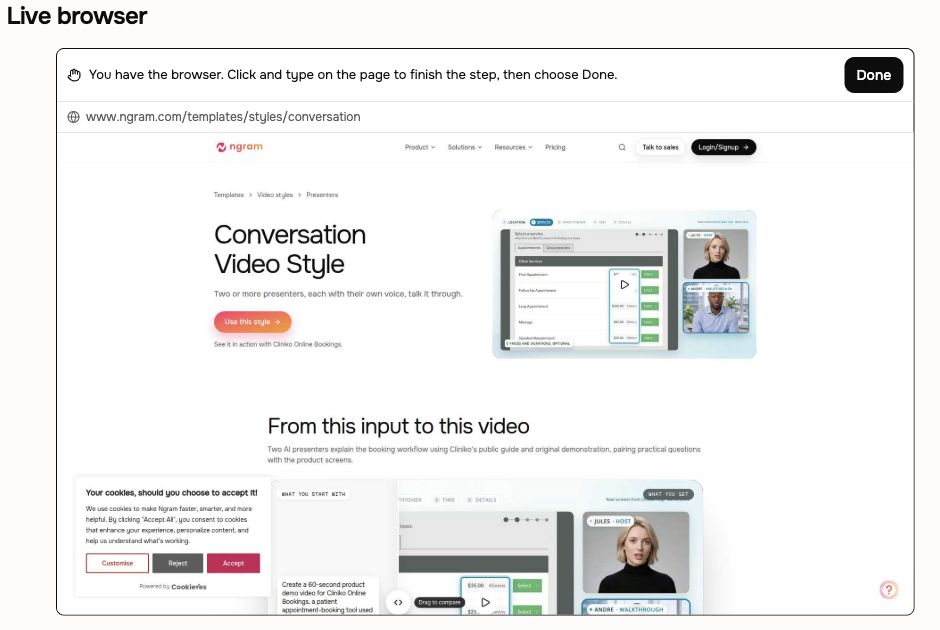
Use browser handoff when the product workflow needs interaction or sign-in before ngram can capture the screens. Live Preview shows the browser while ngram explores. During handoff, you control that browser until you choose Done.
Before you start
Use a new Studio project with a director that supports browsing, such as Opus 5.5. Have the product URL, the exact task and an account authorized to show the intended content. Stay in the conversation for any handoff. Check the credit estimate before approving video generation.
Create a walkthrough from the actual product
- Open Home, choose Prompt to video and select a compatible Model.
- In Video brief, provide the product URL, audience and exact workflow. Ask ngram to browse the real interface and tell it that you will sign in when asked. Choose Create video.
- Watch Live Preview. If ngram hands control to you, click, type, paste or scroll on the page to complete the requested step. Enter sign-in details on that website, rather than in the chat.
- Choose Done when the step is complete. ngram resumes browsing and gathers the screens for the video.
- Review the proposed plan containing the script, check the credit estimate and choose Approve plan when ready.
- Play the result and confirm the actual screens, task order and narration. Ask for a correction in the same conversation if needed.
Check the result
The handoff controls close when ngram resumes. The resulting video should show the intended real workflow. Your conversation remains in Projects so you can return to the same work.
If the page or handoff is blocked
Choose I can’t do this when you cannot complete the requested step. Explain the obstacle and provide an authorized screen recording, ordered screenshots or approved page text as an alternative. Do not keep starting duplicate projects while a request is active.
If Live Preview never appears, check that the selected director supports browsing and explicitly ask to visit the URL. Older projects can lack browser support; start a new compatible project or use a recording. Browser handoff is an attended Studio workflow, so an unattended API job cannot wait for your sign-in.