Make a 20-second help-center walkthrough of ngram.com/templates/styles/conversation: how a new user starts a Conversation video. Use the real screens.
Create perfect videos for sales teams, marketing teams, support teams, HR teams, product teams, founders, explainers and every team.
AI videos for onboarding, training, demos and explainers, from a prompt or a screen recording.
Add a fileAdd a file or screen recordingCreate video
Try an example
Onboard a new hireDemo a new featureTrain from a screen recordingExplain a processAnnounce a launch


“I can finally show people what Owelet does instead of just describing it.”
Made with ngram.
Launches, explainers, demos and training—with or without an AI avatar.
Create it. Then make it perfect.
Every video stays editable in the AI video editor. Ask for changes in plain words, or take the controls yourself.
- Describe it: Describe the video in plain words. That is the whole brief. Brief: “Make a 30-second launch film for Inkpolish, a pre-publish content checker. Open on the moment a post goes live, show the ranking drop, then how the score and rewriter fix it before you publish. Use our brand kit.”
- Approve the plan: ngram outlines every scene and waits for your approval before it makes anything. Plan: 1. You hit publish (4s); 2. The ranking drop (6s); 3. Score and fix the draft (10s); 4. Start with the right prompt (4s); 5. Fit to publish (7s). Approve plan.
- Watch it build: Narration, soundtrack, visuals and animation come together while you watch. ngram recorded the narration, composed the soundtrack, generated visuals, built the animation and checked the result.
- Preview the video: The finished video plays beside its storyboard, scene by scene. Inkpolish launch film: You wrote it. You hit publish. Weeks later, the traffic drops. What if you knew before you hit publish? Inkpolish scores your draft first. Then it rewrites the weak sections. Start aligned from the first sentence. Score it. Rewrite it. Prompt it. Inkpolish. Fit to publish.
- Point at a change: Click the frame you want changed and say what you want. ngram makes a new version. Change pinned to scene 2: “Get to this drop sooner. The intro runs long.” ngram: Shortened scene 1 from 4s to 2s, so the drop lands sooner. This is version 2.
- Take the controls: Or change it yourself: captions, music and scene edits are a click away. Captions: Pop Light style turned on from the Edit video menu.
- Download: Download the finished video, or share a link to it. Download: inkpolish-launch-film.mp4 is ready.
See it for your team.
Pick a team and a use case: what they started with, and the video ngram made from it.
Explain black holes to 8-year-olds in 25 seconds. Playful doodle style, a friendly narrator, and end on “we are safe!”
Drag to compare
0:25 · Kids’ science explainer
From a promptNot quite right? Ask for changes, or polish it on the timeline.
Create from a promptStart from a screen recordingWalk through your live productExplain anything in 60 secondsEdit any scene by chattingCaptions in your brand colorsReorder scenes on the timelineSwap the voice or the languageAI presenters and custom voicesPresenters that gesture as they speakCinematic AI footageExport MP4 or GIFShare a link or embed it
Browser Handoff
Help-center videos from your live product.
Name the page and the task. ngram opens a live browser, clicks through each step and captures the real screens, then turns them into a narrated walkthrough. Available with a compatible director such as Opus 5.5.
- Task: “Make a 20-second help-center walkthrough of ngram.com/templates/styles/conversation: how a new user starts a Conversation video. Use the real screens.”
- Opened ngram.com/templates/styles/conversation
- Captured the style page
- Use this style opened the sign-in page
- Captured Conversation under Start from a style
- Planned 3 scenes from the captured screens
- ngram asks: “Sign in to ngram in the browser, then choose Done.” You sign in in the live browser and choose Done.
- You review the plan and script; ngram makes the walkthrough from the captured screens.
AI presenters
Presenters that talk with their hands.
ngram presenters speak with natural expressions and hand gestures, so an avatar video feels like a person explaining it. Pick one to watch.
- Choose a presenter from the library or use your own portrait, with a premium director such as Opus 5.5.
- Describe the video, then review the script in the plan before ngram makes it.
- Start from the Conversation style for two or more speakers.
Oura · 0:44
Good videos. Happy people.
Customer story
I can finally show people what Owelet does instead of just describing it.
 The Owelet teamProduct explainers
refine the script, visuals and individual scenes after generation
Customer story
What used to take weeks can now be done in a day. ngram has completely changed how we create product videos.
 The Wolvio Solutions teamReported 80% less production time
easier to create and refine instructional content
Customer story
ngram is goated and would continue using it in future
 The Quillr teamFrom 3 to 7 reels a week
make those conversations much more productive
Every team has something to explain.
2 screenshots
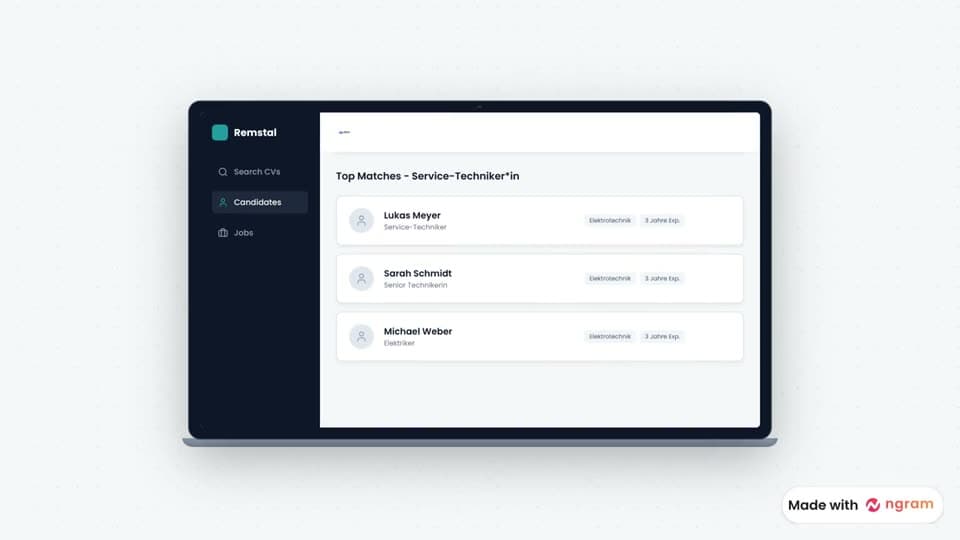
An explainer for Remstal, an AI CV-screening tool. Show the hiring pain and how teams find the right fit faster.
Drag to compare
1:12 · Pitch explainer
2 screenshots
A launch video for Stract’s policy-extraction workflow for insurance teams. Show how it cuts manual policy reviews.
Drag to compare
0:41 · Industry explainer
2 screenshots
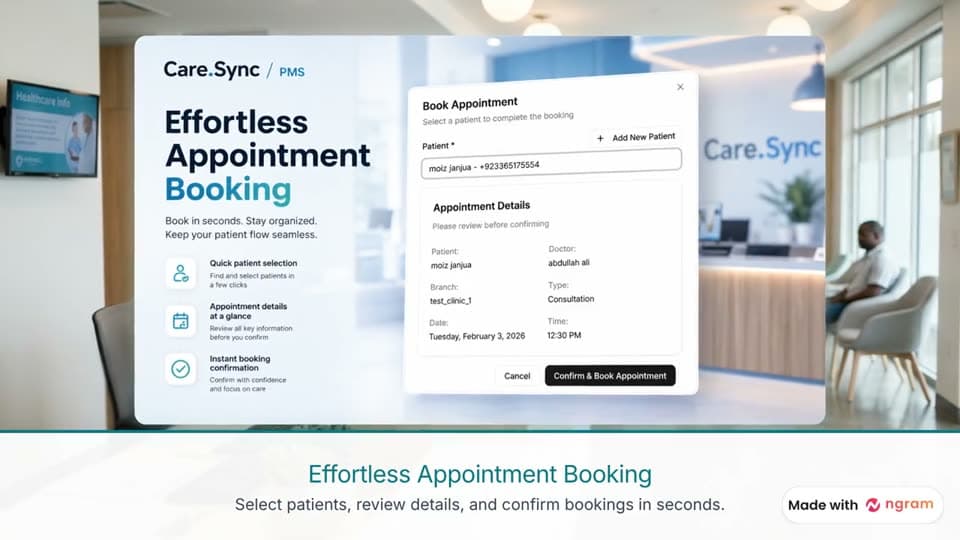
A walkthrough for new Care.Sync clinics: patients, appointments, doctors and payments in one connected platform.
Drag to compare
0:43 · Customer onboarding

2 images
Tạo video tiếng Việt nói về sự nghiêm trọng của việc không tuân thủ vệ sinh tay trong bệnh viện.
Drag to compare
0:28 · Safety training · Vietnamese
clause-review.mov3:26
Make a stakeholder demo from this recording of the clause reviewer. Keep it under two minutes.
Drag to compare
1:10 · Stakeholder demo
Data center demand growth
- By 2030: 9% of U.S. electricity
- Grid backlogs delay projects
ey-data-center-demand.pdfPDF
A short animated briefing for the board from this EY report: how AI data centers are reshaping energy demand.
Drag to compare
0:39 · Board update
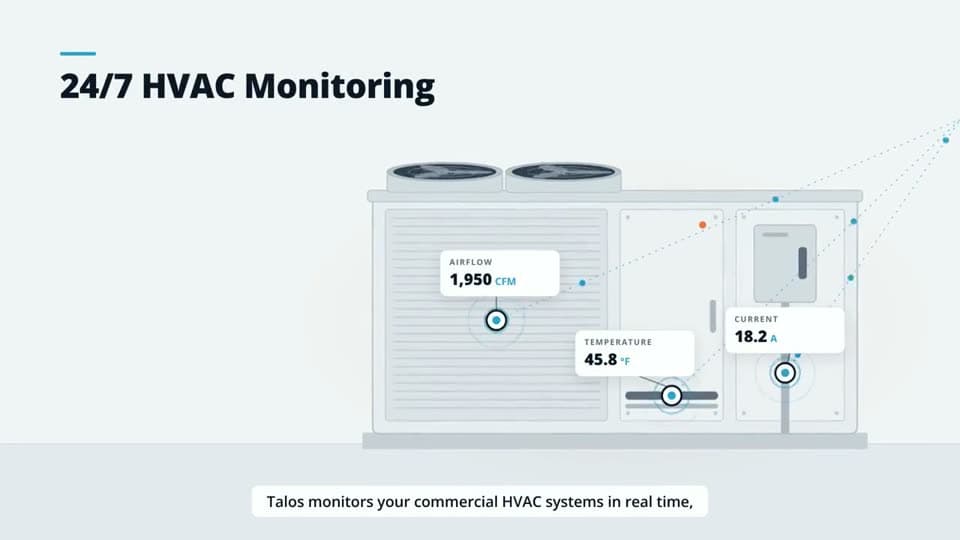
talos.io/hvac-monitoring
Turn our website into a 30-second explainer for facility managers. Lead with the energy they waste today.
Drag to compare
0:30 · Explainer
Questions, answered.
Can ngram make a walkthrough of my product website?
Yes. Give ngram your product URL and a task a customer needs to learn, such as changing a notification setting. Choose a director that supports browsing. If the site asks you to sign in, Studio hands you the browser. Choose Done to let ngram continue capturing the steps.
Can I add explanations to footage I already have?
Yes. Ask for labels over your recording or generated footage, or a diagram between clips when an idea needs more explanation. Tell ngram which original speech to keep. You can also choose Conversation for a scripted exchange or Depth Captions to emphasize selected words behind a presenter.
Will my videos look generic or AI-generated?
No. ngram plans the story structure before generating anything, uses the Brand Kit you select for consistency, and lets you refine every detail. The goal is videos that look intentionally produced - not obviously automated.
What if I don't have any assets to start with?
That's fine. You can start with just a description of what you want. ngram will write the script, plan the storyboard, and generate visuals to match. Assets help, but they're not required.
How much control do I have over the output?
You review and approve one plan, which contains the script that will appear in your video. There is no separate script or storyboard approval step. After generation, you can swap scenes, edit text, change styles, regenerate sections, or dive into the timeline editor for frame-level precision.
Can I use my own brand colors, fonts, and logo?
Yes. Set up a Brand Kit with your colors, fonts, and logo, then select that kit when creating a video. Choose any saved intro or outro you want to include. Your team can reuse the kit across projects.
What video formats can I export?
On a paid plan, finished videos export as MP4, and eligible short videos can also be downloaded as a GIF. Share public watch links on Free; choose a paid plan when you need a downloadable file. Create videos in 16:9 (landscape), 9:16 (vertical), or 1:1 (square) when the selected models support it. Turn on captions whenever you want and match them to your brand colors.
Is this just for marketing videos?
Not at all. Teams use ngram for product demos, customer onboarding, internal updates, training videos, sales enablement, changelogs, investor pitches - any message that lands better as video.
How is this different from tools like Loom or Descript?
Loom is great for quick screen recordings but doesn't help with structure or polish. Descript is powerful but requires editing skills. ngram starts from your intent - who it's for, what it should achieve - and builds a complete video with structure, visuals, and polish. You describe, we create.
What if I need to make changes after the video is done?
Iterate anytime. Request changes in plain language ("make the intro shorter," "swap the second scene for a screen recording") or edit directly in the timeline. Full timeline editing is available to everyone, and older projects can be imported into the current editor. No need to start over.
What will your team
make first?
Start with a prompt or a screen recording. Create it, edit it, and ship the final polish in minutes.
 4.5/5 · 78 reviewsFree to start · No credit card