Show the moving parts behind the explanation
Turn a mechanism into a narrated technical animation. Use Machine anatomy to show components, cutaways and motion, with labels that connect each part to the job it does.
- Explain a mechanism through labeled moving parts
- Use cutaways to show what an outside view cannot
- Ground the explanation in your technical source material
Trusted by teams at


The important action is often hidden inside the machine
A viewer may recognize a compressor or lock from the outside and still need to see the internal movement that makes it work.
An outside shot cannot show the mechanism
A casing conceals the parts and flows that explain why the device works.
A parts list leaves the sequence unclear
Viewers need to see what moves first, what it changes and how the next part responds.
A lesson needs the right level of detail
A beginner’s explanation and a product-training module need different vocabulary and pacing.
Make the mechanism visible before asking the viewer to remember it.
Connect each part to what it does
Choose Machine anatomy and describe the mechanism’s working cycle. Supply reference material for the parts, motion, and terminology, then build a narrated sequence that connects each movement to its result.
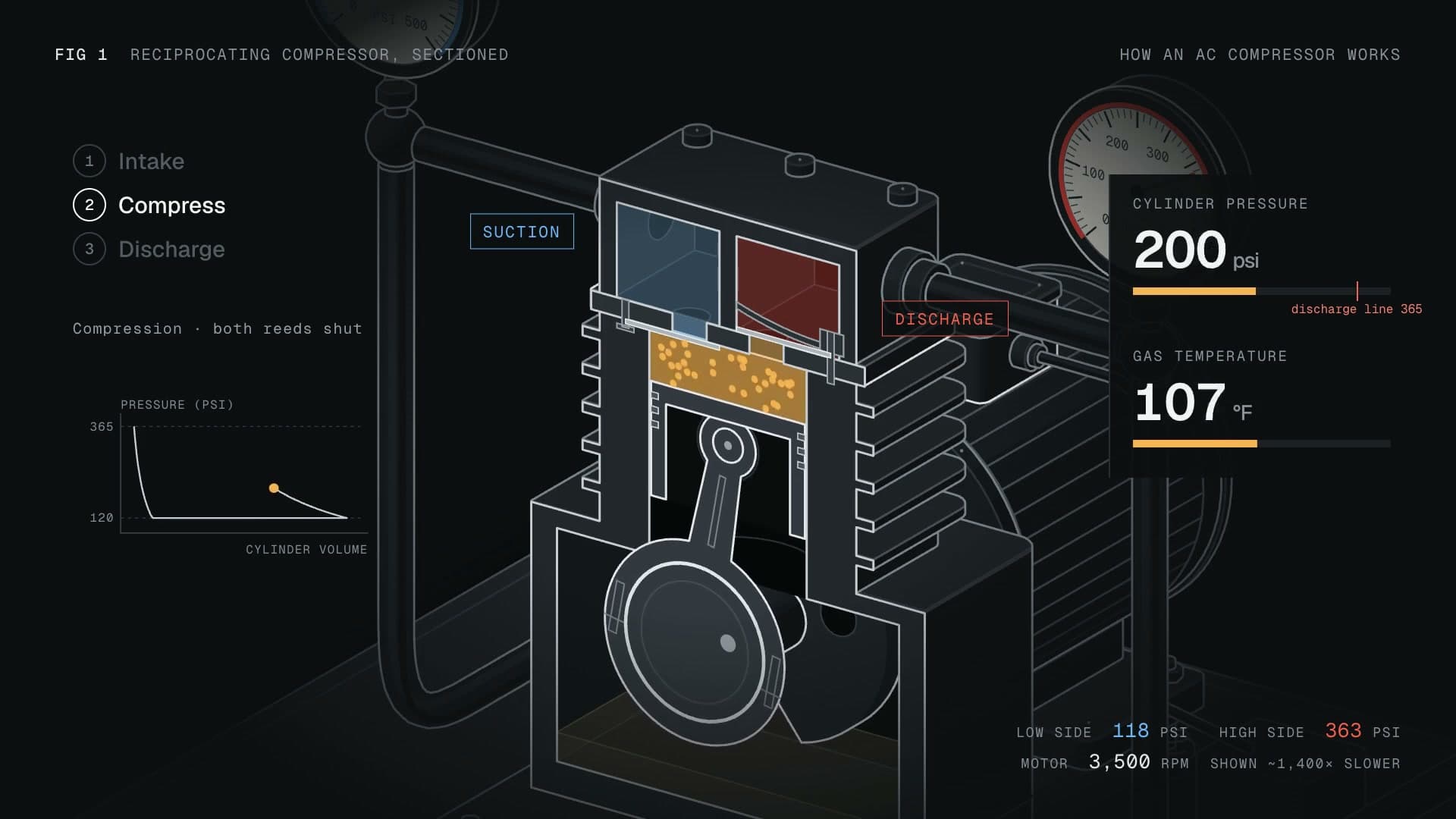
Make the mechanism visible before asking the viewer to remember it.
Name the components
Supply the mechanism, reference material and parts that matter. Request labels that match the terminology in your source.
Show motion and flow
Use cutaways and moving parts to explain the sequence, such as intake, compression and discharge.
Check the explanation
Review the plan and rendered sequence against your reference. Refine the labels, motion or narration when a relationship needs correction.
Explain the action inside the device
Focus on one cycle or component relationship, from a lock’s moving pins to a compressor’s intake and discharge.
Explain one working cycle
Show the parts and sequence behind a compressor, lock or other mechanism.
Make a component’s role clear
Teach how the named parts work together before introducing operation or maintenance material.
Show the principle behind the product
Use an illustrative cutaway to explain a concept alongside actual product imagery when supplied.
Start with Technical Animation
Select Machine anatomy with Opus 5.5, define the learner’s question, and supply the references needed to explain the mechanism.
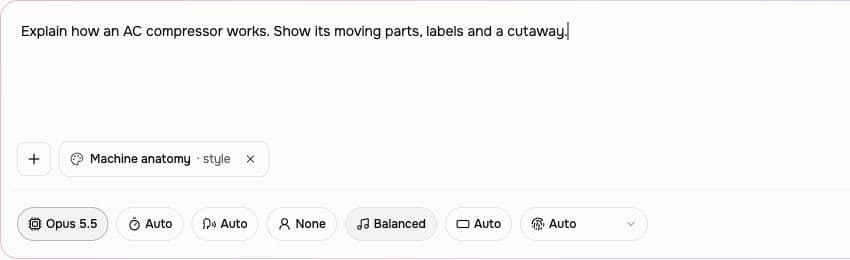
Choose Machine anatomy
Use the Machine anatomy style with Opus 5.5. Name the mechanism, audience and specific principle to explain.
Supply the technical reference
Attach notes or source material, list the important parts and identify the movement or flow the video should show.
Review the sequence
Approve the plan, watch the animation and verify labels and relationships against your reference before sharing.
Use Technical Animation for a real task
Educator explainer
Show the parts and sequence behind a compressor, lock or other mechanism.
Educator course content
Teach how the named parts work together before introducing operation or maintenance material.
Customer training
Use an illustrative cutaway to explain a concept alongside actual product imagery when supplied.
Find the job your video needs to do
Use mechanical animation within a lesson, training module, or product explanation when internal movement is the idea the viewer needs to understand.
Educator Explainer Video
Drop in your lecture notes or a rough whiteboard recording. An educational explainer video maker built for teachers hands you back a polished 4-minute video with motion graphics, smart zooms on every diagram, and captions burned in.
Educator Course Content Video
Drop in a rough lecture take or paste your module outline. A course video maker built for educators hands you back focused 6-minute lessons with smart zooms on every diagram, captions, and consistent module branding.
CS Training Video
Turn a screen recording, help article, or release note into customer training video that explains one workflow clearly. Review the script and scenes, then keep the source material available for the next update.
Product Explainer Video
Drop in a feature doc, a landing-page URL, or a rough product walkthrough. An explainer video maker built for product teams turns either source into a structured explainer with motion graphics, voiceover, and branded styling — no animation skills, no agency timeline.
Creator Course Content Video
Record a lesson the way you would teach a friend over Zoom. A course video maker built for solo creators hands you back paced, captioned, zoom-cleaned modules ready for Teachable, Thinkific, or Kajabi — no timeline editor in sight.
Training Video
Turn your SOPs, screen recordings, and process docs into a corporate training video in under thirty minutes. Smart zooms on every click, step labels on every menu, captions burned in, branded intro applied — ramp new hires faster without booking a video team.
Show the inside view or explain an existing visual
Technical animation can reveal an illustrative mechanism in motion. Recorded footage and diagrams remain useful source material for explaining a real device.
| Capability | Technical Animation | Footage or a static diagram |
|---|---|---|
| Seeing inside | ● Illustrative cutaways and labels | External product footage |
| Explaining sequence | ● Narrated movement through a cycle | Narration over a static parts diagram |
| Checking the result | ● Review the generated explanation against the source | Review the recorded or illustrated explanation |
Connect motion, labels, and narration
Help the viewer follow the cycle by naming the parts, explaining their movement, and refining any relationship that needs correction.
Label the part as it moves
Use labels, arrows, and readouts to identify the component being discussed. A full-screen diagram can introduce the working cycle before the animation shows it in motion.
Narrate the working sequence
Choose a voice and check specialist terms before sharing the explanation. Match the narration’s order to the visible intake, movement, or flow the viewer needs to follow.
Correct a part or a relationship
Identify the label, scene, or motion that needs to change and provide the correct reference. Check the revised sequence and narration together before using the video in training.
Start from the source that explains the mechanism
Provide the relevant parts and operating sequence from a manual, training document, or technical reference.
Manual to Video
Use the manual’s component names and operating sequence to define the animation. Identify the particular cycle to explain and keep procedure details tied to the source.
Training material to Video
Take one learning objective from the training material and show the mechanism behind it. State the learner’s experience level so labels and narration use the right technical depth.
Product docs to Video
Bring the product’s technical description and supporting imagery. Identify the internal relationship to illustrate while keeping actual product specifications grounded in the document.
PDF to Video
Supply the pages containing the relevant diagram, labels, and technical explanation. Check the extracted facts before turning a static reference into a moving sequence.
Build the mechanical explanation for its audience
Choose a manufacturing, education, or explainer brief, then keep the script focused on the mechanism’s working principle.
Explain a product component
Start with the equipment references and the component’s role in the process. Use technical animation to support a product or training video with a clear explanation of its internal action.
Teach one working principle
Define what the learner should understand about the mechanism. Build the lesson around the parts, movement, and a worked sequence instead of a long list of specifications.
Connect the mechanism to the result
Plan an animated explanation that moves from the viewer’s question to the working cycle. Use the technical source to connect each visible action with what it changes.
Write the cycle in a clear order
Draft the component names, actions, and transitions before generating the animation. Keep the narration aligned with the source and the sequence the viewer will see.
Use approved technical updates as a video source
A configured integration can start a separate video job when technical material changes. Check the mechanism’s labels and sequence in Studio before distribution.
Keep the reference version with the brief so a later technical correction has a clear source.
Browse integrationsQuestions about Technical Animation
How do I start a technical animation?
What kinds of subjects fit?
Can I provide my own technical material?
Is the animation an engineering simulation?
Can I revise a label or the sequence?
Can I use it for medical anatomy?
Show the moving parts behind the explanation
Bring one mechanism, its reference material, and the working principle you want to show.
Explain a mechanism through labeled moving parts