Read before this
Read these direct prerequisites in order. Each guide lists any earlier context it assumes.
Align a callout with the action it explains
A label appears before the instructor presses the relevant button. Locate that moment with the playhead, adjust the supported element’s timing and replay across the boundary to confirm the alignment.
If the narration explains the wrong procedure, correct the script or scene. Moving the label would leave the underlying message wrong. Correct the content of a scene.
Locate the precise moment (illustrated guide)
Choose the matching experience
Full timeline editing is available to everyone. Use it to reorder, trim, and split scenes. Older projects can be imported into the current editor. The inline and full-editor workspaces have different layouts, so follow the controls in the workspace you have opened.
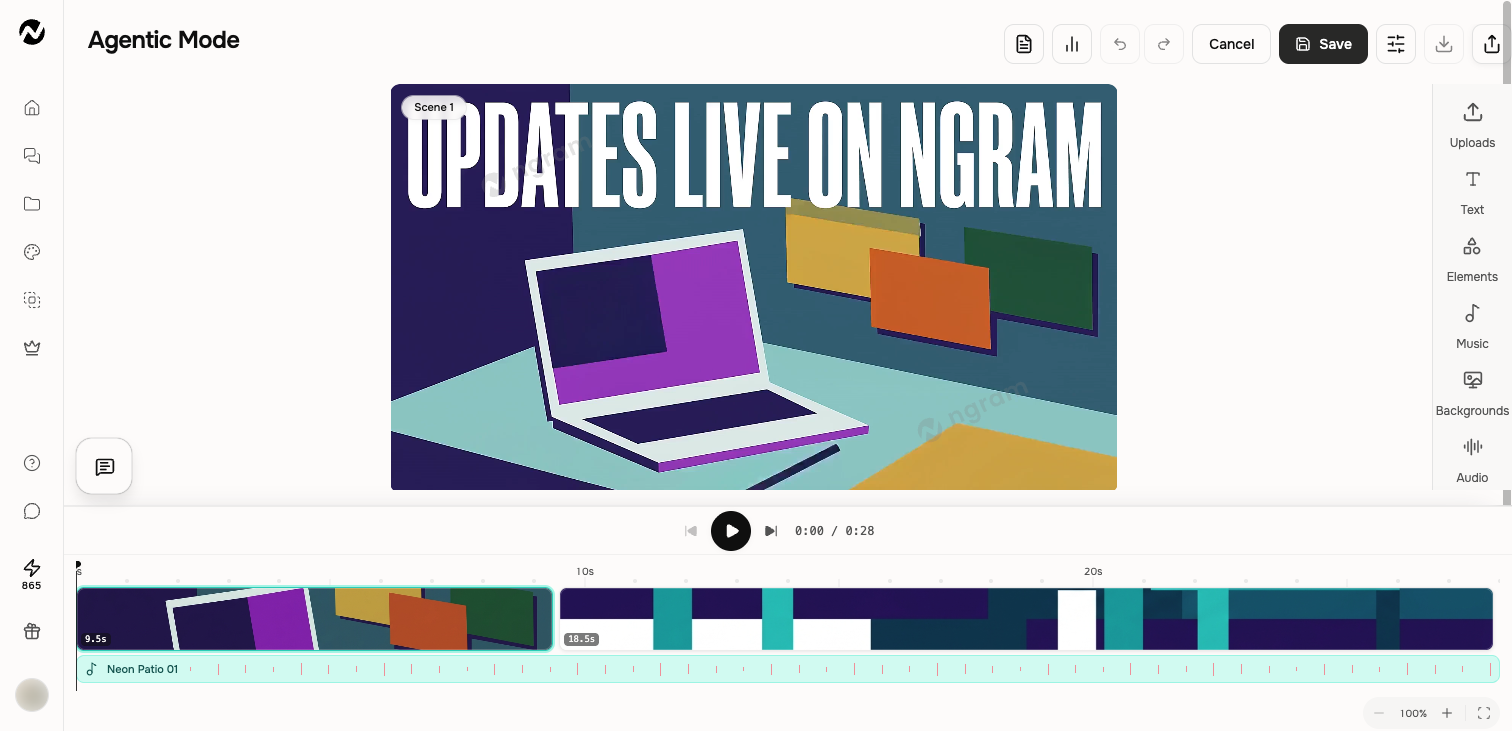
Two timeline contexts
The inline agentic timeline is optimized for the scenes in the current conversation. The full editor timeline supports a broader set of page and media tracks. Controls can differ, so follow the timeline visible in the workspace you opened.
Core controls
- Play, pause, and move the playhead.
- Select a page, scene, or track item.
- Zoom in, zoom out, or fit all pages.
- Resize or move an item only when the selected item permits it.
- Use timeline settings for the controls exposed by that editor.
Review timing safely
- Play from a few seconds before the edit.
- Check the cut or transition at the scene boundary.
- Confirm narration, captions, music, and visual timing remain aligned.
- Save, then replay the final range before export.
Locked and generated items
Some generated, watermark, outro, or system-managed items can be locked or constrained. If a direct trim or move is unavailable, request the change in chat or use the control designed for that item instead of forcing a timeline operation.
Before you finish
Before export, save the current project, replay the affected range and final CTA, and verify whether a public link needs to be updated. Keep independently created editor copies clearly named because they do not synchronize with the conversation.
Keep going
Edit scene content, layers, media, audio, interactivity, and timing inside a conversation.
Understand the full editor and how it differs from inline agentic editing.
Change captions, background music, narration, and sound-effect settings.