AI visual generator for business stories
Use ngram's AI visual generator to create scene imagery from a script, screenshot, URL, or source file. Regenerate a scene, animate a still, or guide it with a reference video while the project keeps its story and brand context.
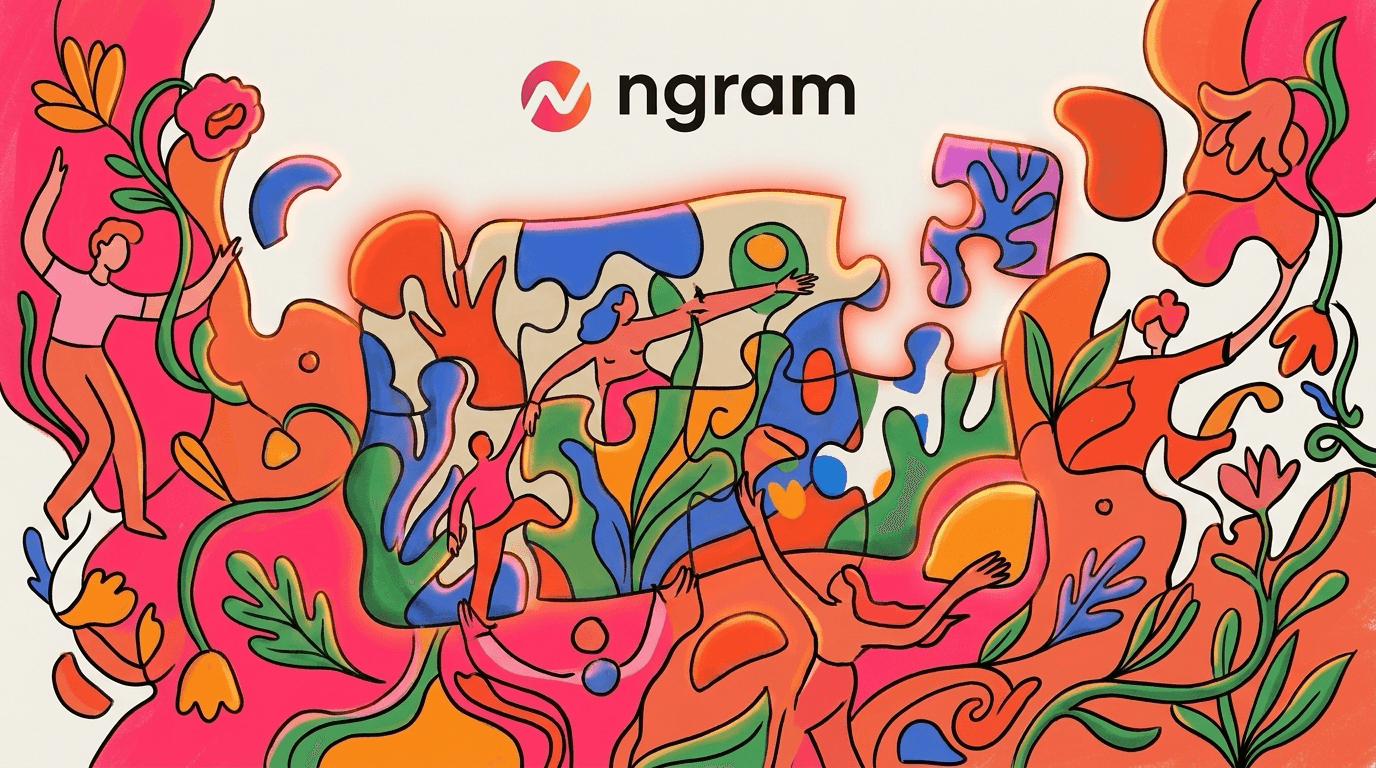
- Generate images and short video fills from scene context
- Use brand-kit direction to guide image style and visual treatment
- Regenerate a scene, animate a still, or follow a reference clip
Trusted by teams at


Generic visuals make specific messages feel flat
Business videos often start with specific source material, then fall back to stock footage that says very little. The result looks polished enough but disconnected from the script.
Stock clips rarely match the line
Teams search for a close visual, then rewrite the scene around whatever they can find.
One-off image prompts break consistency
A scene can look good by itself and still clash with the next scene, the brand kit, or the product story.
Manual replacements slow every edit
When the script changes, someone has to hunt for new visuals and re-check the whole timeline.
AI Visuals keeps generated imagery tied to the scene plan instead of sending the visual work to a separate prompt tool.
Scene visuals, made to fit
AI Visuals turns scene direction and source context into generated images or short video fills, then keeps the result in the same project as the script, brand kit, and edit.
The right generated visual supports the scene you already planned.
Generated from scene context
ngram uses the script, storyboard, and source material to guide what each generated visual should show.
Brand direction stays in the loop
Visual direction can follow the workspace brand kit so image style, color cues, and motion treatment stay consistent.
Regenerate or animate one scene
When one visual misses the mark, regenerate that scene, apply Photomotion to a still, or use a reference video for a new direction.
Visual generation lives inside the video plan
AI Visuals works inside the video workflow. It uses the same scene plan, brand kit, and source material that shape the rest of the project.
Uses the script and storyboard
The visual prompt comes from the scene job and its source context, so the generated image supports the point the scene needs to make.
Reads the brand direction
Workspace brand settings help guide the look of generated images and scene fills.
Regenerate one scene
Swap or regenerate a weak visual while keeping the rest of the project intact.
How AI Visuals works
Start with source material, let ngram plan the scenes, then generate or animate visuals where the storyboard needs them.
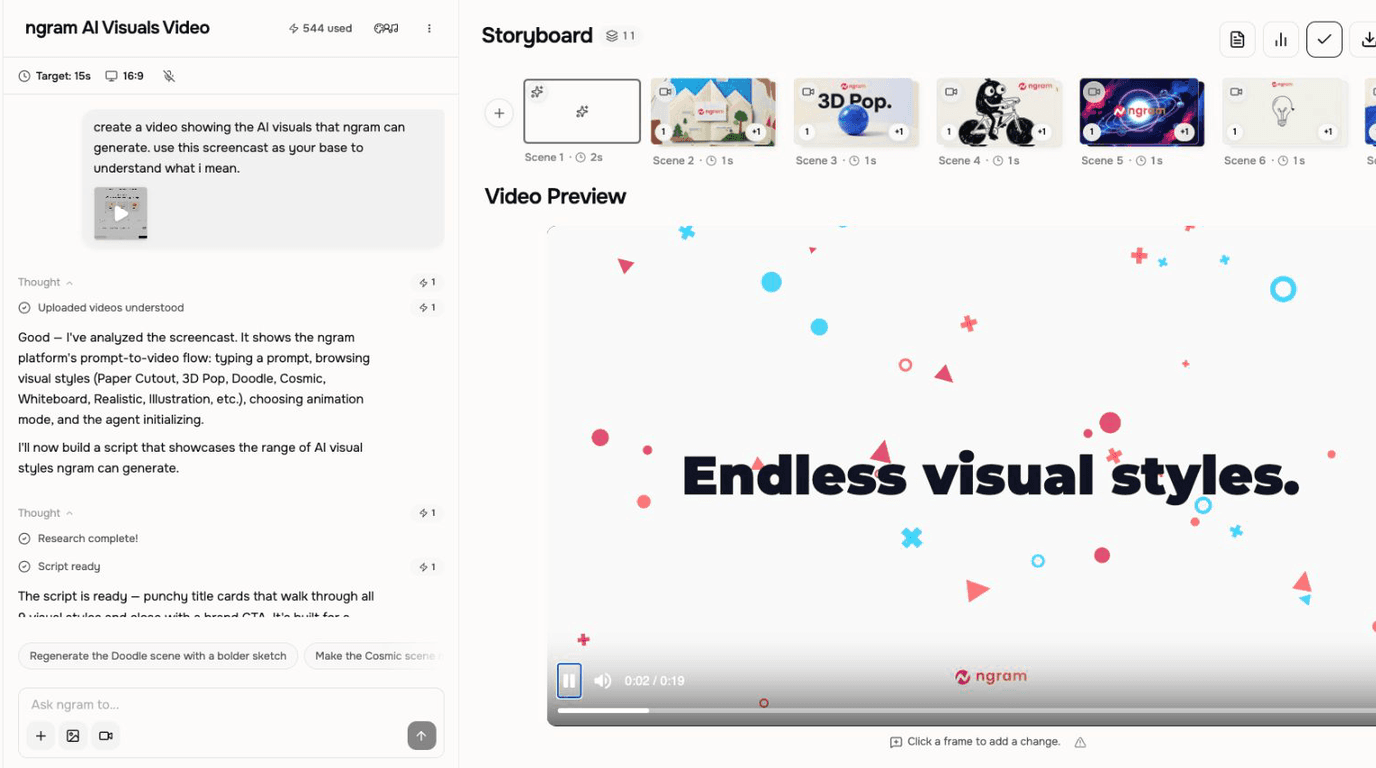
Create the storyboard
Add a prompt, document, URL, screenshot, or script. ngram turns it into scenes with visual direction.
Generate or animate the scene
Create an image or short video fill from the scene direction, animate a still with Photomotion, or supply a reference video for the motion.
Review and refine
Keep the scenes that work and ask for a new direction on one scene when its visual needs a different look or motion treatment.
Who uses AI Visuals
AI Visuals helps business teams turn existing material into clearer videos without separating the feature from the main ngram workflow.
Product marketing
Generate visuals that support each scene of a product launch or feature announcement.
Agencies
Create brand-aware visuals for client videos without starting from stock footage.
Customer success
Add scene visuals that make customer education easier to understand.
Founders
Turn rough product context into visuals that support a sharper founder update.
Where AI Visuals fits in the real work.
Use AI Visuals in the moments where a business message needs to become a clear, polished video for a specific audience, channel, or workflow.
Product Launch Video Maker
Turn the feature PRD, the screenshots, or a rough screen recording into a launch-ready video. A product launch video maker built for SaaS hands you back motion graphics, captions, brand polish, and a reviewed edit for each channel you need, without an agency invoice or a missed release window.
Feature Announcement Video
Paste your release notes, the PRD, or the product URL. Get back a polished feature announcement video with motion graphics, captions, and your brand kit — ready to ship the same sprint the feature does.
Marketing Ad Creative
A marketing ad creative pipeline built for brand and demand-gen teams who need every campaign launched with a full library of variants, not a single hero cut. Drop in a product clip or a campaign brief. Get back twenty captioned, on-brand video ads ready for every paid placement.
LinkedIn Video
A LinkedIn video maker built for founders, marketers, and operators who keep meaning to post. Drop in a rough selfie clip or a blog post you already published. Get back a captioned, branded LinkedIn video sized 4:5 for the feed in about fifteen minutes.
Landing Page Video
Paste the landing page URL or drop in a rough product walkthrough. A landing page video maker built for SaaS hands you back a 60-second hero cut with captions, motion graphics, and brand polish — the version that auto-loops on mute and earns the scroll.
Product Explainer Video
Drop in a feature doc, a landing-page URL, or a rough product walkthrough. An explainer video maker built for product teams turns either source into a structured explainer with motion graphics, voiceover, and branded styling — no animation skills, no agency timeline.
AI Visuals compared with the usual alternatives
AI Visuals is built into the ngram video workflow. The comparison below uses conservative workflow categories instead of unsupported competitor claims.
| Capability | ngram | Manual workflow | Template editor | Point tool |
|---|---|---|---|---|
| Source material | ● Uses prompts, files, URLs, screenshots, and scripts | × Usually starts from manual search or capture | ~ Starts from a template or design canvas | ~ Starts from a prompt or image reference |
| Scene alignment | ● Tied to script and storyboard scenes | × Depends on manual matching | ~ Depends on manual layout choices | ~ Often separate from the video timeline |
| Brand continuity | ● Uses brand kit direction in the video project | × Requires manual policing | ~ Template styles can help but still need edits | ~ Depends on prompt discipline |
| Revision path | ● Regenerate or replace one scene | × Search and re-edit by hand | ~ Duplicate and revise design elements | ~ Generate new assets and re-import |
AI Visuals is one part of a full video.
Add a voice, drop captions, translate the cut, swap b-roll. Every feature is built to chain with the next.
AI Voiceover
Pair generated visuals with narration that fits the script, tone, and pacing of the video.
Script Generation
Turn a rough idea, outline, or product note into the script AI Visuals can storyboard from.
Brand Kit
Keep generated scenes aligned with your colors, tone, logo, and reusable brand direction.
Motion Graphics
Add movement, transitions, callouts, and visual rhythm around your generated frames.
Video Editing
Finish an AI Visuals draft in Video Editing. Browse or swap its music and save the track volume, or mute music without muting narration.
Video Converter
Download the finished AI Visuals video as MP4, then convert that one file to MOV, WebM, or MKV. The converter does not reframe it or build channel variants.
Start from anything.
Already have a script, a brief, or a deck? Each converter sets up AI Visuals with the right scenes, ready to refine.
Image to Video
Animate a single image into a 5-second clip, then expand into a full sequence.
Text to Video
Paste any text, caption, prompt, screenplay, and ngram drafts a full storyboard.
PDF to Video
Turn whitepapers, pitches and reports into narrated explainers in one click.
Blog post to Video
Drop a URL. ngram lifts the structure, generates visuals, narrates the read.
Screen recording to Video
Upload recorded product footage and turn it into a polished video workflow.
Slide deck to Video
Pitch decks become voiced video walkthroughs. Keep the slides, lose the live read.
Tiny utilities that finish the job.
Single-purpose tools you can chain in or use standalone alongside the full ngram editor.
AI Image Generator
Create a still or visual direction first, then bring it into AI Visuals when the scene needs a specific image.
Background Remover
Remove a background from source imagery before using it as a clean element in a generated video scene.
Online Video Editor
Trim, caption, and arrange the finished visual sequence when the generated scenes need hands-on editing.
Image to Video AI
Animate a still frame when a single generated visual needs motion instead of sitting static in the timeline.
Video Converter
Change the final file format after export so the same AI Visuals project fits the channel or handoff.
Video Background Remover
Isolate a person, object, or product shot before combining it with AI-generated backgrounds and scenes.
Noise Remover
Clean noisy voice tracks so the final video feels polished alongside generated visuals and motion.
Video Cutter
Cut down long exports or raw clips into the exact beats you want to keep in the finished story.
Connect ngram to the tools your team already uses
Use the live integration routes for automation, browser capture, agent access, and publishing. Keep video creation close to the work that starts it.

Zapier
Trigger ngram workflows from Zapier when a source event or form submission is ready for video.

n8n
Connect self-hosted or managed n8n workflows to ngram for repeatable video jobs.

MCP Server
Let AI agents call ngram through the Model Context Protocol endpoint when a video needs to be created.

Chrome Extension
Capture web context from the browser and send it into ngram as source material for a new video.

YouTube
Social Publishing is in Beta. Connect YouTube with OAuth and publish a finished AI Visuals video now or on a one-off schedule.

Social Publishing is in Beta. Connect LinkedIn with OAuth and publish a finished AI Visuals product video now or on a one-off schedule.

X (Twitter)
Social Publishing is in Beta. Connect X with OAuth and publish a finished AI Visuals update video now or on a one-off schedule.
Need a custom workflow? Use the API, webhook support, or MCP route when your team needs a governed video pipeline.
Explore integrationsQuestions about AI Visuals
Still curious?
Create your next video with AI Visuals
AI Visuals works inside ngram, so the script, scenes, brand, assets, and export path stay connected from first draft to final video.
Built for business video teams. Connected to the ngram workflow.