Read before this
Read these direct prerequisites in order. Each guide lists any earlier context it assumes.
Check a decision while the learner is watching
A warehouse trainer needs new hires to choose the correct isolation step before continuing a lesson. Add the knowledge check at that moment and try it in the editor. Before distributing the lesson, open the published link in a separate browser and submit a test answer there. A preference question with no correct answer is a better fit for a poll.
If your LMS requires an MP4, export the narrated demonstration and create the assessment in the LMS. The file carries the footage; viewer answers require an interactive player. Export a lesson for an LMS.
Watch how to inspect a quiz in the editor
Watch a quiz answer receive feedback in the Studio preview
If sharing returns an error or the video returns to Not published, keep the lesson in Studio and contact Support. For a class that starts today, export the video and put the question in the LMS.
Before you start
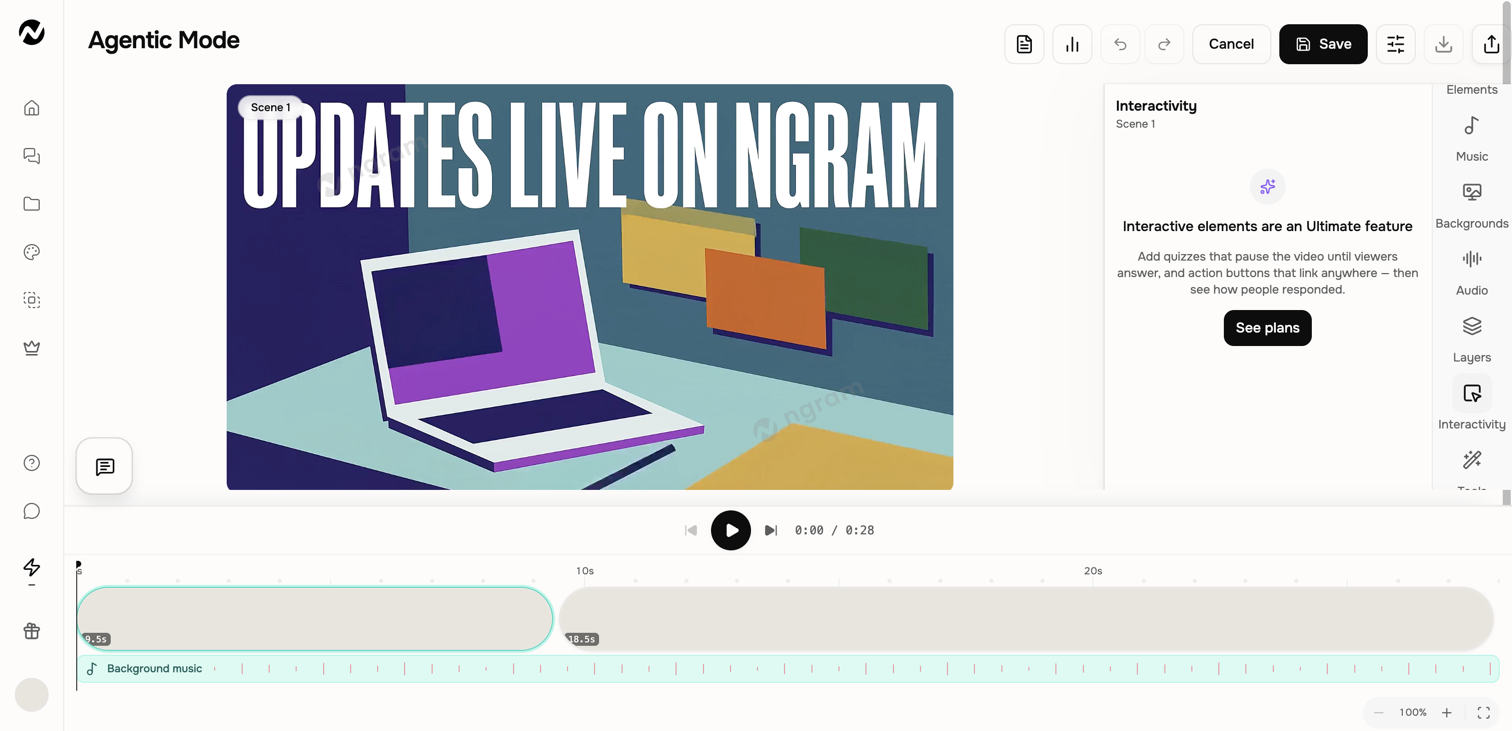
For a new lesson, open Studio and choose Interactive (Beta) if it appears on your account. For an existing finished video, the desktop editing workspace offers scene-level quizzes and action buttons on Ultimate and Enterprise.
Choose the interaction
- Quiz: displays a question and pauses playback until the viewer responds.
- Action button: overlays a timed link or CTA without pausing the video.
- Poll: collect a preference without a correct answer. Start in the Interactive tab for this workflow.
Start a new lesson with a poll
Open Studio, choose Interactive and describe the question, both choices and when it should appear. For a support workshop, ask viewers to choose between writing a clearer handoff and following up after a demo. Specify that neither answer is wrong.
Review the plan and approve it when the scene and choices are correct. Open the scene marked with a poll, then play it in the preview. Check the question and options before attempting to share the lesson.
Watch how to check whether a viewer can skip a poll in Studio
For a button in an Interactive lesson, open the scene’s quizzes, polls and buttons panel. Choose Timing to check when the link appears and how long viewers have to open it.
Watch how to check the start time and duration of a scene button
Add a quiz or button to a finished video
- Open an owned finished video on desktop and turn on Edit.
- Select the scene, open Interactivity, and choose Quiz or Action button.
- Enter the question and answers or the button label and destination, then set the visible timing options.
- Save the edit and play through the scene to test its timing and behavior.
- Use Share to publish or update the version. Confirm the published state persists before distributing the link.
- Open the link in a separate viewer session and complete the interaction. If the lesson will be embedded, test it in that destination too.
Check that an answer was recorded
After a test viewer submits an answer on a working public link, open Analytics if it is available for that video. Look for the test answer before using the results to assess learners. A project view count alone cannot tell you which option someone chose. If the answer is missing and you need a completion record, collect the assessment in your LMS.
If viewers do not see the change
Confirm the edit was saved and the published video was updated after the change. Test the public link rather than only the editor preview. If the interaction still does not appear, contact Support with the project URL, scene number, interaction type, and approximate publish time.
Keep going
Edit scene content, layers, media, audio, interactivity, and timing inside a conversation.
Use the current Share control and understand the curated Made with Ngram gallery.
Review current Free, Basic, Premium, Ultimate, and Enterprise plan behavior.
Choose the right help channel and include useful, privacy-safe diagnostic details.