PPT to Video by ngram
PPT to Video for decks your audience can watch

Drop a PPTX or PDF deck
Sales pitches, training modules, investor updates, launch decks, lessons, all-hands recaps
What it does
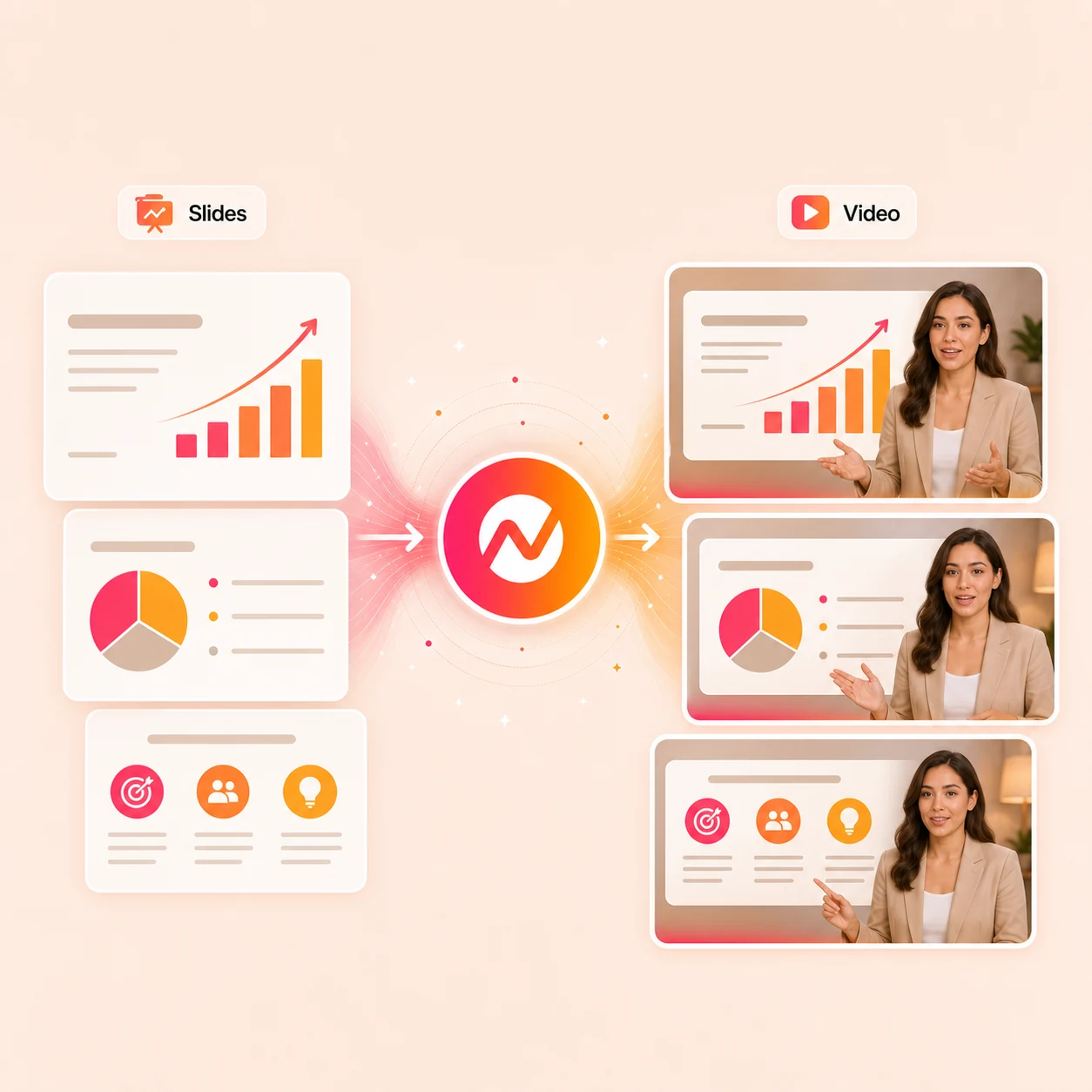
Turn an existing PowerPoint into a video people can watch without a live presenter. Add narration, pacing, captions, and brand, then update the project when the deck changes.
Trusted by teams at












How it works
From slide deck to a narrated video draft.
Drop the deck once. ngram reads the slide structure, plans the scenes, and hands back a video draft that stays editable end-to-end.
Upload the deck
Upload a PPTX or PDF deck. AI Slides uses the slide or page order and visible content to build the first video plan.
Deck parsed
Plan the scenes per slide
Each slide or PDF page becomes a scene blueprint with timing, visible copy, and drafted narration. Review the storyboard before the first render.
Scenes planned
Review narration and captions
Walk through the scene-by-scene plan in plain language. Tweak the script, pick a voice, style captions, and adjust pacing on the slides that carry the most weight.
Narration reviewed
Export or keep adapting
Render and download the finished MP4. If you need another framing, prepare and review that layout separately in the editor.
Ready to publish
What it can do
What PPT to video does inside ngram.
AI Slides maps the deck into scene blueprints. The project then handles narration, captions, brand styling, translation, and MP4 export without re-importing the deck.
Read PPTX and PDF deck structure
AI Slides uses the PPTX slide order or PDF page order and visible content to create scene blueprints before rendering.
Draft and review the narration
ngram drafts narration from the deck's visible content. Review and rewrite the talk track in chat or the script editor before generating the voiceover.
Learn more about script generationGenerate AI voiceover per scene
Pair the deck narration with a brand voice from ElevenLabs or MiniMax. Slow down on the closing CTA, tighten the pace on dense bullet slides, change the voice once and reuse it on the next deck.
Learn more about AI voiceoverBurn captions onto every slide scene
Most deck-derived videos get watched on LinkedIn with the sound off. Captions render on every scene, anchored to the narration of each slide, styled to match the brand kit.
Learn more about captionsApply the brand kit to every scene
Logo, colors, fonts, intro and outro cards, lower-thirds, and motion style apply on top of the deck content, so the video reads as an extension of the pitch rather than a new layout.
Learn more about brand kitLocalize the deck in one pass
Translate the script and captions, regenerate voiceover in the target language, and re-render the same deck for every market without rebuilding the slides.
Learn more about translationBuilt for async decks, pitches, training, and launch communications
When it matters
Decks that earn a second life as video.
Nine use-case pages where a finished deck reaches more of the audience as a watchable video than as a slide attachment.
PMM Product Launch
Convert the internal launch deck into the public launch video the marketing team posts to LinkedIn, YouTube, and the launch page. Same story across the deck, the post, and the page.
Open AI video use caseInvestor Pitch Video
Turn a pitch deck into a narrated update that carries traction, story, and ask without booking another meeting. Investors who skipped the call still get the full pitch.
Open AI video use caseTraining Video
Trainer-led decks become self-paced video modules learners can replay. Review the drafted script, then apply the brand kit across the module.
Open AI video use caseSales Proposal Walkthrough Video
Send the proposal deck as a narrated walkthrough that buyers can forward to procurement and the rest of the buying committee after the call.
Open AI video use caseCustomer Onboarding Video
Replace the 40-slide onboarding deck attached to the welcome email with a 4-minute branded video. Same content, higher completion, and one source PPTX to update.
Open AI video use caseFounder Investor Update
The deck a founder would present live becomes a monthly video update for LPs who can't make the call. Review the drafted narration before sending the finished video.
Open AI video use caseHR Company Announcement
All-hands and exec-update decks turn into async video for everyone who missed the meeting. Captioned, on-brand, ready to translate when distributed teams need it.
Open AI video use caseEducator Course Content
Lecture decks and course slides become narrated modules with captions and section structure. Students can rewatch the exact talk the instructor would have given live.
Open AI video use caseAgency Pitch Video
Convert the agency pitch deck into a video clients can replay before the second meeting. The strategy, the work samples, and the recommendation in one watchable file.
Open AI video use caseProduct stack
The product stack around deck-to-video.
AI Slides maps the PPTX or PDF into scenes. These features carry the deck-derived video through script, voiceover, captions, brand styling, translation, and export.
Script Generation
Visible slide content gives the narration a starting point. Review and rewrite the drafted talk track in chat or the script editor before rendering.
Learn more about script generationAI Voiceover
Pair every deck scene with a brand voice from ElevenLabs or MiniMax. Lock the voice once, reuse it across the next quarterly deck, sales pitch, or training rollout.
Learn more about AI voiceoverCaptions
Auto-burned captions per slide-scene, styled to brand. Edit a narration line and the matching caption updates without a full re-render.
Learn more about captionsBrand Kit
Logo, colors, fonts, intro and outro cards, and motion style apply on every slide-scene. Twenty reps export the same pitch deck and the video reads the same on every send.
Learn more about brand kitMotion Graphics
Number slides and stat callouts get animated lower-thirds and bullet reveals instead of all-at-once layouts. The stat lands on-beat with the narration line that introduces it.
Learn more about motion graphicsTranslation
Translate the deck script and captions, regenerate voiceover in the target language, and re-render the same source PPTX for every market.
Learn more about translationMore tools
Tools that pair with PPT to video.
Reach for these around the deck conversion when the source needs prep, the output needs polish, or the deck-video needs to ship across more channels.
Shape the deck talk track
Pull the script in shape before the deck is converted.
Video Script Generator
Draft the hook, body, and CTA when the visible deck content needs more narration context.
Open toolText to Video
Skip the deck file when only the talk track exists. Paste the script and let ngram plan slide-style scenes from the writing.
Open toolURL to Video
Pull in a launch page, docs page, or pricing page as extra context for the deck narration before the conversion runs.
Open toolPolish the deck video
Add the finishing layers viewers expect on slide-derived video.
Add Subtitles to Video
Burn styled subtitles onto the deck-derived video for LinkedIn and Shorts viewers who watch with sound off.
Open toolAdd Music to Video
Drop a music bed under the slide narration, ducked so the voiceover stays clear even on dense bullet scenes.
Open toolAdd Text to Video
Layer extra titles, lower-thirds, and section markers on top of the deck scenes when the original slide copy needs reinforcement.
Open toolReuse the deck video
Turn the rendered deck-video into supporting assets, formats, and languages.
Video Translator
Translate the deck-derived video for buyers, employees, or learners in other markets without rebuilding the slides.
Open toolVideo Cutter
Pull a 30-second teaser out of the deck-video for a launch post, sales follow-up, or a teaser ahead of the meeting.
Open toolVideo to GIF
Turn a single slide-scene into a looping GIF for docs, email, or chat when a full video player would be overkill.
Open toolConvert
Other source material that becomes video.
When the next project starts from a PDF, a doc, or a written outline instead of a PPTX, these converters share the same scene planner.
PDF to Video
Closest sibling to the PPT converter. Whitepapers, one-pagers, and decks shared as PDF exports ride the same scene-by-scene planner.
Open converterDocs to Video
When the deck started life as a Google Doc or Notion page, skip the PPTX export and convert the doc directly into a narrated video.
Open converterText to Video
Have only the talk track? Paste the script and let ngram draft the slide-style storyboard from the writing.
Open converterWho it is for
Teams that already live in decks.
PPT to video earns its place when the deck is built, the message is set, and the audience needs a watchable version that lands without a meeting.
Sales Enablement
Turn the standard pitch deck into a video leave-behind every rep can send after a demo. Brand-locked, no per-rep edits, and the prospect forwards it to the buying committee.
See sales workflowsProduct Marketing
Convert launch and positioning decks into the public-facing launch video. The deck, the post, and the landing page all carry the same story.
See product marketing workflowsEducators
Lecture decks become narrated modules with captions and section structure. Students rewatch the lesson the way the instructor would have delivered it live.
See educator workflowsHR & Internal Comms
All-hands and policy decks turn into async video for distributed teams. Captioned, on-brand, and translatable when the same announcement ships across regions.
See HR workflowsFounders
Investor and pitch decks ship as monthly video updates for LPs who can't make the live call. Review the drafted narration before sharing the finished video.
See founder workflowsAgencies & Consultants
Convert client pitch decks into branded video deliverables without standing up a video editor on every engagement.
See agency workflowsCustomer Success
QBR and onboarding decks turn into a 3-minute summary the customer replays ahead of the live call, then reuse next quarter.
See CS workflowsProduct Managers
Roadmap, changelog, and stakeholder-update decks become videos that preserve the live commentary the slide deck would have lost.
See product workflowsIntegrations
Wire deck-to-video into the workflow that owns the deck.
Live ngram integrations that fit a PPT-to-video pipeline where the source deck lives in Drive, the rendered video lands in a CRM or campaign tool, and the publish step is its own channel.
Zapier
No-codeWhenA new PPTX lands in the Drive folder that holds launch, sales, or training decks
ThenUse the documented video-generation action with supported text or URL context, then use ngram's app workflow for PPT-to-video and DM the rendered link
MCP Server
AgenticWhenClaude or ChatGPT is asked to turn a referenced deck into a narrated video
ThenUse MCP for supported video or image calls; use ngram's app workflow for PPT-to-video, then return the reviewed MP4 link inside the agent thread
n8n
WorkflowWhenA self-hosted workflow drops a quarterly review or training PPTX into a watched S3 bucket
ThenUse n8n's documented video-generation action with supported text or URL context, then use ngram's app workflow for PPT-to-video and post the result back
Chrome Extension
CaptureWhenYou are reviewing a public source page that adds context to the deck
ThenSend the page context into ngram, then upload the exported PPTX or PDF to start the deck video
WhenThe team has reviewed the narrated deck video for LinkedIn.
ThenPrepare the LinkedIn post; schedule the narrated deck video for one release.
X (Twitter)
BetaWhenThe narrated deck video is approved and ready for X.
ThenCompose the X post and publish the narrated deck video now.
YouTube
BetaWhenThe narrated deck video is ready to share on YouTube.
ThenCompose the YouTube post, then put the narrated deck video on a one-off schedule.
Why ngram
How ngram compares for PPT to video.
Other tools convert slides; some add an avatar, some add voiceover, some just export a timed slideshow. ngram keeps the deck-derived video connected to script, captions, brand kit, translation, and reuse.
| Compare | ngram | Synthesia | VEED | PowerPoint export |
|---|---|---|---|---|
| Workflow fit | AI Slides maps PPTX slides and PDF pages into scene blueprints, then the project handles narration, captions, brand styling, translation, and the finished MP4. | Synthesia imports PPTX files, keeps slide design and speaker notes, and places an AI avatar over the slides as the on-screen presenter. | VEED's slides-to-video tool turns an uploaded PPTX, Keynote, or PDF into a video with AI script, voiceover, and subtitle generation in the browser. | PowerPoint's File > Export > Create a Video produces an MP4 or WMV at up to 4K, playing slides with whatever timings and recorded narration the file contains. |
| How ngram fits | Best for teams that need the deck-derived video to roll into launch, training, sales, and localized variants without re-importing the slides. | Strong fit when the deck-video specifically needs a presenter face on camera and an avatar-led format. | Useful for one-off creator edits and quick online conversions where the goal is to ship a single deck-derived video fast. | Fits when the deck already has a recorded narration track and the only goal is to export the existing playback as a file. |
| Best use | Targets workflows where the deck is one of several source types alongside docs, URLs, screenshots, recordings, and product material. | ngram fits teams that want the deck rendered as branded motion-graphic scenes rather than a slideshow with an avatar bolted on top. | ngram pairs the deck conversion with brand styling, script handoff, integrations, and an editable project for teams that ship deck-derived video on repeat. | ngram fits when there is no recorded narration and the deck needs AI-drafted voiceover, captions, brand treatment, translation, and a project that stays editable. |
FAQ
Common questions about PPT to video
Still curious?
Send the deck as narrated video
Upload a PPTX or PDF, let AI Slides plan the scenes, then review the narrated video before downloading its MP4. The project stays open for captions, voiceover, brand styling, translation, and further edits.
Run the focused PPT-to-video tool first, then finish the rest of the project inside ngram.
Deck, narration, captions, brand, export