AI explainer video maker. Turn your material into a video.
Turn research papers, slides, documentation, PDFs, webpages, and more into explainer videos. ngram creates the script, narration, and animated scenes from your material.
- Start with the material you already have
- Choose an overview or a deeper explanation
- Let the source shape the video's length
Trusted by teams at












The explanation is written. Making the video is another job.
Your source material already has the facts. To teach it on video, someone still has to write the narration, decide what to show, and build the scenes.
A document needs a different rhythm on screen
The reader can scan a page. A viewer needs a sequence that introduces the idea and shows how the pieces connect.
A diagram needs someone to bring it to life
A process is easier to follow when you can see the next step happen while the narration explains it.
A short summary can leave out the useful part
Some subjects need a worked example or a caveat. A fixed runtime can squeeze out the detail people came to understand.
ngram starts with the source and builds the explanation around its content.
Bring the material. Show what it means.
ngram turns your source material into a spoken explanation with animated scenes. Bring a research paper, slide deck, documentation, or another source, and decide how deeply to cover it.
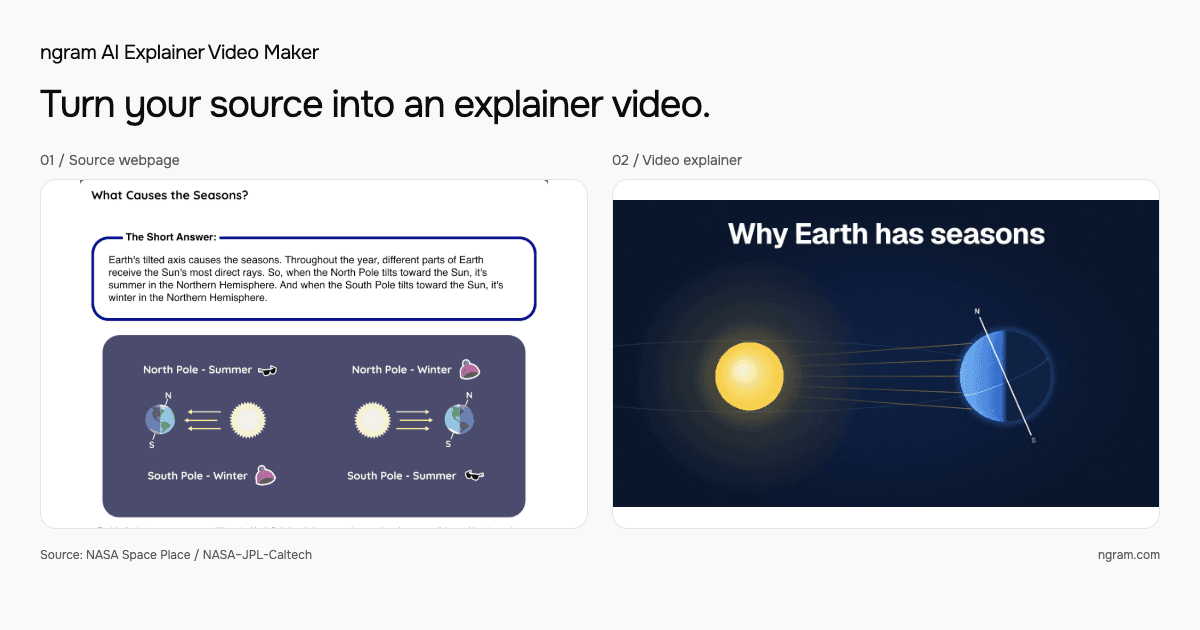
One source becomes the basis for the script and visuals.
Keep the source at the center
Use the material with the facts you want to explain, from research findings to product documentation. ngram uses that material to develop the explanation.
Choose how much to explain
Overview covers the main ideas. Detailed adds mechanisms and examples. Comprehensive makes room for nuance and caveats.
Let motion carry the explanation
Diagrams and visual sequences show relationships while narration explains them. On-screen text gives the viewer the terms and values they need.
Built to explain the material you bring
Start with something you want to explain. ngram develops the script, narration, and scenes into a video your audience can follow.
An overview and a lesson need different detail
Choose the coverage that fits your audience. Introduce a topic with its central ideas, or spend more time on how it works.
The material sets the pace of the lesson
ngram lets source coverage determine the default runtime. A process can keep its important steps, and a complex idea can include the example that explains it.
Go from the source to a first video
For source-based explainers, ngram creates the script, storyboard, narration, and visuals in one pass. You do not need to approve each stage to get the first result.
How ngram turns a source into an explainer
Add your source, choose the explanation depth, and let ngram build the video.
Bring your source material
Start with a research paper, slides, documentation, a PDF, a webpage, or other material. Tell ngram who the explanation is for and which topic matters.
Set the explanation depth
Choose Overview, Detailed, or Comprehensive to match what your audience needs to understand.
Watch the result
ngram develops the script and animated scenes from the source. Watch the finished explanation and check the important details against the material.
For the things people need to understand
Start with material you already use to explain a subject. Give the people reading it a video they can watch alongside the source.
Learning and development
Turn a training deck or an approved guide into a visual lesson that gives each step its place.
Customer education
Explain the concepts behind a customer task using the information in your documentation.
Educators and technical teams
Use a research paper or educational source to explain a finding, a relationship, or a worked example.
Find a starting point for your explanation
Explore ideas for turning research, training material, documentation, and more into videos people can learn from.
Explain a process from the team handbook
Use a written procedure as the basis for a narrated lesson, with the steps presented in the order people need to learn them.
Introduce the ideas behind a customer task
Give a getting-started guide a video companion that explains the concepts a new customer needs before their first project.
Help the central idea land
Build an explanation around a source article, then use narration and animated scenes to show how its main ideas connect.
Give research a visual explanation
Turn a research paper, lecture slides, or reading material into a lesson that explains the central ideas and evidence.
Make a policy easier to teach
Start with an approved policy document and explain its process to employees, keeping the original available for exact wording.
Explain what a product concept means
Use a product guide to teach a workflow or concept with an explanation built around the information in the source.
From written source to a video lesson
ngram takes on the initial production work. A manual workflow gives you direct responsibility for each stage, from the spoken script to the finished scenes.
| Capability | ngram | Manual production |
|---|---|---|
| Develop the explanation | ● Build the script around your source material and selected depth | Adapt the document into a spoken script yourself |
| Create the visuals | ● Generate animated scenes to support the narration | Draw, animate, and time the scenes in an editor |
| Choose the coverage | ● Select a depth; source coverage guides the default runtime | Decide which details to include and time the script |
| Produce the first video | ● Continue through the initial production stages in one pass | Move the script, visuals, and narration through each production step |
More ways to bring an explanation to the screen
These feature guides cover the wider ngram product. Choose the creation workflow that fits the video you want to make.
Give the source a spoken structure
See how source material informs a video script, with an opening, a sequence of ideas, and a closing takeaway.
Make the relationship visible
Explore the visual treatments that help an explanation show a sequence or draw attention to a specific detail.
Create a video from a broader brief
Use V2 when your starting point is an idea for a launch film or another video that calls for its own creative direction.
The next explainer may already be written
Research papers, slides, documentation, articles, and more can become explainers. Explore these guides for common starting points.
PDF document to Video explainer
Start with a guide or manual that contains the facts you want the video lesson to explain.
Webpage to Video explainer
Use a readable public page as the source for a narrated explanation of its main ideas.
Slide deck to Video explainer
Turn the ideas in a presentation into a narrated explanation your audience can watch on their own.
Documentation to Video lesson
Explain a process or product concept using the details already captured in your documentation.
Prepare the file for where people will watch
These ngram tools help you prepare a finished explainer for the place your audience will watch it.
Fit an upload limit
Compress a video file for the destination, then check that the labels in your explainer remain readable.
Make the narration readable
Use the subtitle tool on a finished file when viewers need to follow the explanation with sound off.
Put one visual moment in a guide
Make a short loop from a useful part of the explanation to accompany the written source.
Work on the finished sequence
Open a video file in the separate editor when you want manual control over how it is presented.
Create from the page you are reading
The ngram Chrome extension offers a separate webpage-to-video workflow. You can also bring source material directly into Studio.
Explore other ways to bring source material into ngram.
Explore ngram integrationsQuestions about the AI explainer video maker
What is an AI explainer video maker?
Where do I create an explainer video?
What can I use as a source?
What do Overview, Detailed, and Comprehensive mean?
How long will the video be?
Do I need to approve a storyboard before generation?
Do I need a separate subscription?
Can I create other types of videos with ngram?
Bring your material. Make the explanation watchable.
Use the material you already have to explain a concept, teach a process, or help a customer.
Start with a paper, slides, documentation, or another source in Studio.
Your material · Your audience · A video explanation