AI Brand Video Maker by ngram
AI Brand Video Maker for repeatable campaign production

Name the brand story, audience, source material, message, tone, length, and asset formats the video should support
What it does
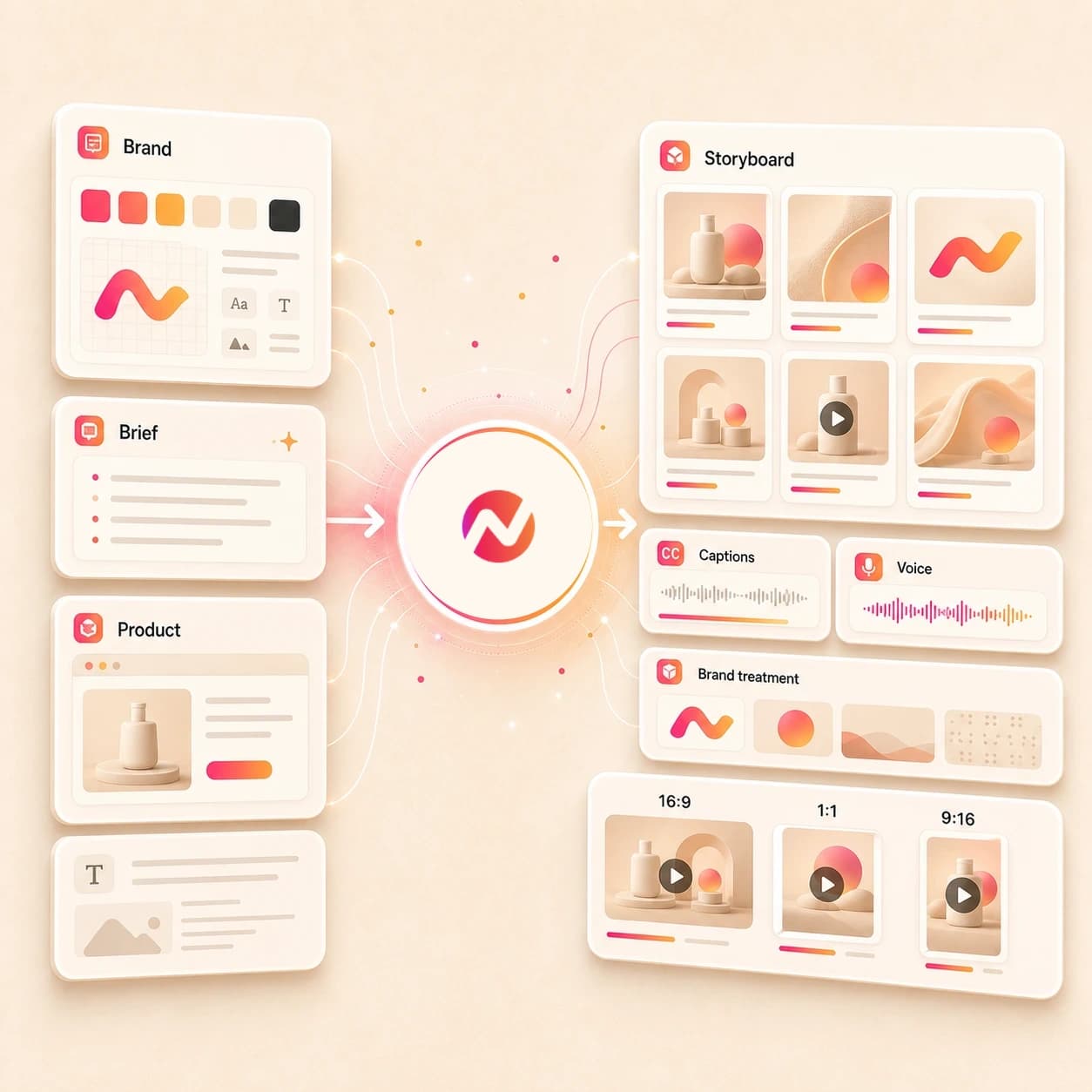
Bring your logo, visual references, product pages, and campaign message. ngram turns them into a branded video project you can adapt across launches, customer stories, and channel formats.
Trusted by teams at












How it works
How the AI brand video maker works.
Give ngram the approved brand material, review the story, then generate an editable brand video asset without turning the page into a strategy brief.
Bring the approved source
Start from a prompt, image, PDF, brand doc, website, product page, case study, or URL that already contains the story, proof, tone, and rules the video should use.
Source ready
Review the script and storyboard
ngram turns the source into a hook, scene order, narration, visual direction, caption plan, CTA, and timing before the first brand video render.
Story reviewed
Generate the branded draft
The project gets AI visuals, motion graphics, voiceover, captions, music, intro and outro treatment, and brand kit styling in one editable workspace.
Draft generated
Edit and export the asset set
Use chat, script edits, canvas controls, and the timeline to refine the video, then download the finished MP4.
Ready to hand off
What it can do
What the AI brand video maker builds.
Create brand video assets from approved source material. ngram handles production work, not brand strategy, media buying, direct publishing, or awareness guarantees.
Brand story script and storyboard
Turn approved positioning, product pages, founder notes, case studies, or community material into a reviewable script, scene list, and CTA.
Learn more about script generationBrand kit on every scene
Apply logos, colors, fonts, motion style, image style, voice, tone, approved phrases, blocked phrases, intros, outros, and CTA rules.
Learn more about brand kitAI visuals from source context
Generate scene imagery, product frames, backgrounds, and supporting visuals from the approved brand message and uploaded references.
Learn more about AI visualsVoiceover and captions
Create narration from the approved script, burn in captions by default, and keep both editable when the brand story changes.
Learn more about AI voiceoverMotion for brand moments
Add lower thirds, product callouts, logo moments, transitions, and text overlays that make the story easier to follow on screen.
Learn more about motion graphicsBuilt for brand video asset creation, not campaign operations
When it matters
Where AI brand video maker workflows fit.
Use this page when an approved brand story, product narrative, customer proof point, employer message, or community moment needs a reusable video asset.
Marketing Brand Video
Create a brand-led video from positioning, brand assets, product context, and a saved brand kit so campaign and website teams can review one coherent asset.
Open brand video use caseCreator Brand Content Video
Turn sponsor briefs, product references, and creator footage into polished brand content while keeping the sponsor's visual rules attached to the cut.
Open creator brand use caseProduct Overview Video
Use a product page, feature doc, or screenshots to build a product narrative that explains what the brand offers before a buyer reads the full page.
Open product narrative use casePMM Customer Story
Turn customer proof, quotes, results, and case study context into a branded story asset that can support the broader company narrative.
Open customer story use caseHR Culture Content Video
Create employer brand and culture videos from employee notes, team recordings, careers pages, or community moments with captions and brand styling.
Open culture video use caseHR Company Announcement Video
Transform approved leadership notes, internal memos, or announcement PDFs into official branded video updates for employee review.
Open announcement use caseFounder Marketing
Turn founder notes, product pages, pitch context, and raw product material into brand videos that explain the company without a separate production process.
Open founder marketing use caseGrowth Campaign Video
Create brand awareness assets from a campaign brief or landing page, then export files that growth teams can test and route in their own stack.
Open growth video use caseMarketing Landing Page
Paste the landing page behind a brand message and turn its approved copy, proof blocks, and CTA into a video asset for page review.
Open landing page video use caseProduct stack
The product stack behind AI brand videos.
These ngram features carry a brand video from approved source material to an editable, reusable asset set.
Brand
Brand Kit for video consistency
Keep logos, colors, fonts, motion style, tone, approved phrases, blocked phrases, intros, outros, and CTA rules attached to each brand video.
Apply brand kitPlanning
Script generation for brand stories
Turn prompts, URLs, PDFs, approved docs, and product context into a hook, script, storyboard, scene plan, and CTA.
Plan the storyVisuals
AI visuals for brand scenes
Generate supporting scene imagery and product visuals that match the approved story, source references, and brand direction.
Build scene visualsVoice
AI voiceover for narration
Create narration from the approved brand video script, choose a voice, and regenerate affected audio after message edits.
Add narrationCaptions
Captions for sound-off viewing
Burn in captions and on-screen copy so brand stories still read in muted feeds, internal posts, page embeds, and review tools.
Style captionsMotion
Motion graphics for brand proof
Add animated text, lower thirds, product callouts, quote cards, transitions, and logo moments that explain the story on screen.
Add motionEditing
Video editing after generation
Use chat, visual chat, script edits, scene regeneration, canvas controls, and the timeline to refine brand video drafts.
Edit the draftMore tools
Related tools for brand video production.
Use these tools when the brand video starts from a narrower source, needs a channel cut, or needs another editing pass before handoff.
Related brand and campaign tools
Carry approved brand source material into commercial, marketing, promo, and agency video workflows.
AI Commercial Video Maker
Turn brand story material into a polished commercial-style spot with scenes, voiceover, and captions.
Open toolAI Marketing Video Maker
Build campaign-ready video assets from the same approved brand direction and source pages.
Open toolAI Promo Video Maker
Adapt the brand asset into launch, offer, event, or announcement promos for owned channels.
Open toolAI Agency Video Maker
Package brand-safe client deliverables and review-ready video assets for agency workflows.
Open toolStart from approved source material
Create the first brand video draft from a prompt, script, URL, image, deck, or broader video brief.
AI Video Generator
Use the broader generator when the approved brand source should become a full business video with planning, scenes, captions, and exports.
Open toolText to Video
Paste brand positioning, a company note, or approved story copy and turn it into an editable brand video draft.
Open toolURL to Video
Use a website, product page, case study, or landing page as source context for the brand story.
Open toolImage to Video
Animate approved brand images, product screenshots, community photos, and campaign stills into moving brand scenes.
Open toolPPT to Video
Turn brand decks, founder presentations, culture slides, or product narrative decks into narrated video drafts.
Open toolVideo Script Generator
Draft the brand video hook, scene notes, narration, and CTA before the team commits to a render.
Open toolCreate reusable variants
Turn one approved brand story into channel-specific or asset-library versions without changing the source message.
AI Social Media Video Maker
Adapt the approved brand story into social video variants while keeping captions, pacing, and brand treatment connected.
Open toolLinkedIn AI Video Maker
Create business-facing brand videos for LinkedIn-style review, with the same source story and brand kit applied.
Open toolYouTube AI Video Maker
Build a longer brand narrative or explainer version when the story needs a channel upload, thumbnail work, and metadata support nearby.
Open toolVideo to GIF
Turn approved brand moments, logo reveals, product scenes, or community clips into GIF loops for docs and pages.
Open toolPolish the brand asset
Finish the draft with timeline edits, subtitles, text overlays, music, captions, compression, and format changes.
Video Editor
Open the brand video draft on the timeline when the team needs clip-level, audio, caption, or scene control.
Open toolAdd Text to Video
Place taglines, proof points, lower thirds, quote cards, and CTA overlays over the approved brand cut.
Open toolAdd Subtitles to Video
Generate and burn in subtitle lines so the brand story works before the viewer turns on sound.
Open toolAdd Music to Video
Add a background track that fits the brand tone and keep it balanced under voiceover.
Open toolVideo Caption Generator
Generate animated captions for short brand cuts, then style every line to the active brand kit.
Open toolVideo Compressor
Reduce file size for review links, email handoff, Slack, and asset libraries while preserving readable brand details.
Open toolConvert
Start from the brand material you already have.
These converters feed the AI brand video maker with the most common approved source types.
Prompt to brand video
Expand a plain-language brand story idea into a storyboarded video draft with brand kit, voiceover, captions, and exports.
Open converterPDF to brand video
Upload a brand guide, company one-pager, culture brief, or product narrative PDF and turn it into a narrated video asset.
Open converterURL to brand video
Paste a website, product page, case study, landing page, or careers page and use it as the source for a brand video.
Open converterWho it is for
Teams that use an AI brand video maker.
These teams already own the story, source material, audience, and review process. ngram helps turn that context into video assets.
Product marketing teams
Create brand story, product narrative, customer proof, and launch-support assets from positioning docs, pages, screenshots, and approved GTM material.
See product marketing workflowsGrowth and marketing teams
Turn campaign briefs, landing pages, webinars, and brand messages into reusable video assets for the channels the team already manages.
See growth workflowsAgencies and consultants
Build client brand videos from approved briefs and brand assets while keeping each client's visual rules and review notes attached.
See agency workflowsFounders
Turn founder notes, pitch context, product pages, and rough screenshots into brand videos that explain the company clearly.
See founder workflowsHR and internal comms
Create employer brand, culture, community, and company announcement videos from approved memos, careers pages, and team material.
See HR workflowsContent creators
Produce sponsor-ready brand content and channel assets from briefs, scripts, raw footage, and approved partner guidelines.
See creator workflowsE-commerce teams
Turn product listings, image sets, seasonal briefs, and brand guidelines into video assets for product pages and owned channels.
See ecommerce workflowsStartups
Create brand videos from pitch decks, product notes, launch briefs, and founder takes without spinning up a separate production process.
See startup workflowsIntegrations
Automation paths for brand video assets.
Use live ngram create integrations to trigger drafts, capture source pages, and route review links. Direct publishing, campaign launch, and media buying stay outside this page.
Create brand drafts from Zapier
AutomationWhenA form, CRM field, content request, or spreadsheet row includes an approved brand video brief or source URL.
ThenSend the prompt or URL to ngram, create a branded draft, and return status to the Zap for review routing.
Run self-hosted brand workflows in n8n
Self-hostedWhenA self-hosted workflow gathers brand docs, product URLs, approval flags, and asset-library fields.
ThenCall ngram, watch the video status, and route the finished draft link into your internal review system.
Capture source pages from Chrome
BrowserWhenA marketer is reviewing the website, product page, careers page, or customer story that should become a brand video.
ThenSend the page context to ngram and start a brand video draft from the source already on screen.
Invoke ngram from an AI agent
AgentsWhenAn MCP-aware agent has distilled an approved brand narrative, source URL, and style requirements in another workspace.
ThenCall ngram with the source context so the brand video draft starts with the approved brief.
Why ngram
AI brand video maker compared with other workflows.
Choose ngram when the job is an editable brand video asset built from approved source material and brand rules.
| Compare | ngram | Template editor | Image generator | Agency strategy process |
|---|---|---|---|---|
| Workflow fit | Turns prompts, images, PDFs, and URLs into a script, storyboard, visuals, voiceover, captions, brand kit treatment, and exports | Starts from a prebuilt design or timeline and asks the team to adapt the brand story into that structure | Creates brand images, thumbnails, or scene art but may not produce the full script, storyboard, narration, and video export set | Useful when the brand needs market research, positioning strategy, campaign planning, stakeholder workshops, or media planning |
| How ngram fits | Keeps approved phrases, blocked phrases, logos, colors, fonts, intro, outro, and CTA rules attached to the project | Useful when the script, visuals, source claims, and brand review are already complete | Useful for supporting visuals when the video story is already planned elsewhere | Usually expects a brief, budget, timeline, review cycle, and production handoff before the video file exists |
| Best use | Best when the team already has approved brand material and needs reusable video assets without a separate production process | Often leaves URL ingestion, storyboarding, voiceover, captions, and phrase guardrails outside the template | Works upstream of ngram when a brand video needs approved still assets before scene generation | Can work downstream or upstream of ngram when the team needs services beyond creating approved video assets |
FAQ
AI Brand Video Maker FAQs
Practical answers for brand video asset workflows.
Turn approved brand material into reusable video assets
Bring a prompt, brand image, PDF, product page, website, or approved source URL. ngram plans the story, generates scenes, adds voiceover and captions, applies brand rules, and exports the finished asset set.
Start with the approved message, then refine the brand video in the editor.
Creative asset production only. Strategy, media buying, direct publishing, and performance guarantees stay outside this page.