AI Social Media Video Maker by ngram
AI Social Media Video Maker for coordinated channel campaigns

Name the audience, channel mix, source message, style, length, and CTA so ngram can plan the variants
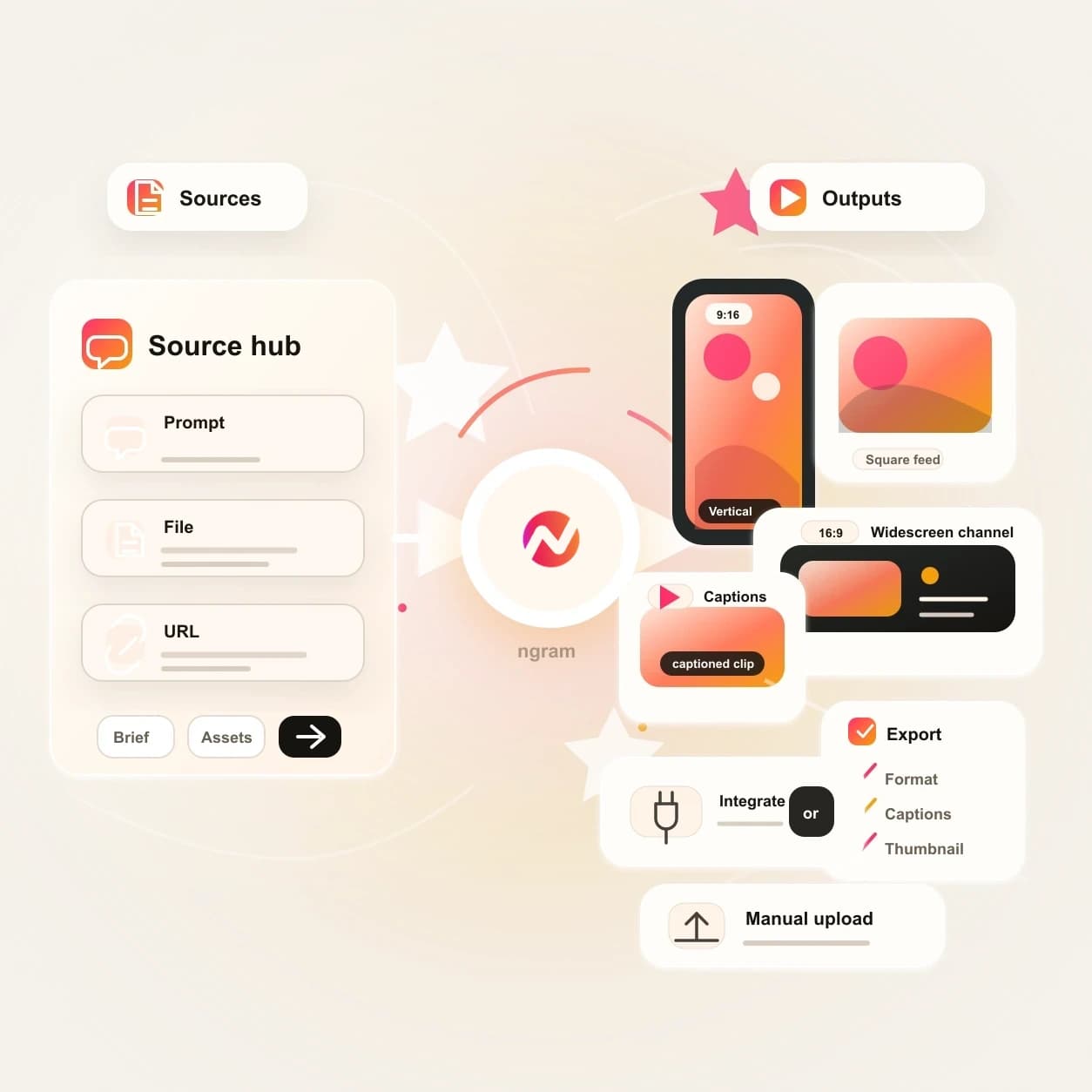
What it does
Build one campaign video project, then adapt its pacing, format, captions, and CTA for each channel. Keep the core message and brand consistent while every cut fits its destination.
Trusted by teams at












How it works
How the AI Social Media Video Maker works.
Give ngram the message once, review the plan, then generate channel-ready variants from the same editable project.
Bring the source message
Start with a prompt, product image, campaign graphic, screenshot, PDF, or URL that explains what the social video needs to say.
Source ready
Pick the channel mix
Tell ngram which channels matter. The agent adjusts hook, length, aspect ratio, caption density, CTA, and post copy for each social destination.
Channels set
Review the storyboard
ngram drafts the script, scene plan, visual direction, timing, and variant notes before rendering, so the message stays reviewable.
Plan reviewed
Generate, edit, and export
Use chat, the script editor, timeline, and canvas controls to refine the draft, then export channel-ready files or publish through supported integrations.
Ready for channels
What it can do
What the AI Social Media Video Maker builds.
Create social video variants without pretending every channel has the same publishing path. ngram separates live integrations from export-ready manual upload.
Scripts tuned by channel
Turn one campaign brief, page, image, or PDF into channel-specific scripts with the right hook, proof point, CTA, and length.
Learn more about script generationVisuals from source context
Generate scene imagery, B-roll, product frames, and supporting graphics from your prompt, source URL, reference image, or PDF.
Learn more about AI visualsCaptions for muted feeds
Create burned-in captions, adjust line breaks, fix product names, and style the caption layer so the video reads before audio is turned on.
Learn more about captionsMotion for fast scanning
Add animated text, lower thirds, product callouts, scene transitions, and smart zooms that help each social cut explain the point quickly.
Learn more about motion graphicsBrand rules on every version
Apply logos, colors, fonts, motion style, image style, voice, tone, approved phrases, blocked phrases, and CTA rules across the variant set.
Learn more about brand kitBuilt for one source message, many social cuts
When it matters
Where social video variants fit.
These use cases match teams that need one message turned into several social-ready videos without rebuilding each channel cut by hand.
Social Media Clips
Create short social cuts from a prompt, URL, product image, or PDF, then export versions sized for the channels in your campaign plan.
Open social video use caseMarketing Social Clips
Turn launch notes, landing pages, blog posts, and campaign briefs into social videos with channel-specific pacing, captions, and CTA copy.
Open social video use caseGrowth Social Clips
Generate more social video variants for hook tests, audience tests, and creative refreshes while keeping the same source message and brand rules.
Open social video use caseAgency Social Content
Build client-ready social video sets from approved briefs and assets, then export the files or route supported channels through live integrations.
Open social video use casePMM Social Content
Convert feature notes, screenshots, and launch positioning into social videos that explain the product message across several channel formats.
Open social video use caseFounder Social Content
Turn founder notes, customer lessons, and product opinions into editable social videos for LinkedIn, X, YouTube, and manual-upload channels.
Open social video use caseCreator Social Clips
Use course notes, creator prompts, and campaign angles as source material for polished short videos that stay editable after generation.
Open social video use caseLinkedIn Video
Create LinkedIn-ready videos with captions, post copy, and supported publishing paths while preserving export options for the wider social set.
Open social video use caseAI Video Generator for Marketing
Use the broader AI video workflow when a marketing campaign needs social videos, launch cuts, landing page videos, and follow-up variants.
Open social video use caseProduct stack
Product features behind the social video workflow.
These ngram features handle the planning, generation, editing, brand control, and export work behind a multi-channel social video project.
Planning
Script generation for social hooks
Draft the hook, body, and CTA from your source material, then tune the wording for each social channel before rendering.
Open script generationVisuals
AI visuals for each scene
Generate supporting images, product frames, and B-roll prompts that match the social video's message and brand direction.
Open AI visualsCaptions
Captions that travel with the cut
Burn captions into every social export so LinkedIn, YouTube, X, Instagram, TikTok, Facebook, and Pinterest viewers can read the message on mute.
Open captionsBrand
Brand kit for every variant
Keep logos, colors, fonts, tone rules, motion style, and approved language consistent across all social video versions.
Open brand kitMotion
Motion graphics for feed clarity
Add callouts, lower thirds, text movement, transitions, and smart zooms that make short social cuts easier to follow.
Open motion graphicsMore tools
Related tools for social video production.
Use these existing ngram tools when a social video starts from a different source or needs a focused editing pass.
Start the draft
Turn raw context into the first editable video project.
AI Video Generator
Use the broad agentic video generator when the social campaign also needs launch, explainer, demo, or training cuts.
Open toolURL to Video
Paste a product page, release note, help article, or landing page and turn the source into a video draft for social adaptation.
Open toolImage to Video
Animate product shots, screenshots, and campaign graphics before using them inside short social video variants.
Open toolText to Video
Turn a social post draft, announcement copy, or campaign outline into a video project with scenes, voiceover, and captions.
Open toolPolish the cut
Tighten captions, script, and edits after the first social video draft is generated.
Video Editor
Use timeline, script, canvas, visual chat, and agentic chat controls to refine social variants without leaving the project.
Open toolAdd Subtitles to Video
Add burned-in subtitles to a finished social clip when the channel depends on muted playback.
Open toolVideo Script Generator
Draft or tighten the hook, proof, and CTA before asking ngram to generate channel-ready social cuts.
Open toolVideo Caption Generator
Create social-style captions, highlight key words, and keep each line readable across square and vertical versions.
Open toolRelated social video makers
Use these channel-specific tools when the same source should become another social cut.
YouTube AI Video Maker
Create a full YouTube upload when the same campaign needs a longer channel video.
Open toolInstagram AI Video Maker
Create broad Instagram-ready video drafts for feed, profile, Story, and Reels-adjacent use.
Open toolTikTok AI Video Maker
Create TikTok-style vertical videos for manual upload with fast pacing and captions.
Open toolFacebook AI Video Maker
Create Facebook-ready feed, Page, Group, or ad-style video files for manual upload.
Open toolLinkedIn AI Video Maker
Create business-ready LinkedIn videos with supported LinkedIn handoff context.
Open toolTwitter AI Video Maker
Create concise X/Twitter-ready social clips with supported publishing handoff context.
Open toolConvert
Sources you can turn into social video.
When the campaign starts somewhere else, these convert pages map the source material into the same editable ngram video workflow.
Prompt to Video
Use a short creative brief, channel list, audience note, or campaign idea as the starting point for social video variants.
Open converterURL to Video
Use a product page, release note, landing page, or blog post as source material for channel-ready social videos.
Open converterPDF to Video
Turn campaign briefs, one-pagers, decks exported as PDFs, and brand notes into a planned social video project.
Open converterWho it is for
Teams that use social video variants.
The same AI Social Media Video Maker workflow fits teams that need one source message adapted for several feeds, audiences, and campaign moments.
Growth and marketing teams
Create more channel-ready social videos from campaign briefs, landing pages, webinar clips, and product pages without waiting on a separate edit queue.
Open growth solutionProduct marketing
Turn feature notes, launch messaging, positioning, and screenshots into social videos for launches, comparisons, and campaign follow-up.
Open PMM solutionContent creators
Convert teaching points, scripts, product lessons, or newsletter ideas into social cuts that stay editable after the first render.
Open creator solutionAgencies and consultants
Build client social video sets from approved briefs and brand kits, then hand off export-ready files or publish through supported accounts.
Open agency solutionFounders
Turn product updates, opinions, and customer lessons into social videos for founder-led distribution without starting from a blank editor.
Open founder solutionSales enablement
Adapt announcement videos, demo snippets, and proof points into short social assets that support outbound and follow-up campaigns.
Open sales solutionIntegrations
Live integrations for supported social paths.
LinkedIn, X/Twitter, and YouTube have live publishing integrations. Instagram, TikTok, Facebook, and Pinterest remain export-ready manual-upload channels on this page.
WhenThe social campaign video is ready to share on LinkedIn.
ThenCompose and publish the LinkedIn post for the social campaign video.
YouTube
BetaWhenThe finished campaign cut is ready to share on YouTube.
ThenCompose the YouTube post, then put the finished campaign cut on a one-off schedule.
X (Twitter)
BetaWhenThe concise social feed video is approved and ready for X.
ThenCompose the X post and publish the concise social feed video now.
Trigger social video creation from Zapier
CreateWhenA campaign record, form response, or approved brief lands in another app
ThenUse Zapier to start the ngram generation job and send the finished result back to the workflow
Let agents request social variants
AgenticWhenAn AI agent needs to create or revise social video variants from existing context
ThenUse the MCP server to invoke ngram tools from the agent's workspace
Use these routes when social video creation should begin from forms, workflow records, browser context, or agentic systems.
Why ngram
How ngram compares for social video work.
Use this view to decide when an agentic social video workflow is the right fit compared with common production paths.
| Compare | ngram | Template editor | Manual video editor | Point scheduler |
|---|---|---|---|---|
| Workflow fit | Starts from a prompt, image, PDF, or URL and plans the script before rendering | Useful when the team already knows the layout, text, timing, and asset choices | Best when an editor needs frame-level control over a finished concept | Helps schedule finished posts but usually expects the video file to be ready already |
| How ngram fits | Keeps captions, voiceover, visuals, brand, and export controls available in each separately prepared channel edit | Usually needs manual resizing, copy edits, caption work, and export passes per channel | Requires separate writing, storyboard, caption, format, and distribution decisions | Does not create the script, scenes, captions, voiceover, or brand treatment |
| Best use | Supports live LinkedIn, X/Twitter, and YouTube publishing while keeping other channels export-ready | Can move quickly for one-off graphics but leaves the message planning to the user | Can be overbuilt for teams that only need fast social variants from approved source material | Works downstream of ngram exports when a channel does not have a live ngram publishing integration |
FAQ
AI Social Media Video Maker FAQs
Practical answers for social video workflows.
AI Social Media Video Maker for every channel plan
Bring a prompt, image, PDF, or URL. ngram turns it into an editable social video project with channel-ready variants, captions, brand treatment, and supported publishing paths.
Start with the message once, then adapt it for the channels your campaign needs.
Instagram, TikTok, Facebook, and Pinterest exports are prepared for manual upload.