Teaser AI Video Maker by ngram
Teaser AI Video Maker for the moment before the full reveal

Name the launch, reveal, audience, length, suspense angle, first reveal, and CTA the teaser should cover
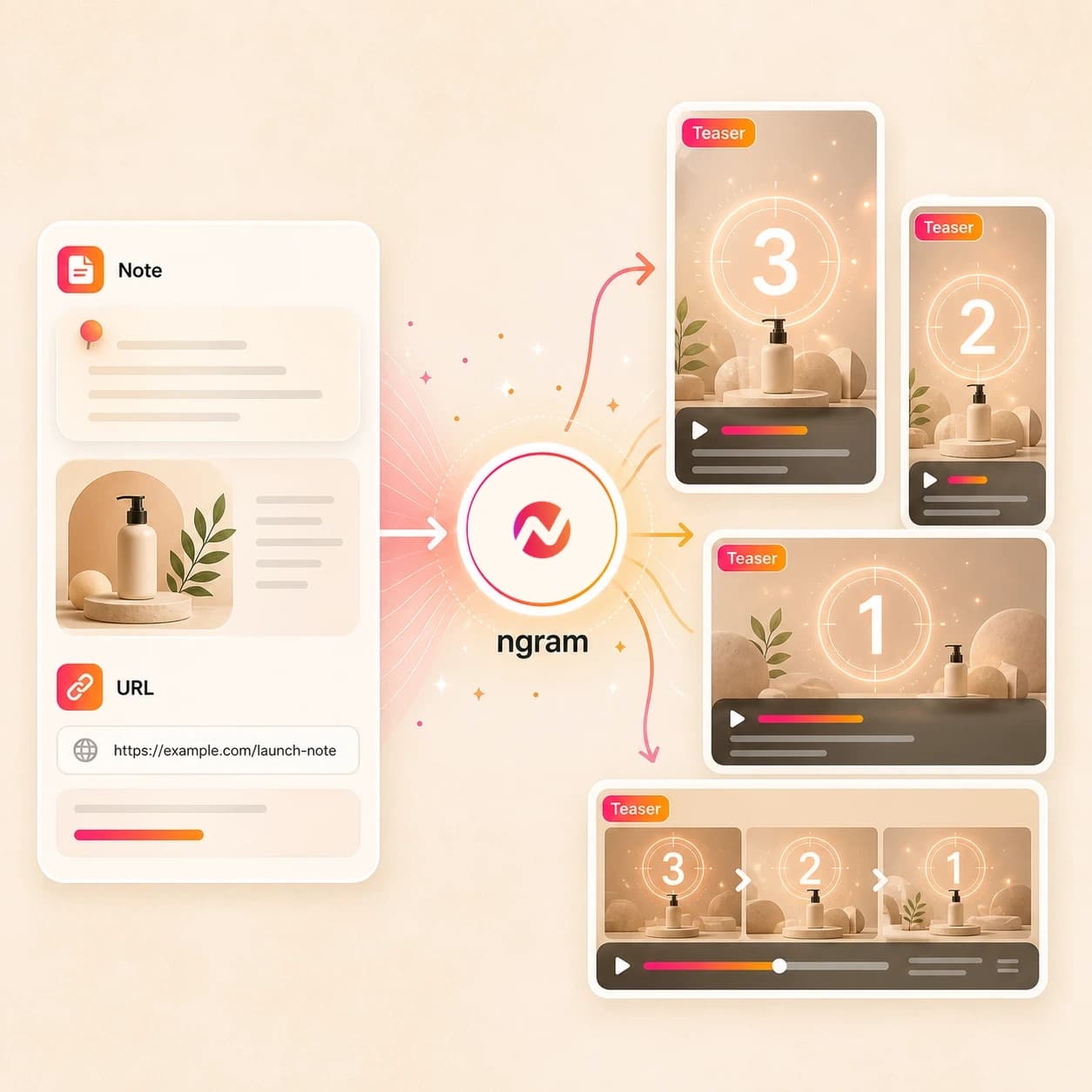
What it does
Create a concise preview that earns attention before a product launch, event, or announcement. Build several hooks from the same source project while keeping the full story for the main video.
Trusted by teams at












How it works
How the teaser AI video maker works.
Give ngram the source and reveal goal, review the plan, then generate an editable short teaser cut for export.
Add the teaser source
Describe the reveal, upload a supported image or PDF, or paste the page that explains the launch, announcement, event, or campaign preview.
Source ready
Review the suspense storyboard
ngram drafts the hook, withheld detail, reveal beat, narration, visual direction, caption plan, CTA, and estimated duration before rendering.
Plan reviewed
Generate the teaser draft
The project gets AI visuals, motion graphics, voiceover, captions, music, brand styling, transitions, and an editable timeline.
Draft generated
Edit and export preview cuts
Revise the script, regenerate scenes, tune captions, and adjust the brand treatment. Prepare and review each vertical, square, or widescreen teaser separately before downloading its MP4.
Ready to hand off
What it can do
What the teaser AI video maker builds.
Create short teaser videos for prelaunch interest, announcements, event reveals, and campaign previews without promising launch, distribution, or results.
Suspense-first script and storyboard
Turn a brief, launch note, PDF, image, or URL into a hook, reveal sequence, narration, scene list, timing plan, and CTA.
Learn more about script generationAI visuals from launch context
Use product images, screenshots, PDFs, source pages, and brand references to shape teaser scenes, backgrounds, and visual fills.
Learn more about AI visualsMotion graphics for the reveal beat
Add animated text, product callouts, title cards, intro treatment, and transitions that hint before the full announcement lands.
Learn more about motion graphicsVoiceover and caption layers
Generate narration from the approved teaser script, burn in captions, and keep audio and text editable when timing changes.
Learn more about AI voiceoverBrand kit controls
Apply logos, colors, fonts, motion style, image style, tone, approved phrases, blocked phrases, and CTA rules to each teaser cut.
Learn more about brand kitBuilt for teaser creative production, not campaign launch or media buying
When it matters
Where teaser AI video maker workflows fit.
Use ngram when a reveal needs a short preview before the full product launch, announcement, page, email, or social plan goes live.
Product Launch Teaser Video
Turn launch notes, screenshots, PDFs, or a source URL into a short teaser that builds curiosity before the full product announcement.
Open teaser use caseProduct Launch Video Maker
Use the broader launch workflow when the teaser should lead into a full launch video with a complete product story and export set.
Open launch use caseFeature Announcement Video
Convert release notes or a feature page into a reveal cut that hints at what changed before the detailed announcement follows.
Open announcement use caseProduct Hunt Launch Video
Create a tight prelaunch or launch-day teaser from a landing page, maker brief, product screenshots, or an early feature walkthrough.
Open Product Hunt use caseGrowth Campaign Video
Use a campaign brief or landing page to build a preview video for a growth experiment before the full campaign asset set is ready.
Open campaign use caseMarketing Social Clips
Adapt the teaser into short social cuts with captions and format variants while keeping posting and channel decisions outside the page promise.
Open social clips use caseLanding Page Video
Paste the prelaunch or campaign page and turn its core promise into a short video preview for the page, review deck, or launch queue.
Open landing page use caseNewsletter Video
Turn a newsletter draft or founder note into a compact teaser that points readers toward the longer announcement or launch issue.
Open newsletter use caseEmail Marketing Video
Create a short teaser video from email copy, launch copy, or offer context so the inbox can preview the reveal without carrying the full story.
Open email video use caseProduct stack
The product stack behind teaser video creation.
These ngram features cover the planning, generation, editing, brand control, audio, captions, and export work behind a teaser AI video maker workflow.
Planning
Script generation for teaser hooks
Turn prompts, URLs, PDFs, notes, and images into a hook, reveal beat, CTA, storyboard, and timing plan before rendering.
Plan the teaser scriptVisuals
AI visuals for preview scenes
Generate teaser imagery, product frames, backgrounds, and visual fills from the source material and brand direction.
Build teaser visualsMotion
Motion graphics for short reveals
Add title cards, kinetic text, callouts, transitions, and reveal moments that keep a short teaser easy to scan.
Add teaser motionVoice
AI voiceover for teaser narration
Create narration from the approved teaser script, choose a voice, and regenerate audio when the reveal timing changes.
Add voiceoverCaptions
Captions for muted teaser viewing
Burn captions into short teaser cuts, adjust line breaks, and keep product names readable in quick preview videos.
Style captionsBrand
Brand kit for launch consistency
Apply the right logo, colors, fonts, tone, motion style, approved phrases, blocked phrases, and CTA rules.
Set brand rulesEditing
Video editing after generation
Use chat, visual chat, script edits, scene regeneration, canvas controls, and the timeline to finish the teaser cut.
Edit the draftMore tools
More tools around teaser AI video creation.
Use these tools when the teaser starts from a narrower source, needs a channel-shaped cut, or needs one more editing pass before handoff.
Related launch and promo tools
Expand a short teaser into launch, promo, marketing, and brand video assets.
AI Product Launch Video Maker
Turn teaser source material into a fuller launch video for releases, feature drops, and customer education.
Open toolAI Promo Video Maker
Build a broader promo cut when the teaser needs more context, offer detail, or campaign support.
Open toolAI Marketing Video Maker
Create the surrounding marketing video kit for social, email, website, and sales handoff.
Open toolAI Brand Video Maker
Use the teaser direction as a starting point for a more durable brand story asset.
Open toolStart from source material
Create the first teaser draft from a brief, page, image, script, deck, or broader business video prompt.
AI Video Generator
Use the broader generator when one launch source needs to become teasers, explainers, demos, and internal cuts.
Open toolText to Video
Paste the reveal line, announcement copy, event teaser, or rough script and turn it into an editable video draft.
Open toolURL to Video
Paste a product page, landing page, release note, or event page so ngram can use the page as teaser context.
Open toolImage to Video
Animate product shots, launch stills, UI screenshots, and campaign graphics into teaser motion.
Open toolVideo Script Generator
Draft teaser hooks, withheld details, reveal beats, narration, and CTA options before production.
Open toolPPT to Video
Turn a launch deck, campaign deck, or event deck into a short video preview with narration and captions.
Open toolCreate adjacent teaser formats
Move the same reveal into a more specific creative format while keeping posting and placement outside the page promise.
AI Social Media Video Maker
Adapt the teaser story into channel-shaped organic cuts with captions, post copy, and export formats.
Open toolLinkedIn AI Video Maker
Shape the announcement preview into a LinkedIn-ready business video draft with captions and a professional tone.
Open toolYouTube AI Video Maker
Turn the same source into a longer YouTube announcement, demo, or launch recap after the teaser is approved.
Open toolIntro AI Video Maker
Create a branded opening sequence for launch recaps, event videos, product demos, and reveal cuts.
Open toolShorts AI Video Maker
Create a vertical teaser cut when the reveal needs the pacing and framing of a short-form video.
Open toolAnimated AI Video Maker
Use animation when the teaser needs abstract visuals, product concepts, or a reveal that is not ready to film.
Open toolPolish and reuse the cut
Finish the details that make the exported teaser easier to read, review, and reuse in follow-up assets.
Video Editor
Trim the teaser draft, rewrite scenes, adjust audio, and finish the timeline before export.
Open toolAdd Text to Video
Place reveal copy, date callouts, product labels, and CTA cards on top of the teaser video.
Open toolVideo Caption Generator
Generate animated captions so the teaser message reads clearly before viewers turn sound on.
Open toolAdd Music to Video
Add a background track selected for the teaser tone, then balance it under narration and captions.
Open toolVideo to GIF
Turn a short reveal moment into a looping GIF for launch docs, email previews, or internal updates.
Open toolConvert
Converters that feed teaser AI videos.
Start with the launch source you already have, then send it through ngram's script, storyboard, generation, editing, and export workflow.
Prompt to Video
Turn a rough reveal idea into a script, storyboard, and editable branded teaser project.
Open converterProduct Page to Video
Paste a product page and turn its copy, visuals, and benefits into a short preview video.
Open converterLanding Page to Video
Convert the page behind a launch or campaign into a matching teaser cut with brand styling.
Open converterWho it is for
Who uses a teaser AI video maker.
These teams need short preview videos for launches, announcements, events, campaign reveals, and prelaunch interest.
Product marketing teams
Create teaser videos from launch briefs, positioning docs, feature notes, and product pages while keeping the preview tied to the approved story.
See product marketing workflowsGrowth and marketing teams
Turn campaign briefs and landing pages into short preview cuts with hook options, captions, and export formats for review.
See growth workflowsFounders
Convert founder notes, product milestones, event pages, and launch ideas into concise teaser videos before the full announcement lands.
See founder workflowsE-commerce teams
Use product listings, images, offer pages, and seasonal briefs to build preview videos for product drops and campaign reviews.
See ecommerce workflowsAgencies and consultants
Create client teaser drafts from briefs, brand guidelines, launch pages, and campaign materials while preserving each client's brand kit.
See agency workflowsStartups
Turn a product page, coming-soon note, or event announcement into a teaser video before a small team has dedicated video capacity.
See startup workflowsProduct managers
Convert feature drops, changelog notes, and roadmap updates into preview-style announcements that product and marketing can review together.
See product workflowsContent creators
Turn an issue, post, course reveal, or offer into a branded teaser video that can sit beside longer creator and channel content.
See creator workflowsIntegrations
Automate teaser video intake without direct publishing.
Use live trigger and agent integrations to start teaser drafts from briefs, pages, rows, and agent workflows while final placement stays outside this page promise.
Zapier
AutomationWhenA form, CRM note, task, or spreadsheet row asks for a launch teaser or announcement preview
ThenSend the source text or URL into ngram and route render status back to the same workflow
n8n
Self-hostedWhenA self-hosted workflow collects release notes, event details, preview copy, or a launch URL
ThenCreate the teaser video job, check its status, and route the export for review
Chrome Extension
BrowserWhenA teammate is reviewing a launch page, event page, product page, or release note in Chrome
ThenCapture the page as teaser source context and start the video draft from the browser
MCP Server
AgentsWhenAn AI agent has a launch brief and needs a teaser video artifact
ThenCall ngram through MCP to create the draft, check status, and hand back a review link
Why ngram
How ngram compares for teaser AI video maker workflows.
ngram focuses on the creative asset: source intake, script, storyboard, video generation, editing, brand controls, and export.
| Compare | ngram | Template teaser maker | AI avatar generator | Manual video editor |
|---|---|---|---|---|
| Workflow fit | Creates teaser drafts from prompts, images, PDFs, docs, and URLs with script and storyboard review | Useful when the team already has the teaser copy, layout, visuals, and edit plan | Useful when the teaser needs a talking presenter as the main creative device | Best for editors who already have footage, audio, and a finished teaser structure |
| How ngram fits | Adds AI visuals, motion graphics, voiceover, captions, music, brand kit, and MP4 export | Often starts from a preset layout rather than a source brief, URL, PDF, or product page | Often centers the avatar before the launch source, product page, or storyboard structure | Requires the team to write the hook, reveal arc, voiceover plan, and captions separately |
| Best use | Keeps the project editable in chat, script editor, canvas controls, and timeline before handoff | Reveal variants still depend on manual script, scene, caption, and format edits | Less direct fit when the preview needs product context, motion graphics, and multiple reveal cuts | Strong for fine control, slower for turning raw announcement context into first drafts |
FAQ
Teaser AI video maker FAQ.
Answers for teams creating short teaser videos in ngram.
Turn launch context into a short teaser video
Bring a prompt, image, PDF, launch note, doc, or URL. ngram plans the script and storyboard, generates the teaser draft, applies the brand kit, and exports review-ready formats.
Use ngram for teaser creative production and edits; keep campaign launch, paid distribution, direct publishing, and performance reporting in the systems your team already uses.
No campaign launch, ad buying, direct publishing, or performance guarantees.