Product Hunt Launch Video Maker by ngram
Product Hunt Launch Video Maker for the story behind your launch

Name the audience, source material, message, desired length, CTA, and export formats
What it does
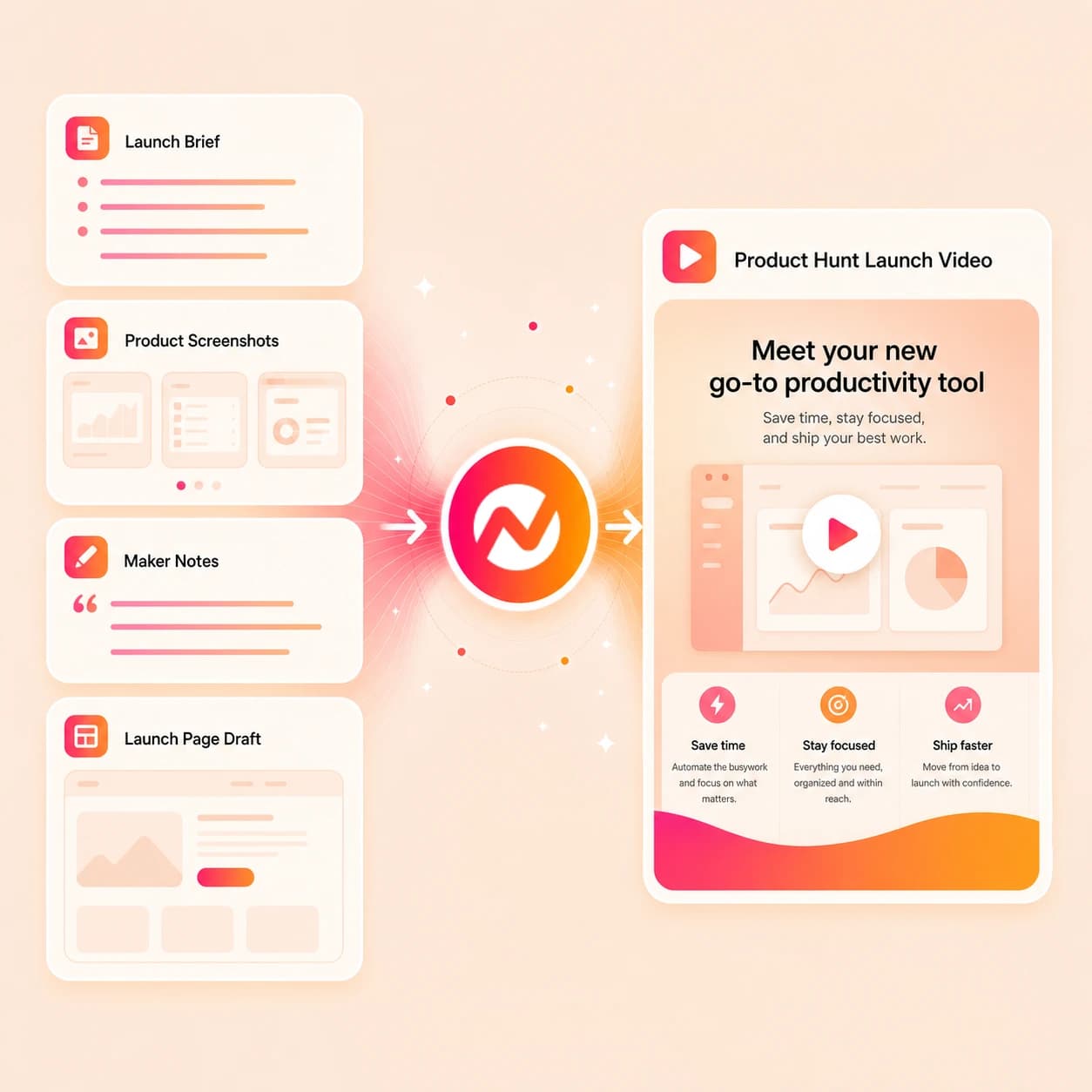
Turn the product, problem, founder perspective, and real workflow into one coherent launch video. Adapt the same project into a teaser, demo, and follow-up cut without restarting.
Trusted by teams at












How it works
How the product hunt launch video maker works.
Give ngram source context, review the story plan, generate the launch draft, then export assets for manual handoff.
Add launch context
Describe the Product Hunt goal, upload supported source files, or paste a public product, launch, docs, or landing page URL.
Source ready
Review the story plan
ngram turns the source into a hook, audience angle, scene list, narration, product callouts, CTA, and duration plan before rendering.
Plan reviewed
Generate the video draft
The project gets AI visuals, voiceover, captions, motion graphics, branded treatment, product callouts, and an editable timeline.
Draft generated
Edit and export variants
Revise the script, regenerate scenes, tune captions, update brand styling, and download the finished MP4.
Ready to hand off
What it can do
What the product hunt launch video maker builds.
Create launch videos from prompts, source URLs, screenshots, PDFs, decks, and product context, then edit the script, visuals, voiceover, captions, brand, and exports in ngram.
Launch script and storyboard
Turn launch page, screenshots, founder notes, and demo clips into a hook, scene order, narration, CTA, and timing plan before generating the first draft.
Open script generationLaunch visuals and product frames
Generate supporting scenes, product frames, backgrounds, and visual fills that match the launch video story.
Open AI visualsVoiceover from approved copy
Create narration from the launch script, revise the read when positioning changes, and keep the voice consistent across variants.
Open voiceoverCaptions for sound-off viewing
Add captions, tune line breaks, and keep names, numbers, and launch CTAs readable in short Product Hunt cuts.
Open captionsBrand kit controls
Apply logos, colors, fonts, motion style, approved phrases, blocked phrases, and export styling across every launch asset.
Open brand kitBuilt for launch video creation, not account posting, launch submission, or marketplace operations
When it matters
Where product hunt launch video maker workflows fit.
Use ngram when launch videos need a video, teaser, demo, explainer, logo reveal, social cut, or recap from the same source material.
Product launch videos
Turn launch page, screenshots, founder notes, and demo clips into a concise launch video with script, captions, product callouts, and export variants for the Product Hunt workflow.
Open use caseProduct marketing launches
Give PMM teams a structured Product Hunt video workflow for positioning, proof points, launch story, and channel-ready review assets.
Open use caseFeature announcements
Convert release notes and product context into a Product Hunt announcement cut that explains what changed and why it matters.
Open use caseProduct Hunt launches
Create maker-friendly launch videos from product pages, screenshots, and founder notes before the team prepares its launch-day handoff.
Open use caseProduct demo videos
Use screen recordings, screenshots, and demo scripts to create a product walkthrough that fits launch pages and founder-led promotion.
Open use caseProduct explainers
Turn the product promise, audience pain, and proof into an explainer that supports Product Hunt discovery and follow-up.
Open use caseGrowth campaign videos
Adapt Product Hunt launch positioning into campaign video variants while keeping placement and spend decisions outside ngram.
Open use caseMarketing social clips
Resize the approved launch story into social clips with captions, hooks, and aspect ratios for manual handoff.
Open use caseFounder product demos
Help founders turn product context, a demo path, and a first-person narrative into a clear launch video draft.
Open use caseProduct stack
The product stack behind product hunt launch video maker.
These ngram features cover planning, generation, editing, brand control, captions, callouts, and export work for launch videos.
Planning
Launch script generation
Turn launch page, screenshots, founder notes, and demo clips into a hook, scene order, narration, CTA, and short-form variants for product hunt launch video maker.
Open featureVisuals
AI visuals for launch scenes
Generate visual fills, product frames, backgrounds, and supporting scenes that match the launch video story.
Open featureVoiceover
Voiceover for founder-led videos
Create narration from the approved launch script, then revise the read when the positioning or CTA changes.
Open featureCaptions
Captions for sound-off launch cuts
Add captions, tune line breaks, and keep product names readable across launch teasers, explainers, and demo videos.
Open featureBrand
Brand kit for launch assets
Apply logos, colors, fonts, motion style, approved phrases, and blocked phrases across every Product Hunt video variant.
Open featureMotion
Motion graphics and callouts
Add lower thirds, product labels, animated numbers, title cards, and reveal moments without turning the launch asset into a platform submission workflow.
Open featureMore tools
Related tools for launch videos.
Build the surrounding launch video set without duplicating generic product launch pages or claiming platform automation.
Core launch tools
Adjacent ngram tools for building launch videos, demos, teasers, intros, and explainers.
AI product launch video maker
Use the broader launch workflow when the video is not tied to Product Hunt or another launch marketplace.
Open toolTeaser AI video maker
Build short teaser cuts from the same source material when the Product Hunt page needs a preview asset.
Open toolAI product demo video maker
Create a demo-led launch cut from screenshots, product notes, and supported source files.
Open toolAI explainer video maker
Turn product positioning into a clear explanation before adapting it for Product Hunt.
Open toolIntro AI video maker
Create an opening sequence when the Product Hunt video needs a stronger first five seconds.
Open toolProduct Hunt assets
Build the surrounding Product Hunt launch video set without duplicating the same generic launch page.
Product Hunt Launch Teaser Maker
Create a related Product Hunt asset that supports the same launch story with a different video format.
Open toolProduct Hunt Product Explainer Video Maker
Create a related Product Hunt asset that supports the same launch story with a different video format.
Open toolProduct Hunt Demo Video Maker
Create a related Product Hunt asset that supports the same launch story with a different video format.
Open toolProduct Hunt Logo Animation Maker
Create a related Product Hunt asset that supports the same launch story with a different video format.
Open toolProduct Hunt Intro Video Maker
Create a related Product Hunt asset that supports the same launch story with a different video format.
Open toolConvert
Start a launch video from existing material.
Use ngram converters when your launch video source already lives as a landing page, product page, release note, deck, screenshot, or screen recording.
Landing page to launch video
Turn the product landing page into a structured Product Hunt video with hook, proof, CTA, and export versions.
Open converterProduct page to launch video
Use a product page as source material for product hunt launch video maker scripts, product callouts, and visual direction.
Open converterScreenshots to launch video
Convert product screenshots into an editable launch video draft with captions and motion labels.
Open converterWho it is for
Who uses product hunt launch video maker workflows.
Built for founders, product marketers, growth teams, and SaaS teams preparing launch assets for Product Hunt or adjacent launch channels.
Founders preparing launch assets
Create launch videos from product context, founder notes, screenshots, and demo clips before manual launch handoff.
Open solutionProduct marketing teams
Turn launch briefs, positioning, and proof points into a reviewable product hunt launch video maker draft and supporting cuts.
Open solutionGrowth marketing teams
Adapt the approved launch video story into short cuts, social assets, and campaign handoff material.
Open solutionStartup teams
Use product pages, decks, and screenshots to build launch videos without waiting on a full production cycle.
Open solutionSaaS teams
Explain new SaaS products, features, workflows, and deals with editable video drafts grounded in owned source material.
Open solutionDeveloper relations teams
Turn README pages, docs, terminal clips, and demo flows into founder-friendly launch videos for technical audiences.
Open solutionIntegrations
Connect product hunt launch video maker work to launch operations.
Use live ngram integrations for handoff and automation around launch video creation. These recipes create ngram video requests and handoff assets; they do not handle account posting, launch submission, or marketplace operations.
Product Hunt brief to ngram draft
WorkflowWhenA launch brief, product page URL, or source folder is approved for Product Hunt.
ThenSend the approved context into ngram so the team can create and review a product hunt launch video maker draft.
Launch video ops automation
AutomationWhenInternal launch records include the source links and asset requirements for Product Hunt.
ThenTrigger a structured ngram video creation request without publishing or submitting to the platform.
Capture Product Hunt source context
CaptureWhenThe team is reviewing a public launch page, product page, help doc, or competitor reference.
ThenCapture context for ngram so the video draft can use the right source material and tone.
Agent-assisted launch video creation
MCPWhenAn internal agent has launch notes, audience context, and approved product sources.
ThenAsk ngram to create an editable launch video draft and return the asset context to the workspace.
WhenThe team has reviewed the Product Hunt launch video for LinkedIn.
ThenWrite the LinkedIn post for the Product Hunt launch video; publish it when ready.
X (Twitter)
BetaWhenThe Product Hunt launch video is ready for its X post.
ThenCompose the X post, then publish the Product Hunt launch video after its final review.
YouTube
BetaWhenProduct Hunt launch video is ready to go on YouTube.
ThenCompose the YouTube post, then publish the Product Hunt launch video now.
Why ngram
Compare product hunt launch video maker workflows.
ngram focuses on source-grounded video creation and editable launch assets, without taking over Product Hunt submission, marketplace management, or campaign placement.
| Compare | ngram | Timeline editor | Template maker | Marketplace checklist |
|---|---|---|---|---|
| Workflow fit | Turns launch page, screenshots, founder notes, and demo clips into a script, storyboard, visuals, captions, and editable draft. | Useful after creative direction is clear, but the team writes scripts and builds scenes by hand. | Fast when the launch fits a preset, but less flexible for product-specific proof and founder story. | Helps track what to prepare for Product Hunt, but does not generate the video asset itself. |
| How ngram fits | Keeps brand controls, voiceover, and MP4 export in one creation workflow. | Source material, captions, voiceover, and launch variants are managed across separate steps. | Harder to turn URLs, docs, screenshots, and deck material into a structured launch narrative. | Does not create AI visuals, voiceover, captions, product callouts, or timeline edits. |
| Best use | Supports manual Product Hunt handoff without claiming direct platform publishing. | Export is possible, but launch story planning still depends on the editor. | Often needs separate tools for voiceover, captions, and alternate formats. | Still needs a separate video workflow for launch teasers, explainers, demos, and recaps. |
FAQ
Questions about product hunt launch video maker.
Straight answers for launch teams.
Create Product Hunt launch videos from launch source
Bring a prompt, URL, screenshot, PDF, deck, or product context. ngram turns it into a reviewable launch video draft with script, visuals, voiceover, captions, brand controls, and export variants.
Use it for creative production and manual handoff, not launch submission or marketplace operations.
You can revise the draft before exporting.