AI Retail Video Maker by ngram
AI Retail Video Maker for store and product campaigns

Use an owned public product page, store page, seasonal landing page, menu, or merchandising page you are allowed to market.
What it does
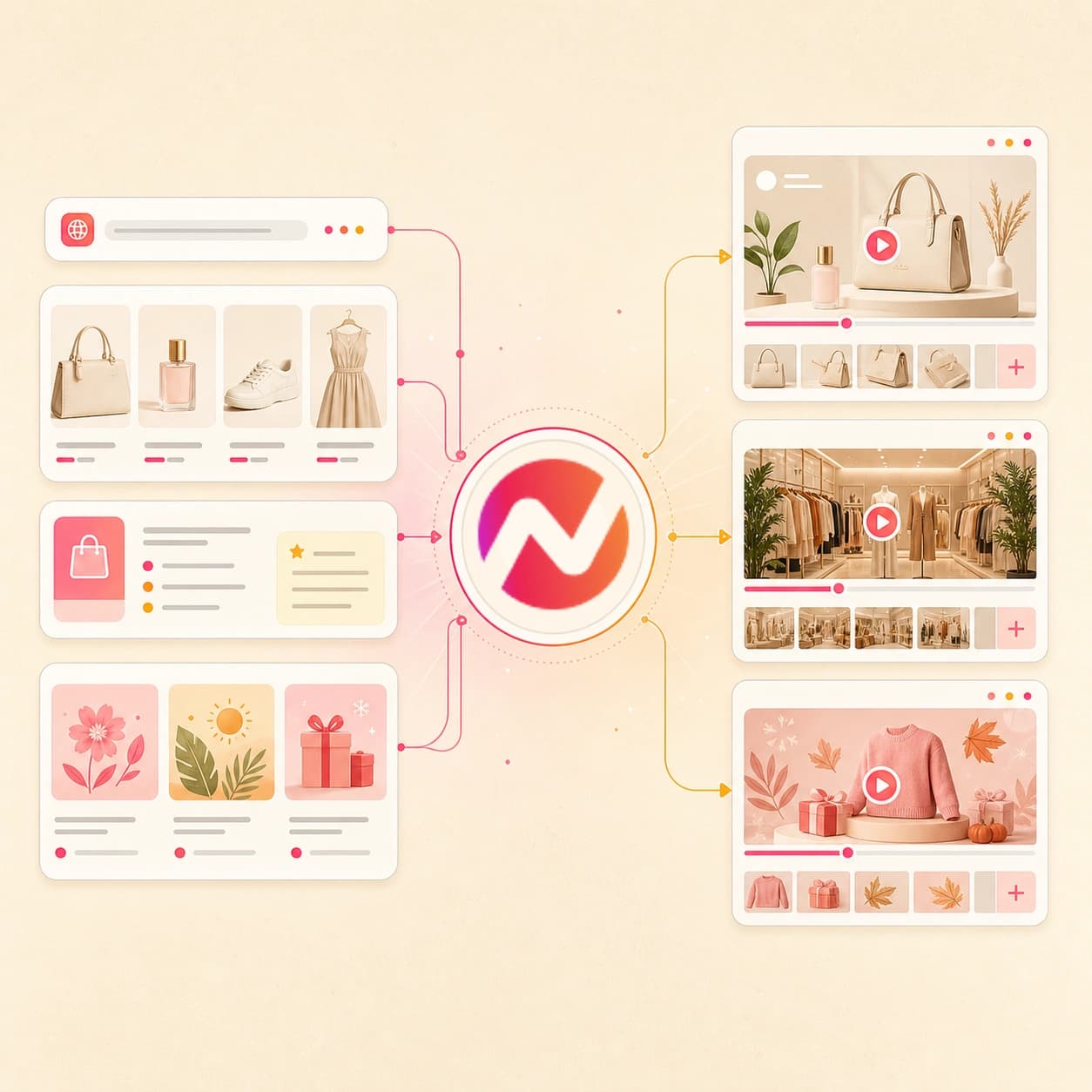
Create retail campaign videos from your product pages and approved offer assets. Reuse the visual system across store promotions, product drops, and channel formats.
Trusted by teams at












How it works
How the AI retail video maker works.
Give ngram the retail source your team already trusts, review the plan before rendering, and export an editable video asset for store, campaign, email, and social handoff.
Add the retail source
Paste an owned public URL first. Use a product page, store page, menu, seasonal offer page, or merchandising page, then add photos, PDFs/docs, or prompt notes when needed.
Source ready
Review the script and scenes
ngram turns the source into a hook, product sequence, offer notes, scene plan, voiceover script, caption plan, visual direction, CTA, and draft length before rendering.
Storyboard ready
Generate the retail draft
The draft can use product visuals, AI-generated supporting scenes, motion graphics, voiceover, captions, music, intro and outro treatment, and active brand kit styling.
Draft generated
Edit and export variants
Revise claims, offers, scene order, captions, crops, voiceover, and aspect ratios, then export files for the retail channels your team already manages.
Ready to hand off
What it can do
What the AI retail video maker can create.
ngram focuses on the retail video asset: product story, store context, visuals, captions, brand controls, editing, and export. POS, inventory, checkout, and order workflows stay in the systems that own them.
Product and store page intake
Use an owned public product page, store page, menu, local shop page, or seasonal landing page as source context for the video.
Explore URL to videoRetail script and storyboard planning
Turn offer details, product copy, shelf stories, and campaign notes into an editable arc with hook, proof, CTA, and scene timing.
Explore script generationProduct visuals from references
Use product photos, lookbook shots, menus, packaging images, or PDF references to guide scenes and generate supporting visuals.
Explore AI visualsBrand kit and merchandising style
Apply saved logos, colors, fonts, motion style, voice, tone, approved phrases, blocked phrases, and CTA rules across every scene.
Explore brand kitVoiceover and captions
Create narration from the approved script, burn in captions by default, and keep wording editable when the product or offer changes.
Explore AI voiceoverBuilt for retail video creation, not retail operations
When it matters
Retail video use cases.
Use one AI retail video maker for product pages, seasonal promos, store campaigns, email assets, ad creative, and social cuts built from approved retail context.
Shopify Product Video
Turn a public storefront product page, product photos, or pasted product copy into a captioned retail video draft without claiming store admin or catalog sync.
Open AI video use caseProduct Overview Video
Create a short overview for a featured item, store collection, or seasonal bundle so shoppers can understand the offer before reading every detail.
Open AI video use caseProduct Launch Video Maker
Turn new-arrival copy, product photos, PDFs, and approved page context into a launch video draft that stays editable as the offer changes.
Open AI video use caseMarketing Ad Creative
Draft retail ad creative from product copy and approved visuals, then export files for the team or platform that manages spend.
Open AI video use caseGrowth Ad Creative
Use the same retail source to create new promo angles for growth tests while keeping claims, visuals, captions, and brand rules reviewable.
Open AI video use caseMarketing Social Clips
Adapt approved retail product videos into short social files with captions, crops, and pacing that the social team can upload manually.
Open AI video use caseSocial Media Clips
Turn a product URL, store image, or short promo hook into vertical social clips that keep the retail message and brand kit intact.
Open AI video use caseLanding Page Video
Use a seasonal sale page, store page, or product campaign page as source material for a video that matches the offer and page copy.
Open AI video use caseMarketing Email
Pair a retail email promotion with a short video asset, captioned preview, or hosted version that the email team can place in its campaign.
Open AI video use caseProduct stack
The product stack behind retail video creation.
These ngram features handle the planning, generation, editing, branding, captioning, and export work behind AI retail video maker workflows.
Planning
Script generation for retail promos
Turn product pages, store pages, sale notes, PDFs/docs, and prompts into a hook, scene plan, voiceover script, and CTA.
Plan the retail scriptVisuals
AI visuals for product scenes
Create supporting visuals around product photos, store context, seasonal briefs, and page copy when the source needs more scene variety.
Build retail visualsBrand
Brand Kit
Apply approved logos, colors, fonts, motion style, voice, tone, phrases, and CTA rules across retail video drafts.
Apply brand kitVoice
AI Voiceover
Narrate retail scripts with selected voices and keep voiceover tied to the editable scene plan.
Add voiceoverCaptions
Captions and subtitles
Burn in captions styled to the brand kit so retail promo videos can work in silent viewing contexts.
Add captionsMotion
Motion Graphics
Add offer labels, product callouts, lower-thirds, transitions, and visual hierarchy that make retail details easier to scan.
Add motionEdit
Video Editing
Revise the script, timeline, captions, scenes, crops, audio, and visual details after the first retail draft is generated.
Edit the draftMore tools
Related tools for retail video workflows.
Pair the AI Retail Video Maker with tools for ecommerce pages, promo videos, ad creative, source conversion, captions, voiceover, and export-ready edits.
Create retail and promo videos
Use these tools when the retail video needs a sharper product, campaign, ad, or social angle.
AI Ecommerce Video Maker
Create product-page video drafts from storefront URLs, product copy, images, and PDFs when the retail workflow is ecommerce-led.
Open toolAI Promo Video Maker
Turn a seasonal offer, local shop event, sale note, image, PDF, or URL into an editable promotional video draft.
Open toolAI Video Ad Maker
Build retail ad drafts from a campaign brief, source URL, product image, or PDF before media placement starts.
Open toolAI Marketing Video Maker
Create broader campaign videos when the retail story needs landing page, email, social, and sales variants.
Open toolUGC AI Video Maker
Create social-style retail drafts from approved briefs, product context, reference files, and URLs while keeping edits reviewable.
Open toolAI Social Media Video Maker
Turn a retail prompt, image, PDF, or URL into editable social video variants for the channels your team handles.
Open toolStart from retail source material
Use these tools when the video starts as a page, still image, prompt, script, deck, or photo set.
URL to Video
Paste an owned product page, store page, menu, launch page, or campaign page and turn it into a video draft.
Open toolImage to Video
Animate product photos, packshots, signage, lookbook shots, and store images before adding captions and brand.
Open toolText to Video
Turn pasted product copy, sale details, local shop notes, or an approved script into an editable retail video draft.
Open toolVideo Script Generator
Draft the retail hook, product sequence, offer CTA, and storyboard before rendering video scenes.
Open toolPPT to Video
Convert retail sell sheets, merchandising decks, seasonal briefs, or campaign presentations into narrated video scenes.
Open toolPhoto Slideshow AI Video Maker
Plan retail photo sequences from product shoots, event photos, store displays, or lookbook images.
Open toolPolish and repurpose the file
Use these tools after the first retail video draft needs captions, voice, localization, edits, or lightweight reuse.
Video Editor
Trim, rearrange, caption, and adjust retail product scenes on the timeline, canvas, and script editor.
Open toolVideo Caption Generator
Create styled captions for retail clips that need to read clearly in silent social, landing page, or store-display contexts.
Open toolAdd Subtitles to Video
Add readable subtitles to approved retail promos, product clips, and store videos before handoff.
Open toolText to Speech Video
Create narration for retail video drafts when the team wants voiceover without recording a new read.
Open toolVideo to GIF
Turn a short product moment, store display, or offer reveal into a lightweight loop for email, pages, or social replies.
Open toolVideo Translator
Translate approved retail videos across captions, on-screen text, script, and voiceover for localized review.
Open toolConvert
Converters for retail source material.
Start from the retail material your team already controls: product pages, store pages, menus, product catalogs, images, PDFs/docs, and campaign pages.
Product Page to Video
Convert one owned product page URL into an editable retail video draft with script, storyboard, captions, brand, and exports.
Open converterProduct Catalog to Video
Use a catalog PDF or pasted product copy to draft a seasonal product sequence without claiming full catalog sync.
Open converterMenu to Video
Turn a menu image, menu PDF, or pasted item copy into a local shop promo video with voiceover and captions.
Open converterWho it is for
For teams that turn retail context into video.
Retail video work often crosses ecommerce, growth, local business owners, product marketing, agencies, creators, and startup teams. ngram keeps the draft editable for each handoff.
E-commerce teams
Create product page videos, seasonal assets, short social files, and post-purchase explainers from approved retail material.
See ecommerce workflowsGrowth and marketing teams
Turn retail pages and campaign briefs into video creative that can move into testing plans after review.
See growth workflowsSmall and medium businesses
Create local shop videos from product copy, menus, photos, campaign notes, and store pages without building a separate video process.
See SMB workflowsProduct marketing teams
Keep product positioning, campaign copy, retail visuals, and video scenes tied to the same approved message.
See PMM workflowsSolopreneurs
Turn a local service page, product offer, or retail note into a video draft while keeping copy, voiceover, captions, and exports editable.
See solo workflowsContent creators
Use approved retail context to create branded product videos, creator-style cuts, and reviewable social files.
See creator workflowsAgencies and consultants
Turn client-approved store pages, product sheets, and campaign briefs into editable retail video drafts for review and delivery.
See agency workflowsStartups
Create retail-style product videos from lean launch assets while keeping script, visuals, brand, and export options flexible.
See startup workflowsIntegrations
Bring approved retail context into ngram.
Use live integrations to start retail video requests from campaign planning, browser capture, AI agents, and automation tools. Keep retail operations in the systems that already own them.
Promo calendar to retail video brief
No-codeWhenA promo calendar row is marked ready with the product page URL, offer dates, approved copy, audience, and CTA.
ThenSend the approved context into ngram so the retail video draft starts from the right brief.
Self-hosted retail workflow to video request
WorkflowWhenA self-hosted workflow gathers approved product copy, image links, claim notes, and a public store page URL.
ThenCreate a structured ngram request with source context and review notes before the first retail draft is generated.
Store page capture to video prompt
CaptureWhenA marketer is reviewing an owned public product page, menu, or store page that should become a video brief.
ThenCapture the page context with the Chrome extension and use it to start the ngram retail video workflow.
Agent workflow to retail video request
AgentWhenAn AI agent has an approved retail brief and needs an editable video draft for human review.
ThenUse MCP to pass the brief into ngram and create a retail video project without using a store admin workflow.
Why ngram
How ngram compares with common retail video workflows.
Retail teams often mix product pages, template editors, ad-only tools, and manual production. ngram gives them one editable AI workflow for the retail video asset.
| Compare | ngram | Template video editor | Short-form ad generator | Manual production workflow |
|---|---|---|---|---|
| Workflow fit | Starts from owned public product URLs, store pages, prompts, images, PDFs/docs, and campaign notes. | Works well when the team already has final copy, a fixed layout, and prepared product images. | Best when the only goal is a quick short retail ad from a narrow input. | Useful when a flagship retail campaign needs custom footage, custom creative direction, and a full production review cycle. |
| How ngram fits | Plans the script, storyboard, scenes, voiceover, captions, brand treatment, and export formats in one project. | Often requires manual scripting, image placement, captioning, voiceover, resizing, and export checks. | May not cover broader product overview, seasonal landing page, email, local shop, or merchandising video needs. | Slower when every product page, seasonal offer, menu update, or social cut needs a fresh version. |
| Best use | Creates editable video assets for handoff while POS, inventory, checkout, marketplace, and final placement workflows stay outside the tool. | Useful for simple product spots, but retail page context and claim review stay mostly manual. | Often ends at a generated clip, so teams still need review, brand control, caption edits, and reuse workflows. | Spreads script, design, voice, edit, caption, and export work across several handoffs. |
FAQ
AI retail video maker FAQ
Answers for retail teams.
Make retail promo videos from store and product context
Paste an owned public product page, store page, menu, or seasonal landing page first. Add product copy, images, or PDF/doc references when needed, then review the script, scenes, voiceover, captions, brand treatment, and export formats before handoff.