UGC AI Video Maker by ngram
UGC AI Video Maker for product tutorials with your own avatar

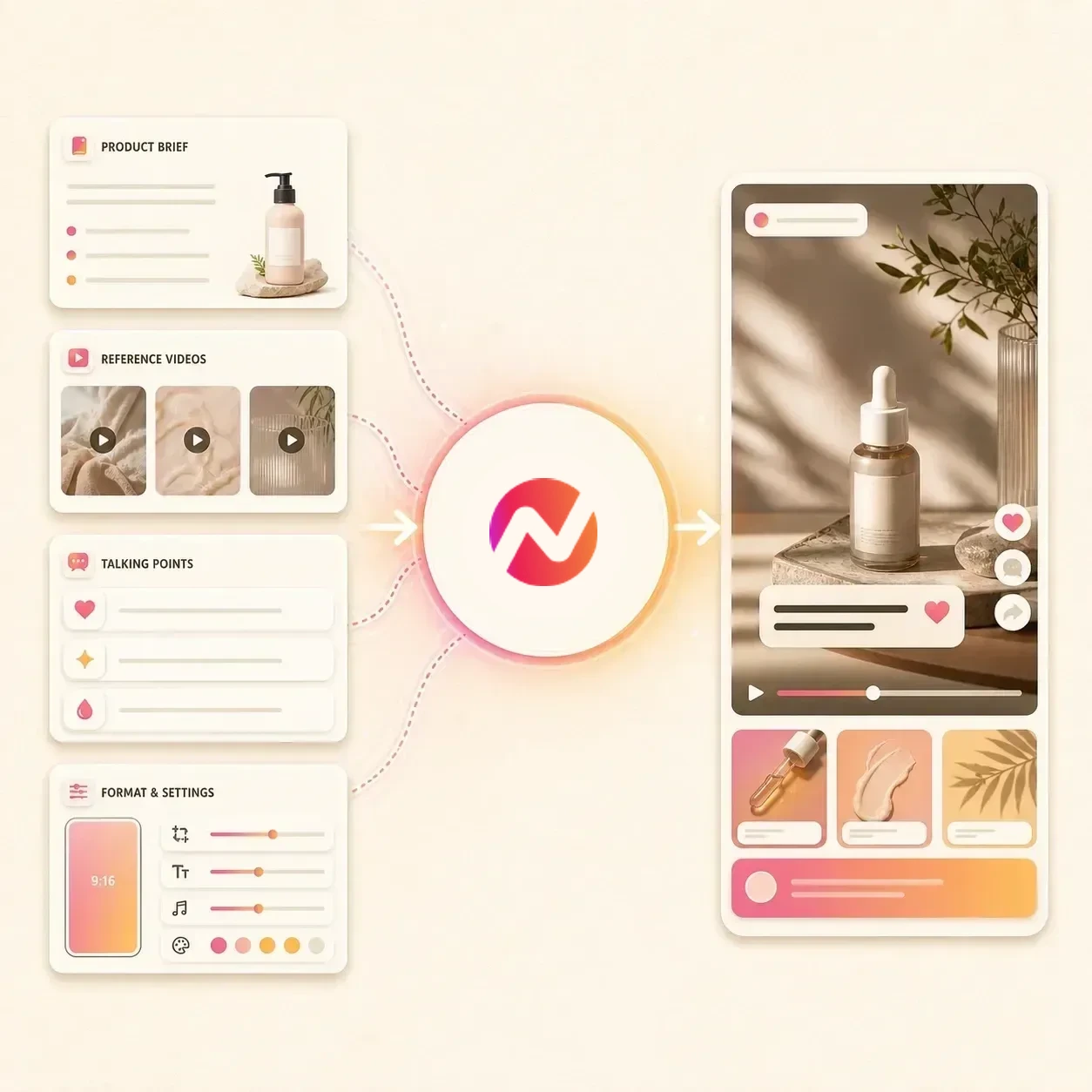
Name the product, audience, creator-style angle, source proof, voice, channel, and CTA for the draft
What it does
Create a product tutorial with social-style pacing and an approved avatar that represents you or your brand. Use real product context, then keep the script, visuals, captions, and variants editable.
Trusted by teams at












How it works
How the UGC AI video maker works.
Bring the brief and product context, review the creator-style structure, then generate an editable video draft instead of piecing together every scene by hand.
Add the brief or source
Start from a prompt, script, product page, review page, image, PDF, or other approved source material that explains the offer and audience.
Source ready
Shape the UGC angle
ngram drafts the hook, talking points, product beats, scene plan, visual direction, CTA, and format notes before rendering starts.
Angle reviewed
Generate the social-style draft
The draft can combine UGC Animator, reference video animation, AI voiceover, captions, generated visuals, product cutaways, motion graphics, and brand treatment.
Draft generated
Edit and export variants
Use chat, script edits, canvas controls, scene regeneration, or the timeline to refine the video. Prepare and review each vertical, square, or widescreen framing separately before downloading its MP4.
Ready to export
What it can do
What the UGC AI video maker builds.
The tool creates an editable ngram project where the source context, script, visual direction, voiceover, captions, brand rules, and export settings stay connected.
UGC Animator for native-feeling videos
Generate social-first scenes from a short brief when the video needs a looser creator-style rhythm instead of a polished studio read.
Explore social video toolsReference video animation
Use a reference clip or product context to guide motion, pacing, and scene direction while keeping the draft editable in ngram.
Open the video generatorScript and angle planning
Turn a product brief, URL, image, or PDF into a hook, product beat, objection, proof point, and CTA before the first render.
Learn more about script generationVoiceover and captions
Generate narration from the approved script, add burned-in captions, and revise the spoken track when the copy changes.
Learn more about AI voiceoverProduct visuals and cutaways
Use source images, product pages, screenshots, and generated visuals for product cutaways, proof moments, and scene fills.
Learn more about AI visualsBrand kit on every version
Apply logos, colors, fonts, motion style, voice, tone, approved phrases, blocked phrases, and CTA rules across the UGC-style draft.
Learn more about brand kitBuilt for creator-style video drafts with brand control
When it matters
Where UGC-style AI video fits.
Use a UGC AI video maker when a team needs social-style creative from approved product context, not unmanaged claims about a real customer or creator.
Marketing Social Clips
Turn campaign briefs, landing pages, product screenshots, and product notes into social-style UGC video drafts with captions and brand controls.
Open social video use caseSocial Media Clips
Create short social cuts from a prompt, URL, image, or PDF, then export channel-ready files for manual upload or supported publishing paths.
Open social video use caseCreator Social Clips
Convert creator scripts, lesson notes, product thoughts, or campaign angles into editable UGC-style videos with voiceover and captions.
Open creator video use caseFounder Social Content
Turn founder notes, product opinions, or customer lessons into social-style clips that can be refined without filming every take.
Open founder video use caseAgency Social Content
Build client social video sets from approved briefs, product links, and reference files while keeping copy and brand rules reviewable.
Open agency video use casePMM Social Content
Transform feature notes, screenshots, launch positioning, and product URLs into social-style videos for product marketing channels.
Open PMM video use caseGrowth Social Clips
Use the approved source message as context for separately prepared social edits, then review each hook, caption treatment, and finished MP4.
Open growth video use caseMarketing Ad Creative
Create UGC-style creative drafts for campaign testing, then hand off exported video files to the team that manages placement.
Open ad creative use caseAI Video Generator for Marketing
Use the broader marketing workflow when one brief needs UGC-style cuts, launch videos, explainers, and social variants.
Open marketing video use caseProduct stack
The ngram features behind UGC-style videos.
These features carry a UGC-style video from approved source material to script, scenes, voiceover, captions, brand, editing, and export.
Planning
Script generation for UGC angles
Shape a brief, product URL, review source, or image into the hook, talking points, product beats, and CTA for the draft.
Open script generationVisuals
AI visuals for product context
Generate scene imagery, product cutaways, social graphics, and visual fills from the UGC video's source material.
Open AI visualsVoice
AI voiceover for creator-style reads
Create narration from the approved script, switch voices, and keep the spoken track editable when the script changes.
Open AI voiceoverCaptions
Captions for feed-first viewing
Burn captions into the UGC-style export so the message reads clearly on muted social feeds and vertical placements.
Open captionsMotion
Motion graphics for proof points
Add lower thirds, product callouts, text emphasis, transitions, and animated graphics around the creator-style script.
Open motion graphicsBrand
Brand kit for every cut
Apply logos, colors, fonts, motion style, image style, voice, tone, approved phrases, blocked phrases, and CTA rules.
Open brand kitEditing
Video editing after generation
Refine the script, regenerate scenes, adjust captions, change music, and make timeline edits after the first draft is created.
Open video editingMore tools
Related tools for UGC-style video production.
Use these ngram tools when the same UGC-style brief needs a different format, presenter treatment, or finishing pass.
Generate the draft
Turn a brief, script, product page, or reference file into the first editable video project.
AI Video Generator
Use the broader agentic video generator when the UGC brief also needs explainers, launch cuts, demos, or training variants.
Open toolAI Social Media Video Maker
Adapt the same UGC-style source into a set of social video variants for multiple channels and aspect ratios.
Open toolFaceless AI Video Maker
Use a voiceover-led video when the same product story should avoid presenter footage and rely on visuals, captions, and motion.
Open toolAvatar AI Video Maker
Use an avatar-led presenter format when the message needs a human-style host backed by script, captions, and brand controls.
Open toolAI Beauty Video Maker
Turn approved product pages, images, scripts, and campaign notes into editable beauty tutorial or promo drafts.
Open toolAI Fashion Video Maker
Turn owned lookbooks, product pages, images, scripts, and campaign briefs into editable fashion video drafts.
Open toolFormat for channels
Move the same product message into channel-ready formats while keeping unsupported platform handoffs out of the copy.
TikTok AI Video Maker
Create TikTok-style vertical videos for manual upload with fast pacing, caption density, and product-led hooks.
Open toolInstagram AI Reels Maker
Create Reels-ready manual-upload video files from the same UGC-style brief, product page, or reference image.
Open toolYouTube AI Shorts Maker
Turn UGC-style product angles into vertical Shorts with supported YouTube publishing context when the cut is approved.
Open toolShorts AI Video Maker
Create short-form variants from one brief when the UGC-style draft needs several vertical cuts for testing plans.
Open toolPolish the output
Clean up the source, captions, or ending after the first UGC-style draft is generated.
Green Screen AI Video Maker
Remove or replace a rough green-screen background before a presenter-style UGC clip is added to the final project.
Open toolOutro AI Video Maker
Add a branded ending, product CTA, or closing card after the UGC-style hook and proof points are approved.
Open toolVideo Caption Generator
Create or refine caption lines when the UGC-style export needs tighter readability on muted social feeds.
Open toolVideo Editor
Use chat, script, timeline, and canvas controls to refine scenes, cuts, music, captions, and export versions.
Open toolConvert
Sources you can turn into UGC-style video.
When the brief starts in another format, these conversion pages map the source into ngram's editable video workflow.
Prompt to Video
Use a short product angle, creative brief, audience note, or hook idea as the starting point for a UGC-style draft.
Open converterProduct Page to Video
Turn a product page into a social-style video with source-based talking points, product cutaways, captions, and a CTA.
Open converterScript to Video
Start with an approved UGC-style script, then generate scenes, voiceover, captions, and export versions around it.
Open converterWho it is for
Teams that use UGC-style video drafts.
The UGC AI video maker fits teams that need fast social-style creative from approved source material while keeping review, brand, and export controls in one place.
Growth marketing teams
Create more UGC-style video variants from product pages, campaign briefs, and source images without moving the team into a separate editing queue.
Open growth solutionProduct marketing
Turn launch notes, feature context, screenshots, and positioning into creator-style videos for product-led social campaigns.
Open PMM solutionContent creators
Move scripts, teaching points, and product ideas into social-style video drafts that keep voiceover, captions, and visuals editable.
Open creator solutionAgencies and consultants
Create client-ready UGC-style drafts from approved briefs, product links, and brand kits before handing off export files.
Open agency solutionEcommerce teams
Turn product pages, bundles, reviews, and promotion notes into social-style video files for manual upload to commerce channels.
Open ecommerce solutionFounders
Convert founder notes, product lessons, or customer observations into short social-style videos without starting from a blank editor.
Open founder solutionIntegrations
Live integrations for UGC-style workflows.
Use live integrations where ngram supports the path. Instagram, TikTok, Facebook, and Pinterest remain channel-ready manual-upload exports on this page.
WhenReview is complete on the product story video; LinkedIn is next.
ThenCompose the LinkedIn post and publish the product story video now.
YouTube
BetaWhenThe creator-led product video is ready for its YouTube post.
ThenCompose and publish the YouTube post for the creator-led product video.
X (Twitter)
BetaWhenReview is complete on the concise product video; X is next.
ThenDraft the X post and schedule one release for the concise product video.
Start UGC video jobs from Zapier
CreateWhenA product brief, campaign request, or approved source file lands in another app
ThenUse Zapier to start the ngram video job and return the finished export to the workflow
Let agents request UGC-style variants
AgenticWhenAn AI agent needs to create or revise UGC-style video variants from approved context
ThenUse the MCP server to invoke ngram tools from the agent's workspace
Use these routes when UGC-style video creation should begin from workflows, browser context, social calendars, or agentic systems.
Why ngram
How ngram compares for UGC-style video work.
Use this view to decide when an agentic UGC AI video maker is the right fit compared with common social video production paths.
| Compare | ngram | Template editor | Creator production | Point scheduler |
|---|---|---|---|---|
| Workflow fit | Starts from a brief, script, image, PDF, URL, or product source and plans the angle before rendering | Useful when the team already knows the exact scene layout, captions, motion, and export format | Useful when a real creator, real customer, or filmed testimonial is required for the campaign | Helps schedule finished posts but usually expects the video file and copy to be ready already |
| How ngram fits | Uses UGC Animator, reference video animation, voiceover, captions, visuals, brand kit, and editable scenes | Usually needs manual resizing, copy edits, caption work, and asset selection for each variant | Requires sourcing, briefing, review, approvals, editing, captions, and versioning outside the generator | Does not create the UGC-style script, storyboard, captions, voiceover, or brand treatment |
| Best use | Exports channel-ready files and supports LinkedIn, YouTube, and X/Twitter publishing where those integrations apply | Can move quickly for one-off designs but leaves script and story decisions to the user | Can complement ngram when approved footage later needs edits, subtitles, or format variants | Works downstream of ngram exports when a channel does not have a live ngram publishing integration |
FAQ
UGC AI Video Maker FAQs
Practical answers for UGC-style video workflows.
UGC AI Video Maker ready for social-style drafts
Bring the brief, product page, image, PDF, or script. ngram turns it into an editable UGC-style video with voiceover, captions, brand kit, and export versions.
Start with approved source context and keep the draft editable through review.
Placement, likeness approval, and unsupported publishing promises stay outside this tool.