AI Nonprofit Video Maker by ngram
AI Nonprofit Video Maker for mission and impact stories

Name the mission, audience, source material, story angle, voice, length, and target format.
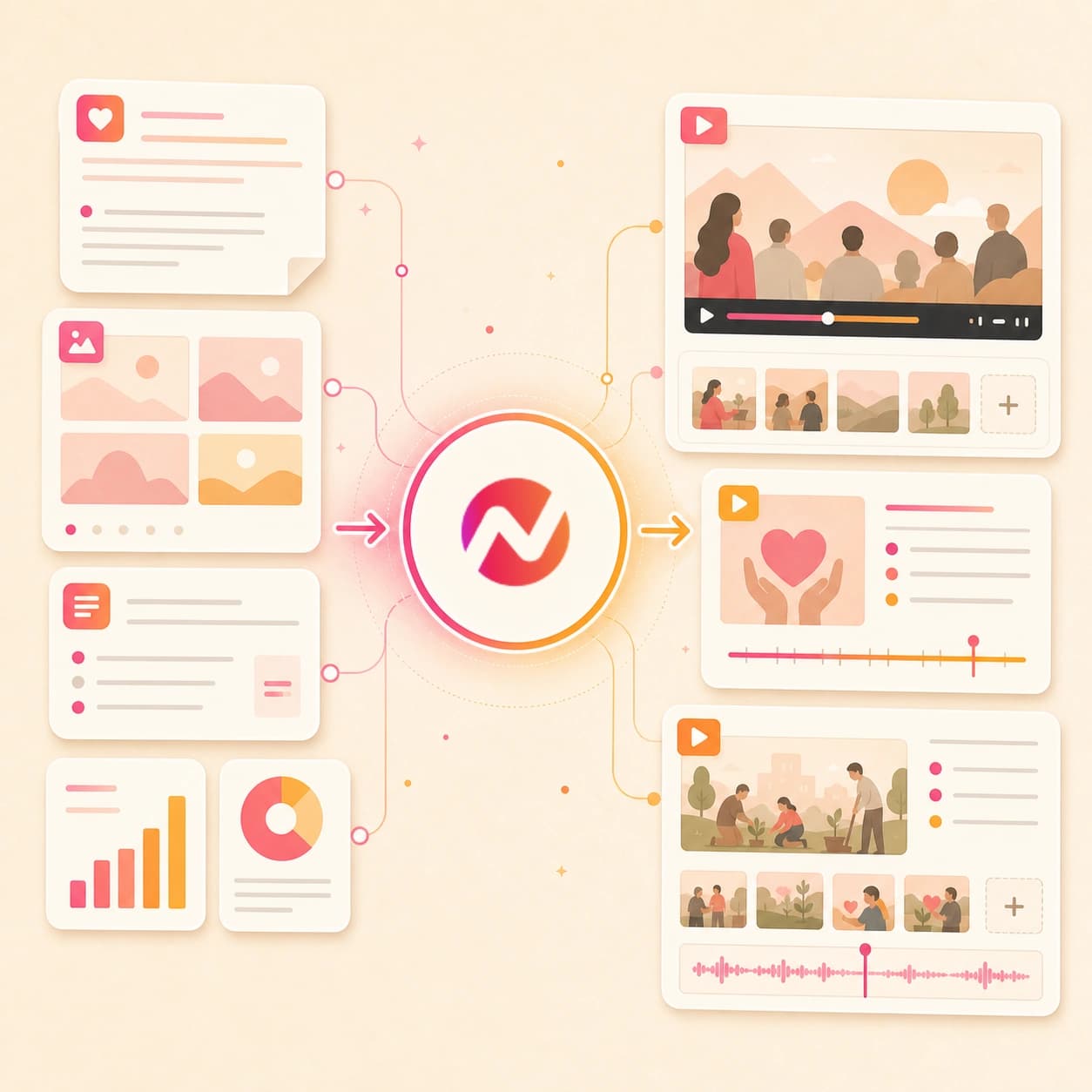
What it does
Turn your annual report, program updates, and approved beneficiary stories into clear mission videos. Reuse the same project for donor communication, volunteer outreach, and campaign updates.
Trusted by teams at











How it works
From nonprofit source material to editable video.
Give ngram the approved story source, review the plan, then refine a generated video before the team exports it for its next update, recap, or campaign handoff.
Add the mission source
Start with a prompt, PDF, image, script, storyboard, annual report excerpt, campaign page, donor update, volunteer recap notes, or public program URL.
Source ready
Review the script and storyboard
ngram turns the source into a hook, scene order, narration, visual direction, timing, proof points, and CTA before the first nonprofit video draft renders.
Plan reviewed
Generate the nonprofit draft
The draft can include AI visuals, motion graphics, voiceover, captions, background music, branded intros, branded outros, and scene transitions tied to the approved source.
Draft generated
Edit and export versions
Revise the wording, regenerate scenes, adjust captions, update brand styling, and download the finished MP4. Prepare any channel-specific framing separately in the editor.
Ready to export
What it can do
What this ai nonprofit video maker builds.
Use ngram when a mission update, campaign explainer, donor recap, volunteer highlight, or grant program story needs a clear video draft that the team can review and revise.
Script and storyboard from mission material
Turn prompts, PDFs, URLs, scripts, storyboards, donor notes, and program reports into a reviewable nonprofit video plan before any scene renders.
Learn more about script generationAI visuals for program scenes
Generate scene imagery, title frames, supporting visuals, and motion backgrounds that match the approved mission source and selected brand direction.
Learn more about AI visualsVoiceover from the reviewed script
Create narration from the nonprofit video script, pick a voice, set pronunciation guidance for names, and regenerate audio when the story order changes.
Learn more about AI voiceoverCaptions for donor and volunteer viewers
Burn in captions by default, style them with the brand kit, and keep updates clear when the video is watched without sound.
Learn more about captionsBrand kit for mission consistency
Apply logos, colors, fonts, motion style, screenshot style, tone preferences, approved phrases, blocked phrases, intros, outros, and CTAs.
Learn more about brand kitBuilt for approved nonprofit source material, editable drafts, and MP4 export
When it matters
Nonprofit video workflows this tool supports.
These existing workflows map to the mission stories, campaign explainers, donor updates, volunteer recaps, and program videos this page creates.
PMM Customer Story
Adapt the customer-story workflow for approved nonprofit program stories, using source notes and proof points to build a clear arc without inventing outcomes.
Open AI video use caseCustomer Testimonial Video
Use testimonial structure for approved donor, partner, or community quotes that need context, narration, captions, and brand styling before review.
Open AI video use caseEvent Recap Video
Turn gala footage, community-day notes, volunteer photos, and event summaries into a recap video with a structured story and export-ready cuts.
Open AI video use caseNewsletter Video
Convert a donor newsletter or program update into a short nonprofit video when the same message needs voiceover, captions, and a more watchable format.
Open AI video use caseInternal Communication Video
Create staff, board, or volunteer updates from written notes and source URLs, then keep the script, scenes, captions, and export format editable.
Open AI video use caseTraining Video
Turn volunteer onboarding material, program procedures, and internal training notes into video modules with narration, captions, and branded visuals.
Open AI video use caseSocial Media Clips
Build short campaign clips from approved nonprofit stories, event recaps, program updates, and image sets while keeping captions and aspect ratios editable.
Open AI video use caseExplainer Video
Use an explainer structure for program overviews, campaign pages, public service notes, or community initiatives that need a simple narrative path.
Open AI video use caseMarketing Landing Page
Turn a campaign landing page or program page into a video draft that matches the page message, adds narration, and exports in reviewable formats.
Open AI video use caseProduct stack
Product features behind nonprofit video creation.
These ngram features support the path from approved nonprofit source material to an editable, branded video draft.
Script Generation
Turn mission briefs, annual report excerpts, PDFs, scripts, and public URLs into a nonprofit video script and storyboard the team can review before render.
Learn more about script generationAI Visuals
Create supporting imagery, program scene art, title cards, and visual fills for nonprofit videos when the source package needs more than photos.
Learn more about AI visualsAI Voiceover
Generate narration from the reviewed nonprofit script, choose a voice, set pronunciation notes, and update audio when the program story changes.
Learn more about AI voiceoverCaptions & Subtitles
Add branded captions to mission videos, donor updates, and volunteer recaps so the message stays clear in muted and mobile viewing contexts.
Learn more about captionsBrand Kit
Keep nonprofit logos, colors, fonts, motion style, tone guidance, approved phrases, and blocked phrases attached to every generated draft.
Learn more about brand kitVideo Editing
Use chat, script edits, visual controls, scene regeneration, or the timeline to revise the generated nonprofit video before review or export.
Learn more about video editingMore tools
Related AI video tools for nonprofit teams.
Use these existing tools when the nonprofit story needs a narrower video format, a companion asset, or a source-specific starting point.
Story and proof formats
Create adjacent story-led videos from approved nonprofit source material.
AI Case Study Video Maker
Shape a program result, partner story, or service recap into a structured proof video with source-aware scenes and editable narration.
Open toolAI Testimonial Video Maker
Turn approved donor, volunteer, partner, or community quotes into a testimonial-style video with captions, voiceover, and brand treatment.
Open toolStorytelling AI Video Maker
Use a broader story workflow when the nonprofit video needs a narrative arc across mission, program context, and next step.
Open toolCampaign and recap formats
Build specific nonprofit communications from events, announcements, explainers, and social-ready cuts.
AI Event Video Maker
Create volunteer day, gala, field visit, or community event recaps from footage, images, scripts, and approved event notes.
Open toolAI Announcement Video Maker
Turn a board update, program milestone, grant program note, or public announcement into a short video draft for review.
Open toolAI Explainer Video Maker
Explain a nonprofit program, campaign, community service, or initiative from source notes and public URLs.
Open toolAI Social Media Video Maker
Create short nonprofit campaign variants from an approved story, image set, PDF, or campaign URL with editable captions and formats.
Open toolAI Coaching Video Maker
Turn volunteer training, program education, or community lesson material into a coaching-style video draft.
Open toolConvert
Source material nonprofits can turn into video.
These converters fit the documents, reports, pages, and scripts nonprofit teams already use to explain programs and share updates.
Annual Report to Video
Turn a yearly report PDF into a mission recap video with a script, narration, captions, and a branded year-in-review structure.
Open converterReport to Video
Convert a program report, grant update, or field summary into a video that explains the findings and the story behind them.
Open converterPDF to Video
Upload a nonprofit PDF, one-pager, program overview, or campaign brief and turn it into a storyboarded video draft.
Open converterWho it is for
Teams that use nonprofit video workflows.
These existing ngram solution pages match the teams most likely to adapt this tool for mission, campaign, training, and program communication.
Campaign and communications teams
Plan mission videos, campaign explainers, and public updates from source pages and reports while keeping the story on brand.
See product marketing workflowsGrowth and outreach teams
Build social clips, landing page videos, and email-friendly updates from campaign briefs, event pages, and approved images.
See growth workflowsVolunteer and staff communicators
Turn internal updates, volunteer onboarding notes, and program procedures into video cuts that can be reviewed before handoff.
See internal comms workflowsProgram trainers
Convert training notes, lesson plans, SOPs, or field guidance into narrated modules for staff, volunteers, or community education.
See training workflowsAgencies serving nonprofits
Create nonprofit client deliverables from campaign briefs, program reports, brand guidelines, and approved story material.
See agency workflowsMember and community teams
Adapt customer-success style updates into donor, member, or community education videos that explain what changed and what comes next.
See lifecycle video workflowsIntegrations
Automation routes for nonprofit video creation.
Use live ngram integrations to start, route, and review nonprofit video jobs from approved source material without adding unsupported handoff claims.
Zapier
Workflow triggerWhenA team adds an approved mission brief, donor update, or annual report link to its content workflow.
ThenStart a nonprofit video job in ngram and route the finished draft URL back to the team's review process.
Chrome Extension
Browser captureWhenA communications lead is reviewing an owned program page, public report page, event page, or campaign page in Chrome.
ThenCapture the page as source context and send it into ngram as the starting point for a nonprofit video draft.
MCP Server
Agent workflowWhenAn AI agent is preparing a nonprofit story package from approved prompts, docs, image notes, and public URLs.
ThenCall ngram through MCP to generate the video draft, check job status, and return the result to the agent workspace.
Why ngram
How nonprofit video workflows compare.
The ai nonprofit video maker is strongest when a team starts from approved mission material and needs an editable, branded video draft.
| Compare | ngram | Template editor | Prompt-only generator | Manual production |
|---|---|---|---|---|
| Workflow fit | Starts from prompts, scripts, PDFs, images, owned or public URLs, annual reports, and campaign source material. | Useful when a team already has every scene, asset, and line of copy ready. | Good for short visual ideas or scene fills when the source is a simple prompt. | Works when the organization needs custom filming, interviews, and a full production process. |
| How ngram fits | Creates a script, storyboard, voiceover, captions, AI visuals, brand treatment, and editable draft in one project. | Often asks the user to choose templates, place media, edit timing, and write narration manually. | May not preserve the full mission brief, annual report context, or reviewable storyboard as the control point. | Requires more coordination around script, assets, review notes, format versions, and follow-up edits. |
| Best use | Exports finished MP4 files for review, website, email, social, deck, and community handoff. | Can work for simple event promos, but the story plan and revisions stay with the creator. | Best treated as a visual source, not the full nonprofit communications workflow. | Fits high-touch campaigns, while ngram fits repeatable drafts from material the team already owns. |
FAQ
AI nonprofit video maker FAQs.
Answers for nonprofit video workflows.
Create the next nonprofit mission video from the source material you already trust
Start with a prompt, PDF, image, annual report, campaign page, donor update, or public program URL. ngram drafts the story, adds voiceover and captions, applies the brand kit, and keeps the video editable before export.
Built for approved nonprofit source material, editable drafts, and MP4 export.