Storytelling AI Video Maker by ngram
Storytelling AI Video Maker for business stories grounded in real material

Describe the audience, source material, length, and outcome you want ngram to create.
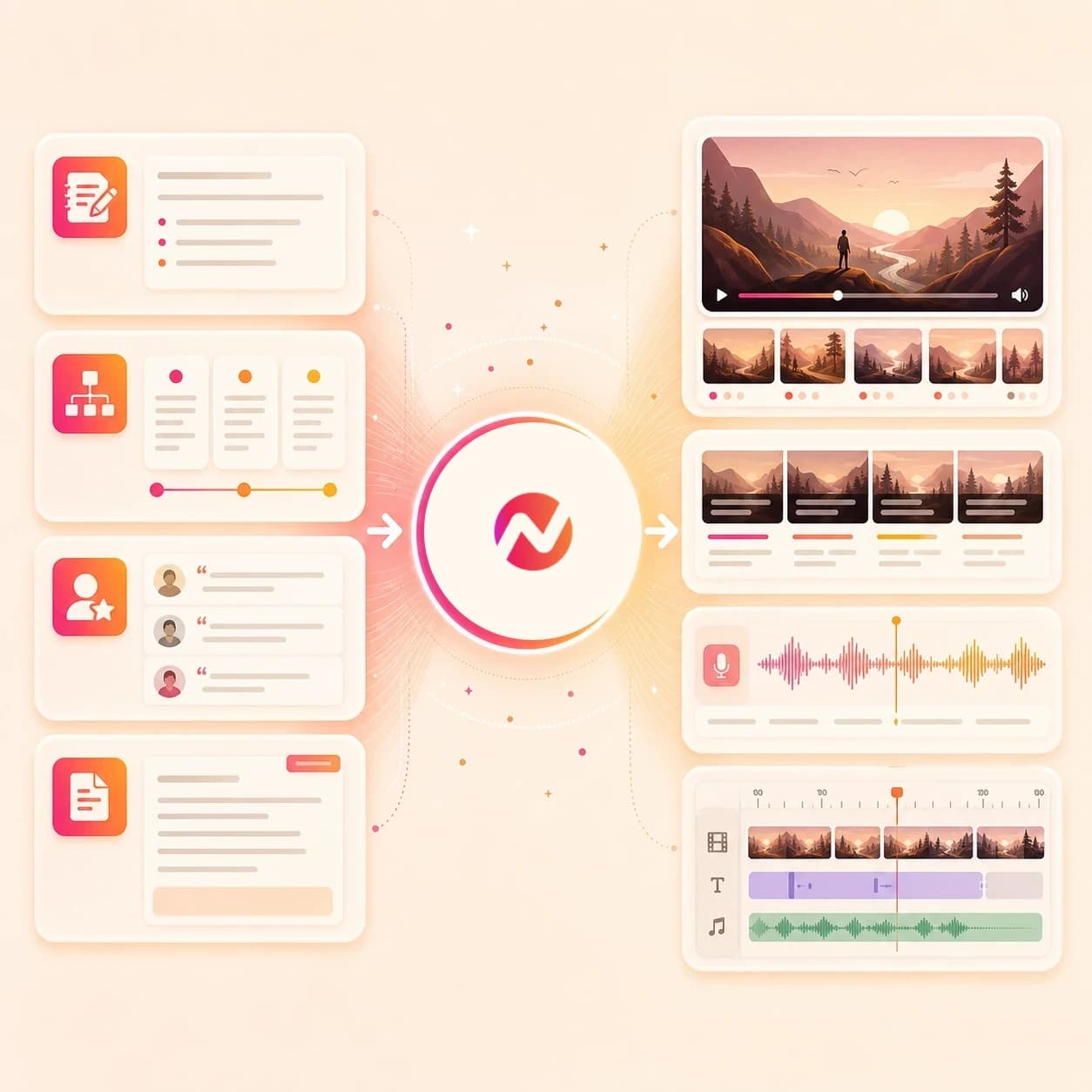
What it does
Turn real source material into a story with a clear beginning, tension, and outcome. Use it for customer proof, founder narratives, or company change without losing the facts behind the message.
Trusted by teams at












How it works
How the storytelling AI video maker works.
Give ngram the source material and the business moment. Review the story plan before the first draft turns into a rendered video project.
Add the source and goal
Start from a prompt, brief, customer quote, product page, release note, docs URL, PDF, screenshot, image, or approved source note that contains the message.
Source ready
Review the story arc
ngram turns the source into a hook, sequence of scenes, narration, proof points, visual direction, timing, and CTA before rendering.
Storyboard ready
Generate the business story draft
The project gets AI visuals, product callouts, motion graphics, voiceover, captions, music, transitions, and brand-kit treatment where the story needs them.
Draft generated
Edit and export versions
Revise the script, regenerate a scene, adjust captions or pacing, localize the story, and download the finished MP4.
Ready to export
What it can do
What the storytelling AI video maker builds.
Create a reviewable video story from business material that already contains the message, proof, product detail, or update.
Story arc and storyboard
Turn source notes into a hook, scene order, narration, proof beats, CTA, and visual pacing plan before the first render.
Learn more about script generationCustomer proof and product narrative
Use approved customer quotes, case study points, release notes, product pages, and demos as source material for a grounded business story.
Learn more about video editingVoiceover from the approved script
Generate narration from the story script, choose a voice, preview pronunciations, and regenerate audio when the wording changes.
Learn more about AI voiceoverCaptions and readable overlays
Burn in captions by default and add on-screen text for customer names, product moments, proof points, steps, and CTAs.
Learn more about captionsBrand kit and story guardrails
Apply logos, colors, fonts, motion style, screenshot style, tone, approved phrases, blocked phrases, intros, outros, and CTA rules.
Learn more about brand kitEditable pacing and scene polish
Use motion graphics, scene transitions, smart zooms, callouts, timeline controls, canvas edits, and chat edits to refine the story draft.
Learn more about motion graphicsBuilt for editable business video stories, not strategy work or audience-impact promises
When it matters
Storytelling video workflows this tool supports.
Use these existing ngram workflows when the source material needs a clear story for product, proof, launch, sales, customer, or internal communication.
PMM Customer Story
Turn interview notes, approved quotes, call summaries, and case study points into a customer proof video with a reviewable story arc.
Open AI video use casePMM Product Launch
Shape positioning docs, launch briefs, product notes, and customer pain points into a story-led launch video for the campaign.
Open AI video use casePMM Feature Announcement
Convert release context and product proof into a feature announcement that explains what changed and why the audience should care.
Open AI video use caseProduct Demo Video
Use a screenshot sequence, product URL, or demo brief when the story needs a concrete product path with callouts and captions.
Open AI video use caseProduct Overview Video
Turn product pages, PRDs, and source notes into a high-level narrative that explains the product without losing the main proof points.
Open AI video use caseFeature Announcement Video
Build a concise story around a shipped feature, with scenes for the problem, product moment, user value, and next step.
Open AI video use caseChangelog Video
Turn release notes into a product update story that groups changes, explains the user impact, and stays editable after review.
Open AI video use caseCustomer Testimonial Video
Use a recorded interview, approved quote, or proof summary as the spine for a testimonial video with narration, captions, and brand styling.
Open AI video use caseInternal Communication Video
Turn an announcement, leadership note, policy update, or internal brief into a clear story that distributed teams can watch on their own time.
Open AI video use caseProduct stack
Product features behind business story videos.
These ngram features support the path from source material to storyboard, voiceover, captions, brand control, editing, and export.
Planning
Script Generation
Draft the story script, hook, scene plan, proof sequence, and CTA from briefs, URLs, docs pages, PDFs, screenshots, images, and approved source notes.
Learn more about script generationVoice
AI Voiceover
Create narration from the approved story script, pick a voice, set pronunciation guidance, and update audio when the story changes.
Learn more about AI voiceoverCaptions
Captions & Subtitles
Add burned-in captions and styled subtitle lines so the customer proof, product message, and CTA remain readable without sound.
Learn more about captionsBrand
Brand Kit
Keep the story aligned with logo rules, colors, fonts, motion style, screenshot style, voice, tone, approved phrases, and blocked phrases.
Learn more about brand kitMotion
Motion Graphics
Use titles, lower thirds, animated callouts, transitions, and branded motion to make each story beat easier to follow.
Learn more about motion graphicsEditing
Video Editing
Refine the story after generation with agentic chat, visual chat, script edits, scene regeneration, canvas controls, and timeline editing.
Learn more about video editingScreen context
Screencast Understanding and Editing
Use screenshots, source notes, and owned workflow context when the story needs product proof, smart zooms, labels, and step-level callouts.
Learn more about screen editingMore tools
Related tools for storytelling video work.
Use these tools when the story starts from a narrower input, needs a broader generated draft, or needs polish after review.
Adjacent creation workflows
Use these related ngram tools when the same source material needs a tutorial, explainer, narrative cut, or walkthrough format.
AI Explainer Video Maker
Turn a brief, URL, screenshot, or PDF into an editable explainer video with storyboard, voiceover, captions, and brand context.
Open toolAI News Video Maker
Turn approved updates, articles, reports, and URLs into reviewed narrative videos with source-grounded scenes and captions.
Open toolHighlight Reel AI Video Maker
Use approved source notes, URLs, or briefs to frame a concise highlight video with captions, pacing, and brand context.
Open toolAnimated Explainer AI Video Maker
Build a motion-led explainer from approved source material when the idea needs visual metaphors, callouts, and scene rhythm.
Open toolCartoon AI Video Maker
Give an approved story a cartoon treatment while keeping every scene, line, and caption editable.
Open toolPlan and create the story
Start from source copy, a prompt, a URL, or a broader video brief.
Video Script Generator
Draft the hook, body, storyboard, and CTA before turning the approved story script into a video project.
Open toolAI Video Generator
Use the broader generator when one source may become a story video, explainer, update, internal message, or customer education asset.
Open toolText to Video
Turn a written brief, script, outline, launch note, or proof summary into an editable business story draft.
Open toolURL to Video
Paste a product page, case study, release note, help article, or docs page and use that context as the story source.
Open toolPolish the reviewed draft
Finish captions, music, overlays, timeline edits, and source captures after the story plan is approved.
Video Caption Generator
Add styled captions to an existing story clip so proof points, quotes, and CTAs stay readable in silent playback.
Open toolAdd Music to Video
Add background music under narration and keep the track balanced while the story voiceover remains clear.
Open toolVideo Editor
Use timeline controls, script edits, visual chat, captions, and canvas changes when the story draft needs tighter review edits.
Open toolConvert
Convert source material into a business story video.
Use these converters when the storytelling AI video maker starts from a script, case study, release note, doc, URL, recording, or prompt.
Script to Video
Paste an approved narration script and let ngram build the storyboard, scenes, voiceover, captions, and brand treatment around it.
Open converterCase Study to Video
Turn customer proof, approved quotes, and case study structure into a branded story video with narration and captions.
Open converterRelease Notes to Video
Convert shipped updates into a product story that explains what changed, who it helps, and what to try next.
Open converterWho it is for
Teams that use storytelling video drafts.
These teams already own the briefs, proof, docs, and updates. ngram turns that source material into editable story videos.
Product Marketing Managers
Turn positioning docs, launch briefs, case studies, release notes, and product captures into product narratives that stay on brand.
See product marketing workflowsCustomer Success
Create onboarding, feature education, QBR recap, and renewal videos from account notes, help docs, product updates, and call summaries.
See customer success workflowsSales Enablement
Turn battlecards, demo notes, proposal docs, and customer proof into narrative follow-ups that reps can review and send.
See sales enablement workflowsFounders
Use pitch PDFs, product notes, customer wins, and launch context to create concise founder stories for prospects, investors, and teams.
See founder workflowsAgencies and Consultants
Convert client briefs, approved files, case studies, and campaign pages into video story drafts for review and handoff.
See agency workflowsEnterprise
Use brand kits, content guardrails, team workspaces, and governed source material to keep business stories consistent across teams.
See enterprise workflowsIntegrations
Start story video work from connected systems.
Use live ngram integrations to send approved source context into a story video workflow. Review, editing, approval, and channel placement stay under your team's control.
Zapier brief to story draft
AutomationWhenA CRM record, form response, spreadsheet row, or intake task contains an approved story brief and source links.
ThenCreate an ngram project with the prompt and source context so the team can review the storyboard and generated draft.
Chrome Extension page capture
Source captureWhenA marketer is reviewing a product page, case study, release note, docs page, or public brief in Chrome.
ThenSend the page context into ngram so the team can turn it into a business story draft.
MCP agent story requests
Agent workflowWhenAn internal agent has the source prompt, approved proof points, audience, and target video format.
ThenCall ngram as a tool to create the video project, check status, and retrieve the generated asset.
Why ngram
Storytelling AI video maker compared with other workflows.
Choose ngram when the job is a business story built from source material, storyboard review, brand controls, voiceover, captions, and editable scenes.
| Compare | ngram | Template editor | Single-purpose story generator | Manual production workflow |
|---|---|---|---|---|
| Workflow fit | Turns briefs, product narratives, customer proof, updates, docs, URLs, and scripts into storyboard, scenes, voiceover, captions, brand kit treatment, and exports | Starts from a timeline or preset design and asks the team to fit the business story into that structure | Can turn an idea or script into a short video when the source material is simple and review needs are light | Fits custom shoots, deep creative direction, legal-heavy approvals, or production work that needs a specialist team |
| How ngram fits | Keeps the story arc, source material, script, visual pacing, captions, voiceover, and brand rules attached to one editable project | Works when the script, story beats, visuals, captions, brand rules, and exports are already decided | Useful for quick concept drafts when the team does not need product proof, customer context, or brand governance | Usually depends on separate briefs, storyboards, edit rounds, asset handoffs, and scheduling before the first file is ready |
| Best use | Best when the team needs a reviewable business video draft without replacing strategy, editorial approval, or campaign operations | May leave source interpretation, storyboard planning, voiceover, and brand phrase guardrails outside the editor | May require separate tools for source URLs, customer proof, captions, voiceover, scene edits, brand kit, and export variants | Can sit before or after ngram when the business story needs services beyond creating an editable video draft |
FAQ
Storytelling AI video maker FAQ.
Story-led video questions
Turn source material into business story video
Bring the brief, proof, update, URL, doc, or script. ngram drafts the storyboard, voiceover, captions, visual pacing, and brand treatment, then keeps the project editable for review.
Build the first draft from the material your team already trusts.
For business storytelling videos, not a strategy or automated channel posting system.