AI Coaching Video Maker by ngram
AI Coaching Video Maker for repeatable client lessons

Name the audience, goal, topic, source material, tone, and where the finished video will be used
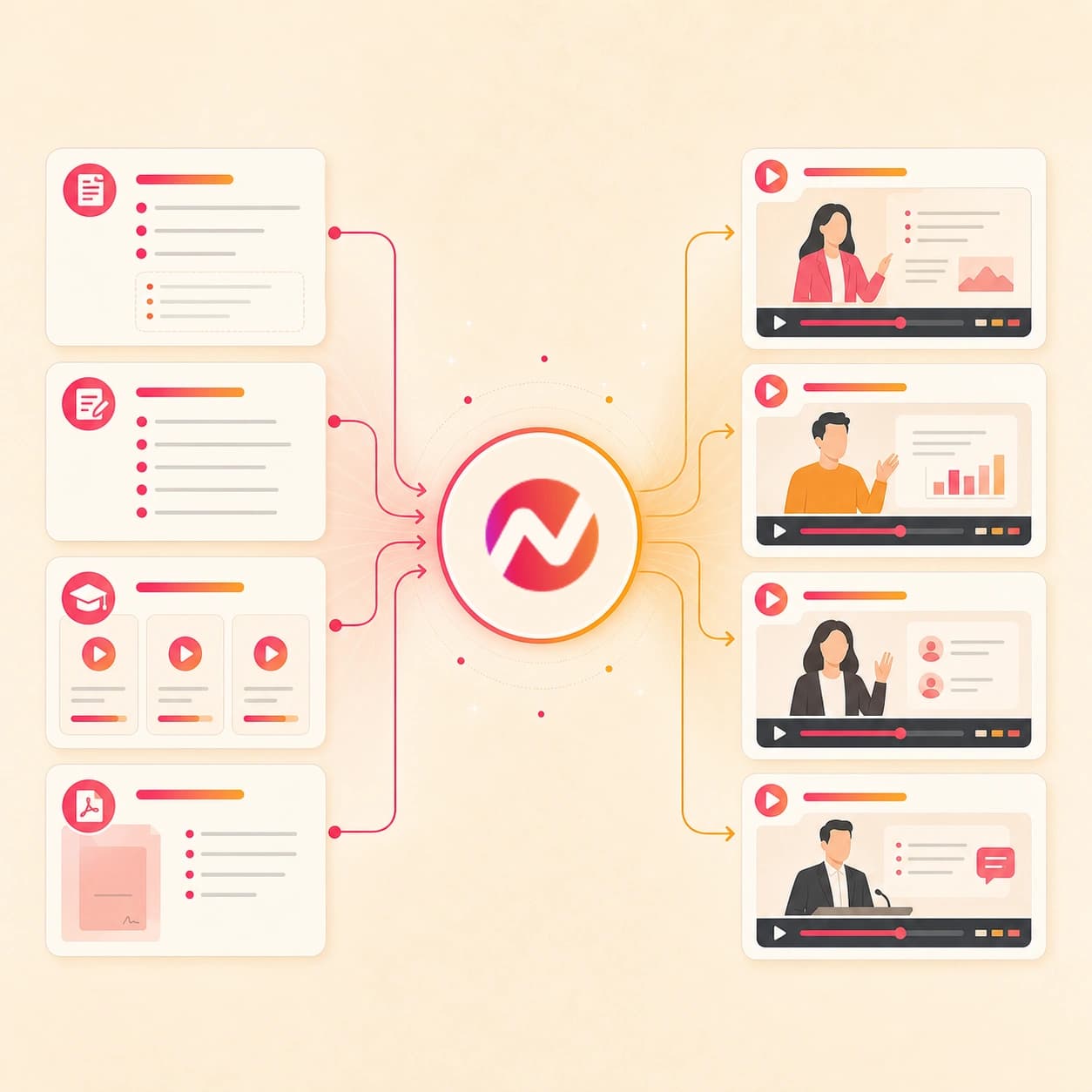
What it does
Turn your coaching framework, lesson notes, and client resources into structured videos. Reuse the format across cohorts, onboarding, and follow-up without recording every lesson again.
Trusted by teams at












How it works
From coaching source to editable lesson video.
Give ngram the approved coaching material, review the plan, generate the video draft, then export the versions you want to share manually.
Add the coaching source
Start from a prompt, approved script, deck, PDF, doc, image, worksheet, recap notes, or owned/public URL. ngram reads the source for audience, topic, examples, and structure.
Source ready
Review the lesson plan
The source becomes a script, storyboard, scene plan, timing, visual direction, and CTA. Review the coaching message before the video renders.
Plan reviewed
Generate the coaching draft
ngram builds the draft with voiceover, captions, motion graphics, branded intro and outro cards, slide animation, and source-backed visuals where useful.
Draft generated
Edit and export versions
Change the wording, regenerate a scene, update captions, adjust tone, and download the finished MP4 for manual upload. Prepare any alternate framing separately in the editor.
Ready to export
What it can do
What the ai coaching video maker can build.
Use ngram when coaching material needs to become a clear video without losing the source context, brand rules, or edit control after the first draft.
Prompt to lesson structure
Describe the coaching topic, audience, and outcome. ngram turns the prompt into a script, storyboard, scene plan, and CTA for review.
Learn more about script generationCoaching decks as source context
Use a PowerPoint or PDF coaching deck as the scene order for a narrated video, then refine the lesson wording, captions, and pacing in ngram.
Convert PPT to VideoVoiceover from the approved script
Generate narration from the coaching script, choose a voice, set pronunciation guidance, and keep audio connected to script edits.
Learn more about AI voiceoverCaptions for every lesson cut
Burn captions into lesson videos, recap clips, and social cuts so the message works with or without sound.
Learn more about captionsBrand kit for repeat coaching content
Apply logo, colors, fonts, motion style, tone rules, approved phrases, blocked phrases, intros, outros, and CTA treatment across the video library.
Learn more about brand kitBuilt for coaching lessons, course modules, client recaps, onboarding, and thought-leadership clips
When it matters
Coaching video workflows that start from existing material.
These use-case pages match the coaching, education, onboarding, recap, and social clip work this tool is built to support.
Creator course content
Turn a coaching outline, module notes, or recorded lesson into course content with a reviewed script, voiceover, captions, and export-ready cuts.
Open AI video use caseEducator course content
Use the ai coaching video maker when a workshop deck, lesson plan, or training module needs a clear video version for learners.
Open AI video use caseEducator tutorial
Build focused coaching tutorials from process notes, worksheets, screenshots, or a short teaching prompt, then edit each scene before export.
Open AI video use caseEducator explainer
Turn a coaching concept into a visual explainer with narration, captions, callouts, and motion graphics tied to the approved script.
Open AI video use caseTraining video
Convert coaching frameworks, SOPs, program docs, and facilitator notes into structured training videos that stay editable after generation.
Open AI video use caseCustomer onboarding video
Create onboarding videos from setup notes, welcome guides, and first-session material so clients get the same clear start each time.
Open AI video use caseMeeting recap video
Turn client call notes, approved decisions, or a meeting recording into a recap video with captions and a shareable export.
Open AI video use caseMarketing social clips
Repurpose coaching lessons, event talks, articles, and source notes into short social clips with hooks, captions, and manual upload-ready files.
Open AI video use caseWebinar clips
Use a long coaching session or recorded workshop as source material for shorter thought-leadership clips that keep the main point intact.
Open AI video use caseProduct stack
The product stack behind coaching video creation.
These ngram features carry coaching material through planning, narration, captions, brand control, editing, and export.
Script Generation
Turns coaching prompts, outlines, scripts, files, and URLs into a lesson script and storyboard before the video renders.
Learn more about script generationAI Voiceover
Narrates the approved coaching script with a selected voice and keeps narration tied to edits when an example or recap changes.
Learn more about AI voiceoverCaptions
Adds burned-in captions to lessons, recaps, and social clips, then keeps caption text connected to the script.
Learn more about captionsBrand Kit
Applies logo, colors, fonts, motion style, tone, approved phrases, blocked phrases, intro cards, outro cards, and CTA treatment.
Learn more about brand kitMotion Graphics
Adds title cards, lower-thirds, callouts, step labels, section markers, and transitions around the coaching points that need focus.
Learn more about motion graphicsVideo Editing
Keeps the coaching video editable through chat, visual chat, script editing, scene regeneration, canvas controls, and timeline edits.
Learn more about video editingMore tools
Tools that pair with an ai coaching video maker.
Use these tools when the coaching source is closer to a course, training module, script, tutorial, or finished clip.
Coaching lesson formats
Start with the adjacent learning workflow that best matches the source material.
AI Course Video Maker
Turn coaching modules, lesson decks, and program notes into course-style videos with narration, captions, brand, and export controls.
Open toolAI Training Video Maker
Use training mode when coaching material needs a structured module for clients, employees, partners, or internal teams.
Open toolAI E-Learning Video Maker
Build async coaching modules from decks, PDFs, notes, and URLs when the lesson belongs in a repeatable learning path.
Open toolAI Educational Video Maker
Use the broader educational workflow when the coaching video needs concept teaching, examples, and lesson pacing.
Open toolAI B2B Video Maker
Use the B2B workflow when business coaching material needs a product, sales, webinar, or customer education angle.
Open toolAI Fitness Video Maker
Turn approved workout plans, exercise notes, images, and scripts into editable fitness lesson videos.
Open toolBuild from source
Use these when the coaching source is already a script, prompt, outline, or tutorial path.
Text to Video
Paste a coaching script, outline, lesson note, or thought-leadership draft and turn it into a storyboarded video project.
Open toolVideo Script Generator
Draft the coaching hook, lesson body, recap, and CTA before sending the script into a full video workflow.
Open toolTutorial AI Video Maker
Create a step-by-step coaching tutorial when the source teaches one process, product workflow, or client exercise.
Open toolHow to AI Video Maker
Turn a procedure, checklist, worksheet, or client exercise into a direct how-to video with captions and step labels.
Open toolFinish and repurpose
Keep the approved coaching draft useful after the first export.
Video Editor
Open the editor when a coaching lesson or recap needs timeline edits, script changes, scene fixes, or export variants.
Open toolAI Social Media Video Maker
Turn a coaching lesson or thought-leadership draft into channel-ready social variants with captions and manual export.
Open toolAdd Subtitles to Video
Add styled subtitles to an existing coaching clip when the lesson is already recorded and needs cleaner on-screen text.
Open toolVideo Translator
Translate a coaching video across script, captions, on-screen text, and voiceover when the same lesson needs a localized cut.
Open toolConvert
Converters for coaching source material.
Use these converters when the job starts from one clear source instead of a broad ai coaching video maker brief.
Prompt to Video
Start from a coaching idea, lesson objective, recap request, or thought-leadership angle and expand it into a storyboarded video.
Open converterScript to Video
Use this when the coaching script is already approved and the video should preserve the message while adding scenes and voiceover.
Open converterLesson to Video
Turn a lesson plan, worksheet, module outline, or coaching exercise into a narrated video with captions and editable scenes.
Open converterWho it is for
Teams and creators that make coaching videos.
These solution pages fit the people most likely to turn coaching lessons, client material, and thought leadership into video.
Content Creators
Turn coaching outlines, course scripts, sponsor-safe lessons, and long-form recordings into videos for courses, social clips, and public teaching.
See creator workflowsEducators & Trainers
Build coaching lessons from decks, notes, scripts, and worksheets while keeping narration, captions, and updates editable.
See educator workflowsCustomer Success
Use onboarding guides, help docs, recap notes, and training material to create customer coaching videos that teams can reuse.
See customer success workflowsFounders
Turn founder notes, coaching frameworks, customer lessons, and thought-leadership drafts into video without building a separate production workflow.
See founder workflowsSolopreneurs
Create coaching videos from the material that already runs the business: calls, scripts, onboarding notes, course outlines, and client resources.
See solopreneur workflowsAgencies & Consultants
Package client coaching material, workshop decks, account recaps, and advisory content into branded video deliverables.
See agency workflowsGrowth & Marketing Teams
Repurpose coaching webinars, articles, and expert POVs into social clips and campaign assets that can be manually uploaded.
See growth workflowsSales Enablement
Turn coaching playbooks, demo notes, objection handling, and recap material into training videos reps can review before calls.
See sales workflowsIntegrations
Automate coaching video requests around approved sources.
These live integrations fit workflows where approved coaching material enters a folder, form, agent thread, or browser tab before ngram creates the video draft.
Zapier
No-codeWhenA new coaching intake form, approved outline, or client-safe recap lands in the workflow that owns source material
ThenSend the source to ngram, create an editable coaching video draft, and notify the reviewer with the project link
MCP Server
AgenticWhenClaude, ChatGPT, Cursor, or another MCP-aware agent has coaching source context and needs a video draft
ThenCall ngram, create the coaching video project, and return the editable project link to the agent thread
n8n
WorkflowWhenA self-hosted workflow detects an approved lesson outline, workshop deck, recap note, or client education PDF
ThenRun the ai coaching video maker workflow and write the draft status back to the source item
Chrome Extension
CaptureWhenYou are viewing an owned or public article, lesson page, resource page, or coaching program page in the browser
ThenSend the page context into ngram and start a coaching video draft from the current tab
Use these surfaces when coaching video drafts need to start from agents, automations, or browser-based capture.
Why ngram
How ngram handles AI coaching video creation.
The right workflow depends on whether the coaching material should become a full editable video project, a script, a template scene, or a manually edited recording.
| Compare | ngram | Script-only AI tools | Template video editors | Manual recording and editing |
|---|---|---|---|---|
| Workflow fit | Turns prompts, scripts, decks, PDFs, docs, images, and owned or public URLs into a script, storyboard, voiceover, captions, brand treatment, and editable video draft. | Useful when the only deliverable is an outline, lesson script, social hook, or email-ready recap. | Useful when a coach wants to pick a layout and manually place text, icons, screenshots, clips, and music. | Useful when the coach needs a live presence, custom footage, and frame-level control over the final cut. |
| How ngram fits | Best when coaching lessons, course modules, client recaps, onboarding videos, and thought-leadership clips need one source-backed workflow. | Usually leaves storyboard, visual direction, narration, captions, brand treatment, and export work to another product. | Less direct when the source is a long deck, PDF, client recap, or article that first needs a script and storyboard. | Requires script planning, cleanup, captions, visual polish, brand consistency, and export variants to be handled by hand. |
| Best use | Keeps the edit in one project through the finished MP4 download. Alternate framings are prepared and reviewed separately. | A better fit before production starts than after the coaching video needs scenes, audio, and file exports. | A better fit for one-off designed clips than recurring coaching videos built from source material. | A better fit for bespoke flagship videos than repeat coaching lessons, recaps, and onboarding clips. |
FAQ
Common questions about the ai coaching video maker.
Still choosing a coaching source?
Turn coaching source material into editable lesson video
Start from a prompt, approved script, file, or owned/public URL. ngram drafts the script and storyboard, adds voiceover and captions, applies brand kit, and keeps the coaching video editable before export.
Create lessons, modules, recaps, onboarding videos, and social clips from the material you already trust.
Prompt, file, URL, script, voiceover, captions, brand, export