AI Fashion Video Maker by ngram
AI Fashion Video Maker for collection and product campaigns

Name the collection, audience, source material, visual direction, format, tone, and CTA the video should use
What it does
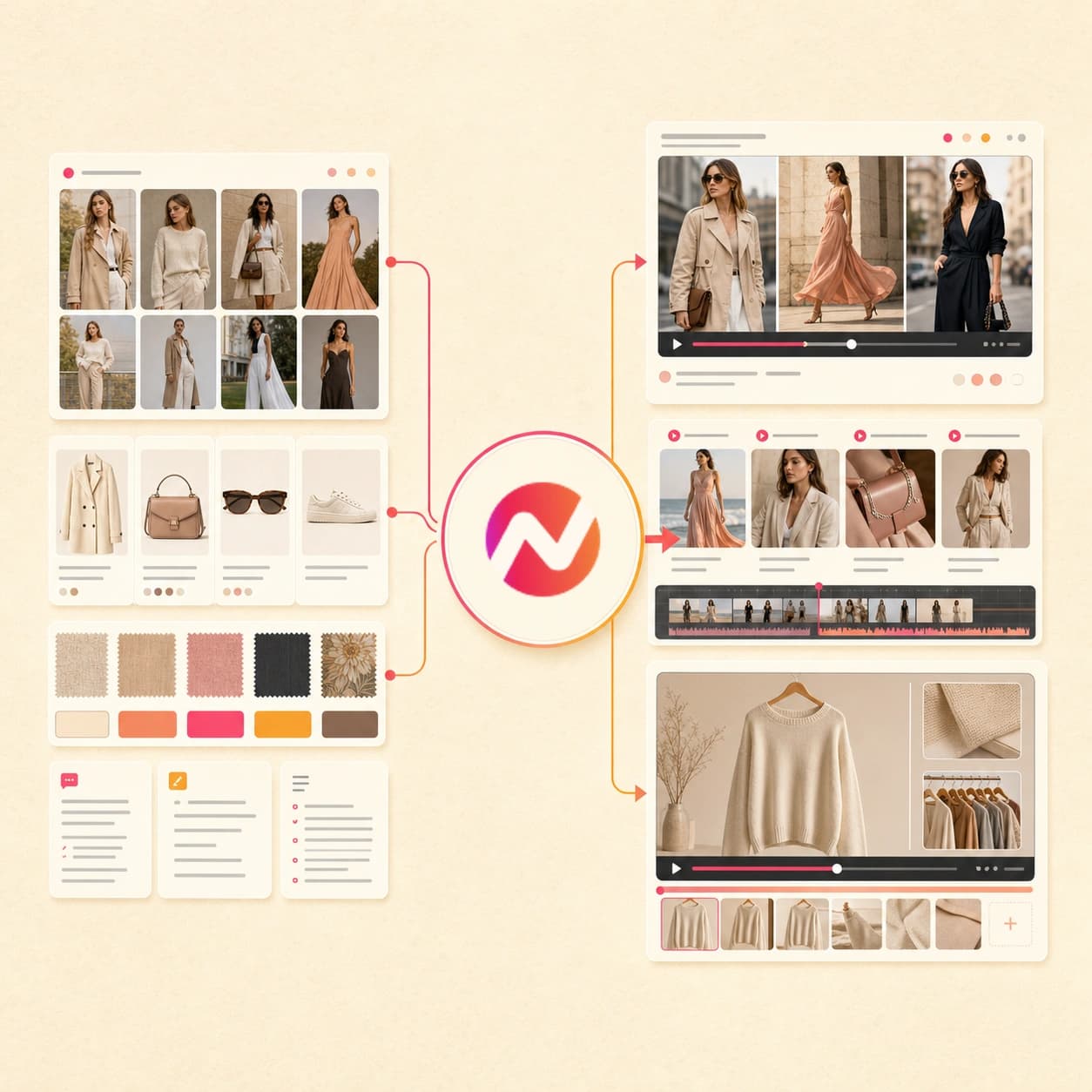
Build collection videos from your lookbook, product images, and campaign direction. Keep the visual treatment consistent while adapting the same assets for launch and social cuts.
Trusted by teams at












How it works
How the AI fashion video maker works.
Bring the collection context, review the plan, then generate an editable video draft instead of building every lookbook, product, or campaign cut by hand.
Add the fashion source
Start from a prompt, script, product image, lifestyle image, lookbook PDF, style guide doc, or owned public URL that explains the collection and audience.
Source ready
Review the script and storyboard
ngram turns the source into a hook, scene sequence, visual direction, voiceover script, caption plan, and CTA before the fashion video renders.
Storyboard ready
Generate the branded draft
The project gets product scenes, lifestyle visuals, motion graphics, voiceover, captions, music, intro and outro treatment, and active brand kit styling.
Draft generated
Edit and export cuts
Use chat, script edits, canvas controls, and the timeline to revise scenes. Prepare and review each vertical, square, or widescreen edit separately before downloading its MP4.
Ready to hand off
What it can do
What the AI fashion video maker builds.
Create fashion and lifestyle video drafts from the assets your team already has. Keep product claims, product details, and brand rules reviewable before export.
Fashion script and storyboard
Turn a collection note, product brief, script, PDF, doc, or source URL into a reviewable hook, scene list, narration, timing, and CTA.
Learn more about script generationProduct and lifestyle scenes
Generate supporting visuals, backgrounds, cutaways, and scene fills from approved product images, lookbook references, and brand direction.
Learn more about AI visualsLookbook sequencing
Order product shots, detail frames, lifestyle images, text overlays, and CTA cards into a video arc that feels paced instead of stitched together.
Learn more about motion graphicsVoiceover and captions
Generate narration from the approved script, add burned-in captions, and keep the spoken copy and on-screen text editable when product language changes.
Learn more about AI voiceoverBrand kit styling
Apply logos, colors, fonts, motion style, image style, tone, approved phrases, blocked phrases, intro cards, outro cards, and CTA rules.
Learn more about brand kitBuilt for fashion video asset creation, not commerce operations
When it matters
Where AI fashion video maker workflows fit.
Use these existing workflows when a collection story, product image set, campaign brief, or lifestyle concept needs a branded video asset.
Ad Creative Video
Turn fashion campaign briefs, product images, and approved copy into ad creative drafts with hook options, captions, and export formats for your media team.
Open ad creative use caseMarketing Ad Creative
Build fashion video variants from the same campaign source so brand and demand teams can review different openings, offers, and aspect ratios.
Open marketing ad use caseMarketing Social Clips
Adapt one lookbook prompt, product page, or campaign PDF into short social cuts with captions, product callouts, and brand treatment intact.
Open social clips use caseSocial Media Clips
Create vertical fashion clips from a product image, source URL, or lifestyle brief when the goal is a tighter feed cut rather than a full campaign video.
Open short-form use caseGrowth Ad Creative
Use approved fashion assets to draft growth-ready ad variants while keeping placement, budget, and performance reporting outside ngram.
Open growth creative use caseProduct Launch Video Maker
Turn launch notes, product images, and a campaign URL into a collection announcement video with a clear reveal, captions, and export cuts.
Open launch video use caseEmail Marketing Video
Create a short fashion video for an email send, then use the exported file or GIF thumbnail in the email platform your team already manages.
Open email video use caseLanding Page Video
Convert a fashion campaign page or product story into a hero video draft that can sit beside the same copy, imagery, and brand direction.
Open landing page use caseCreator Brand Content Video
Shape sponsored fashion briefs and approved product references into creator-style cuts with a reviewable script, captions, and brand controls.
Open creator content use caseProduct stack
Product features behind fashion video creation.
These ngram features support the planning, generation, editing, brand control, and export work behind an AI fashion video maker workflow.
Visuals
AI visuals for fashion scenes
Generate product frames, lifestyle backgrounds, scene fills, and visual cutaways that follow the collection brief and approved references.
Build fashion visualsBrand control
Brand kit for collection consistency
Carry the same logo, colors, fonts, tone, motion style, approved phrases, and blocked phrases across every fashion video draft.
Apply brand kitNarration
AI voiceover for product stories
Generate narration from the approved fashion script, choose the voice, and revise pacing when the collection story changes.
Add voiceoverCaptions
Captions for muted viewing
Burn captions into fashion videos, style them to the brand kit, and keep text editable for product names, collection lines, and CTAs.
Style captionsMotion
Motion graphics for product callouts
Add animated text, lower thirds, callouts, intro cards, outro cards, and transitions that make product details easier to scan.
Add motion graphicsEditing
Video editing after the first draft
Revise scenes with chat, direct script edits, canvas controls, or the timeline when a look, CTA, or product detail needs a change.
Edit the draftImages
Image Lab for supporting assets
Create thumbnails, product cards, campaign graphics, and background images that can support the same fashion video campaign.
Create imagesMore tools
Related tools for fashion video production.
Use these tools when the fashion video starts from a different source, needs another campaign format, or needs polish after export.
Create adjacent campaign videos
Start from the same collection source and shape it into another product, promo, ad, or marketing video.
AI Ecommerce Video Maker
Use product copy, owned URLs, images, and PDFs to create broader ecommerce product video drafts for the same campaign.
Open toolAI Promo Video Maker
Turn a collection launch, seasonal offer, or campaign brief into a promo video with an editable script, scenes, captions, and export cuts.
Open toolAI Video Ad Maker
Create ad-style fashion video drafts from a product image, PDF, or owned URL without turning ngram into the ad platform.
Open toolAI Marketing Video Maker
Use the broader marketing generator when the fashion source should become campaign, launch, email, website, and review assets.
Open toolAI Beauty Video Maker
Adapt approved beauty product material into editable tutorials, product stories, and campaign video drafts.
Open toolTurn visuals into motion
Use these when the source is mostly images, slides, product cards, or creative references.
Image to Video
Animate a product shot, lookbook still, campaign image, or lifestyle photo before adding captions, brand, and export formats.
Open toolPhoto Slideshow AI Video Maker
Plan a fashion slideshow from a campaign album, backstage set, product photo group, or event image collection.
Open toolSlideshow AI Video Maker
Convert a fashion presentation, buyer deck, or campaign PDF into a narrated video with captions and brand styling.
Open toolAI Image Generator
Create supporting product cards, thumbnails, scene art, and campaign graphics that match the fashion video direction.
Open toolFinish the exported cut
Polish captions, music, trim, and format handoff after the first fashion video draft is approved.
Video Caption Generator
Add animated captions to a fashion cut, highlight product language, and keep the caption style on brand.
Open toolAdd Music to Video
Add background music to a lookbook or product cut and balance the track under voiceover or on-screen caption pacing.
Open toolVideo Cutter
Trim a fashion video by transcript or timeline when the approved story needs a shorter hook, teaser, or email cut.
Open toolVideo Converter
Convert the exported fashion video file format before the asset moves into the team's upload or review workflow.
Open toolConvert
Convert fashion source material into video.
These converters sit closest to the AI fashion video maker when the source starts as product photography, a lookbook, a catalog, or an owned page.
Product photos to fashion video
Upload product shots, packshots, or studio images and turn them into motion-led fashion product scenes with brand styling.
Open converterCatalog PDF to lookbook video
Turn a catalog PDF, line sheet, or sell sheet into a scripted fashion video with voiceover, captions, and reviewable scenes.
Open converterImage gallery to campaign video
Sequence a lookbook gallery, product shoot, or lifestyle image set into one video with motion, captions, and brand treatment.
Open converterWho it is for
Teams that use AI fashion video maker workflows.
These teams usually own the product story, the creative source material, or the handoff after export.
E-commerce teams
Create fashion product videos from approved images, product copy, lookbook pages, and catalog PDFs while keeping commerce operations elsewhere.
See ecommerce workflowsGrowth and marketing teams
Turn one fashion campaign source into social, ad, email, and landing page video drafts for review before placement decisions.
See growth workflowsAgencies and consultants
Package client fashion assets into editable video drafts without promising media buying, reporting, or client approval management inside ngram.
See agency workflowsProduct marketing teams
Shape collection launches, product stories, and positioning notes into branded fashion videos with a script the team can approve.
See product marketing workflowsContent creators
Convert sponsored fashion briefs, product references, and creator notes into polished video drafts with captions and brand-safe language.
See creator workflowsSmall and medium business
Make product and lifestyle video assets from the photos, copy, PDFs, and pages the team already maintains.
See SMB workflowsIntegrations
Automate fashion video creation from approved source material.
Use live ngram integrations to start a fashion video job from the systems that already hold briefs, links, rows, and approved assets.
Zapier
No-codeWhenA campaign request, product row, or creative intake form contains an approved fashion video brief
ThenSend the prompt, source URL, and asset notes to ngram so the fashion video draft starts from the approved context
n8n
Self-hostedWhenYour self-hosted workflow approves a fashion brief with product copy, references, and a target aspect ratio
ThenCall ngram to generate the fashion video draft and receive status updates back inside the workflow
Chrome Extension
BrowserWhenYou are reviewing an owned public lookbook page, product page, or campaign page in the browser
ThenSend the page context to ngram as source material for a fashion video draft without copying the brief by hand
MCP Server
AgentWhenAn AI agent is preparing campaign assets and has the approved fashion brief, source URL, and brand notes
ThenLet the agent call ngram as a tool, start the video job, and check render status from the same workspace
Why ngram
Compare AI fashion video maker workflows.
Different tools can help with fashion creative. ngram is strongest when the work needs a planned script, editable scenes, brand control, captions, voiceover, and export formats from the same source.
| Compare | ngram | Image generator | Template editor | Manual video edit |
|---|---|---|---|---|
| Workflow fit | Starts from a prompt, script, owned public URL, product image, PDF, or doc. | Useful for a still product card, background, thumbnail, or mood frame. | Works when the fashion team already has final copy, images, music, and timing. | Best when the project depends on live footage, custom direction, or frame-level craft. |
| How ngram fits | Drafts the script, storyboard, visuals, voiceover, captions, and brand treatment. | Usually needs a separate video editor for pacing, captions, and narration. | Requires manual scene setup when a lookbook PDF or product page changes. | Needs shoot planning, timeline work, and review cycles outside the source file. |
| Best use | Keeps scenes editable through a reviewed MP4 download, with each framing prepared separately. | Does not turn the full collection brief into a reviewable video plan by itself. | Can be slower for variants because each cut needs hand layout decisions. | Heavy for simple product image, PDF, or owned page to video requests. |
FAQ
AI fashion video maker FAQs.
Common workflow questions
Create the fashion video from your source material
Bring the prompt, product images, lookbook PDF, brand doc, script, or owned public URL. ngram drafts the storyboard, generates the editable video, and exports the formats your team needs for handoff.
Built for fashion and lifestyle assets your team can review before upload.
Use approved source material and brand assets only.