AI Educational Video Maker by ngram
AI Educational Video Maker for lessons you can keep updating

Drop a PDF or PPTX deck
Lecture slides, course modules, classroom decks, training material, workshop slides
What it does
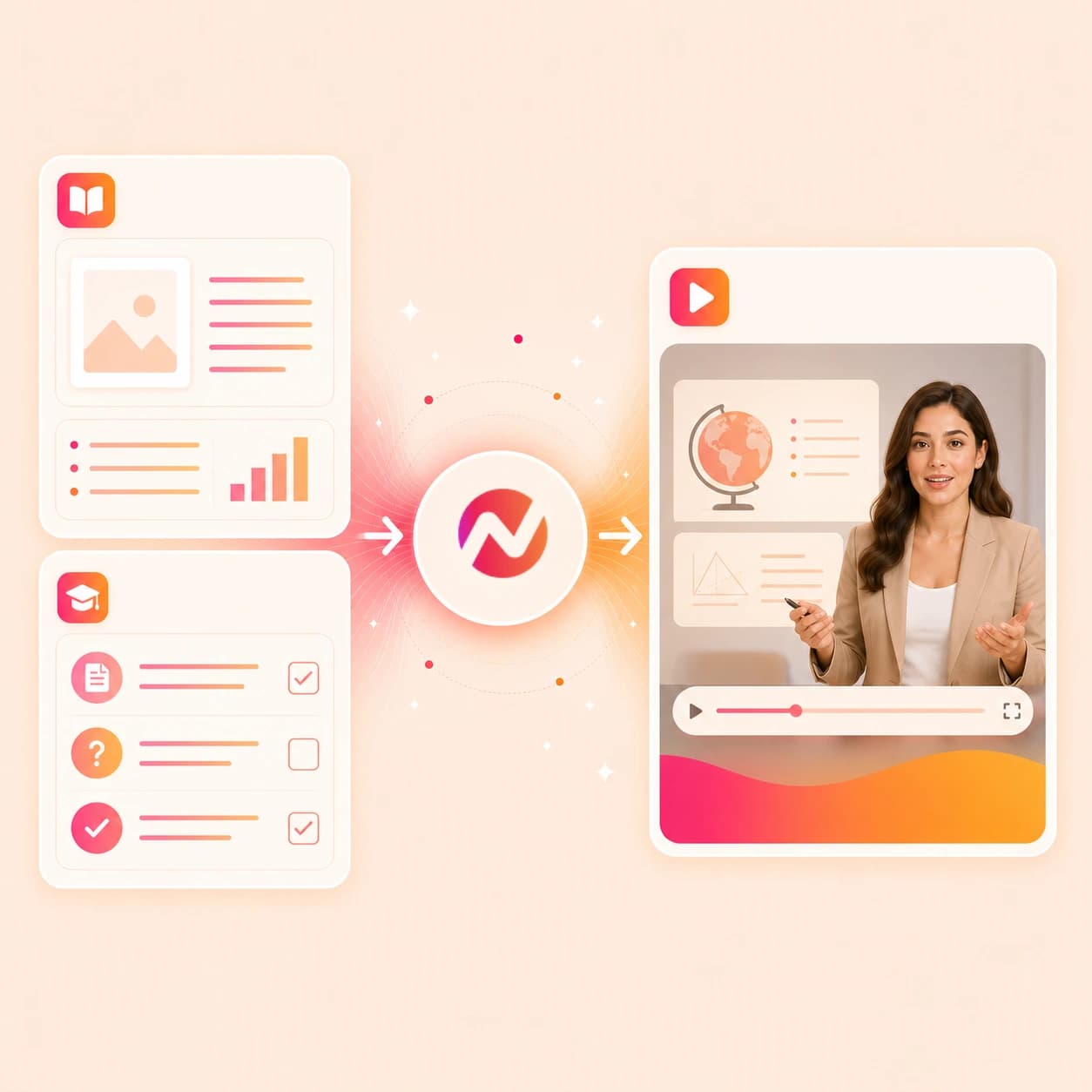
Convert your teaching material into clear lesson videos that can change with the curriculum. Reuse the storyboard, update individual scenes, and create localized versions from the same project.
Trusted by teams at










How it works
From source material to an editable teaching video.
Start with the teaching source you already have. ngram turns it into a reviewable script, storyboard, and narrated video draft before you export.
Add the lesson source
Upload a deck or PDF, paste module notes, or add a public source URL. ngram reads headings, examples, slide order, teaching steps, and supporting context.
Source ready
Review the teaching plan
The source becomes a script and storyboard with scene timing, visual direction, narration, and recap moments. You can rewrite the explanation before the first render.
Storyboard ready
Generate narration and captions
ngram adds AI voiceover, burned-in captions, motion graphics, and brand kit styling around the approved lesson script.
Draft generated
Edit and export the module
Use chat, script editing, canvas controls, or timeline editing to adjust scenes, then download the finished lesson as MP4.
Ready to export
What it can do
What the ai educational video maker can build.
Use ngram for lesson videos, course explainers, classroom modules, product education, and training material when the source needs structure before it becomes video.
Turn decks into teaching scenes
Use a PowerPoint or PDF lesson deck as the structure for teaching scenes, then review the narration, captions, timing, and transitions before export.
Convert PPT to VideoWrite scripts from notes and docs
Lesson objectives, module outlines, scripts, and training docs become a spoken explanation you can review before the video renders.
Learn more about script generationUse public URLs as source context
Paste a public docs page, help article, product education page, or published lesson source so ngram can pull the structure into the storyboard.
Open URL to videoGenerate lesson voiceover
Pair the approved script with AI voiceover. Change a section, adjust pacing, or regenerate narration after the teaching sequence changes.
Learn more about AI voiceoverCaption every module
Burn captions into lesson videos by default, then edit the script and captions together when a definition or example needs a clearer wording.
Learn more about captionsKeep lesson libraries on brand
Apply logo, colors, fonts, motion style, intro cards, outro cards, voice rules, approved phrases, and blocked phrases from Brand Kit.
Learn more about brand kitBuilt for lessons, course modules, training material, and knowledge content
When it matters
Educational video workflows that fit this tool.
These existing use cases cover the lesson, course, tutorial, and training work this page is built to start.
Educator Course Content Video
Build course modules from lesson decks, PDFs, or outlines. The ai educational video maker keeps the script, storyboard, voiceover, captions, and exports editable for each module.
Open AI video use caseEducator Explainer Video
Use notes, diagrams, or slide material to explain a hard concept with motion graphics, narration, and recap scenes instead of a static handout.
Open AI video use caseEducator Lecture Recap Video
Turn lecture material into shorter recap videos for review. Source decks and notes can become the structure, while captions and voiceover make the recap easier to revisit.
Open AI video use caseEducator Tutorial Video
Create step-by-step teaching videos from procedure notes, examples, and slide references. The draft stays editable when the explanation needs one more example.
Open AI video use caseCreator Course Content Video
Convert course outlines and module notes into branded video lessons for creator-led programs, with the same voiceover and export controls used for business training.
Open AI video use caseTraining Video
Turn SOPs, process docs, and internal decks into training modules. Use the ai educational video maker when accuracy, captions, and repeatable brand styling matter.
Open AI video use caseTutorial Video
Convert written tutorials and help articles into guided videos with scene structure, narration, captions, and product callouts where the workflow needs clarity.
Open AI video use caseCS Training Video
Create customer education videos from feature notes, docs pages, or walkthrough outlines so teams can explain product workflows without rebuilding the same lesson by hand.
Open AI video use caseHR Training Video
Turn policy notes, process decks, and training scripts into employee-facing modules with approved wording, captions, brand kit styling, and editable drafts.
Open AI video use caseProduct stack
The product stack for educational video creation.
These ngram features support the path from teaching material to a reviewed lesson video and the formats that follow.
Script Generation
Turns objectives, module notes, source URLs, and training docs into a spoken script and storyboard before the educational video renders.
Learn more about script generationAI Voiceover
Narrates the approved lesson script with a selected voice, then regenerates the affected audio when a scene or explanation changes.
Learn more about AI voiceoverCaptions
Adds brand-styled captions to each scene so lesson videos, course explainers, and training modules work when viewers watch without sound.
Learn more about captionsBrand Kit
Applies logo, colors, fonts, motion style, tone, approved phrases, and blocked phrases across the whole lesson library.
Learn more about brand kitMotion Graphics
Adds visual emphasis for definitions, steps, diagrams, and recap moments when the source material needs more movement than a static slide.
Learn more about motion graphicsTranslation
Localizes the script, captions, on-screen text, and voiceover when one educational video needs variants for another audience or region.
Learn more about translationMore tools
Tools that pair with the ai educational video maker.
Use these when the teaching source starts as a deck, written explanation, URL, or finished video that needs another format.
Learning video cluster
Choose the closer education workflow when the source is a deck, course module, training asset, or tutorial outline.
AI Course Video Maker
Build course-style lessons from decks, notes, URLs, and approved source material when the educational video belongs in a larger sequence.
Open toolAI Training Video Maker
Turn instructional content into workplace training videos with script, storyboard, voiceover, captions, and brand polish.
Open toolAI E-Learning Video Maker
Create e-learning videos from course notes, decks, PDFs, and URLs when the content needs modular lesson structure.
Open toolPPT to Video
Use the focused deck path when the educational source is already a PowerPoint or PDF presentation.
Open toolBuild nearby instructional cuts
Create more specific educational formats from the same material.
Video Script Generator
Draft the lesson narration before generating the video when the notes are rough or the examples need a clearer order.
Open toolTutorial AI Video Maker
Make a focused tutorial video when the educational goal is to walk through one process or product workflow step by step.
Open toolHow to AI Video Maker
Turn procedure notes into a how-to guide video when the audience needs a direct sequence rather than a full lesson module.
Open toolPolish and reuse the lesson
Finish the educational video after the first draft is approved.
Add Subtitles to Video
Burn readable captions into the educational video when the final cut needs review, replay, and silent viewing.
Open toolVideo Translator
Translate the lesson script, captions, on-screen text, and voiceover when the same module needs another language.
Open toolVideo to GIF
Turn one explanation, diagram moment, or product step into a looping GIF for docs, chat, or a course handout.
Open toolConvert
Converters for lesson and training sources.
These converter pages match the source formats most likely to feed an ai educational video maker workflow.
Lesson to Video
Start from a lesson plan, worksheet text, or lesson PDF and turn the objective, examples, and recap into a narrated video.
Open converterCourse to Video
Convert a course section outline or module notes into a storyboarded video with voiceover, captions, and editable scenes.
Open converterTraining Material to Video
Turn training copy, PDFs, decks, and public training pages into video modules built around objectives, steps, and examples.
Open converterWho it is for
Teams that make educational videos from existing knowledge.
This tool fits teams that already have lessons, docs, decks, or training material and need a clear video version without rebuilding the source.
Educators & Trainers
Turn lesson plans, classroom decks, lecture notes, and training modules into editable educational videos with narration, captions, and consistent styling.
See educator workflowsContent Creators
Build course lessons and public teaching videos from outlines, scripts, and source URLs while keeping brand, voiceover, and export settings reusable.
See creator workflowsHR & Internal Comms
Convert policy notes, onboarding decks, and process material into employee training videos that can be edited when the source changes.
See HR workflowsCustomer Success
Create customer education videos from feature docs, product notes, and training outlines so customers can learn a workflow at their own pace.
See CS workflowsSupport Teams
Turn help articles and troubleshooting notes into short educational videos that explain the fix with captions, callouts, and an editable project.
See support workflowsDeveloper Relations
Use docs, API walkthroughs, and tutorial outlines as source material for technical education videos with script review before render.
See DevRel workflowsRemote Teams
Make async knowledge videos from decks, docs, and notes so distributed teammates can review the same explanation without another meeting.
See remote team workflowsIntegrations
Automate educational video work around the source.
Use live ngram integrations when lesson material is approved in another system or the finished video needs to move to the next workflow.
Zapier
No-codeWhenA new lesson deck, training PDF, or module outline is added to the folder your team uses for approved source material
ThenSend the source into ngram, create an educational video draft, and post the editable project link to the review channel
MCP Server
AgenticWhenAn AI agent is asked to turn a referenced deck, PDF, notes file, or source URL into a lesson video
ThenCall ngram, create the video project, and return the draft link plus export options inside the agent thread
n8n
WorkflowWhenA self-hosted workflow marks a training document or course module as ready for video production
ThenRun the ai educational video maker workflow in ngram and attach the project link to the source record
Chrome Extension
CaptureWhenYou are viewing a public lesson page, docs page, or product education page in the browser
ThenSend the page context into ngram and start a video draft from the current tab
YouTube
BetaWhenThe educational lesson video has cleared review for YouTube.
ThenCompose the YouTube post, then schedule the next educational lesson video in the series.
Why ngram
How ngram handles educational video creation.
The right workflow depends on whether you need a flat export, a manual editor, or an editable video project built from teaching material.
| Compare | ngram | Deck export | Template editor | Screen recording |
|---|---|---|---|---|
| Workflow fit | Reads decks, PDFs, notes, scripts, storyboards, and public URLs, then drafts a script and storyboard before rendering the educational video. | Turns an existing deck into a video file when the narration and slide timings are already finished. | Gives creators control over each scene, graphic, and layout when they want to build the lesson by hand. | Records the instructor or trainer explaining the material live, which can be fast for a one-time walkthrough. |
| How ngram fits | Keeps voiceover, captions, brand kit, slide animation, translation, editing, and MP4 export in the same project. | Works for simple playback, but the lesson script, captions, and voiceover usually live outside the deck export. | Often requires pasting notes, rebuilding slide content, recording narration, and styling captions in separate passes. | Quality depends on the recording, audio, pacing, and whether the presenter catches mistakes during the take. |
| Best use | Best when lesson, course, classroom, product education, or training material needs an editable video workflow. | Best when the slides are already final and no storyboard, narration rewrite, or variant workflow is needed. | Best for one-off designed lessons where manual control matters more than repeatable source-to-video production. | Best when the source is a live demo or lecture recording rather than a deck, PDF, notes file, or URL. |
FAQ
Common questions about the ai educational video maker
Still curious?
Turn teaching material into editable lesson video
Upload a deck or PDF, paste notes, or add a public source URL. ngram drafts the script and storyboard, adds voiceover and captions, applies brand kit, and keeps the video editable before export.
Start with the ai educational video maker, then finish the project inside ngram.
Decks, notes, URLs, voiceover, captions, brand, export