AI Fitness Video Maker by ngram
AI Fitness Video Maker for repeatable workout content

Name the workout topic, audience, class format, tone, source notes, review boundaries, and target aspect ratio
What it does
Turn workout plans and coaching scripts into branded videos for members or customers. Reuse the format across programs, product education, and weekly content without filming every update.
Trusted by teams at












How it works
How the AI fitness video maker works.
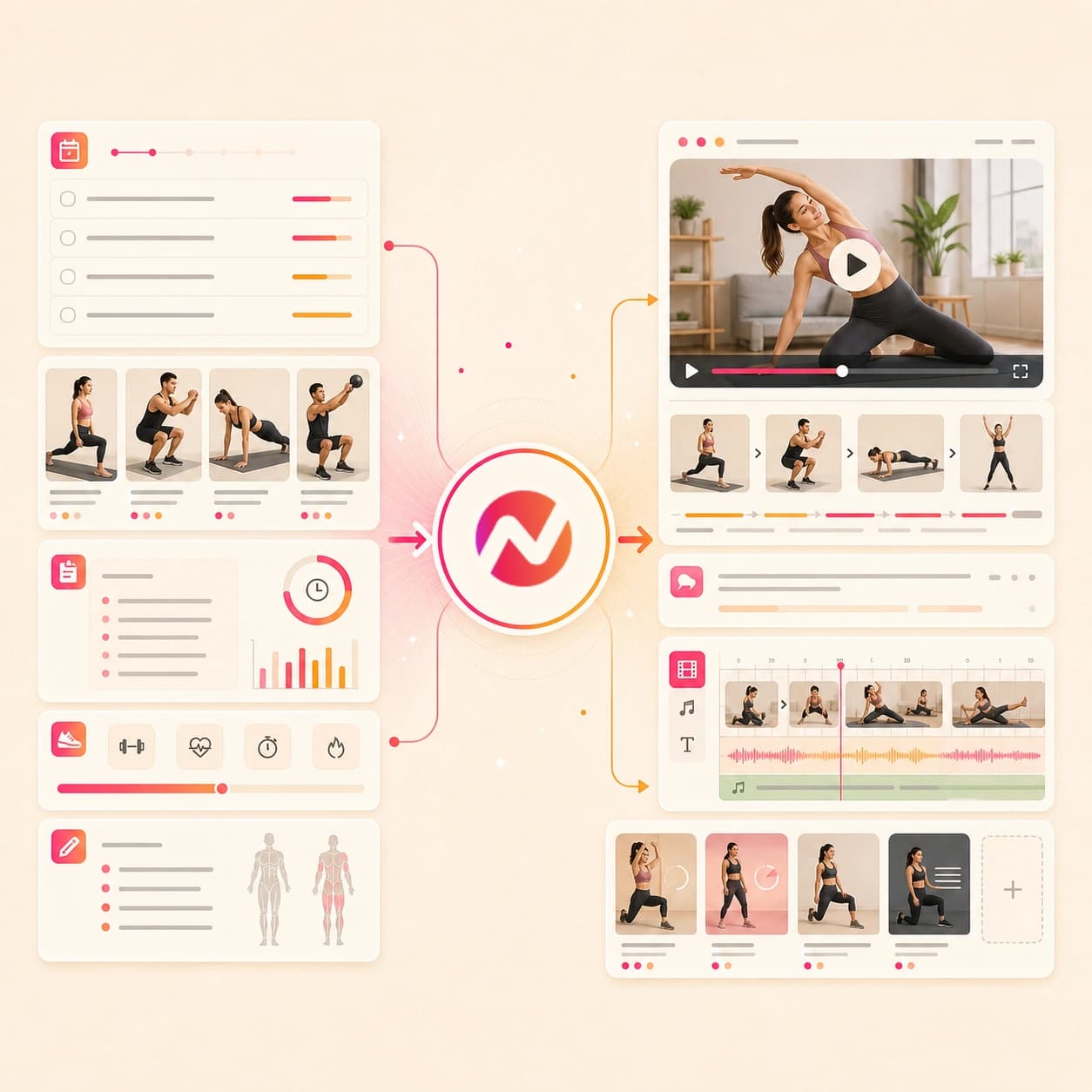
Give ngram the fitness source, review the plan, then refine the generated video as an editable project before you export it.
Add the workout source
Start with a prompt, coaching script, workout plan doc, app screenshot, image reference, PDF, doc, or owned public URL. The source gives ngram the audience, format, tone, and key points.
Source ready
Review the script and storyboard
ngram turns the source into a hook, class flow, scene order, voiceover script, caption plan, and CTA before the first video draft renders.
Plan reviewed
Generate the fitness draft
The project can include AI visuals, motion graphics, product or app frames, voiceover, captions, background music, brand styling, and intro or outro treatment.
Draft generated
Edit and export
Revise the script, reorder scenes, tune captions, adjust aspect ratios, and export files for the fitness content workflow your team manages outside ngram.
Ready for handoff
What it can do
What the AI fitness video maker creates.
ngram focuses on the video asset: workout story, class structure, narration, captions, brand rules, editing, and export. Your team owns exercise review and channel placement.
Workout scripts and storyboards
Turn a workout prompt, class plan, coaching note, URL, PDF, or doc into a reviewable script, scene list, timing plan, and CTA.
Learn more about script generationVisuals from your source context
Use app screenshots, class graphics, product images, and source notes to guide scene imagery, backgrounds, product frames, and visual fills.
Learn more about AI visualsVoiceover for coaching and classes
Generate narration from the approved script, choose a voice, and revise the audio when a class title, step, or CTA changes.
Learn more about AI voiceoverCaptions for sound-off viewing
Burn captions into each fitness cut by default, then edit line breaks, class names, step labels, translated variants, and caption styling.
Learn more about captionsBrand kit for gyms and coaches
Apply saved logos, colors, fonts, motion style, voice, tone, approved phrases, blocked phrases, and CTA rules across every scene.
Learn more about brand kitBuilt for fitness video creation, review, and export
When it matters
Fitness video workflows this tool fits.
Use one AI fitness video maker for workout explainers, class previews, coaching content, app demos, social cuts, and campaign assets built from approved source material.
Creator tutorial videos
Turn a workout outline, coaching script, or reference image into a step-by-step fitness tutorial with narration, captions, and editable scene labels.
Open AI video use caseCreator social clips
Make short fitness tips, class teasers, and coaching clips from a prompt, image, doc, or approved URL, with vertical pacing and captions ready for handoff.
Open AI video use caseCreator course content
Convert a fitness program outline or coaching curriculum into lesson-style videos with consistent intros, captions, voiceover, and export formats.
Open AI video use caseEducator course content
Turn class plans, workshop notes, or training modules into structured wellness education videos while keeping the script reviewable before export.
Open AI video use caseTraining videos
Build gym staff training, coaching handbooks, or class onboarding videos from source docs, PDFs, and notes with narration and captions.
Open AI video use caseTutorial videos
Create practical how-to videos from workout steps, class setup instructions, app screenshots, or source pages without locking the draft before review.
Open AI video use caseMarketing social clips
Draft gym launch clips, class announcements, and wellness campaign cutdowns from a brief or URL, then export files for the social workflow you already use.
Open AI video use caseMarketing ad creative
Create fitness campaign variants from approved copy, brand rules, images, and source pages while keeping offer wording and captions editable.
Open AI video use caseShopify product videos
Turn fitness gear product pages, images, and approved product notes into short product videos with brand styling, captions, and export variants.
Open AI video use caseProduct stack
Product features behind the fitness video workflow.
These ngram features keep the fitness video tied to its source material, review notes, brand kit, and export requirements.
Script generation for workout plans
Convert a class outline, coaching note, PDF, doc, URL, or prompt into a scene-by-scene fitness video script before rendering.
Learn more about script generationAI visuals for fitness context
Generate supporting scene imagery and visual fills that follow the workout theme, app flow, product image, or brand direction in the project.
Learn more about AI visualsAI voiceover for coaching scripts
Turn the approved fitness script into narration, switch voices, and regenerate audio when a step, class name, or CTA changes.
Learn more about AI voiceoverCaptions for every fitness cut
Add burned-in captions to workout explainers, class previews, app demos, and social clips, then edit wording before export.
Learn more about captionsBrand kit for gyms and wellness teams
Apply logos, colors, fonts, motion style, tone, approved phrases, blocked phrases, and CTA guidance across generated fitness videos.
Learn more about brand kitVideo editing after the draft
Use chat, script edits, canvas controls, or the timeline to adjust scenes, captions, audio, and visual details after generation.
Learn more about video editingMore tools
Related tools for fitness video workflows.
Use these tools when the fitness project starts from a narrower source or needs a specific finishing pass.
Adjacent creation workflows
Create related fitness drafts when the same source needs a broader, training, or how-to format.
AI video generator
Create a broader video draft from prompts, scripts, URLs, docs, images, and brand context.
Open toolAI training video maker
Turn fitness staff notes, class SOPs, or coaching guides into structured training videos.
Open toolAI coaching video maker
Create coaching lessons, recaps, and client education videos from prompts, notes, PDFs, and URLs.
Open toolHow to AI video maker
Create editable guide videos from fitness procedures, class setup steps, PDFs, screenshots, and source URLs.
Open toolVoice, captions, and scripts
Prepare the spoken and text layers before the fitness video goes through review.
Video script generator
Draft the hook, coaching flow, voiceover, and CTA before turning the script into a fitness video.
Open toolText to speech video
Turn an approved workout script or class intro into a narrated video with scenes and captions.
Open toolAdd subtitles to video
Generate and edit subtitles for a finished fitness clip when the video already exists.
Open toolImages, app demos, and social cuts
Build supporting assets for fitness apps, product pages, class graphics, and social campaigns.
Image to video
Animate a fitness product photo, class graphic, app screenshot, or campaign still before adding captions and brand styling.
Open toolScreen recorder
Record a fitness app walkthrough or member flow, then turn the capture into a clearer demo or tutorial.
Open toolAI social media video maker
Adapt a fitness video idea into separately prepared channel edits for manual review and upload.
Open toolConvert
Converters that feed a fitness video.
Start from the source you already have, then move into the fitness video maker when the story needs voiceover, captions, and brand styling.
Prompt to video
Start with a workout idea, class intro, or wellness campaign brief when the source is still plain text.
Open converterScript to video
Turn an approved coaching script, class voiceover, or app walkthrough narration into a video draft.
Open converterTraining material to video
Convert class notes, staff guides, or coaching material into structured videos with scenes, narration, and captions.
Open converterWho it is for
Teams using AI fitness video maker workflows.
These teams usually need workout scripts, class assets, brand rules, and reviewable exports in one project.
Fitness creators
Plan coaching clips, class teasers, tutorial cuts, and course lessons from the same prompt, file, URL, and brand notes.
See creator workflowsEducators and trainers
Turn class plans, workshop notes, and training docs into fitness education videos with narration and captions.
See educator workflowsGrowth and marketing teams
Create gym, app, and wellness campaign variants from briefs, images, URLs, and approved copy.
See marketing workflowsAgencies and consultants
Build client fitness video drafts from approved briefs, source pages, product images, and brand kits before handoff.
See agency workflowsFitness ecommerce teams
Turn product pages, product images, and campaign notes for fitness gear or wellness products into editable video assets.
See ecommerce workflowsSolo coaches
Convert coaching notes, class offers, course outlines, and social ideas into video drafts without hiring an editor for every cut.
See solopreneur workflowsIntegrations
Trigger fitness video work from existing systems.
Use live ngram integrations to send prompts, source files, or URLs into the video workflow. Finished exports stay under your team's review and channel workflow.
Zapier
AutomationWhenA class request form, content calendar row, or coaching brief is approved
ThenSend the prompt, source links, and file references to ngram to create an editable fitness video project
n8n
Self-hostedWhenA self-hosted workflow gathers approved coaching copy, class details, and source URLs
ThenCall ngram, track status, and return the editable project link to the owner
Chrome extension
CaptureWhenA teammate is reviewing an owned class page, gym landing page, app page, or coaching article in Chrome
ThenCapture the page context and start a fitness video draft from that URL
MCP Server
AgentWhenAn AI agent has the fitness brief, approved source URLs, and format instructions
ThenInvoke ngram through MCP to start a draft and hand back the project status
Why ngram
AI fitness video maker options compared.
The right workflow depends on whether you need one clip, a template, or an editable source-led project.
| Compare | ngram | Template video editor | Focused workout clip generator | Manual production workflow |
|---|---|---|---|---|
| Workflow fit | Starts from prompts, scripts, workout plan docs, images, PDFs, docs, and owned public URLs | Useful when the team already has footage and only needs a fixed layout | Good for quick visual ideas, short exercise loops, or background clips | Works when coaches, camera operators, editors, and reviewers can coordinate each revision |
| How ngram fits | Drafts script, storyboard, visuals, voiceover, captions, brand styling, and export variants | Requires manual scene assembly when workout steps, class details, or app screens change | May not carry the full script, storyboard, narration, captions, and brand review in one project | Useful for custom filmed instruction or review steps that need hands-on subject matter approval |
| Best use | Keeps class flow, captions, script wording, aspect ratios, and final file handoff editable | Can separate the source brief, captions, brand rules, and exported files across tools | Best paired with an editor when the fitness video needs a complete class preview, tutorial, or app walkthrough | Requires separate coordination when one fitness concept needs several format versions and caption edits |
FAQ
AI fitness video maker FAQs.
Workout, coaching, class, app, and wellness video questions.
Turn fitness source material into editable workout videos ready for review
Start with a prompt, workout plan doc, image, PDF, doc, or owned URL. ngram drafts the script, storyboard, voiceover, captions, brand styling, and export variants in one editable project.
Built for workout explainers, class previews, coaching content, fitness app demos, and wellness campaign handoff.
Prompt, reference file, or URL to fitness video