AI Podcast Video Maker by ngram
AI Podcast Video Maker for clips that support your campaign

Use speaker notes, an episode summary, a segment outline, or approved quote text for the video script
What it does
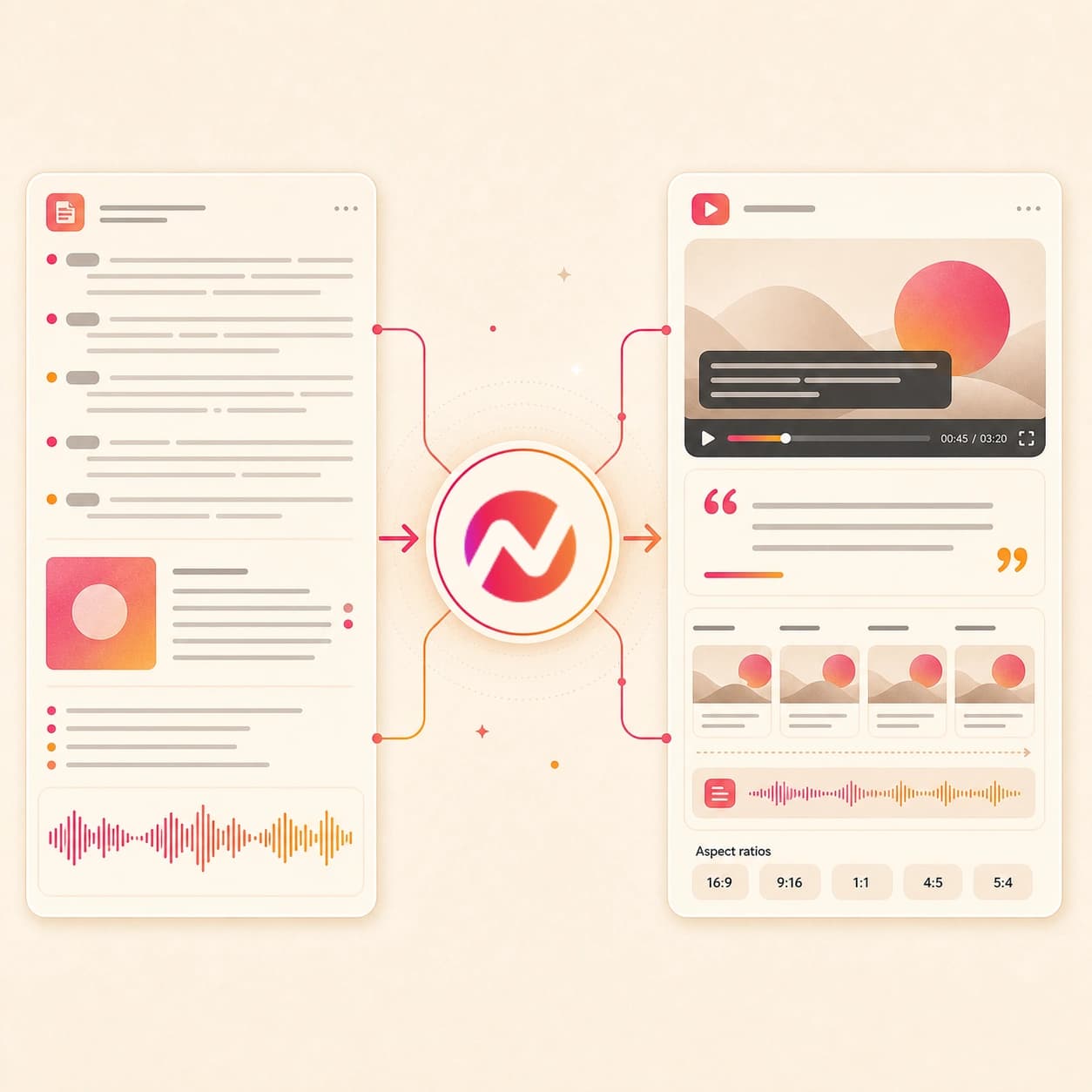
Turn a podcast transcript or show notes into a visual episode and focused clips. Keep captions, brand, and campaign context attached instead of publishing another generic waveform.
Trusted by teams at












How it works
How the AI podcast video maker works.
Start with the words and episode context, review the plan, then turn the strongest segment into a branded video instead of a plain waveform.
Paste the episode source
Start with a transcript or approved show notes. If you only have audio, transcribe it first with Audio to Text; direct audio upload into this agentic flow is coming soon.
Transcript ready
Add visual context
Attach cover art, a guest photo, a PDF reference, or a source URL so ngram can match the podcast clip with branded visuals, title cards, and scene direction.
Context added
Review the clip plan
ngram drafts a short script, storyboard, visual treatment, voiceover plan, captions, and CTA before rendering the podcast video.
Storyboard ready
Generate and export
Create the first cut and edit wording or scenes in chat. Prepare and review each vertical, square, or widescreen edit separately before downloading its MP4.
Ready for channels
What it can do
What the AI podcast video maker builds.
This tool turns episode text into a planned video project with script, visuals, voiceover, captions, brand styling, and export paths.
Plan clips from transcripts
Use the transcript or show notes to find the argument, quote, or lesson that should become a short podcast video, then review the script before render.
Learn more about script generationTurn cover art into scene direction
Give ngram show art, guest imagery, a PDF, or a source URL so the generated scenes look tied to the episode instead of a generic audio visualizer.
Learn more about AI visualsGenerate narration from the script
Use AI voiceover when the transcript should become a clean narrated clip, with voice choice and script edits handled inside the same project.
Learn more about AI voiceoverAdd captions built for feeds
Create burned-in captions from the approved script or generated voiceover, then adjust wording, line breaks, and styling before export.
Learn more about captionsKeep the show brand intact
Apply logo, colors, fonts, intro cards, outro cards, and tone controls from the active brand kit across every podcast video variant.
Learn more about brand kitBuilt for transcript-first podcast video work
When it matters
Where podcast transcripts become useful video.
These workflows fit teams that already have episode transcripts, show notes, interviews, webinar notes, or approved quotes and need video clips.
Creator Social Clips Video
Use the AI podcast video maker to turn transcript highlights and show notes into short clips for TikTok, Reels, Shorts, and LinkedIn.
Open AI video use caseSocial Media Clips
Build platform-ready podcast clips from a quote, summary, or episode URL context, then export the strongest idea for vertical social feeds.
Open AI video use caseMarketing Social Clips
Turn campaign podcast excerpts, panel notes, or guest takeaways into branded social clips that explain the point before the scroll moves on.
Open AI video use caseWebinar Clips
Repurpose a webinar transcript or approved recap into podcast-style video clips with captions, pull quotes, and scenes around each key moment.
Open AI video use caseMarketing Webinar Clips
Give the AI podcast video maker a webinar summary or transcript and turn the best segment into a short clip for demand-gen channels.
Open AI video use caseLinkedIn Video
Turn a founder quote, guest insight, or show-note section into a captioned LinkedIn video sized for the feed and written for a business audience.
Open AI video use caseCreator YouTube Content
Use transcript clips to make YouTube Shorts or supporting videos that point viewers back to the full episode without rebuilding the edit manually.
Open AI video use caseCustomer Testimonial Video
Turn an approved interview transcript into a podcast-style testimonial clip with brand framing, captions, and visual proof around the quote.
Open AI video use caseFounder Social Content
Convert founder show notes, interview answers, or thought-leadership transcripts into concise podcast video clips for LinkedIn and X.
Open AI video use caseProduct stack
Features that turn podcast text into video.
These ngram features support the transcript-first podcast workflow: plan the story, generate narration and visuals, caption the message, and export it.
Script Generation
Turn transcript sections, episode summaries, or show notes into a short video script and scene plan before creating the podcast video.
Learn more about script generationAI Voiceover
Generate clean narration from the approved podcast clip script when you want a produced video instead of raw host audio.
Learn more about AI voiceoverCaptions & Subtitles
Add burned-in captions that follow the generated narration or approved script, then tune line breaks for fast social viewing.
Learn more about captionsAI Visuals
Generate scene art, B-roll style visuals, and supporting images from show notes, guest context, cover art, or a source URL.
Learn more about AI visualsMotion Graphics
Add lower thirds, title motion, pull quotes, transitions, and callout cards that make the podcast clip readable on screen.
Learn more about motion graphicsBrand Kit
Keep show art, fonts, colors, approved phrases, intro cards, and outro cards consistent across each podcast video variant.
Learn more about brand kitVideo Editing
Add a background bed that fits the episode tone while keeping the generated narration and captions easy to follow.
Explore Video EditingMore tools
More tools around podcast video production.
Use these tools before or after the AI podcast video maker when you need transcripts, scripts, channel cuts, captions, or localization.
Prepare the episode text
Create source text before the podcast video draft
Audio to Text
Transcribe a podcast audio file first, then paste the transcript into the AI podcast video maker for the actual video generation step.
Open toolVideo Script Generator
Turn rough show notes, guest bullets, or a product topic into a tighter podcast video script before moving into scene generation.
Open toolYouTube Description Generator
Use the same transcript and episode notes to draft a YouTube description after the podcast video is ready to publish.
Open toolYouTube Title Generator
Create title options from the podcast clip transcript so the finished video has metadata that matches the actual segment.
Open toolChoose the video style
Pick the format that fits the episode segment
Audio to Video
Use the broader audio-to-video page when your project is closer to an audiogram workflow than a transcript-led podcast video draft.
Open toolText to Speech Video
Turn a cleaned podcast script into a narrated video when the host voice is being replaced by generated narration.
Open toolTalking Head AI Video Maker
Use a presenter-led format when the podcast segment should feel like a host monologue instead of an illustrated clip.
Open toolAI Avatar Video Generator
Turn the podcast script into an avatar-led explainer when a visible presenter is more useful than cover art or motion graphics.
Open toolMake channel-specific cuts
Adapt the podcast video for each destination
Shorts AI Video Maker
Turn one transcript segment into a short vertical clip with captions, a hook, and pacing tuned for quick viewing.
Open toolYouTube AI Shorts Maker
Create a Shorts-ready podcast clip and keep the YouTube title and description context tied to the same source material.
Open toolLinkedIn AI Video Maker
Turn a business podcast insight into a LinkedIn video with a direct hook, captions, and 1:1 or vertical export options.
Open toolAI B2B Video Maker
Use the B2B workflow when a podcast clip needs to become a product, customer story, webinar, or sales enablement video.
Open toolReels AI Video Maker
Adapt the podcast clip into a Reels-style vertical video with motion, captions, and a tighter opening beat.
Open toolPolish and reuse the finished clip
Finish the captioned video and create extra assets
Add Subtitles to Video
Add or revise subtitles on a rendered podcast video clip when caption timing needs another pass.
Open toolAdd Music to Video
Place background music under the podcast video after the voiceover and visuals are approved.
Open toolVideo Caption Generator
Generate animated social captions for a finished podcast clip that needs stronger on-screen emphasis.
Open toolVideo Translator
Translate the podcast video's script, captions, on-screen text, and voiceover for regional versions.
Open toolVideo to GIF
Turn a short visual moment from the podcast video into a looping GIF for newsletters, docs, or social replies.
Open toolConvert
Source-to-video paths that pair with podcast clips.
Use these converter pages when the source material is a transcript, show notes URL, or related written asset that should become a fuller video.
Podcast to Video
Use the podcast conversion path when the episode needs a full video page, show-note context, clips, and a broader publishing workflow.
Open converterTranscript to Video
Paste the spoken record from an episode, interview, or webinar and turn it into a scene-by-scene podcast video with captions.
Open converterURL to Video
Use a show notes page, episode recap, landing page, or blog source as context for the podcast video script and visuals.
Open converterWho it is for
Teams that turn podcast ideas into video.
These teams already work with interviews, episodes, webinars, show notes, or expert commentary and need video clips without a separate edit queue.
Content Creators
Turn show notes and transcript highlights into repeatable podcast video clips for creator feeds and YouTube support assets.
See creator workflowsGrowth & Marketing Teams
Turn podcast interviews, campaign recaps, and expert segments into captioned clips that fill the social calendar.
See growth workflowsProduct Marketing Managers
Repurpose customer interviews, launch podcasts, and webinar transcripts into clips that support product narratives.
See product marketing workflowsFounders
Turn founder podcast answers and interview notes into short video clips for LinkedIn, X, investor updates, and launch posts.
See founder workflowsDeveloper Relations
Use technical podcast transcripts, conference Q&A, or integration notes to make short explainers for developer audiences.
See DevRel workflowsSales Enablement
Turn expert interviews and customer proof segments into short clips sales can send before or after a deal conversation.
See sales enablement workflowsCustomer Success
Convert podcast-style customer calls or transcripted Q&A into short videos that explain adoption stories and product lessons.
See CS workflowsAgencies & Consultants
Package client interviews, show notes, and campaign podcast excerpts as branded video clips for review and delivery.
See agency workflowsIntegrations
Move transcript-led podcast clips through your stack.
These live integrations fit a podcast video workflow built on transcripts, show notes, URLs, and approved clip briefs.
Zapier
No-codeWhenA transcript, show-note doc, or approved episode summary lands in your content queue
ThenStart an ngram podcast video draft from the text and route the rendered clip back for review
n8n
WorkflowWhenA producer marks a podcast segment as ready for social repurposing
ThenCreate a podcast video job with transcript text, cover art, brand kit, and review status
Chrome Extension
CaptureWhenYou are reading a show notes page, guest bio, blog recap, or episode source page
ThenSend the page context into ngram and draft a podcast video from the approved text
MCP Server
AgenticWhenAn AI agent has a transcript excerpt and needs a captioned podcast clip created
ThenCall ngram through MCP, create the video job, and return the result to the agent workflow
WhenReview is complete on the captioned podcast clip; LinkedIn is next.
ThenCompose the LinkedIn post for the captioned podcast clip, then use a recurring schedule for the series.
YouTube
BetaWhenThe visual podcast episode is approved and ready for YouTube.
ThenCompose the YouTube post for the visual podcast episode, then use a recurring schedule for the series.
X (Twitter)
BetaWhenQuote-led podcast video is ready to go on X.
ThenWrite the X post and keep the quote-led podcast video series on a recurring schedule.
For programmatic podcast video work, use self-service API credentials and the documented webhook lifecycle. Use the MCP guide separately when an AI client starts the job.
Why ngram
How ngram compares for podcast video clips.
Podcast clip tools often start from a finished recording. ngram fits when a team wants a transcript-first video draft with storyboard, voiceover, captions, brand kit, and export inside one project.
| Compare | ngram | OpusClip | VEED | Wondercraft |
|---|---|---|---|---|
| Workflow fit | Starts from transcript text, show notes, cover art, PDFs, and URL context for a reviewable podcast video plan. | Public pages describe a podcast clip generator that imports video links or uploads and finds short moments for social clips. | VEED's podcast-to-video page centers on uploading or recording audio, then adding images, music, captions, and edit controls. | Wondercraft presents an MP3 podcast-to-video path with generated visuals, captions, branding, and multiple aspect ratios. |
| How ngram fits | Builds script, storyboard, AI visuals, voiceover, captions, music, brand treatment, and MP4 export in one editable project. | Strong fit for clipping a recorded episode into platform-focused shorts with captions and layout tools. | Strong fit for manual online editing when the user wants to assemble visual elements around a podcast recording. | Strong fit for turning an audio file into a produced visual asset through a focused conversion flow. |
| Best use | Keeps direct audio-file podcast ingestion out of the default path until that handoff is wired. | Best matched to highlight extraction from existing video rather than transcript-first storyboarded podcast videos. | Teams that need brand-governed scripts, storyboards, generated scenes, and reusable variants may need a broader workflow. | ngram is the better fit when the source is transcript, show notes, URL context, and a video project that must stay editable. |
FAQ
AI podcast video maker FAQs.
Still shaping the episode?
Turn the transcript into podcast video clips
Paste the episode excerpt, add cover art or URL context, review the storyboard, then generate a captioned podcast video you can edit and export for every channel.
Built for show notes, transcripts, cover art, PDFs, and source URLs.
Direct audio upload for this agentic path is coming soon.