Talking Head AI Video Maker by ngram
Talking Head AI Video Maker for presenter videos you can update

Add finished narration or describe the message, audience, tone, and channel for the talking-head video
What it does
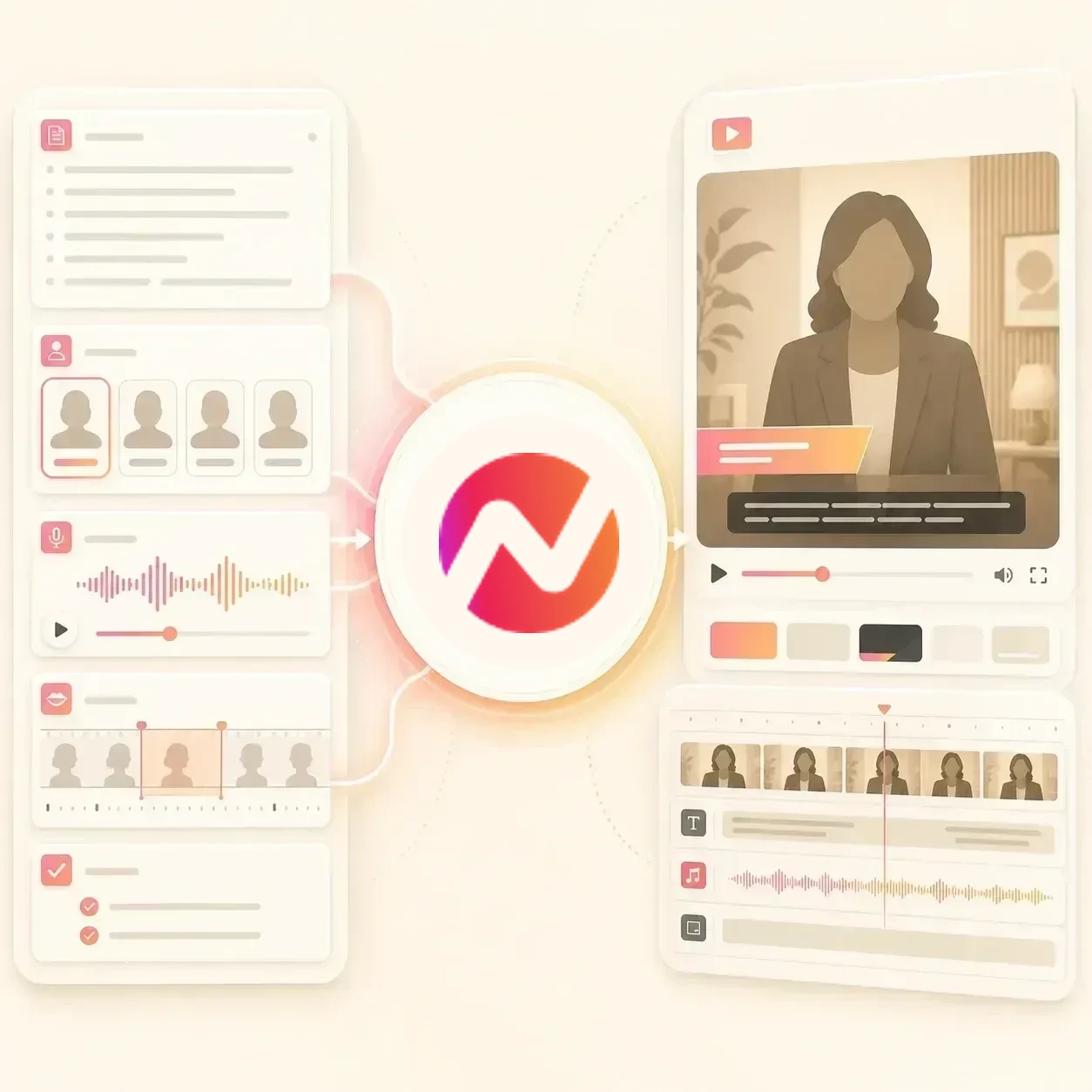
Create a presenter-led video without repeating the same camera setup for every script change. Choose an approved presenter, then edit the words, supporting visuals, captions, and brand together.
Trusted by teams at












How it works
How the talking head AI video maker works.
Write the script, choose an approved presenter source, generate lip-synced delivery, then finish the full video in ngram.
Write the presenter script
Paste approved narration or describe the message. ngram shapes the talking-head script around the audience, tone, pacing, and next step.
Script ready
Choose the presenter source
Use a basic avatar, generated protagonist, or approved face from the workspace custom faces library when the video needs a familiar presenter.
Presenter selected
Generate voice and lip sync
ngram pairs the script with AI voiceover, creates lip movement for supported avatar or talking-head workflows, and places the presenter in the project.
Lip sync generated
Edit the full video
Add captions, lower thirds, product cutaways, music, translations, and brand treatment while the talking-head scene remains editable.
Ready to review
What it can do
What the talking head AI video maker can do.
The talking head is one presenter layer inside a full ngram video project. Script, voice, captions, brand, scenes, and exports stay connected.
Talking-head lip sync
Turn a supported presenter source and script into a talking-head segment with mouth movement matched to the generated voiceover.
Basic avatars and approved faces
Use a pre-built avatar, a generated protagonist, or an approved presenter from the workspace custom faces library.
Learn more about AI avatarsGenerated protagonists
Describe the presenter role, tone, or audience and ngram can generate a synthetic protagonist for repeatable presenter-led videos.
Voiceover and delivery control
Generate narration from the script, adjust the voice direction, and keep the spoken track editable inside the same video project.
Learn more about AI voiceoverCaptions and presenter labels
Add burned-in captions, lower thirds, name labels, and section titles around the talking-head scene with brand-kit styling.
Learn more about captionsBrand-controlled scenes
Keep the presenter video tied to workspace colors, fonts, logos, tone rules, intro treatments, outro frames, and editable layouts.
Learn more about Brand KitBuilt for approved presenter-led video
When it matters
Where talking-head AI video fits.
Use a talking head AI video maker when the message needs a presenter but a new recording would slow down training, support, sales, or product communication.
Training Video
Turn SOPs, lesson outlines, and internal docs into talking-head training videos with a presenter intro, captions, and editable scenes.
Open AI video use caseHR Employee Onboarding Video
Use a talking-head presenter to welcome new hires, introduce handbook sections, and keep onboarding modules consistent across updates.
Open AI video use caseInternal Communication Video
Create leadership updates and company announcements with a presenter-led opening, then add captions and brand controls for async teams.
Open AI video use caseCustomer Onboarding Video
Open customer onboarding lessons with a talking-head host before the walkthrough, product callouts, and next-step instructions begin.
Open AI video use caseSupport FAQ Video
Answer repeated support questions with a short presenter explanation, then show the product steps with captions and screen visuals.
Open AI video use caseProduct Explainer Video
Let a talking-head presenter frame the product story, then hand the middle of the video to screenshots, motion graphics, and product callouts.
Open AI video use caseFounder Explainer Video
Use an approved founder face or generated protagonist for scripted product explainers when the message needs a human-style opening.
Open AI video use caseSales Demo Followup Video
Add a presenter-led recap before the product walkthrough so follow-up videos feel personal without asking reps to record every take.
Open AI video use caseAI Explainer Video Maker
Pair talking-head narration with docs, URLs, or recordings when an explainer needs both a visible presenter and supporting visuals.
Open AI video use caseProduct stack
The product stack behind talking-head videos.
These ngram features carry the talking-head video from script to presenter delivery, captions, translation, editing, and brand control.
Dynamic AI Avatar Talking Head
Use basic avatars, generated protagonists, or approved team faces as the presenter source for a talking-head AI video maker workflow.
Learn more about AI avatarsScript Generation
Shape a prompt, doc, URL, deck, or recording into the lines the presenter should say before the lip sync step runs.
Learn more about scriptsAI Voiceover
Generate the narration that drives the talking-head delivery, switch voices, and keep the voice track editable.
Learn more about AI voiceoverCaptions & Subtitles
Burn in captions under the presenter so the talking-head video still works when the viewer has sound off.
Learn more about captionsTranslation & Localization
Translate the script and captions, regenerate voiceover, and resync supported avatar or talking-head lip movement.
Learn more about translationMotion Graphics
Add lower thirds, section titles, product callouts, and branded overlays around the presenter scene.
Learn more about motion graphicsVideo Editing
Edit the script, captions, scenes, audio, and presenter placement with chat, canvas controls, script editing, or timeline edits.
Learn more about video editingBrand Kit
Apply the workspace's logo, colors, fonts, motion style, screenshot treatment, tone rules, and approved phrases.
Learn more about Brand KitMore tools
More tools around talking-head video.
Use these tools when the presenter video needs a related avatar workflow, stronger script, captions, text treatment, or final editing.
Presenter and avatar workflows
Create related presenter-led videos from scripts and approved avatar sources.
Avatar AI Video Maker
Use the broader avatar workflow when the presenter may be a basic avatar, generated protagonist, or approved workspace face.
Open toolAI Avatar Video Generator
Start from ngram's established avatar generator when the page should frame AI avatars as the main workflow.
Open toolFaceless AI Video Maker
Switch to a faceless format when the message needs narration, visuals, captions, and motion without a visible presenter.
Open toolScript, voice, and captions
Prepare the lines and readable on-screen support for the talking-head segment.
Video Script Generator
Draft the hook, body, scene notes, and CTA the talking-head presenter should deliver.
Open toolAI Voice Generator
Generate the narration track that drives talking-head delivery and lip movement.
Open toolAdd Subtitles to Video
Add timed captions under presenter-led clips so the script is readable with sound off.
Open toolText Animation AI Video Maker
Turn key phrases into animated titles, lower thirds, and callouts that support the talking-head scene.
Open toolPresenter video polish
Add motion, story structure, and final video treatment around the talking head.
Motion Graphics AI Video Maker
Build charts, callouts, and branded graphics around a talking-head explanation.
Open toolKinetic Typography AI Video Maker
Create word-timed typography and emphasis moments when the presenter script needs stronger rhythm.
Open toolEye Contact AI
Correct gaze in uploaded talking-head footage when a real presenter reads notes or looks away from the camera.
Open toolVideo Editor
Trim, rearrange, and polish presenter scenes alongside the script, audio, captions, and timeline.
Open toolConvert
Start the talking-head video from source material.
The presenter can deliver a script that starts from text, a doc, a URL, a deck, or a recording already used by the team.
Script to Video
Paste finished narration and keep the lines intact while ngram builds the talking-head video around the script.
Open converterText to Video
Turn notes, outlines, or rough copy into a storyboard that the presenter can deliver.
Open converterPDF to Video
Use a PDF brief, SOP, handout, or one-pager as source material for the presenter's explanation.
Open converterWho it is for
Teams that use talking-head AI video.
Talking-head videos fit teams that repeat important messages and need a presenter without scheduling new recordings every time.
HR & Internal Comms
Deliver onboarding, policy, and company update scripts with a consistent presenter and branded captions.
See HR workflowsEducators & Trainers
Build instructor-style lessons from scripts and source docs while keeping presenter delivery, captions, and edits in one project.
See educator workflowsCustomer Success
Use a talking-head host for onboarding, feature education, and renewal videos before the product walkthrough begins.
See CS workflowsSales Enablement
Create repeatable presenter-led intros for demo follow-ups, proposal recaps, and objection-handling videos.
See sales workflowsSupport Teams
Answer recurring questions with a presenter explanation, then show the exact product steps with captions and callouts.
See support workflowsProduct Marketing Managers
Use a generated protagonist or approved presenter source across launches, explainers, and enablement clips.
See PMM workflowsFounders
Turn founder scripts into presenter-led pitch, update, and explainer videos using an approved face or generated protagonist.
See founder workflowsDeveloper Relations
Add a presenter to API walkthroughs and integration guides while screen recordings and code callouts carry the details.
See DevRel workflowsIntegrations
Route talking-head video requests into ngram.
Use live creation integrations to send approved scripts, docs, or source pages into a talking-head AI video maker workflow.
Approved script to talking-head draft
ZapierWhenA script, training brief, or presenter video request is approved in an upstream app.
ThenCreate a talking-head ngram video draft with the script attached for presenter delivery.
Workflow doc to presenter video
n8nWhenAn SOP, lesson, or internal comms doc reaches the talking-head video step in n8n.
ThenSend the source into ngram so the script can become a presenter-led video project.
Agent-created talking-head project
MCPWhenAn AI agent has the audience, approved script, and presenter instructions ready.
ThenCall ngram through MCP so the presenter-led video can be generated and reviewed.
Browser page to presenter script
ChromeWhenA release note, help article, or product page should become a presenter-led video.
ThenSend the page into ngram from the browser and use it as context for the presenter's script.
Use these routes when talking-head video creation needs to start from automations, agents, or browser capture.
Why ngram
How talking-head AI video workflows differ.
The main choice is whether the presenter is the whole output or one scene inside a full video project.
| Compare | ngram | Avatar-first generator | Template video editor | Manual recording workflow |
|---|---|---|---|---|
| Workflow fit | Turns a script into a presenter-led video using basic avatars, generated protagonists, or approved faces from the team library. | Usually starts with an avatar library, a script box, and scene templates around the talking head. | Gives the user hands-on control over text boxes, stock footage, and scene layouts. | Captures a real speaker, natural movement, and context a generated presenter may not match. |
| How ngram fits | Keeps voiceover, lip sync, captions, motion graphics, product cutaways, brand kit, and exports in the same editable project. | Works well when the final asset is mainly a presenter reading prepared lines. | Often requires the user to decide the script, storyboard, presenter placement, and timing by hand. | Requires scheduling, recording, retakes, lighting, audio checks, and another take when the script changes. |
| Best use | Fits training, onboarding, support, sales, product explainers, and internal updates where the presenter is one part of the story. | Can feel limiting when the same project also needs product footage, callouts, timeline edits, and source-based story planning. | Fits teams with editing time, but slows down repeatable presenter-led business videos. | Still works for high-stakes executive messages, while ngram fits repeatable scripted updates. |
FAQ
Common questions about the talking head AI video maker
Still curious?
Give your script a talking-head presenter
Use a basic avatar, generated protagonist, or approved team face, then finish the video with voiceover, lip sync, captions, brand controls, and editable scenes.
Start with the script. Keep the presenter video editable in ngram.
Script, presenter, voice, captions