AI HR Video Maker by ngram
AI HR Video Maker for employee communication that scales

Name the audience, source material, message, tone, review needs, and the employee action you want to clarify.
What it does
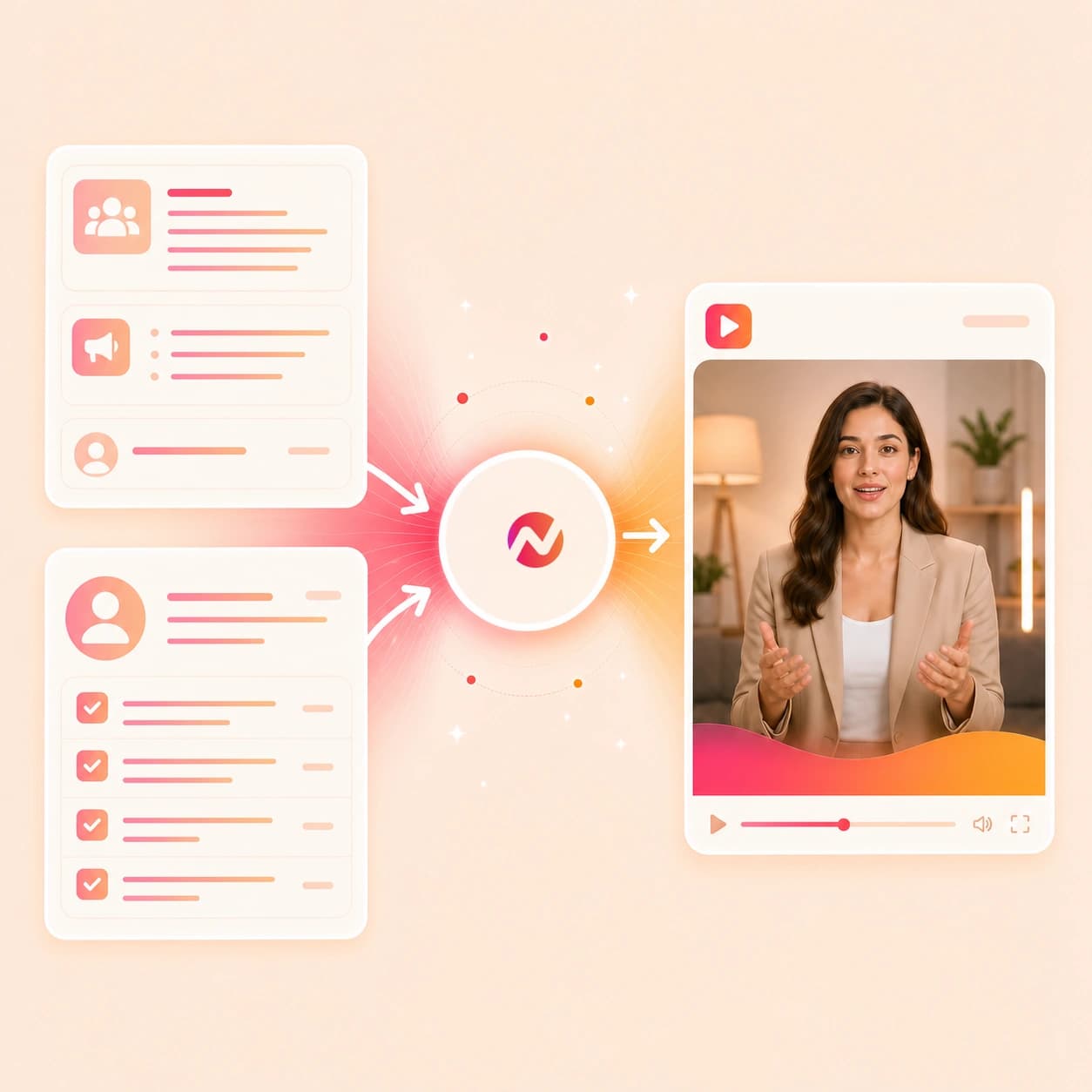
Create onboarding, policy, and people-team videos from approved internal material. Update the message, localize it, and reuse the same brand treatment as your company changes.
Trusted by teams at










How it works
From HR source to editable video draft.
Give ngram the people-team message and source context, review the plan, then refine the video asset without moving the work into a separate editor.
Add the HR source
Start with a prompt, PDF, image, source URL, policy note, onboarding outline, training material, approved script, or storyboard. ngram reads the source for audience, key details, and next steps.
Source ready
Review the script and storyboard
The source becomes a scene plan with narration, timing, visual direction, employee-facing language, dates, and action items ready for HR review before rendering.
Plan reviewed
Generate the HR video draft
ngram builds scenes with voiceover, captions, motion graphics, brand kit styling, callouts for key points, and export-ready composition around the approved plan.
Draft generated
Edit and export review-ready cuts
Revise wording, regenerate a scene, adjust captions, change the voiceover, update brand treatment, and download the finished MP4. Prepare any alternate framing separately in the editor.
Ready to export
What it can do
What this ai hr video maker can create.
Use ngram when HR source material needs to become a clear video asset with a reviewable plan, employee-ready wording, brand rules, and edit control.
Script and storyboard from HR source
Turn prompts, PDFs, URLs, scripts, storyboards, policy notes, and onboarding outlines into a reviewable video plan before any scene renders.
Learn more about script generationPolicy details stay explicit
Map effective dates, what changed, employee impact, and next steps into clear scenes while your HR, people, or legal team keeps approval ownership.
Learn more about motion graphicsOnboarding and training drafts
Use handbook sections, SOPs, welcome notes, and training source material to create videos employees can replay after the live session ends.
Learn more about video editingVoiceover and captions
Generate narration from the approved HR script, choose a voice, set pronunciation guidance, and burn captions into each video draft.
Learn more about AI voiceoverBrand kit for internal consistency
Apply logo, colors, fonts, motion style, tone, approved phrases, blocked phrases, intros, outros, and CTA treatment across people-team videos.
Learn more about brand kitBuilt for HR video assets and editable drafts, with source-system workflows and policy approval owned outside ngram
When it matters
HR video workflows this tool supports.
These existing use cases match the people-team announcements, policy notes, onboarding guides, culture clips, and training source material this page turns into video.
HR Company Announcement Video
Use the ai hr video maker to turn leadership notes, internal memos, dates, and action items into an announcement video employees can watch on their own schedule.
Open AI video use caseHR Policy Update Video
Convert approved policy source material into a video that explains what changed, who it affects, and what employees should do next without promising legal approval.
Open AI video use caseHR Employee Onboarding Video
Turn first-week guides, welcome notes, handbook sections, and onboarding visuals into employee videos with script, storyboard, voiceover, captions, and brand.
Open AI video use caseHR Training Video
Build training videos from SOPs, policy notes, facilitator scripts, and source URLs while keeping each module editable after the first draft.
Open AI video use caseHR Culture Content Video
Create culture clips from employee stories, event notes, images, or careers-page context, then keep the tone and visual treatment aligned with the brand kit.
Open AI video use caseInternal Communication Video
Turn internal updates and people-team messages into short, captioned videos that carry the same source-backed story for distributed employees.
Open AI video use caseTraining Video
Use general training material, process docs, and employee education notes when the HR video needs a reusable lesson structure and export variants.
Open AI video use caseMeeting Recap Video
Convert an all-hands recap, benefits Q&A summary, or people-team meeting notes into a concise video with decisions and next steps called out.
Open AI video use caseEnterprise Deployment Training Video
Use role-based rollout material and internal enablement notes as source context when a people-team video supports a wider company change.
Open AI video use caseProduct stack
The product stack around HR video creation.
These features carry HR source material through planning, narration, captions, brand governance, draft editing, localization, and export.
Script Generation
Turns HR prompts, PDFs, URLs, scripts, storyboards, and source notes into a script and scene plan the people team can review first.
Learn more about script generationAI Voiceover
Narrates approved HR scripts with a selected voice and keeps audio connected when a policy term, date, or next step changes.
Learn more about AI voiceoverCaptions & Subtitles
Adds burned-in captions so HR announcements, onboarding videos, and training clips remain clear in quiet workspaces and replay contexts.
Learn more about captionsBrand Kit
Applies logo, colors, fonts, motion style, screenshot treatment, tone, approved phrases, blocked phrases, intros, and outros across internal videos.
Learn more about brand kitMotion Graphics
Adds title cards, lower-thirds, policy callouts, section markers, and highlights around the employee-facing points that need emphasis.
Learn more about motion graphicsVideo Editing
Keeps the HR video draft editable through chat, visual chat, script editing, scene regeneration, canvas controls, and the timeline.
Learn more about video editingTranslation & Localization
Create localized versions by translating scripts, captions, and on-screen text, then regenerating voiceover from the same approved project.
Learn more about localizationMore tools
Tools that pair with an ai hr video maker.
Use these tools when the people-team video starts in a narrower format, needs a presenter or narration pass, or needs final polish.
People-team video cluster
Connect HR videos with training, onboarding, recruitment, and internal communication workflows.
AI Training Video Maker
Create training videos from HR policies, process notes, decks, and approved employee guidance.
Open toolAI Onboarding Video Maker
Turn people-team source material into onboarding videos for new hires, team intros, and first-week guidance.
Open toolAI Recruitment Video Maker
Build recruiting videos from approved role, culture, and employer-brand material without adding hiring automation claims.
Open toolAI Internal Comms Video Maker
Create internal communication videos from HR announcements, policy updates, and employee-facing notes.
Open toolPrepare the message
Use these before generation when the HR video needs tighter wording or a presenter format.
Video Script Generator
Draft a clearer HR video script from a rough memo, policy note, benefits update, or onboarding outline.
Open toolText to Speech Video
Turn an approved people-team script into a narrated video with scenes, voiceover, captions, and brand styling.
Open toolAI Avatar Video Generator
Create a presenter-led training or onboarding segment from an approved HR script when a face on camera helps the message land.
Open toolFinish the HR video
Use these after the draft needs captions, language variants, or timeline edits.
Video Caption Generator
Add or revise styled captions on an existing HR video so employees can follow the update without audio.
Open toolVideo Translator
Translate HR video scripts, captions, on-screen text, voiceover, and avatar lip sync for regional employee audiences.
Open toolVideo Editor
Open the full editor when an HR video needs wording changes, scene replacement, caption fixes, or export variants.
Open toolConvert
Converter pages for HR source material.
Use these converters when the job starts from a specific HR source rather than a broad ai hr video maker prompt.
Docs to Video
Convert handbook sections, policy notes, onboarding docs, and internal comms drafts into planned HR videos with editable scenes.
Open converterPDF to Video
Upload a PDF policy brief, benefits guide, onboarding packet, or training source and turn it into a narrated video draft.
Open converterURL to Video
Paste a handbook page, policy source, benefits article, culture page, or training guide and generate a video from that source.
Open converterWho it is for
Teams that turn HR source material into video.
These solution and use-case pages match the people teams, L&D owners, internal comms leads, and distributed orgs most likely to use an ai hr video maker.
HR & Internal Comms
Turn policy notes, onboarding guides, training material, and leadership talking points into HR videos with captions, brand kit, and editable drafts.
See HR workflowsRemote Teams
Create employee videos from the same source material for teammates who cannot attend the same live meeting or onboarding session.
See remote team workflowsEnterprise
Keep people-team videos tied to approved source material, shared brand kits, workspace projects, and reviewable drafts across larger organizations.
See enterprise workflowsEducators & Trainers
Use the ai hr video maker alongside L&D workflows for employee modules, policy refreshers, and reusable training videos.
See educator workflowsHR Company Announcements
Create source-backed announcement videos when leadership, people ops, or internal comms needs a clear employee-facing message.
See announcement workflowHR Policy Updates
Turn approved policy material into a video that names the change, date, employee impact, and next step without replacing HR review.
See policy workflowEmployee Onboarding
Build first-week and role-specific onboarding videos from welcome notes, handbook sections, PDFs, images, and source URLs.
See onboarding workflowHR Training
Convert SOPs, training notes, and facilitator scripts into employee videos with storyboard, narration, captions, and export controls.
See training workflowIntegrations
Automate HR video drafts around approved sources.
These live integrations fit workflows where the HR source arrives in another system, an agent needs a video draft, or browser context should become source material.
Zapier
No-codeWhenAn approved HR video request, policy source, or onboarding brief is ready in a content operations workflow
ThenSend the source to ngram, create an editable HR video draft, and route the project link to the reviewer
n8n
WorkflowWhenA self-hosted workflow detects an approved handbook PDF, training source, or policy update task
ThenRun the ai hr video maker workflow and write draft status back to the content task
MCP Server
AgenticWhenClaude, ChatGPT, Cursor, or another MCP-aware agent has HR source context and needs a video project
ThenCall ngram with the prompt, files, URL context, and audience notes, then return the editable project link
Chrome Extension
CaptureWhenYou are viewing a browser-accessible handbook page, policy source, culture page, or training guide
ThenSend that page context into ngram so the HR video starts from the exact source you were reading
Why ngram
How HR video workflows differ.
The right option depends on whether the source should become an editable video project, a training package, a template clip, or a hand-produced asset.
| Compare | ngram | Training authoring suites | Template video editors | Manual production |
|---|---|---|---|---|
| Workflow fit | Turns prompts, PDFs, images, URLs, scripts, and storyboards into an HR script, storyboard, voiceover, captions, brand treatment, and editable draft. | Useful when the main job is packaging lessons, quizzes, completion tracking, or course administration around employee learning. | Useful when a team wants to pick a preset layout and manually place employee-facing text, icons, screenshots, and clips. | Useful when a sensitive people-team story needs custom interviews, original footage, or frame-level creative direction. |
| How ngram fits | Best when HR announcements, policy updates, onboarding, culture clips, or training videos need source context and later revisions from the same project. | Often needs separate work to turn a policy source or onboarding note into a clear script, storyboard, voiceover, captions, and branded video. | Less direct when the source is a long policy doc, handbook page, onboarding packet, or storyboard that first needs a scene plan. | Requires the script, storyboard, voiceover, captions, brand system, and export versions to be assembled by hand. |
| Best use | Creates the video asset while leaving HR review, policy approval, audience lists, and rollout decisions with the systems and teams that own them. | A better fit for managing training programs than drafting people-team video assets from mixed source material. | A good fit for repeat visual formats when source interpretation and draft editing are less important. | A better fit for bespoke productions than recurring HR videos built from policies, PDFs, onboarding notes, and URLs. |
FAQ
Common questions about the ai hr video maker.
Still choosing the right HR source?
Turn HR source material into an editable people-team video
Start from a prompt, PDF, image, script, storyboard, or source URL. ngram drafts the script, storyboard, voiceover, captions, brand treatment, and export-ready HR video in one editable project.
Keep HR review and approval with your team while ngram handles the video draft.
Prompt, PDF, image, URL, script, storyboard, captions, brand, export