AI Hospitality Video Maker by ngram
AI Hospitality Video Maker for property and guest campaigns

Use an owned or public hotel, amenity, event, destination, meeting space, or guest-experience page.
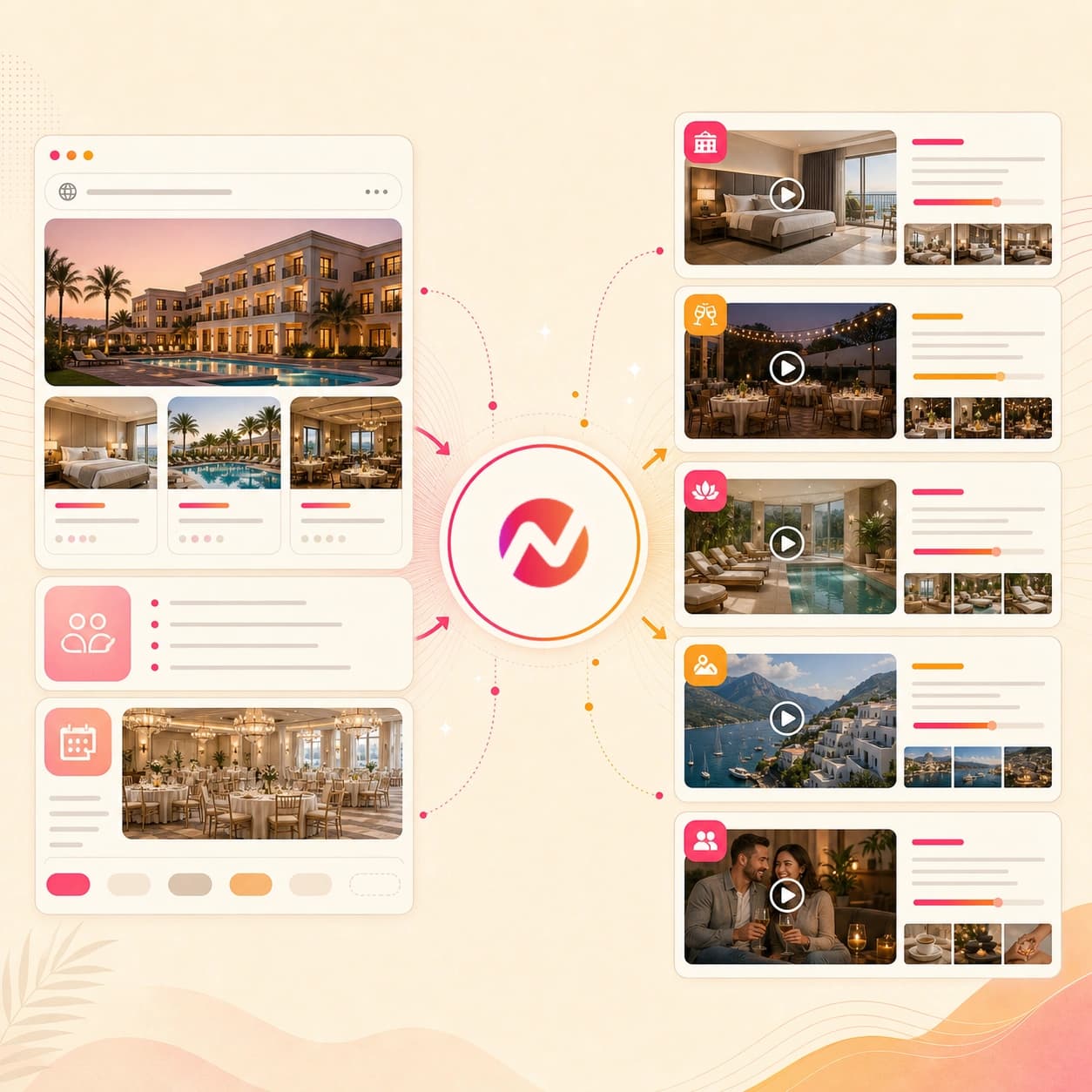
What it does
Turn your property page, amenity images, and seasonal offer into videos for direct booking and event sales. Keep brand and property details consistent across campaign versions.
Trusted by teams at












How it works
How the AI hospitality video maker works.
Give ngram approved hospitality source material, review the story plan before rendering, then export editable cuts for the channels your team already manages.
Add the hospitality source
Paste an owned or public property, venue, amenity, event, meeting space, destination, or guest-experience page. Add prompts, images, PDFs, docs, or scripts when the URL needs more context.
Source ready
Review the script and storyboard
ngram turns the source into a hook, voiceover script, scene plan, caption plan, visual direction, CTA, and draft duration before the video renders.
Storyboard ready
Generate the branded draft
The draft can include property visuals, amenity callouts, venue frames, motion graphics, voiceover, captions, music, intro and outro treatment, and brand kit styling.
Draft generated
Edit and export files
Revise wording, scenes, captions, crops, voiceover, and aspect ratios, then export hospitality video files for your website, email, social, event, sales, or guest-education workflow.
Ready to hand off
What it can do
What the AI hospitality video maker can create.
ngram focuses on the hospitality video asset: source intake, script, storyboard, visuals, captions, brand controls, editing, and export. Property operations systems stay outside the workflow.
Hotel and venue URL intake
Use an owned or public property, venue, amenity, event, destination, meeting space, or guest-experience page as source context for the video.
Explore URL to videoImages, PDFs, docs, and scripts
Bring room photos, venue stills, amenity one-pagers, event packets, destination docs, approved scripts, and brand notes into the same draft.
Convert a PDFScript and storyboard planning
Turn source material into an editable hospitality video arc with the hook, guest or venue story beats, visual notes, CTA, and scene timing.
Explore script generationVisuals for properties and amenities
Use property photos, amenity references, destination images, and AI-generated supporting visuals when the video needs more scene variety.
Explore AI visualsVoiceover and captions
Generate narration from the approved script, burn in captions by default, and keep both editable when a detail, date, or CTA changes.
Explore AI voiceoverBuilt for hospitality video creation, not property operations
When it matters
Where hospitality video maker workflows fit.
Use one hospitality video workflow for property pages, venue stories, guest experience clips, amenity explainers, event recaps, email, social, and campaign cuts.
Marketing Social Clips
Turn a property page, amenity photo, destination note, or event brief into short hospitality social cuts with captions, crops, and editable brand treatment.
Open AI video use caseMarketing Landing Page
Create a hotel or venue landing page video from a property, meeting space, amenity, package, or destination page so the video matches the page copy.
Open AI video use caseMarketing Email
Build a short hospitality video for an amenity update, venue note, seasonal package, destination send, or event email while keeping the source copy reviewable.
Open AI video use caseEvent Recap Video
Turn venue event clips, meeting-space notes, guest programming, or destination footage into a recap draft with captions, voiceover, and brand styling.
Open AI video use caseCustomer Testimonial Video
Use approved guest quotes, venue feedback, event praise, or destination comments as source material for a hospitality testimonial video draft.
Open AI video use caseMarketing Ad Creative
Create hospitality ad creative drafts from property pages, amenity photos, venue one-pagers, and campaign copy for the team that owns placement.
Open AI video use caseMarketing Brand Video
Shape a property story, venue point of view, destination guide, or guest experience into a hospitality brand video with a reusable brand kit.
Open AI video use caseGrowth Campaign Video
Build campaign-ready hospitality video drafts from one amenity launch, venue page, destination guide, or seasonal brief without rebuilding each cut.
Open AI video use caseProduct Launch Teaser Video
Use teaser-style pacing for a new property experience, venue package, spa service, destination offer, or event program before the full campaign goes live.
Open AI video use caseProduct stack
The product stack behind hospitality video creation.
These ngram features cover the planning, generation, editing, brand control, captioning, voiceover, and export work behind AI hospitality video maker workflows.
Planning
Script generation for property stories
Turn hotel pages, venue briefs, destination notes, amenity PDFs, scripts, docs, and prompts into a hook, scene plan, voiceover script, and CTA.
Plan the hospitality scriptVisuals
AI visuals for amenities and venues
Create supporting visuals around property photos, room references, meeting spaces, spa details, destination notes, and source pages.
Build hospitality visualsBrand control
Brand Kit for property identity
Apply saved logos, colors, fonts, caption style, motion direction, voice, tone, approved phrases, blocked phrases, and CTAs.
Use brand kitNarration
AI Voiceover for guest narration
Generate narration from the approved hospitality script, choose a voice, and keep the voice track tied to the editable scene plan.
Add voiceoverCaptions
Captions for mute-first viewing
Burn in captions for amenity names, room details, venue notes, event context, destination points, and the final CTA so the video works without sound.
Add captionsMotion
Motion Graphics for hospitality callouts
Add amenity labels, lower thirds, date cards, location frames, venue callouts, destination markers, and transitions inside the same project.
Add motion graphicsEditing
Video Editing after the first draft
Use chat, script edits, canvas controls, and the timeline to adjust wording, scenes, captions, audio, and crops after generation.
Edit the draftMore tools
Related hospitality video tools.
Use these tools when the hospitality video starts from a different source, needs a tighter campaign cut, or needs final voice and caption polish.
Start from source material
Turn hospitality URLs, written copy, or approved images into the first editable video draft.
URL to Video
Paste a public property, venue, amenity, event, or destination page and let ngram read the page before drafting scenes.
Open toolText to Video
Paste guest experience notes, venue copy, amenity descriptions, or a destination script when the source is not online yet.
Open toolImage to Video
Animate approved room photos, venue stills, amenity images, or destination shots before adding captions, brand, and hospitality context.
Open toolBuild adjacent hospitality cuts
Create related videos once the property story, venue offer, event angle, or destination message is approved.
AI Travel Video Maker
Turn destination pages, itinerary notes, and visual references into travel cuts that support the broader hospitality story.
Open toolAI Restaurant Video Maker
Create restaurant, bar, tasting, private dining, or catering videos from menu pages, images, PDFs, and prompts.
Open toolAI Event Video Maker
Turn venue event footage, meeting content, guest programming, or recap notes into an editable event video draft.
Open toolAI Promo Video Maker
Turn a seasonal property offer, amenity launch, venue package, or destination angle into a promo video draft.
Open toolPolish the finished draft
Tighten the hospitality video script, narration, captions, and localized version before export.
Video Script Generator
Draft or rewrite the hook, guest narration, amenity story, venue intro, destination angle, or event CTA before generating the video.
Open toolAI Voice Generator
Create a narration track for hotel overviews, venue promos, amenity explainers, destination clips, or event recaps from the approved script.
Open toolAdd Subtitles to Video
Add brand-styled captions to a hospitality clip so amenity names, venue details, destination notes, and CTAs stay readable without sound.
Open toolVideo Translator
Translate captions, on-screen text, script, and voiceover when a property or destination video needs localized versions.
Open toolConvert
Converters for hospitality source material.
Use these source-to-video workflows when you already know the exact hospitality asset that should become the video.
Website to Video
Paste a hotel, venue, amenity, event, or destination page and turn the page copy into a storyboarded hospitality video draft.
Open converterPDF to Video
Convert amenity PDFs, event packets, venue one-pagers, destination guides, and property sheets into editable video drafts.
Open converterImage to Video
Turn property photos, room images, venue stills, amenity shots, and destination references into moving hospitality clips.
Open converterWho it is for
Teams that use hospitality video workflows.
Hospitality videos usually touch property marketers, venue teams, agencies, creators, and smaller operators who need editable cuts from approved source material.
Growth & Marketing Teams
Turn property source pages into campaign videos, social cuts, email assets, and landing page clips from one editable project.
See marketing workflowsAgencies & Consultants
Build hospitality client videos from approved property pages, venue notes, brand guidelines, destination briefs, and campaign pages.
See agency workflowsSmall & Medium Business
Create hotel, venue, spa, tour, or local hospitality videos from a page, image set, PDF, or script without adding a separate production role.
See SMB workflowsContent Creators
Turn destination notes, property photos, venue tours, and guest experience stories into clips for creator-led channels and partner deliverables.
See creator workflowsSolopreneurs
Create hospitality, tour, venue, retreat, or guest-experience videos from a simple brief without handing the whole project to a separate editor.
See solo workflowsReal Estate
Use property video patterns for hotel rooms, venue spaces, destination rentals, and amenity walkthroughs that need visual context.
See property workflowsIntegrations
Automation around hospitality video creation.
Use live integrations for approved source capture, workflow triggers, status checks, and agent-driven creation around hospitality video projects.
Chrome Extension
Browser captureWhenA teammate is viewing an approved hotel, venue, amenity, event, or destination page in Chrome.
ThenCapture the page as source context and start an editable ngram hospitality video draft.
Zapier
No-code triggerWhenA content request includes a hospitality source URL, campaign brief, and brand notes.
ThenTrigger an ngram video job with the approved source attached for storyboard review.
n8n
Self-hosted workflowWhenA self-hosted workflow receives approved hospitality copy, image references, and project metadata.
ThenSend the source to ngram, watch for completion, and route the finished draft status back to the workflow.
MCP Server
Agent workflowWhenAn AI agent has a hospitality brief, a source URL, and the target format for a property or venue video.
ThenCall ngram as a tool, create the hospitality video job, and fetch status without leaving the agent session.
Why ngram
How hospitality video workflows compare.
Choose the workflow based on how much source context, editing control, brand control, and export flexibility the hospitality video needs.
| Compare | ngram | Template editor | Generic text-to-video tool | Video production team |
|---|---|---|---|---|
| Workflow fit | Starts from URL, prompt, or file source material and turns it into a script and storyboard before render. | Works when the team only needs to replace text and photos in a preset hotel or venue layout. | Good for a quick visual idea when the prompt matters more than exact property or venue source material. | Best when the property needs original footage, lighting, directing, or a full creative shoot. |
| How ngram fits | Keeps scenes, voiceover, captions, brand kit styling, and export formats editable in one project. | Usually asks the user to assemble the story, pacing, caption text, and format versions by hand. | Can drift from approved amenity names, dates, room details, or destination copy if the source is not attached. | Usually depends on separate briefs, file handoffs, review rounds, and production calendars. |
| Best use | Best for property, venue, amenity, event, guest experience, and destination videos built from approved sources. | Useful for one quick graphic-style clip, less useful when the property or event source changes often. | Often needs a separate edit pass for brand kit, captions, and multiple export formats. | Strong fit for flagship campaigns, but heavy for weekly amenity, venue, event, and destination updates. |
FAQ
AI hospitality video maker FAQs.
Still have hospitality video questions?
Turn hospitality source material into editable video
Start from a hotel or venue URL, prompt, image, PDF, doc, or script. Review the storyboard, refine the draft, apply brand kit styling, and export the formats your team needs.
Built for property overviews, guest experience clips, amenity explainers, venue promos, event recaps, destination videos, and social cuts.
Property operations stay outside ngram; the output is the editable video asset.