Slideshow AI Video Maker by ngram
Slideshow AI Video Maker for decks that need to travel without you

Drop a PPTX or PDF deck
Upload a sales deck, class deck, training module, investor update, or internal announcement
What it does
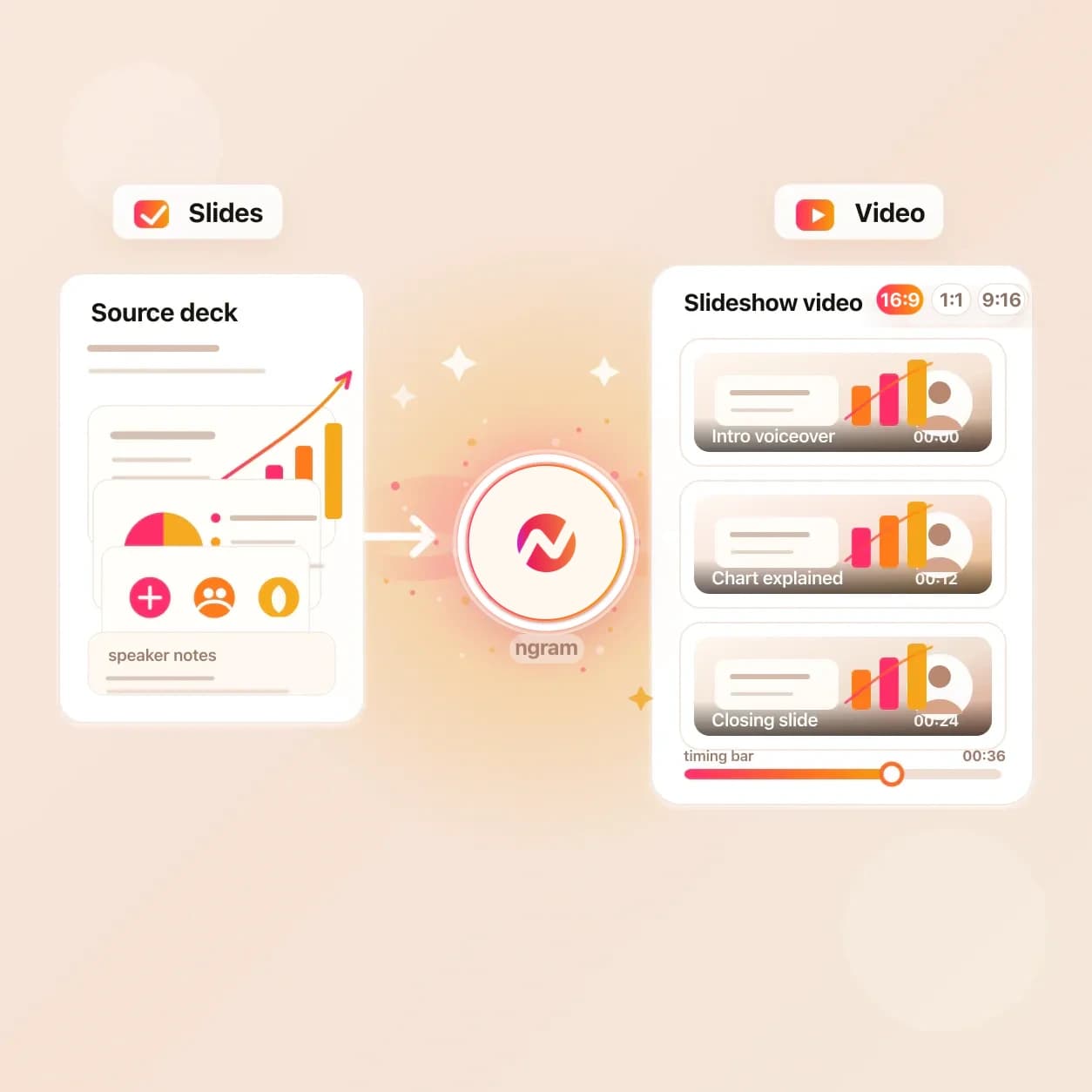
Turn a deck into a paced video your audience can watch without a live presenter. Add narration, captions, and brand, then revise the same project when a slide or message changes.
Trusted by teams at












How it works
From slideshow source to narrated video draft.
Start with the source you already have. ngram turns the slideshow structure into scenes, then keeps the project editable for script, voice, captions, brand, and export.
Upload the slideshow source
Upload a PPTX or PDF deck. ngram uses its slide or page structure and visible content as source context for the video plan.
Source added
Turn slides into scenes
The deck structure becomes an editable scene plan with visual direction and drafted narration. Review how the visible slide content is carried into the video before rendering.
Scenes planned
Review the narration
Read the slideshow video script before render. Rewrite a line, change the voice, tighten a section, or ask the agent to make the slideshow more direct for the intended audience.
Script reviewed
Export the finished video
Render the reviewed slideshow video and download the finished file as MP4. Prepare any alternate framing separately in the editor.
Ready to share
What it can do
What Slideshow AI Video Maker does inside ngram.
The tool is built for PPTX and PDF sources that need narration, brand styling, captions, and a finished MP4 from an editable video project.
Read deck and PDF structure
ngram parses the uploaded PowerPoint or PDF into slide scenes, preserving order, on-slide copy, embedded visuals, and the context needed for narration.
Draft and review the talk track
ngram drafts narration from the deck's visible content and any approved context you add. Review and rewrite the script before generating the voiceover.
Learn more about script generationGenerate AI voiceover
Pair the slideshow script with a voice from ElevenLabs or MiniMax. Adjust pacing on dense slides, rewrite the close, and keep audio tied to the scene plan.
Learn more about AI voiceoverAdd captions per scene
Every narrated scene can render with burned-in captions styled to the brand kit. Edit the script and the captions stay connected to the updated narration.
Learn more about captionsApply brand kit styling
Logo, colors, fonts, intro and outro cards, and motion direction apply across the slideshow video so the output reads like a brand asset, not a screen recording.
Learn more about brand kitBuilt for pitch decks, lessons, training modules, updates, and sales walkthroughs
When it matters
Slideshow videos for teams that already work in decks.
Nine common workflows where a narrated slideshow video carries more context than sending another deck attachment.
Product launch slideshow
Turn the launch deck into a video for LinkedIn, YouTube, and the launch page. The same positioning deck becomes the public story your audience can watch.
Open AI video use caseInvestor pitch slideshow
Convert a pitch deck into a narrated investor video that explains the market, traction, and ask without needing the founder in every room.
Open AI video use caseTraining slideshow video
Trainer-led slides become self-paced modules with narration, captions, and brand styling. Learners can replay the exact explanation without another live session.
Open AI video use caseSales proposal walkthrough
Send the proposal deck as a narrated slideshow video that buyers can forward to procurement, finance, and the rest of the committee after the sales call.
Open AI video use caseCustomer onboarding slides
Replace the onboarding deck attachment with a short narrated video that walks new customers through setup, next steps, and the support path.
Open AI video use caseFounder investor update
Turn the monthly update deck into a concise video for investors who missed the live call. Notes carry the commentary the slides cannot hold on their own.
Open AI video use caseCompany announcement video
All-hands and leadership update decks become async videos employees can watch across time zones, with captions and translation available when needed.
Open AI video use caseEducator course slideshow
Lecture slides and course decks become narrated lessons with clear sections, captions, and pacing that students can revisit before an exam or assignment.
Open AI video use caseAgency pitch slideshow
Convert the agency pitch deck into a client-ready video before the second meeting. Strategy, proof, and recommendation stay in one watchable file.
Open AI video use caseProduct stack
The product stack around slideshow-to-video work.
Slideshow AI Video Maker uses the deck parser first. These product features carry the project through narration, brand treatment, localization, and export.
Script Generation
Turns visible slide content and approved supporting context into a spoken slideshow script you can review before the voiceover renders.
Learn more about script generationAI Voiceover
Narrates the slideshow scene by scene with a selected voice. Change the voice once, revise the script, and keep the audio in sync with the updated scene plan.
Learn more about AI voiceoverCaptions
Burns readable captions into every slideshow scene. Helpful for decks shared in feeds, Slack, LMS pages, and internal hubs where viewers often watch muted.
Learn more about captionsBrand Kit
Applies the logo, palette, typography, motion style, intro, outro, and approved phrasing to slideshow videos that need to match the rest of the campaign.
Learn more about brand kitMotion Graphics
Adds branded lower-thirds, callouts, animated text, transitions, and visual emphasis around the slide content when the deck needs more movement than a timed export.
Learn more about motion graphicsTranslation
Localizes the slideshow script, captions, and voiceover from the same source project so one deck can become market-specific video cuts.
Learn more about translationMore tools
Tools that pair with Slideshow AI Video Maker.
Use these tools when the slideshow source needs more context, the narration needs polish, or the finished video needs to ship in more formats.
Prepare the slideshow story
Build or extend the talk track before the slideshow becomes video.
PPT to Video
Use the focused deck path when the slideshow source is a PPTX or PDF file that should become a narrated video.
Open toolVideo Script Generator
Draft a cleaner presenter script when the slides are finished but the spoken explanation still lives in rough notes.
Open toolURL to Video
Pull a product page, launch page, or documentation URL into the same project as extra context for the slideshow narration.
Open toolPolish the slideshow video
Add the layers viewers expect on a narrated deck.
Add Subtitles to Video
Generate and burn brand-styled subtitles onto the slideshow video so it works in muted feeds and internal channels.
Open toolAdd Music to Video
Add a background music bed under the narration, balanced so the voice remains clear on dense slide sections.
Open toolAdd Text to Video
Layer lower-thirds, section labels, and callouts on top of the slideshow video when the original slide copy needs extra guidance.
Open toolReuse the finished video
Turn the rendered slideshow into localized, shortened, or lightweight assets.
Video Translator
Translate the slideshow narration and captions for regional launches, global training, or customer education in another language.
Open toolVideo Cutter
Trim a long slideshow video into a short launch teaser, sales follow-up, or training recap without starting from the deck again.
Open toolVideo to GIF
Convert one strong slide scene into a looping GIF for support docs, email, or a product update where a full player is too much.
Open toolConvert
Converter pages for slideshow source material.
Use these converters when the job is closer to a deck format, a source document, or a hosted page than a broad slideshow video brief.
Deck to Video
The broad converter for slide decks from PowerPoint, Keynote exports, and other deck sources that need narrated scenes.
Open converterPPT to Video
The closest converter when a PPTX or PDF deck should become a narrated, editable video.
Open converterSlides to Video
Use this broader slides-to-video path after exporting the source slides to a supported file.
Open converterWho it is for
Teams that turn slides into watched videos.
Slideshow AI Video Maker fits teams that already build the message in decks and need the final version to travel farther than an attachment.
Sales Enablement
Convert standard pitch decks and proposal walkthroughs into narrated videos reps can send after the call, with brand controls and captions already applied.
See sales workflowsProduct Marketing
Turn launch decks, positioning slides, and campaign briefs into slideshow videos for announcement pages, sales handoff, and channel cuts.
See product marketing workflowsEducators
Make lecture decks and course slides easier to replay by turning them into narrated lessons with captions and section pacing.
See educator workflowsHR & Internal Comms
Convert all-hands decks, policy updates, and onboarding slides into async videos employees can watch across time zones.
See HR workflowsFounders
Use the investor deck, product notes, or launch slides as the source for narrated videos that explain the company when the founder is not in the room.
See founder workflowsAgencies & Consultants
Turn client pitch decks and strategy slides into branded video deliverables without handing every revision to an outside editor.
See agency workflowsCustomer Success
Transform onboarding decks, QBR slides, and feature education material into videos customers can watch before the live call.
See CS workflowsProduct Managers
Convert roadmap slides, release notes, and stakeholder-update decks into concise videos that product teams can share the same sprint.
See product workflowsIntegrations
Automate slideshow video work around the source deck.
These live integrations fit workflows where a deck lands in a folder, an agent needs to render it, or the finished slideshow video needs to publish.
Zapier
No-codeWhenA new deck or PDF lands in the folder that holds launch, training, or sales slideshow sources
ThenSend the source into ngram, run Slideshow AI Video Maker, and route the rendered video link to the project channel
MCP Server
AgenticWhenClaude or ChatGPT is asked to turn a referenced slideshow deck into a narrated video
ThenUse MCP for supported video or image calls; use ngram's app workflow for slideshow creation, then return the reviewed MP4 link inside the agent thread
n8n
WorkflowWhenA self-hosted workflow detects a quarterly review deck, training deck, or product-update PDF
ThenUse n8n's documented video-generation action with supported text or URL context, then use ngram's app workflow for slideshow creation and post the finished asset back
Chrome Extension
CaptureWhenYou are viewing a hosted deck, slide page, or source URL in the browser
ThenSend the page context into ngram and start a slideshow video draft without leaving the tab
WhenReview is complete on the narrated slideshow video; LinkedIn is next.
ThenWrite the LinkedIn post and schedule this narrated slideshow video once.
X (Twitter)
BetaWhenThe narrated slideshow video is ready for its X post.
ThenCompose the X post, then publish the narrated slideshow video after its final review.
YouTube
BetaWhenNarrated slideshow video is ready to go on YouTube.
ThenCompose the YouTube post, then publish the narrated slideshow video now.
Why ngram
How ngram handles slideshow video creation.
The right tool depends on whether the job is a simple timed export, a recorded presentation, or a reusable video project built from deck context.
| Compare | ngram | Built-in deck export | Screen recording | Template slideshow editors |
|---|---|---|---|---|
| Workflow fit | Reads PPTX and PDF decks, then uses their structure and visible content to build an editable scene plan. | Exports the existing slide timings and any recorded narration already inside the presentation file. | Records a person clicking through the slideshow and speaking live, which can work for fast internal updates. | Good for hand-built social slideshows when the creator wants to design each scene manually. |
| How ngram fits | Keeps script, AI voiceover, captions, brand styling, translation, and the finished MP4 in one video project. | Works when the deck is finished, the narration is already recorded, and no extra captions or brand motion are needed. | Quality depends on the recording setup, pacing, audio, and whether the presenter catches mistakes in the moment. | The deck copy and final narration often have to be pasted or rebuilt by hand. |
| Best use | Best when the slideshow needs to become a reusable video asset for launch, training, sales, or internal communication. | Usually stops at a flat video file, so revisions require changing the deck or recording again. | Often needs another editing pass for captions, trimming, brand styling, and channel-specific cuts. | Best for one-off creative edits, less suited to repeat deck-to-video workflows owned by a team. |
FAQ
Common questions about Slideshow AI Video Maker
Still curious?
Turn the slideshow into narrated video
Upload a PPTX or PDF deck. ngram turns its visible content into a narrated slideshow video project with captions, brand styling, voiceover, and an MP4 download.
Start with Slideshow AI Video Maker, then finish the project inside ngram.
Deck, notes, voiceover, captions, brand, export