SaaS product explainer video for your next release
Turn approved product docs and screenshots into a SaaS product explainer video that explains the problem, shows the value, and ends with a clear next step. Review the plan before generating and refresh it when the message changes.
Or pick a video type to get started
Video generation uses credits. Review your estimate in ngram. MP4 downloads require Basic or higher.
How credits workTrusted by teams at


SaaS Product Explainer Video videos made with ngram
Real videos created by teams using ngram for saas product explainer video.
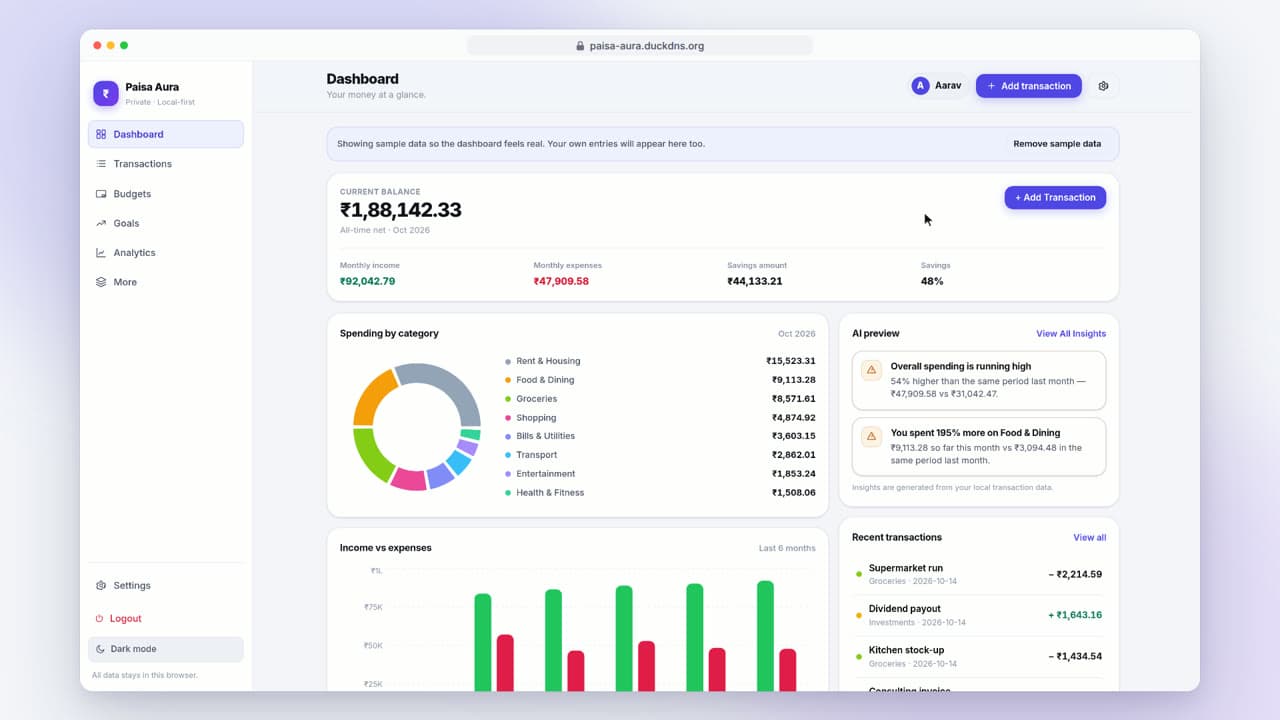


“The new feature is ready. The product explanation still tells the old story.”
- Release day
A release changes the product story. The existing SaaS product explainer video still opens with a feature that is no longer the main reason a new buyer would choose it.
- Source review
The product document includes planned capabilities alongside shipped ones. Mark the approved claims and select screenshots that show the current product.
- Script review
The first script is too detailed for someone new to the category. Explain the problem first, then keep only the workflow that supports the promise.
- Video review
A revised scene makes the new feature clearer, but the closing CTA still points to the previous launch. Review the ending as carefully as the opening.
- Publication
The reviewed cut is ready for the product page. Keep its approved sources and replacement locations together so the next release has a clear starting point.
of B2B buyers prefer watching a SaaS product explainer over reading documentation when evaluating software — but most teams can't ship one fast enough or accurately enough to be the explainer that lands.
A repeatable way to review the next release
The published video uses an older product source. A visual mismatch or outdated claim can survive a quick skim of the script.
Attach the approved product message and current visuals. Review the problem, solution, and CTA in the plan, then check that the generated explainer says only what the source supports.
One general recording has to answer every buyer question, even when audiences need different levels of detail.
Make a separate explainer for each audience that needs a different message. Keep the approved product facts consistent while adjusting the examples and CTA.
The team approves a new file but leaves the previous version on a product page or in a sales deck.
Keep a list of the destinations that use the video. Download the reviewed MP4, replace each old asset, and record which release should trigger the next check.
Polished SaaS product explainers from what you already have
Use approved text to establish the story, then add current product visuals. A recording can support the explanation when seeing a real action matters.
Start from product docs or a URL
Supply approved product text, a public URL, or a PDF or Markdown document for this saas product explainer video. Add current screenshots where the interface matters. Review the script before generation; private pages may require copied or exported content.
URL to VideoOr start from a screen recording
Upload the current workflow and name the steps relevant to this saas product explainer video. Screen-recording polish can add zooms, click emphasis, and narration; review the result for UI accuracy. Keep the steps and control labels easy to follow.
Screen Recording to VideoA reviewed video for one audience
Check the final message and visuals, then download the finished MP4. Use a separate edit for another audience or aspect ratio.
Keep the source version and publication destinations with your review notes for the next release.
Keep your SaaS product explainer video ready for review
Explain the current product promise
Release workflowHelp a new buyer understand the problem and the result before asking them to learn every screen. Keep the approved message beside the video so changes are easy to review.
Landing pages with a SaaS product explainer at the top of the fold see 40-86% higher conversion than text-only pages in B2B benchmarks — when the explainer actually explains the product.
Name the change precisely
Tell ngram which screen, wording, or CTA needs an update. State what should remain, then verify the revised result rather than assuming preservation.
Give each version a purpose
Choose the audience and destination for this saas product explainer video. A differently framed channel version is a separate edit with its own review.
Current product source to reviewed video in 3 steps
Supply the approved product message
Paste approved product text or a public URL, or upload a document with current screenshots. Specify the audience, intended length, and closing action.
Approve the plan
In ngram, read Script and Production details, request corrections, then approve the plan. Keep unsupported product claims out of the script.
Revise and download the result
Use chat or Make changes to revise the video. Check the source, narration, and CTA. Wait for Preparing download to finish when shown, then download the MP4.
Built for SaaS product explainer video, specifically
Who ships SaaS product explainers in your company?
Product Marketing
Hero product explainers, feature launches, and segment-specific cuts without an agency retainer. The SaaS product explainer library becomes a managed asset you refresh every release window — not a one-off project you scramble to recreate before launch.
Founders
Explain the product clearly in a SaaS product explainer for first-time buyers or a launch audience. Supply the approved message and current screens, then review the generated video before using it on a public page.
Growth & Marketing
Create a separate SaaS product explainer for a specific audience and channel. Keep the product facts consistent between variants and review each cut. Treat signup and paid outcomes as measurements, not guaranteed effects of the video.
Product Managers
Use approved release notes and the current recording to define the SaaS product explainer. Keep the public explanation separate from internal roadmap detail, then review the result with the person responsible for the shipped workflow.
Sales Enablement
Persona-targeted SaaS product explainers that arm the sales team for evaluation calls. Build a library by buyer persona — developer, manager, CFO — and load it into the sales sequence so every deal stage has the right explainer attached.
Developer Relations
API explainers, SDK walkthroughs, and integration guides that ship as fast as the code they document. Turn a doc page or SDK example into a SaaS product explainer before the next release branches off main — and refresh on the deprecation calendar.
Customer Success
Use the SaaS product explainer to introduce new accounts to a current workflow. Keep the source recording and instructions together, then request and review a refresh when the setup flow changes.
Support Teams
Explain a recurring setup question with a focused SaaS product explainer. Start with the approved help article and current recording. Review the steps before linking the video from a support reply or help page.
Explore more use cases
Other ways B2B SaaS teams use ngram to ship product video without the agency cycle.
You don't need a fresh shoot to make a product explainer.
Choose the source that best supports the SaaS product explainer. A recording shows actual actions; approved text and screenshots establish the explanation. Review the result for the selected workflow.
Every tool the SaaS product explainer pipeline runs on.
Choose the workflow for your deliverable
| Manual video editing | Clickable product tour | ngram | |
|---|---|---|---|
| What the buyer receives | A video you assemble | A guided interactive experience | A rendered video |
| Starting source | Footage and an edit plan | Captured or recreated product steps | Prompt, documents, screenshots, or recording |
| After a product change | Update the relevant footage and edit | Review and update affected tour steps | Supply current source, request a revision, review output |
| Audience versions | Create and review each edit | Configure the relevant tour path | Create and review a separate edit per audience |
| Before publishing | Check the full export | Test the supported interactions | Check claims, UI, narration, captions, and CTA |
Wire the SaaS product explainer into your launch workflow.
Configure a trigger for the next SaaS product explainer, then review its result before publishing. These are workflow ideas for available integrations; your source system and publication steps need their own setup.
whenThe source for a new SaaS product explainer is approved in your connected release tracker
thenConfigure a Zap to pass the supported source into video creation, then check completion and review the output before updating any destination.
whenYou ask a supported MCP client to create the next SaaS product explainer from approved source
thenAuthenticate the connector, submit the supported creation request, and inspect completion. Client access and available actions vary; review the video before sharing.
whenYou are on a public product page relevant to the SaaS product explainer
thenUse the extension to start a video from the page. Check captured source material and finish the review in ngram before publishing the result.

whenYour release workflow has approved source material for the SaaS product explainer
thenConfigure n8n to call ngram and check completion before review. A self-hosted n8n orchestrator still calls ngram's hosted service.
whenThe SaaS feature explainer is ready after its script and scene check for the company feed.
thenConnect the destination with OAuth and compose the company post for the SaaS feature explainer.
whenYou approved the SaaS feature explainer; the social post can go on the calendar.
thenPut the SaaS feature explainer in the next social feed slot in the calendar.
whenYou approved the SaaS feature explainer; the channel post can go on the calendar.
thenSchedule the SaaS feature explainer for the next video channel slot in the calendar.
Will it work for my situation?
What is a SaaS product explainer video?
How do I make a SaaS product explainer video without an agency?
Can we see the output quality before creating our own?
What if our SaaS product changes frequently?
Can I create different product explainers for different audiences?
How should we budget for repeated explainer updates?
Will an explainer have captions and an interactive player?
Explain the product your buyers can use today
Bring current source material for one saas product explainer video. Review the plan and result before publication. Generation and AI edits use credits; check your plan allowance for repeat revisions.