AI Technology Video Maker by ngram
AI Technology Video Maker for complex products made clear

Name the product, audience, source material, technical depth, target channel, and CTA.
What it does
Translate technical product context into a video people outside engineering can follow. Keep the source, product screens, and approved claims visible as you adapt the story for each audience.
Trusted by teams at












How it works
How the AI technology video maker works.
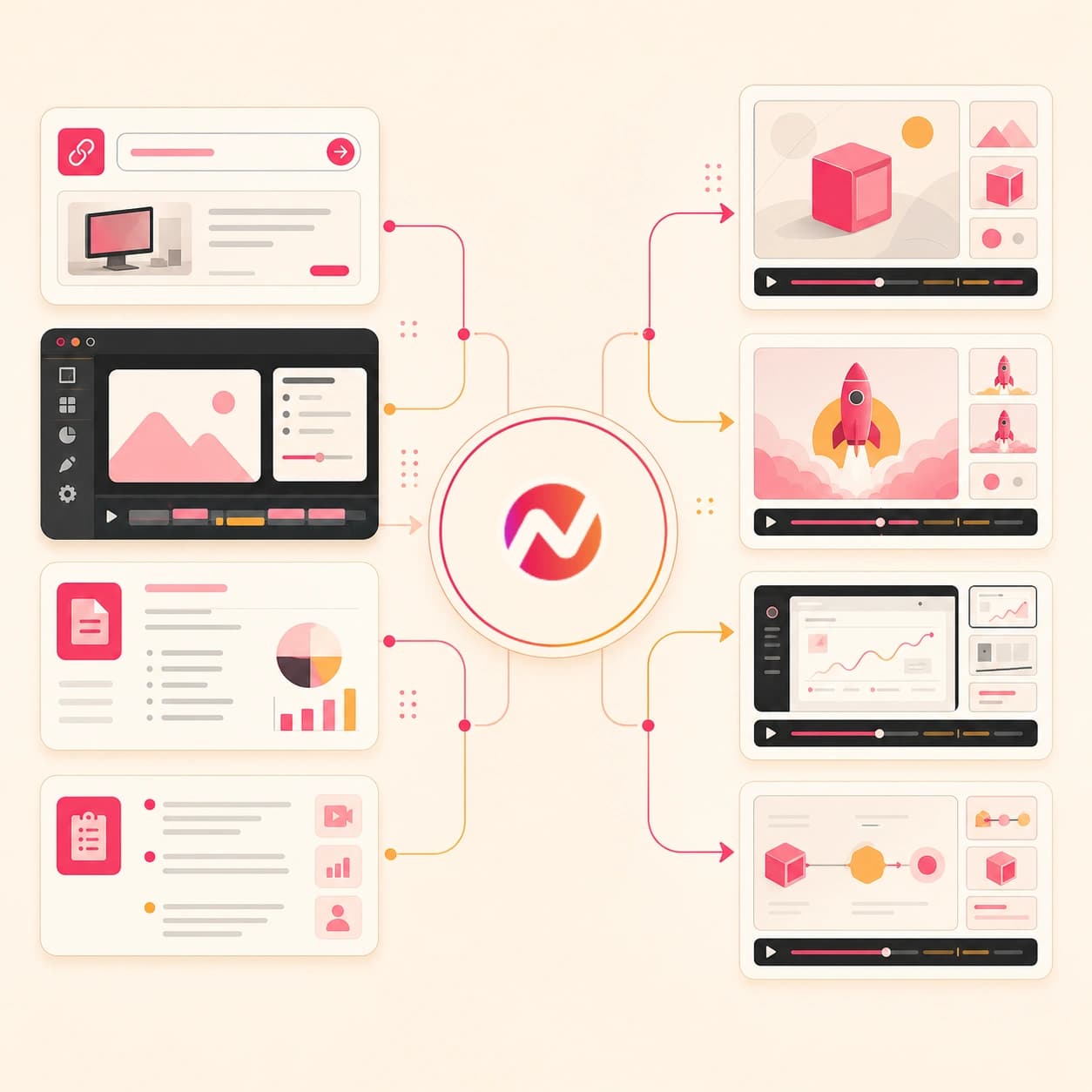
Give ngram the technical context, review the script and storyboard, then edit the generated video before exporting cuts for product, customer, and education workflows.
Add the technical source
Describe the video, upload a supported source file, or paste an owned or public URL with product, docs, release, tutorial, or help center context.
Source ready
Review the script and storyboard
ngram turns the source into a clear video plan with audience, message, scene order, visual direction, narration, product callouts, timing, and CTA.
Plan reviewed
Generate the editable draft
The video draft gets AI visuals, screen context, motion graphics, voiceover, captions, music, branded intros and outros, and editable scenes.
Draft generated
Edit variants and export
Use chat, script edits, canvas controls, or the timeline to refine technical depth, captions, callouts, aspect ratios, and file formats before handoff.
Ready to export
What it can do
Technology videos built from real product context.
ngram is an AI technology video maker for teams that need software demos, product explainers, technical education, launch updates, and customer-facing videos from the material they already maintain.
Script and storyboard from technical input
Turn prompts, product docs, PDFs, release notes, URLs, screenshots, decks, and recordings into a reviewable script, scene plan, and CTA.
Explore script generationSoftware screen context
Use screenshots and screen recordings to explain product flows with step labels, smart zooms, cursor emphasis, and product-aware callouts.
Explore screen editingAI visuals for abstract concepts
Generate scene visuals, diagrams, B-roll, and product-adjacent imagery when API, infrastructure, or workflow concepts need visual support.
Explore AI visualsVoiceover and pronunciation control
Create narration from the approved script, choose a voice, and adjust pronunciation for product names, API terms, acronyms, and customer language.
Explore AI voiceoverCaptions for technical details
Burn in captions by default so feature names, setup steps, commands, and CTAs stay readable in product pages, docs, and enablement clips.
Explore captionsBrand kit and content guardrails
Apply logos, colors, fonts, motion style, screenshot style, voice, tone, approved phrases, blocked phrases, and brand-safe CTAs.
Explore brand kitsBuilt for editable technology video drafts, not product system automation
When it matters
Technology video workflows this tool supports.
These use cases match the AI technology video maker job: explain a product, show software, teach a technical workflow, and keep customer updates editable.
Product demo videos
Turn a technical product flow into a focused software demo with script, UI context, voiceover, captions, callouts, and brand styling.
Open AI video use caseSaaS demo videos
Use the AI technology video maker for SaaS workflows that need product pages, screenshots, docs, release notes, and recordings shaped into demo cuts.
Open AI video use caseProduct explainer videos
Convert product docs, landing pages, and technical notes into an explainer that defines the problem, shows the workflow, and keeps scenes editable.
Open AI video use caseFeature announcement videos
Turn release notes, PRDs, screenshots, or product URLs into feature announcement videos that explain what changed and where users should look.
Open AI video use caseProduct launch videos
Build technology launch videos from product pages, specs, screenshots, PDFs, decks, and customer messaging before channel teams handle distribution.
Open AI video use caseCS feature education videos
Create customer-facing feature education videos that explain a workflow, show the right screen moments, and keep captions readable for help content.
Open AI video use caseDevRel API docs videos
Turn API docs, setup steps, screenshots, and screen recordings into developer videos with code-aware pacing, captions, and clearer onboarding steps.
Open AI video use caseDevRel tutorial videos
Create technical education videos for SDK installs, first requests, setup flows, and framework walkthroughs from docs, prompts, or recordings.
Open AI video use caseDevRel product update videos
Convert developer release notes and product update context into concise update videos that show the before, after, and migration step.
Open AI video use caseProduct stack
The product stack behind AI technology video creation.
These ngram features handle planning, screen context, visuals, narration, captions, brand control, editing, and export for technology videos.
Planning
Script Generation
Draft the technology video story from prompts, product docs, URLs, PDFs, decks, screenshots, release notes, and recordings.
Plan the scriptScreen context
Screencast Understanding and Editing
Use screen recordings and product flow context to add smart zooms, cursor emphasis, step labels, and cleaner pacing.
Use screen contextVisuals
AI Visuals
Generate diagrams, supporting scenes, product-adjacent visuals, and visual fills when the technical concept is hard to show with one screenshot.
Generate visualsVoice
AI Voiceover
Create narration from the approved script, select a voice, and regenerate audio when the technical message or audience changes.
Add voiceoverCaptions
Captions and Subtitles
Caption technology videos so product names, setup steps, commands, and technical terms remain readable with sound off.
Style captionsBrand
Brand Kit
Apply approved logos, colors, fonts, motion style, screenshot style, voice, tone, phrases, and CTA rules to every technology cut.
Set brand rulesEditing
Video Editing
Edit the AI technology video draft through chat, script changes, visual chat, canvas controls, scene regeneration, and the timeline.
Edit the draftMore tools
Related tools for technology video work.
Use these ngram tools when the technology video starts from a narrower source, needs a more specific product angle, or needs one more editing pass.
Technology and product video makers
Choose a narrower video maker when the job is already a demo, launch, explainer, or SaaS workflow.
AI Product Demo Video Maker
Use the demo workflow when the technology video centers on one software workflow, feature path, or buyer-facing walkthrough.
Open toolAI SaaS Video Maker
Create SaaS product videos from prompts, files, product pages, screenshots, release notes, docs, and URLs.
Open toolAI B2B Video Maker
Use the B2B workflow when the technology video needs sales enablement, customer proof, webinar, or business education context.
Open toolAI Product Launch Video Maker
Turn release context, launch notes, screenshots, PDFs, and product pages into launch video drafts and export variants.
Open toolAI Explainer Video Maker
Create a product or concept explainer when the technology video needs a problem, workflow, proof, and CTA structure.
Open toolAI Video Generator
Use the broader generator when a prompt, doc, deck, URL, image, recording, or script should become a planned video project.
Open toolSource and planning tools
Prepare the material before the technology video moves into production.
URL to Video
Paste a product page, docs page, release note, or help article as source context for the technology video draft.
Open toolText to Video
Turn product notes, technical copy, launch text, or a script into an editable video draft.
Open toolPPT to Video
Convert technical decks, product briefings, enablement slides, and education material into narrated video drafts.
Open toolVideo Script Generator
Draft hooks, scenes, narration, callouts, and CTAs before the technology video moves into generation.
Open toolScreen Recorder
Record a product or developer workflow in the browser and use the capture as source material for the final video.
Open toolPolish, education, and localization
Refine technical videos after the first draft, or adapt them for education and global audiences.
Video Editor
Trim, revise, caption, regenerate scenes, adjust audio, and finish the technology video in the timeline.
Open toolAdd Subtitles to Video
Add readable subtitles to technology videos so product names, setup steps, and technical terms remain visible.
Open toolVideo Translator
Translate script, captions, on-screen text, and voiceover for customer or internal technology video variants.
Open toolTutorial AI Video Maker
Create a step-by-step tutorial when the technology video needs a task walkthrough for users or developers.
Open toolAI Training Video Maker
Turn technical training material, SOPs, decks, PDFs, and lesson notes into editable training videos.
Open toolConvert
Turn technical source material into video.
These converters are the closest source-to-video paths for technology teams working from product docs, product pages, screen recordings, release notes, PDFs, decks, and screenshots.
Product Docs to Video
Convert product docs, API notes, setup instructions, and technical explainers into a storyboarded video draft.
Open converterProduct Page to Video
Use a product page as source context for a technology explainer, software demo, launch cut, or customer update.
Open converterScreen Recording to Video
Turn a raw software walkthrough into a cleaner demo or tutorial with callouts, captions, and screen-aware pacing.
Open converterWho it is for
Teams that use AI technology video maker workflows.
These teams usually own the source material for technology videos: launch context, product docs, API guides, customer education notes, and software demos.
Product Marketing
Turn positioning docs, release notes, launch briefs, and screenshots into technology explainers, feature announcements, and product demo cuts.
See product marketing workflowsProduct Managers
Use PRDs, roadmap notes, feature specs, and product recordings to explain what shipped and how the workflow should be understood.
See product manager workflowsDeveloper Relations
Create API docs videos, developer tutorials, SDK walkthroughs, and product update videos from docs, prompts, recordings, and code context.
See DevRel workflowsSaaS Companies
Build SaaS demo videos, onboarding explainers, customer update videos, and product education assets from the same product context.
See SaaS workflowsCustomer Success
Turn customer education notes, setup docs, feature walkthroughs, and renewal context into videos customers can replay after the call.
See CS workflowsSupport Teams
Convert help articles, screen recordings, FAQs, and recurring product questions into clear video tutorials for support libraries.
See support workflowsSales Enablement
Turn approved product demos, technical explainers, and feature education videos into reusable assets for enablement and follow-up.
See sales enablement workflowsGrowth and Marketing Teams
Adapt technology product stories into website cuts, social assets, campaign explainers, and customer-facing update videos.
See growth workflowsIntegrations
Bring approved technology context into ngram.
Use live integrations to pass approved prompts, URLs, source files, and reviewer context into ngram. Keep channel posting, analytics, support desks, and product systems in the tools that own them.
Launch tracker to technology video brief
No-codeWhenA launch tracker row is approved with the feature name, product page, audience, and required CTA.
ThenSend the prompt and source URL to ngram so the AI technology video maker starts from the approved context.
Docs page capture to video source
BrowserWhenA product page, docs page, release note, help article, or public tutorial is open in Chrome.
ThenCapture the page context and use it to start an editable technology video project in ngram.
Agent workflow to video draft
AgentWhenAn AI agent has an approved technical brief, docs URL, audience note, and desired format.
ThenCall ngram through MCP to create a technology video draft that a human can review and edit.
Self-hosted release workflow to video request
WorkflowWhenA self-hosted workflow collects release notes, API docs, screenshots, and reviewer details.
ThenCreate a structured technology video request in ngram with the approved source context.
Why ngram
How ngram compares for technology video creation.
Technology teams often choose between screen recording, template assembly, manual production, and an editable AI video project. ngram focuses on source-to-video creation and revision.
| Compare | ngram | Screen recorder | Template editor | Manual production workflow |
|---|---|---|---|---|
| Workflow fit | Starts from prompts, screenshots, PDFs, docs, product pages, release notes, decks, recordings, and owned or public URLs. | Works well when the team needs a literal recording of a live software workflow. | Works when the team already has a script, scene order, source visuals, and approved layout. | Useful for major campaigns where the team wants custom creative direction and longer review cycles. |
| How ngram fits | Plans the script and storyboard, then adds AI visuals, screen context, voiceover, captions, brand kit styling, editing, and exports. | Still needs separate scripting, narration, captions, callouts, brand treatment, trimming, and export work for a finished technology video. | Usually leaves technical context, product callouts, voiceover, caption timing, and resizing as manual work. | Slower when every feature update, customer education cut, developer tutorial, and demo needs a new version. |
| Best use | Keeps product explainers, launch videos, software demos, technical education, and customer updates editable in one project. | Useful source material for ngram when the final asset needs a clearer story and multiple audience versions. | Better for hands-on assembly than for turning docs, product pages, release notes, and recordings into first drafts. | Often spreads script, design, voice, edit, caption, and export work across several tools and handoffs. |
FAQ
AI technology video maker FAQ.
Answers for product, DevRel, CS, and marketing teams.
Turn technical context into editable video drafts
Bring a prompt, PDF, doc, deck, screenshot, screen recording, product page, release note, help article, or technical brief. ngram plans the video, generates the draft, applies voiceover, captions, and brand styling, then keeps the project editable for export.
Use it for product explainers, launch videos, software demos, developer tutorials, customer education, and technical updates.
CTA opens the ngram start route for this tool.