

Search for "Filmora vs WeVideo" and the SERP mostly gives you software comparison grids. Those are useful for checking plan names, but they miss the buying question behind the search: do you want a hands-on timeline editor, a managed cloud video workspace, or a tool that turns source material into a finished business video?
Direct answer: pick Filmora if you want deeper timeline editing, desktop and mobile apps, AI credits, effects, 4K export, and creator control. Pick WeVideo if you need browser editing, shared projects, classroom workflows, real-time collaboration, and interactive video. Use ngram if the job starts with a doc, URL, deck, screenshot set, or rough screen recording that still needs script, storyboard, voiceover, captions, brand treatment, and an editable business video draft.
Both products are live, credible video editors. Filmora is the stronger creator editor. WeVideo is the stronger cloud collaboration and education platform. ngram fits as the third option only for the finished business video slice, not as a full replacement for classroom tools or frame-by-frame creator editing.
Filmora vs WeVideo at a glance
| Dimension | Filmora | WeVideo | Where ngram fits |
|---|---|---|---|
| Best fit | Creators who want timeline control, effects, AI generation, and desktop or mobile editing | Educators, students, teams, marketers, and trainers who need cloud projects, collaboration, and interactive video | Business teams turning source material into scripted, branded videos |
| Core workflow | Import media, cut on a timeline, add effects, use AI tools, export | Create in the browser with editing tools, stock assets, screen recording, shared projects, and education features | Start from a prompt, PDF, URL, deck, screenshot set, recording, or raw video, then review the generated plan |
| AI angle | AI text-to-video, image-to-video, smart clips, speech tools, object removal, captions, and credit-metered AI features | AI scripts for schools, captions, translated subtitles, interactive-video tools, and plan-based creation features | Agentic planning, script, storyboard, voiceover, captions, brand kit, screen-recording polish, chat edits, and MP4 export |
| Pricing shape | Individual plans from US$49.99 per year, with AI credits and creative asset differences by plan | Individual plans from US$4.99 per month billed annually, plus business and education tracks | Free starter credits, Basic at $29 per month, Premium at $59 per month, Ultimate at $299 per month |
| Main caveat | The user still edits the video by hand | The plan matrix matters, especially for schools, teams, and interactive work | ngram is not a classroom LMS, interactive quiz platform, or full creator effects suite |
| Winner line | Filmora wins editing depth | WeVideo wins managed cloud and education workflows | ngram wins source-to-finished business video |
Filmora: best for creator timeline control
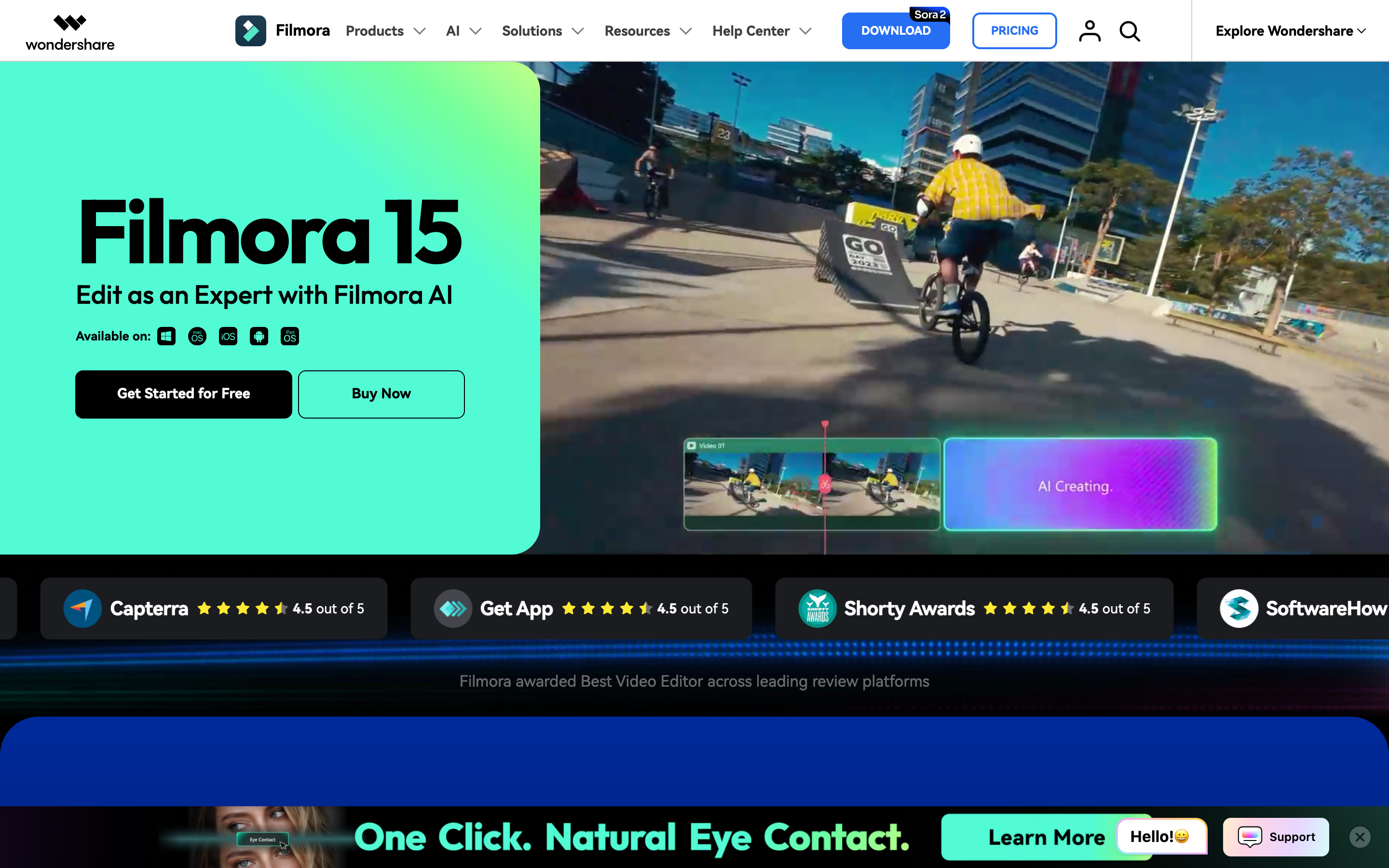
Filmora is Wondershare's creator editor. The official Filmora site positions it as an all-in-one editor with timeline editing, AI tools, effects, audio tools, captions, templates, and creative assets. The current product navigation lists timeline editing, silence detection, audio ducking, animated charts, auto captions, AI text-to-video, AI image-to-video, AI video extender, smart short clips, AI object remover, voice cloning, and speech-to-text as part of the broader Filmora surface.
That makes Filmora the better pick when editing control is the product requirement. If you are cutting YouTube footage, building social clips, layering transitions, cleaning up audio, adding effects, or testing AI-generated B-roll inside an editor, Filmora gives you more manual room than WeVideo. It also sells a familiar creator pricing shape: Basic at US$49.99 per year, Advanced at US$59.99 per year with 1,000 AI credits per month, and a US$79.99 perpetual license for Filmora 15 updates.
The tradeoff is production labor. Filmora can supply AI features and assets, but the user still makes timeline decisions. Someone has to decide the structure, place the clips, adjust the pacing, and export the result.
Winner: Filmora wins when the video is a creator editing project and the editor wants control over the cut.
WeVideo: best for cloud teams, schools, and interactive video
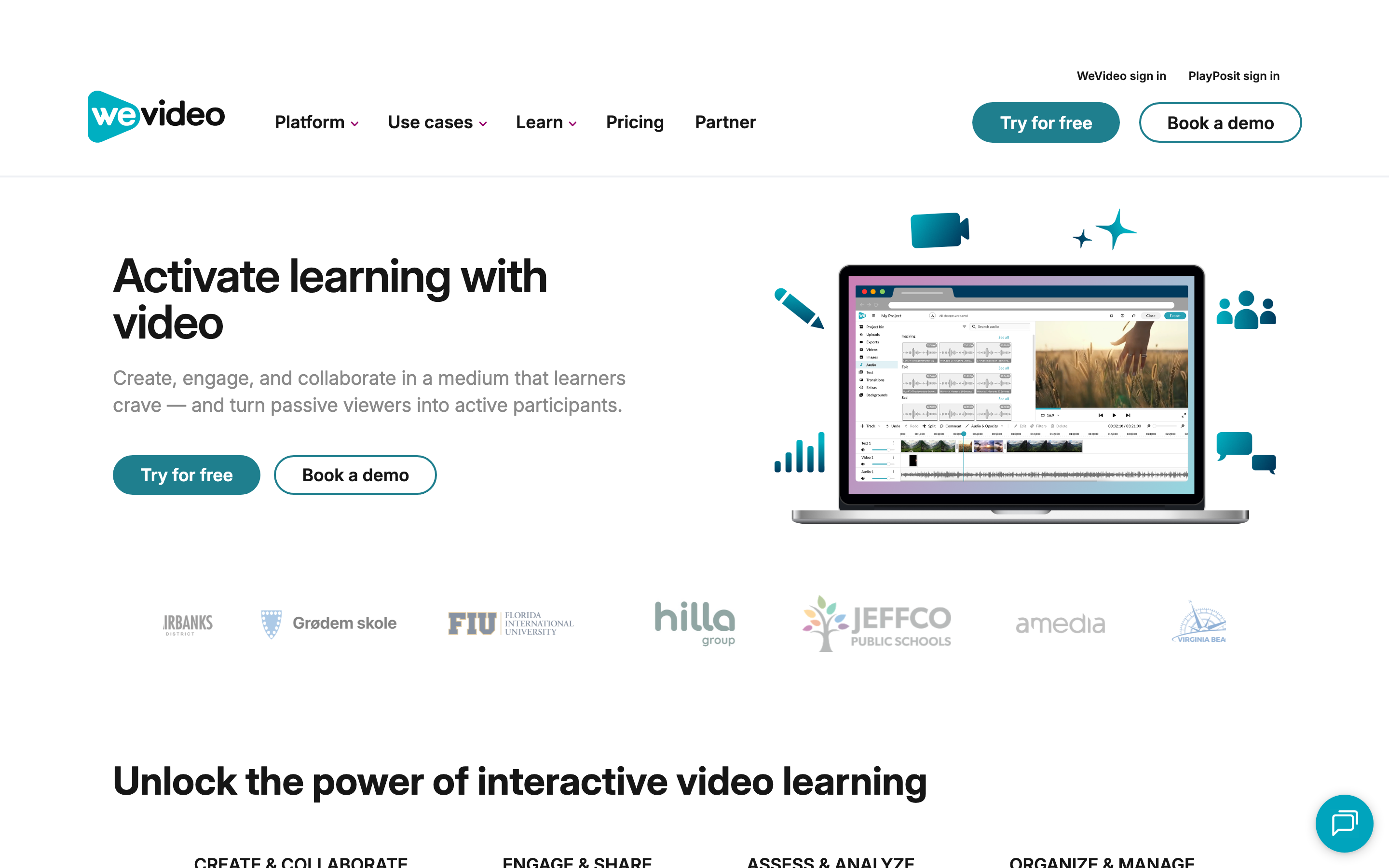
WeVideo is a cloud video editor with a broader managed-workflow layer. Its pricing page splits the product into individual and small-business plans, business plans, and education plans. The feature table lists publish time, cloud storage, screen recording, voiceover, motion titles, templates, stock media, social uploads, brand management, custom templates, more users, project sharing, collaboration, and permissions across plan tiers.
WeVideo is strongest when the project has more structure around the editor. A teacher can use education licensing, classes, assignments, analytics, G Suite and Office 365 integration, Google Classroom integration, and a secure classroom environment. A business team can use shared projects, shared assets, templates, permissions, and real-time collaboration on the higher team plans. WeVideo also has an interactive-video lane, including questions and learner data for education users.
The tradeoff is fit. WeVideo is not only a quick editor. It can be more platform than a solo creator needs, and the right plan depends on whether the buyer needs individual editing, business collaboration, education seats, or interactive video.
Winner: WeVideo wins when video creation is shared across a class, team, or training program.
Workflow and editing control
Filmora starts from the classic editor model. You bring footage, screen recordings, images, music, and generated assets into the editor, then make the cut. The win is precision. Filmora lists dual-timeline editing, keyframes, planar tracking, multi-camera editing, motion controls, color tools, and a large creative asset library on its official pages. For hands-on creators, that is the point.
WeVideo starts from a browser workspace. The editor is still a timeline, but the surrounding workflow matters more: cloud projects, stock assets, screen recording, sharing, templates, user management, and education spaces. That is why WeVideo often feels better for classrooms and departments than for someone who only wants a desktop creator editor.
Where ngram fits: both tools assume the user already knows what the video should become. ngram starts earlier. It reads prompts, PDFs, URLs, decks, screenshots, screen recordings, raw video, or a product page, then drafts the script, storyboard, scene plan, captions, voiceover, and brand treatment before the user edits. That is a better fit for product launches, customer education, support tutorials, sales enablement, onboarding, and internal updates.
Winner: Filmora wins frame-level editing. WeVideo wins managed cloud workflow. ngram wins when the blank timeline is the problem.
AI features and automation
Filmora has the deeper creator AI toolkit. Its official pages call out AI text-to-video, image-to-video, video extender, smart short clips, object removal, audio enhancement, text-to-speech, speech-to-text, voice cloning, AI translation, and many AI features paid through credits. Advanced includes 1,000 Filmora AI credits per month, while some tools remain free on the plan table and others are credit-metered.
WeVideo's AI story is more tied to education, accessibility, and interactive video. Its schools update page says teachers can generate scripts from prompts in the Chrome Extension, and older school updates describe subtitles, interactive questions, auto-grading, and real-time learner data. WeVideo is not trying to out-creator Filmora. It is trying to put creation, assessment, and collaboration around video.
ngram's AI stance is different again. It is built around agentic planning and source-to-video generation. ngram writes the script, maps the storyboard, generates voiceover and captions, applies a brand kit, polishes screen recordings with callouts and smart zooms, creates multilingual voiceover and caption variants, and supports chat, visual chat, script editing, scene regeneration, canvas controls, and a timeline after the draft.
Winner: Filmora wins creator AI inside the editor. WeVideo wins AI around learning and collaboration. ngram wins when AI needs to plan the message before editing starts.
Collaboration, education, and interactivity
This is WeVideo's clearest lane. WeVideo's support page for education pricing says Instructor licenses include 30 seats, while Organization licenses scale beyond 30 seats. Those education plans include stock assets, the video editing suite, screen recording, real-time collaboration, shared projects and assets, an interactivity space, classes, assignments, class and assignment analytics, Google Docs integration, G Suite and O365 integration, Google Classroom integration, and LTI support for Organization licenses.
Filmora has team and business options, but its core identity is still a creator editor. That does not make Filmora weaker overall. It means Filmora is better for the person doing the edit, while WeVideo is better when many people need to participate, submit, review, or learn through video.
ngram should not be stretched here. It has team workspaces, shared brand kits, shared asset libraries, hosted video pages, embeds, and share links, self-service bearer API-key and webhook access. It does not provide classroom assignments, learner analytics; ngram has no generally available owner analytics surface, LTI, or interactive quiz authoring. If those features decide the purchase, WeVideo is the safer choice.
Winner: WeVideo wins education and interactive video. Filmora wins individual creator control. ngram wins branded business-video operations, not classroom administration.
Pricing and value
Filmora is cheaper when you judge only the entry paid editor. The official shop currently shows Basic at US$49.99 per year, Advanced at US$59.99 per year with 1,000 AI credits per month, and Perpetual at US$79.99 for Filmora 15 updates only. The free edition can export, but exported files carry a watermark and cloud storage plus the full creative asset library require a paid plan.
WeVideo is cheaper at the low end if the buyer can use an individual annual plan. Its current pricing page shows Power at US$4.99 per month billed annually, Unlimited at US$7.99 per month billed annually, Professional at US$19.99 per month billed annually, and Business at US$36.99 per month billed annually. The same table lists the free plan with 5 minutes of publish time per month, 1 GB cloud storage, 480p resolution, and watermark behavior.
ngram costs more than either low-cost editor at the first paid tier because the job is different. ngram Basic is $29 per month, Premium is $59 per month, and Ultimate is $299 per month. Credits cover usage-heavy actions such as video generation, AI editing, and exports. That value makes sense when a team is replacing production labor: writing, storyboarding, voiceover, captions, brand treatment, screen-recording polish, variants, and export.
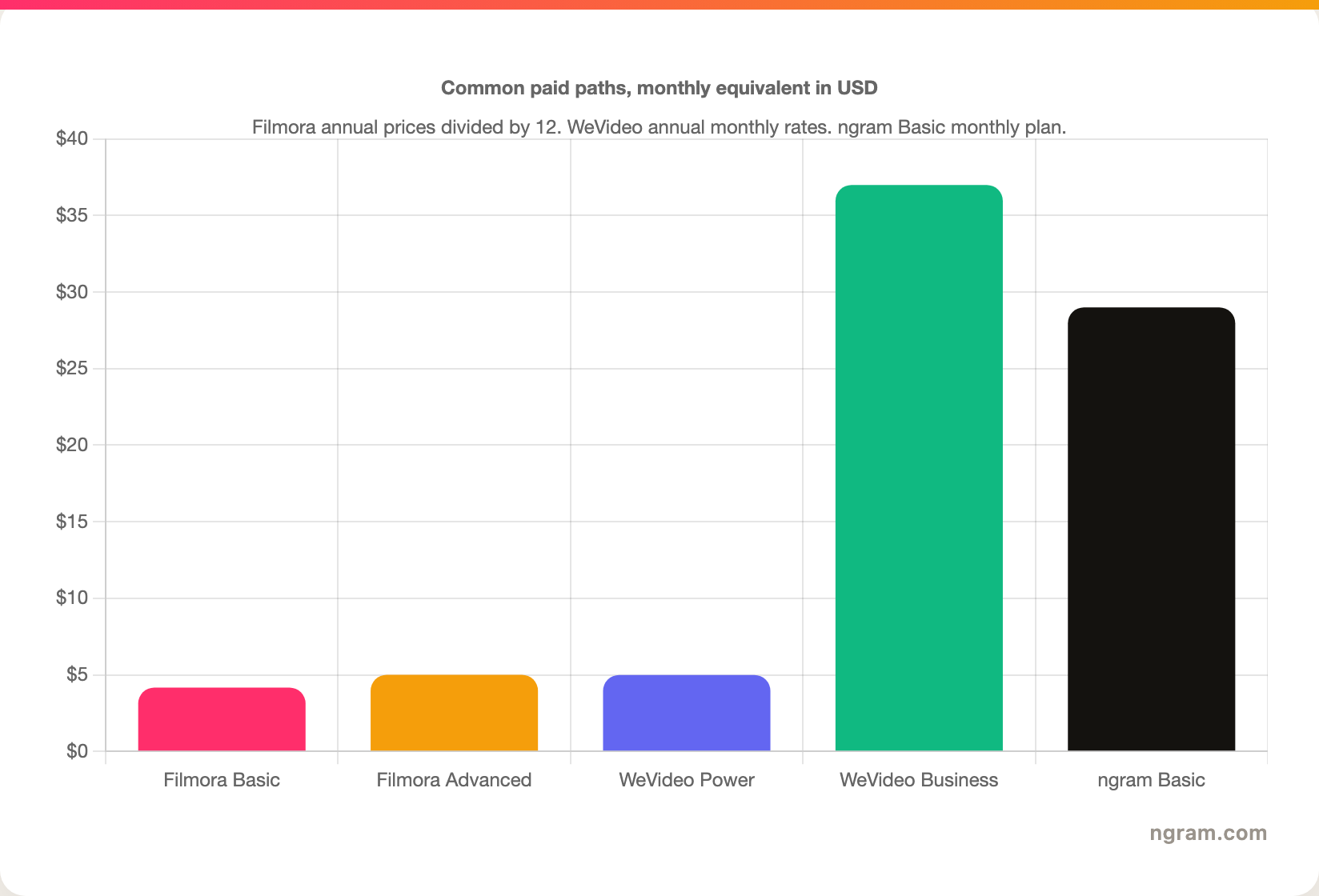
The chart is intentionally narrow. It compares common paid paths, not every plan. Filmora buyers may choose perpetual licensing or credit-heavy AI workflows. WeVideo teams may need Business, Enterprise, or education pricing. ngram buyers should compare against production time saved, not only software spend.
Winner: Filmora wins low annual creator pricing. WeVideo wins the cheapest individual annual path and managed team plans. ngram wins value when the work would otherwise require writing, producing, editing, and design before a usable video exists.
Where ngram fits if both feel too manual
Watch how ngram turns an idea into a finished video:
ngram is not a Filmora clone or a WeVideo clone. In this pair's T2 category, the honest overlap is finished business video from source material. ngram is strongest when the buyer has release notes, a product page, a PDF, a deck, screenshots, a support article, a training document, rough footage, or a screen recording, and the video still needs a message structure.
That source-to-video workflow covers product launches, demos, customer education, employee onboarding, sales enablement, support tutorials, changelog videos, and social cuts. The user can still edit the result through chat, visual chat, the script editor, scene regeneration, canvas controls, or the AI video editing timeline. The buyer should stay with Filmora if manual post-production is the craft. The buyer should stay with WeVideo if interactive learning, assignments, or multi-user browser editing is the core job.
Useful next reads: compare ngram vs Filmora, compare ngram vs WeVideo, or start with the AI video generator page if your source material is ready.
Winner: use ngram when you need a finished business video from existing material, not another editor to manage by hand.
Methodology and source notes
We compared Filmora and WeVideo across the dimensions that decide the purchase: core workflow, editing depth, AI automation, collaboration, education and interactivity, pricing, and output fit. We used the current official Filmora site and pricing page for Filmora claims, the current WeVideo pricing page, education update page, and support page for WeVideo claims, and Software Advice, GetApp, Capterra, and SoftwareSuggest only as SERP context for how comparison pages present the pair.
We did not use numerical review ratings in the verdict. Review platforms are useful for knowing which questions buyers ask, but this page avoids star scores and ranking badges. For ngram, every capability claim comes from the repo's current product-state and GTM facts files, especially source inputs, script and storyboard generation, captions, voiceover, screen-recording polish, brand kits, team workspaces, hosted pages, pricing, credits, API access, and Zapier.
Source gap: Google Ads Keyword Planner could not run locally because the workspace is missing Google Ads credentials. The primary query remains Filmora vs WeVideo, with supporting category terms from the local keyword CSV such as video editor and AI video editor.
FAQ
Is Filmora better than WeVideo?
Filmora is better than WeVideo for hands-on creator editing. Pick Filmora when the project needs desktop or mobile editing, timeline control, effects, 4K export, AI generation, audio cleanup, and manual polish.
Is WeVideo better than Filmora?
WeVideo is better than Filmora for cloud collaboration, education workflows, and interactive video. Pick WeVideo when the project needs classroom seats, assignments, learner analytics, shared projects, shared assets, browser editing, or team permissions.
Which is cheaper, Filmora or WeVideo?
WeVideo has the lower individual annual entry path at US$4.99 per month billed annually. Filmora Basic is US$49.99 per year, which is about US$4.17 per month when divided by 12. The cheaper choice depends on whether you need Filmora's desktop creator editor or WeVideo's cloud and team features.
Does Filmora replace WeVideo for schools?
Filmora can work for individual student or teacher editing, but Filmora does not replace WeVideo's education plan structure, classroom features, assignments, interactivity space, class analytics, Google Classroom integration, or LTI support for Organization licenses.
Does WeVideo replace Filmora for creators?
WeVideo can replace Filmora for creators who prefer browser editing and cloud projects, but Filmora is still the better pick for deeper manual editing, effects, AI tools inside the editor, and desktop or mobile creator workflows.
Where does ngram fit in a Filmora vs WeVideo decision?
ngram fits when the goal is a finished business video from existing material. ngram is not a full replacement for Filmora's creator editing or WeVideo's classroom and interactive video workflows. ngram is strongest when a team wants to turn a doc, URL, deck, screen recording, or product page into a scripted, storyboarded, branded video draft.
Final verdict
Filmora vs WeVideo has no universal winner. Filmora is the better choice for creators who want timeline depth, AI generation, effects, audio tools, and desktop or mobile editing. WeVideo is the better choice for teams, educators, trainers, and businesses that need browser-based projects, collaboration, shared assets, classroom features, or interactive video.
Use ngram if both options feel too manual for the job. When the input is source material and the output needs to be a polished business video, ngram plans the message before rendering. Filmora and WeVideo edit video. ngram turns the message into video.








