

Search for "Clipchamp vs WeVideo" and you are usually choosing between two different ideas of an online video editor. Clipchamp is the faster Microsoft-first editor: simple timeline, stock assets, screen and camera recording, captions, text-to-speech, and easy export for people who want a finished MP4 without learning a heavier editor. WeVideo is the fuller cloud video platform: timeline editing, recording, collaboration, education workflows, and interactive video tools for classrooms and teams.
Direct answer: pick Clipchamp if you want the simplest free editor, especially if your files already live in Microsoft 365. Pick WeVideo if you need shared projects, classroom or team administration, mobile apps, or interactive-video authoring. Use ngram if your real job is not manual timeline editing at all, but turning a doc, URL, deck, screenshot set, or rough recording into a planned business video with script, storyboard, voiceover, captions, brand styling, and plain-language edits.
Both tools are legitimate picks. The wrong choice comes from treating them as interchangeable because both run in a browser. The better question is which workflow you want to live in after the first project.
Clipchamp vs WeVideo at a glance
| Dimension | Clipchamp | WeVideo | ngram note |
|---|---|---|---|
| Best fit | Individuals, students, creators, and Microsoft 365 users who want quick editing | Educators, teams, and creators who need cloud projects, assignments, collaboration, or interactivity | Business teams turning source material into finished explainers, demos, tutorials, and launch videos |
| Core workflow | Open the editor, add clips or recordings, edit on a simple timeline, export | Build cloud projects with editor, recorder, stock media, collaboration, and interactive options | Start from a prompt, doc, URL, deck, screenshot, screen recording, or raw video, then review the generated plan |
| Free path | Strong free editor, with premium features tied to Microsoft 365 | Free plan exists, but public work usually moves to paid plans because of export and watermark limits | Free plan exists, but ngram is priced for finished business video generation rather than DIY editing |
| Paid path | Premium features through Microsoft 365 Personal or Family, no standalone Clipchamp price shown | Individual, team, business, and education plan families, with feature differences by tier | Credit-based plans from Basic upward, with Premium and Ultimate for higher resolution exports |
| AI and captions | Text-to-speech, auto captions, noise suppression, background removal, and template help | AI generation, captions, translations, voice tools, and interactive-video features depending on plan | Script, storyboard, captions, voiceover, screen-recording polish, and multilingual variants from source material |
| Main caveat | Less suited to managed classroom/team workflows or interactive video | Plan matrix is more complex, and many buyers pay for features they specifically need | Not a classroom LMS, not an interactive-video quiz platform, not a Microsoft 365 asset library |
Clipchamp: best for quick Microsoft-first editing
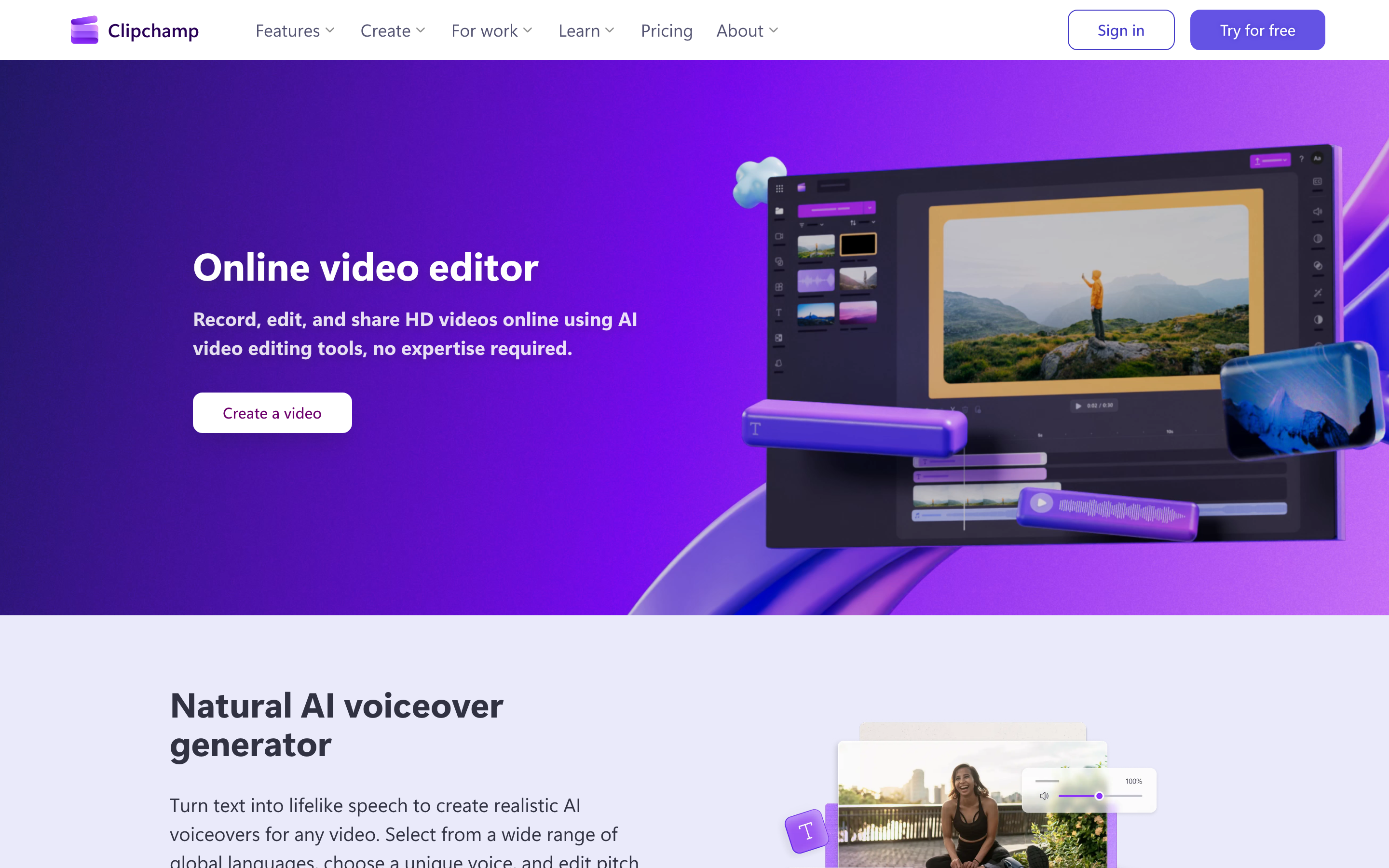
Clipchamp is Microsoft's accessible video editor for people who want to record, trim, caption, brand, and export without opening a pro editing suite. The official Clipchamp pricing page still presents the editor as free, with premium assets and export options attached to Microsoft 365 Personal or Family rather than a separate Clipchamp subscription.
The product works best when the video is already mostly shaped in your head. You bring clips, webcam footage, a screen recording, or stock assets, then assemble the timeline. The AI layer is practical rather than cinematic: text-to-speech voiceovers cover many languages and voices, auto captions remove a lot of captioning work, and Microsoft's Clipchamp cloud storage FAQ frames OneDrive cloud storage as part of the modern Clipchamp project workflow.
Winner: Clipchamp wins for a fast, low-cost editor when you already know what you want to make and you do not need team governance.
WeVideo: best for teams, classrooms, and interactive video

WeVideo is broader than a simple browser editor. Its public site and help center position the product around video creation, recording, collaboration, education, and interactive video. That matters because many WeVideo buyers are not solo creators. They are teachers assigning video projects, departments managing student or team work, or businesses that want cloud-based creation without installing software.
The editor is still approachable, but the product's moat is the surrounding workflow. WeVideo has a plan family for individuals, a separate team and business track, and education options that can be priced per seat, class, school, or district. WeVideo also owns the interactive-video lane, which Clipchamp does not try to replace.
Winner: WeVideo wins when video creation is shared across a class, department, or team, especially when assignments, review, mobile access, or interactive video are part of the job.
Workflow and editing control
Clipchamp feels lighter. You can open it, record your screen or camera, drop clips into a timeline, add titles and captions, and export quickly. That simplicity is the point. If you are making a YouTube intro, a student project, a simple product clip, or a social edit, Clipchamp stays out of the way.
WeVideo feels more like a cloud production workspace. It is still approachable, but there is more around the editor: folders, shared media, collaboration, stock libraries, templates, screen recording, and education-specific workflows. That extra structure pays off when more than one person needs to touch the project, but it can feel like overhead for a one-off edit.
Where ngram fits: both Clipchamp and WeVideo assume the user drives the structure. ngram starts one step earlier. The agent takes a prompt, doc, URL, deck, screenshot set, or screen recording and drafts the script, storyboard, visual plan, captions, and call to action before rendering. That is a different job than clip assembly.
Winner: Clipchamp wins for solo speed. WeVideo wins for managed cloud workflows. ngram wins when you want the first coherent cut generated from business source material.
AI, captions, and voiceover
Clipchamp's AI features are useful for finishing a manual edit. Text-to-speech can produce voiceover from a script, auto captions create subtitles, and cleanup tools handle common creator chores such as background removal or noise reduction. The workflow still starts with you deciding the structure of the video.
WeVideo's AI story is broader because it sits inside a platform that also supports interactive and education use cases. The product includes AI-assisted creation and editing features, plus captioning, translation, voice, recording, and interactive options depending on the plan. For a teacher or team lead, the important part is not only the AI feature list. It is whether those features fit assignment, collaboration, or review workflows.
ngram should not be framed as a drop-in replacement for every WeVideo AI feature. It is stronger for business videos where the source is a launch note, help article, deck, rough recording, or product page. ngram can generate captions, AI voiceover, multilingual voiceover, on-screen text translation, screen-recording polish, smart zooms, product callouts, branded intros and outros, and MP4 exports from that source.
Winner: Clipchamp wins for simple AI finishing tools. WeVideo wins for AI inside a broader cloud and interactive workflow. ngram wins when the AI needs to plan the video, not only clean up the edit.
Recording, collaboration, and education
Recording is available in both ecosystems, but the jobs diverge. Clipchamp is useful when a single person records a webcam or screen clip and turns it into a finished video. WeVideo is stronger when recording sits inside a repeatable team or classroom workflow.
That difference is most obvious in education. WeVideo is built for schools and districts, with plan and admin language around seats, classes, schools, and district rollouts. It also has interactive-video tools that make sense for lessons, checks for understanding, and guided learning experiences. Clipchamp is much closer to a general editor that happens to work well for students and teachers who already use Microsoft tools.
ngram belongs in a different slice of this conversation. It can turn a rough screen recording into a polished product demo, support tutorial, or training video with captions, callouts, smart zooms, voiceover, and branded styling. It is not an LMS, an assignment system, or an interactive quiz authoring environment.
Winner: WeVideo wins for classrooms and shared video production. Clipchamp wins for one-person recording and editing. ngram wins for polishing a rough recording into a customer-facing or employee-facing business video.
Pricing and plan fit
Clipchamp is easier to understand at the top level: the editor is free, and premium Clipchamp features are bundled into Microsoft 365 Personal or Family. As of this update, Microsoft lists Microsoft 365 Personal at $9.99 per month or $99.99 per year in the US, which makes the annualized monthly cost about $8.33 if Clipchamp Premium is the main reason you upgrade.
WeVideo pricing takes more reading because it serves individuals, creators, teams, businesses, and education. The public pricing page lists low individual paid plans, higher tiers for 4K and longer exports, and team plans with per-user pricing. That structure is flexible, but the right plan depends on whether you need watermark removal, export quality, storage, team seats, or education admin controls.
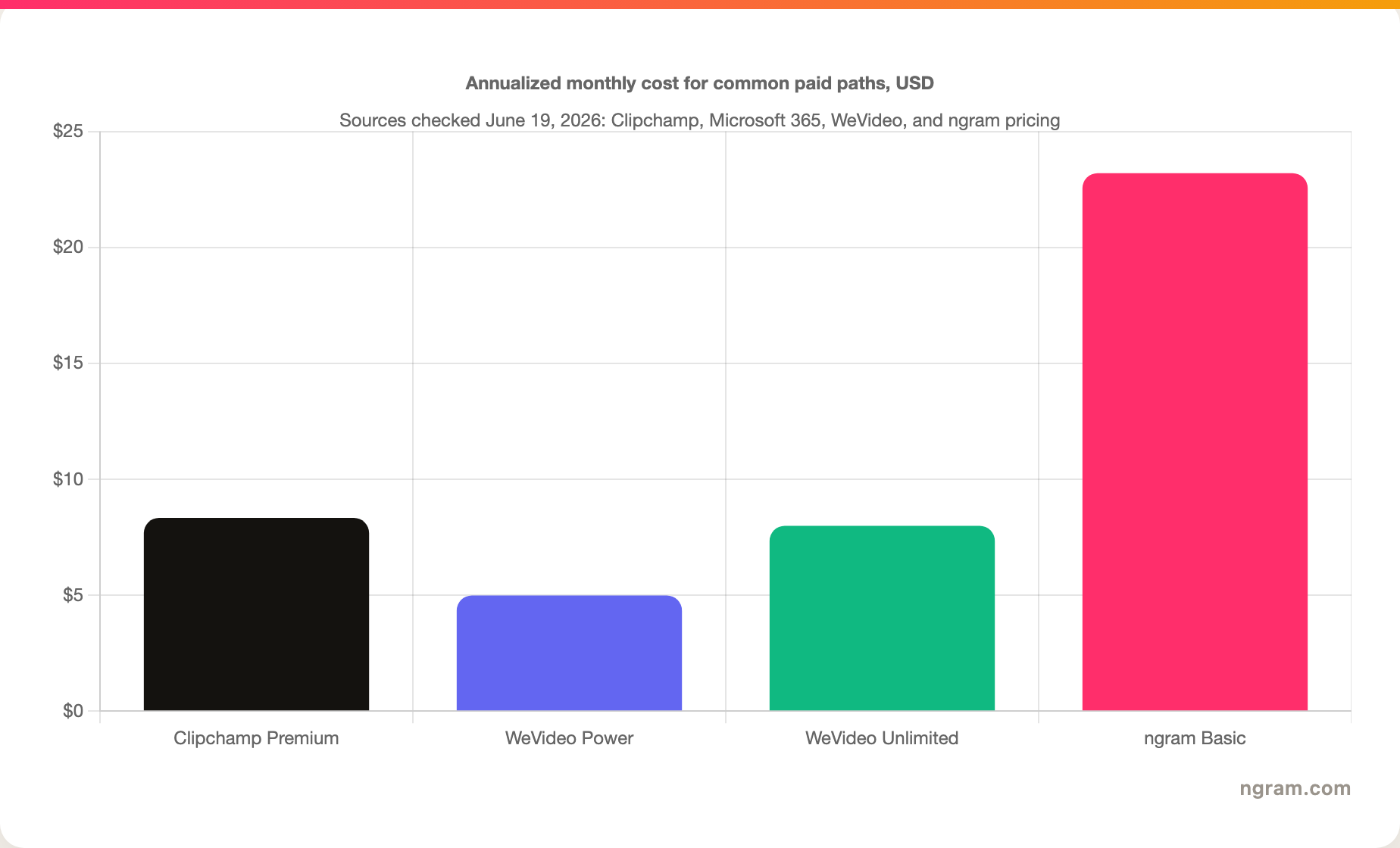
The chart is intentionally conservative. It compares common annualized monthly paths, not every plan. A serious team buyer may compare WeVideo Teams, WeVideo Business, or education pricing instead. A Microsoft 365 buyer may treat Clipchamp Premium as bundled value rather than a standalone editor purchase. ngram Basic costs more than either low-cost editor because ngram is priced around generated business videos, not manual clip assembly.
Winner: Clipchamp wins for the simplest value story if Microsoft 365 is already in the budget. WeVideo wins when its team, education, or interactive features justify the plan. ngram wins when the cost you are trying to reduce is production time, not only editing software spend.
Where ngram fits if both feel too manual
Watch how ngram turns an idea into a finished video:
ngram is the better third option when the input is business context rather than a pile of clips. If you have release notes, a product page, a help doc, an SOP, a deck, a rough screen recording, or screenshots, ngram can turn that source into a script, storyboard, scene plan, captions, voiceover, and branded video draft. You then edit through chat, the script editor, visual chat, scene regeneration, or the timeline when you need direct control.
That makes ngram strong for product launches, demos, onboarding, customer education, training, sales enablement, support tutorials, changelog videos, and social versions of the same message. It is weaker if your job is pure DIY editing, a classroom assignment workflow, or interactive-video authoring. In those cases, Clipchamp or WeVideo may be the better fit.
For more detail, compare ngram vs Clipchamp, ngram vs WeVideo, and ngram's screen-recording polish workflow.
Winner line: use ngram when you need a finished business video from source material, not another blank timeline.
Which tool should you pick?
Pick Clipchamp if your priority is a simple editor with a generous free path, Microsoft 365 alignment, quick social videos, basic screen recordings, captions, text-to-speech, and straightforward exports. Clipchamp is the cleanest choice when one person owns the video from start to finish.
Pick WeVideo if your priority is collaboration, education workflows, managed teams, mobile access, assignments, or interactive video. WeVideo is the safer pick when the video workflow spans a class, department, or team.
Use ngram if the editing timeline is the bottleneck. When the source is a doc, URL, deck, screenshot set, product recording, or rough video, ngram turns the source into a planned, branded video draft and gives you controls to revise the result without rebuilding every scene by hand.
Overall verdict: Clipchamp is the best simple editor, WeVideo is the best collaborative and education-oriented platform, and ngram is the best third path for business teams that want planned video output from existing source material.
Methodology and sources
We compared Clipchamp vs WeVideo on the dimensions that change the buying decision: workflow, editing control, AI and captions, recording, collaboration, education, interactivity, pricing, and where a business-video generator changes the job. We used current official pages wherever possible: Clipchamp pricing, Clipchamp AI voiceover, Microsoft 365 pricing, WeVideo pricing, WeVideo education, and WeVideo interactive video. We also checked the existing ngram product-state and GTM facts files for every ngram claim.
We did not rank products by third-party score tables. Review scores change, and they rarely explain which workflow fits the buyer. Pricing was checked on June 19, 2026, and should be rechecked before paid media or sales reuse because WeVideo plan packaging and Microsoft 365 pricing can change.
FAQ
Is Clipchamp better than WeVideo?
Clipchamp is better for quick solo editing, especially for people already using Microsoft 365. WeVideo is better for shared cloud projects, classrooms, team workflows, and interactive video. The better product depends on whether the work is a one-person edit or a managed video program.
Is WeVideo cheaper than Clipchamp?
WeVideo can be cheaper at the lowest individual paid tier, but the comparison depends on the plan. Clipchamp Premium is tied to Microsoft 365 Personal or Family, so the value changes if you already pay for Microsoft 365. WeVideo team, business, and education pricing should be compared against the exact workflow you need.
Does Clipchamp replace WeVideo for schools?
Clipchamp can work for simple student videos, but Clipchamp does not replace WeVideo's education platform positioning, classroom plan structure, or interactive-video workflow. Schools comparing the two should test administration, assignment, review, storage, privacy, and interactive needs before choosing.
Does WeVideo replace Clipchamp for Microsoft 365 users?
WeVideo can replace Clipchamp when collaboration, mobile editing, education workflows, or interactivity matter more than Microsoft 365 convenience. Microsoft 365 users who only need quick edits, captions, and exports will usually find Clipchamp easier to justify.
Where does ngram fit in a Clipchamp vs WeVideo decision?
ngram fits when the goal is a finished business video from existing material. ngram is not a general classroom platform or a direct Microsoft 365 editor replacement. ngram is strongest when a team wants to turn a product page, doc, deck, screen recording, or support article into a scripted, storyboarded, branded video.








