

Search for "FlexClip vs WeVideo" and most of the pages you find are feature grids. Useful, but thin. The harder question is workflow: do you need a lightweight browser template editor, a collaborative video learning platform, or a tool that turns source material into a planned business video before anyone starts moving clips around?
FlexClip and WeVideo both sit in the video-editor category. FlexClip is built for fast browser creation with templates, stock media, easy editing tools, screen recording, and a growing set of AI tools. WeVideo is a cloud video creation platform with video editing, screen recording, real-time collaboration, stock media, brand controls, education workflows, and interactive video.
The short answer: pick FlexClip for fast template-based marketing, social, slideshow, and explainer videos. Pick WeVideo for classroom projects, team collaboration, interactive lessons, screen recording, and learning workflows. Use ngram if the job starts with a prompt, URL, PDF, deck, screenshots, product page, screen recording, or raw video and needs a script, storyboard, voiceover, captions, brand styling, and editable video draft.
Pricing and feature facts in this guide come from FlexClip's homepage, FlexClip's 2026 pricing guide, FlexClip's plan benefits help article, FlexClip's AI tools page, WeVideo's pricing page, WeVideo's product site, WeVideo's business page, WeVideo's interactivity docs, and WeVideo's 2026 release notes. We used G2, Capterra, SaaSworthy, and SpotSaaS to understand public comparison framing and review themes, but we do not publish star numbers.
FlexClip vs WeVideo at a glance
Direct answer: FlexClip is better for fast browser templates and small-business video creation. WeVideo is better for education, real-time collaboration, screen recording, interactive video, and team workflows. ngram is better when the source material still needs a script, storyboard, narration, captions, brand treatment, and scenes before editing starts.
| Dimension | FlexClip | WeVideo | Where ngram fits |
|---|---|---|---|
| Best starting point | A template, blank browser project, stock-backed social clip, slideshow, promo, or quick explainer | A cloud video project, classroom assignment, team edit, screen recording, training video, or interactive lesson | A prompt, URL, PDF, deck, screenshot set, product page, screen recording, raw footage, or Shopify product URL |
| Core workflow | Browser-based template editing with stock media, text, captions, AI assists, and easy exports | Cloud video editing with collaboration, stock, screen recording, brand controls, education workflows, and interactive layers | Agentic planning that writes the script, maps scenes, generates voiceover and captions, applies brand direction, and keeps the result editable |
| AI strength | AI video generation, text-to-video, auto subtitles, AI script, AI avatar, long-to-shorts, AI product URL to video, AI PPT to video, and image/audio tools | AI captions, caption translation, AI-generated interactions for interactive video, and education-focused script generation updates | Source extraction, script and storyboard generation, scene planning, AI visuals, voiceover, captions, brand kits, scene regeneration, chat edits, and MP4 export |
| Team fit | Small businesses, educators, marketers, creators, and beginners who want quick output without desktop software | Educators, students, trainers, businesses, marketers, and teams collaborating on cloud video production | Product marketing, sales enablement, CS, support, founders, L&D, and agencies making business videos from existing material |
| Pricing entry | Free plan, Plus at $11.99/mo annual, Business at $19.99/mo annual | Free plan, Power at $4.99/mo annual, Unlimited at $7.99/mo annual, Professional at $19.99/mo annual, Business at $36.99/mo annual | Free plan, Basic at $23.20/mo annual, Premium at $47.20/mo annual, Ultimate at $239.20/mo annual |
| Winner | FlexClip wins template speed | WeVideo wins collaboration and interactive video | ngram wins source-to-video business production |
Workflow and output
FlexClip: browser templates for fast assembly
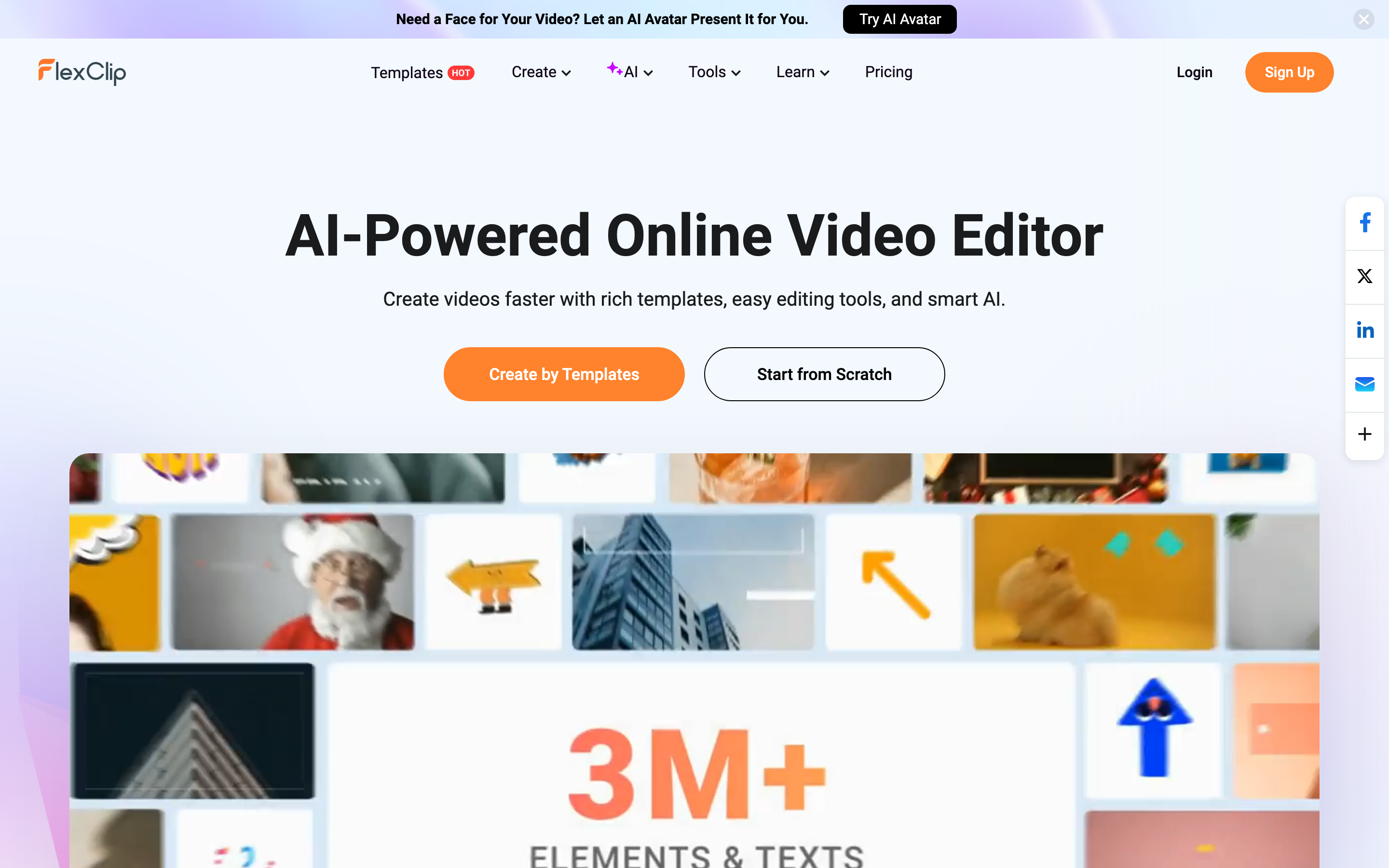
FlexClip starts with speed. Its homepage calls it an AI-powered online video editor and points users toward rich templates, easy editing tools, and smart AI. The page also promotes thousands of templates across business, store, intro/outro, slideshow, marketing, social, and other categories.
That makes FlexClip a good fit when the format is already obvious. A school announcement, product slideshow, promo clip, real estate video, social post, or lightweight explainer can begin from a template and move quickly. FlexClip also fits non-editors who want browser access, stock media, simple trimming, text, captions, and easy sharing without installing desktop software.
The tradeoff is planning depth. FlexClip gives you a canvas and many assets, but the user still decides the message, the sequence, what to show, and what to cut. If the team has a half-written launch note or a rough screen recording, FlexClip is still an editor rather than a producer.
WeVideo: cloud editing, classroom projects, and interactive video
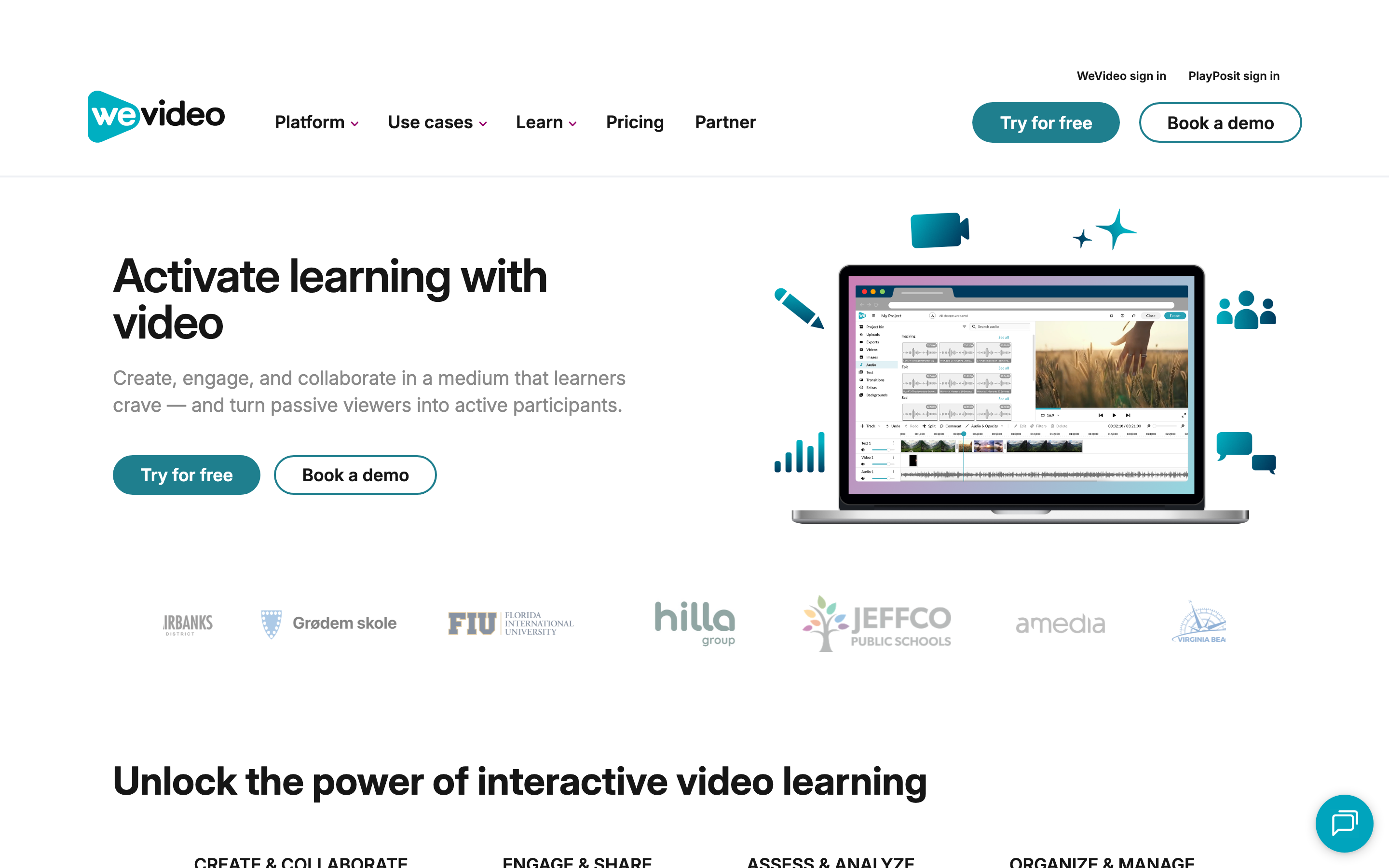
WeVideo starts from a broader video learning platform. Its product site frames the platform around create and collaborate, engage and share, assess and analyze, and organize and manage. The same site lists video creation, interactive video, AI, video hosting, content, and school or business use cases.
For business users, WeVideo's business page emphasizes templates, stock media, brand management, screen and webcam recording, cloud storage, social resizing, motion titles, 4K export on paid tiers, and direct social sharing. For education and training, WeVideo goes further than FlexClip with interactive questions, learner assignments, LMS-related workflows, and analytics around learning outcomes.
That makes WeVideo stronger when the video lives inside a class, training program, team workspace, or collaborative production process. The tradeoff is that WeVideo still expects a user to know what the video should say and how the project should be assembled. WeVideo gives more workflow structure than FlexClip, but it does not turn a product page or release note into a finished business video plan by itself.
Winner: FlexClip wins when template speed matters most. WeVideo wins when collaboration, education, or interactivity matters. ngram wins when the message needs to be planned before a timeline or template makes sense.
AI tools and automation
FlexClip has the wider visible AI-tool menu for general creation. Its pricing guide and AI pages list AI Video Generator, AI Text to Video, AI Auto Subtitle, AI Long to Shorts, Auto Edit, AI Product URL to Video, AI PPT to Video, AI Avatar, AI Text to Speech, AI Voice Cloning, and many image tools. The benefit is breadth: a creator can reach for one specific AI assist while still working inside a browser editor.
WeVideo's current AI story is narrower and more learning-focused. Its 2026 release notes list auto-generated captions for exported projects, editable captions, and caption translation. Its interactivity docs show AI-generated questions for interactive videos, with controls for timing, number of questions, Bloom's Taxonomy complexity, interaction type, and educator context. In May 2025, WeVideo also added AI-generated scripts through the Chrome Extension for teachers.
The practical difference is this: FlexClip uses AI to speed up creation inside a template editor. WeVideo uses AI where captions and interactive learning layers need production help. Neither tool is mainly an agentic source-to-video system for business teams.
ngram sits in that gap. ngram accepts prompts, PDFs, URLs, screenshots, screen recordings, raw video, decks, and Shopify product URLs. The agent extracts intent, audience, format, and key messages, writes the script, maps scenes, generates voiceover and captions, applies the brand kit, and supports chat edits, visual edits, script edits, scene regeneration, and timeline edits after the first draft.
Winner: FlexClip wins for breadth of lightweight AI assists. WeVideo wins for AI captions and interactive learning questions. ngram wins when the buyer wants source material turned into a scripted, storyboarded, branded business video.
Pricing and value
FlexClip's clearest current official pricing source is its February 4, 2026 pricing guide, backed by its updated help article. The free plan includes 720p HD downloads, a trial for AI tools, one stock video per project, one stock audio per project, up to twelve online projects, and videos up to ten minutes. Plus is listed at $11.99 per month when paid annually, with 1080p downloads, 300 AI credits per month, more stock usage, 30 GB cloud space, 100 GB video hosting space, brand kit, custom fonts, custom templates, unlimited projects, and no FlexClip watermark within Plus plan limits. Business is listed at $19.99 per month when paid annually and adds 4K downloads, 800 AI credits per month in the help article, unlimited stock videos and audio, 100 GB cloud space, 1 TB hosted video space, and more custom templates.
WeVideo has a lower individual entry price and a wider ladder. Its pricing page lists Power at $4.99 per month annual with 30 minutes of publishing time per month, 720p resolution, basic stock media, and screen plus webcam recording. Unlimited is $7.99 per month annual with unlimited storage and publishing time, 4K Ultra HD, and advanced stock assets. Professional is $19.99 per month annual with unlimited stock usage, premium templates, and brand management. Business is $36.99 per month annual and adds team collaboration, custom templates, shared projects and assets, and real-time collaboration.
ngram starts higher because the job is different. Basic is $29 per month monthly or $23.20 per month annual with 3,000 credits per month. Premium is $59 per month monthly or $47.20 annual with 10,000 credits. Ultimate is $299 per month monthly or $239.20 annual with 50,000 credits. Credits cover usage-heavy actions such as AI video generation and AI editing, and exports are unlimited.
The price chart below compares the annual-billing monthly equivalent for each product's entry paid plan. It does not mean the products do the same job. It shows why WeVideo wins on low-cost editor access, while ngram needs to justify itself through planning and production scope.
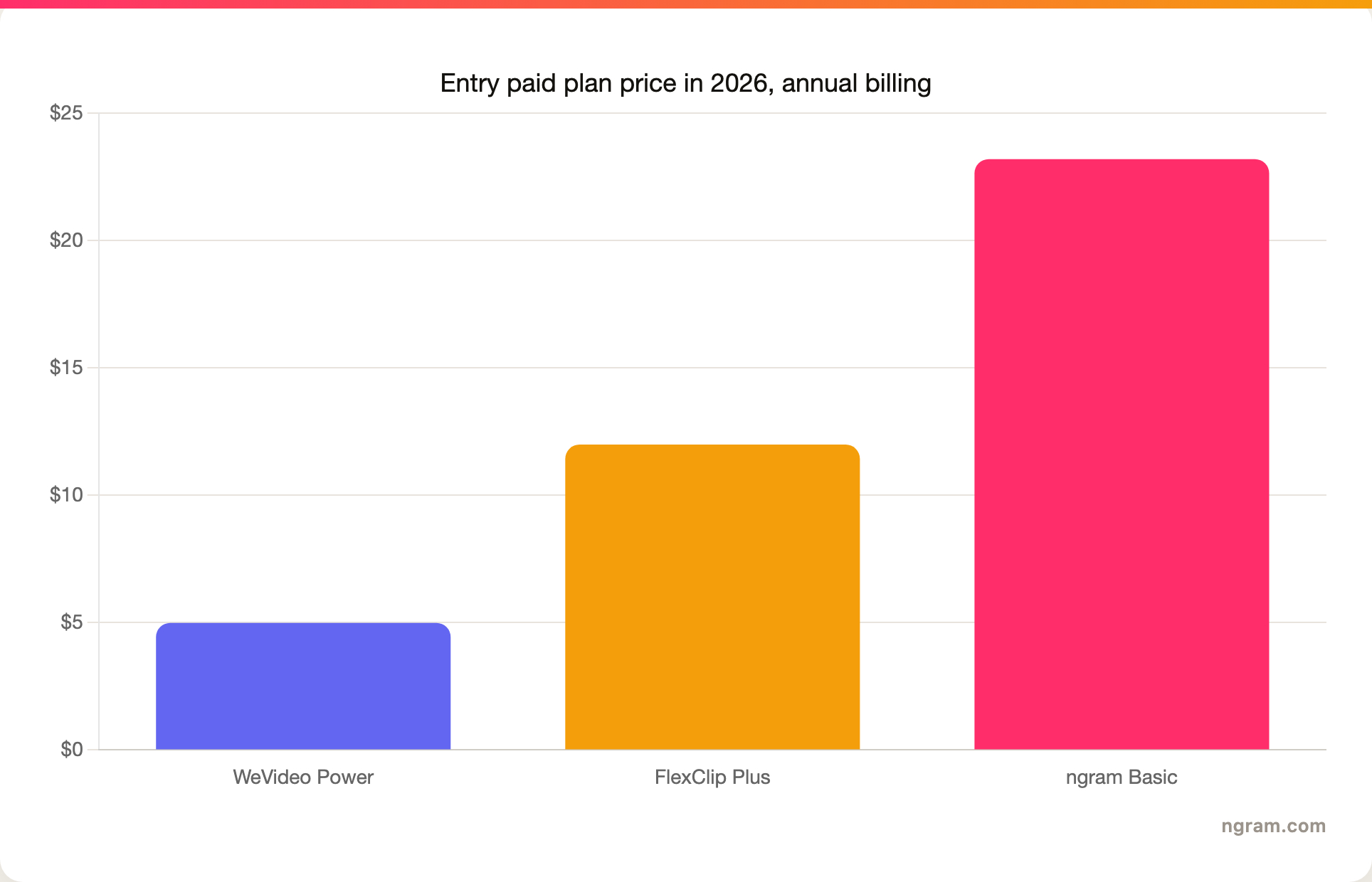
Sources: FlexClip's 2026 pricing guide and help center plan benefits, WeVideo's pricing page, and ngram GTM facts. We used the annual-billing monthly equivalent where the vendor published it.
Winner: WeVideo for the lowest-cost editor access, FlexClip for low-cost template value when the team wants quick social or marketing videos without deeper team workflows, and ngram when the work would otherwise require a writer, producer, designer, and editor before the first draft exists.
Collaboration, education, and team workflows
FlexClip has cloud collaboration and team options, but its center of gravity is still fast creation. The 2026 pricing guide describes cloud-based collaboration and team creation, and the plan benefits article lists brand kit, cloud storage, custom fonts, custom templates, hosted video space, and larger stock allowances on paid tiers. That is enough for small teams building repeatable marketing videos and simple branded assets.
WeVideo is the stronger team and education product. Its site describes real-time collaboration, shared projects and assets, custom templates, user permissions, screen recording, stock media, brand management, and video hosting. The homepage also emphasizes interactive video learning, learner engagement, performance data, and integrations with education platforms such as Google Classroom, Canvas, ClassLink, Anthology, PowerSchool, and Moodle.
The biggest WeVideo differentiator is interactivity. WeVideo's support docs show how instructors can add multiple choice, fill-in-the-blank, polls, discussions, and AI-generated questions to videos. The AI interaction generator depends on subtitles or transcripts, but it gives educators a real workflow that FlexClip and ngram do not replace.
ngram's collaboration fit is different. It works for shared business video production: team workspaces, shared brand kits, asset libraries, chat conversations, hosted video pages, embeddable players, . ngram does not replace WeVideo for interactive lessons, student assignment workflows, or LMS-centered classroom work.
Winner: WeVideo for classrooms, training teams, and interactive learning. FlexClip for lightweight brand and team template work. ngram for business teams that need many videos to stay on message and on brand from the same source material.
Output quality and editing control
FlexClip can produce clean, practical videos for social, marketing, school announcements, slideshows, promos, and quick explainers. Its strength is how little setup the editor requires. A beginner can start with a template, swap media, edit text, add captions, and export without learning a pro timeline.
WeVideo can produce more structured video projects. It supports screen and webcam recording, voiceover, green screen, motion titles, brand management, social uploads, cloud storage, stock assets, 4K on higher paid plans, GIF creation, audio-only export, and team workflows. That gives WeVideo more room for repeatable training, customer education, and classroom projects.
ngram should not be described as a full replacement for either editor. ngram has a timeline editor and canvas controls, but the main value is upstream. The agent creates the plan and draft from source material. After that, users can edit with chat, visual controls, a script editor, scene regeneration, and a timeline editor. Choose ngram when the bottleneck is deciding what the video should say and show.
Winner: FlexClip for quick template videos. WeVideo for collaborative and interactive video projects. ngram for planned business videos from source material.
Where ngram fits between FlexClip and WeVideo
Watch how ngram turns an idea into a finished video:
This is a T2 comparison in ngram's competitor map. FlexClip and WeVideo are real video editors, and ngram covers a meaningful slice of their buyer intent. ngram should not be framed as a clone of either product.
ngram does not replace FlexClip for hands-on template editing, huge template browsing, or very low-cost browser editing. ngram does not replace WeVideo for classroom assignment workflows, interactive-video authoring, or education platform integrations. Those are real reasons to choose FlexClip or WeVideo.
ngram is the better third option when the buyer says one of these things:
- I have a product page, release note, PDF, deck, screenshot set, or rough recording, and I need a polished video.
- I do not have a script or storyboard yet.
- I need voiceover, captions, brand styling, and scene planning in the first draft.
- I need a product demo, launch video, customer education video, sales enablement clip, or training explainer that looks intentional.
- I want to edit direction in chat before spending time on timeline cleanup.
For more detail on each overlap, read the ngram vs FlexClip comparison and the ngram vs WeVideo comparison. If the source is a product page or article, the URL to Video workflow is the closest ngram entry point.
Methodology and source gaps
We checked official FlexClip and WeVideo sources on June 19, 2026, then used public comparison pages and review platforms to understand what buyers already see when they search the pair. Official product and pricing pages won whenever third-party pages disagreed.
For FlexClip, the live pricing page was not as readable through text extraction as its dated pricing guide and help-center plan-benefits article. We used the February 4, 2026 pricing guide for public plan prices and the updated help article for plan limits. One small gap remains: the pricing guide says Business gets 600 AI credits per month, while the help article says 800 AI credits per month. We used the help article for plan-benefit wording and avoided making the credit difference central to the verdict.
For WeVideo, the pricing page and support docs were direct enough to cite. WeVideo has individual, creator, team, education, and enterprise motions, so buyers should verify the exact plan family before purchase. We used the public individual and small-business pricing ladder for the main comparison because it is the clearest apples-to-apples public pricing surface.
We did not publish star numbers. Review platforms were used only for qualitative themes: FlexClip is commonly framed around ease and speed, while WeVideo is commonly framed around education, collaboration, and deeper project workflows.
Final verdict: FlexClip vs WeVideo
FlexClip vs WeVideo has no universal winner. FlexClip is the better choice for fast, browser-based template editing, small-business marketing videos, social posts, slideshows, and quick explainers. WeVideo is the better choice for collaborative cloud editing, classroom projects, screen recording, brand-managed teams, training workflows, and interactive video.
Use ngram if neither editor answers the real problem. When the work starts with source material and the team needs a script, storyboard, narration, captions, brand treatment, and a reviewable first draft, ngram is the better source-to-video path.
The buying rule is simple: choose FlexClip for template speed, choose WeVideo for collaborative learning workflows, and choose ngram for source-to-video business production.








