
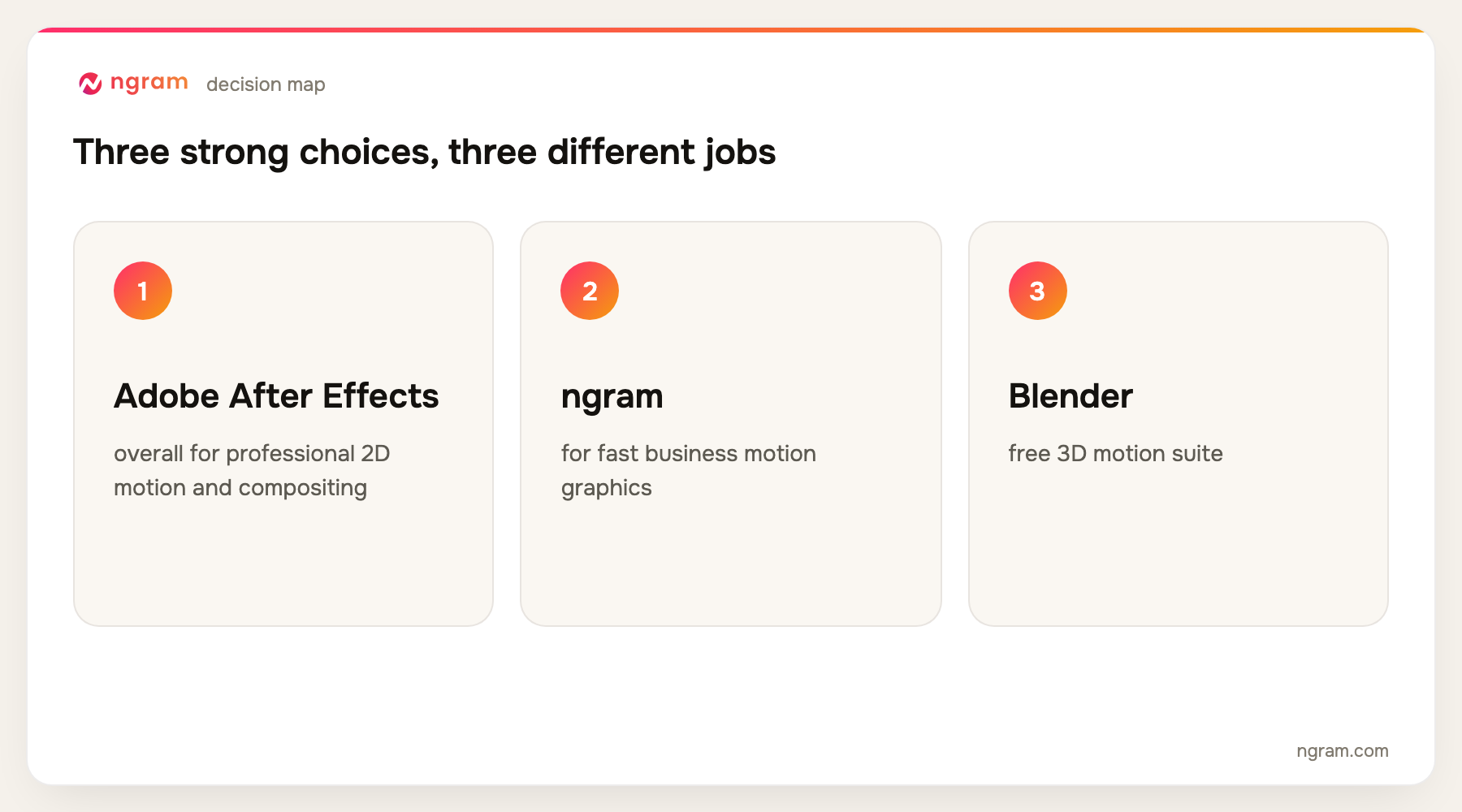
Adobe After Effects is the best motion graphics software for professional 2D animation and compositing. ngram is the best option for business teams that need branded motion graphics without a specialist, but it does not provide frame-level professional VFX controls. Blender, Cinema 4D, Houdini, and Unreal Engine are stronger for demanding 3D or procedural work.
ngram publishes this guide and is one of the products evaluated. We did not create a uniform test project in every tool. The ranking is based on current official product, help, licensing, and pricing pages, recurring product frequency across the top five Google results, and workflow fit for choosing between fast business motion graphics and professional design, 3D, compositing, or VFX suites.
For business motion graphics generated inside a complete video workflow, open ngram's AI motion graphics video maker.
Motion graphics software ranges from quick template tools to node-based procedural systems used for feature-film effects. Putting them in one list only makes sense if the comparison says what each one is built to do.
A marketing team that needs an animated product update should not be forced into a 3D simulation suite. A motion designer building a broadcast package should not be told that a template editor has equivalent control. This guide separates speed, design depth, 3D, compositing, real-time output, and business workflow.
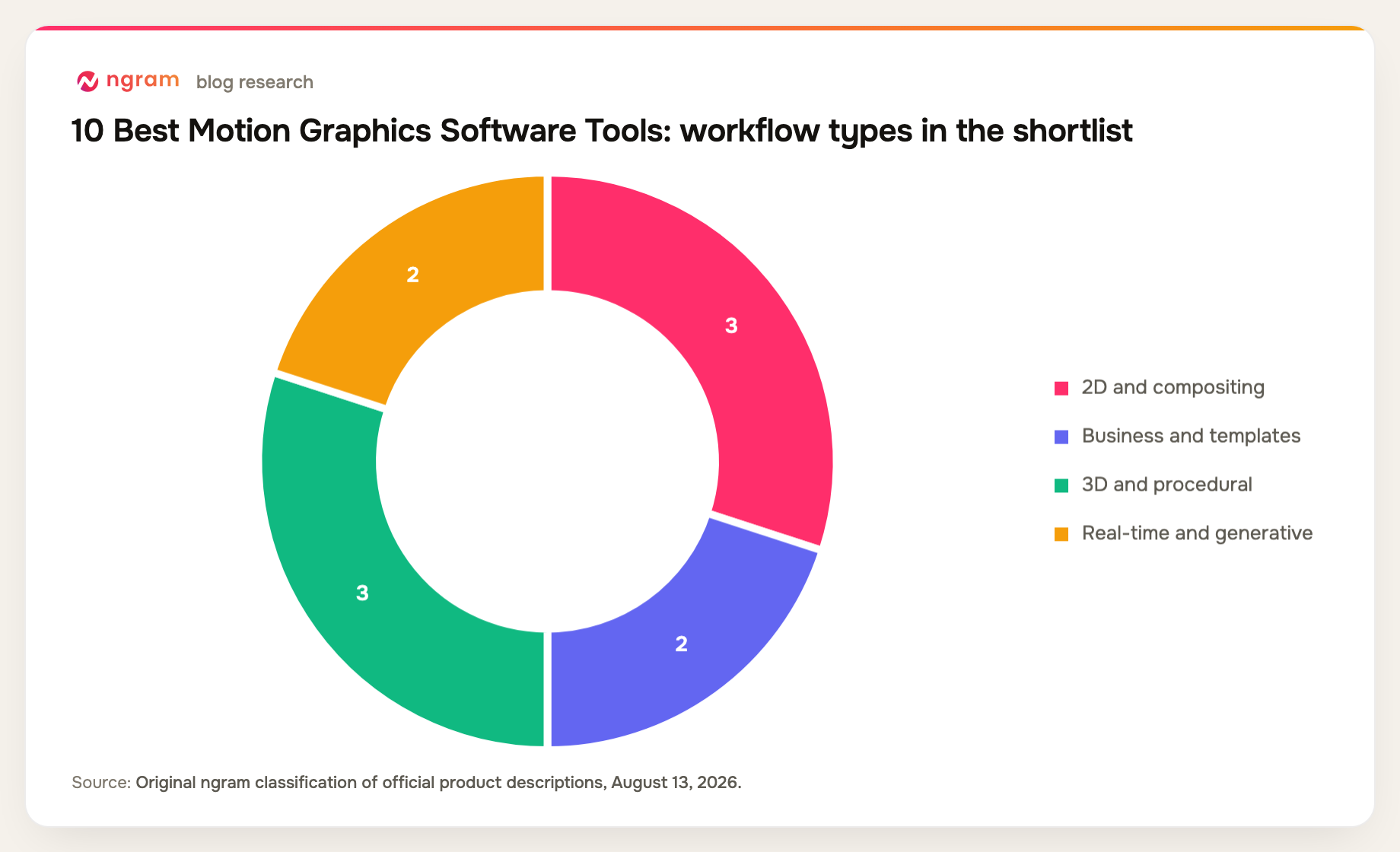
10 best motion graphics software options at a glance
| Rank | Tool | Best for | Price reference | Main trade-off |
|---|---|---|---|---|
| 1 | Adobe After Effects | Best overall for professional 2D motion and compositing | $22.99/mo annual contract | Steep learning curve |
| 2 | ngram | Best for fast business motion graphics | Free; paid from $29/mo | No frame-level VFX controls |
| 3 | Blender | Best free 3D motion suite | Free and open source | Broad, complex interface |
| 4 | Cinema 4D | Best for designer-friendly 3D motion | Subscription priced by region | Premium subscription |
| 5 | DaVinci Resolve | Best editor with integrated motion graphics | Free; Studio $295 once | Fusion has a learning curve |
| 6 | Apple Motion | Best for Final Cut Pro templates | One-time Mac purchase | Mac and Final Cut ecosystem |
| 7 | Houdini | Best for procedural motion and VFX | Apprentice free; Indie $299/year | Very steep learning curve |
| 8 | Unreal Engine | Best for real-time motion and broadcast graphics | Free under $1M revenue | Engine-scale complexity |
| 9 | Canva | Best for simple template animation | Free; Pro $144/year | Limited precision |
| 10 | Runway | Best for generative moving imagery | Free; Standard $12/mo annual | Limited deterministic control |
Prices and plan details were checked August 13, 2026. Vendors change packaging frequently, so confirm the checkout page before buying.
How we chose and ranked the tools
We compared 2D animation, typography, compositing, 3D, procedural tools, tracking and keying, reusable templates, collaboration, rendering, learning curve, business source support, and the pricing or licensing boundary for commercial work.
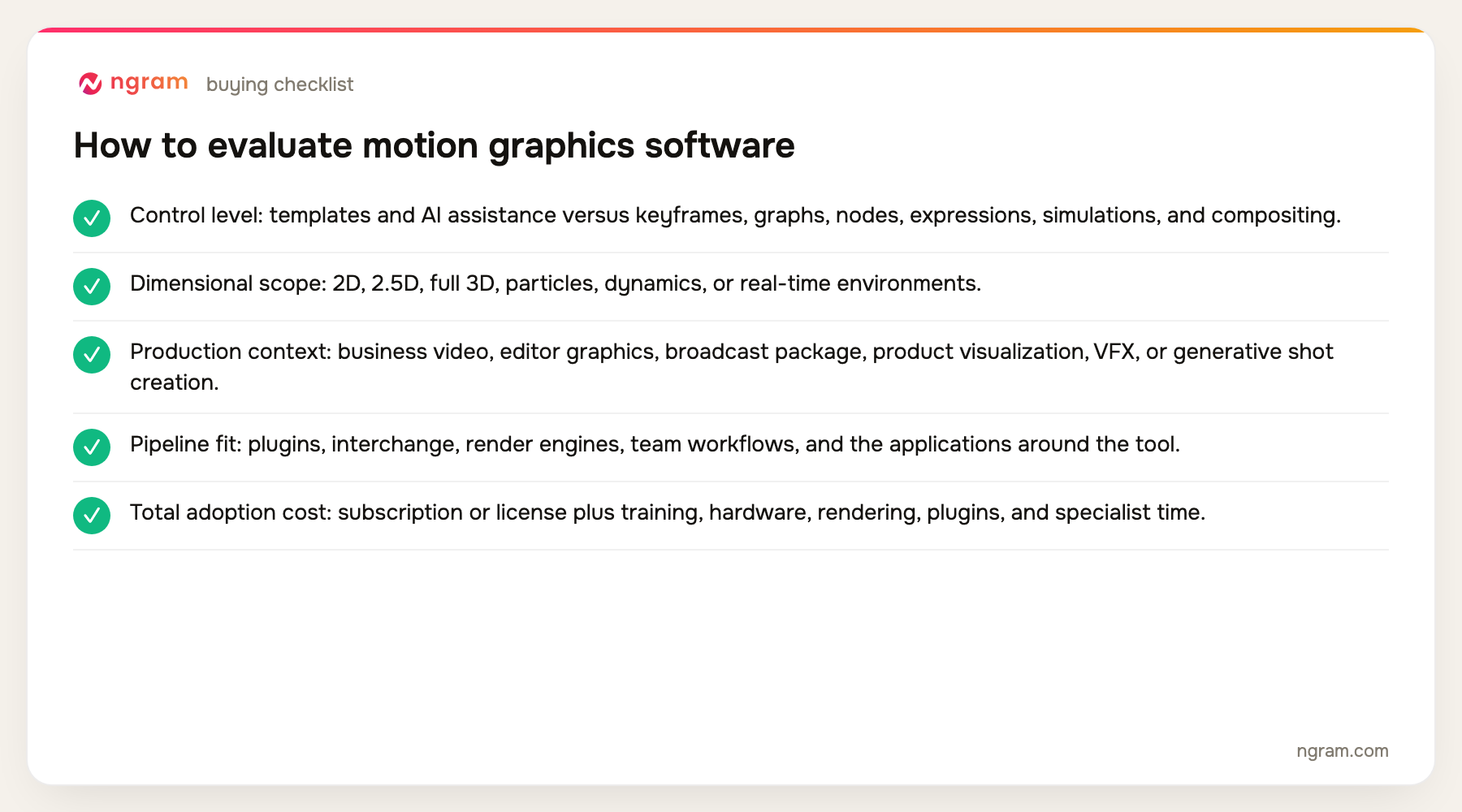
- Control level: templates and AI assistance versus keyframes, graphs, nodes, expressions, simulations, and compositing.
- Dimensional scope: 2D, 2.5D, full 3D, particles, dynamics, or real-time environments.
- Production context: business video, editor graphics, broadcast package, product visualization, VFX, or generative shot creation.
- Pipeline fit: plugins, interchange, render engines, team workflows, and the applications around the tool.
- Total adoption cost: subscription or license plus training, hardware, rendering, plugins, and specialist time.
The product set was not chosen from memory. We counted products appearing across the current top five organic results, kept products with repeat coverage first, and filled remaining slots from top-ten entity frequency and direct relevance. Products removed by the approved evidence-tier rules were not reconsidered.
The narrower product view is ngram's motion graphics feature, which shows how movement sits alongside scripts, scenes, and brand controls.
The 10 best motion graphics software tools
1. Adobe After Effects: Best overall for professional 2D motion and compositing
After Effects is a mature environment for animated typography, shape layers, compositing, tracking, keying, effects, expressions, 2.5D scenes, and reusable motion-graphics templates that can flow into Premiere Pro.
Limitation: It requires motion-design skill, can be demanding on hardware, and is less comfortable than a dedicated 3D or procedural simulation package for certain jobs.
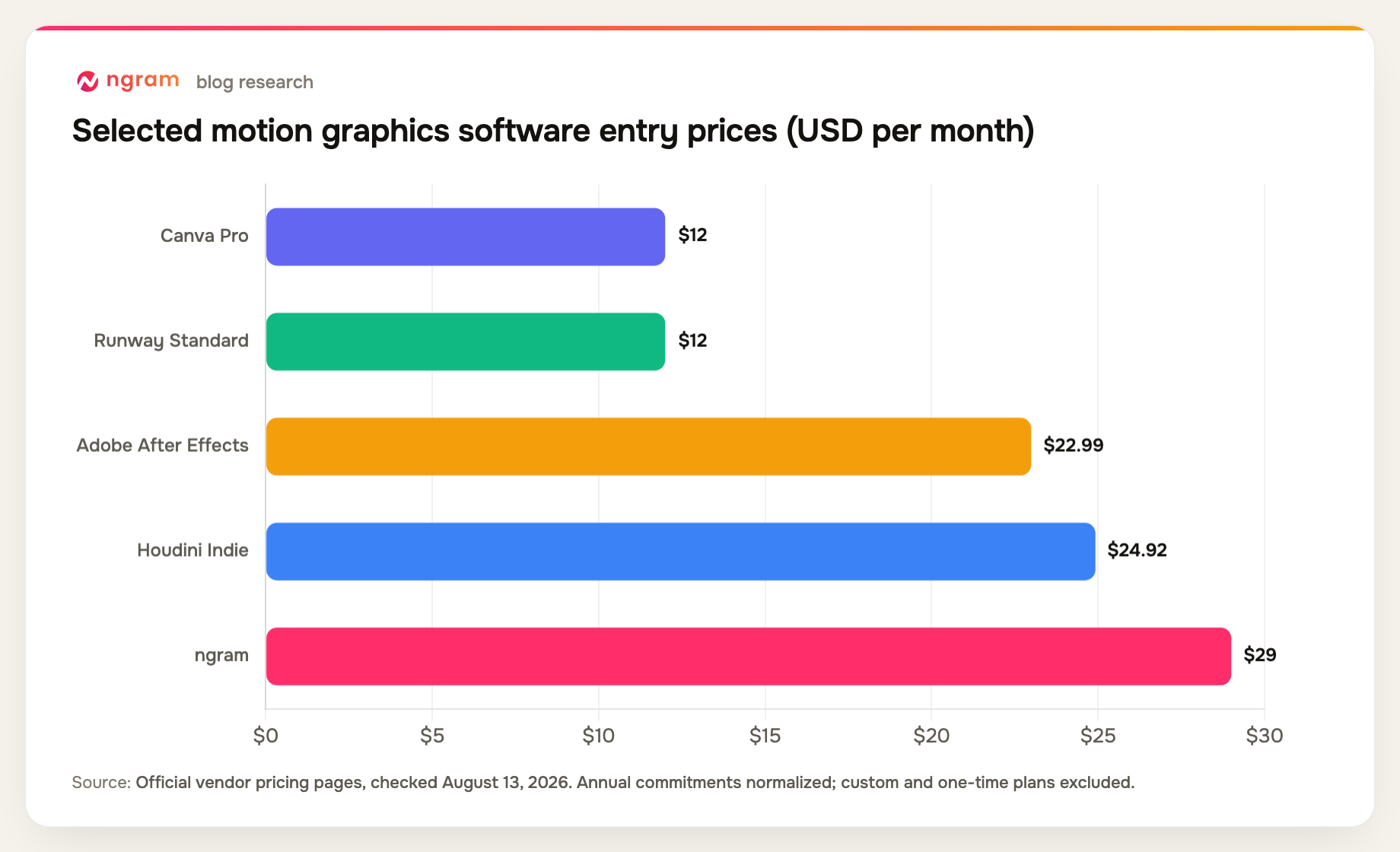
Pricing: The individual plan is $22.99 per month on an annual contract billed monthly; a seven-day trial is available. Pricing checked August 13, 2026.
Verdict: Choose After Effects for professional 2D motion graphics and compositing when detailed control, plugins, and industry workflow matter.
Evidence: Adobe's official After Effects product and pricing pages.
User signal: Designers value its ecosystem and control; performance, subscription cost, and project complexity are the standard complaints.
2. ngram: Best for fast business motion graphics
ngram can create motion-graphics-led business video from prompts, documents, decks, URLs, screenshots, recordings, and data. Movement sits alongside scripts, captions, voiceover, avatars, callouts, zooms, generated visuals, brand kits, and MP4 exports.
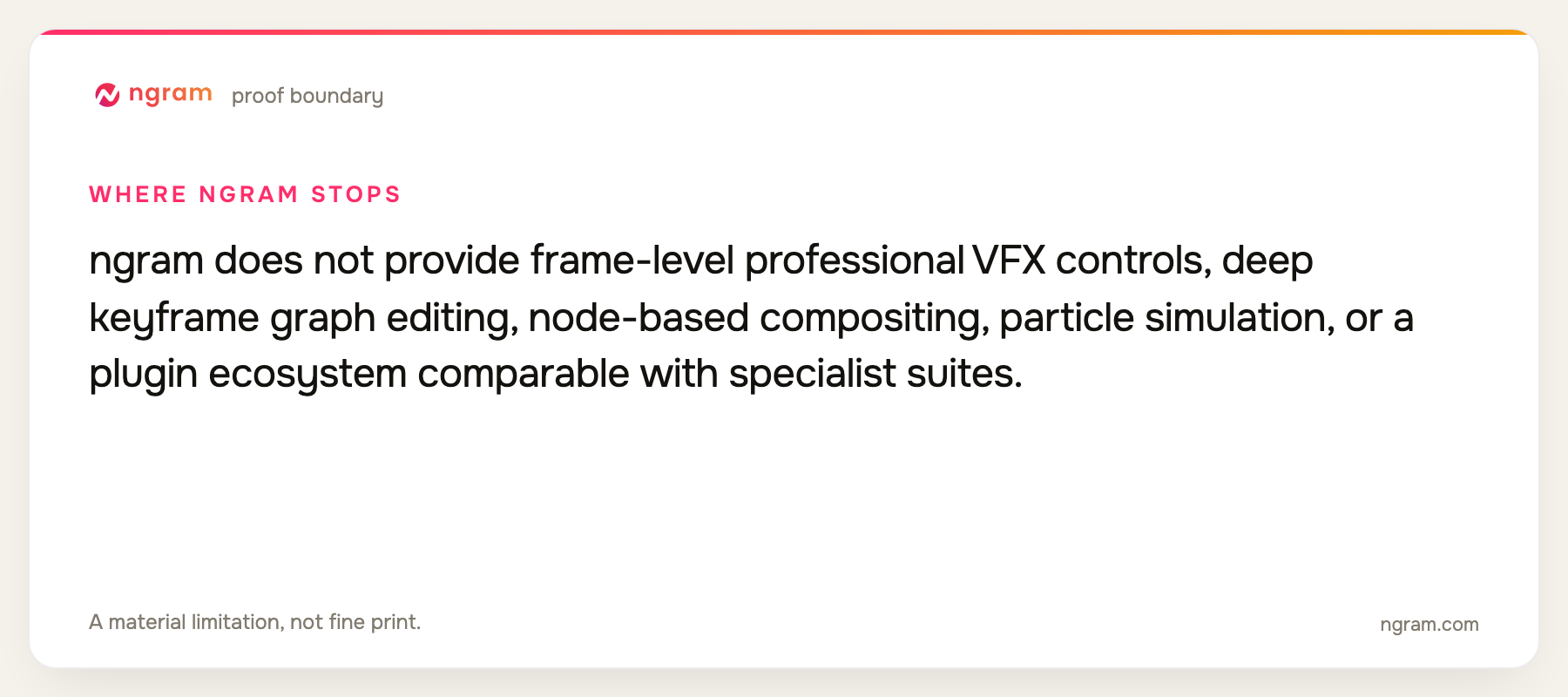
Limitation: ngram does not provide frame-level professional VFX controls, deep keyframe graph editing, node-based compositing, particle simulation, or a plugin ecosystem comparable with specialist suites.
Pricing: Free includes 60 seconds at 720p with a watermark. Basic is $29 per month, Premium is $59, and Ultimate is $299; annual billing is 20% lower. Pricing checked August 13, 2026.
Verdict: Use ngram when a business team needs clear, branded movement inside a complete video and does not have a motion designer building every frame.
Evidence: ngram public product state and the repository's live pricing source.
3. Blender: Best free 3D motion suite
Blender covers 3D modeling, rigging, animation, simulation, rendering, geometry nodes, compositing, tracking, and video editing in one open-source application. Geometry Nodes is especially useful for procedural motion systems.
Limitation: Its scope creates a significant learning curve, and studio pipelines may require careful add-on, render, asset, and version management.
Pricing: Blender is free and open source under the GNU General Public License. Pricing checked August 13, 2026.
Verdict: Choose Blender for capable 3D motion and procedural work when software cost must stay low and learning time is available.
Evidence: Blender's official feature and licensing pages.
User signal: The free, complete toolset is the repeated strength; interface complexity and the time needed to master several workspaces are the repeated costs.
4. Cinema 4D: Best for designer-friendly 3D motion
Cinema 4D is closely associated with 3D motion design through its MoGraph cloners and effectors, approachable object workflow, animation tools, and integrated Redshift rendering. Current subscriptions include team render nodes.
Limitation: The subscription is expensive compared with free tools, and advanced rendering, simulation, and pipeline work still require specialist skill and capable hardware.
Pricing: Cinema 4D is sold by subscription, with the current local price displayed by Maxon for the buyer's region and billing term. Pricing checked August 13, 2026.
Verdict: Pick Cinema 4D when a motion designer wants a polished 3D workflow built around MoGraph and commercial studio production.
Evidence: Maxon's official Cinema 4D 2026 product and subscription pages.
5. DaVinci Resolve: Best editor with integrated motion graphics
DaVinci Resolve includes Fusion's node-based compositing and motion graphics beside editing, color, Fairlight audio, and delivery. It keeps graphics and finishing inside one project database.
Limitation: Fusion is powerful but less immediately approachable than layer-based motion tools, and Resolve is not as focused on reusable design workflows as a dedicated motion application.
Pricing: DaVinci Resolve is free; DaVinci Resolve Studio is a $295 one-time purchase. Pricing checked August 13, 2026.
Verdict: Choose Resolve when motion graphics, compositing, edit, color, and audio should stay in one professional post-production application.
Evidence: Blackmagic Design's official Resolve and Fusion product pages.
6. Apple Motion: Best for Final Cut Pro templates
Apple Motion provides a real-time layer and timeline workflow, keyframes, behaviors, 2D and 3D titles, particles, tracking, keying, more than 200 effects, and templates that publish directly into Final Cut Pro.
Limitation: It is Mac-only and most compelling inside the Final Cut ecosystem. It has a smaller cross-platform studio footprint and plugin market than After Effects.
Pricing: Motion is available as a one-time Mac App Store purchase and is also included in Apple Creator Studio; the local store displays the current regional price. Pricing checked August 13, 2026.
Verdict: Pick Motion when a Final Cut Pro editor needs custom titles, transitions, effects, and reusable templates with real-time feedback.
Evidence: Apple's official Motion and Final Cut Pro pages and current App Store listing.
7. Houdini: Best for procedural motion and VFX
Houdini is a node-based procedural system for modeling, animation, particles, fluids, destruction, crowds, motion, and VFX. It excels when a system must generate many controlled variations or physically complex results.
Limitation: It is excessive for ordinary branded graphics, takes significant training, and commercial editions are expensive beyond the Indie limits.
Pricing: Apprentice is free for noncommercial use, Indie is $299 per year, Core is $1,995 perpetual, and FX is $4,495 perpetual, with rental options also available. Pricing checked August 13, 2026.
Verdict: Choose Houdini for procedural systems and simulation-heavy VFX that simpler motion tools cannot express or scale.
Evidence: SideFX's official Houdini pricing and product pages.
8. Unreal Engine: Best for real-time motion and broadcast graphics
Unreal Engine combines real-time rendering with a Motion Design toolset that includes cloners, effectors, transition logic, rundowns, masking, animators, modifiers, materials, and remote control for broadcast and live graphics.
Limitation: It is a full real-time engine, so setup, pipeline, hardware, and technical complexity are much higher than a conventional 2D motion tool.
Pricing: It is free for students, educators, hobbyists, and companies under $1 million in annual gross revenue; applicable non-game commercial organizations above that threshold use paid seats, historically listed at $1,850 per year with regional pricing. Pricing checked August 13, 2026.
Verdict: Pick Unreal for real-time broadcast, virtual production, interactive environments, and graphics that must render live.
Evidence: Epic Games' official licensing and Motion Design sample documentation.
9. Canva: Best for simple template animation
Canva lets non-specialists animate text, objects, presentations, and video templates inside a collaborative brand workspace with stock assets and AI tools.
Limitation: It does not provide detailed graph editing, expressions, compositing, procedural systems, or professional VFX control.
Pricing: Free is available; Canva Pro is $144 per year and Canva Business is $250 per person per year. Pricing checked August 13, 2026.
Verdict: Choose Canva for quick branded social and presentation motion when ease and templates matter more than original motion design.
Evidence: Canva's official 2026 pricing and animation product pages.
10. Runway: Best for generative moving imagery
Runway generates and transforms video through multiple AI models, image-to-video workflows, visual effects, and paid upscaling. It is valuable for producing source footage and visual experiments that can feed a motion project.
Limitation: Prompt and model controls do not offer the deterministic timing, layout, typography, or revision precision of a dedicated motion-design suite.
Pricing: Free is available; Standard is $12 per month on annual billing, Pro is $28, and Max is $76. Pricing checked August 13, 2026.
Verdict: Use Runway for original moving imagery and generative inserts, then assemble precise typography and graphics in another tool.
Evidence: Runway's official pricing and product documentation.
Official-source motion graphics capability matrix
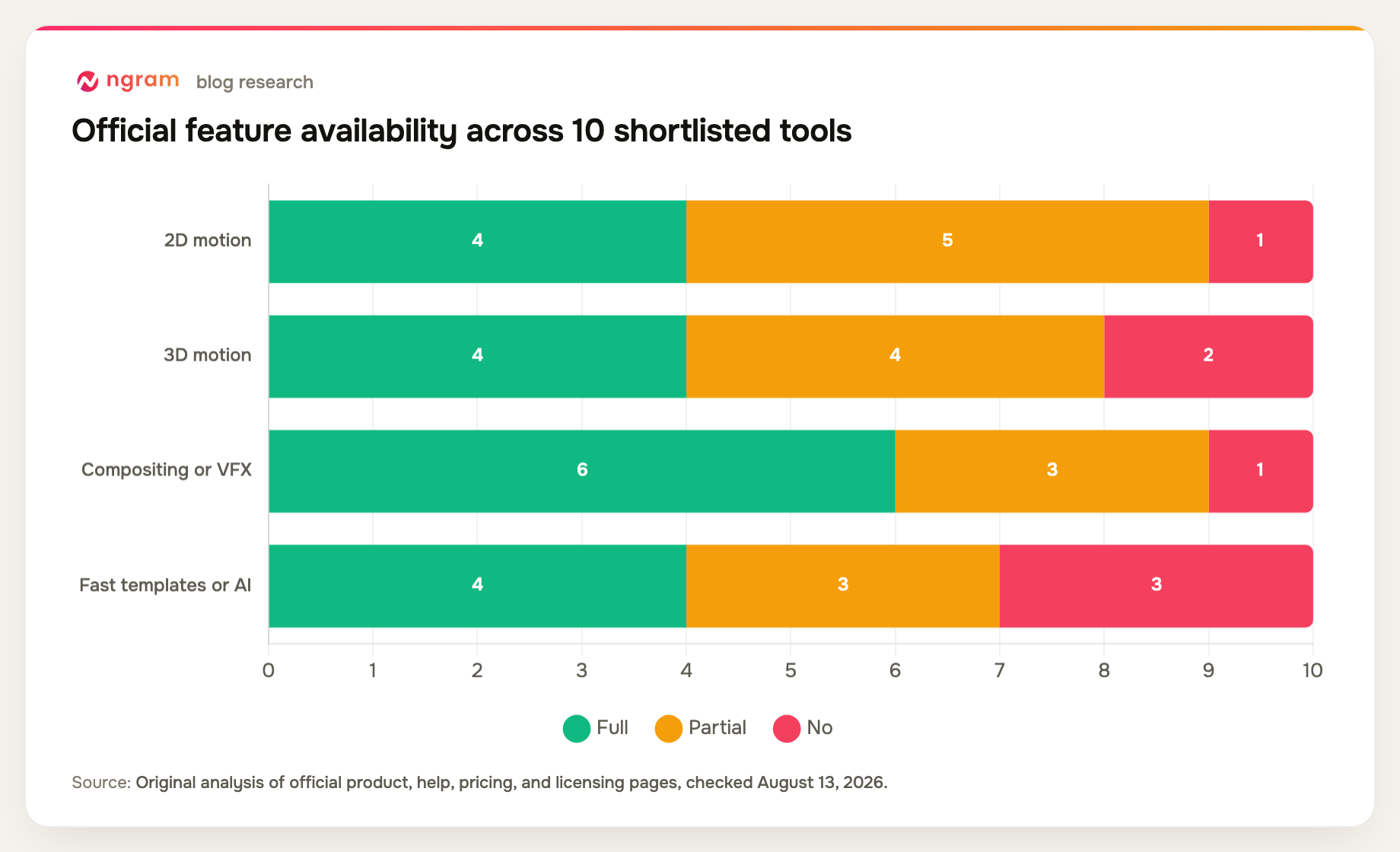
This matrix avoids pretending that template animation, 3D systems, compositing, and generative footage are equivalent forms of control.
| Tool | 2D motion | 3D motion | Compositing or VFX | Fast templates or AI | Primary fit |
|---|---|---|---|---|---|
| Adobe After Effects | Yes | Partial | Yes | Partial | Professional 2D and compositing |
| ngram | Yes | No | Partial | Yes | Business motion video |
| Blender | Partial | Yes | Yes | No | 3D and procedural motion |
| Cinema 4D | Partial | Yes | Partial | Partial | 3D motion design |
| DaVinci Resolve | Yes | Partial | Yes | Partial | Integrated post-production |
| Apple Motion | Yes | Partial | Yes | Yes | Final Cut graphics |
| Houdini | Partial | Yes | Yes | No | Procedural VFX |
| Unreal Engine | Partial | Yes | Yes | No | Real-time graphics |
| Canva | Partial | No | No | Yes | Template animation |
| Runway | No | Partial | Partial | Yes | Generative footage |
Method note: this is an original feature-parity matrix compiled from the official product, help, pricing, and licensing sources named in each review above, all checked August 13, 2026. A "Partial" means the capability exists with a plan, format, workflow, or depth constraint. It is not a hands-on performance benchmark.
How to choose motion graphics software
Match the tool to the artifact. Branded explainers need typography, layout, and repeatable brand controls. Product visualization needs 3D. Broadcast may need live rendering. Film effects may need tracking, compositing, simulations, and a specialist pipeline.
Account for labor and hardware. A free application can be the most expensive option if the team needs months of training. A subscription can be efficient if it matches existing skills, plugins, templates, review, and delivery systems.
Test revision control. Ask how long it takes to change a number, color, duration, language, aspect ratio, camera, or simulation. Motion graphics is often approved through many small changes, so controllability matters as much as the first render.
For charts and business evidence that must become animated explanation, review the data-to-video workflow.
FAQ about motion graphics software
What is the best motion graphics software?
Adobe After Effects is the best general professional choice in this list for 2D motion and compositing. ngram is better for fast business motion video, Blender for free 3D, Cinema 4D for designer-friendly 3D, and Houdini for procedural VFX.
Is Blender good for motion graphics?
Yes. Blender supports 3D animation, geometry nodes, simulation, rendering, compositing, tracking, and editing. It is especially strong for procedural and 3D motion, but its broad interface takes time to learn.
Can AI create motion graphics?
AI can assemble branded scenes, animate business content, generate footage, suggest layouts, and accelerate routine work. It does not yet replace deliberate typography, timing, compositing, art direction, or frame-level control on demanding professional projects.
Does ngram replace After Effects?
No. ngram is designed to make business motion graphics accessible inside a complete video workflow. It does not provide After Effects-level keyframe graphs, expressions, plugins, compositing depth, or frame-level VFX control.
What is the best free motion graphics software?
Blender is the strongest free option for full 3D and procedural work. DaVinci Resolve is a strong free option when motion graphics and compositing must sit beside editing and color. Unreal Engine is free for many users and suits real-time work.
Final verdict
After Effects remains the most versatile professional 2D motion and compositing choice. ngram earns second place for business teams that need motion graphics without adopting a specialist design suite, with an explicit ceiling at frame-level VFX. Blender, Cinema 4D, Houdini, and Unreal serve increasingly technical 3D, procedural, and real-time needs.
Compare ngram's current plan limits and export quality on the pricing page.