
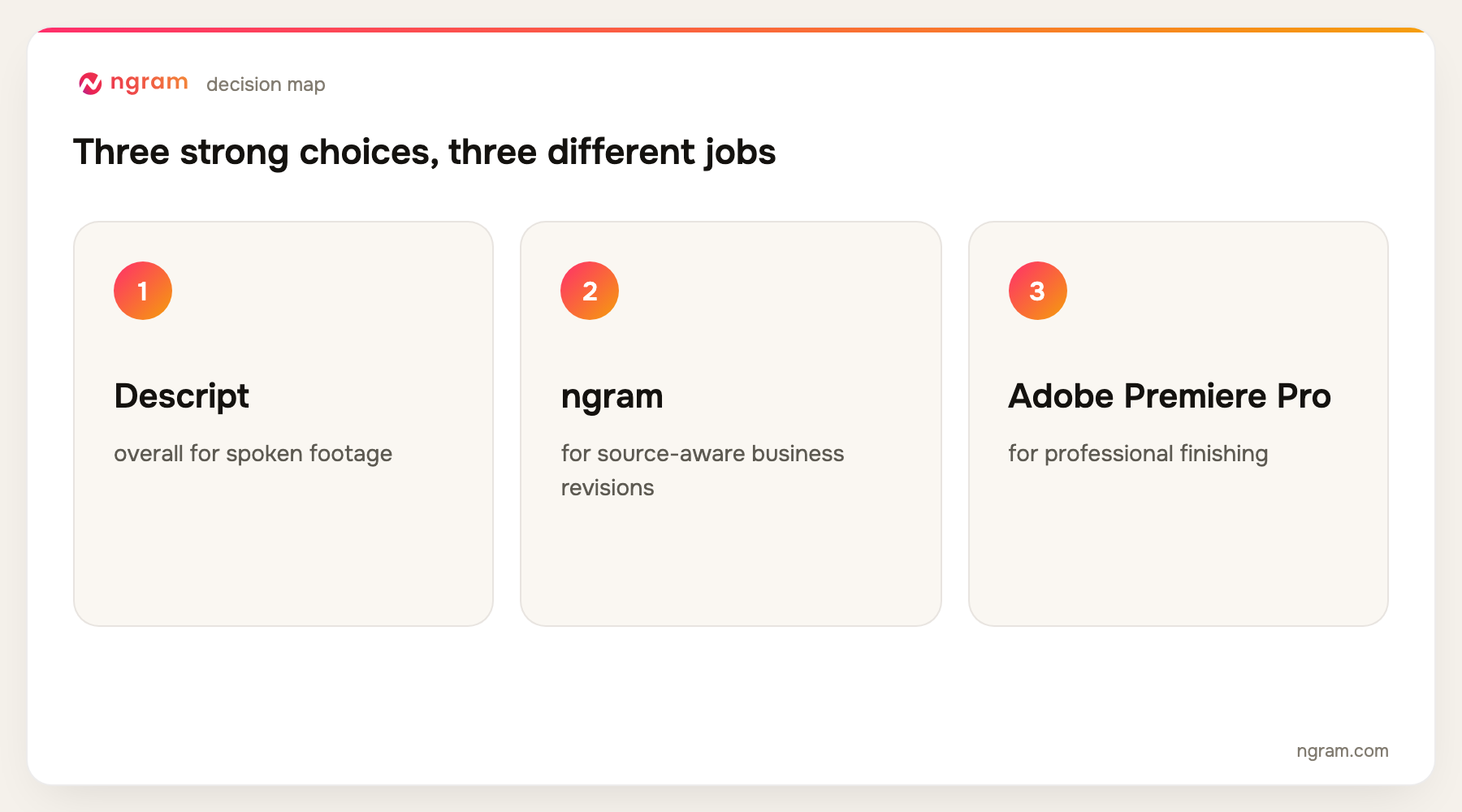
Descript is the best AI video editing software for most spoken-footage teams because text-based editing removes the most routine work. ngram is stronger when an existing recording or generated draft needs source-aware business revisions, while Adobe Premiere Pro and DaVinci Resolve remain better for frame-level professional finishing.
ngram publishes this guide and is one of the products evaluated. We did not create a uniform test project in every tool. The ranking is based on current official product, help, licensing, and pricing pages, recurring product frequency across the top five Google results, and workflow fit for editing existing footage and generated video drafts.
For source-aware changes to recordings and generated drafts, see ngram's AI video editing workflow. It is the primary ngram handoff for this guide.
AI editing means several different things. It can mean deleting words from a transcript, finding short clips, cleaning audio, creating captions, extending a frame, removing an object, or asking an agent to rebuild a scene. No single editor is best at all of them.
The right choice depends on whether your bottleneck is editorial judgment, mechanical cleanup, professional finishing, or content volume. A transcript editor saves different work from a generative model, and both save different work from a mature nonlinear editor with AI features.
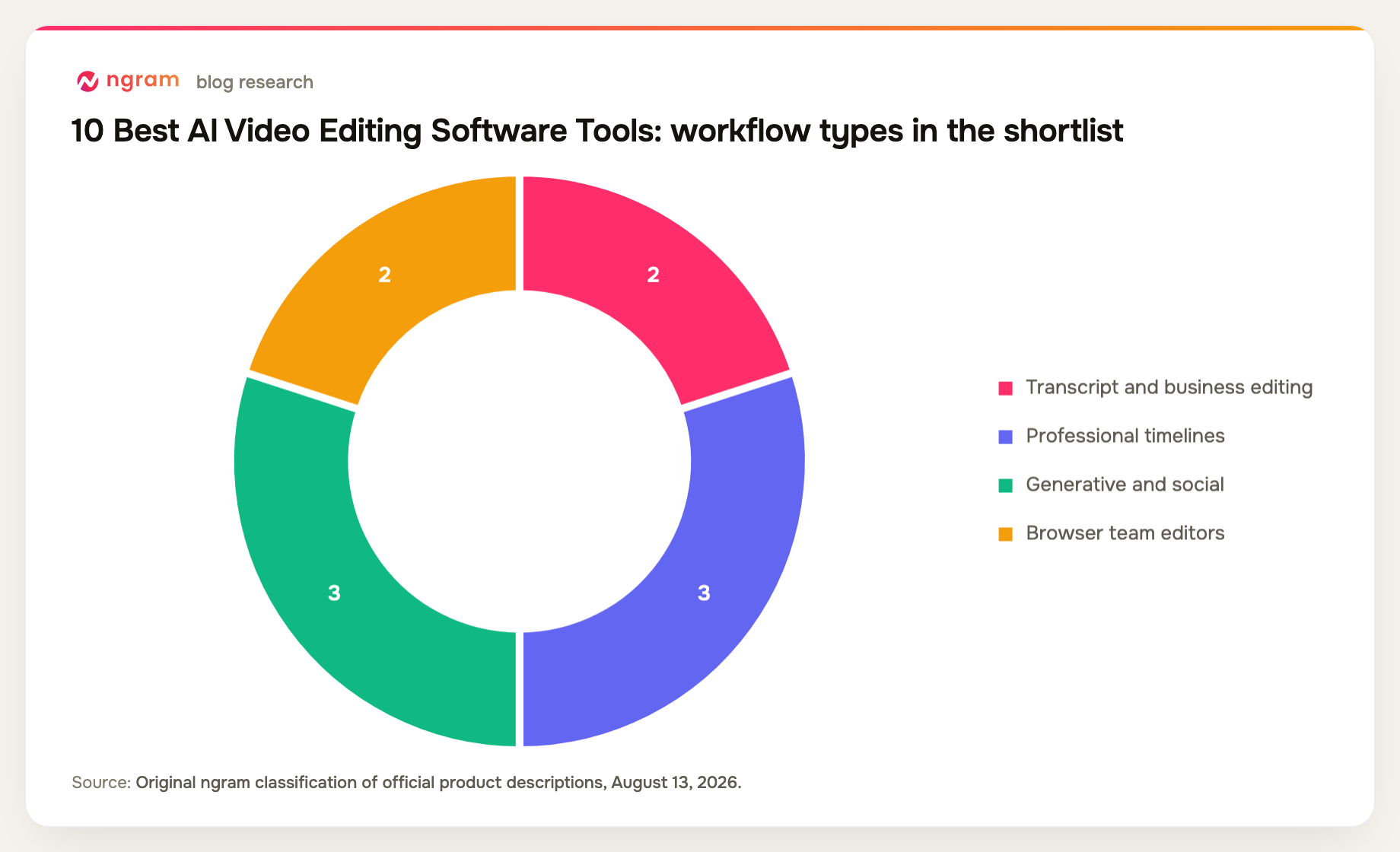
10 best AI video editing software options at a glance
| Rank | Tool | Best for | Price reference | Main trade-off |
|---|---|---|---|---|
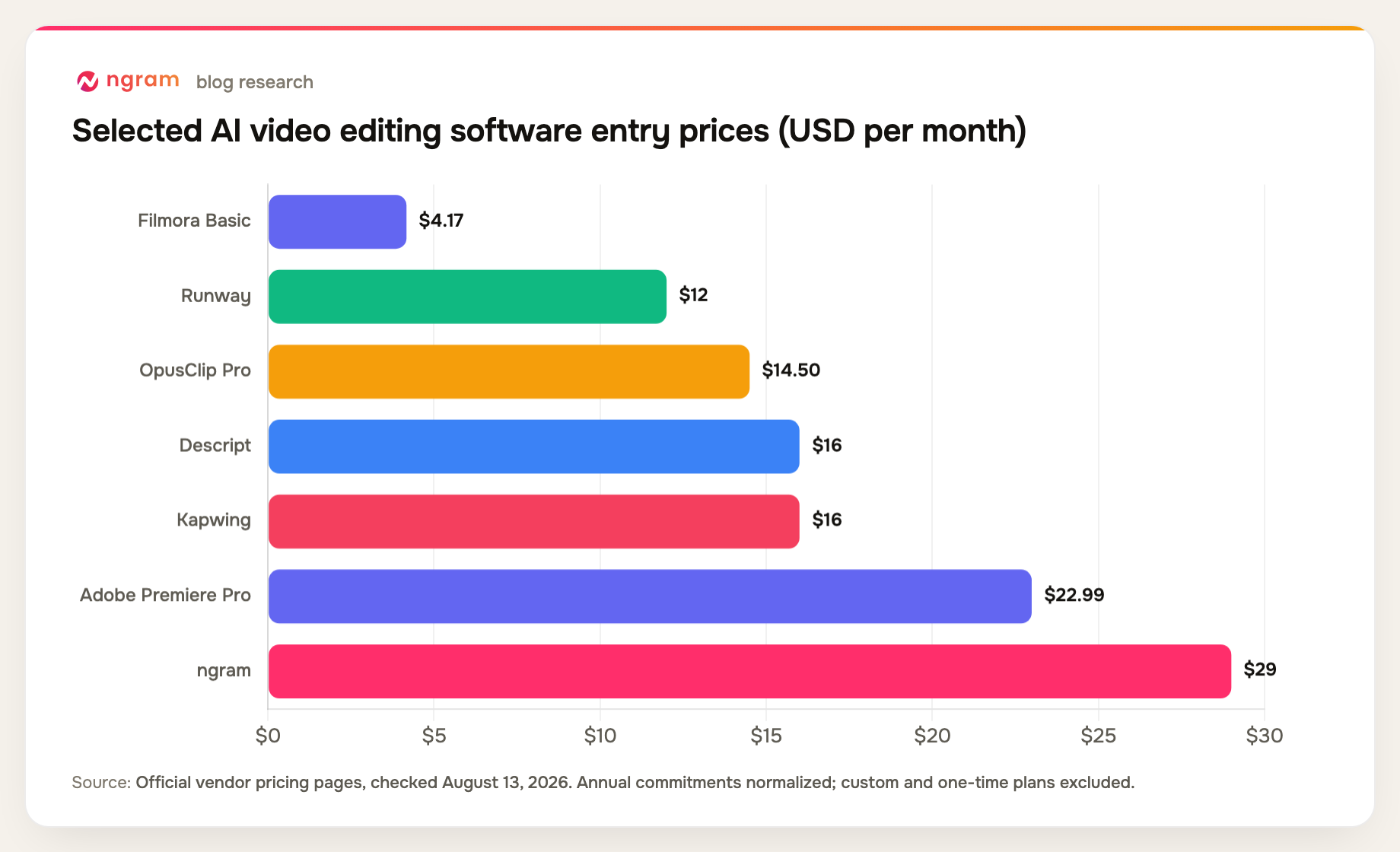
| 1 | Descript | Best overall for spoken footage | Free; Hobbyist $16/mo annual | Not a deep VFX editor |
| 2 | ngram | Best for source-aware business revisions | Free; paid from $29/mo | Less frame-level control |
| 3 | Adobe Premiere Pro | Best for professional finishing | $22.99/mo annual contract | Steeper learning curve |
| 4 | DaVinci Resolve | Best free professional editor | Free; Studio $295 once | Hardware and skill demands |
| 5 | Runway | Best for generative video changes | Free; Standard $12/mo annual | Not a full post pipeline |
| 6 | CapCut | Best for fast social editing | Free; Pro varies by checkout | Pricing varies by region |
| 7 | OpusClip | Best for turning long video into clips | Free; Starter $15/mo | Specialized for repurposing |
| 8 | Filmora | Best for approachable desktop editing | Basic $49.99/year | Less depth than pro NLEs |
| 9 | VEED | Best for collaborative browser edits | Free; paid plans vary | Features span several tiers |
| 10 | Kapwing | Best for brand-template collaboration | Free; Pro $16/member/mo annual | Credits constrain heavier AI use |
Prices and plan details were checked August 13, 2026. Vendors change packaging frequently, so confirm the checkout page before buying.
How we chose and ranked the tools
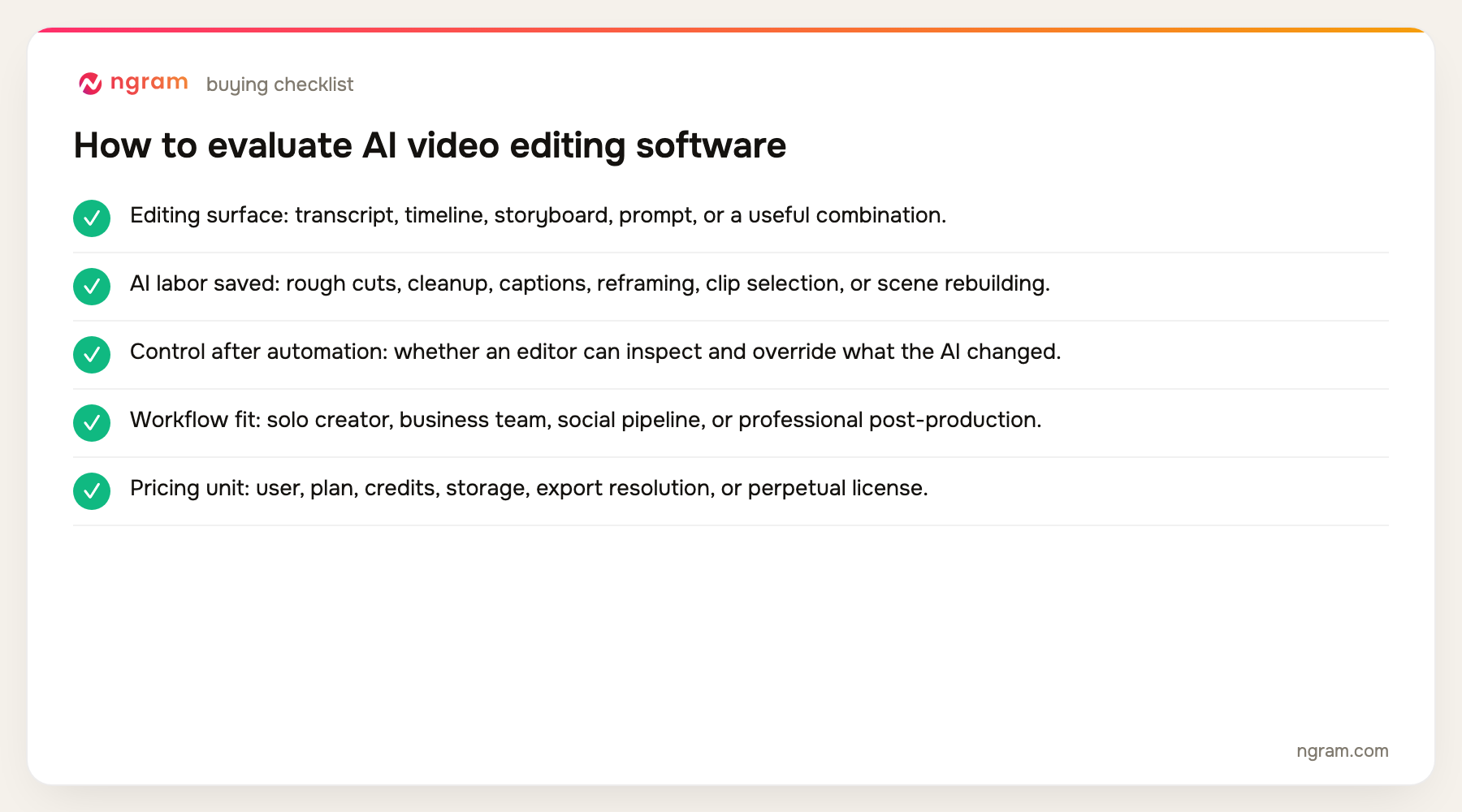
We ranked the tools on existing-footage support, transcript and timeline editing, generative changes, audio and caption automation, collaboration, export control, and the practical boundary between assisted editing and professional finishing.
- Editing surface: transcript, timeline, storyboard, prompt, or a useful combination.
- AI labor saved: rough cuts, cleanup, captions, reframing, clip selection, or scene rebuilding.
- Control after automation: whether an editor can inspect and override what the AI changed.
- Workflow fit: solo creator, business team, social pipeline, or professional post-production.
- Pricing unit: user, plan, credits, storage, export resolution, or perpetual license.
The product set was not chosen from memory. We counted products appearing across the current top five organic results, kept products with repeat coverage first, and filled remaining slots from top-ten entity frequency and direct relevance. Products removed by the approved evidence-tier rules were not reconsidered.
Teams working with demos and walkthroughs can also review how ngram handles screencast understanding and editing.
The 10 best AI video editing software tools
1. Descript: Best overall for spoken footage
Descript turns a transcript into the main editing surface. Teams can record, transcribe, remove words, tighten pauses, clean audio, add captions, capture screens, and publish without spending most of the session inside a traditional timeline.
Limitation: Complex compositing, detailed keyframing, advanced color work, and effects-heavy finishing still belong in a professional editor.
Pricing: Free is available; Hobbyist is $16 per person per month on annual billing, Creator is $24, and Business is $50. Pricing checked August 13, 2026.
Verdict: Choose Descript for interviews, podcasts, demos, and presenter footage where changing the words is the fastest way to change the edit.
Evidence: Descript's official product and pricing pages.
User signal: Text-based cuts and recording in one workspace draw consistent praise; users more often flag performance on large projects and changing AI allowances.
2. ngram: Best for source-aware business revisions
ngram can ingest raw video, screen recordings, generated drafts, and supporting business material, then make changes through chat, visual controls, a timeline, or canvas. It also adds captions, voiceover, avatars, zooms, callouts, screen polish, motion graphics, and generated media inside the same project.
Limitation: It is not a replacement for frame-by-frame professional color, audio, compositing, or VFX control in Premiere Pro, Resolve, or After Effects.
Pricing: Free includes 60 seconds at 720p with a watermark. Basic is $29 per month, Premium is $59, and Ultimate is $299; annual billing is 20% lower. Pricing checked August 13, 2026.
Verdict: Use ngram when the editor needs to understand the business source and reshape the message instead of merely trimming clips on a timeline.
Evidence: ngram public product state and the repository's live pricing source.
3. Adobe Premiere Pro: Best for professional finishing
Premiere Pro combines a mature multitrack timeline with transcription, text-based editing, speech enhancement, color tools, effects, collaboration through Frame.io, and generative features. It remains a practical standard for editors who need precise delivery control.
Limitation: The interface and workflow demand more editing skill than browser-first tools, and many useful adjacent capabilities live across the broader Adobe ecosystem.
Pricing: The individual plan is $22.99 per month on an annual contract billed monthly; the team plan is $37.99 per license per month. Pricing checked August 13, 2026.
Verdict: Pick Premiere Pro when AI should accelerate a professional edit rather than define the whole workflow.
Evidence: Adobe's official Premiere Pro pricing and feature pages.
4. DaVinci Resolve: Best free professional editor
DaVinci Resolve brings editing, color, Fusion compositing and motion graphics, Fairlight audio, and collaboration into one professional application. The free version is unusually capable, while Studio adds more AI and performance features.
Limitation: The breadth creates a learning curve, and smooth performance on demanding footage depends on suitable hardware.
Pricing: DaVinci Resolve is free; DaVinci Resolve Studio is a $295 one-time purchase. Pricing checked August 13, 2026.
Verdict: Choose Resolve when professional color, audio, finishing, and a strong free tier matter more than a simple browser workflow.
Evidence: Blackmagic Design's official Resolve product and purchase pages.
User signal: Users value the free tier and integrated color and audio toolset; hardware requirements and the learning curve are the usual cautions.
5. Runway: Best for generative video changes
Runway is useful when editing means creating or transforming media: generating shots, extending sequences, removing or changing visual elements, and upscaling output. It complements a conventional editor when the missing shot does not exist.
Limitation: It is not the most efficient place to manage a long, dialogue-heavy project or a detailed client finishing workflow.
Pricing: Free is available; Standard is $12 per month on annual billing, Pro is $28, and Max is $76. Pricing checked August 13, 2026.
Verdict: Use Runway for AI-native visual changes, then finish longer structured work in a timeline or source-aware business editor.
Evidence: Runway's official pricing and plan documentation.
6. CapCut: Best for fast social editing
CapCut packages auto captions, templates, effects, reframing, background tools, avatars, camera tracking, and cross-device editing around a fast social workflow. It is approachable and rich in ready-made styles.
Limitation: Plan pricing changes by region, device, and promotion, and the tool is less suited to controlled long-form professional post-production.
Pricing: A Free tier is available; Standard and Pro pricing is shown in the app or checkout for the user's region. Pricing checked August 13, 2026.
Verdict: Pick CapCut for high-volume social work when speed, formats, and trend-aware templates outweigh long-form project control.
Evidence: CapCut's official plan and help documentation.
7. OpusClip: Best for turning long video into clips
OpusClip finds moments in longer footage, reframes speakers, adds animated captions, applies brand templates, removes filler and silence, and can schedule output. Pro exports can continue in Premiere Pro or Resolve.
Limitation: It is a repurposing system, not a general editor for constructing a long narrative from raw footage.
Pricing: Free is available; Starter is $15 per month, and Pro is $29 monthly or $14.50 per month on annual billing. Pricing checked August 13, 2026.
Verdict: Use OpusClip when one webinar, podcast, or interview needs to become many platform-ready clips.
Evidence: OpusClip's official pricing and feature pages.
8. Filmora: Best for approachable desktop editing
Filmora provides a conventional desktop timeline with AI-assisted editing, effects, 4K output, and a large feature set at a lower learning burden than top professional suites.
Limitation: Editors may outgrow its color, collaboration, media-management, and compositing depth on demanding professional work.
Pricing: Basic is $49.99 per year, Advanced is $59.99 per year, and a perpetual license is $79.99. Pricing checked August 13, 2026.
Verdict: Choose Filmora when you want a familiar desktop editor with AI conveniences and do not need the deepest post-production controls.
Evidence: Wondershare Filmora's official purchase and feature pages.
9. VEED: Best for collaborative browser edits
VEED combines browser editing, recording, transcription, captions, templates, AI tools, brand controls, and collaboration. It removes installation and file-handoff friction for routine team work.
Limitation: Advanced allowances and tools are divided across Creator, Pro, Studio, and Enterprise, and browser convenience does not equal a professional finishing environment.
Pricing: A Free plan is available; current paid tiers are Creator, Pro, Studio, and Enterprise, with rates displayed in the billing flow. Pricing checked August 13, 2026.
Verdict: Pick VEED for distributed teams producing regular marketing, social, or internal videos in a browser.
Evidence: VEED's official pricing and feature pages.
10. Kapwing: Best for brand-template collaboration
Kapwing offers a collaborative browser editor with subtitles, dubbing, templates, shared brand assets, workspaces, and AI tools. It is designed for teams that repeat a recognizable content format.
Limitation: AI credits, upload limits, and higher-end localization features depend on the plan, while advanced post-production control remains limited.
Pricing: Free is available; Pro is $16 per member per month on annual billing, Business is $50, and Enterprise is custom. Pricing checked August 13, 2026.
Verdict: Choose Kapwing when a small team needs reusable branded workflows and quick review inside a browser.
Evidence: Kapwing's official pricing and product pages.
Official-source AI editing workflow matrix
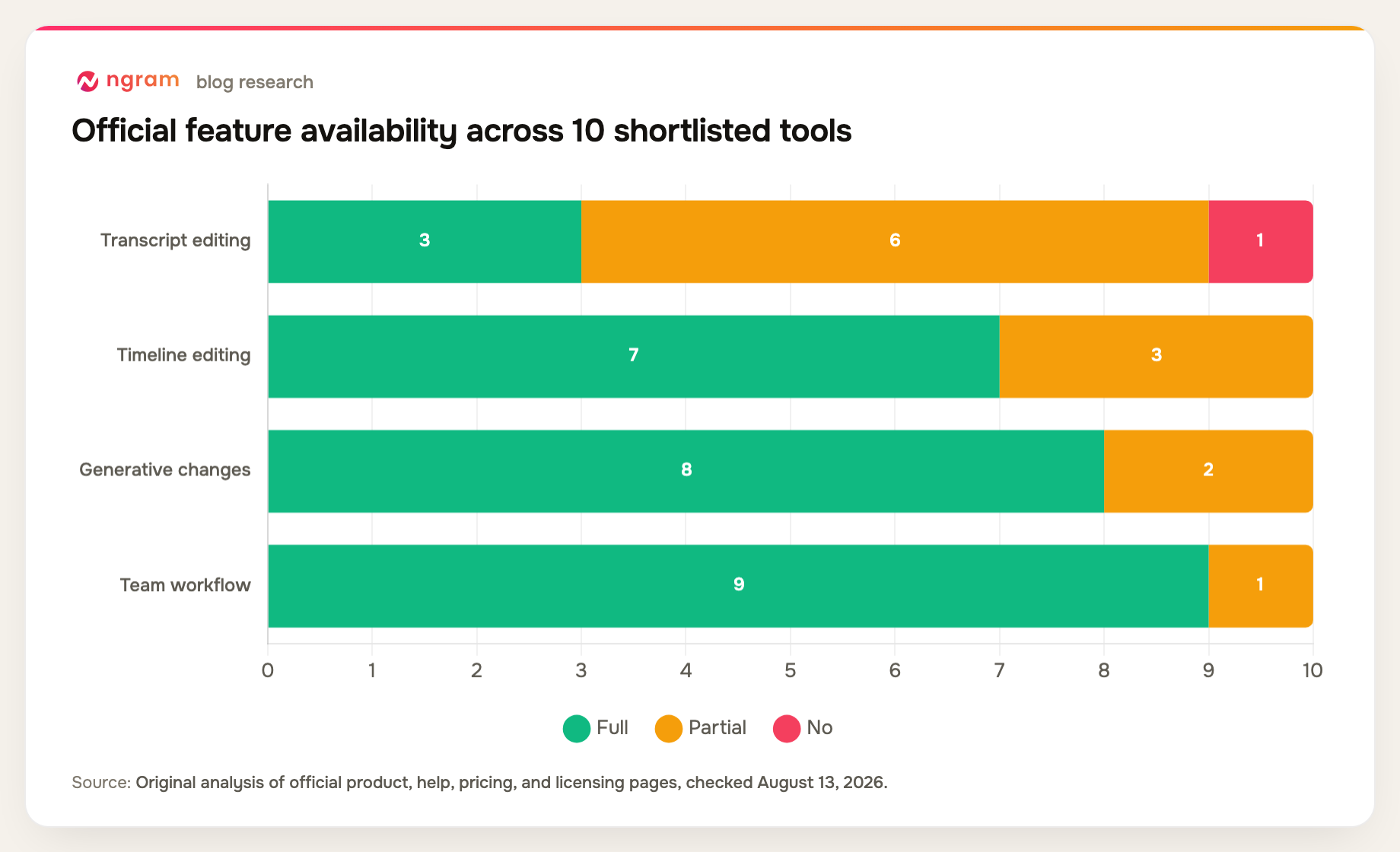
This matrix compares the editing surface and intended output, which is more useful than counting every AI button.
| Tool | Transcript editing | Timeline editing | Generative changes | Team workflow | Primary fit |
|---|---|---|---|---|---|
| Descript | Yes | Partial | Partial | Yes | Spoken footage |
| ngram | Partial | Yes | Yes | Yes | Business video |
| Adobe Premiere Pro | Yes | Yes | Yes | Yes | Professional post |
| DaVinci Resolve | Yes | Yes | Partial | Yes | Professional post |
| Runway | No | Partial | Yes | Yes | Generative media |
| CapCut | Partial | Yes | Yes | Yes | Social video |
| OpusClip | Partial | Partial | Yes | Yes | Short clips |
| Filmora | Partial | Yes | Yes | Partial | General editing |
| VEED | Partial | Yes | Yes | Yes | Browser video |
| Kapwing | Partial | Yes | Yes | Yes | Team templates |
Method note: this is an original feature-parity matrix compiled from the official product, help, pricing, and licensing sources named in each review above, all checked August 13, 2026. A "Partial" means the capability exists with a plan, format, workflow, or depth constraint. It is not a hands-on performance benchmark.
How to choose AI video editing software
Choose the editing surface that matches the work. Spoken content benefits from a transcript. Professional finishing benefits from a mature timeline. Visual invention benefits from generative tools. Source-heavy business work benefits from an editor that can use the supporting documents and brief.
Run a representative project before buying. Include your normal footage length, caption language, number of reviewers, export resolution, and a difficult correction. That exposes allowance and workflow limits faster than a polished vendor demo.
Keep human review in the loop. AI can find cuts and clean sound, but it cannot reliably decide whether a claim is accurate, a reaction shot is fair, or a visual change creates a legal or brand problem.
If accessibility and social delivery are central to the brief, compare the dedicated caption workflow alongside the editor itself.
FAQ about AI video editing software
What is the best AI video editing software?
Descript is the best general choice in this list for spoken footage. ngram is better for source-aware business revisions, Premiere Pro and DaVinci Resolve for professional finishing, Runway for generative changes, and OpusClip for automated short clips.
Can AI edit a full video automatically?
AI can create a rough cut, remove pauses, generate captions, reframe footage, find clips, clean audio, and rebuild scenes. A human should still review story, factual accuracy, timing, visual continuity, rights, and the final export.
Which AI editor is best for beginners?
Descript is approachable for speech-led video because editing feels like changing a document. CapCut, Filmora, VEED, and Kapwing are also easier starting points than full professional suites.
Is DaVinci Resolve really free?
Yes. Blackmagic Design offers a capable free version of DaVinci Resolve. The Studio edition is a $295 one-time purchase and adds more AI, effects, format, and performance capabilities.
Will AI replace professional video editors?
AI is more likely to remove routine operations than editorial responsibility. Professional editors remain valuable for narrative judgment, difficult footage, complex sound and color, compositing, rights-sensitive decisions, and final quality control.
Final verdict
Descript is the most efficient general editor for spoken footage, while ngram is the strongest option when business context and multi-mode revision matter. Premiere Pro and Resolve still set the bar for precise finishing. Runway and OpusClip are excellent specialist layers rather than universal replacements.
For ngram's current export quality, included credits, and top-up costs, use the pricing page.