
The short answer
The best video marketing software is the one that fixes the slowest part of your team’s workflow. If the hard part is turning a real brief or product recording into a coherent first cut, ngram is built for that job. If the hard part is maintaining a hosted library, collecting viewer data, or getting sales reps to record personal follow-ups, choose the category that owns that handoff instead.
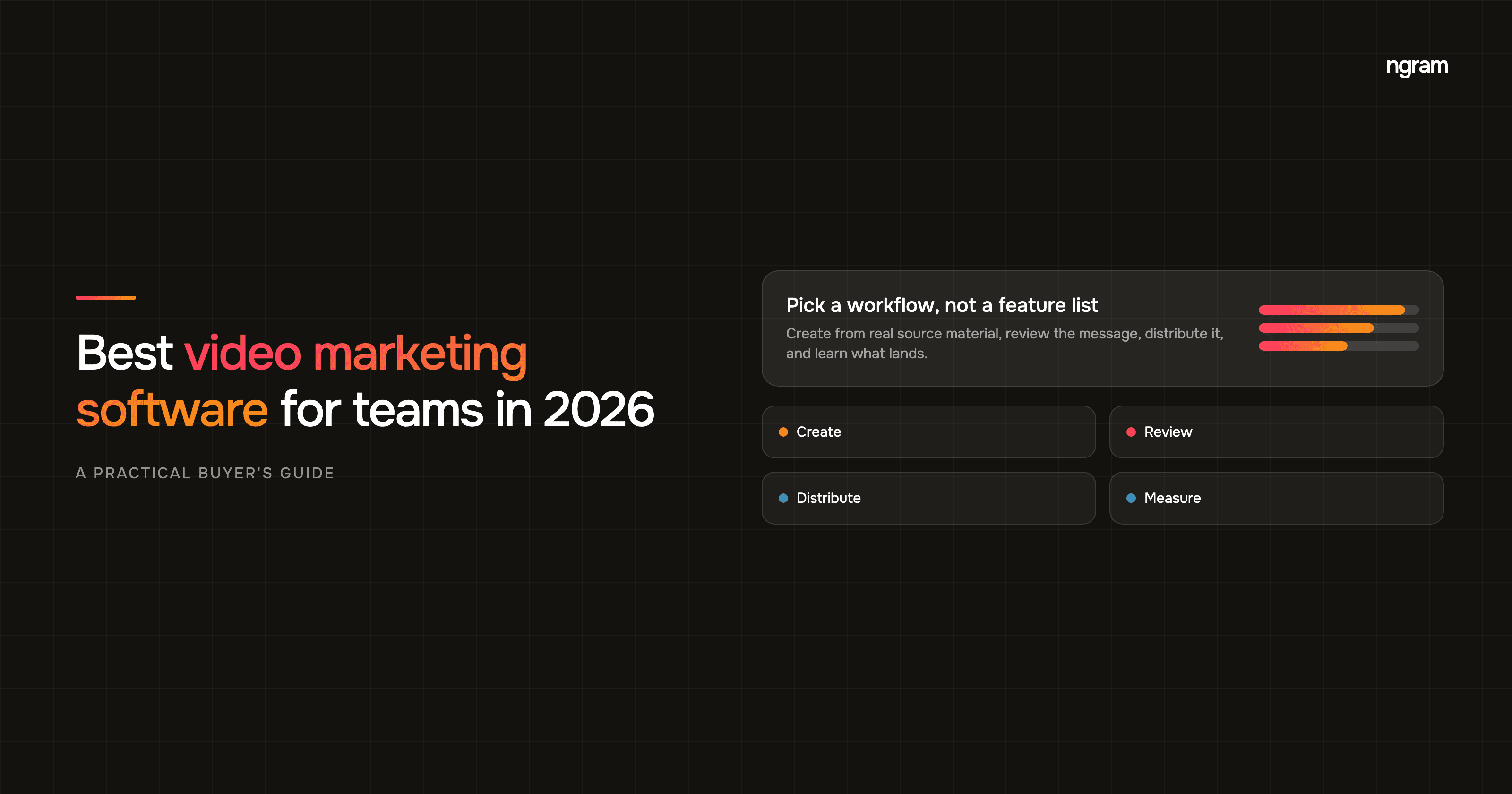
This guide compares seven options through four practical jobs: create, review, distribute, and measure. It is not a star-rating roundup. It is a way to decide what needs to happen before and after the edit button.
Why video marketing software is now a workflow decision
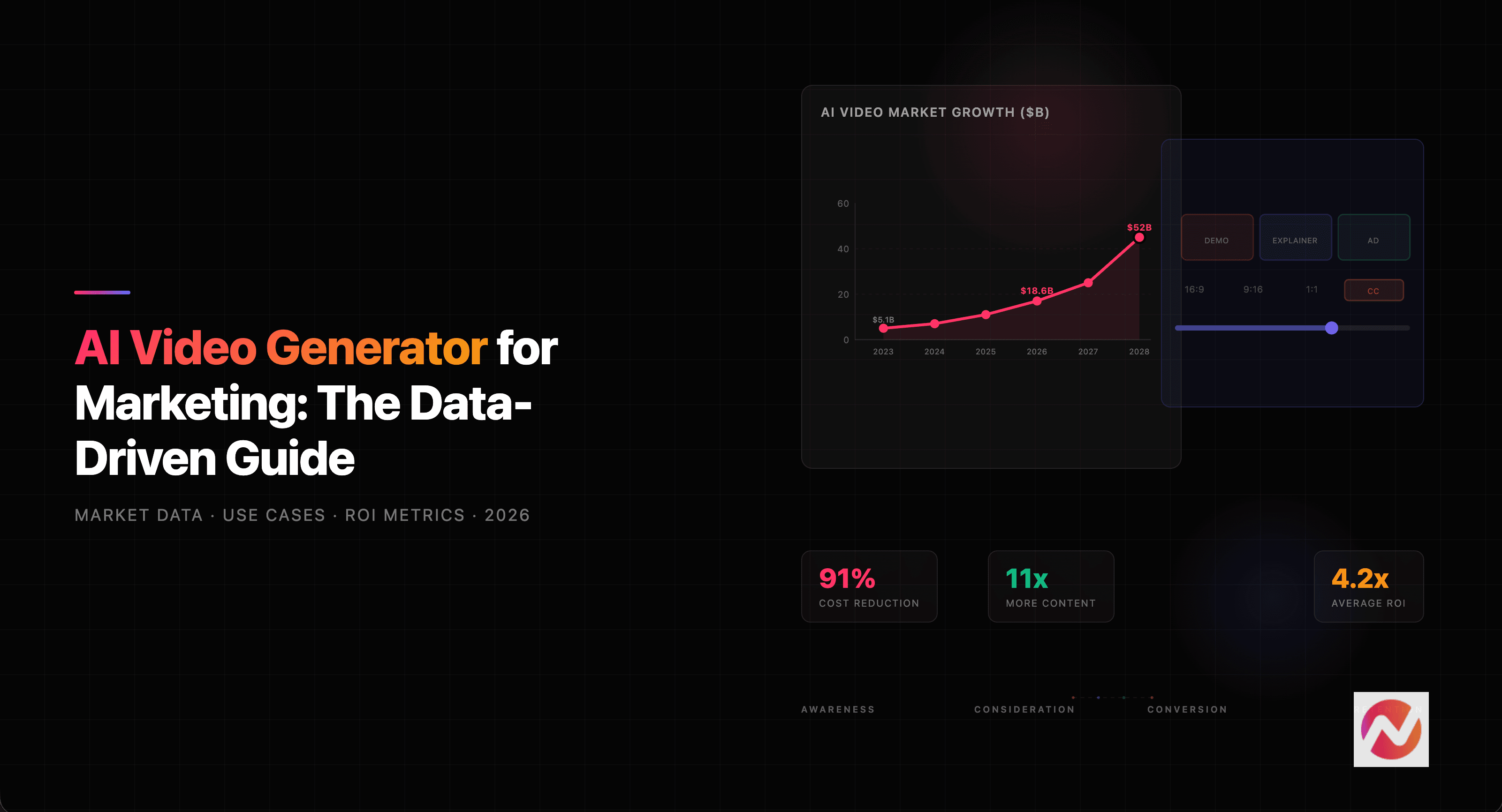
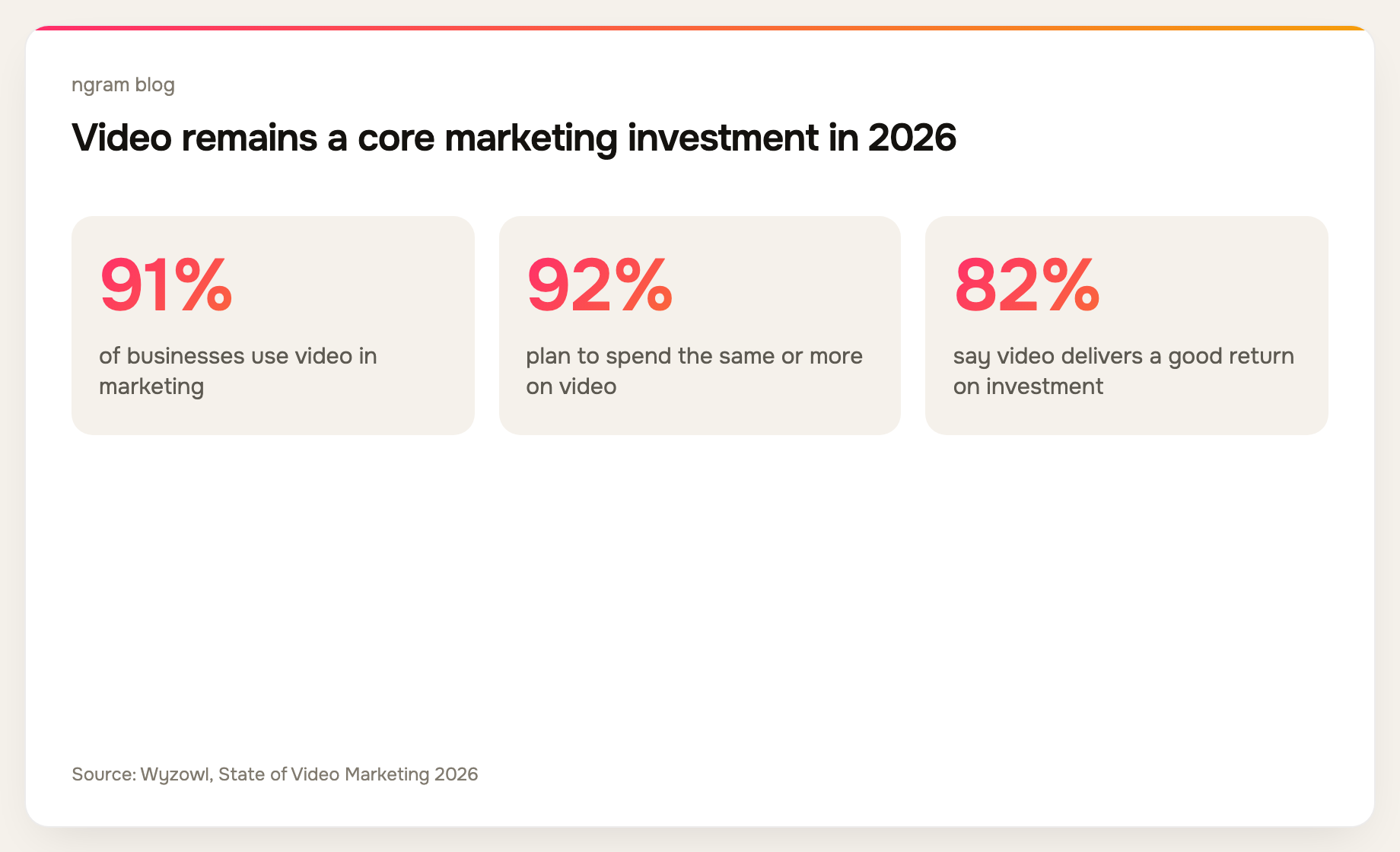
Video is no longer a side project for most teams. In Wyzowl’s 2026 survey of 266 respondents, 91% of businesses said they use video as a marketing tool and 92% said they plan to spend the same amount or more on video this year. Those numbers make the buying question less about making one attractive clip and more about making repeatable decisions across campaigns. Source: Wyzowl’s State of Video Marketing 2026
That is also why a narrow tool can be a great purchase for one team and the wrong purchase for another. A template editor can solve a social design job. A video host can solve a library problem. Neither necessarily turns a release note, a webinar, or a screen recording into a reviewable campaign story.
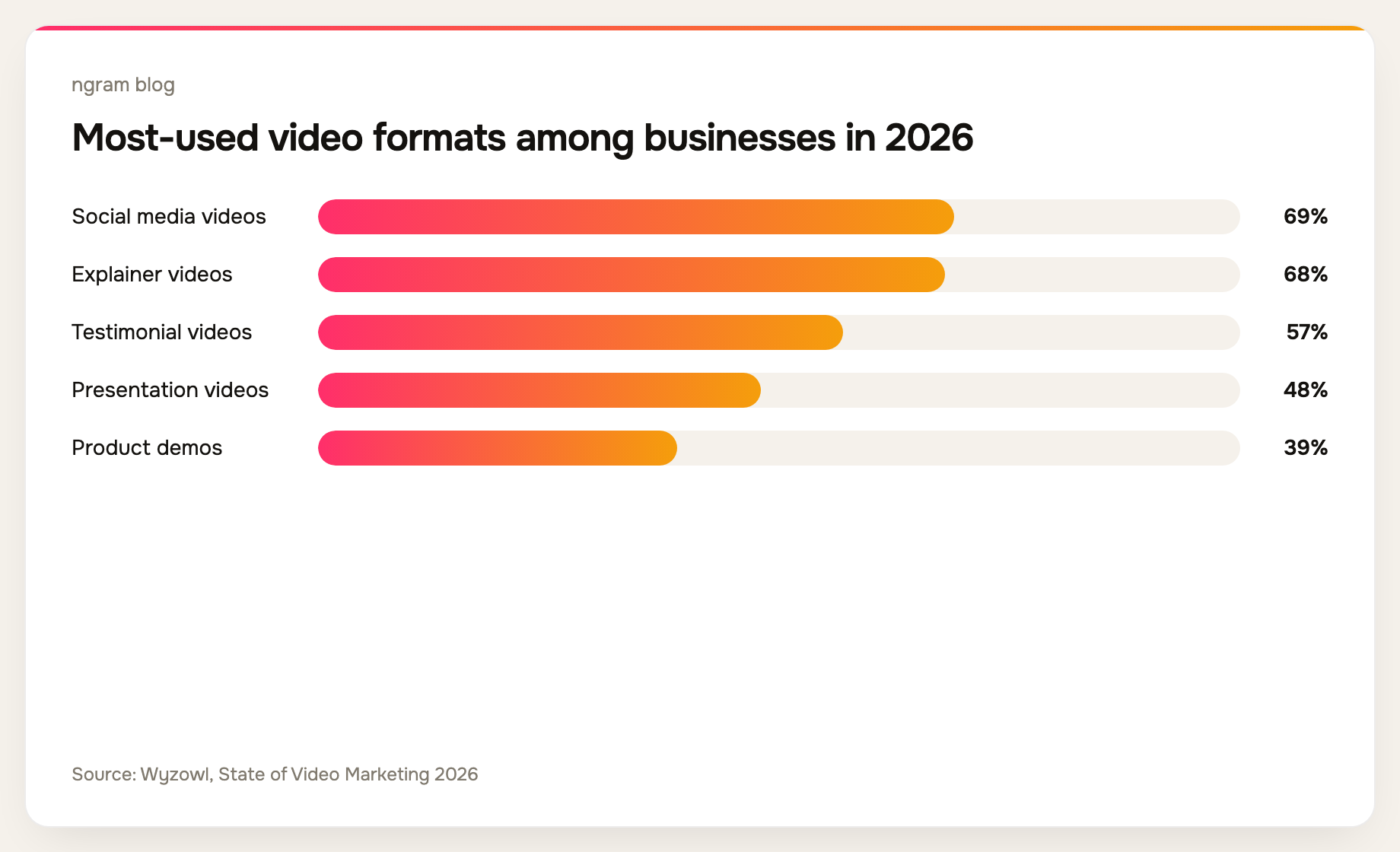
Wyzowl’s figures show the range of formats teams need to support, not just the volume of video they publish.
How we evaluated video marketing software
We assessed each product against the job it is designed to do, rather than pretending every platform should do everything. Our editorial method looks at four workflow questions: Can the team create from its actual source material? Can stakeholders review the message before it is final? Can the finished video reach the intended channel or audience? Can the team learn whether it worked?
That method produces useful trade-offs. A platform can be excellent at hosting and still be the wrong place to make the first draft. A powerful editor can be the right tool for a skilled creator but add another handoff for a product marketer who starts with a launch brief. We checked each option’s public product positioning in September 2026 and avoided plan-specific pricing because plans and limits move quickly.
The 7 best video marketing software options
1. ngram: best for turning source material into a campaign-ready video
ngram is a fit for product marketing and growth teams that already have the raw material but need a strong first cut. Start with a prompt, document, URL, screenshot, deck, screen recording, or raw video. ngram drafts a script and storyboard before render, then keeps the project editable through chat, the script editor, canvas, or timeline.
That is useful when a campaign needs several formats from one source of truth. The AI video generation platform is worth exploring if your team wants to review the story before a rendered draft makes the message harder to change.
2. Wistia: best for video hosting and marketing analytics
Choose Wistia when the primary job is a polished video library, embedded player, webinars, and measurement around owned marketing video. It is most compelling when production already happens elsewhere and distribution analytics are the center of the workflow.
3. Vimeo: best for a broad video library and review workflow
Vimeo is a practical option for teams that need hosting, sharing, review, and a central home for a broad video library. It makes sense when video operations and publishing are more important than generating the first campaign narrative from business context.
4. Vidyard: best for revenue-video workflows
Vidyard is a strong category fit for sales and revenue teams that use video in prospecting, follow-up, and account communication. It is less of a match for a marketing team whose first need is to turn a product narrative into a set of polished campaign assets.
5. Canva: best for template-led social design
Canva fits teams that already work from design templates and need quick social or presentation assets. It can be a sensible choice when visual layout is the starting point. Teams with a dense brief, a recording, or a release note may still need a separate story-planning step.
6. Descript: best for text-led editing and repurposing
Descript is a familiar choice for teams working from recorded audio or video and editing through a transcript. It is especially relevant for podcasts, interviews, and recorded conversations. A brief-led launch video usually needs more work before that edit stage.
7. HubSpot: best when video needs to live inside the marketing CRM
HubSpot is worth considering when the marketing team’s primary requirement is keeping video close to campaigns, contacts, forms, and reporting. It is a marketing-system decision rather than a replacement for the production workflow itself.
What to look for in video marketing software
A solid video marketing software evaluation starts with the source. Ask whether the tool can work from the material your team already trusts: a product page, a launch brief, a slide deck, an approved script, screenshots, or a recording. Rebuilding that context in a blank editor creates the kind of handoff that makes video feel slow.
Next, check the review point. For message-led work, the best moment to get product, brand, and legal feedback is before final production. That is why a script and storyboard review can matter more than a longer transition menu. For teams shipping launches, the product marketing workflow should keep the narrative and the assets close together.
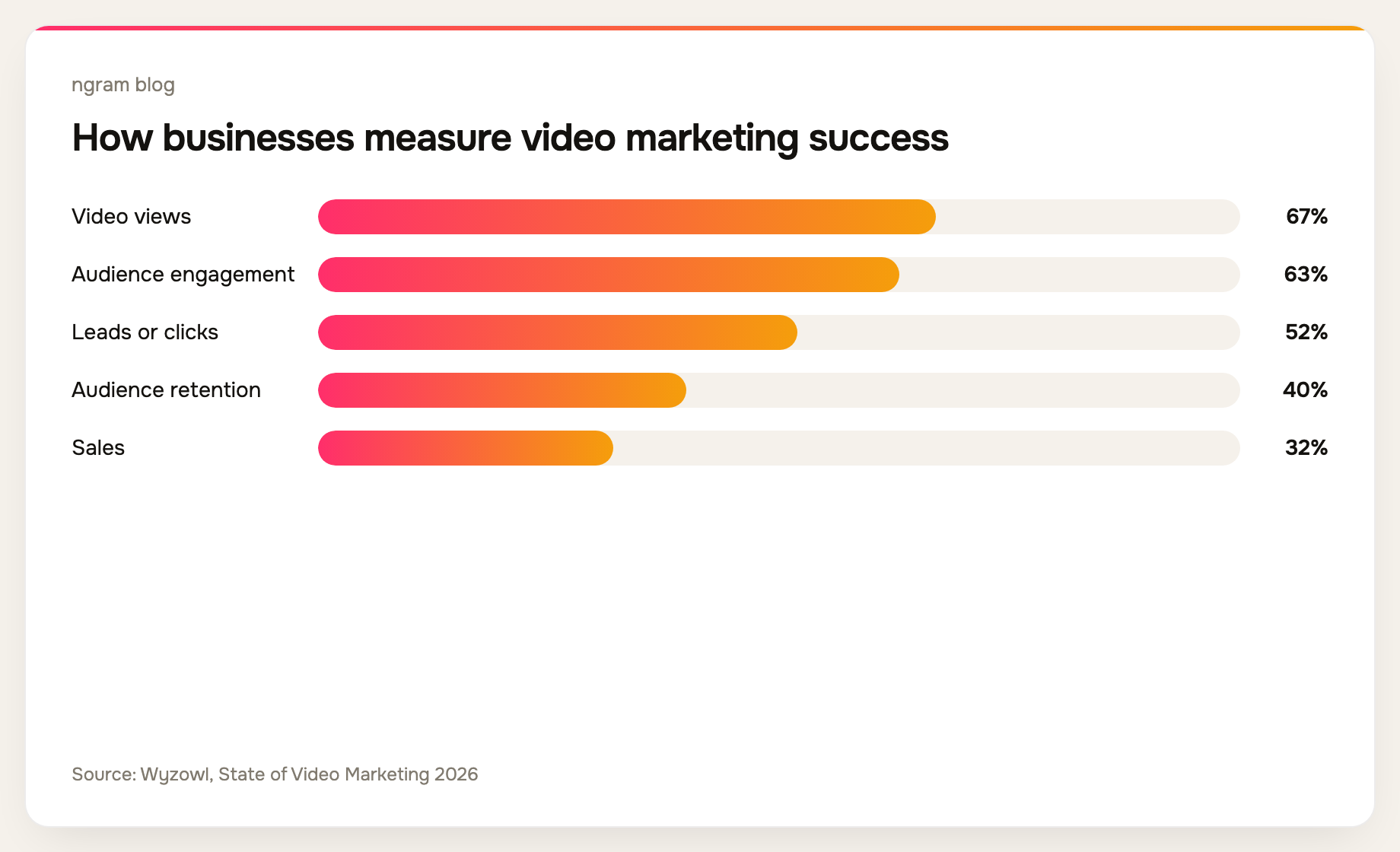
Then look at distribution and measurement. Wyzowl found that 67% of businesses use video views and 63% use engagement to measure success, while 52% track leads or clicks. Pick a platform that exposes the signals your campaign needs, rather than stopping at an export file. Source: Wyzowl’s State of Video Marketing 2026
A practical buying path for small marketing teams
For a small team, start with one recurring job. It might be turning every product launch into a demo, social cutdowns, and sales follow-up. It might be turning a webinar into a library of campaign assets. Do not buy a video marketing platform for an imagined future production department.
- Write down the source material you start with and the person who approves the message.
- Choose one workflow to pilot: a launch, an explainer, a customer story, or paid social creative.
- Define one outcome before production begins, such as qualified clicks, completion rate, or usable sales follow-up.
- Run the same source through your shortlist and note where the team loses context or waits for a handoff.
If your pilot starts with campaign material rather than finished footage, try an AI video generator that turns the source into a reviewable draft. If the job is paid creative, the marketing ad creative workflow is a more specific place to start.
Frequently asked questions
What is video marketing software?
Video marketing software is a category of tools used to create, edit, host, distribute, and measure marketing video. Some products cover one stage deeply. Others connect several stages so a team can move from source material to a published asset without rebuilding the story.
What is the best video marketing software for small business?
For a small business, choose the smallest workflow that removes the real bottleneck. A team making social assets from templates may prefer a design-led tool. A team creating launches and explainers from existing business material may prefer software that plans the story before production. Use a single recurring project as the trial.
What should a video marketing platform measure?
Measure the signal connected to the job. Views and engagement are common early indicators. For a demand campaign, clicks and leads may matter more. For a product education video, retention and completion can show whether the explanation is working. Wyzowl’s survey found that businesses use a mix of all of these measures.
Do I need a separate editor and video host?
Sometimes. A specialist host can be the best choice when your library and analytics needs are already clear. But if the slowest part of the workflow is creating a reviewable draft from business context, solve that before adding another destination for finished files.
Can AI video tools work from existing marketing material?
Some can. In ngram, a team can begin with a prompt, document, URL, screenshot, deck, screen recording, or raw video, then review the proposed script and storyboard before rendering. Confirm the accepted inputs and review controls in any tool you evaluate because that is where workflows differ most.
Choose the workflow that keeps the message intact
The best video marketing software should make it easier to reuse a good message, not force your team to recreate it at every step. Begin with the source material you have, agree on the review moment, and decide what success looks like before you compare feature checklists. That gives you a much clearer video marketing software shortlist than a generic ranking ever could.