Motion Graphics AI Video Maker by ngram
Motion Graphics AI Video Maker for clear product communication

Name the audience, source message, scene style, callouts, brand direction, duration, and review goal
What it does
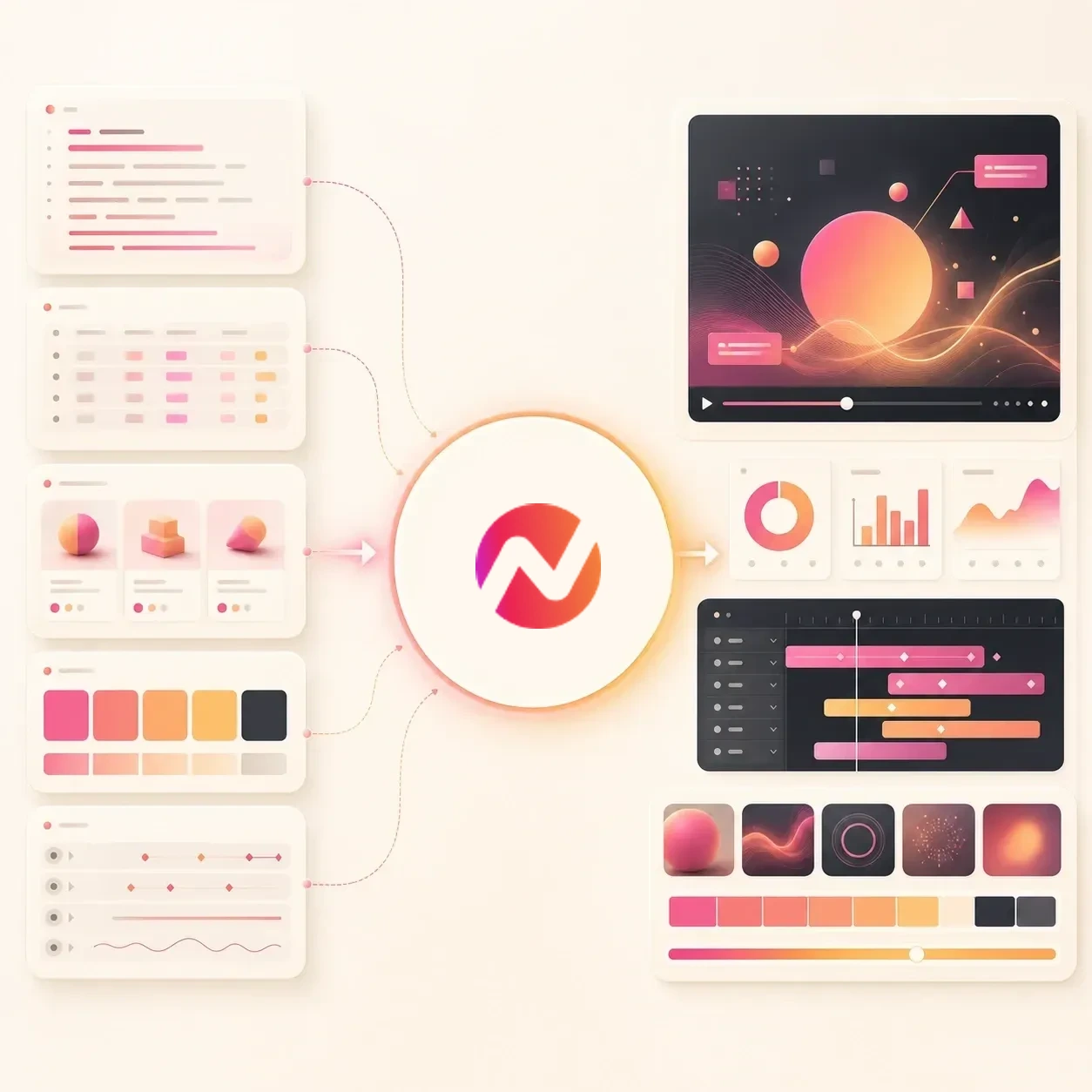
Turn a product message into a motion-led video with callouts and animated text that explain the important details. Keep every scene editable for launches, demos, and customer education.
Trusted by teams at












How it works
How the Motion Graphics AI Video Maker works.
Start with source context, review the plan, then generate motion graphics inside an editable ngram video project.
Add the source material
Use a prompt, product page, PDF, screenshot, chart, script, visual reference, or approved brand context. ngram reads the source for message, audience, visual hierarchy, and scene needs.
Source added
Review the motion plan
ngram drafts the script, storyboard, overlay system, lower thirds, product callouts, caption treatment, voiceover direction, and format notes before rendering.
Plan reviewed
Generate motion graphics scenes
The draft can combine animated graphics, text overlays, UI highlights, charts, generated visuals, captions, voiceover, transitions, and brand kit styling.
Scenes generated
Edit and export the draft
Revise copy, timing, visuals, callouts, captions, voiceover, or scenes. Prepare and review each vertical, square, or widescreen framing separately before downloading its MP4.
Ready for review
What it can do
What Motion Graphics AI Video Maker creates.
Use the tool when a video needs a visual system, not just a clip with text placed on top.
Branded motion systems
Generate repeatable title cards, section breaks, lower thirds, visual frames, and scene treatments that follow the active brand kit.
Learn more about motion graphicsProduct callouts and UI highlights
Point at buttons, menus, metrics, charts, and product states with animated arrows, boxes, labels, and emphasis cues.
Learn more about motion graphicsAnimated text and lower thirds
Create kinetic headlines, speaker labels, feature names, benefit lines, stat cards, and end cards tied to the same script.
Open text animation toolCaptions that match the motion
Add burned-in captions that follow the voiceover, inherit brand styling, and stay editable alongside overlays and scene timing.
Learn more about captionsVoiceover from the motion script
Generate narration from the approved script so the spoken track, callouts, captions, and scene beats reinforce the same message.
Learn more about AI voiceoverBrand kit for every layer
Apply workspace fonts, colors, logos, motion style, image style, voice, tone, approved phrases, blocked phrases, and CTA rules.
Learn more about brand kitBuilt for source-led video drafts with editable motion graphics
When it matters
Where motion graphics make video clearer.
These workflows need visual emphasis, motion cues, and editable scenes that help the audience follow the message.
Product Demo Video
Turn a demo brief, product recording, or screenshot set into a motion graphics video with UI callouts, captions, and voiceover.
Open demo use caseProduct Walkthrough Video
Use highlights, step labels, zooms, and lower thirds so viewers know exactly what changed on each product screen.
Open walkthrough use caseFeature Announcement Video
Make release videos with animated feature names, benefit lines, product labels, and branded CTA cards pulled from launch notes.
Open announcement use caseExplainer Video
Explain an idea, product flow, or internal process with animated definitions, section titles, diagram moments, and callout text.
Open explainer use caseTutorial Video
Create tutorial scenes with numbered title cards, short instructions, click callouts, captions, and recap cards.
Open tutorial use caseHelp Center Video
Convert support context into a video where step labels, highlights, and short lines make the fix easier to follow.
Open support use caseSales Product Demo
Build buyer-specific demo cuts with account labels, proof points, product highlights, objection notes, and a reviewable closing CTA.
Open sales use caseMarketing Social Clips
Create social cuts with readable hooks, motion text, caption emphasis, product moments, and brand-safe visual systems.
Open social use caseInvestor Pitch Video
Turn a pitch narrative into a video with animated metrics, section cards, product proof, and a clearer visual story.
Open pitch use caseProduct stack
The product stack behind motion graphics video.
Motion graphics work best when source context, script, overlays, voiceover, captions, brand kit, and editing live in one project.
Motion
Motion Graphics
Generate branded overlays, lower thirds, product callouts, smart emphasis, transitions, and animated graphics from scene context.
Learn more about motion graphicsBrand
Brand Kit
Keep motion style, colors, fonts, logos, voice, tone, approved phrases, blocked phrases, and CTA rules consistent across the draft.
Learn more about brand kitPlanning
Script Generation
Draft the script and storyboard first so overlays, captions, callouts, voiceover, and CTA cards follow the same message.
Learn more about script generationCaptions
Captions & Subtitles
Pair animated graphics with captions that match the spoken line, scene timing, and format constraints.
Learn more about captionsVoice
AI Voiceover
Generate narration from the approved script and keep the voiceover connected to the motion plan as copy changes.
Learn more about AI voiceoverVisuals
AI Visuals
Create scene backgrounds, product cutaways, supporting imagery, and visual fills that can sit behind the motion system.
Learn more about AI visualsEditing
Video Editing
Revise text, timing, scenes, audio, captions, callouts, and transitions after the first draft is generated.
Learn more about video editingMore tools
More tools around motion graphics video.
Use these tools when the same source needs a different generation path, text treatment, or finishing pass.
Generate the base draft
Start with a source and create the editable video project where motion graphics will live.
AI Video Generator
Create the broader video draft from a prompt, file, URL, deck, image, or recording before tightening the motion treatment.
Open toolText to Video
Turn a written brief or script into a draft where animated graphics and scene motion can be planned from the start.
Open toolAnimated AI Video Maker
Build a more illustrated or animated draft when the motion graphics should sit inside graphic scenes.
Open toolFaceless AI Video Maker
Create a narration-led draft where motion graphics, captions, B-roll, and brand visuals carry the message.
Open toolShape overlays and text
Use these when copy, captions, callouts, and visual labels need separate control.
Text Animation AI Video Maker
Make kinetic typography, animated title cards, lower thirds, and caption emphasis from the same source message.
Open toolAdd Text to Video
Place titles, labels, lower thirds, and callout copy on an existing clip when the base footage is ready.
Open toolVideo Caption Generator
Generate or refine captions for the spoken track while the motion graphics handle emphasis and visual hierarchy.
Open toolVideo Script Generator
Draft the script, hook, CTA, and title-card copy before generating the motion graphics video.
Open toolFinish the video
Polish the generated project once the visual system is in place.
Outro AI Video Maker
Add a branded ending, closing card, or CTA sequence that matches the motion style in the main draft.
Open toolAdd Music to Video
Add a background track after overlays, caption timing, transitions, and visual rhythm define the edit.
Open toolVideo Editor
Fine-tune motion timing, scene order, callout placement, captions, audio levels, and export settings.
Open toolVideo Translator
Translate scripts, captions, voiceover, and on-screen text when the motion graphics video needs localized versions.
Open toolConvert
Sources that turn into motion graphics video.
These converters give ngram the source material it needs to plan visual systems, overlays, callouts, captions, and voiceover.
Prompt to Video
Describe the audience, message, visual style, and review goal, then create a motion graphics video draft.
Open converterScript to Video
Turn an approved script into scenes with animated overlays, callouts, captions, voiceover, and branded motion.
Open converterProduct Page to Video
Use product copy, screenshots, feature details, and source visuals to create a motion-led product video.
Open converterWho it is for
Teams that use AI motion graphics video.
Motion graphics help teams make product stories, data points, and process steps easier to follow without splitting the work across tools.
Product Marketing
Launch videos with animated feature names, benefit lines, product labels, and CTA cards that match the positioning.
See product marketing workflowsGrowth & Marketing
Campaign clips with readable hooks, motion text, caption emphasis, product proof, and branded visual systems.
See growth workflowsSales Enablement
Buyer demo clips where account labels, product callouts, proof points, and next-step text stay connected to the sales story.
See sales workflowsCustomer Success
Onboarding and feature-education videos with step labels, captions, and callouts that reduce follow-up questions.
See CS workflowsSupport Teams
Support videos where animated labels, highlights, and click callouts point customers to the exact workflow detail.
See support workflowsProduct Managers
Roadmap, changelog, and stakeholder updates where animated text and simple diagrams make the change easy to scan.
See product workflowsAgencies & Consultants
Client videos where every title card, overlay, lower third, and callout inherits the right brand kit for that account.
See agency workflowsFounders
Pitch, update, and product videos that use motion cues to make the business story easier to understand.
See founder workflowsIntegrations
Route motion graphics video requests from real work.
Use live integrations when a source page, approved brief, or AI agent needs to start a motion graphics video draft.
Brief to motion graphics draft
ZapierWhenA launch brief, support request, product note, or campaign request includes source context for a motion graphics video.
ThenSend the prompt, file, or source URL to ngram so a branded motion graphics draft is created for review.
Agent-created motion videos
MCPWhenAn AI agent has a script, product context, chart, or source URL and needs a video with overlays and callouts.
ThenInvoke ngram with source links and brand direction so the agent receives an editable motion graphics project.
Capture source pages
ChromeWhenYou are viewing a product page, release note, support article, report, or campaign page that needs a motion-led video.
ThenSend the page context into ngram and start the motion graphics draft without rebuilding the brief by hand.
Use integrations when motion graphics video requests should start from briefs, source pages, or agentic workflows.
Why ngram
How motion graphics video workflows differ.
Motion graphics tools differ by how much they understand about source context, script, visual hierarchy, brand kit, and final editing.
| Compare | ngram | Template video editors | Manual motion design | Caption-only tools |
|---|---|---|---|---|
| Workflow fit | Starts from a prompt, reference file, URL, script, screenshot, product page, chart, or brand context. | Useful when the video only needs a known layout or a quick animation preset. | Strong when a motion designer already has approved style frames, copy, and timing. | Useful when the main task is turning speech into subtitles on a finished clip. |
| How ngram fits | Plans overlays, lower thirds, product callouts, captions, voiceover, visuals, transitions, and brand motion together. | Usually make the user choose timing, easing, placement, and copy structure by hand. | Requires manual setup for layers, keyframes, easing, brand checks, and export variants. | Often separate captions from overlays, lower thirds, product callouts, and brand motion. |
| Best use | Keeps text, timing, scenes, audio, captions, callouts, and export formats editable after generation. | Less suited to source-led drafts where callouts and overlays need to follow the script. | Slower when the source message is still changing and the team needs a reviewable first draft. | May still need another editor for animated graphics, scene changes, CTA cards, and format variants. |
FAQ
Common questions about Motion Graphics AI Video Maker
Still curious?
Turn source context into motion graphics video
Start with a prompt, reference file, or URL. ngram creates a reviewable video draft with branded overlays, lower thirds, product callouts, captions, voiceover, and editable scene motion.
Describe the visual system, then edit the generated draft in the same workspace.
Prompt, file, or URL to motion graphics video