
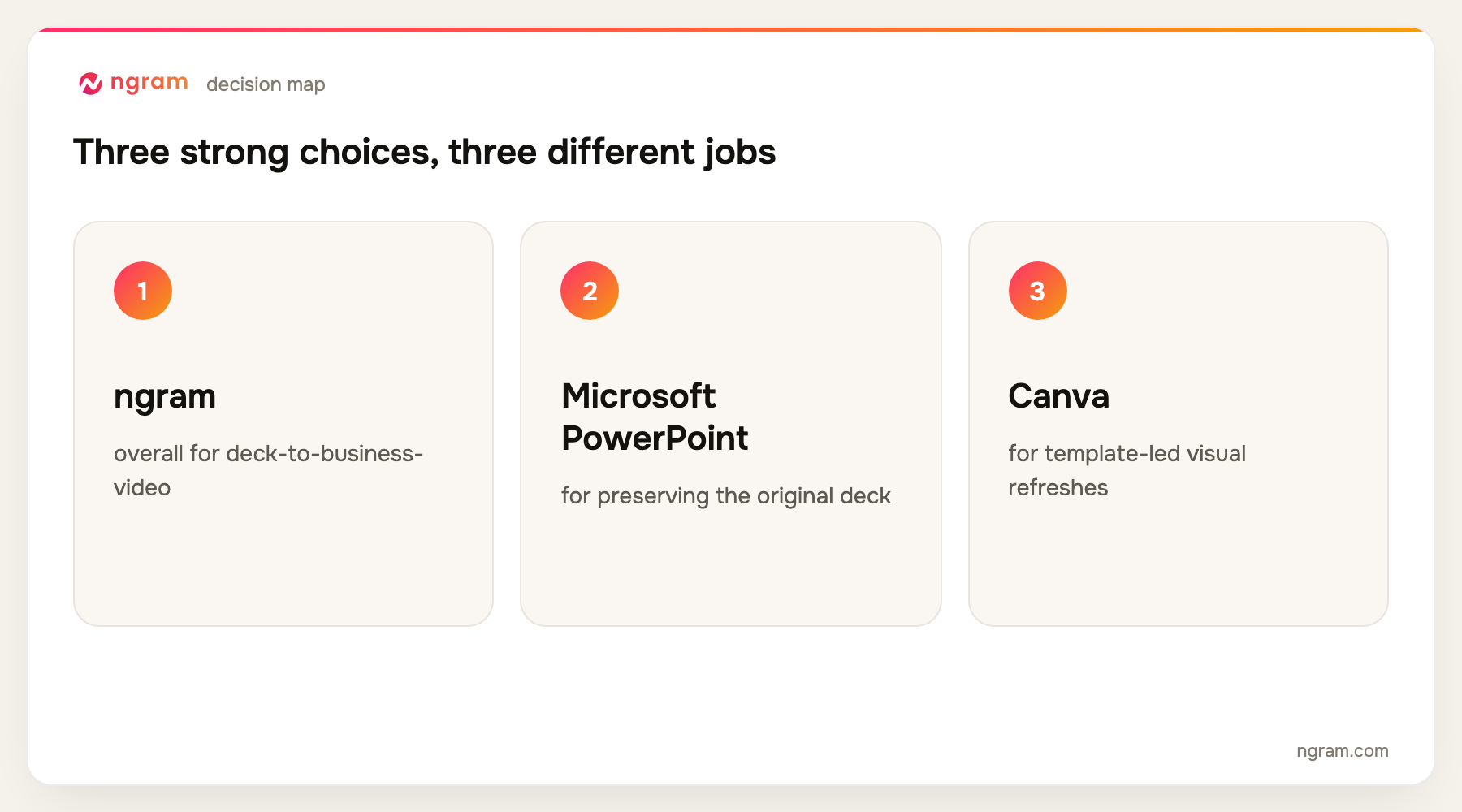
ngram is the best video presentation maker for turning an existing deck into a newly structured, narrated business video with editable scenes, motion graphics, captions, and brand controls. PowerPoint is better when you only need to record and export the original slides, Canva is stronger for template-led visual refreshes, and Pictory is built for quickly repurposing a presentation as a scene-based video.
ngram publishes this guide and is one of the products evaluated. We did not create a uniform test project in every tool. The ranking is based on current official product, help, licensing, and pricing pages, recurring product frequency across the top five Google results, and workflow fit for turning decks and slides into a narrated, animated video that can stand on its own.
To turn a deck into an editable narrated video, use ngram's slides-to-video converter. It is the primary handoff for this guide.
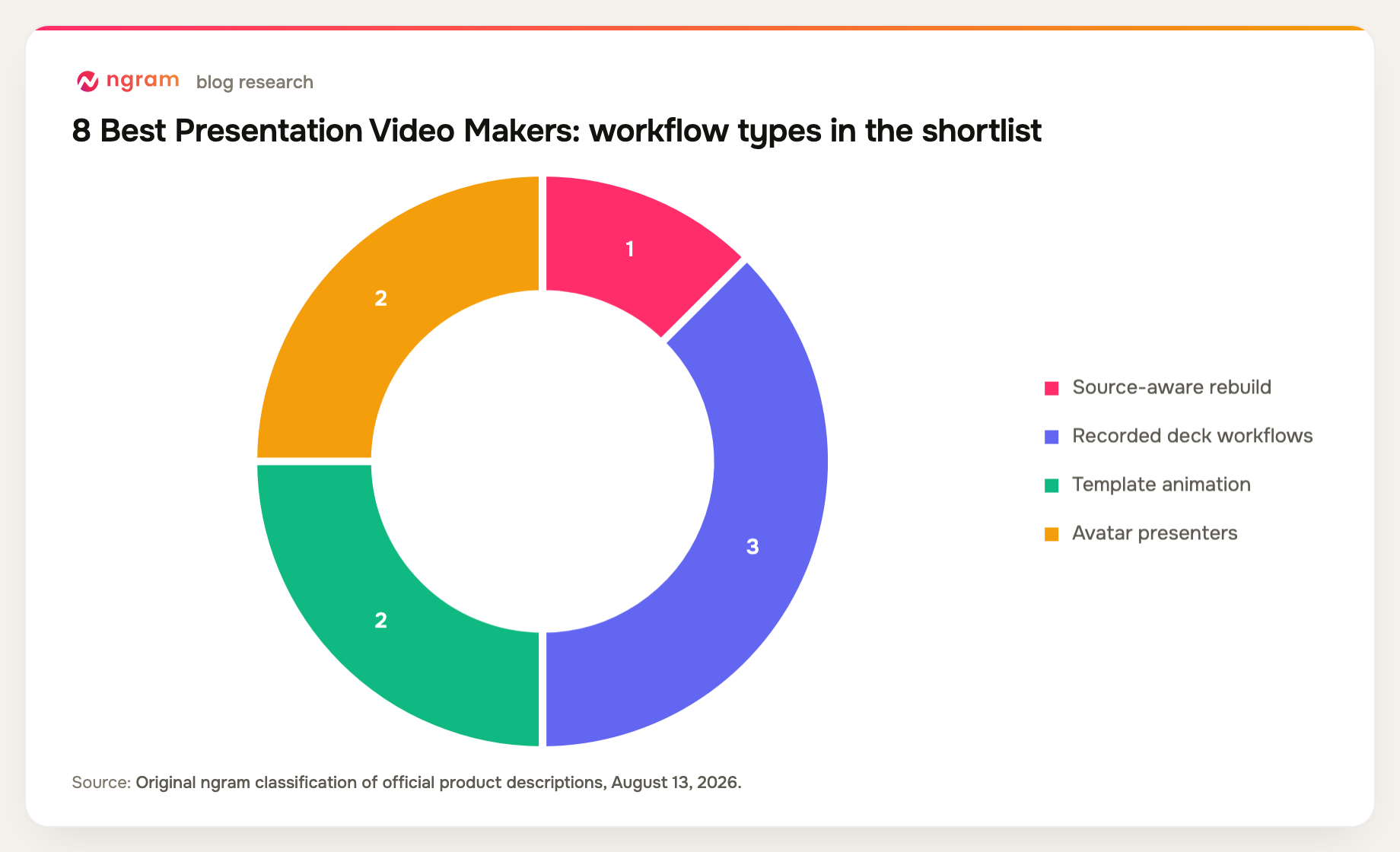
A presentation video can be a recording of the original slide show, a deck rebuilt as scenes, an avatar presenting the material, or an animated story inspired by the slides. These approaches preserve different amounts of the source and require different levels of review.
The best tool is therefore not the one with the largest template library. It is the one that keeps the facts, charts, hierarchy, and brand intact while making the result understandable without a live presenter standing beside it.
9 best video presentation makers at a glance
| Rank | Tool | Best for | Price reference | Main trade-off |
|---|---|---|---|---|
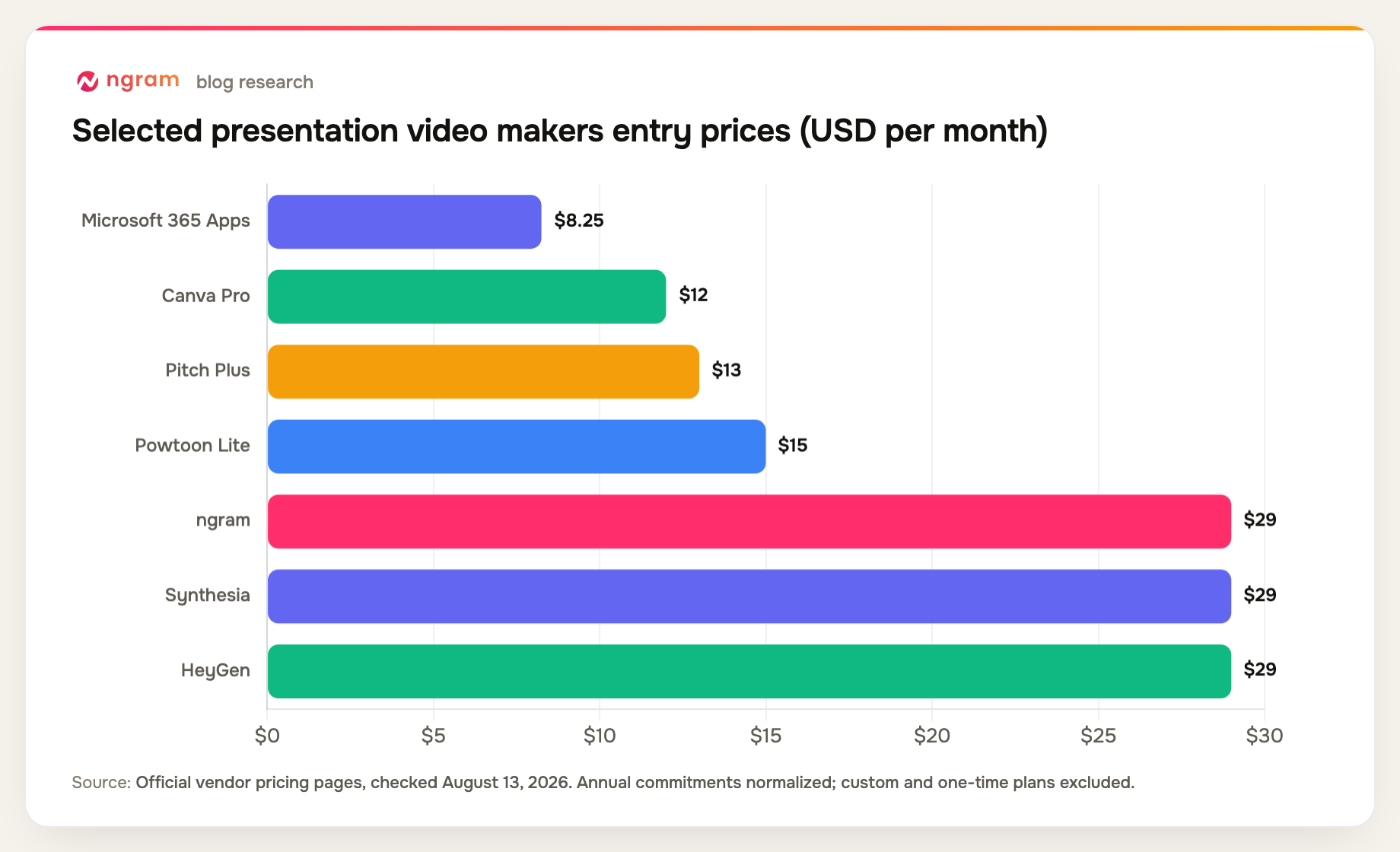
| 1 | ngram | Best overall for deck-to-business-video | Free; paid from $29/mo | Imported output needs review |
| 2 | Microsoft PowerPoint | Best for preserving the original deck | From $8.25/user/mo annual | Limited automatic storytelling |
| 3 | Canva | Best for template-led visual refreshes | Free; Pro $144/year | Limited narrative automation |
| 4 | Pictory | Best for presentation repurposing | 14-day trial; Starter $25/mo annual | Not pixel-perfect slide playback |
| 5 | Powtoon | Best for animated presentation stories | Free; Lite $15/mo annual | Distinct template style |
| 6 | Synthesia | Best for avatar-presented decks | Free; Starter $29/mo | Presenter format dominates |
| 7 | HeyGen | Best for lifelike presentation avatars | Free; Creator $29/mo | Credit usage at scale |
| 8 | VEED | Best for recording and editing in a browser | Free; paid plans vary | Slide import is not the whole workflow |
| 9 | Pitch | Best for collaborative deck creation | Free; Plus $13/mo annual | Not a direct video-export tool |
Most prices and plan details were checked August 13, 2026; Pictory was checked September 3, 2026. Vendors change packaging frequently, so confirm the checkout page before buying.
How we chose and ranked the tools
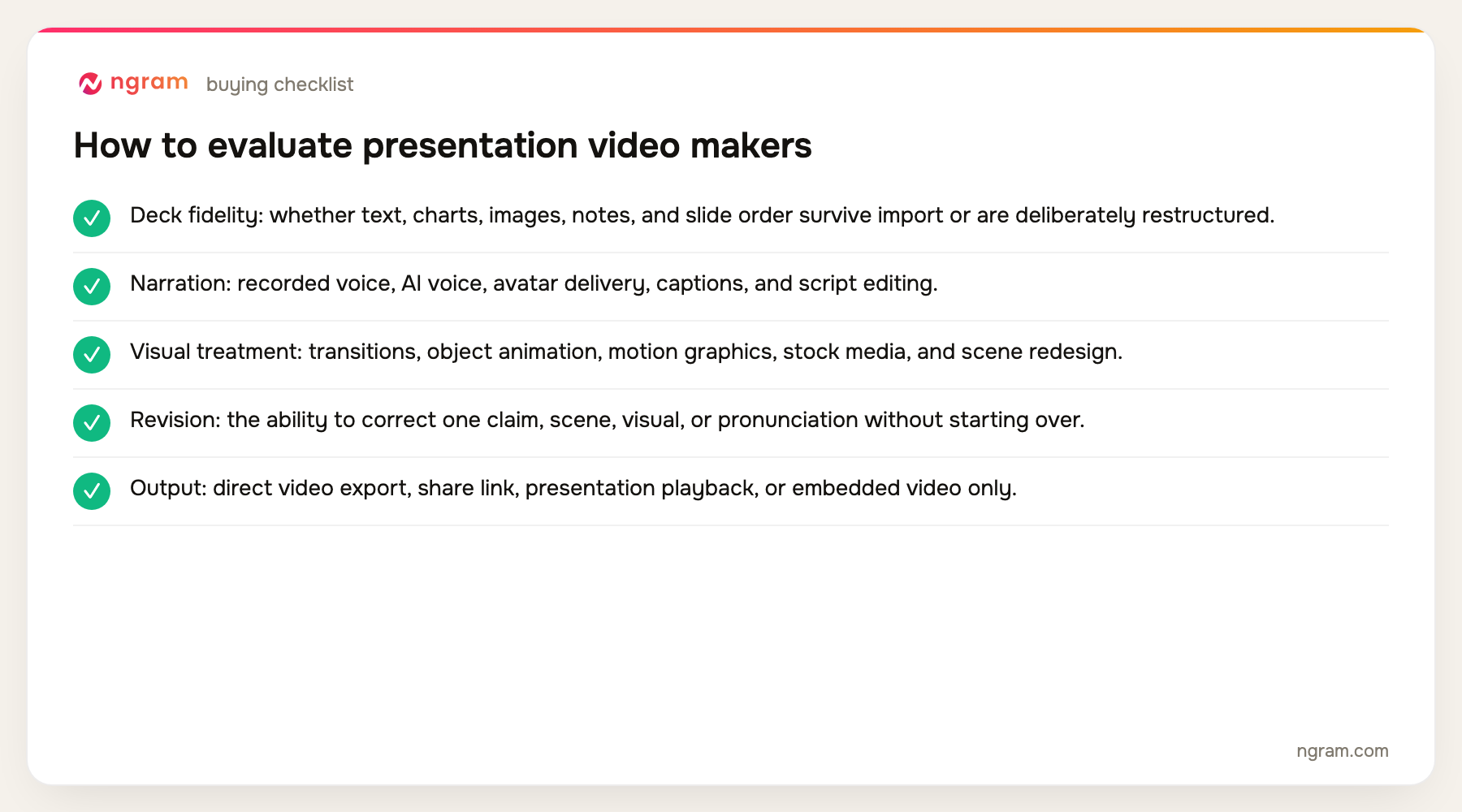
We compared PowerPoint, PDF, and slide import; script and narration support; presenter options; animation; brand controls; editing after conversion; collaboration; and whether the tool exports a true standalone video.
- Deck fidelity: whether text, charts, images, notes, and slide order survive import or are deliberately restructured.
- Narration: recorded voice, AI voice, avatar delivery, captions, and script editing.
- Visual treatment: transitions, object animation, motion graphics, stock media, and scene redesign.
- Revision: the ability to correct one claim, scene, visual, or pronunciation without starting over.
- Output: direct video export, share link, presentation playback, or embedded video only.
The product set was not chosen from memory. We counted products appearing across the current top five organic results, kept products with repeat coverage first, and filled remaining slots from top-ten entity frequency and direct relevance. Products removed by the approved evidence-tier rules were not reconsidered.
Teams starting specifically with a PowerPoint file can use the narrower PPT-to-video workflow.
The 9 best video presentation makers
1. ngram: Best overall for deck-to-business-video
ngram accepts PPTX and PDF files, then can create a script, storyboard, voiceover, captions, avatars, motion graphics, and editable scenes. It can preserve the deck as source context while reorganizing the material for a video audience.
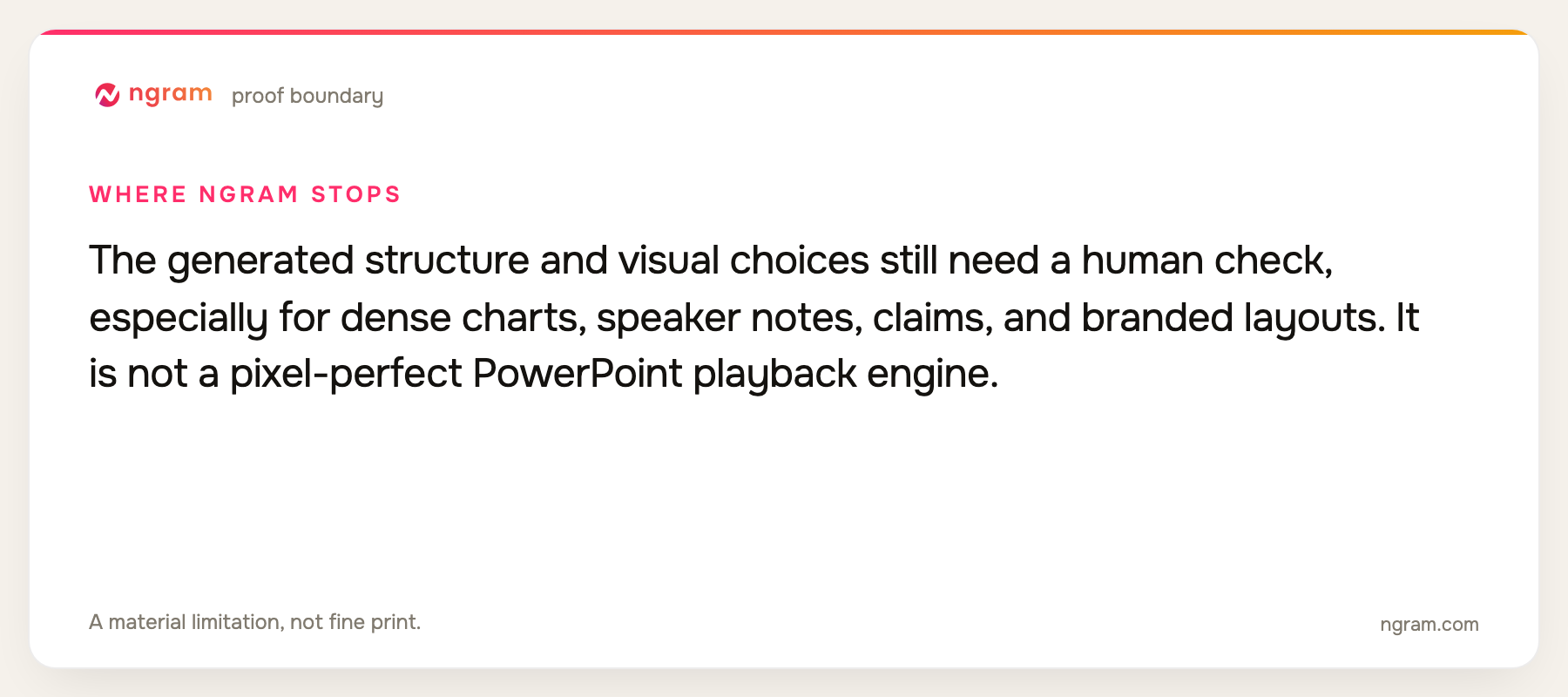
Limitation: The generated structure and visual choices still need a human check, especially for dense charts, speaker notes, claims, and branded layouts. It is not a pixel-perfect PowerPoint playback engine.
Pricing: Free includes 60 seconds at 720p with a watermark. Basic is $29 per month, Premium is $59, and Ultimate is $299; annual billing is 20% lower. Pricing checked August 13, 2026.
Verdict: Choose ngram when the deck is raw material for a better standalone video rather than a slide show that simply needs recording.
Evidence: ngram public product state, live conversion routes, and the repository's pricing source.
2. Microsoft PowerPoint: Best for preserving the original deck
PowerPoint can record narration and camera, rehearse timings, use design assistance and cameo features, and export a presentation as a video. It preserves the original slide structure and familiar authoring workflow.
Limitation: It does not automatically turn a dense presentation into a concise video narrative. Good results still depend on slide design, delivery, timing, and manual editing.
Pricing: Microsoft 365 Apps for business is $8.25 per user per month on an annual commitment; Business Standard is $12.50. Pricing checked August 13, 2026.
Verdict: Use PowerPoint when fidelity to the existing deck matters more than AI restructuring or a new visual language.
Evidence: Microsoft's official PowerPoint support and Microsoft 365 business pricing pages.
3. Canva: Best for template-led visual refreshes
Canva combines presentation templates, animation, video editing, stock assets, brand kits, collaboration, AI tools, and multiple presentation modes. Teams can restyle a deck and build a video in the same design environment.
Limitation: It offers less source-aware narrative restructuring and less editing depth than dedicated video platforms or professional editors.
Pricing: Free is available; Canva Pro is $144 per year and Canva Business is $250 per person per year. Pricing checked August 13, 2026.
Verdict: Pick Canva when the deck needs a fast branded makeover and the team already works in Canva.
Evidence: Canva's official 2026 pricing and presentation product pages.
User signal: Users value the templates and shared brand workflow; managing complex slides and maintaining consistency across a large file are common friction points.
4. Pictory: Best for repurposing presentations into professional videos
Pictory turns PPT and PPTX presentations into editable video storyboards. It can use speaker notes for narration, then lets teams refine scenes with AI visuals, captions, voiceovers, music, avatars, and brand elements. Brand Kits keep logos, fonts, and colors consistent across a video program.
Limitation: Pictory is designed to transform presentations into video rather than preserve every slide as a pixel-perfect reproduction. Teams that need complex slide animations or granular frame-by-frame editing may prefer a traditional presentation or video editor.
Pricing: A 14-day free trial is available. Starter is $25 per month when billed annually, Professional is $35, and the Team plan is $119. Pricing checked September 3, 2026.
Verdict: Choose Pictory when you want to repurpose an existing presentation into a polished, brand-ready video quickly, especially for business, training, marketing, or internal communication content at scale.
Evidence: Pictory's official PPT-to-Video workflow, AI Video Editor, Brand Kits, AI visuals, avatars, audio, captions, and scene-based editing documentation.
5. Powtoon: Best for animated presentation stories
Powtoon combines animated scenes, characters, templates, screen recording, avatars, dubbing, translation, and AI anything-to-video tools. It suits explanatory presentations that benefit from movement and visual metaphor.
Limitation: The recognizable template style is not right for every brand, and plan limits on duration, assets, and exports matter for regular production.
Pricing: Free is available; Lite is $15 per month on annual billing, Professional is $40, and Advanced is $125. Pricing checked August 13, 2026.
Verdict: Choose Powtoon for animated explainers and training-style presentations that should feel more like a story than a recorded deck.
Evidence: Powtoon's official pricing and product pages.
6. Synthesia: Best for avatar-presented decks
Synthesia can import PowerPoint, add stock or custom avatars, generate or record voice, apply brand kits, translate the result, and reuse templates across a presentation-video program.
Limitation: The avatar-led approach can make visually rich or data-heavy decks feel secondary, and the result may need variation to avoid repetition.
Pricing: Free is available; Starter is $29 per month and Creator is $89, with Enterprise priced by quote. Pricing checked August 13, 2026.
Verdict: Pick Synthesia when the presentation needs a consistent virtual presenter across many languages or modules.
Evidence: Synthesia's official PowerPoint, avatar, language, and pricing pages.
7. HeyGen: Best for lifelike presentation avatars
HeyGen supports PowerPoint and PDF imports, stock and custom avatars, voice cloning, multilingual translation, and lip sync. It is a strong option when the deck needs a realistic presenter without a recording session.
Limitation: Credits govern output and localization volume, while the presenter-first format is not a substitute for careful chart and slide redesign.
Pricing: Free is available; Creator is $29 per month, Pro starts at $49, and Business starts at $149 plus $20 per additional seat. Pricing checked August 13, 2026.
Verdict: Choose HeyGen when avatar realism and multilingual presenter delivery matter more than detailed slide animation.
Evidence: HeyGen's official June and July 2026 pricing, avatar, and import documentation.
8. VEED: Best for recording and editing in a browser
VEED combines presentation recording, screen and camera capture, browser editing, captions, templates, stock assets, brand controls, and collaboration. It works when the deck is presented on screen and then edited like ordinary video.
Limitation: Teams looking for deep deck reconstruction or object-level slide animation may need a presentation or source-to-video specialist.
Pricing: A Free plan is available; current paid tiers are Creator, Pro, Studio, and Enterprise, with rates displayed in the billing flow. Pricing checked August 13, 2026.
Verdict: Use VEED when a presenter wants to record the deck and finish the result collaboratively in a browser.
Evidence: VEED's official recording, editing, and pricing pages.
9. Pitch: Best for collaborative deck creation
Pitch is a collaborative presentation platform with AI slide creation, video uploads, templates, comments, analytics, and PowerPoint export. It is strong for designing and sharing the deck itself.
Limitation: Pitch is not primarily a narrated-video generator. It can include video and measure deck engagement, but teams needing a standalone finished video require recording or another conversion workflow.
Pricing: Free is available; Plus is $15 per month or $13 on annual billing, Team is $23 or $19, and Business is $30 or $25. Pricing checked August 13, 2026.
Verdict: Pick Pitch when real-time deck collaboration and presentation analytics matter, but do not mistake it for a complete deck-to-video pipeline.
Evidence: Pitch's official pricing and product pages.
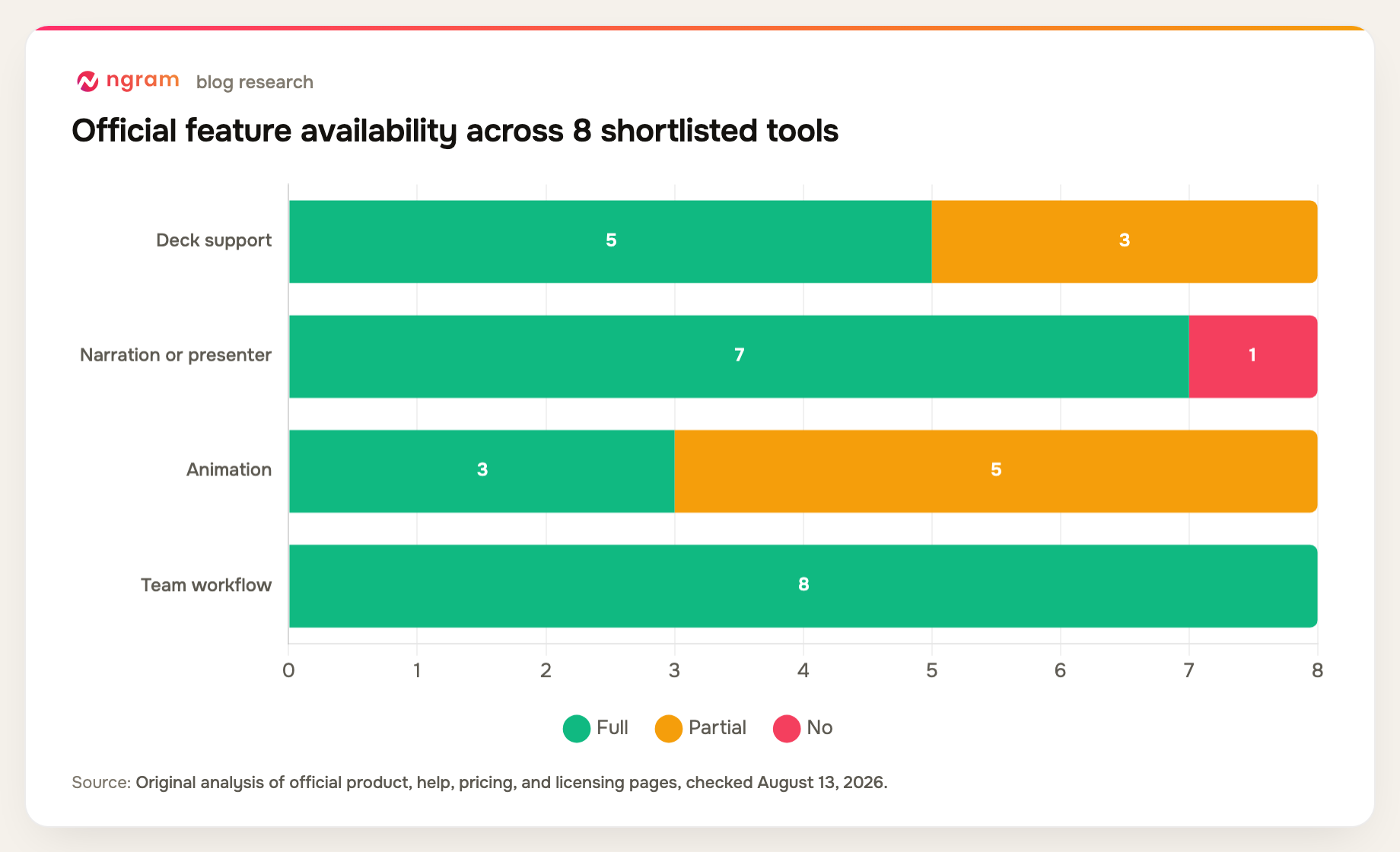
Official-source presentation-to-video workflow matrix
The output column is decisive. Some products create a standalone video, while others remain presentations that can contain or be recorded as video.
| Tool | Deck support | Narration or presenter | Animation | Team workflow | Primary output |
|---|---|---|---|---|---|
| ngram | Yes | Yes | Yes | Yes | Rebuilt video |
| Microsoft PowerPoint | Native | Recorded | Partial | Yes | Recorded deck |
| Canva | Partial | Yes | Yes | Yes | Template video |
| Pictory | Yes | Yes | Partial | Yes | Scene-based video |
| Powtoon | Partial | Yes | Yes | Yes | Animated story |
| Synthesia | Yes | Yes | Partial | Yes | Avatar deck |
| HeyGen | Yes | Yes | Partial | Yes | Avatar deck |
| VEED | Partial | Yes | Partial | Yes | Recorded presentation |
| Pitch | Native | No | Partial | Yes | Interactive deck |
Method note: this is an original feature-parity matrix compiled from the official product, help, pricing, and licensing sources named in each review above. Most sources were checked August 13, 2026; Pictory was checked September 3, 2026. A "Partial" means the capability exists with a plan, format, workflow, or depth constraint. It is not a hands-on performance benchmark.
How to choose a video presentation maker
Decide whether to preserve or reinterpret the deck. A board presentation may need faithful timing and narration. A webinar recap may need a shorter video story. A training deck may work better with an avatar and reusable scenes.
Inspect charts, tables, and speaker notes after import. These elements often carry the real meaning and are where automatic conversion is most likely to need human correction or visual simplification.
Plan for viewers who will not see the original deck. Narrate the logic, define acronyms, caption speech, keep on-screen text readable, and remove references such as 'as you can see on the previous slide.'
If you already have a PowerPoint or PDF deck, use ngram's PPT-to-video workflow to turn its slides into scene blueprints for a narrated video.
FAQ about presentation video makers
What is the best presentation video maker?
ngram is the best overall choice in this list for rebuilding a deck as a standalone business video. PowerPoint is better for recording the original slides, Canva for template-led redesign, Pictory for fast presentation repurposing, and Synthesia or HeyGen for avatar-presented decks.
Can AI turn a PowerPoint into a video?
Yes. ngram can use PPTX as source material for an editable video, Pictory can turn PPT and PPTX files into scene-based video storyboards, and Synthesia or HeyGen can import presentations into avatar workflows. PowerPoint itself can record narration and export the original slide show as video.
Does Pitch export a narrated video?
Pitch is primarily a collaborative presentation platform. It supports video inside decks, sharing, analytics, and PowerPoint export, but it is not the strongest choice when the required output is a newly narrated standalone video file.
Should a presentation video keep every slide?
Usually not. A live deck may contain prompts for the speaker, backup material, and dense reference slides. A standalone video should keep the argument and evidence while removing repetition and redesigning material that cannot be read comfortably on screen.
How do you make a presentation video accessible?
Provide accurate captions, readable contrast and type, clear narration, enough time for charts and text, descriptions for essential visuals, and a transcript or written summary. Do not rely on color alone to communicate meaning.
Final verdict
ngram is the best fit when the deck should become a newly structured business video. PowerPoint remains the most faithful route for recording the original slide show, Pictory is a strong choice for fast AI-assisted presentation repurposing, and Canva or Powtoon suit template-led visual treatment. Synthesia and HeyGen lead when a virtual presenter is the point of the format.
Check ngram's current credit, duration, and export allowances on the pricing page.