ngram Issue 025: Chapter Cards, Brand Color Roles, Custom Bookends | made with ngram

About the video
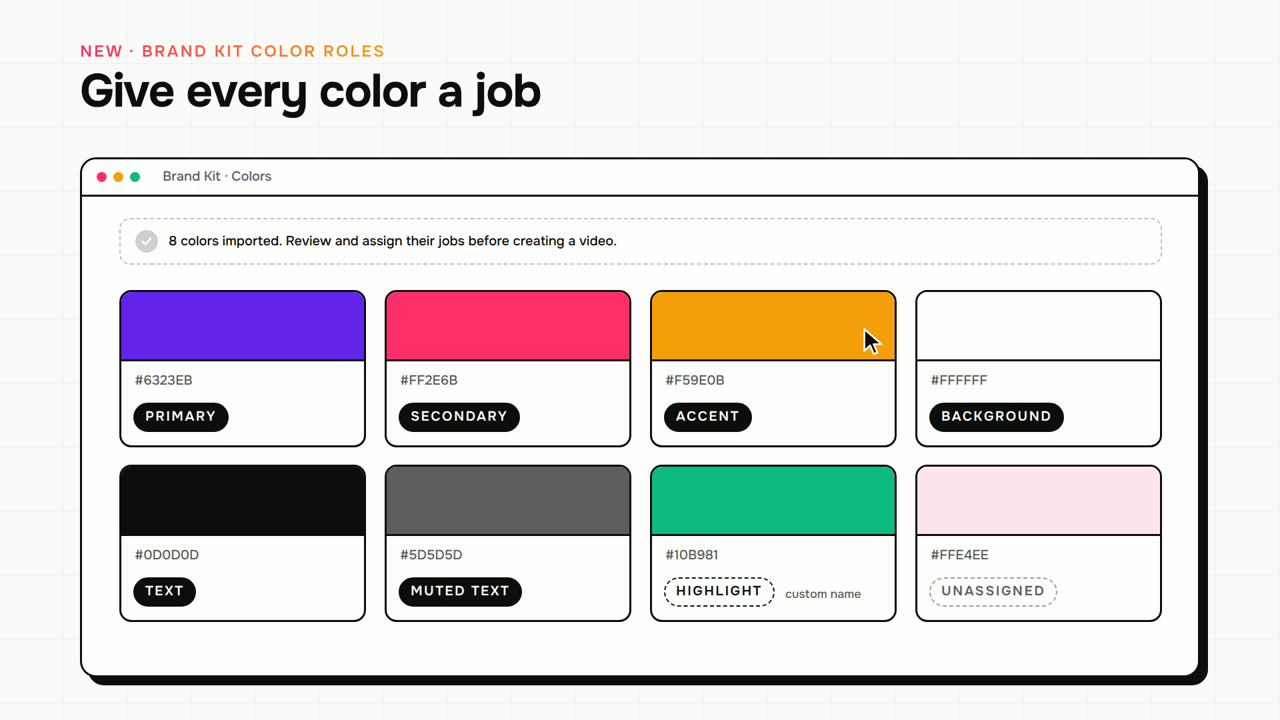
This video was created by ngram to walk through the product updates in issue 025 of ngram studio. It explains how a scene can now open with its own chapter card, created by turning on show in the editor and setting a title, optional subtitle, scene number, and template, playing for one second before the scene in both playback and export. It covers brand kit color roles, where each color can be assigned a job such as primary, secondary, accent, background, text, or muted text, with unassigned roles chosen automatically for readable contrast at render time. The video demonstrates adding custom intro and outro bookends using uploaded images or video from a device or media library, alongside the existing branded slide templates, while leaving the main story's media untouched. It also shows a clearer setup flow, with the composer displaying the current aspect ratio next to the voice control and allowing users to cycle through landscape, vertical, and square for supported video types. Additional fixes are mentioned, including corrected 4k download dimensions, plan checks before accepting quality choices, slide narration and staging fixes, image resizing, subscription cancellation handling, and uploaded video setup now waiting for processing before the first script request. The video closes by guiding viewers to open a project to add a chapter card or custom intro, or start a new video by choosing its aspect ratio first, and to check the preview and credit estimate before rendering.
- #chapter cards
- #brand kit
- #color roles
- #intro and outro
- #aspect ratio
- #product update
- #ngram studio