
If you are weighing Jogg AI against the alternatives, the real question is not "which tool has the best avatar." It is "which tool fits the job you are actually doing." Jogg AI alternatives split cleanly into two camps: tools built to pump out short, creator-style ad videos at volume, and tools built to turn the source material you already have, a doc, a product URL, a deck, a screen recording, into one finished, on-brand video you can reuse across marketing, sales, support, and training.
Jogg AI sits at the intersection. It is an AI video generator with lifelike avatars that turns a product URL, a script, a photo, or a prompt into avatar-led product videos and UGC-style ads, and it claims 800,000+ users. That is a genuinely useful product. But its Trustpilot score sits at 2.5 out of 5 across 28 reviews as of Q1 2026, and the complaints are specific: credits burned on regenerations without warning, renders that come back inconsistent, and lip-sync that does not always match the demo reels. So we tested the seven tools people most often shortlist when they go looking for a Jogg AI alternative, ranked them by the job they do best, and put ngram first for the slice it genuinely wins.
Quick comparison
| Tool | Best for | Starting price | Key differentiator |
|---|---|---|---|
| ngram | Finished business video from any source | Free / $29/mo | Plans the script and storyboard before it renders |
| HeyGen | Polished avatar presenter videos | Free / $29/mo | Large avatar library plus strong video translation |
| Synthesia | Enterprise avatar training video | $18/mo (annual) | Governance, security, and 230+ avatars |
| Arcads | High-volume UGC ad testing | $110/mo | Most lifelike AI actors for paid social |
| Creatify | Product-URL to UGC ad | $33/mo | Scrapes a product page and writes the ad |
| Colossyan | SCORM training courses | $27/mo (annual) | Interactive, exportable learning modules |
| D-ID | Talking-photo avatars and API | $5.90/mo | Photo-to-avatar plus a mature API |
1. ngram
Watch how ngram turns an idea into a finished video:
Where Jogg AI starts with an avatar and a script, ngram starts with the source material you already have and builds the whole video around it. Give it a product page, a PDF, a deck, a set of screenshots, or a rough screen recording, and it writes the script, plans the storyboard, generates voiceover and captions, and returns a narrated, branded cut. For the product-page-to-video and avatar-led ad slice that Jogg AI owns, ngram is a direct fit, and it covers a lot more of the B2B source-to-video workflow on top.
What makes ngram stand out
The biggest difference is the planning step. ngram shows you the script and storyboard before it renders anything. You fix the structure, the messaging, and the pacing in plain language, then it generates the video. Jogg AI generates first and asks you to regenerate when something is off, which is exactly the loop that drains credits in the reviews.
ngram exports finished videos as MP4. Ask for a channel-specific cut, a website hero and a channel-specific cut of the same message; prepare each final cut separately. It carries a brand kit, logo, colors, fonts, intros and outros, across every export automatically, so a launch video and a support walkthrough look like they came from the same company.
For the avatar work people buy Jogg AI for, ngram has a filterable avatar library, custom faces you upload for your own team, and talking-head lip sync. It also adds the parts Jogg AI does not touch: screen-recording polish with cursor smoothing, click emphasis and smart zooms, motion graphics and product callouts, and translation across script, captions, on-screen text and voiceover with the lip movements regenerated to match.
Key features:
- Source-to-video generation - Start from text, a URL, a PDF, a deck, screenshots, or a screen recording, not a blank avatar stage.
- Plan first, generate second - Approve the script and storyboard before anything renders.
- AI avatars and custom faces - Avatar library plus your own uploaded faces with lip sync.
- Screen-recording polish - Cursor smoothing, click emphasis, smart zooms, and callouts on raw captures.
- MP4 export - Finished MP4 with burned-in captions; prepare channel-specific cuts separately when needed.
- Brand kits - Logo, colors, fonts, intros and outros applied to every video automatically.
Pros
- ✅ Builds the full video from source material, not just an avatar reading a script
- ✅ Review-before-render workflow avoids the regenerate-and-burn-credits loop
- ✅ One source becomes a launch video, a social cut, and a localized variant
Cons
- ❌ Web-based only, with no native mobile app today
- ❌ Built for finished business video, so it is more than you need for a single quick talking-photo clip
Who is ngram best for?
Product marketing, growth, sales enablement, and customer success teams that need a reusable, on-brand video out of material they already have. If your job is a product demo, a launch clip, an onboarding walkthrough, or a localized variant of all three, ngram is the alternative to test first. For a head-to-head, see our ngram vs Jogg AI comparison. ngram has a generous free plan with paid plans starting at $29 per month.
Ready to try ngram? Create your first video in under 5 minutes. Start free
2. HeyGen
HeyGen is the avatar-presenter tool most people compare Jogg AI to first, and for good reason. It turns a script into a polished talking-head video with a large library of stock avatars, custom avatars built from your own footage, and one of the better video translation features on the market.
HeyGen reports more than 40,000 paying customers and is widely used for corporate training, internal comms, sales outreach, and explainer videos. Across G2 and Reddit, users consistently praise the avatar realism and the speed of going from script to finished clip. The recurring complaint is cost: heavy users hit credit limits quickly, and the per-minute economics add up once you are producing at volume. Compared to Jogg AI, HeyGen is generally seen as the more reliable render engine with a deeper avatar catalog, which is exactly why it shows up at the top of most Jogg AI alternative lists.
Key features
- Avatar library - Hundreds of stock avatars plus custom avatars from your own recordings.
- Video translation - Translate a finished video into 175+ languages with lip-sync.
- Talking photo - Animate a single still photo into a speaking avatar.
- Templates - A large gallery of ready-made layouts for common video types.
- API access - Generate avatar videos programmatically.
What users say
Reviewers describe HeyGen as the avatar tool that "just works," with realism that holds up better than most competitors when the script runs long. Sales and L&D teams like that they can spin up a personalized clip in minutes without a studio. The friction shows up on the invoice: several users on Reddit note that the free and entry tiers feel generous until you start producing weekly, at which point credit caps force an upgrade. A few flag occasional stiffness in avatar gestures, the same gripe that follows every tool in this category.
Pros
- ✅ Deep avatar library with strong realism on longer scripts
- ✅ Best-in-class video translation with lip-sync
Cons
- ❌ Credit limits bite once you produce video weekly
- ❌ Still an avatar-first tool, not a source-to-video workflow
Best for
Teams that want polished avatar presenters for training, internal comms, and explainers, and that value avatar realism over a broader editing workflow. Paid plans start around $29 per month.
3. Synthesia
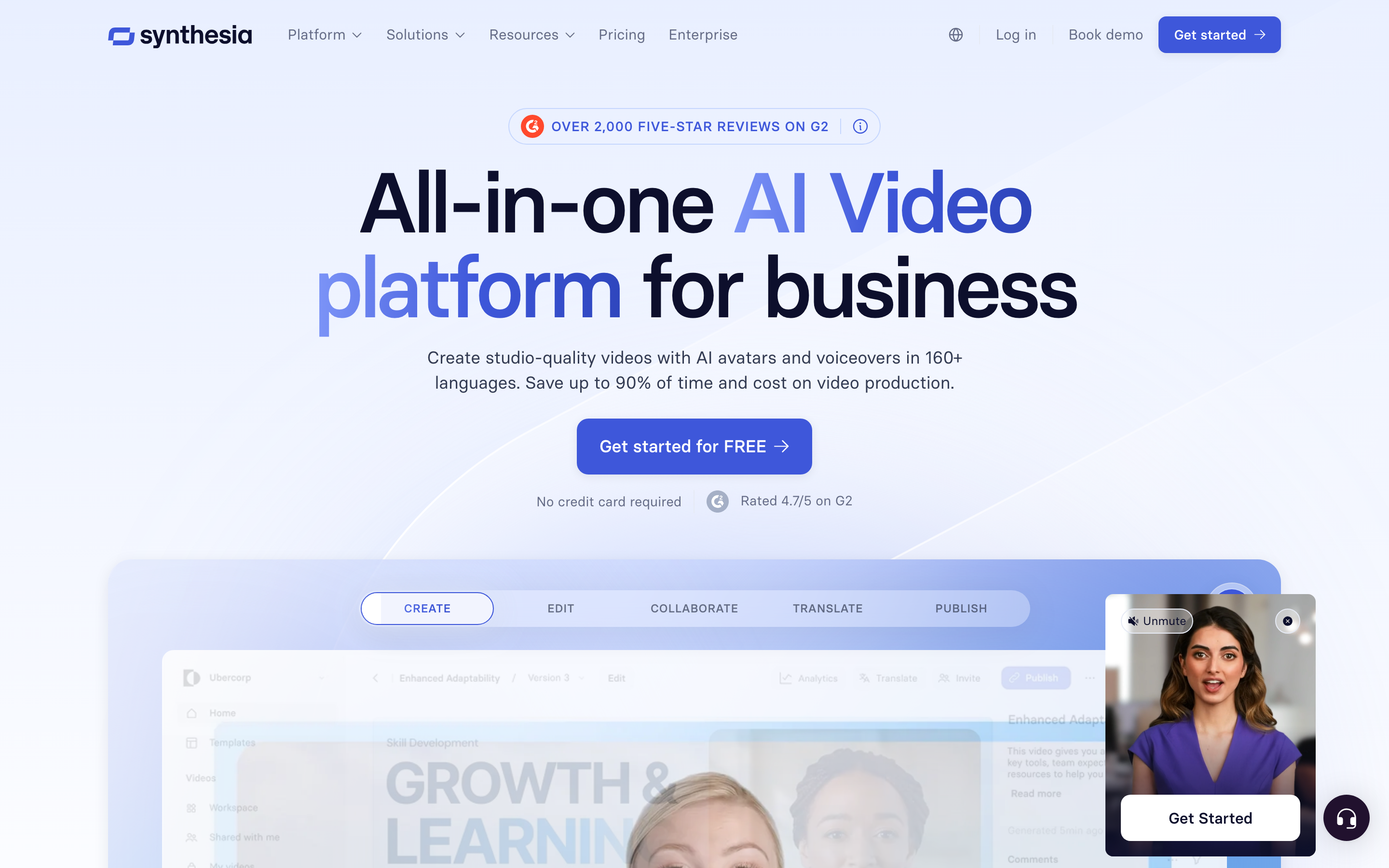
Synthesia is the enterprise end of the avatar category. It generates talking-head videos from a script using 230+ avatars across 140+ languages, and it leans hard into the governance and security features that large organizations care about.
Used by a reported 60,000+ companies including a large share of the Fortune 100, Synthesia is the safe pick for regulated industries and big L&D programs. Reviewers praise the avatar quality and the ease of producing consistent training content at scale. The tradeoffs are price and flexibility: it is the most expensive option on this list once you move past the entry tier, and it is deliberately narrow, built for avatar-led training and comms, not for ad creative or source-to-video generation. Against Jogg AI, Synthesia wins on enterprise trust and avatar polish but costs more and does less outside the talking-head lane.
Key features
- Avatar catalog - 230+ stock avatars plus custom avatars for enterprise plans.
- Language coverage - Create and translate videos across 140+ languages.
- Brand controls - Shared workspaces, templates, and brand enforcement.
- Security posture - SOC 2 and enterprise compliance that procurement teams ask for.
- Collaboration - Team workspaces with review and approval steps.
What users say
The sentiment is consistent: Synthesia is the tool you buy when video has to clear a security review. Enterprise L&D teams describe it as reliable and easy to standardize across departments. The most common pushback is cost and rigidity, you pay enterprise prices and you get an enterprise-grade but tightly scoped avatar tool. For a startup testing UGC ad angles, reviewers say it is overkill.
Best for
Enterprise training, compliance, and internal comms teams that need avatar video at scale with serious governance. Plans start at $18 per month billed annually, but real enterprise usage lands well above that.
4. Arcads
Arcads is the tool to look at if the reason you opened Jogg AI was paid social. It generates UGC-style ad videos fronted by AI actors, and it ships the most lifelike creator-style output of any tool in this roundup, with a 500+ stock actor library and lip-sync that holds up across 60-second scripts.
Arcads is built for performance marketers and agencies who need to test many ad angles fast. The workflow is built around volume: write or paste your scripts, pick actors, and generate dozens of variants for the price of a single live shoot, roughly $3 to $6 per 30-second spot. Reviewers love the realism and the testing economics; the honest caveat is that it is a specialist. It does not generate product explainers, demos, or training videos, so it solves one slice of what Jogg AI does rather than replacing it wholesale. Compared to Jogg AI, Arcads is the stronger pick when creator-style ad realism is the entire job.
Key features
- AI actor library - 500+ licensed stock actors with natural delivery.
- Script-to-ad - Turn ad scripts into creator-style videos in minutes.
- Batch variants - Generate many versions of an ad for testing.
- Hook testing - Spin up multiple openings to find the winner.
- Emotion and gesture control - Direct delivery for more believable reads.
What users say
Performance marketers describe Arcads as the closest thing to "real UGC without the creator," and the testing math is the headline: brands that used to pay creators for a handful of ads now generate twenty in an afternoon. The recurring note is scope. Arcads makes ads, full stop, so teams that also need explainers and demos end up pairing it with another tool. For UGC ad realism at volume, though, it is the favorite.
Best for
Performance marketers, e-commerce brands, and agencies testing creator-style ad creative at volume. Paid plans start around $110 per month.
5. Creatify
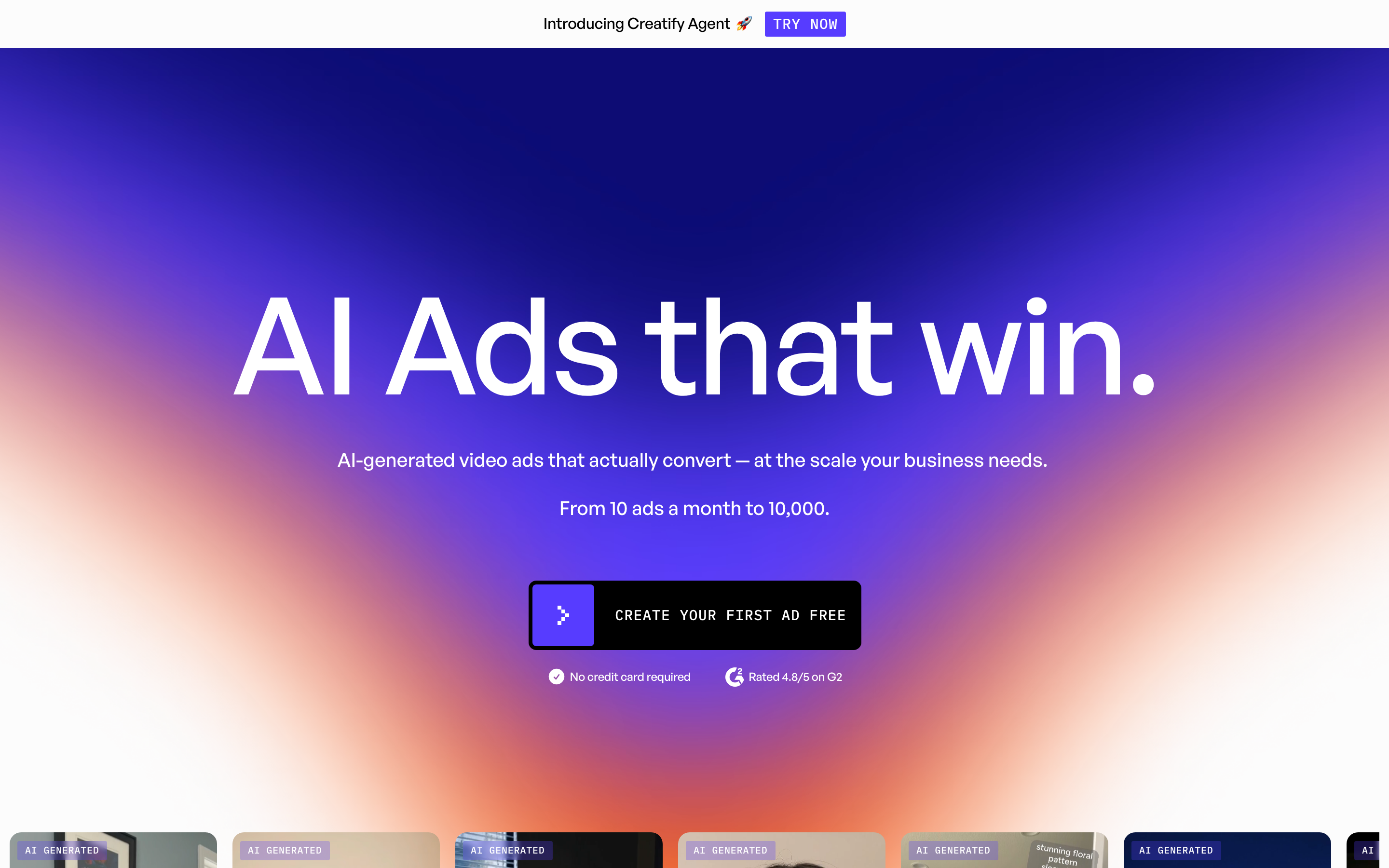
Creatify takes the part of Jogg AI people like most, paste a product URL and get an ad, and makes it the whole product. Drop in a product page and it scrapes the images, writes the script, and generates a UGC-style ad with an AI avatar, captions, and B-roll.
It is built for e-commerce brands, app marketers, and growth teams that need to produce a high volume of short paid-social ads quickly. The automation is the draw: Shopify store owners use it to crank out videos for 50+ SKUs without writing a script for each one. Reviewers praise the speed and the per-video cost; the common complaint is that the fully automated output needs editing before it is ad-ready, and avatar quality varies. Against Jogg AI, Creatify is more focused on the product-URL-to-ad pipeline and less on general avatar video.
Key features
- Product URL ingestion - Scrape a product page into images, copy, and a script.
- AI avatars - Creator-style presenters for the ad.
- Batch generation - Produce many ad variants at once.
- AI script writing - Generate ad copy tuned for paid social.
- Link-to-video - Go from a URL to a finished ad in one flow.
What users say
E-commerce marketers describe Creatify as a volume machine: the product-URL workflow removes the slowest part of making an ad, the brief. Teams running many SKUs say it pays for itself in saved production time. The honest pushback is polish, the auto-generated cut is a strong first draft rather than a finished spot, so most users trim and tweak before launch. Avatar consistency comes up as the main quality gripe, the same theme that runs through this whole category.
Best for
E-commerce brands, app marketers, and growth teams generating many short paid-social ads from product pages. Paid plans start at $33 per month.
---
Looking for the fastest way to turn what you already have into a finished video? ngram turns product pages, docs, decks, and screen recordings into polished, on-brand videos in minutes. Try ngram free
---
6. Colossyan
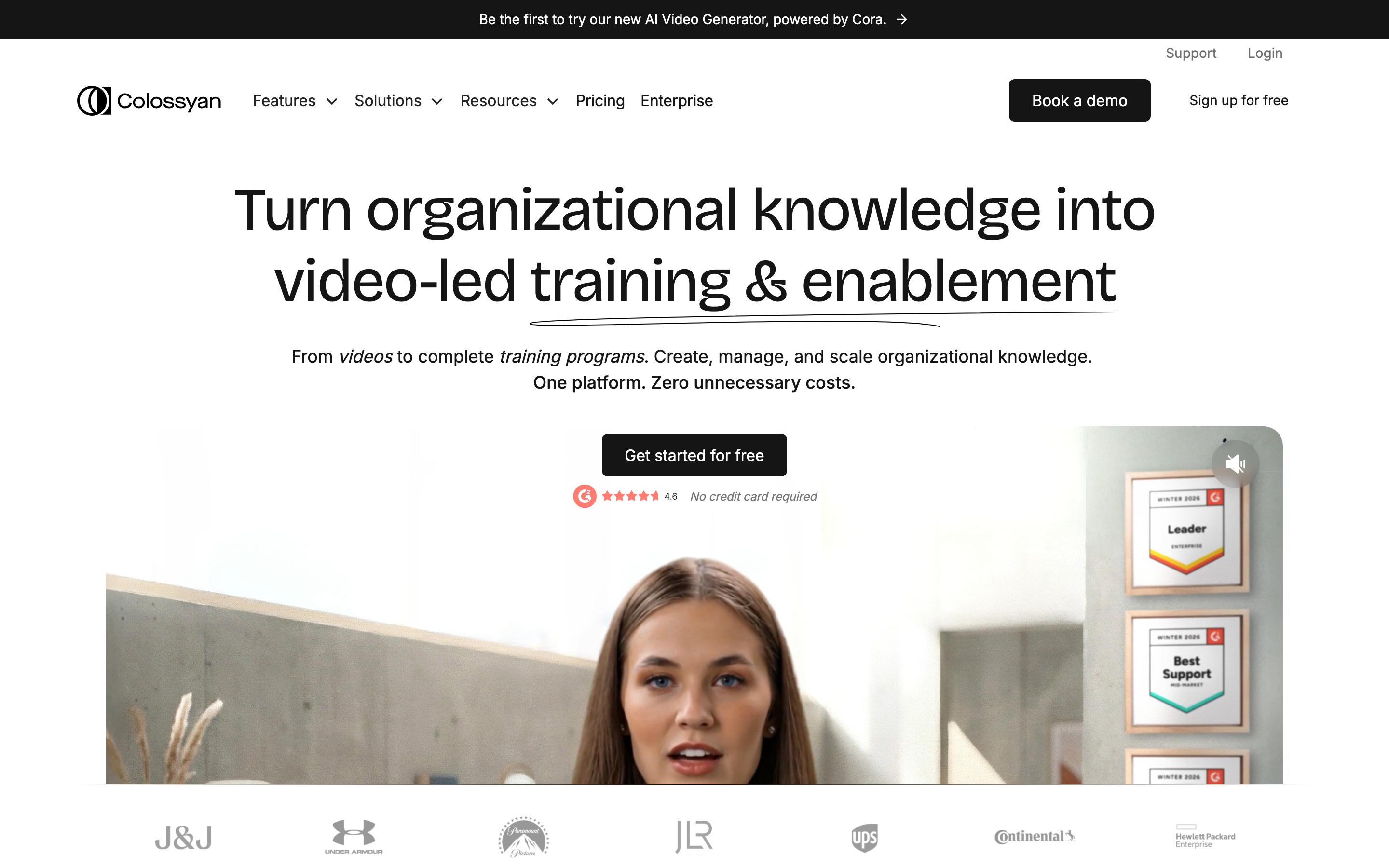
Colossyan is the training specialist of the avatar group. It turns a script or a document into a talking-head training video, then lets you extend that into interactive, SCORM-exportable courses, which is the feature enterprise L&D teams keep coming back for.
It is built for L&D, HR, and enablement teams creating onboarding, compliance, and internal-comms training, including teams without video production skills. Reviewers like the scene-based editor, the ability to drop in quizzes and branching, and the clean export into an LMS. The tradeoff is focus: like Synthesia, it is an avatar-and-training tool, so it does not cover ad creative or general source-to-video work. Against Jogg AI, Colossyan wins clearly for anyone whose end goal is a course rather than a campaign.
Key features
- SCORM export - Push interactive courses straight into your LMS.
- Scene-based editor - Build training videos scene by scene.
- Interactive elements - Add quizzes and branching to the video.
- Avatar presenters - Talking-head avatars across many languages.
- Document-to-video - Turn an existing doc into a training module.
What users say
L&D teams describe Colossyan as the tool that finally made interactive training video practical without an instructional designer. The SCORM export and quiz features are the standout praise. The limitation reviewers name is the same one that defines the category: it does one job, training, very well, and is not the tool for marketing or ad work.
Best for
Enterprise L&D, HR, and enablement teams building onboarding, compliance, and interactive training courses. Plans start at $27 per month billed annually.
7. D-ID
D-ID is the talking-photo and API specialist. It animates a single still photo into a speaking avatar and exposes a mature API that developers build into their own products, which is why it shows up on Jogg AI alternative lists for the technical crowd.
It is used heavily by developers and product teams that want to embed avatar generation rather than use a standalone studio. Reviewers praise the photo-to-avatar quality and the API reliability, and it is the cheapest entry point on this list. The tradeoffs are breadth and polish: the editing surface is thin compared to HeyGen or Synthesia, and the output is built around a single presenter rather than a full video production. Against Jogg AI, D-ID is the pick when you need an avatar API more than a marketing studio.
Key features
- Photo-to-avatar - Turn one still image into a talking avatar.
- Developer API - Mature API for embedding avatar generation.
- Real-time agents - Build interactive talking-avatar experiences.
- Voice options - A range of voices and language support.
- Studio app - A web studio for one-off videos.
What users say
Developers describe D-ID as the avatar engine you reach for when you are building avatars into your own app, not making a one-off marketing video. The API gets steady praise for reliability. As a standalone studio, reviewers find it thinner than the avatar leaders, which is the expected tradeoff for an API-first tool.
Best for
Developers and product teams embedding talking-avatar generation, plus anyone who needs cheap talking-photo videos. Plans start at $5.90 per month.
How to choose a Jogg AI alternative
Match the tool to the output you actually need, not to the avatar reel.
If your job is creator-style ads at volume, Arcads (for realism) or Creatify (for product-URL automation) will beat a general avatar tool. If your job is enterprise training, Colossyan and Synthesia are purpose-built. If you need polished avatar presenters for comms and explainers, HeyGen leads on library and translation. If you are a developer embedding avatars, D-ID is the cheapest mature API.
And if the real goal is a finished, reusable business video, a product demo, a launch clip, an onboarding walkthrough, plus the social and localized cuts of each, built from material you already have, ngram is the alternative to test first. It is the only tool here that plans the script and storyboard with you before it renders, which is the single biggest fix for the regenerate-and-burn-credits frustration that pushes people off Jogg AI.
How we evaluated these Jogg AI alternatives
We did not just list tools. We read user reviews across G2, Trustpilot, Product Hunt and Reddit, checked current public pricing, and compared each tool against five weighted criteria tuned for the AI video category:
| Criteria | Weight | What we looked at |
|---|---|---|
| AI capabilities | 30% | Quality of generation, script writing, voiceover, and automation depth |
| Avatar quality | 30% | Realism, lip-sync accuracy, and library size |
| Ease of use | 20% | Time from input to a usable first cut |
| Value | 15% | Output quality relative to credit and subscription cost |
| Support and community | 5% | Documentation, responsiveness, and user sentiment about support |
We also factored in:
- Real user reviews from G2, Trustpilot, Product Hunt, and Reddit (qualitative sentiment, not numerical scores)
- Market presence and company stability (user base, years in market, funding)
- Integration ecosystem with common marketing and developer tools
- Industry trends in AI video and UGC advertising
This category moves fast, so we weighted avatar quality and AI capabilities highest, the two things that actually separate these tools, and treated price as a tiebreaker rather than the headline.
Here is how fast the underlying market is growing, which is why so many new tools, including Jogg AI, have launched into it:
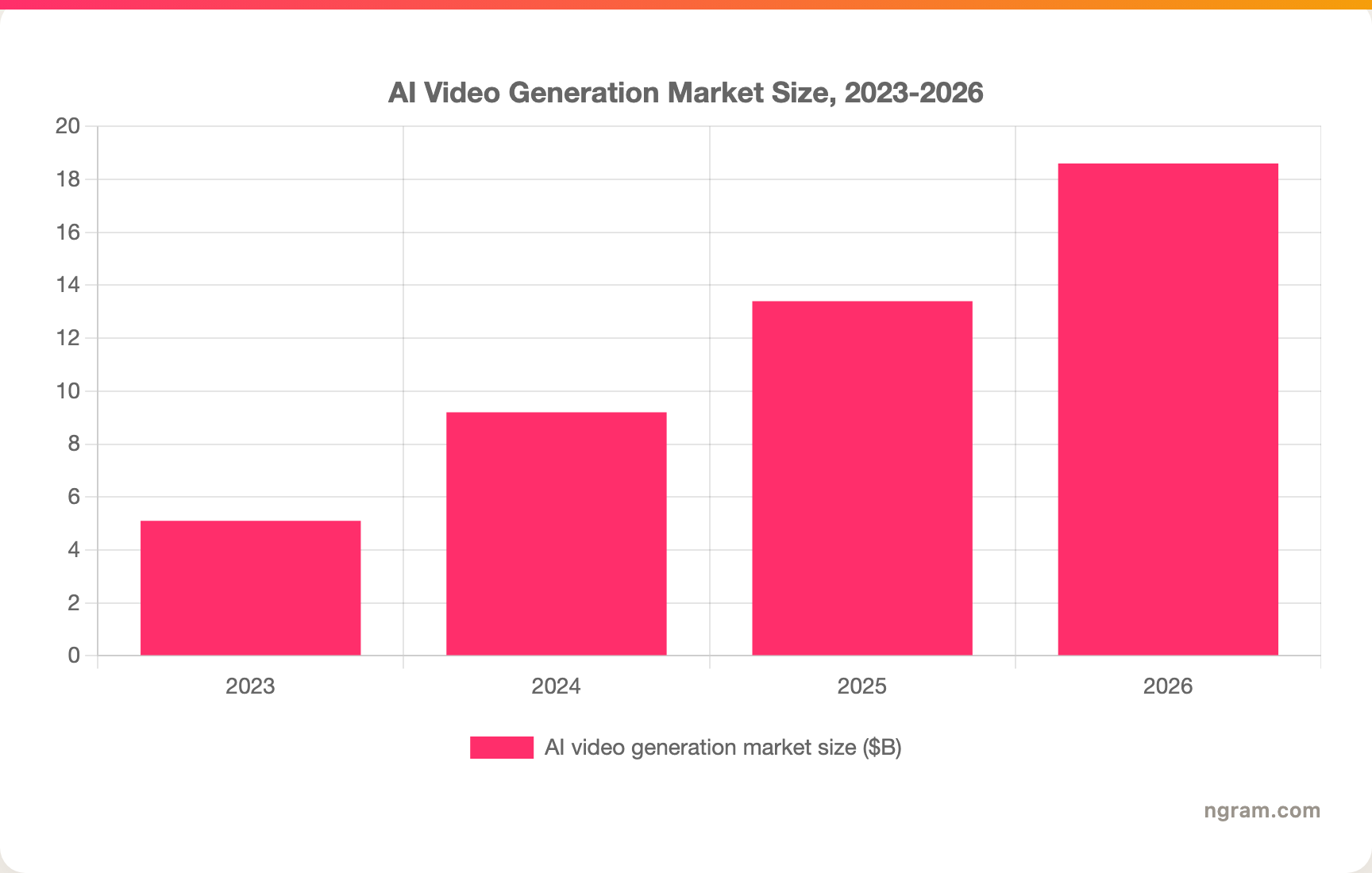
The market is on track to reach $18.6B by the end of 2026, up from $5.1B in 2023, a 34.2% compound annual growth rate. The pull toward UGC-style video specifically is just as clear, because the format performs:
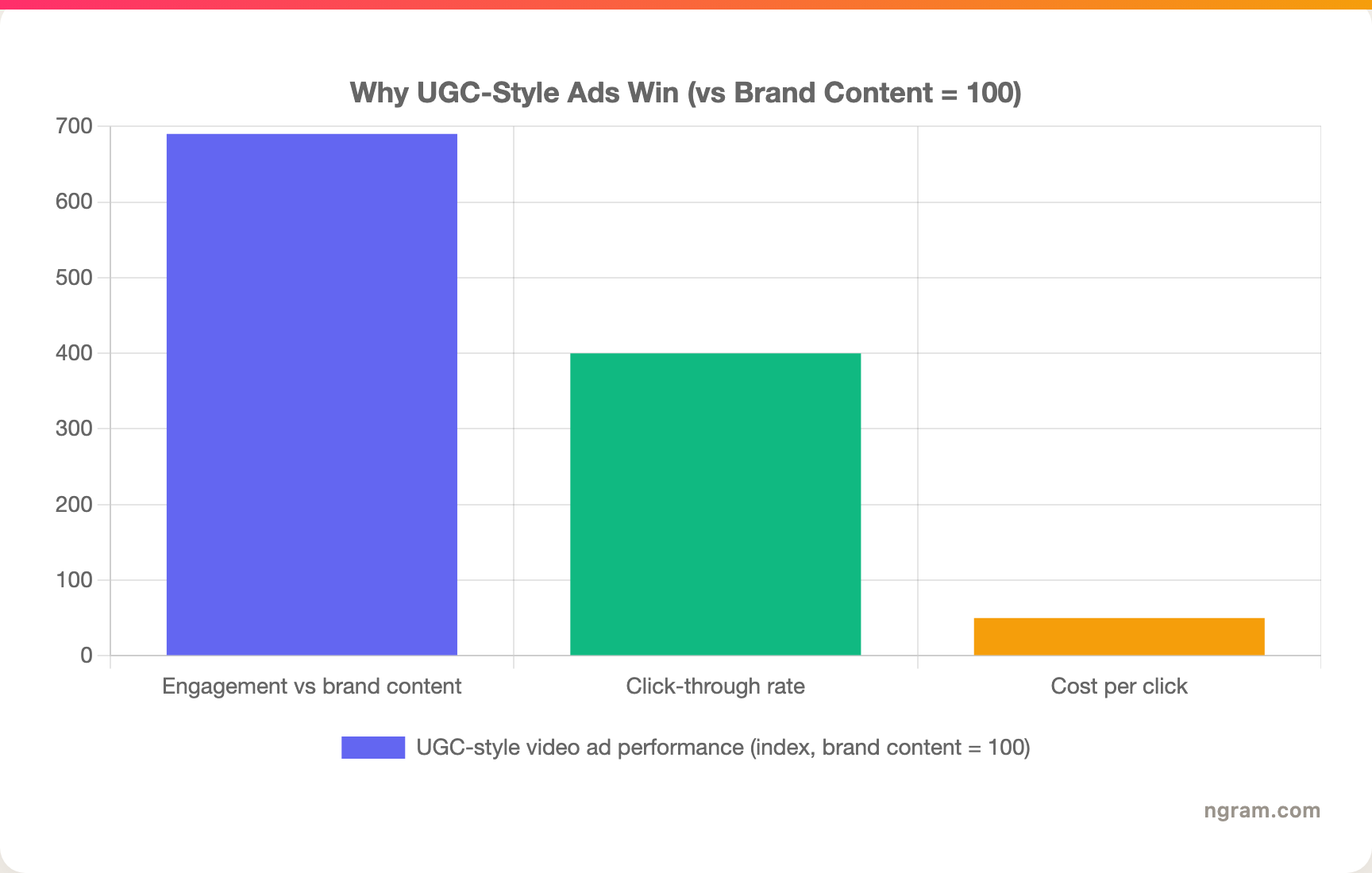
UGC posts drive 6.9x the engagement of brand content, UGC-style ads see 4x higher click-through, and they do it at roughly half the cost per click, which is the whole reason this tool category exists.
Common questions
What is the best Jogg AI alternative?
It depends on the job. For finished business video built from docs, URLs, and recordings, ngram is the strongest pick. For polished avatar presenters, HeyGen leads on library and translation. For high-volume UGC ads, Arcads (realism) and Creatify (product-URL automation) win. For enterprise training, Synthesia and Colossyan are purpose-built.
Is there a free Jogg AI alternative?
Yes. ngram and HeyGen both have free plans, and D-ID has a low-cost entry tier starting at $5.90 per month. Free tiers usually cap output and add a watermark, the same as Jogg AI's free plan, so check the export resolution and credit limits before committing.
Why do people look for a Jogg AI alternative?
The most common reasons in 2026 reviews are credits being consumed on regenerations and edits without clear warning, inconsistent renders, lip-sync that does not match the marketing reels, and disputed billing and refund policies. Jogg AI holds a 2.5 out of 5 Trustpilot score across 28 reviews as of Q1 2026.
How does ngram compare to Jogg AI?
Both generate AI video and both do avatars, so they overlap on the product-page-to-video and avatar-led ad slice. The difference is the workflow: ngram builds the whole video from your source material and shows you a script and storyboard to approve before it renders, while Jogg AI generates first and asks you to regenerate. See the full ngram vs Jogg AI breakdown.
Which Jogg AI alternative is best for e-commerce ads?
Creatify for the product-URL workflow if you run many SKUs, and Arcads for the most lifelike creator-style actors when ad realism matters most. ngram fits when you also need product demos and explainers from the same source material, not just ad creative.
Which one should you pick?
The AI video space in 2026 is crowded, and most of these tools nail one slice of the problem. If you are a marketing, growth, sales, or success team that needs a reusable, on-brand video out of the material you already have, ngram is the strongest fit, and its review-before-render workflow directly solves the credit-burning loop that frustrates Jogg AI users. If your entire job is creator-style ads at volume, Arcads or Creatify will serve you better; if it is enterprise training, look at Colossyan or Synthesia first. Either way, a five-minute test on your own real source material is the fastest way to know.
---
Try ngram free, your first video in under 5 minutes. Turn a product page, a doc, a deck, or a screen recording into a polished, on-brand video without burning credits on regenerations. Start free