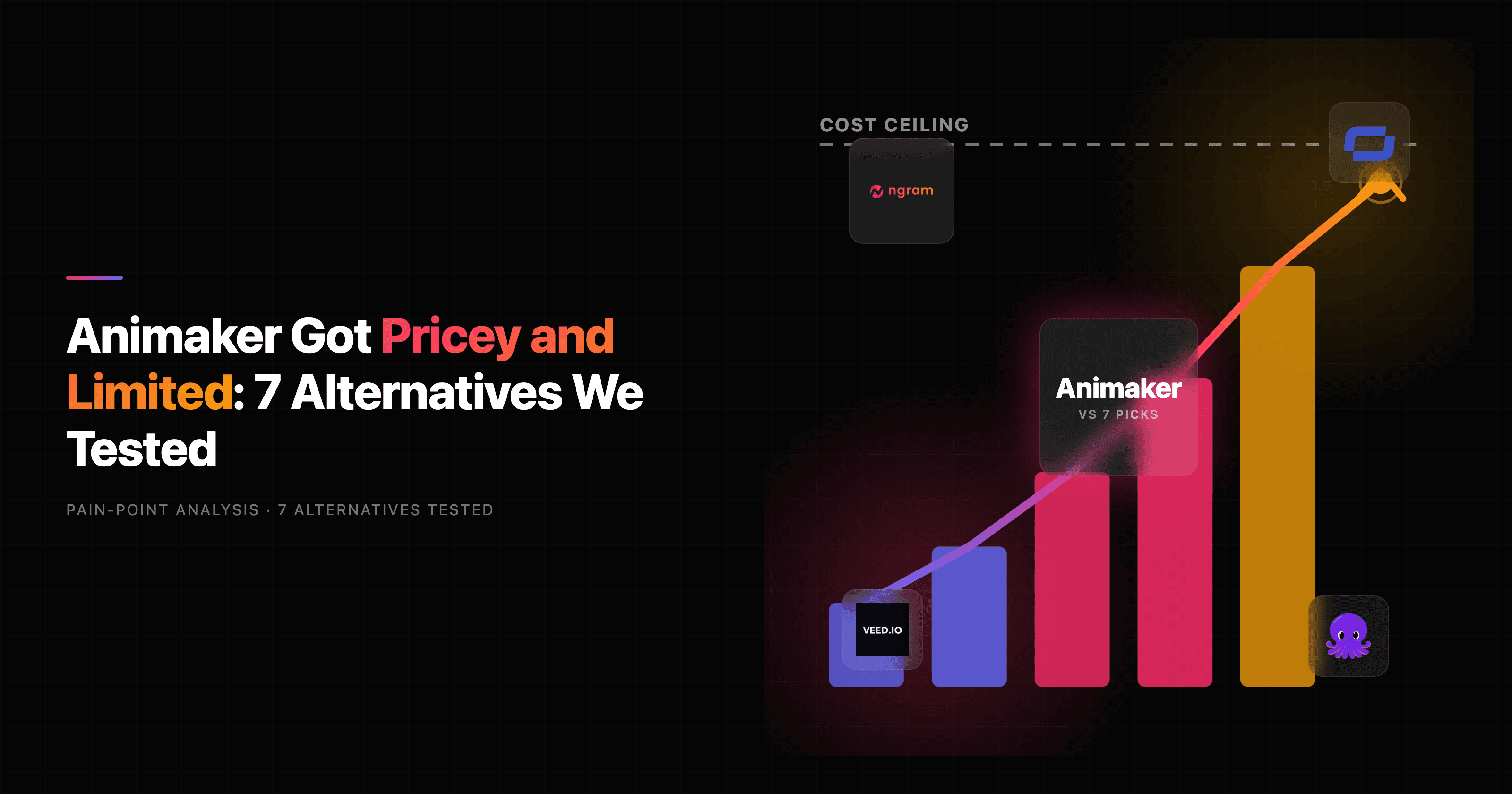

If you have ever built an animated explainer in Animaker, hit export, and then discovered the watermark-free version sits behind a higher plan or a fresh add-on charge, you already know why the search for Animaker alternatives keeps climbing. Animaker is a genuinely capable tool. It serves 30 million-plus users, its custom character builder can spin up billions of unique characters, and enterprise names like Amazon, Visa, and McDonald's lean on it. GSK alone reported building 2,000-plus videos and saving $1.4 million.
So this is not a takedown. Animaker is great at one specific job: animated explainer and marketing videos built from templates, characters, and scenes. The question is whether that is the job you actually have. A lot of teams reaching for an Animaker alternative are not trying to do more cartoon animation. They want a finished business video from a script, a doc, a URL, or a screen recording, without hand-placing every prop on a timeline.
We tested 7 alternatives across both buckets: tools that out-do Animaker at its own template-and-character game, and tools that skip the manual animation step entirely. Here is what held up.
Where Animaker falls short in 2026
Animaker does plenty well, so let us be fair before the critique: the template library is deep, the character customization is the best in its class, and for pure animated explainers it is hard to beat at the price point. But the same reviews that praise it flag four recurring walls.
Pricing that creeps. The free and Basic plans are heavily restricted with watermarks, lower resolution, and capped downloads. Reviewers repeatedly cite "unclear plan details, frequent add-on charges, and limited access to premium features." 4K export is Enterprise-only; Pro tops out at 2K. Depending on the source you read, paid plans land anywhere from roughly $20 to $49 per month, and the annual-versus-monthly framing makes the real number hard to pin down before you commit.
Hard caps on storage and assets. Storage is limited to 2GB per user, and premium assets, templates, and music tracks are gated behind higher tiers. For a team producing video regularly, that ceiling arrives fast.
Manual animation is still manual. Animaker is template-and-drag-and-drop by design. That is the appeal for cartoon work, but if your real deliverable is a product demo or a launch video, you are still assembling scenes by hand rather than generating a first cut.
Support friction. Multiple public reviews describe slow support on lower tiers and report freezing during editing. A few flag awkward cancellation flows that require contacting support.
None of these are dealbreakers if animated explainers are your core output. They are the reason a marketing or product team that needs reusable business video starts shopping.
Quick comparison
| Tool | Best For | Starting Price | Key Differentiator |
|---|---|---|---|
| ngram | Finished business video from any source | Free / $29/mo | Generates script, storyboard, and cut from a doc, URL, or recording |
| Vyond | Enterprise animated training | 14-day trial / ~$58/mo | Massive AI credit allocations, long video limits |
| Powtoon | Education and business explainers | Free / ~$15-50/mo | Most popular drag-and-drop explainer builder |
| Renderforest | Brand animation and logo reveals | Free / ~$20+/mo | Motion graphics, intros, promo clips |
| Steve AI | Animation from a text prompt | Free / ~$20-60/mo | Prompt-to-animated-video generation |
| Synthesia | AI avatar presenter videos | ~$18+/mo | Studio-quality avatars in 140+ languages |
| VEED | Browser editing with AI extras | Free / ~$18+/mo | Broad editor, subtitles, screen recording |
1. ngram
Watch how ngram turns an idea into a finished video:
Here is the honest framing first, because it matters: ngram is not a cartoon-character animation studio. If your job is hand-built mascot animation with a deep prop and character library, Animaker (or Vyond or Powtoon below) is the better tool, full stop. ngram earns the top slot for a different, very common job: turning the source material you already have into a finished, narrated, on-brand business video.
That is the slice where ngram pulls ahead of every template tool here. You bring a doc, a PDF, a product URL, a deck, screenshots, or a rough screen recording. ngram writes the script, plans the storyboard, generates the voiceover, lays in captions and motion graphics, applies your brand kit, and returns a cut you can refine in plain language. You are not dragging characters onto a stage; you are reviewing a plan and steering edits.
What makes ngram stand out
Where Animaker starts from a blank template, ngram starts from your existing material and a goal. Tell it the audience, the channel, and the message, and it adapts structure, pacing, and CTA automatically.
Key features:
- Start from what you already have - text, PDF, URL, deck, screenshots, screen recordings, or raw video become the source for the script.
- Plan first, generate second - you review the script and storyboard before anything renders, so direction stays human.
- Brand kit on every export - logo, colors, fonts, and intros applied automatically, which keeps a stream of videos consistent without manual setup each time.
- Screen-recording polish - rough captures get cursor smoothing, dead-air trimming, smart zooms, and callouts, which is something no animated-explainer tool here does.
- MP4 export - finished MP4 with captions; prepare channel-specific cuts separately.
- Localization built in - translate the script, captions, on-screen text, and voiceover for multilingual variants.
Pros
- ✅ Generates a finished first cut from source material instead of a blank timeline
- ✅ Strongest fit for product demos, launches, onboarding, and social cuts
- ✅ Brand consistency and MP4 export with separate channel-cut preparation bundled in one price
Cons
- ❌ Not a manual cartoon-character animation tool, so true mascot work belongs elsewhere
- ❌ Web-based only, with no native desktop or mobile app today
Who is ngram best for?
Product marketing, growth, sales enablement, and customer success teams that need reusable business video from the assets they already have. For a detailed head-to-head, see our ngram vs Animaker comparison. ngram has a generous free plan, with paid plans starting at $29 per month.
Ready to try ngram? Create your first video in under 5 minutes. Start free
2. Vyond
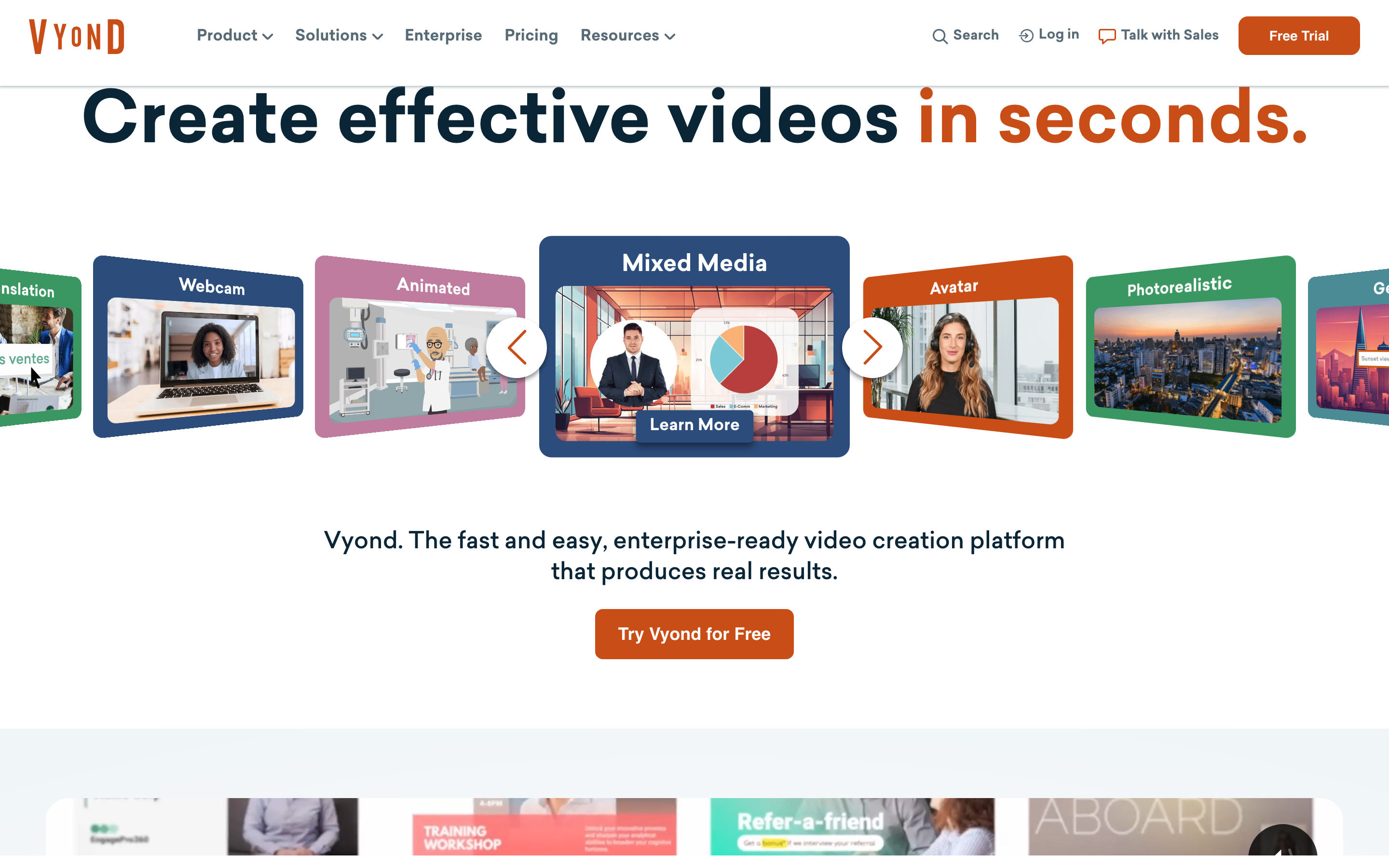
Vyond is the enterprise heavyweight of animated video, built for L&D, HR, and corporate communications teams producing high-volume training and customer education. Where Animaker chases breadth, Vyond chases depth: detailed character customization, a polished corporate aesthetic, and long video limits.
It targets buyers willing to pay a premium. The Professional tier ships 20,000 AI credits per user per month and video limits up to 90 minutes on higher tiers. There is no permanent free tier, only a 14-day trial, and pricing starts around $58 per month, nearly 4x Powtoon's entry plan.
Key features
- Deep character customization - more control over poses, expressions, and actions than most rivals.
- Large AI credit allocations - generous monthly credits for AI-assisted generation.
- Long-form support - longer video limits suit full training modules.
- Corporate template library - business-first scenes and props.
- Team and brand controls - built for organizations standardizing output.
What users say
Reviewers consistently call Vyond the most professional-looking option for corporate animation, and enterprise L&D teams praise its character library and the consistency it brings across large video catalogs. The recurring complaint is cost: it is the priciest tool in this roundup, and several reviewers note the learning curve is steeper than Animaker's. Compared to Animaker, Vyond feels built for the organization producing hundreds of training videos rather than the solo marketer making a one-off explainer. We dug deeper in our Vyond alternatives guide.
Pros
- ✅ Best-in-class character animation for corporate training
- ✅ Long video limits and large AI credit pools
- ✅ Polished, enterprise-ready aesthetic
Cons
- ❌ Most expensive option here, with no permanent free tier
- ❌ Steeper learning curve than template-first tools
Best for
Enterprise L&D and HR teams producing high-volume animated training. Pricing starts around $58 per month after a 14-day trial.
3. Powtoon
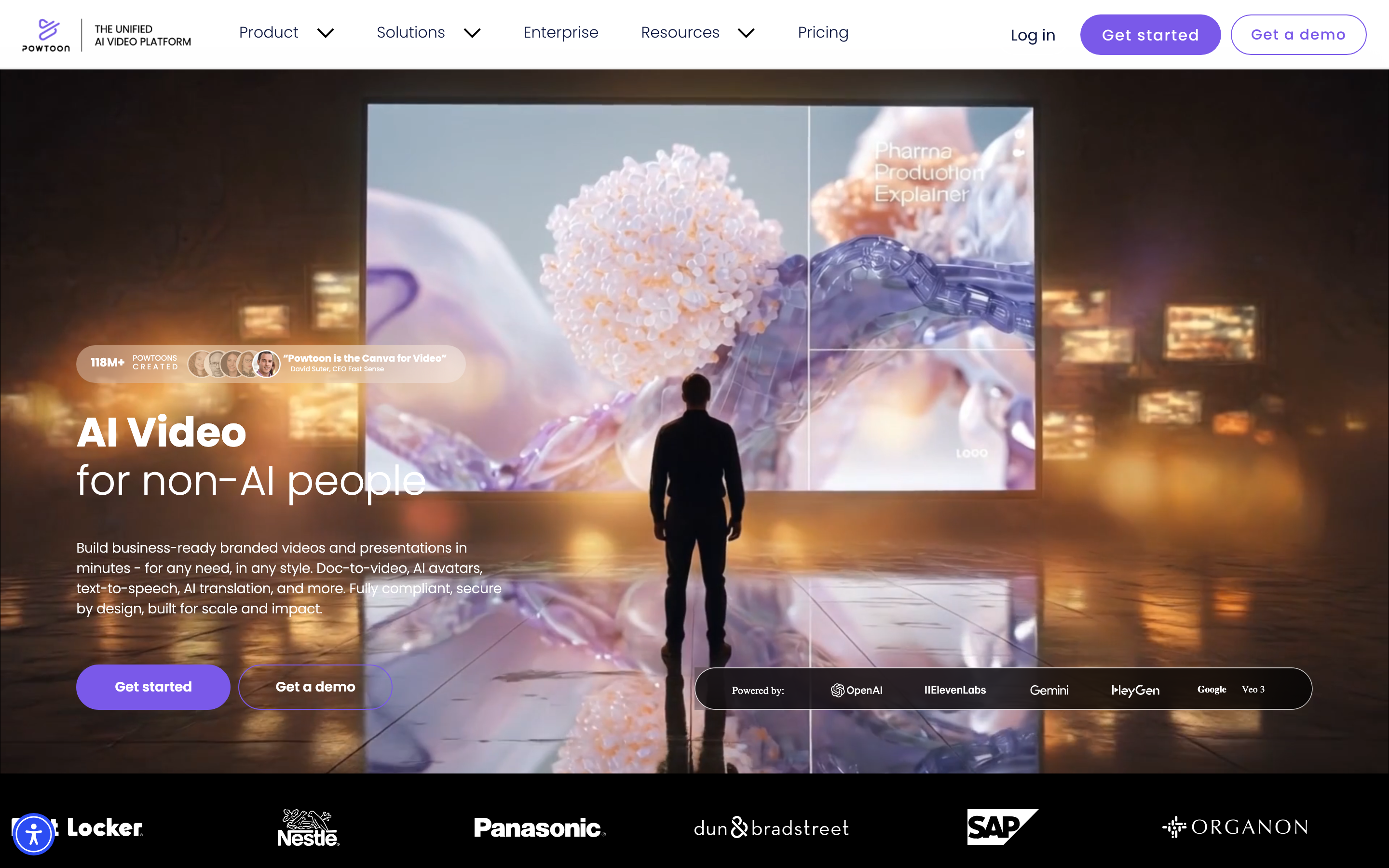
Powtoon is the most direct head-to-head swap for Animaker, and one of the most popular animated-explainer builders in education and business. It lets you combine characters, backgrounds, and props to build animated scenes quickly, with an approachable interface that non-designers pick up fast.
Key features
- Drag-and-drop scene builder - characters, backgrounds, and props assembled visually.
- Education-friendly templates - widely used by teachers and trainers.
- Business presentation modes - animated decks and explainers in one place.
- Character library - expressive cartoon characters for storytelling.
- Free tier - a permanent free plan, like Animaker.
What users say
Users love how fast Powtoon makes a watchable explainer with zero design background, and educators in particular call it a classroom staple. The honest knocks: the free tier carries a watermark, premium plans climb (paid plans start around $50 per month, with a cheaper Lite option near $15), and some reviewers find the cartoon style limiting for polished corporate work. Against Animaker, Powtoon is friendlier for beginners but offers less character depth.
Pros
- ✅ Easiest learning curve for non-designers
- ✅ Strong education and presentation use cases
- ✅ Permanent free tier to start
Cons
- ❌ Free exports are watermarked
- ❌ Cartoon-first style can feel limiting for premium brand work
Best for
Educators and business teams that want fast, friendly animated explainers. Free tier available; paid plans start around $15 to $50 per month.
4. Renderforest
Renderforest leans less on character animation and more on motion graphics: logo reveals, intro sequences, and promotional clips. If your job is branding and quick promos rather than narrative cartoon explainers, it fits better than Animaker.
Key features
- Logo and intro animation - a deep library of brand-reveal templates.
- Promotional video templates - quick social and ad clips.
- Broader brand toolkit - logo maker, mockups, and design assets alongside video.
- Music and stock library - assets bundled for promo work.
- Free tier - a no-cost plan to test the templates.
What users say
Reviewers like Renderforest as an all-in-one brand kit: you can spin up a logo reveal, a promo video, and a social graphic without juggling tools. The trade-off is that it is shallower on true character animation than Animaker or Vyond, and heavy users note render queues and export limits on lower tiers. For brand-forward motion graphics, though, it punches above its price.
Best for
Small businesses and creators making brand animations, logo reveals, and promo clips. Free tier available; paid plans start around $20 per month.
5. Steve AI
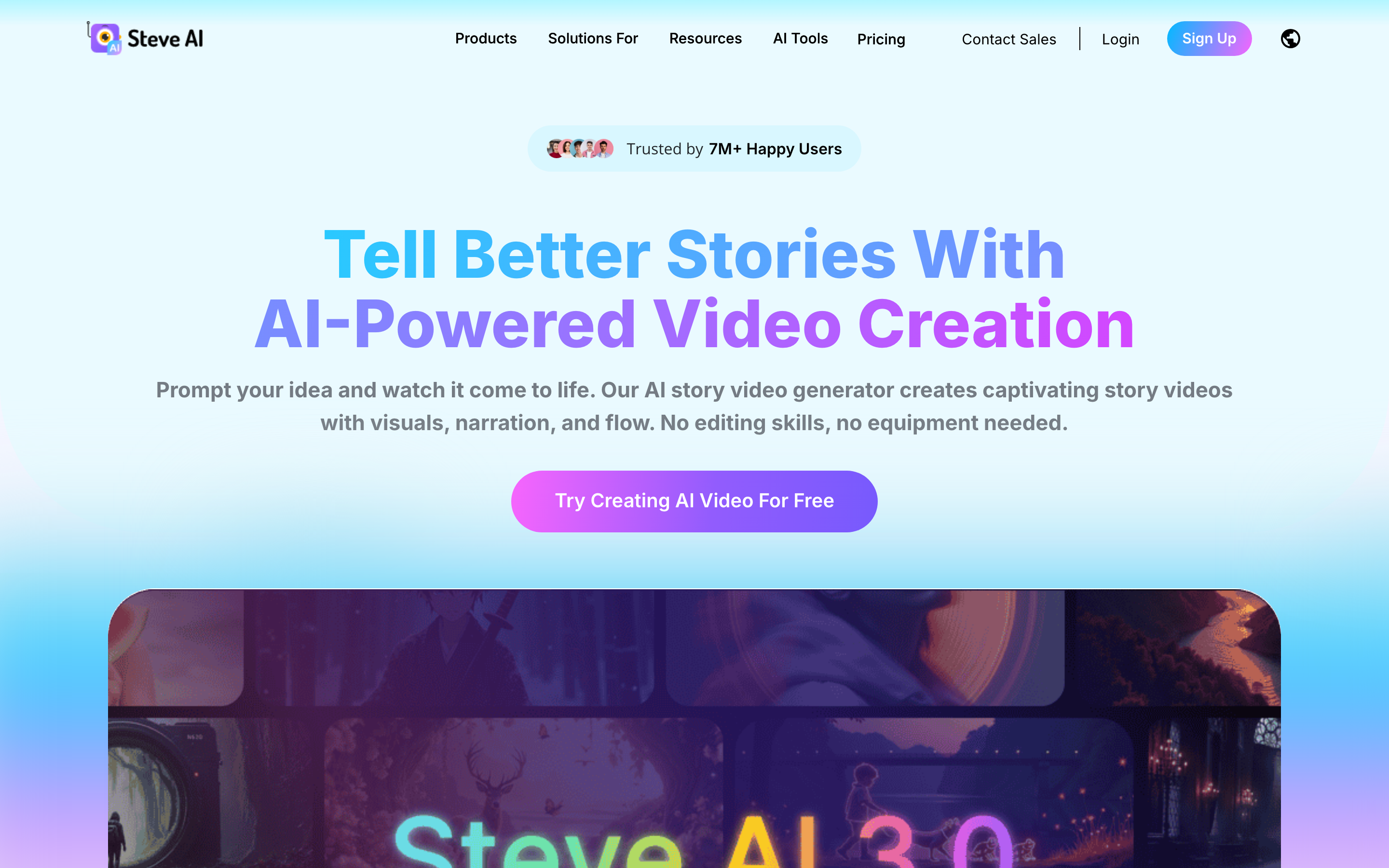
Steve AI is, fittingly, Animaker's own sibling product, built to generate animated or live-action video straight from a text prompt or script. If the manual scene-building in Animaker is the part you want to skip, Steve AI is the closest thing in the same family.
Key features
- Prompt-to-video - type a script or idea and get an animated draft.
- Animation and live-action modes - choose the output style.
- Voice and music library - narration and soundtrack built in.
- Template starting points - editable scenes after generation.
- Free tier - test before paying.
What users say
Users reaching for Steve AI want speed: a rough animated draft in minutes from a prompt rather than an afternoon of dragging assets. The praise centers on that quick turnaround. The honest limits, echoed across reviews, are that AI-generated scene quality can be inconsistent and the output often needs cleanup, plus credits on lower tiers run out fast. Pricing lands roughly $20 to $60 per month.
Best for
Creators and marketers who want a fast animated draft from a prompt. Free tier available; paid plans run around $20 to $60 per month.
---
Looking for the fastest way to create professional videos? ngram turns your docs, URLs, and screen recordings into polished videos in minutes. Try ngram free
---
6. Synthesia
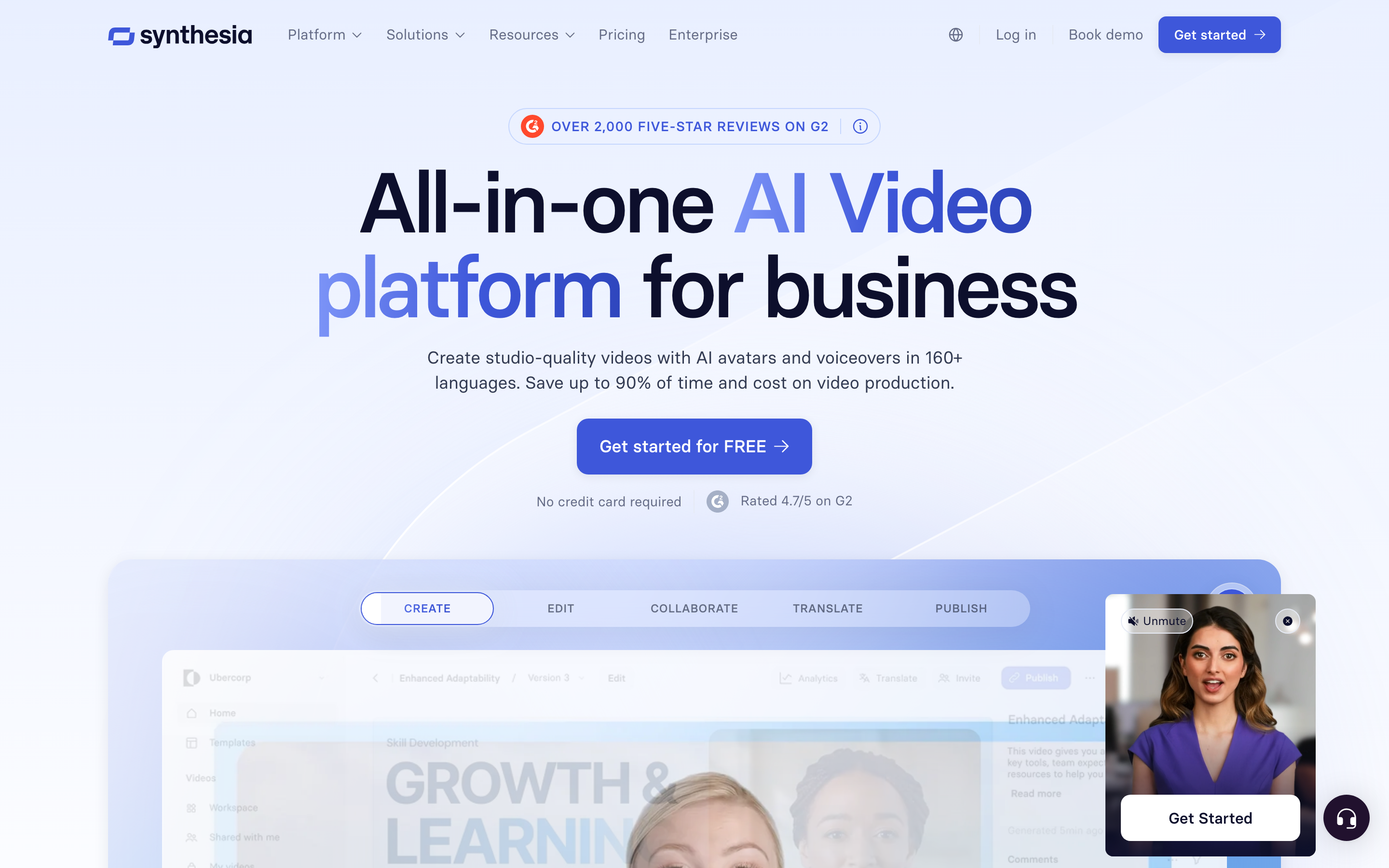
Synthesia is not an animation tool, but it lands on a lot of Animaker shortlists because both promise a presenter-led video without a camera crew. Synthesia's angle is AI avatars: a realistic digital presenter delivering your script in 140-plus languages.
Key features
- AI avatar presenters - stock and custom avatars that speak your script.
- Broad language support - voiceover and avatars across many languages.
- Template library - business and training layouts.
- Brand controls - colors, logos, and fonts on enterprise plans.
- Script-to-video - paste text and the avatar narrates it.
What users say
L&D and onboarding teams praise how fast Synthesia produces a polished talking-head video, and the multilingual avatars are a standout for global teams. The common critique is that avatar delivery can feel slightly stiff, customization beyond the avatar is limited, and the per-minute or per-seat pricing climbs quickly. Compared to Animaker, it is a different deliverable entirely: a presenter video, not a cartoon explainer. Pricing starts around $18 per month.
Best for
Teams that want a presenter-led training or update video without filming. Paid plans start around $18 per month.
7. VEED
VEED is a browser-based video editor with a growing stack of AI features. It is the broadest tool here: not animation-first, but a capable all-rounder for editing, subtitling, screen recording, and quick social clips.
Key features
- Browser editor - timeline editing with no install.
- Auto subtitles - fast, accurate captions in many languages.
- Screen recorder - capture and edit in one place.
- AI extras - avatars, voiceover, and background removal.
- Templates - social-ready starting points.
What users say
VEED earns praise for being genuinely easy to start with and for subtitles that just work. Reviewers reach for it when they need a quick edited clip rather than a full animated production. The limits: it is not built for character animation, and the AI features, while handy, are not as deep as the specialists. Against Animaker, VEED wins on editing flexibility and loses on animation depth. Free tier available; paid plans start around $18 per month.
Best for
Teams that want a flexible browser editor with subtitles and light AI, not cartoon animation. Free tier available; paid plans start around $18 per month.
Animaker pricing vs the alternatives
Pricing is the single most-cited reason teams shop for an Animaker alternative, so here is where the entry paid plans land across this list. Note these are starting prices and shift with annual billing.
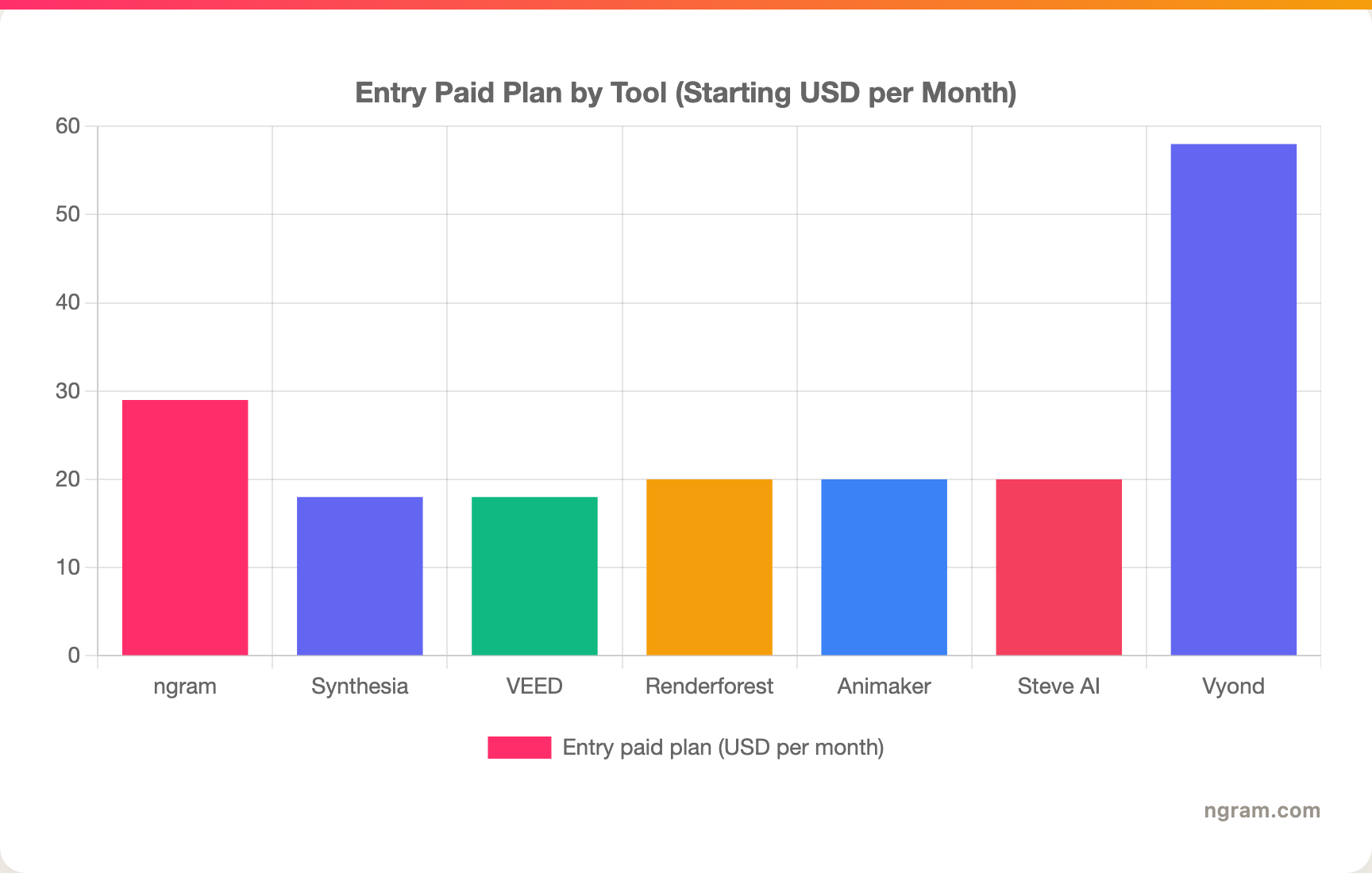
The headline: most animated-video tools cluster around $18 to $29 to start, with Vyond sitting well above the pack for enterprise depth. ngram's $29 entry bundles AI generation, brand kit, and MP4 export, where several rivals meter add-ons separately.
Why video, and why now
The pull toward these tools is not just dissatisfaction with Animaker. The whole category is growing. Video adoption hit 91% among marketers in 2026, matching the all-time high, and 96% of people say they have watched an explainer video to learn about a product. Animated and AI video sit right in that demand.
Here is how strongly the audience leans on animated content:
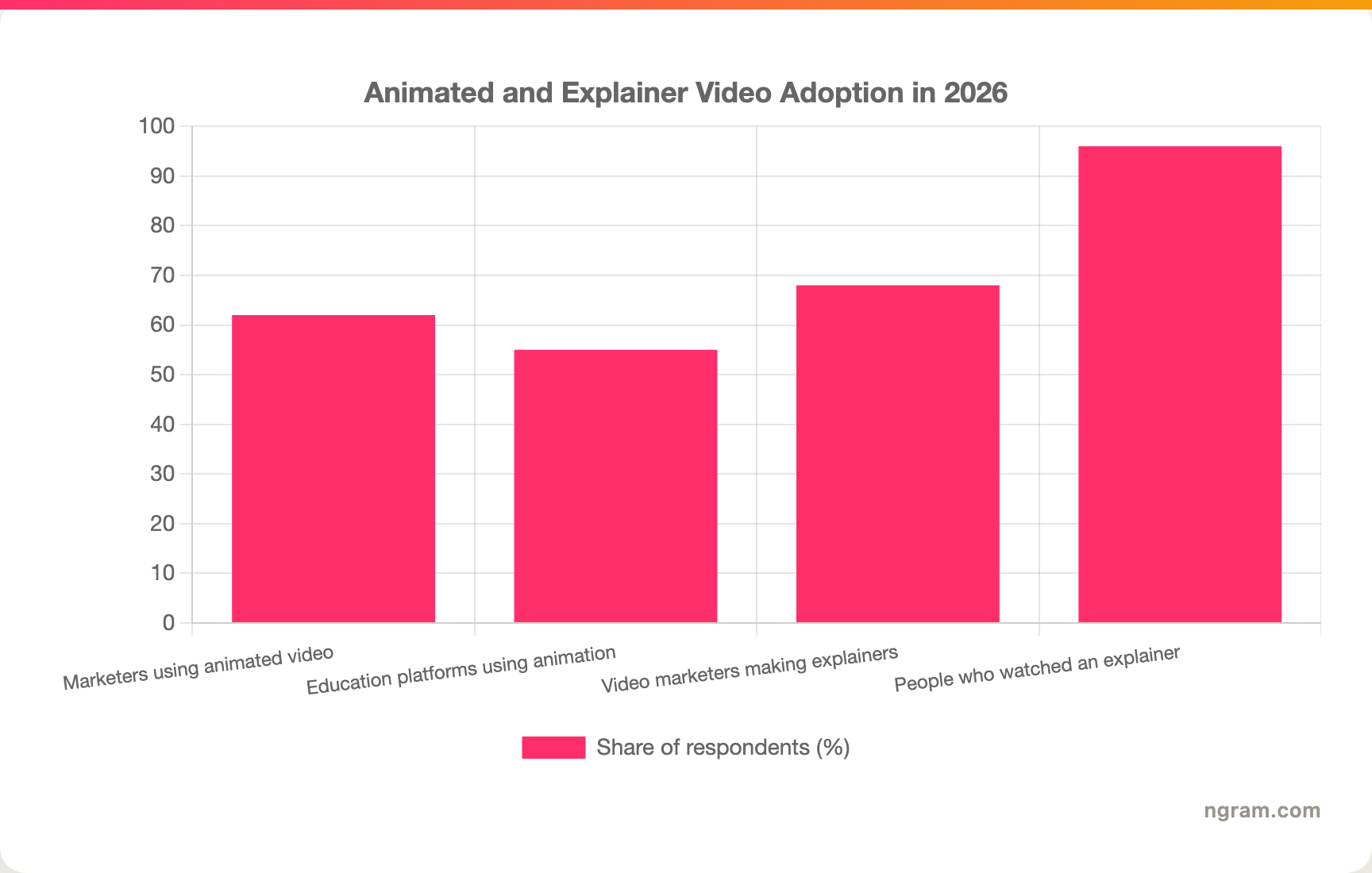
With 62% of marketers relying on animated video for campaigns and 68% of video marketers producing explainers, the right tool is the one that matches your actual deliverable, not the one with the biggest character library.
How we compared these tools
We did not just list tools. We tested them, read hundreds of user reviews across G2, Capterra, TrustRadius, Reddit, and Product Hunt, and compared them across five weighted criteria tuned to the AI and animated video category:
| Criteria | Weight | What we looked at |
|---|---|---|
| AI Capabilities | 30% | How much the tool generates for you versus how much you assemble by hand |
| Features | 30% | Animation depth, editing, brand controls, export options |
| Ease of Use | 20% | Time from blank project to a watchable draft |
| Value | 15% | What the entry paid plan actually includes versus add-on charges |
| Support & Community | 5% | Responsiveness and documentation quality from real reviews |
We also factored in:
- Real user reviews from G2, Capterra, TrustRadius, Reddit, and Product Hunt (qualitative sentiment, never numerical scores)
- Market presence and company stability (user base, years in market, notable customers)
- Integration ecosystem with common business tools
- Industry trends and where animated and AI video is heading
We deliberately did not force tools into the list that solve a different job, and we scoped ngram honestly to the workflow it actually ships: finished business video from source material, not manual cartoon animation.
Frequently Asked Questions
Is there a free alternative to Animaker?
Yes. Powtoon, Renderforest, Steve AI, and VEED all offer permanent free tiers, and ngram has a free plan too. Most free tiers add a watermark and cap resolution, so check export terms before committing. For watermark-free output you will generally need a paid plan on any of these.
What is the best Animaker alternative for animated explainers?
If you need true cartoon-character animation, Powtoon is the closest swap and Vyond is the premium upgrade for enterprise training. Both keep the manual, template-and-character workflow Animaker is known for, with more depth in different directions.
How does ngram compare to Animaker?
They solve different jobs. Animaker is built for hand-assembled animated explainers; ngram generates a finished business video from a doc, URL, deck, or screen recording. Pick Animaker for cartoon animation, and ngram when the deliverable is a reusable product demo, launch, or onboarding video. See the full ngram vs Animaker comparison.
Why is Animaker considered expensive?
The free and Basic plans are watermarked and capped, 4K is Enterprise-only, and reviewers cite frequent add-on charges and a 2GB storage limit. The base subscription can look affordable until you add the assets, resolution, and storage a real workflow needs.
Can I switch from Animaker to another tool easily?
Mostly yes. Export your finished Animaker videos as MP4 and import them into editors like VEED or ngram for further work. You cannot transfer editable project files between platforms, so ongoing projects usually need to be rebuilt in the new tool.
Which one should you pick?
The animated-video space in 2026 is crowded, and almost every tool here is good at one specific slice. If your real deliverable is a hand-built cartoon explainer or character-led training, stay in the template world: Powtoon for friendly and fast, Vyond for enterprise depth, Renderforest for brand motion. If what you actually need is a finished business video, a product demo, a launch clip, an onboarding walkthrough, built from the docs, URLs, and recordings you already have, ngram is the strongest fit because it generates the cut instead of asking you to assemble it. And if you only ever make short cartoon shorts as a hobby, ngram is overkill, so stick with a free animated tool. Either way, a five-minute test is the fastest way to know which side you land on.
---
Try ngram free, your first video in under 5 minutes. Turn docs, URLs, or screen recordings into polished, on-brand videos without hand-placing a single character. Start free