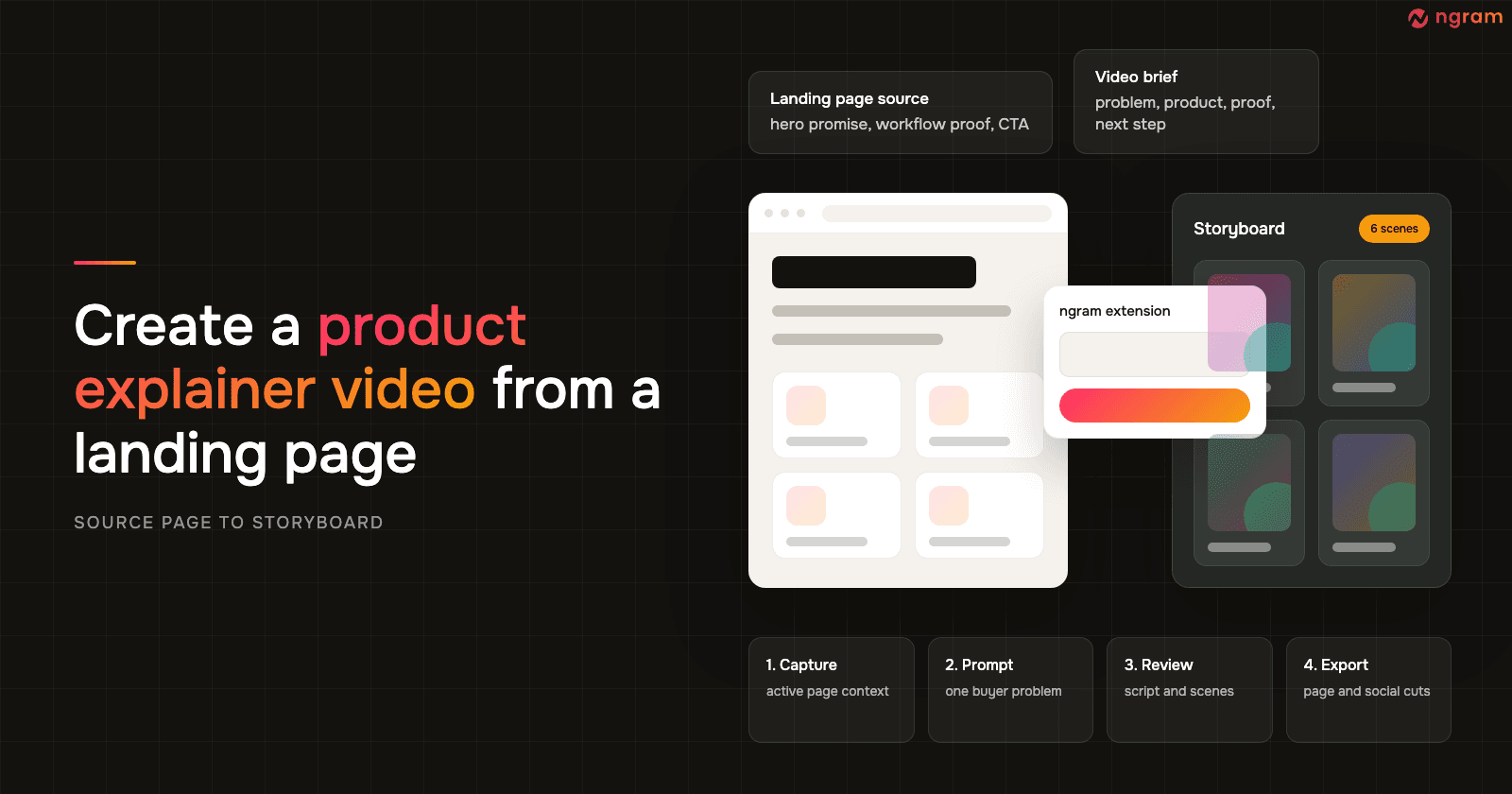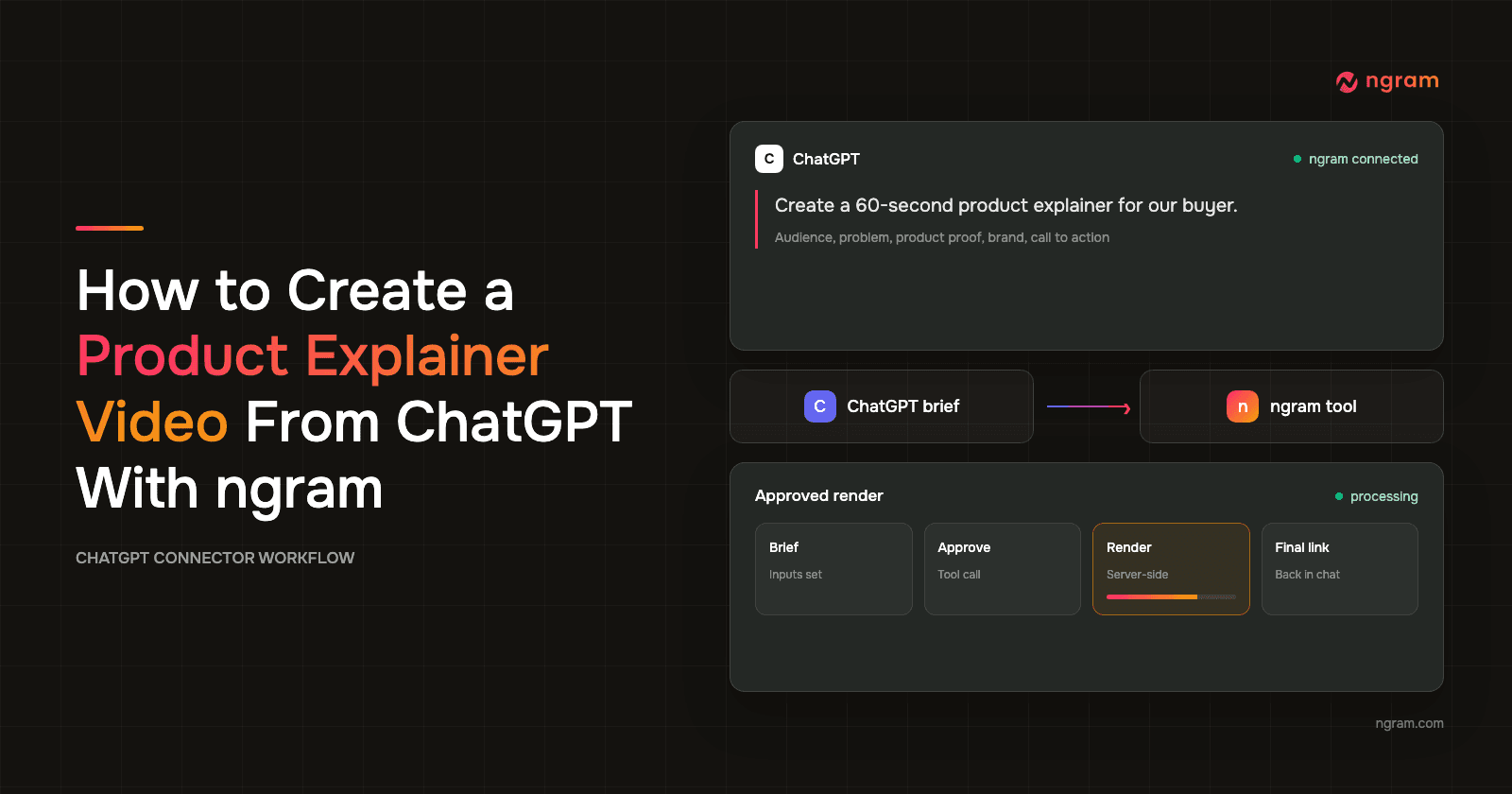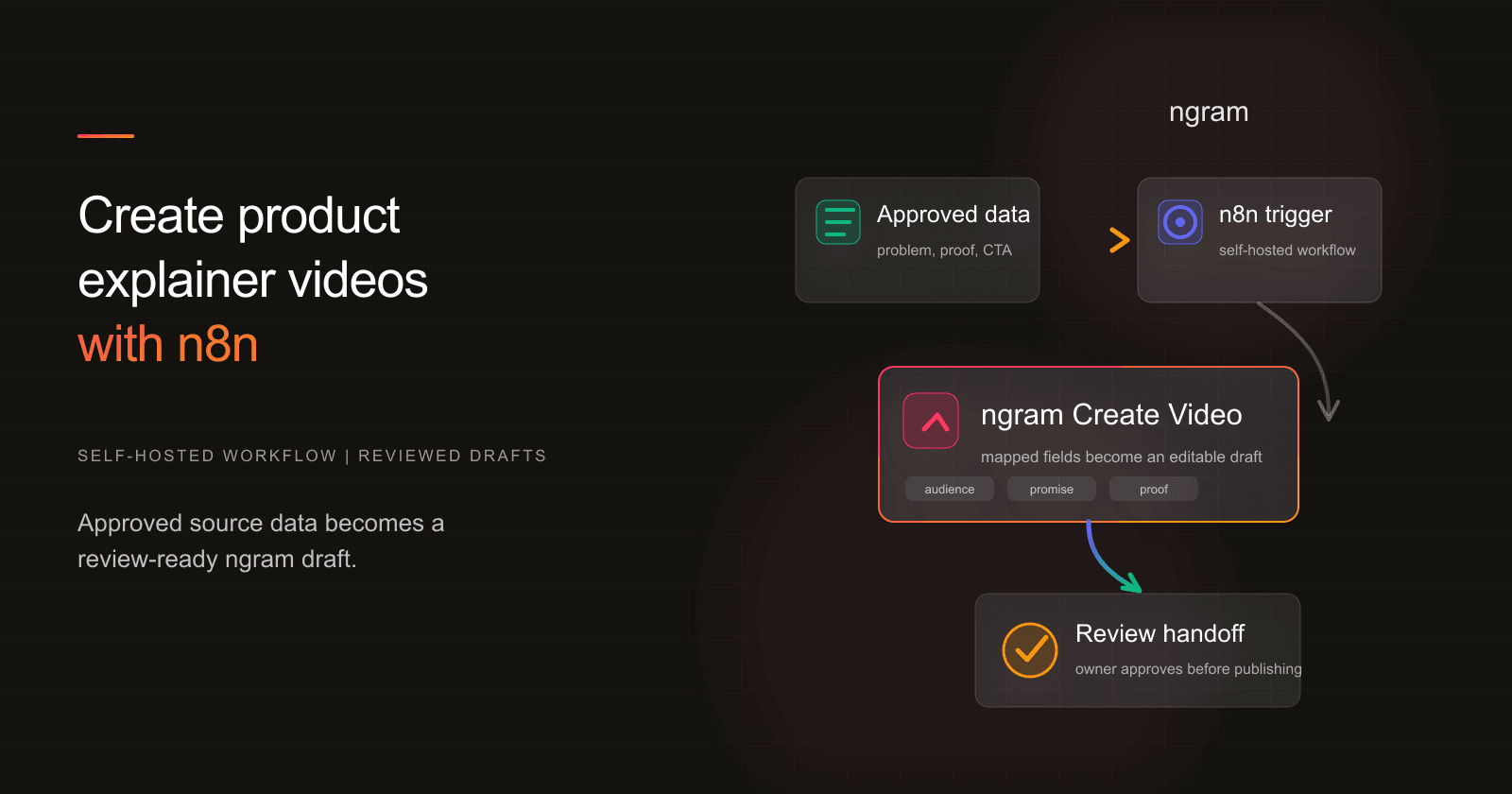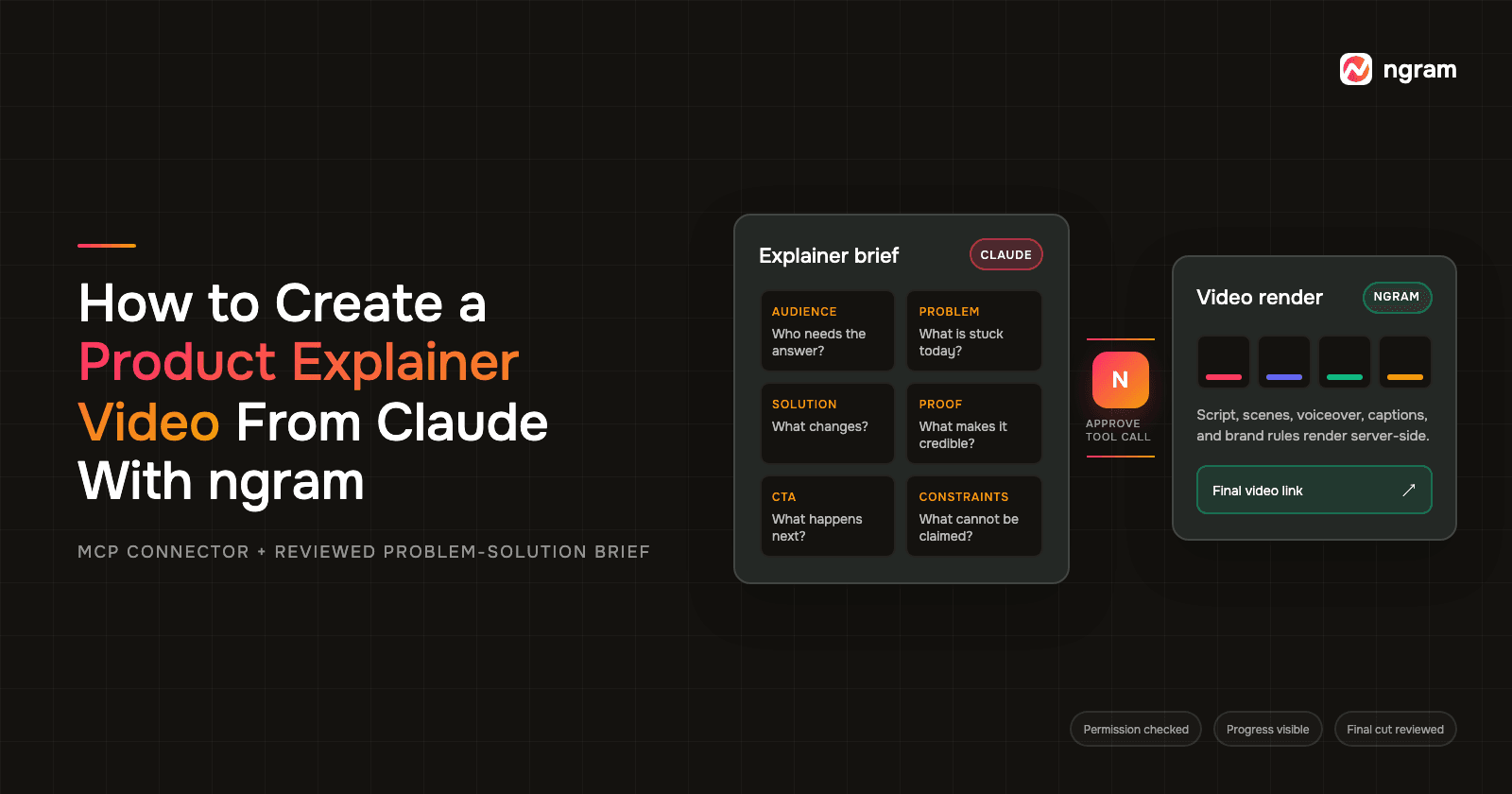

Claude video generation can turn product context into a finished explainer when Claude handles the brief and ngram handles production. Connect ngram in Claude, define the audience, problem, solution, proof, CTA, and constraints, review the proposed story, then approve the ngram tool call. Rendering runs server-side, and the final video link returns in Claude when it is ready.
In a Claude video generation workflow, the useful part is keeping product evidence, narrative decisions, permission, render status, and revision notes in one traceable conversation. For a product marketer, that means fewer handoffs between a positioning document and the production brief, with a clear approval point before rendering begins.
What Claude video generation does in this workflow
Claude does not render the video by itself here. It helps organize your product evidence, identify gaps, shape a problem-solution story, and prepare an approved request. ngram is the AI video generator in this workflow: its connected tools create the script, scenes, voiceover, captions, and final render. That division of work matters because a fluent draft is not the same as an accurate product claim.
Explainers are a common format, but the quality bar is high. Wyzowl's 2026 video marketing survey found that 68% of video marketers had created explainer videos, 96% of people had watched an explainer to learn about a product or service, and 93% of video marketers said video increased user understanding. The same study found that 89% of consumers said video quality affects their trust in a brand.
That survey also found that 91% of businesses use video as a marketing tool and 63% of video marketers had used AI tools to create or edit video. For length, 71% of marketers said videos between 30 seconds and two minutes are most effective. On the viewer side, 85% said a video had convinced them to buy a product or service.
The Content Marketing Institute survey does not measure a timeline. It shows that B2B marketers using AI for content creation reported larger gains in productivity and operational efficiency than in content performance. Use Claude to make the brief easier to inspect, not to skip judgment.
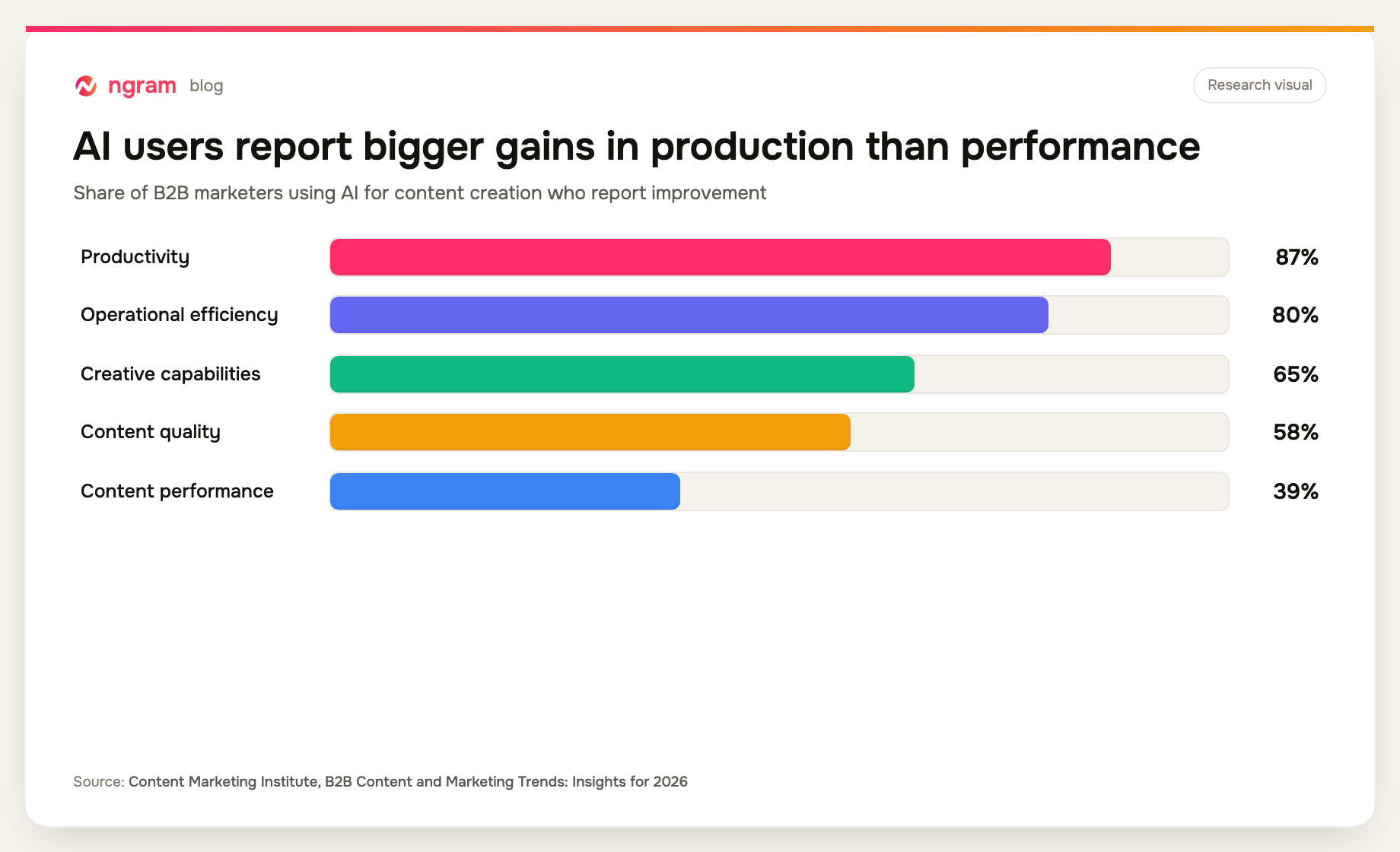
Source: Content Marketing Institute, B2B Content and Marketing Trends: Insights for 2026. Percentages are among respondents who use AI for content creation.
What you need before the first prompt
A Claude video generation request needs the connection and the evidence in place before you ask for a script. A polished prompt cannot repair a missing product fact.
- A Claude account that supports remote MCP connectors. Anthropic's remote connector guide explains where to add a connector, enable it for a conversation, and review the permissions requested during authentication.
- The ngram connection enabled in Claude. The ngram MCP integration page covers the supported connection flow. In Claude, authentication happens inside the connector interface. You do not create an external ngram API key for this path.
- An approved source set: product notes, confirmed product behavior, screenshots, customer-approved evidence, and the exact CTA. Mark anything that Claude must treat as context rather than a claim.
- A review owner who can reject unsupported statements and approve the prepared ngram request.
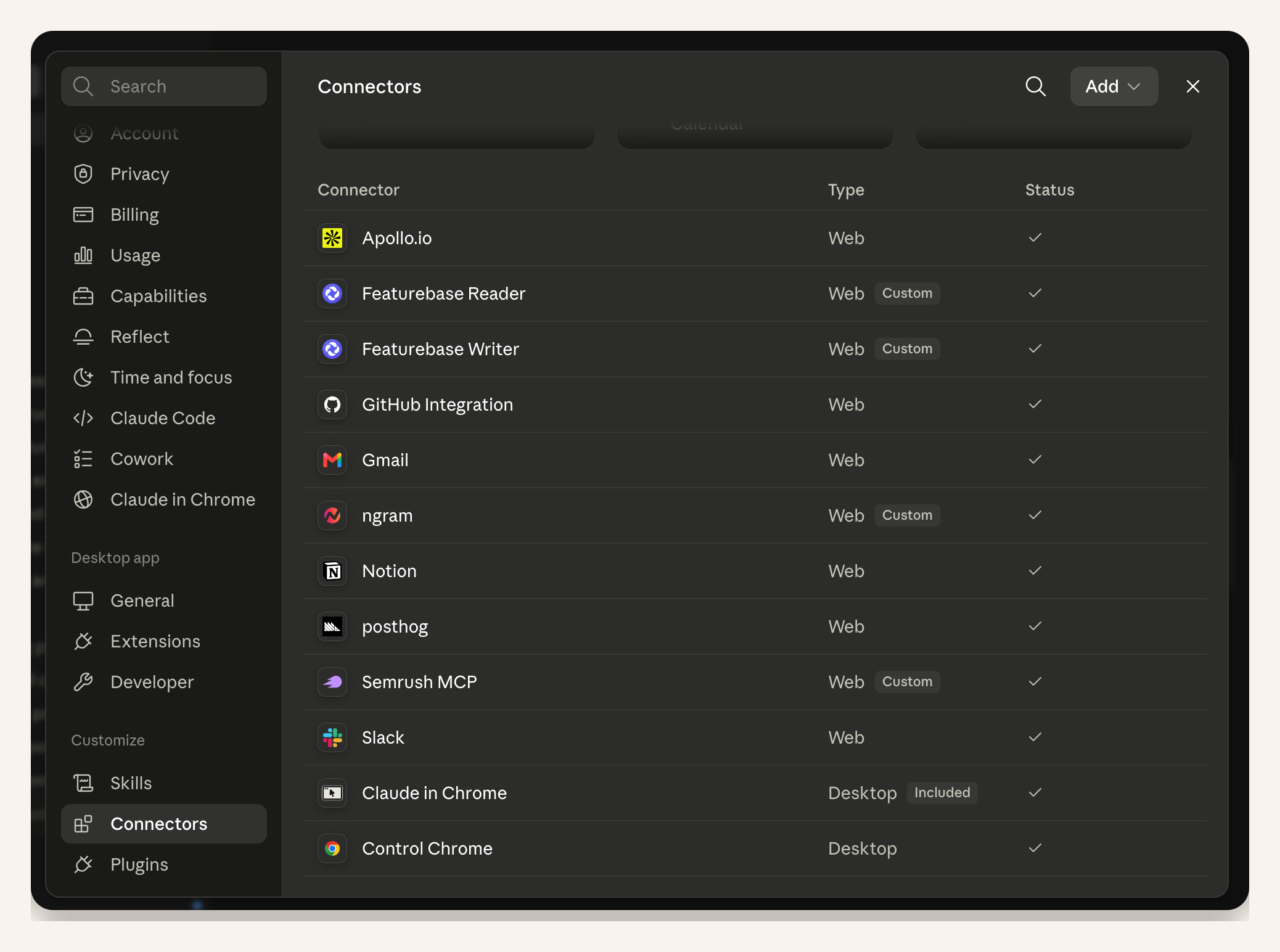
Launch-run proof: this capture demonstrates the shared connector setup mechanics in Claude. The prompt and narrative in this article are explainer-specific.
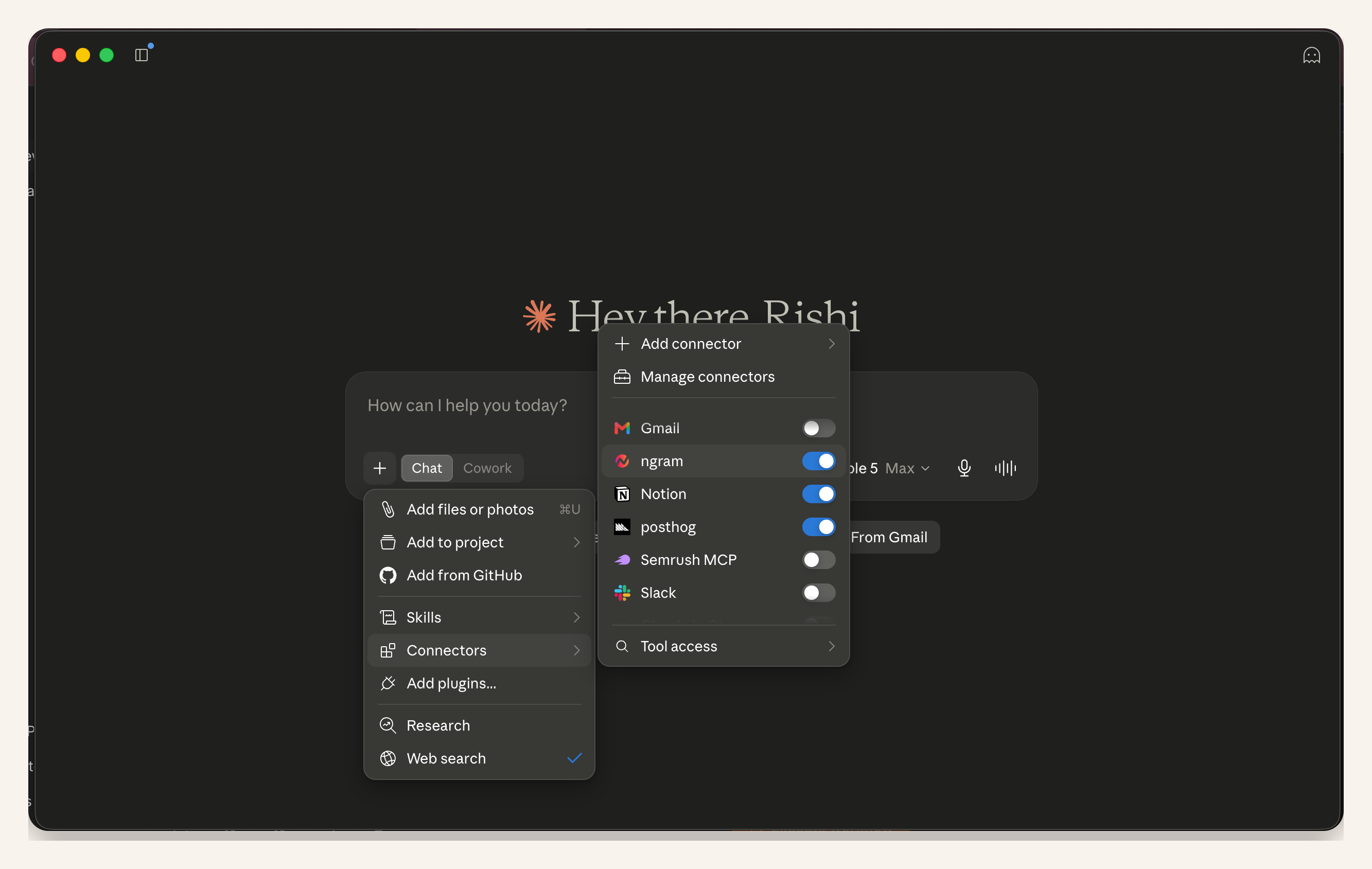
Launch-run proof: this capture demonstrates the shared step for enabling ngram in the active conversation. The article's request remains specific to a problem-solution explainer.
Claude video generation: create a product explainer
The workflow has five checkpoints: connect, brief, approve, render, and review. Each checkpoint ends with something you can verify before moving on.
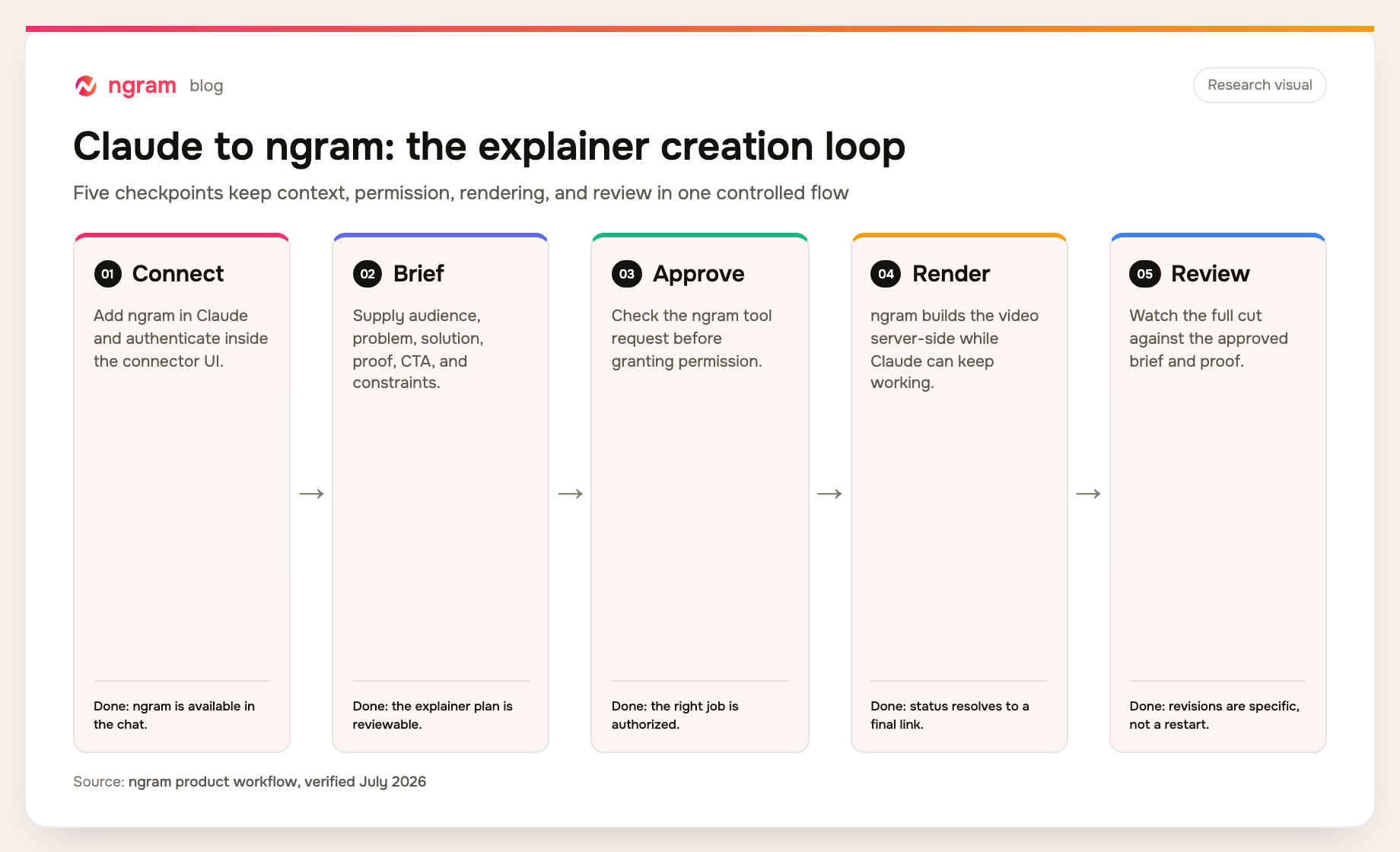
Workflow visual: the five checkpoints reflect the current Claude-to-ngram connector, permission, render, and review flow verified in July 2026.
Step 1: Frame one audience problem
Name one viewer and the moment that makes the problem costly or frustrating. "Teams need better reporting" is too broad. "A product operations lead loses Friday morning reconciling three status spreadsheets before the executive review" gives Claude a person, a repeated problem, and a scene.
For Claude video generation, state what changes after the product is used. Keep the solution at outcome level before naming features. This prevents the script from opening with menus and controls that mean nothing to a viewer who has not yet recognized the problem.
Step 2: Separate evidence from instructions
Tell Claude which statements are verified, which details are visual direction, and which points still need a decision. For an AI video creation tool, those labels separate a current product fact from a roadmap idea. Evidence can include a measured outcome, a confirmed product behavior, a product capture, or an approved customer statement. If there is no proof for a claim, replace it with a demonstrable product action or remove it.
Use the AI explainer video maker as the production path, but keep the source hierarchy in the prompt. Claude should never turn an aspiration, roadmap item, or unsupported superlative into narration.
Step 3: Ask for the brief and storyboard before rendering
For Claude video generation, ask for a short creative brief and scene-by-scene plan first. Use the AI storyboard generator to show what the viewer sees, what the voiceover says, and which source supports each claim. Review the viewer, problem, promise, proof, CTA, target length, tone, and constraints before rendering.
This is where an AI script generator needs product context. ngram's script generation workflow shapes the script and scene plan from the approved context instead of a bare topic. Do a claim check before you ask Claude to prepare the tool call.
Step 4: Review and approve the ngram call
A Claude video generation request reaches a permission step when Claude is ready to call ngram. Check the tool name, source material, requested action, and prepared video settings. Approval is a control point, not a formality. If the request contains the wrong evidence or scope, decline it and correct the brief in the conversation.
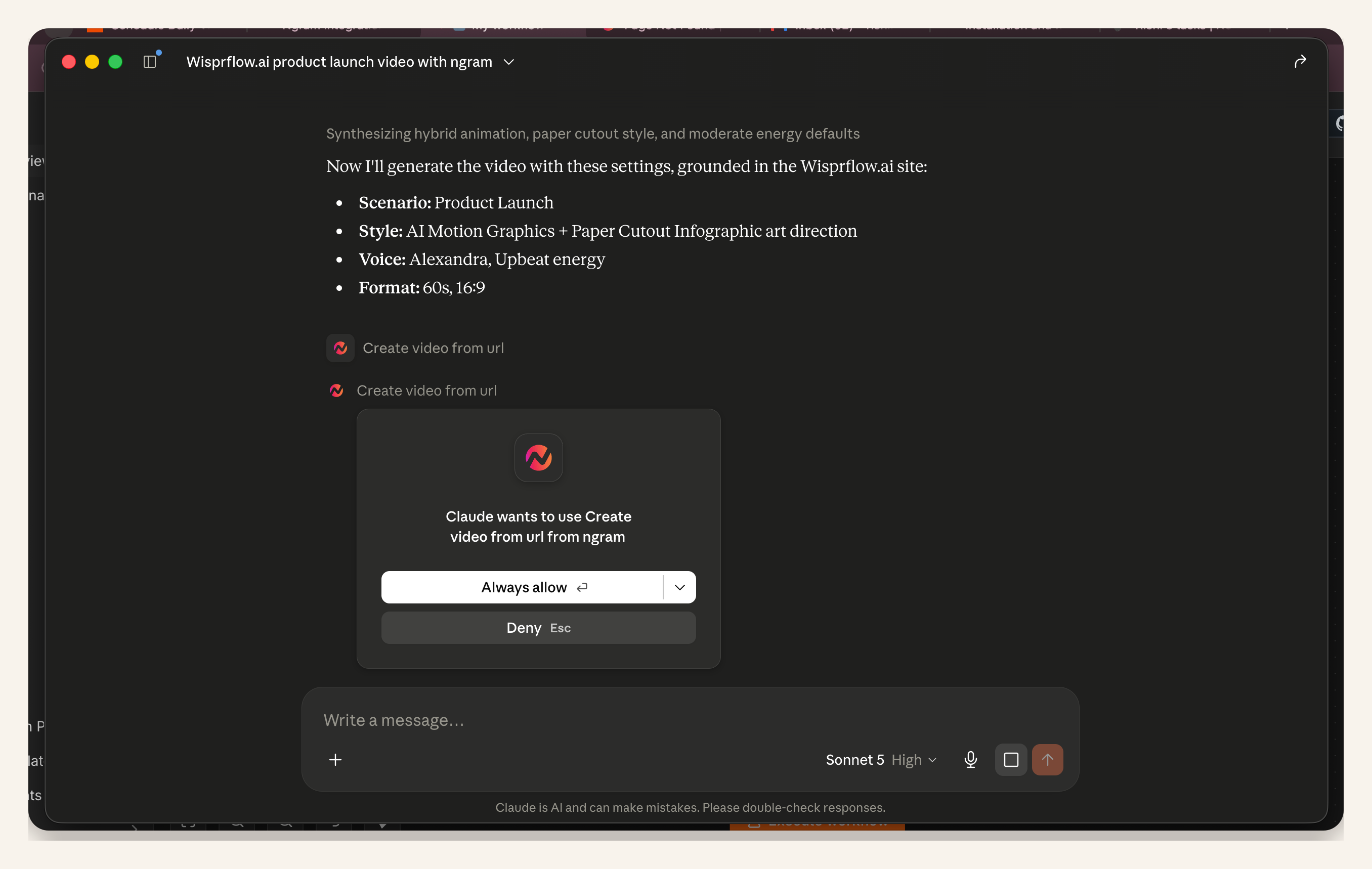
Launch-run proof: this capture demonstrates the shared ngram permission mechanics in Claude. The article prompt is explainer-specific, so its approved audience, problem, solution, proof, and CTA will differ from the launch example shown.
Step 5: Let the render run server-side
The render phase of Claude video generation runs server-side in ngram. A scene-based render typically takes about 15 to 20 minutes, depending on scene complexity. You do not need to keep watching the conversation. Continue other work, check progress in the ngram app when useful, and return when Claude receives the final link.
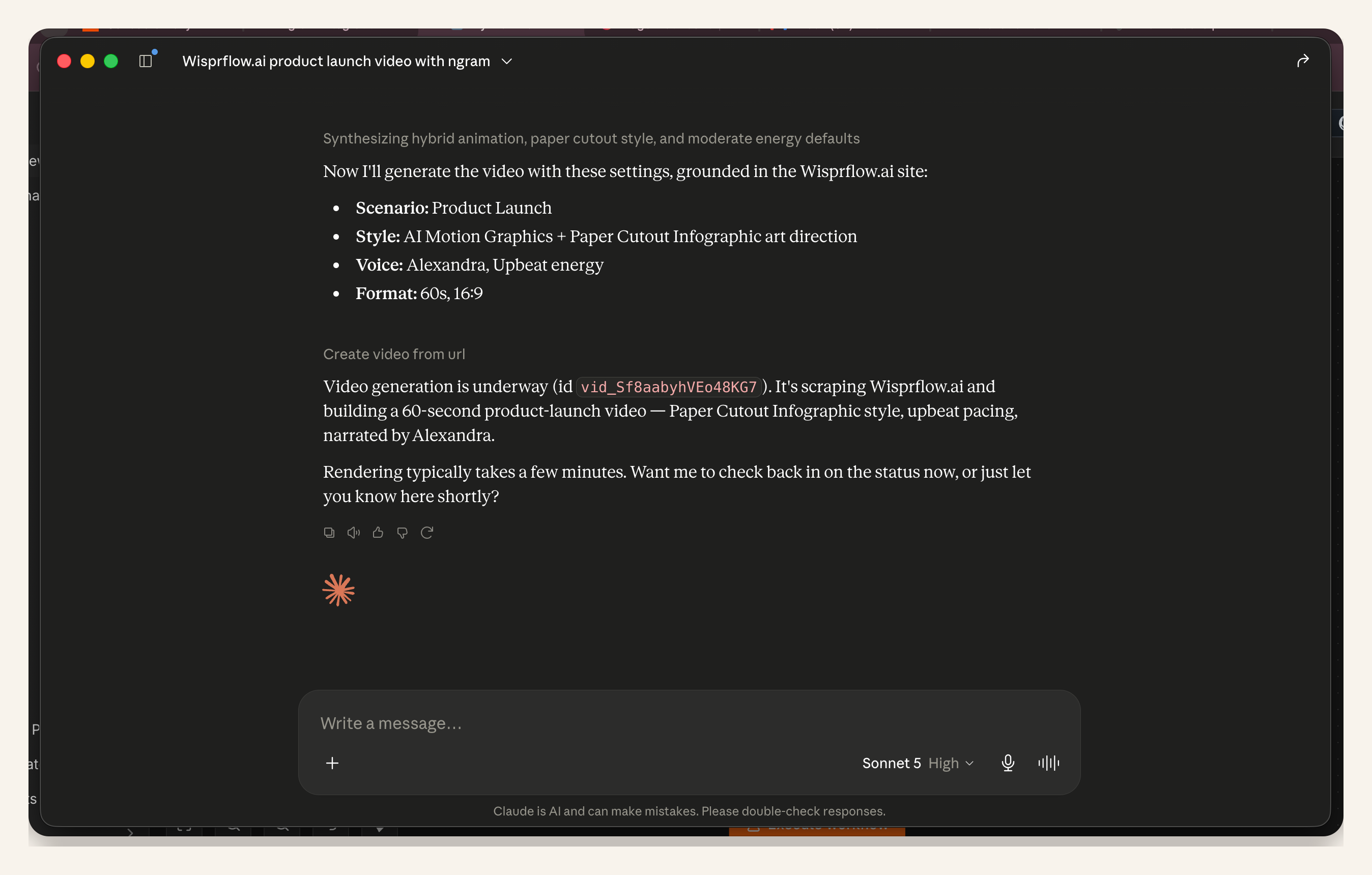
Launch-run proof: this capture demonstrates the shared render-status mechanics after an approved call. The explainer-specific prompt in this article still governs the message and scenes.
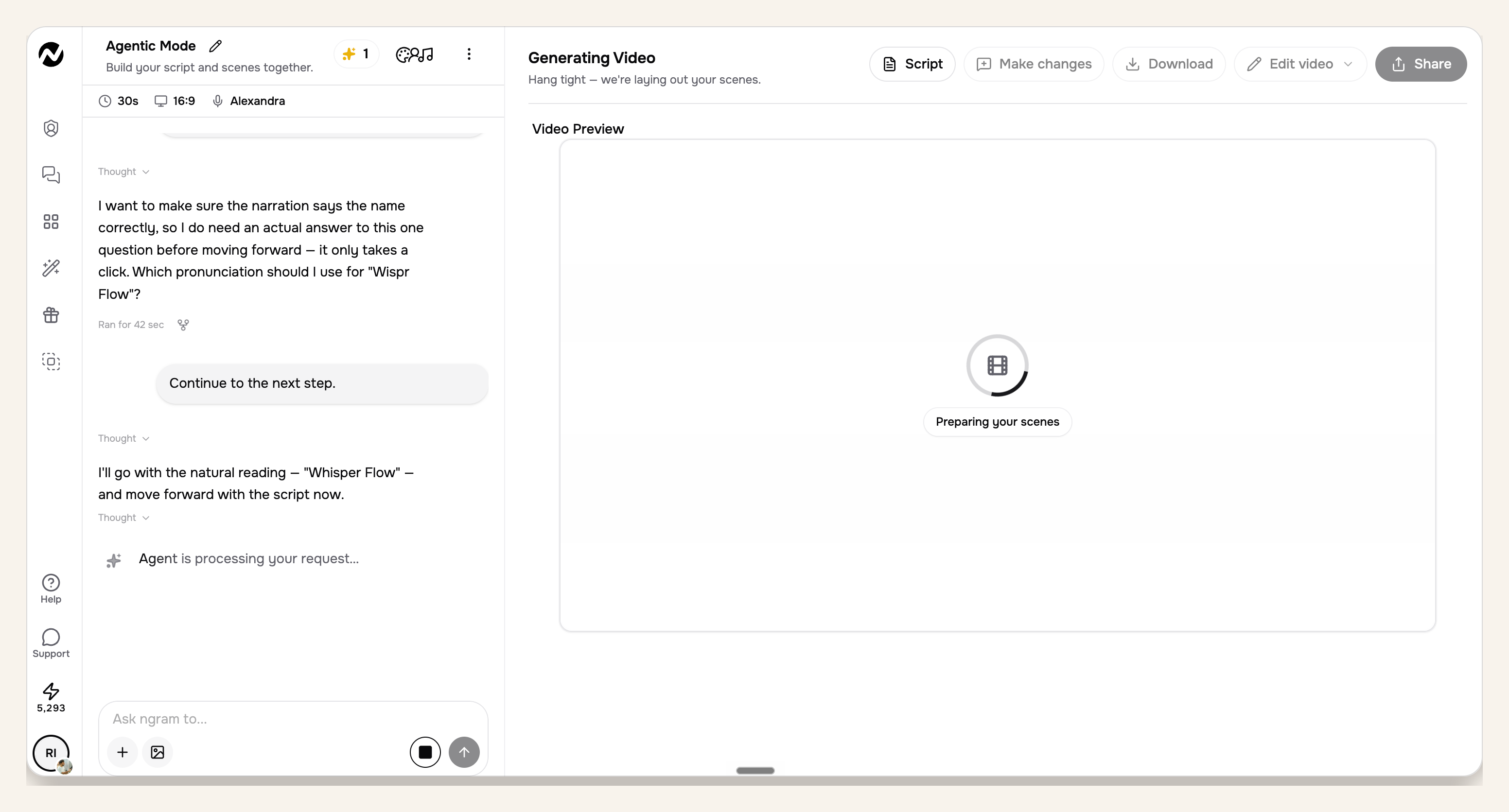
Launch-run proof: this capture demonstrates the shared ngram progress view while rendering continues server-side. It is workflow evidence; the article's product explainer brief is different.
Step 6: Review the final cut against the brief
Open the returned link and compare the full cut with the approved brief, not with a vague sense of polish. Check whether the problem appears early, the product action is understandable, the proof is legible, the narration matches the evidence, and the CTA asks for one clear next action.
Give targeted notes such as "replace the unsupported time-saving claim in scene four with the confirmed workflow step" or "hold the proof frame two seconds longer." Avoid "make it better." Before another render, ask Claude to restate exactly which scenes will change and which approved elements will remain untouched.
Copy this product explainer prompt for Claude
Use this Claude video generation prompt as a working brief, then replace every bracketed field. If the proof is not confirmed, label it as missing rather than asking Claude to fill the gap.
Use ngram to create a product explainer video.

Product context:
- Product: [name and one-sentence description]
- Audience: [one role or buyer]
- Problem: [specific situation and consequence]
- Solution: [what changes after using the product]
- Source material: [approved notes, URL, or pasted evidence]
- Proof: [verified behavior, metric, capture, or approved statement]

Creative direction:
- Target length: [for example, 60 to 90 seconds]
- Tone: [direct, calm, technical, warm, or other]
- Visual direction: [product UI, motion graphics, screenshots, or other]
- Brand rules: [colors, logo, font, voice, and phrases to avoid]
- CTA: [one next action]
- Constraints: [claims, features, names, or visuals that cannot be used]

First, return a concise creative brief and a six-scene storyboard. For each scene, show the visual, narration, and supporting source. Flag missing evidence and do not invent product behavior, customer names, metrics, or outcomes. Do not call ngram yet.

After I approve the brief, prepare the ngram request and show what will be sent. Ask for my explicit approval before calling the tool or starting the render. After approval, report progress and return the final video link when it is ready.
If your team already maintains reusable visual rules, reference the same approved values in ngram's brand kit. Do not ask Claude to infer brand decisions from an old asset when the current rules are available.
Our prompt audit: seven fields prevent avoidable guesswork
For this guide, we tested three hypothetical prompt shapes against a fixed seven-field rubric: product, audience, problem, solution, proof, CTA, and constraints. A one-line request named only the product, for 1 of 7 fields. A feature-led request covered product, audience, solution, and CTA, for 4 of 7. The reviewed brief covered all 7.
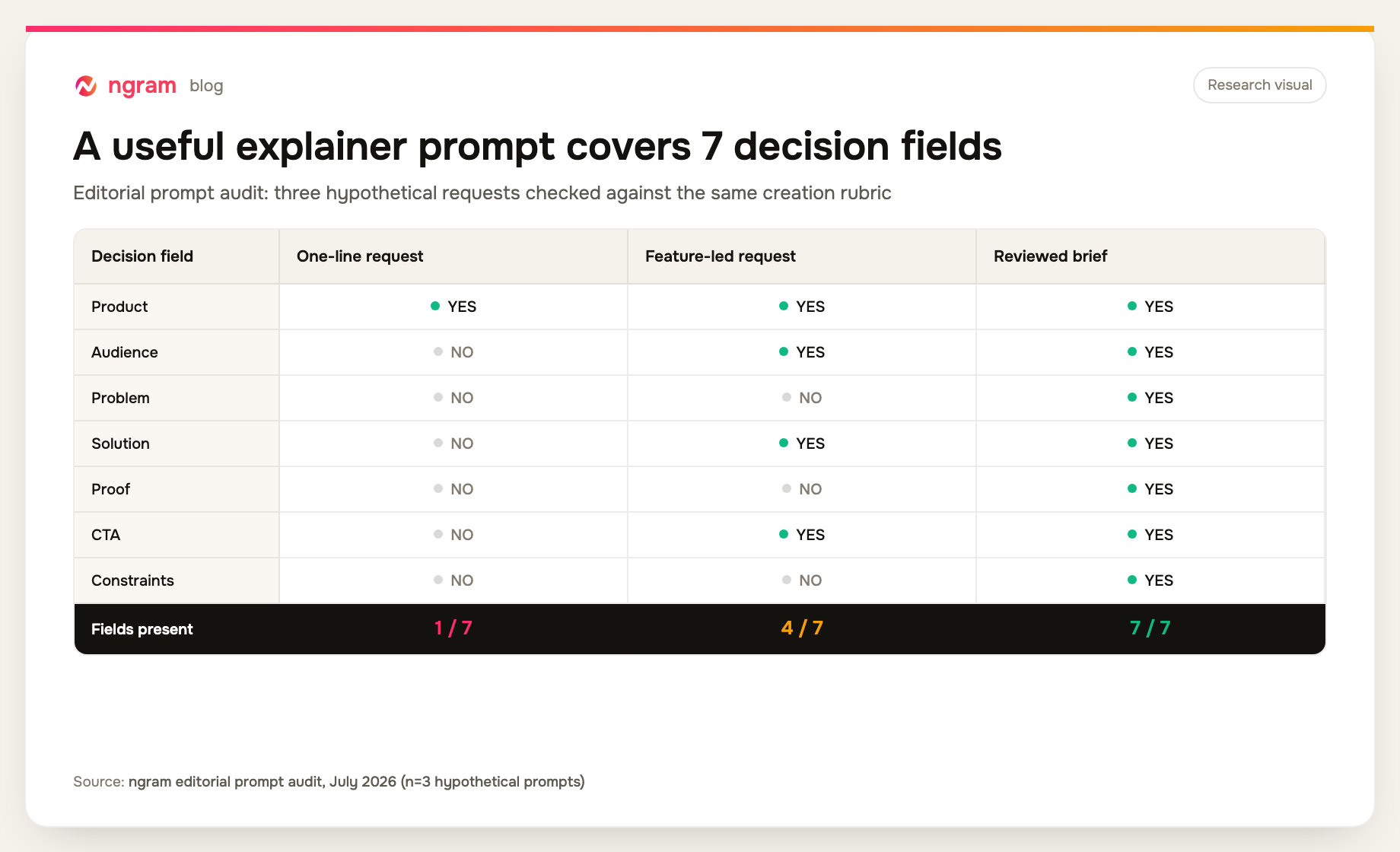
Methodology: ngram editorial prompt audit, July 2026. We created three hypothetical request shapes and marked a field present only when the request supplied a usable decision, not merely a related word. The audit measures prompt completeness, not render quality, and the sample size is three prompts.
This small test is not evidence that seven fields guarantee a strong video. It shows where Claude would otherwise have to ask a question or make an assumption. Proof and problem were the most important missing fields in the weaker prompts because they separate an explainer from a narrated feature list.
A product explainer QA checklist
For Claude video generation, review the same decisions before and after rendering. An AI explainer video can look finished while still missing the product problem or using proof that the source does not support.
- Audience: Can one specific viewer recognize that the video is for them in the opening?
- Problem: Does the first part show a concrete situation rather than a generic pain point?
- Solution: Is the change understandable before the script lists product capabilities?
- Proof: Can every metric, behavior, name, and outcome be traced to the approved source set?
- Visuals: Do product captures remain readable long enough to understand the action?
- Narration: Does it explain what matters without repeating every on-screen word?
- CTA: Is there one concrete next action that follows naturally from the solution?
Common failure modes and precise fixes
Most Claude video generation failures start as briefing or approval errors. Fix the decision that caused the problem instead of restarting the whole job.
The prompt asks for a video about the product
That request has a subject but no narrative decision. Add one audience, one problem situation, one changed outcome, one proof point, and one CTA. Ask Claude to identify any missing field before drafting scenes.
The script becomes a feature inventory
Return to the problem-solution arc. Keep only the capabilities needed to show how the viewer moves from the problem to the result. Move secondary features out of the storyboard instead of compressing them into faster narration.
Claude supplies proof that was never provided
Stop before the tool call. Ask Claude to map every claim to a quoted source fragment or a confirmed product behavior. Remove anything that cannot be traced. A reasonable-sounding number is still unsupported.
The wrong ngram request is waiting for approval
Do not approve by habit. Decline the call, correct the prepared settings or evidence, and ask Claude to show the revised request. The permission step exists so an error can be caught before rendering starts.
The render appears to take too long
Scene complexity affects render time, and roughly 15 to 20 minutes is normal for this workflow. Check the ngram app progress view rather than restarting a live job. Restart only after confirming that the job failed or that the brief itself needs to change.
The first cut is polished but unclear
Review comprehension before decoration. Ask whether the audience, problem, changed state, proof, and CTA survive without internal product knowledge. Then make scene-level revision requests. A visual refresh cannot repair a missing problem.
Frequently asked questions
Can Claude generate video?
Claude can plan and initiate video work through a connected tool. If you are learning how to make AI videos with Claude, the important distinction is that Claude organizes the brief, prepares the request, and reports status. The connected ngram tools build and render the video.
How do I generate video with Claude and ngram?
Claude video generation with ngram starts by enabling the remote MCP connector and authenticating inside its interface. Give Claude the approved product evidence and explainer brief, review the proposed scenes, and approve the ngram tool call. Claude sends that request to ngram's explainer video software, which renders server-side and returns the final link.
Do I need an ngram API key for Claude?
No. The supported Claude connector flow authenticates inside the connector interface, so you do not create an external ngram API key. Header-capable custom clients can use a self-service bearer key created in Account & Settings → API Keys.
What should a product explainer video include?
Include a recognizable audience problem, the changed state your product creates, the minimum product actions needed to understand that change, evidence for the promise, and one CTA. Add constraints so the script does not imply unsupported capabilities or outcomes.
How long does an ngram render take from Claude?
A scene-based render typically takes about 15 to 20 minutes, with timing affected by scene complexity. You can follow progress in the ngram app and continue other work instead of waiting in the Claude conversation.
What is the difference between an explainer and a product demo?
An explainer is organized around a viewer's problem and the change a product makes. A product demo is usually organized around the product workflow itself. An explainer may include product actions, but each action should advance the problem-solution story rather than become a full interface tour.
Brief first, render second
A useful product explainer starts before the render. Put the audience, problem, changed state, proof, CTA, and boundaries into the Claude conversation. Review the story while changes are still cheap, approve only the correct ngram request, and judge the final cut against the same brief. Claude video generation works here because a product marketer can inspect every decision.