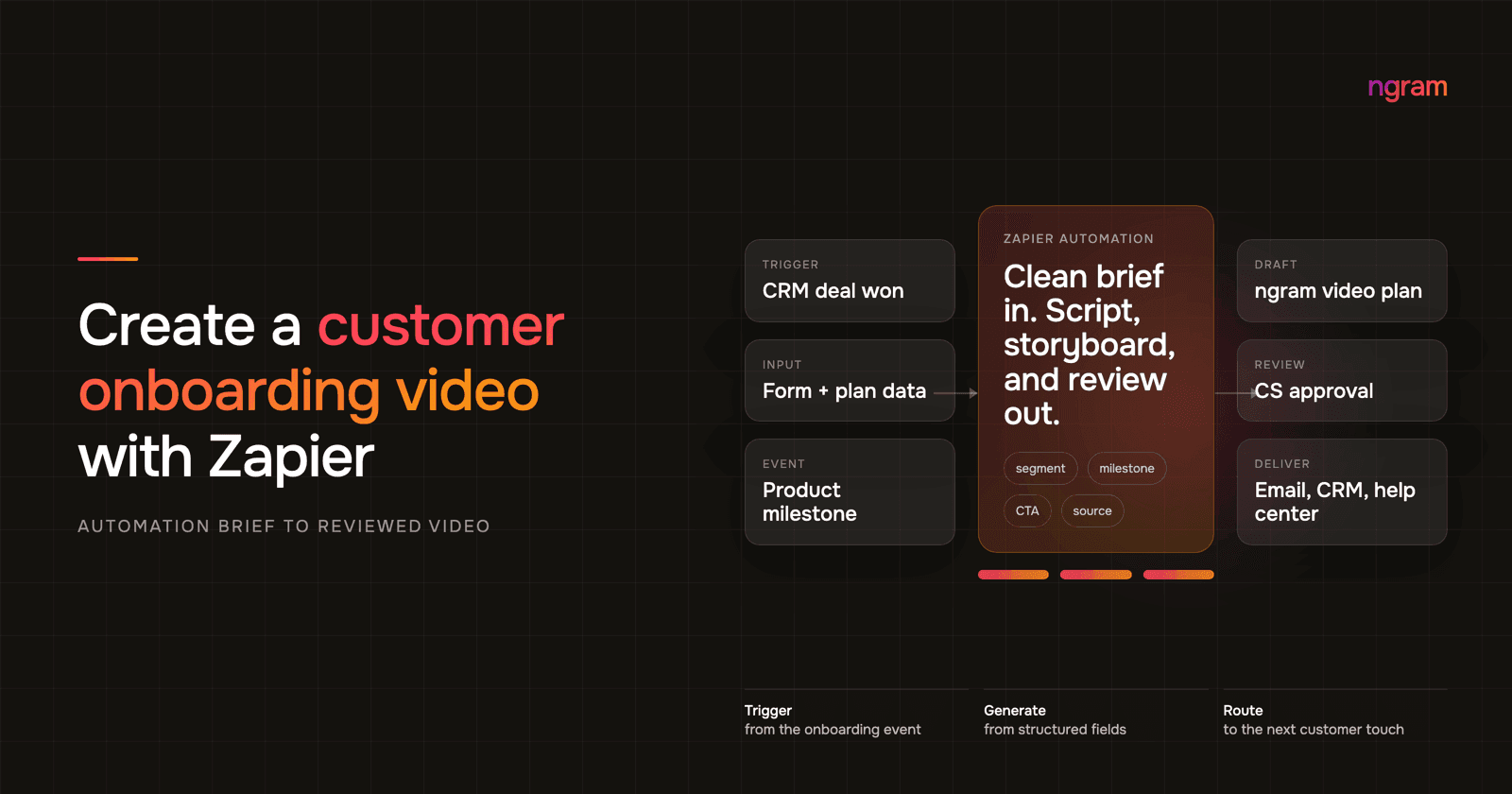

A product launch video usually gets requested when the page is almost done. The headline is approved, screenshots are in the CMS, paid traffic has a date, and someone finally asks what video will sit near the top of the launch page.
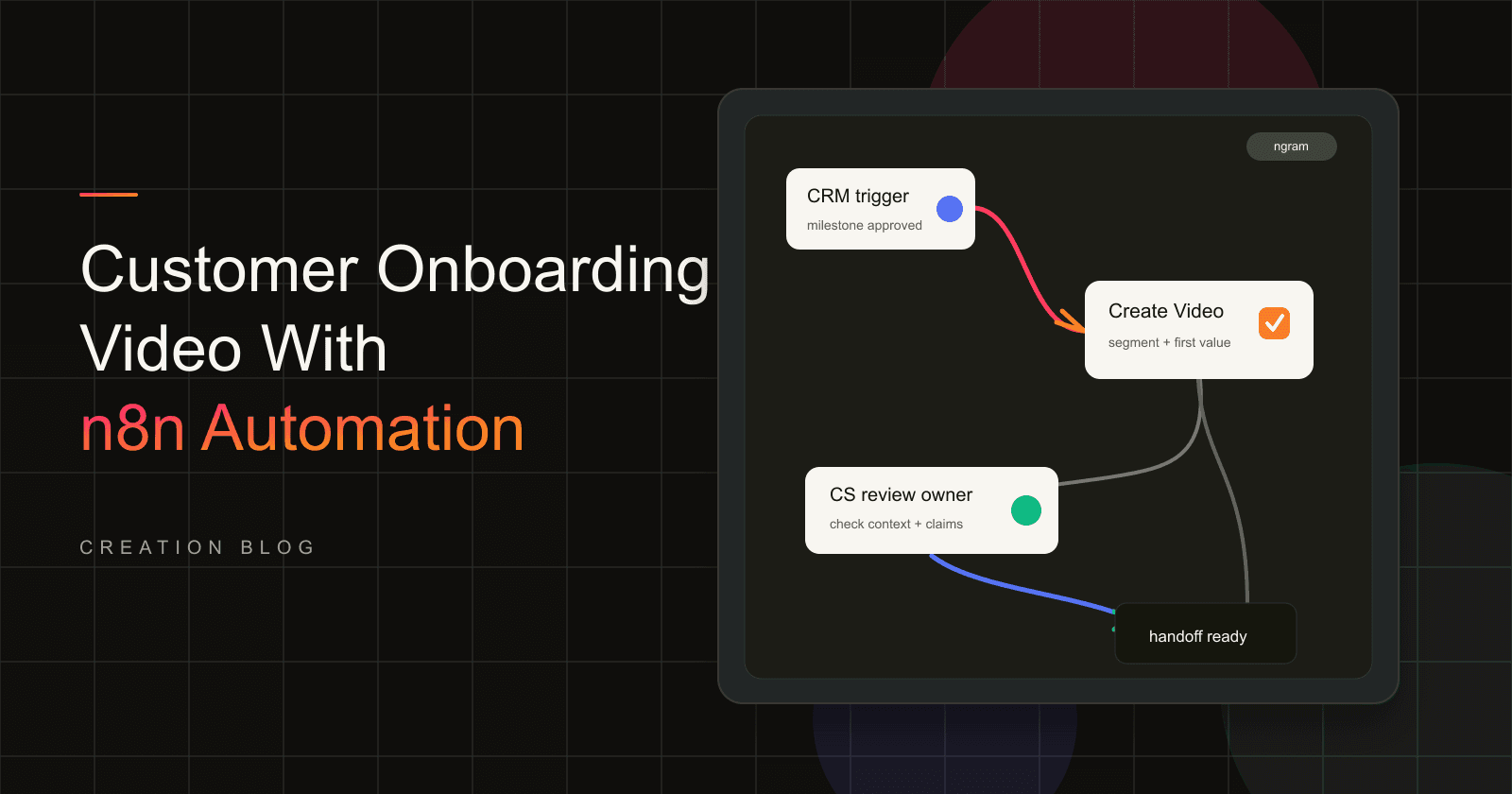
That is late, but it is also the right automation moment. If your launch page or campaign record already has the source URL, audience, promise, proof, and CTA, Zapier can pass those approved fields to ngram and create a reviewable product launch video draft without another round of copy-paste.
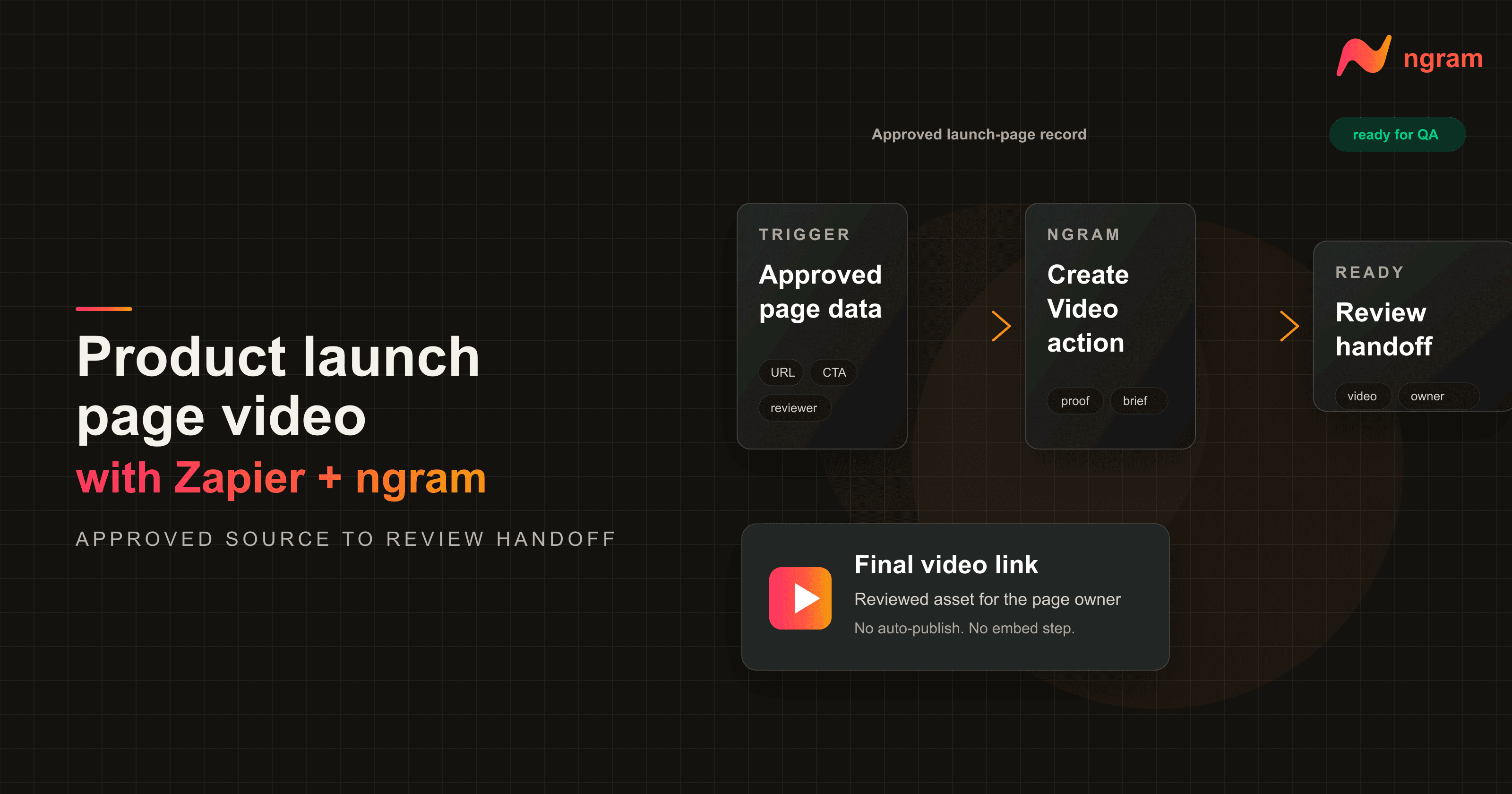
This guide is about creating the launch page video. It is not about auto-publishing the page, embedding the asset without review, or replacing the launch owner. The clean workflow is approval trigger, ngram draft, human review, then a final video link handed back to the CMS task.
Why a product launch video matters before traffic arrives
Launch pages carry too much pressure for a vague hero asset. The visitor needs a quick product proof asset, a clear promise, and enough story to know whether the launch is relevant. Gartner reported in March 2026 that 67% of B2B buyers prefer a rep-free experience, based on a survey of 646 B2B buyers conducted from August through September 2025. A launch page video has to carry more of that self-serve explanation than it did a few years ago.
The video bar is also higher now. Wyzowl's 2026 video marketing report says 91% of businesses use video as a marketing tool, 93% of video marketers see it as an important part of their strategy, 93% say video increased user understanding, 85% say video generated leads, and 83% say video directly increased sales.
The same Wyzowl report found that 63% of people prefer a short video when learning about a product or service, 71% of marketers believe videos between 30 seconds and 2 minutes are most effective, 82% say video increased dwell time, and 89% of consumers say video quality affects trust in a brand. Source: Wyzowl Video Marketing Statistics 2026.
Speed still matters, especially if the launch page is getting mobile traffic. Google's mobile speed study found that 53% of visits are abandoned if a mobile site takes more than 3 seconds to load. That does not mean you should hide the video. It means the video needs a clear owner, a checked file, a sane thumbnail, and a page team that knows when the asset is ready.
Prerequisites for the launch page video Zap
Do this setup before you open Zapier. The cleaner the launch record, the more predictable the ngram draft will be.
- Approved launch source: a CMS item, campaign tracker row, form submission, release note, or launch brief that means the page is ready for video creation.
- Source URL: the launch page, product page, release note, or staging URL that ngram should use for context.
- Video brief: audience, promise, proof point, CTA, desired length, aspect ratio, tone, reviewer, and launch-page owner.
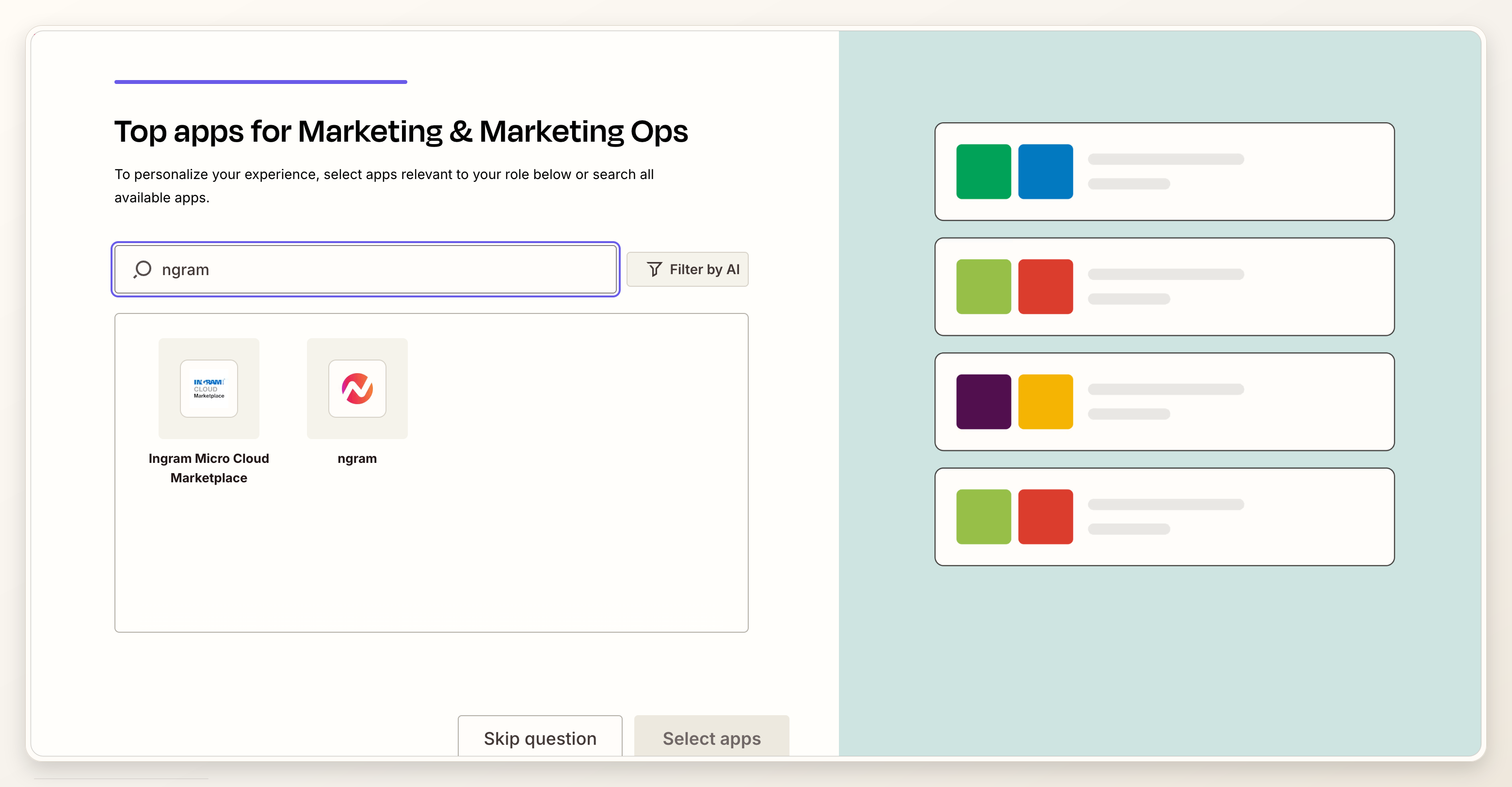
- ngram access: the ngram Zapier integration connected with the right workspace credential.
- Review path: a Slack message, task comment, CMS field, or launch checklist item where the final video link should land after review.
If the main input is a live page, ngram's URL to Video workflow is the closest mental model: the URL gives ngram the raw material, then the script and storyboard turn that source into a video story.
Step 1: define the approval trigger
Start with the event that proves the launch page is approved enough for a video draft. A Zapier trigger is the event that starts a Zap, and a Zap can then run one or more actions after that trigger. Source: Zapier workflow concepts.
Good triggers are explicit. Use a CMS status like approved for launch, an Airtable checkbox called video ready, a campaign record stage called page approved, or an internal webhook that fires only after the PMM owner signs off.
Avoid triggers that mean someone is still drafting. New CMS item, new row, or first form submission will create noisy video drafts because the promise, proof, and CTA may still be changing.
Step 2: normalize the launch-page source data
This is where most launch page video Zaps either become reliable or turn into a pile of brittle fields. Normalize the data before the ngram action. The goal is to give the video generator a short, stable brief instead of a whole CMS record.
- Source URL: the launch page URL or product URL the video should use as context.
- Brief: a one-paragraph summary of what is launching and why it matters now.
- Audience: the exact segment the launch page is speaking to.
- Promise: the main outcome the page claims.
- Proof: screenshot, product moment, metric, quote, demo step, or page section the video should show.
- CTA: the one action the launch-page visitor should take after watching.
- Handoff: the launch-page owner, CMS task, or review thread that should receive the final link.
Zapier's field mapping docs say mapped fields pull output from one step into a later step, while static typed text stays the same on every run. Source: Zapier field mapping. Use mapped fields for launch-specific data and static text only for stable instructions like tone rules or review policy.
Step 3: connect ngram in Zapier
Add ngram as the app that creates the video. Keep the connection label boring and auditable, such as ngram launch production or ngram launch staging. That sounds minor until a team has several launch Zaps and nobody knows which credential owns the active run.
Use a separate test Zap while mapping the first run. A product launch video touches public-facing messaging, so you want a clean test history before the launch-page owner sees the output.
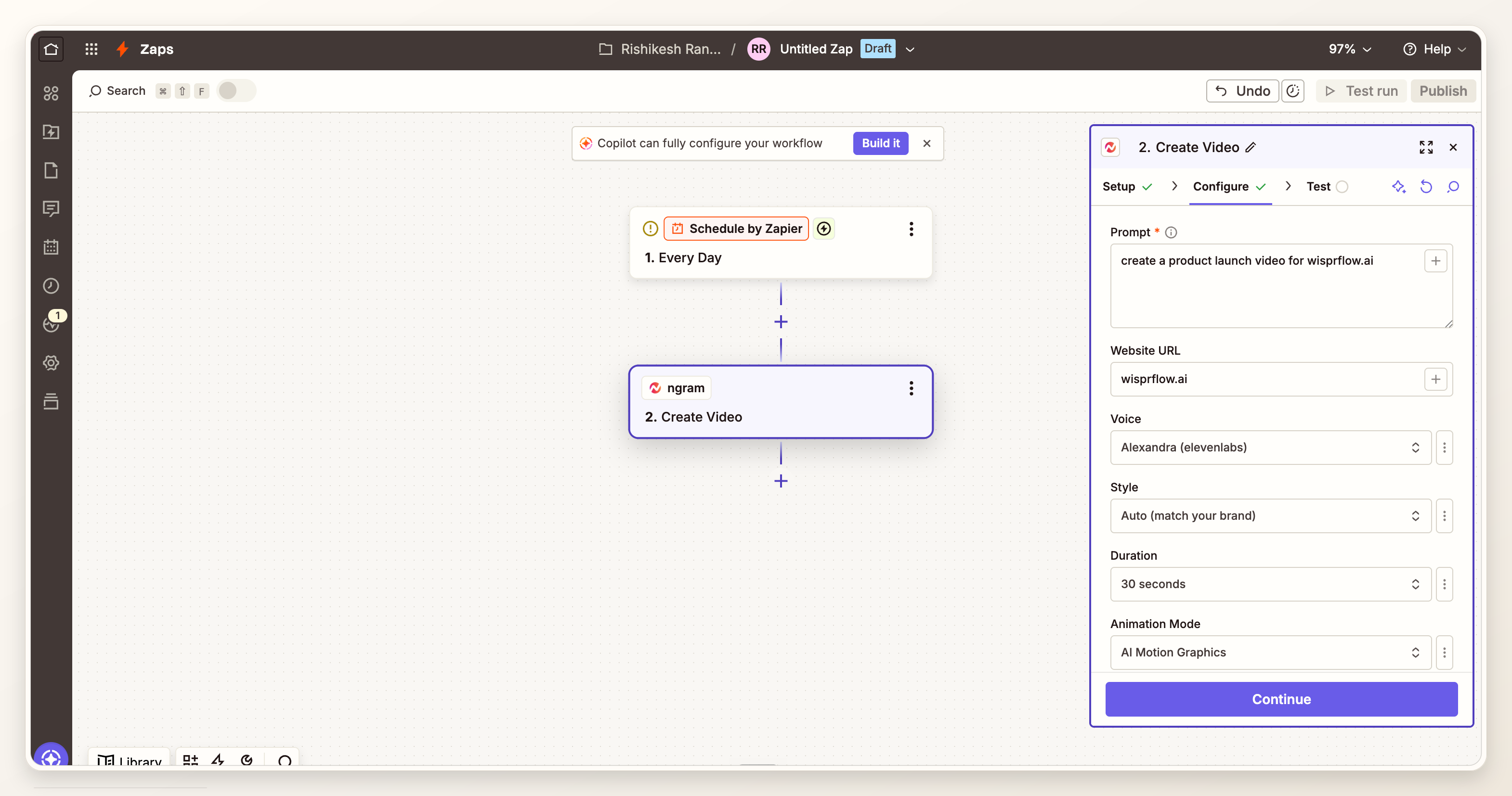
Step 4: map ngram Create Video for a product launch video
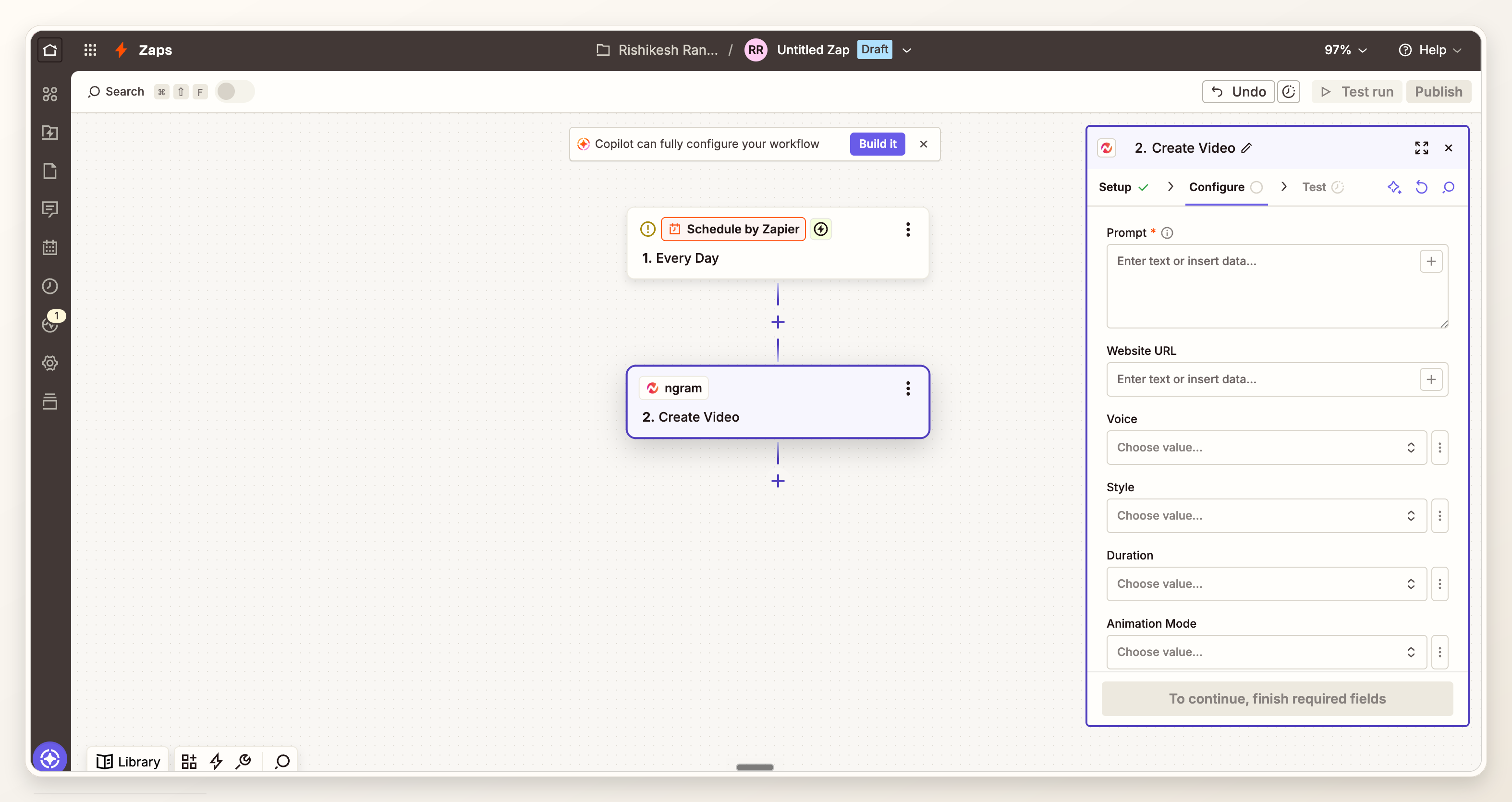
Zapier's action setup guide tells users to choose the action app, choose the event, connect the account, configure required fields, and test the action before relying on it. Source: Zapier action setup. In this workflow, that action is ngram Create Video.
The prompt should read like a compact launch brief, not a data dump. Tell ngram the asset is a product launch video for the launch page, name the audience, point to the source URL, state the launch promise, list the proof to include, and give the CTA.
- Prompt: make it specific to the launch page, audience, promise, proof, and CTA.
- Website URL: map the approved source URL from the trigger record.
- Voice, style, duration, and aspect ratio: choose defaults that match the launch page placement and review policy.
- Review metadata: carry the page owner, reviewer, source record, and CMS task through the Zap so the result lands in the right place.
If you are still shaping the overall story, use the broader product launch video playbook before building the Zap. Automation works better after the launch narrative has a spine.
Step 5: test the Zap with a real launch record
Do not test with generic sample data. Use a real launch page or a realistic staging record so you can catch missing fields, vague proof, broken URLs, and CTAs that do not match the page.
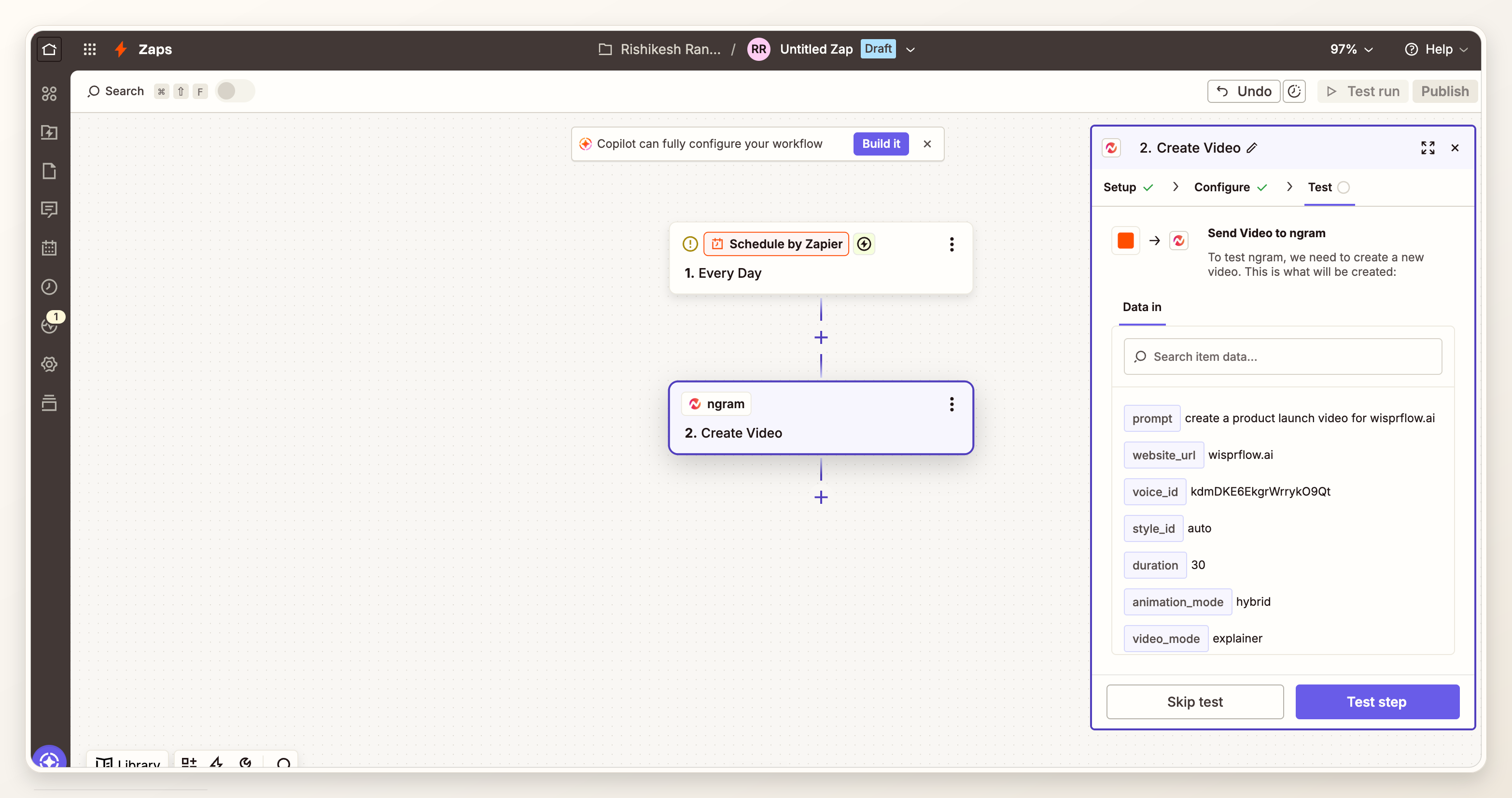
A passing test should answer four questions: did the trigger fire only on approval, did ngram receive the right source URL, did the draft reflect the launch promise, and did the handoff step know where to send the result?
What we checked in the Zap proof run
For this update, we treated the existing Zapier proof screenshots as a configuration audit, not as a performance benchmark. The audit question was simple: does the Zap show a credible path from approved launch source to ngram Create Video to review handoff?
- Trigger and action are visible in the workflow builder.
- Create Video includes mapped prompt and website URL fields.
- The test result confirms the ngram action returns processing data after a run.
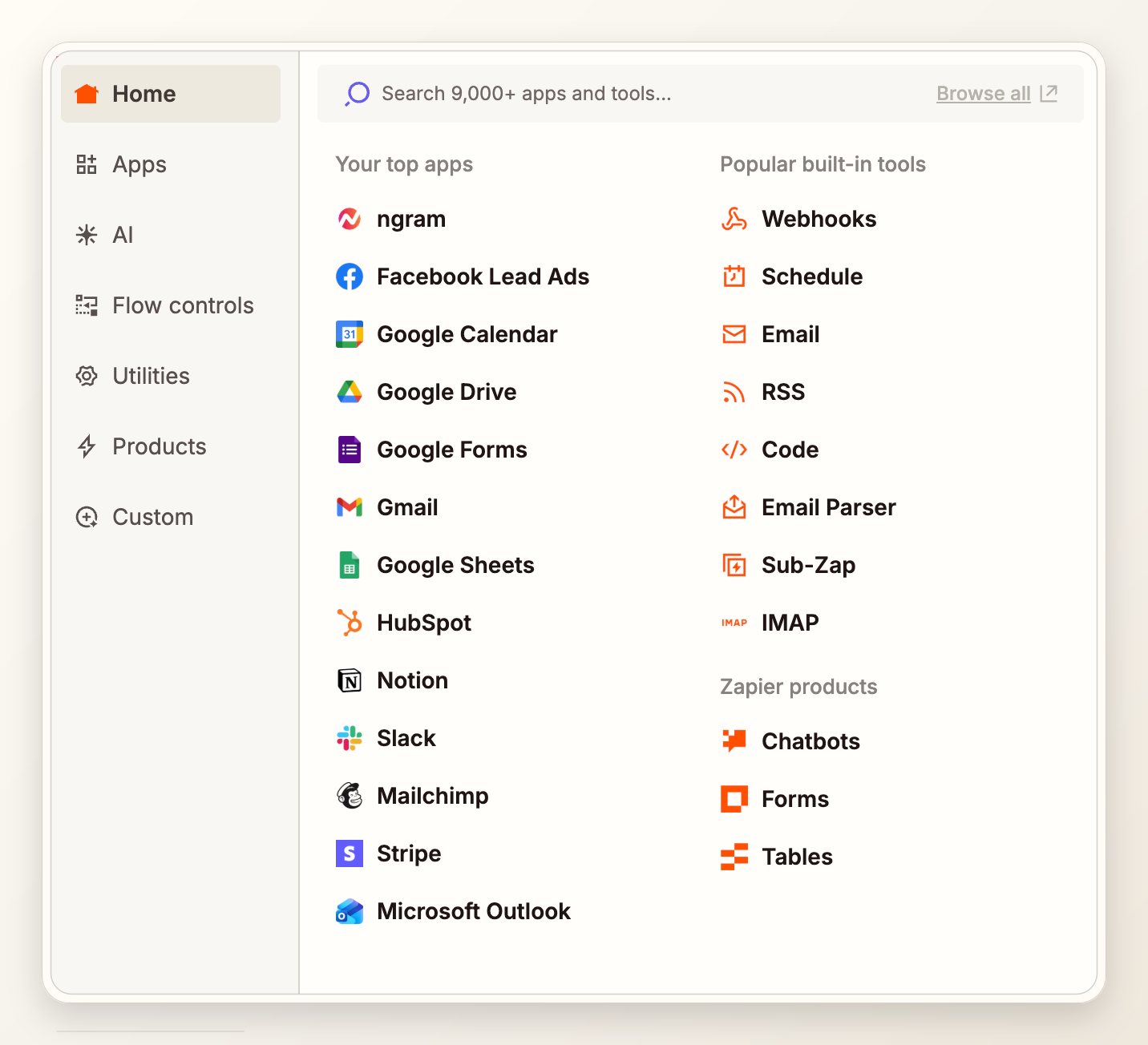
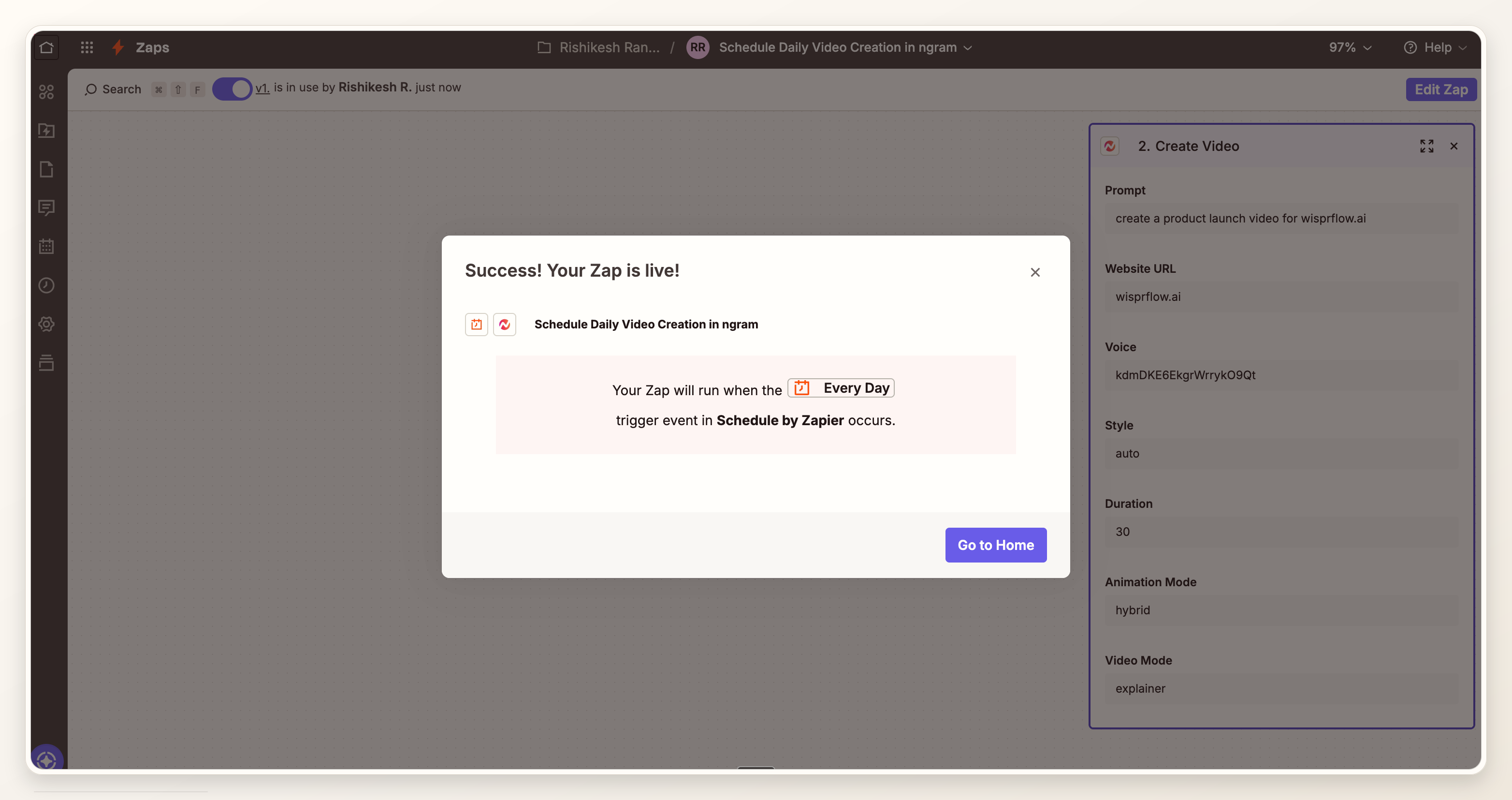
- The downstream app browser and success modal show a route for handoff, but not automatic publishing.
Methodology: reviewed the verified proof media attached to this post on July 10, 2026, then compared the visible Zap configuration with the launch-page workflow described here. The audit verifies setup plausibility. It does not claim conversion lift, publish automation, or CMS embed support.
Step 6: review the ngram draft before handoff
The first ngram output is a draft for the launch page owner to review. Watch it against the page, not in isolation. The product launch video should match the page headline, use the same proof hierarchy, and end with the same CTA.
If the draft misses the product moment, fix the source brief or the prompt mapping before you blame the video step. A launch page video is only as clear as the approved inputs it receives.
Step 7: hand the final video link to the page owner
After review, route the final video link to the place where the launch page owner already works. That might be a CMS task, Airtable record, Linear issue, Slack review thread, or marketing launch checklist.
Keep the handoff boring: source record, final video link, reviewer, approved date, and a note about where the asset belongs on the page. Do not make the Zap publish the page unless your team has separately approved and tested that publishing path.
If you want to create the video directly from the product page instead of a campaign system, the companion guide on creating a product launch video from a product page covers the source-page checks in more detail.
QA checklist before the launch page gets the video
- Approval gate: the Zap only runs after the page or campaign record is approved.
- Source match: the video uses the same source URL and promise as the launch page.
- Proof match: the first product moment in the video is visible on the page or backed by the approved brief.
- CTA match: the video CTA and launch page CTA do not fight each other.
- Owner match: the final link lands with the person or task responsible for the launch page.
- Performance check: the page team has checked the thumbnail, file behavior, and mobile page load impact before launch traffic arrives.
- Review policy: product launch video publishing, embedding, or hero replacement stays outside the Zap unless that route has its own approval.
Frequently asked questions
Can Zapier create a product launch page video automatically?
Zapier can trigger the workflow and send approved source data to ngram. Keep the result behind review until your team has tested the prompt, source fields, and handoff path with real launch records.
What fields should I map for Zapier video generation?
Map the source URL, brief, audience, promise, proof point, CTA, target placement, reviewer, and page owner. Use Zapier's mapped fields for launch-specific data so each run uses the approved record, not a static prompt.
Should the Zap publish or embed the video on the launch page?
No, not by default. This workflow creates and routes the video. Publishing or embedding should stay in the CMS owner's review path unless your team has separately approved a tested publish step.
What makes a launch page video different from a normal product launch video?
A normal product launch video can support social, email, sales, or community channels. A launch page video has to fit the page promise, load context, and CTA. It should make the page easier to understand, not compete with the page for attention.
How long should the launch page video be?
For most launch pages, start short. Wyzowl's 2026 report says 71% of marketers believe videos between 30 seconds and 2 minutes are most effective, and 63% of people prefer a short video when learning about a product or service. Source: Wyzowl Video Marketing Statistics 2026.
What should the page owner review before accepting the video?
Review the headline match, product proof, CTA, thumbnail, captions, page placement, and mobile behavior. The page owner should also confirm that the video does not promise more than the approved launch page promises.
Can I reuse the same Zap for every product launch?
Yes, if the source fields stay consistent. Reuse the approval trigger, normalization step, and ngram Create Video mapping, then let each launch record supply the source URL, audience, proof, and CTA.