Adobe Express vs Clipchamp is a real choice in 2026 because both tools promise approachable video editing, but they start from different assumptions. Adobe Express starts with design: templates, brand assets, stock media, Firefly-powered creative features, and a canvas that also happens to edit video. Clipchamp starts with video: a browser and Windows timeline editor for trimming, resizing, recording, captioning, and exporting simple projects.
That split is useful. If your work is mostly social content, thumbnails, campaign graphics, and short branded clips, Adobe Express usually feels more natural. If your work is mostly cutting footage, recording a screen, adding subtitles, and exporting a straightforward MP4, Clipchamp usually gets you there with less design overhead.
There is a third path for teams who are comparing both because neither one handles the whole job: ngram. If the desired output is a finished narrated business video from a doc, URL, PDF, deck, screen recording, screenshot set, or raw footage, ngram is not another canvas or timeline. It plans the script and storyboard, generates the video, adds captions and voiceover, applies brand, and lets you revise with chat or direct editor controls.
Adobe Express vs Clipchamp at a glance
| Dimension | Adobe Express | Clipchamp | Where ngram fits |
|---|---|---|---|
| Core job | Design-first creative suite with lightweight video editing | Timeline-first video editor for browser and Windows workflows | Source-to-video creation for finished narrated business videos |
| Strongest use case | Branded social assets, short campaign clips, templates, and design reuse | Quick trims, screen or webcam recordings, captions, 1080p exports, and Microsoft 365 workflows | Product demos, launch videos, training, support tutorials, and explainers from source material |
| Starting price | $0 tier, Premium at $9.99/mo | $0 tier, Microsoft 365 Personal at $9.99/mo or $99.99/year for 4K and brand kits | $0 tier, Basic at $29/mo |
| Export path | Download MP4, share, schedule, or publish to supported destinations | Unlimited watermark-free exports up to 1080p on the $0 tier, 4K through paid paths | MP4 export; separate media tools can convert supplied media to GIF, WebM, PNG, or JPG |
| AI focus | Firefly creative generation, captions, voiceover, AI Assistant beta, background removal, resize | AI subtitles, voiceover, auto compose, silence removal, noise cleanup, background removal | Script, storyboard, voiceover, captions, motion graphics, screen-recording polish, translation, and scene regeneration |
| Best pick if | The video is part of a broader brand or design package | The video is the project and you want a familiar editor | The source material needs to become a polished business video without hand-building every scene |
The short verdict
Pick Adobe Express if brand consistency and design range matter more than timeline control. Adobe's own pricing page lists Premium at $9.99/mo with 250 monthly generative credits, premium static and video templates, 200M+ royalty-free Adobe Stock assets, 30,000+ fonts, one-click resize, content scheduling, version history, storage, and brand kits. Adobe's product page also frames Express as a way to make video editing easier with drag-and-drop content, bulk editing, self-recording, and direct publishing to Vimeo.
Pick Clipchamp if you want a straightforward video editor, especially on Windows or in a Microsoft 365 environment. Clipchamp's pricing page says the $0 tier includes AI video and audio tools, screen, camera, and voice recording, animated text, watermark-free exports, audio-only export, and up to 1080p HD resolution. Microsoft 365 Personal adds 4K exports, personalized brand kits, exclusive filters, and effects.
Use ngram if the problem is not "which editor has the nicer timeline" but "how do we turn this source material into a real video?" ngram is strongest when the input is a product page, help doc, PDF, deck, release notes, screen recording, screenshot set, or rough footage, and the desired output is a narrated, captioned, on-brand video for customers, employees, prospects, or social channels.
Where ngram fits before you choose either editor
Watch how ngram turns an idea into a finished video:
Adobe Express and Clipchamp both expect you to know the video you want to make. ngram starts one step earlier. You provide a text prompt, PDF, URL, screenshot, screen recording, raw video, or deck, and ngram turns that material into a script, storyboard, scene plan, voiceover, captions, motion graphics, product callouts, and branded visual direction.
That matters for business teams. A product marketer comparing Adobe Express and Clipchamp may not need a better trim tool. They may need a launch video from release notes and screenshots. A customer education team may not need a prettier template. They may need a support article and a rough recording turned into a 90-second tutorial. That is the slice where ngram belongs in this comparison.
The honest boundary is important. ngram does not replace Adobe Express for static design, flyers, brand graphics, or quick template edits. ngram does not replace Clipchamp for a person who wants to sit inside a familiar timeline and manually cut footage. But if the finished asset is a narrated business video, ngram is the faster third option. The dedicated comparisons go deeper on that split: ngram vs Adobe Express, ngram vs Clipchamp, and ngram's own AI video editor page.
Core workflow: design canvas vs video timeline
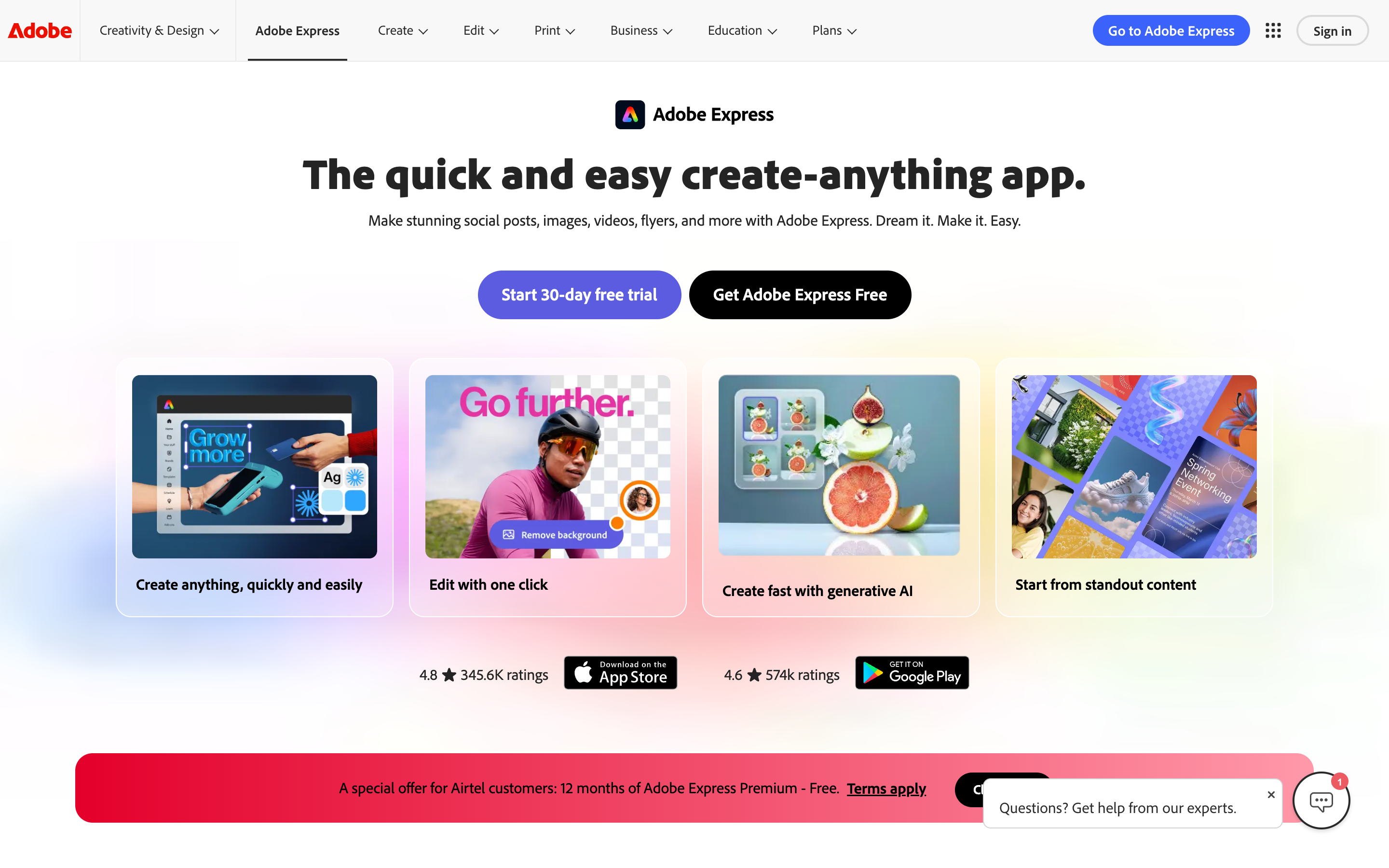
Adobe Express feels strongest when the video is one part of a larger creative workflow. You can build social posts, images, flyers, presentations, PDFs, and videos in one app, then keep brand assets and templates close. Adobe's current product page emphasizes AI Assistant beta, Photoshop and Firefly connections, resize, desktop and mobile sync, and video editing with drag-and-drop content.
The tradeoff is that the video workflow remains intentionally light. Adobe's help pages cover quick actions such as creating videos from uploaded media, trimming clips, captioning video, adding audio tracks, and recording voiceover. That is enough for a short social asset, but it is not the same as a dedicated editor built around multiple tracks, long footage, and precise video assembly.
Clipchamp is more direct. It gives you a timeline, basic and advanced editing tools, screen and camera recording, text and titles, subtitles, voiceover, background cleanup, and export settings. Microsoft's feature page describes Clipchamp as a beginner-friendly editor with trim, rotate, resize, crop, green screen, animated text, brand kits, video enhancement, AI text-to-speech, auto compose, silence removal, background-noise removal, subtitles, and background removal.
Winner for workflow: Clipchamp for editing a video file, Adobe Express for building a brand asset that includes video. ngram wins only when the job starts from business context rather than footage.
Editing depth and output quality
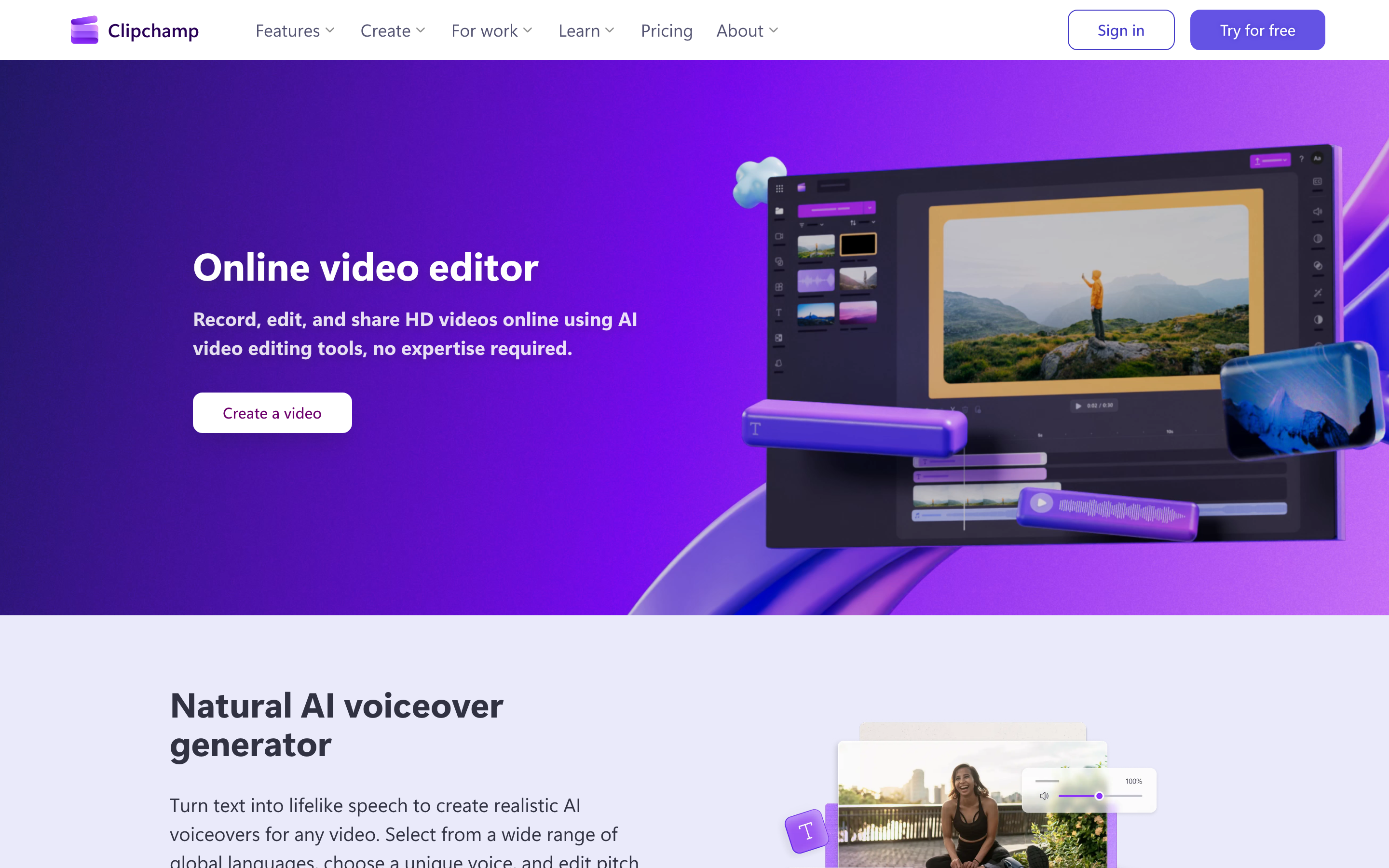
Clipchamp has the clearer editor metaphor. If you have used iMovie, Windows Photos, or a basic timeline editor, Clipchamp is easier to reason about. The $0 tier's up-to-1080p watermark-free export is also generous for casual and internal work. That makes Clipchamp a good fit for screen recordings, simple tutorials, school projects, short YouTube edits, and basic social exports.
Adobe Express makes basic video feel less technical. The browser and mobile apps are good for trimming, splitting, cropping, resizing, adding text, choosing templates, applying design assets, and creating branded social variants. Public user threads about Adobe Express often praise the design side, then complain that longer or more complex video projects become slow or limited. That matches the product shape: Express is a strong quick-creation app, not Premiere Pro in a lighter skin.
Clipchamp has its own limits. Public threads and recent editorial reviews tend to praise the easy start, screen recorder, text-to-speech, and $0 exports, while criticizing sluggish playback, project reliability complaints, browser constraints, or underwhelming AI auto edits. Those complaints are not a reason to dismiss Clipchamp. They are a reason to keep it in the casual editor lane unless your team has tested the exact project size and workflow.
Winner for editing depth: Clipchamp. Winner for designed polish around the video: Adobe Express. Winner for planned business output from source material: ngram.
AI features: creative generation vs editing assistance
Adobe's AI story is broader because Express sits inside the Adobe and Firefly ecosystem. Adobe lists 250 monthly generative credits on Adobe Express Premium, plus premium templates, Remove Video Background, advanced animation, one-click resize, brand kits, and access to a large stock and font library. Adobe's generative credits FAQ, updated June 16, 2026, explains that credits are used across Creative Cloud generative AI features and renew monthly for paid subscriptions.
Clipchamp's AI features are more editor-specific. Clipchamp's current feature page calls out AI text-to-speech, AI subtitles, auto compose, silence removal, background-noise removal, and image background removal. Its homepage says subtitles work in over 80 global languages, while Microsoft's broader Clipchamp page for work references text-to-speech, Copilot summaries, smart editing, autocaptions, and brand kit capabilities.
ngram's AI workflow is different again. ngram uses AI to produce the plan, not just the edit. It writes the script, maps scenes, decides visual direction, generates voiceover, adds captions, applies brand, polishes screen recordings with smart zooms and click emphasis, and supports agentic chat edits like "make this shorter" or "create a training version." That is why ngram is a stronger option for repeat business video workflows, even though Adobe Express and Clipchamp are better direct picks for manual creative editing.
Pricing and value
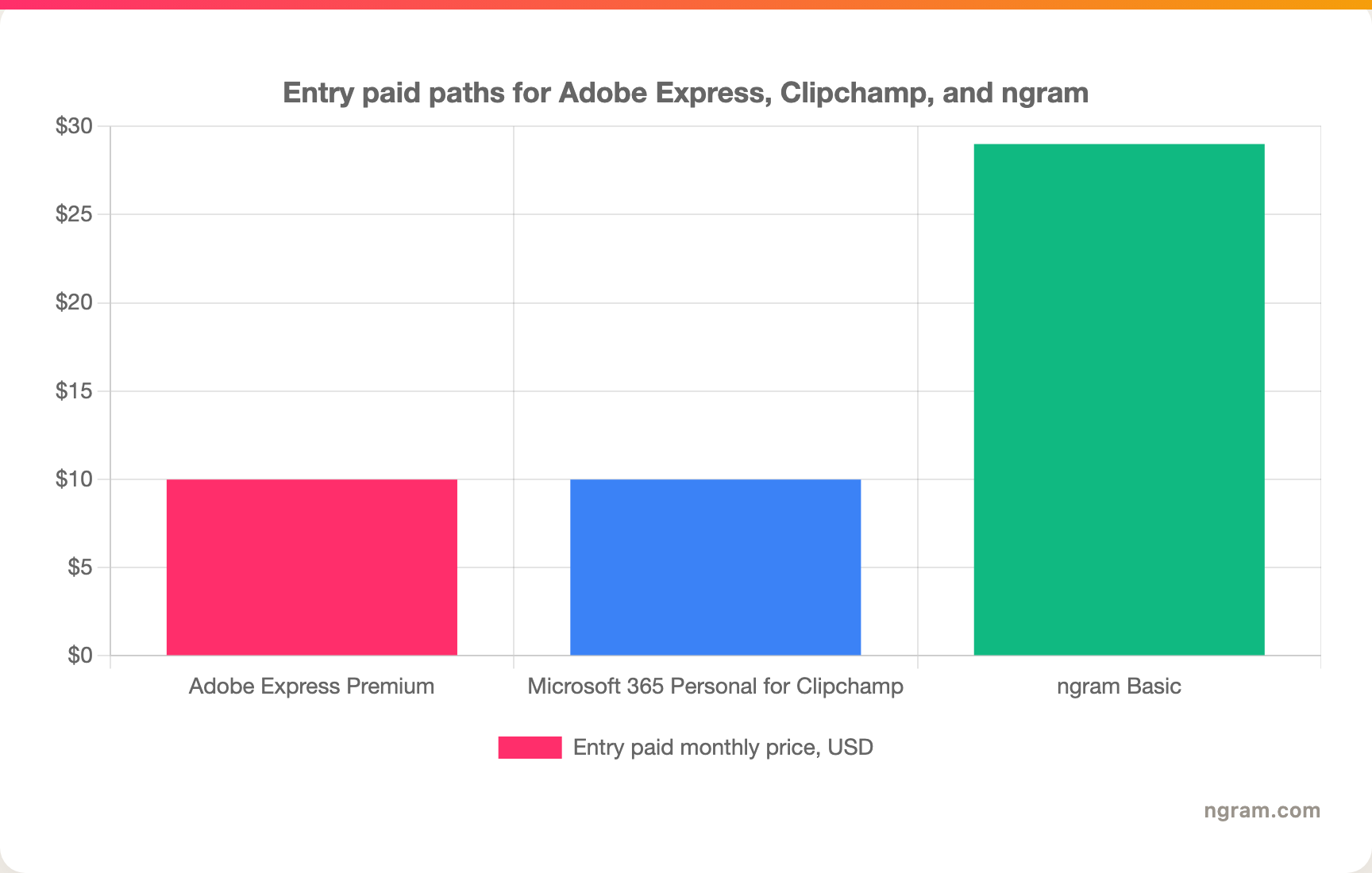
Adobe Express Premium is the cleanest single-product paid path in this pair: $9.99/mo for individuals. The main value is not only video. The plan bundles premium templates, 250 monthly generative credits, Adobe Stock assets, Adobe Fonts, version history, 100GB storage, content scheduling, one-click resize, and brand management.
Clipchamp is unusual because the $0 tier is strong, but the paid personal path often runs through Microsoft 365. Microsoft's Clipchamp page lists Microsoft 365 Personal at $9.99/mo or $99.99/year and includes 4K exports, personalized brand kits, exclusive filters, and effects. Microsoft Support also says personal and family Microsoft 365 subscribers get many Clipchamp premium features. Treat Microsoft 365 as the paid personal path, since the competitor reference does not show a standalone Clipchamp-specific tier.
ngram Basic starts at $29/mo, with a $0 tier for trying the product and a credit-based model for generation, editing, and exports. The price only makes sense if ngram saves planning and production time, not if the job is one clip trim. For teams that repeatedly turn docs, URLs, decks, recordings, and screenshots into launch, training, demo, or support videos, the higher entry price buys a different workflow.
Here is the entry paid monthly price for the common individual path in each product:
Brand, collaboration, and ecosystem
Adobe Express wins if the video is part of a brand system. Brand kits, Adobe Fonts, Adobe Stock, one-click resizing, content scheduling, Photoshop and Firefly connections, and Creative Cloud asset reuse make Express more useful for marketing teams that produce many asset types from one campaign idea.
Clipchamp wins if the work already lives in Microsoft 365. OneDrive, Windows, Teams, SharePoint, Outlook, and business or education licensing make Clipchamp practical for internal videos, classroom projects, training snippets, and work communications. Microsoft also positions Clipchamp as part of a broader video workflow for work, school, and personal projects.
ngram wins when the brand and ecosystem need to wrap around generated video. Brand kits apply logo, colors, fonts, motion style, screenshot treatment, voice and tone preferences, approved phrases, blocked phrases, CTAs, and example assets to generated videos. The hosted video page, embed code, exports, shared gallery, team workspace, Zapier integration, self-service bearer API keys, and webhooks make more sense after the video exists.
Device support and continuity
Adobe Express has the clearer mobile story. Adobe lists desktop browser and mobile phone support on its pricing page, and its product page emphasizes synced work across desktop browser and phone. If you start on a phone and finish later from a laptop, Adobe Express is the safer pick in this pair.
Clipchamp is now more clearly web and desktop focused. Microsoft Support states that beginning June 9, 2026, the Clipchamp iOS app is no longer supported and projects stored only in the iOS app may be deleted if not exported first. The same support page says Clipchamp web and desktop applications remain fully functional. Clipchamp's products page says the browser app works in Microsoft Edge and Google Chrome, and the Windows desktop app is available for Windows 10 and Windows 11.
That does not make Clipchamp worse for desktop editing. It does mean mobile-first buyers should be careful. If your workflow depends on phone editing, Adobe Express wins this dimension. If your workflow happens on Windows, Edge, Chrome, OneDrive, and Microsoft 365, Clipchamp remains the more natural fit.
Use-case winners
Social manager making branded assets
Choose Adobe Express. The job is bigger than video editing: social posts, campaign graphics, short clips, thumbnails, brand colors, stock assets, fonts, and channel resizing. Clipchamp can export the video, but Adobe Express keeps the surrounding creative work in one place.
Windows user trimming a recording
Choose Clipchamp. The timeline is familiar, the screen and webcam recorder are built in, the $0 tier exports up to 1080p without a watermark, and Microsoft 365 adds 4K plus brand kits. Adobe Express is cleaner for design, but Clipchamp is the simpler route for a quick video file.
Team making a product launch video from source material
Use ngram. A launch video usually starts with release notes, screenshots, a product page, a rough recording, and a target audience. ngram turns those inputs into a script, storyboard, narrated scenes, captions, motion graphics, product callouts, and brand treatment before a team touches the timeline.
Teacher, student, or casual creator
Choose Clipchamp if the project is mostly video assembly and you want a familiar editor. Choose Adobe Express if the project needs posters, slides, graphics, and short videos in one place. Use ngram only if the assignment or message needs a polished narrated video from documents or recordings.
Marketing team localizing or repurposing business video
Use ngram if the source video needs caption translation, script translation, multilingual voiceover, format variants, and chat-based rewrites. Use Adobe Express if the work is mostly localized social design. Use Clipchamp if the work is mostly editing one video in a Microsoft workspace.
Common questions
Is Adobe Express better than Clipchamp for video editing?
Adobe Express is better for branded creative work that includes video. Clipchamp is better for direct timeline editing, screen recording, subtitles, and simple exports. If the project is a social campaign, Adobe Express usually wins. If the project is a video file that needs cutting and exporting, Clipchamp usually wins.
Is Clipchamp really included with Microsoft 365?
Yes, for personal use, Microsoft says Microsoft 365 Personal and Family subscribers get Clipchamp premium features, including 4K exports, personal brand kit, and some premium stock media. Microsoft also sells or provisions different Clipchamp plans for work, school, business, and enterprise contexts, so business buyers should verify their SKU.
Which tool is better for mobile video editing?
Adobe Express is the safer mobile pick as of June 19, 2026. Microsoft retired the Clipchamp iOS app on June 9, 2026, while keeping web and desktop Clipchamp functional. Clipchamp still works well for desktop and browser editing, but Adobe Express has the stronger cross-device creative workflow.
Where does ngram beat both?
ngram beats both when the input is messy business source material and the output needs to be a finished narrated video. Examples include release notes to launch video, PDF to training video, support article to tutorial, deck to explainer, and screen recording to polished product demo. Adobe Express and Clipchamp still win for manual design and timeline editing.
Methodology and source notes
We compared Adobe Express and Clipchamp on the dimensions that decide this purchase: core workflow, editing depth, AI features, pricing, ecosystem, device support, and best-fit use cases. We used official current sources first: Adobe Express pricing, Adobe Express video features, Adobe Express caption and voiceover help, Adobe's generative credits FAQ, Clipchamp pricing, Microsoft Clipchamp plans, Microsoft Support's Clipchamp subscription notes, and Microsoft's Clipchamp iOS deprecation notice.
We also checked current SERP results for "Adobe Express vs Clipchamp." The ranking pages are mostly comparison databases, directory stubs, and short affiliate reviews, which leave two gaps: current 2026 pricing and a clear explanation of when neither editor is the right production workflow. Public user sentiment from Reddit, Trustpilot, and recent editorial reviews was used qualitatively only. No numerical review ratings were used.
The honest answer
Adobe Express is the better creative suite. Clipchamp is the better straightforward video editor. ngram is the better choice when your team is not trying to become faster at manual editing, but trying to turn real business material into finished video.
For a solo creator, that distinction may not matter. For a product, marketing, customer education, sales, or training team, it matters every week. Adobe Express and Clipchamp can both finish a video you already know how to make. ngram is for the moments when the hard part is deciding what the video should say, what it should show, and how to adapt it for the audience.
Skip the blank canvas and the empty timeline when the source material is already there. Bring ngram a doc, URL, deck, screenshot set, or recording, and start from a planned video instead of a manual edit. Start with ngram