Adobe Express vs WeVideo in 2026 is not a simple video editor shootout. Adobe Express starts as a design canvas for social posts, flyers, thumbnails, presentations, PDFs, and light video. WeVideo starts as a cloud video editor with screen recording, stock media, team workflows, education features, and interactive-video tools. Both can publish videos, but they solve different jobs.
The short answer: pick Adobe Express when your video is one asset inside a broader design workflow, pick WeVideo when editing, classroom assignments, collaboration, or interactivity matter more, and use ngram when the source material still needs to become a scripted, storyboarded, branded business video. That ngram stance is scoped on purpose. Adobe Express remains stronger for broad static design. WeVideo remains stronger for hands-on cloud editing and interactive learning projects.
Pricing and feature facts in this guide come from Adobe's current plan page, Adobe's video editor page, Adobe's video creation help page, WeVideo's pricing page, WeVideo's product page, WeVideo's interactivity docs, and qualitative public review pages. We do not use numerical review ratings in the verdict.
Adobe Express vs WeVideo at a glance
Here is the scanner version before the detailed comparison. ngram sits in the table because many buyers comparing these two are really deciding whether they need a design tool, a video editing workspace, or a system that plans the message before rendering the video.
| Tool | Best for | Starting point | Main tradeoff |
|---|---|---|---|
| Adobe Express | Marketers, creators, students, and small teams making designed social assets, thumbnails, short clips, flyers, and fast brand creative | Templates, stock assets, brand kits, drag-and-drop design, and light video editing | Less fit for complex video editing, interactive learning, or source-to-finished business video workflows |
| WeVideo | Educators, trainers, students, marketers, and teams that need cloud video editing, screen recording, collaboration, and interactive video | Editor, stock library, storage, screen recording, team workflows, and interactive questions | Less fit when the job starts with a document, URL, deck, or rough recording that still needs a script and storyboard |
| ngram | Business teams turning prompts, PDFs, URLs, screenshots, decks, screen recordings, raw video, and product material into finished branded videos | Script, storyboard, voiceover, captions, brand kit, scene planning, motion graphics, and MP4 export | Not a replacement for broad static design work or specialist classroom interactivity |
Watch how ngram turns source material into a finished video:
Quick verdict
- Pick Adobe Express if the deliverable is a designed post, thumbnail, promo clip, event recap, lightweight brand asset, or short social video.
- Pick WeVideo if you need hands-on editing, screen recording, stock media, classroom workflows, interactive questions, or team collaboration.
- Use ngram if your team starts with business source material and needs the script, storyboard, voiceover, captions, visual plan, and format variants handled before the edit.
Core output: designed creative vs edited video projects
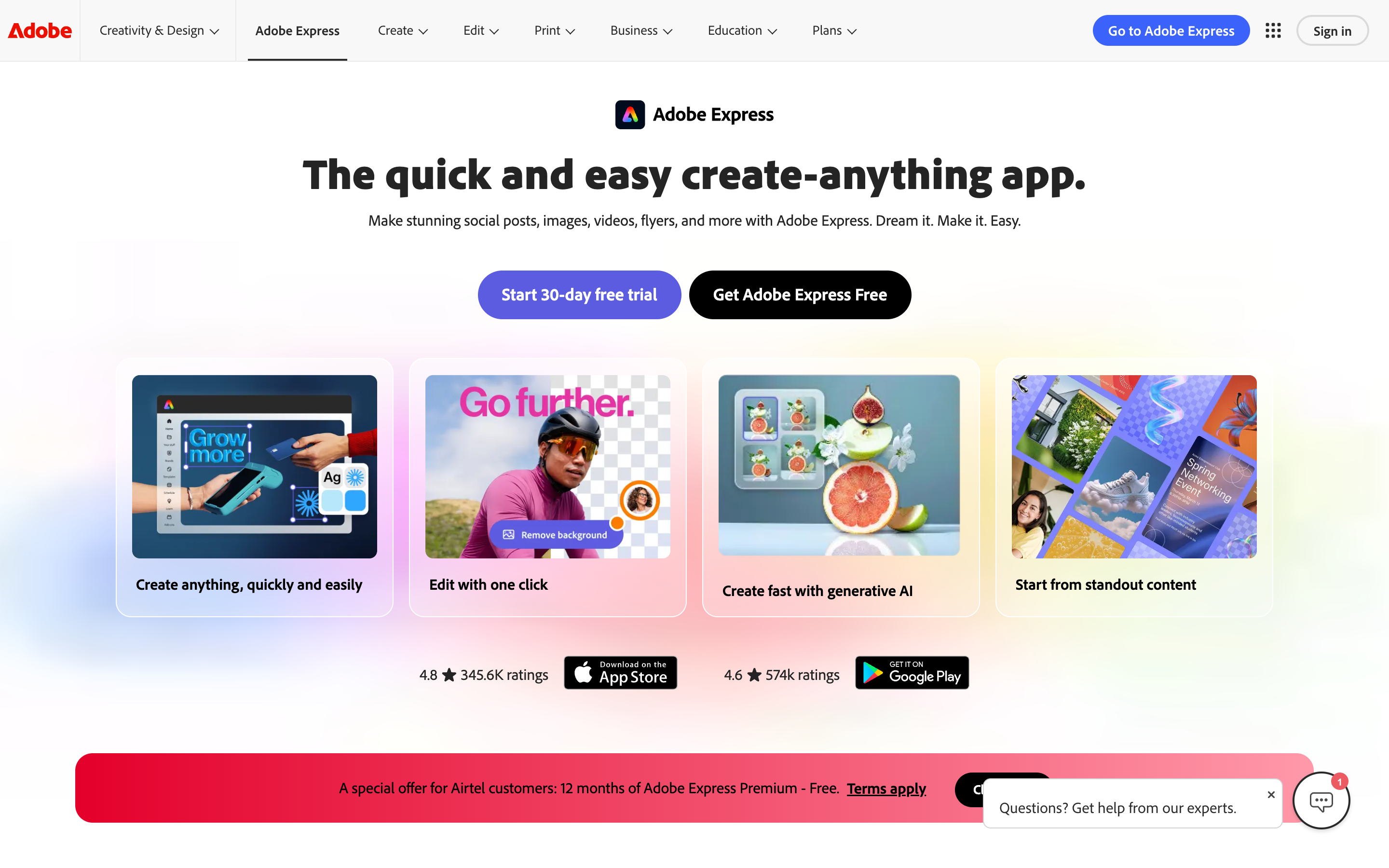
Adobe Express is strongest when the video is part of a larger visual campaign. Adobe's own video editor page emphasizes templates, Adobe Stock audio and sound effects, trimming, cropping, resizing, merging clips, transitions, filters, text overlays, captions, and MP4 downloads. The larger Express product also covers posts, documents, presentations, PDFs, QR codes, social scheduling, brand kits, and Firefly-powered creative generation.
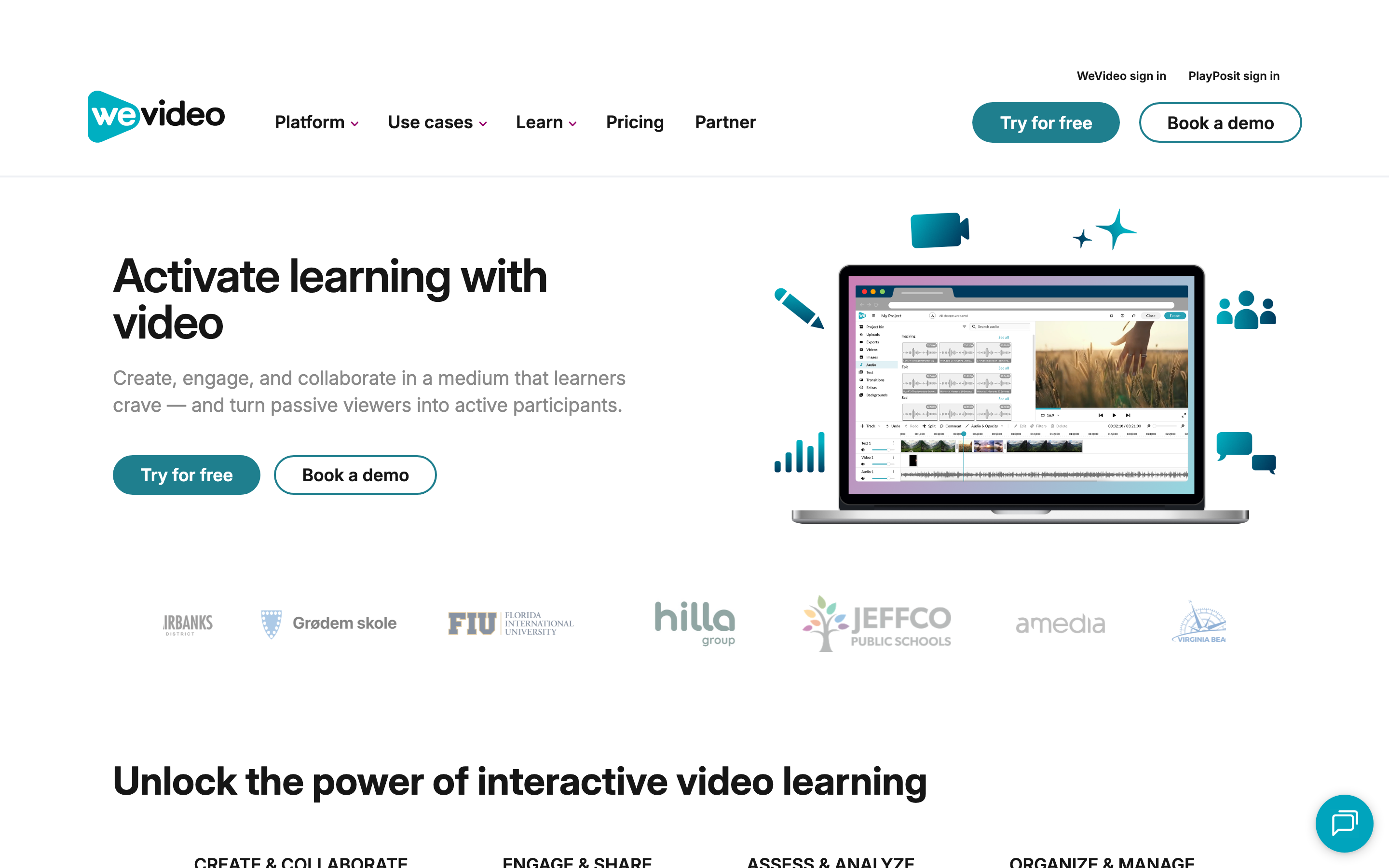
WeVideo is strongest when the video itself is the project. Its public pages focus on cloud editing, storage, screen recording, stock assets, team sharing, brand management, hosting, and education workflows. The biggest difference is interactivity: WeVideo lets users add interactions at specific moments, including questions, timing, grading points, feedback, and publishing controls. Adobe Express has video tools, but WeVideo is more specialized around video production and learning workflows.
ngram is different from both. It is not asking you to start with a blank canvas or a timeline. ngram starts with a prompt, PDF, URL, screenshot set, deck, screen recording, raw video, or Shopify product URL, then builds a script, storyboard, scene plan, voiceover, captions, brand treatment, and export-ready video. If that is the job, the closest product page is ngram's AI video generator.
Winner: core output: Adobe Express wins for campaign assets that include video. WeVideo wins for cloud-edited video projects and interactive learning. ngram wins only when source material needs to become a scripted business video.
Workflow and inputs
Adobe Express is quickest when you already know the asset you want. Adobe's help docs describe starting from uploaded content, selecting Edit video, adding media in the timeline, pulling Adobe Stock media, adding text and graphics, adding audio, and managing scenes. That is a friendly workflow for social clips and campaign assets. It is less ideal when the hard part is deciding the message, story structure, narration, and pacing.
WeVideo is better when the workflow is video-first. You can edit in the cloud, record screen and webcam, use stock assets, publish in higher resolutions on paid tiers, collaborate with a team, and build interactive video experiences. In education and training, that matters because the output is not just a clip. The output can become a lesson, assignment, question sequence, or hosted learning asset.
ngram fits before either editor. The user can bring source material, define the audience and channel, review the storyboard, and ask for changes in plain language. ngram also supports screen-recording polish, product callouts, smart zooms, voiceover, captions, brand kits, social format variants, hosted video pages, and embeds. That makes it a better fit for product launches, explainers, internal updates, sales enablement, onboarding, and support content.
Winner: workflow: Adobe Express wins for drag-and-drop creative assembly. WeVideo wins for recording, editing, collaboration, and classroom project flow. ngram wins for starting from docs, URLs, decks, screenshots, recordings, or prompts.
Editing depth and collaboration
Adobe Express is approachable. Its strength is getting non-designers into a polished layout fast, then letting them adjust text, graphics, clips, captions, music, and brand assets. Adobe's feature table also lists real-time co-editing and commenting. The tradeoff is that Express is still a broad creative app. If your team wants detailed timeline editing, classroom assignments, or interactive-video analytics, Adobe Express is probably not the best center of gravity.
WeVideo gives video teams more editing workspace. Its pricing page lists screen recording, green screen, slow motion, cropping, motion titles, templates, brand management, stock media, team permissions, and project collaboration across paid tiers. It also has a clearer fit for education and training admins. The tradeoff is that the user still owns the structure of the story. WeVideo edits the project, but it does not replace a planning workflow for business communication.
ngram is strongest when collaboration means review and iteration on the message, not only shared editing. Teams can use agentic chat, visual chat, a script editor, scene regeneration, a timeline editor, canvas controls, team workspaces, brand kits, and shared asset libraries. That does not make ngram a better classroom quiz builder than WeVideo or a better flyer maker than Adobe Express. It makes ngram the better system for recurring business videos that need a plan, a draft, and fast revisions.
Winner: editing depth: WeVideo wins for collaborative video projects. Adobe Express wins for lightweight edits inside a broader design workspace. ngram wins for generated business-video structure, not for manual editor depth.
Pricing and value
Adobe's pricing is the hardest to summarize because the Express page localizes plan cards by region and because Firefly plans can include Adobe Express Premium. As of the Adobe Firefly plan page we checked, Firefly Standard starts at US$9.99/mo with 2,000 monthly generative credits, Firefly Pro is US$19.99/mo with 4,000 credits, and the paid Firefly plans include Adobe Express Premium. Adobe's Express feature table lists 250 monthly generative credits on Express Premium, up to 2-hour video length on paid tiers, 4K export on paid tiers, 30,000+ fonts on paid tiers, and 10GB cloud storage on Express Premium.
WeVideo's pricing page shows several routes. For individual project plans, Power is $4.99/mo when billed annually or $9.99/mo monthly, with 30 minutes of monthly publishing time and 720p resolution. Unlimited is $7.99/mo annually or $15.99/mo monthly, adding unlimited storage, unlimited publishing time, and 4K Ultra HD. Business is $36.99/mo annually or $73.99/mo monthly for team collaboration. The same page also shows Creator at $20/mo annually and Teams at $52/mo annually for small-business buying paths.
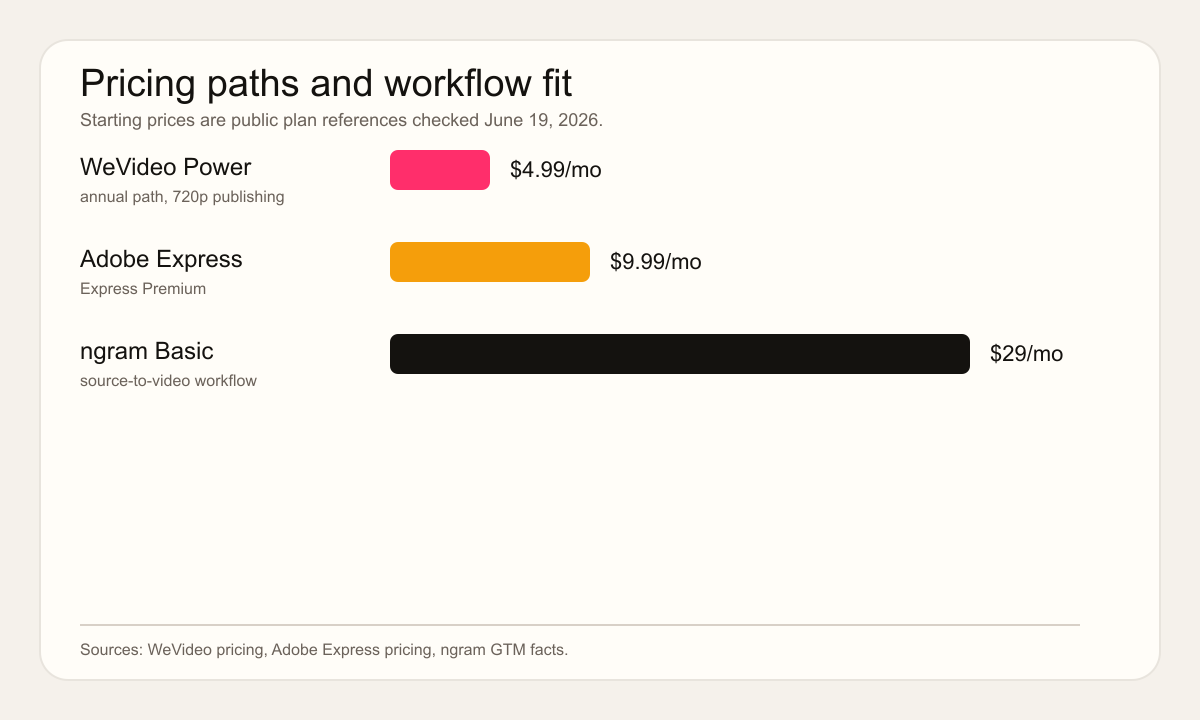
ngram starts at $0 and paid plans start at $29/mo. The pricing model is credit-based, with credits shared across AI video generation, AI editing, and exports. If you only need one designed social asset, Adobe Express is usually the lower-cost starting point. If you need classroom video assignments or collaborative editing, WeVideo's plan structure is more directly aligned. If the recurring job is turning source material into polished business videos, ngram's higher starting paid tier buys a planning and production workflow, not just an editor.
Winner: pricing: Adobe Express wins when the broader Adobe bundle is already useful. WeVideo wins when education or team video seats justify the plan. ngram wins when the team is paying to avoid separate scripting, storyboarding, recording, and editing labor.
Education, teams, and governance
WeVideo wins the education and interactive-training branch of this comparison. Its own Adobe Express comparison page emphasizes interactive questions, response data, playlists, PDFs and website embeds, LMS-style integrations, student management, and admin review. Its education pages position WeVideo as a place to create, assign, and measure interactive video lessons. That is a real difference, not a minor feature gap.
Adobe Express wins when governance means brand-controlled creative at scale. Business plans add Admin Console, company control over projects and assets, 1TB of cloud storage per user, and advanced support. Express also fits teams already working inside Creative Cloud because Photoshop and Illustrator assets can be shared into Express workflows.
ngram is strongest when governance means repeatable source-to-business-video production. Brand kits cover logos, colors, fonts, motion style, image style, screenshot style, voice and tone preferences, approved phrases, blocked phrases, CTAs, and example assets. Team workspaces and shared asset libraries keep video projects reusable. That is more useful for launch, enablement, support, and customer education teams than a generic creative folder.
Winner: team fit: WeVideo wins for education and interactive learning. Adobe Express wins for brand asset production. ngram wins for repeatable business-video production with source material, brand rules, captions, and exports.
AI features and automation
Adobe Express has the stronger creative-AI ecosystem. Firefly connects image generation, video generation, text effects, templates, partner models, commercial-use framing, and generative credits. For designers and marketers already bought into Adobe, that breadth is compelling. The catch is that Firefly and Express still leave much of the business-video narrative work to the user.
WeVideo's AI story is more tied to education and editing. Its comparison page calls out AI interactions, fast video scripts, and AI-assisted captions. Its recent education updates also reference AI-generated video scripts through the WeVideo Chrome Extension. The important point: WeVideo's AI sits around the editing and learning workflow rather than replacing the whole video planning process.
ngram is more automated for finished business video. It can generate scripts and storyboards, plan scenes, create AI voiceover, add captions, use avatars or talking heads when needed, polish screen recordings, add product callouts, generate motion graphics, translate scripts and captions, create social formats, and exports finished videos as MP4. Keep the boundary clear: ngram is not a broad Adobe-style design suite and not a WeVideo-style interactive lesson platform.
Winner: AI automation: Adobe Express wins for Firefly-driven creative assets. WeVideo wins for AI features inside video and learning workflows. ngram wins for planning and producing a business video from source material.
User sentiment without the scorecard trap
Public review pages and Reddit threads support the same split. A Capterra comparison page includes users praising Adobe Express for ease of use while also surfacing cost/value complaints around Adobe bundles. A Reddit discussion in the Adobe Express community frames Express as strong for short social content with trim, split, transitions, text, stickers, picture-in-picture, music, sound effects, and auto captions. WeVideo's public comparison page, unsurprisingly, argues for WeVideo on interactivity, analytics, and education administration. The fair read is not that one tool crushes the other. The fair read is that each has a lane.
Winner: sentiment: Adobe Express wins when users value quick design range. WeVideo wins when users need video-classroom or team workflows. ngram wins only for teams whose frustration is the blank-page-to-finished-video gap.
Where ngram fits between them
The ngram recommendation is strongest for the named overlap slice in the competitor CSV: finished narrated business videos from source material. If you are comparing Adobe Express and WeVideo because you need a better way to make recurring product updates, customer education videos, launch assets, sales enablement clips, or internal explainers, compare ngram directly with Adobe Express and WeVideo.
- Use ngram over Adobe Express when the main task is video planning, narration, screen-recording polish, product callouts, branded intros and outros, localization, or MP4 export.
- Use ngram over WeVideo when your team does not want to build every lesson, demo, or explainer by hand on a timeline.
- Stay with Adobe Express for broad static design and fast campaign creative. Stay with WeVideo for classroom assignments, interactive questions, and detailed collaborative editing.
Use-case verdicts
| Use case | Best pick | Why |
|---|---|---|
| Short social post plus clip | Adobe Express | Templates, brand assets, captions, stock media, and design tools live in one canvas. |
| Classroom video project | WeVideo | Screen recording, editing, assignments, interactive questions, response data, and admin workflows fit education better. |
| Product launch explainer | ngram | The job starts with release notes, screenshots, recordings, audience, script, storyboard, voiceover, captions, and variants. |
| Hands-on timeline editing | WeVideo | WeVideo is the more dedicated video workspace for cloud editing, publishing limits, storage, and team controls. |
| Brand asset production | Adobe Express | Adobe Express covers design formats beyond video, including images, PDFs, presentations, and social posts. |
Methodology
We compared the tools across output type, workflow, video editing depth, collaboration, pricing, education fit, AI features, and the slice where ngram is a legitimate third option. Official product and pricing pages carried the most weight. Vendor-owned comparison pages were used for feature claims, but not for final judgment. Public review and Reddit material was used qualitatively only, with no numerical review scores included.
FAQ
Is Adobe Express better than WeVideo for video?
Adobe Express is better for design-led short video, social content, thumbnails, captions, campaign assets, and teams already using Adobe creative tools. WeVideo is better for deeper cloud video editing, screen recording, classroom workflows, team collaboration, and interactive video lessons.
Is WeVideo better than Adobe Express for education?
WeVideo is the better education pick for most video-learning workflows. Its public pages focus on interactive questions, student management, assignments, analytics, LMS-style integrations, and administrator controls. Adobe Express is useful in classrooms too, but its center is creative production rather than interactive video instruction.
Which tool should a business team choose?
A business team should choose Adobe Express for broad marketing design, WeVideo for hands-on video editing or training workflows, and ngram for recurring business videos that start with docs, URLs, decks, screenshots, screen recordings, or raw footage and need a finished story.
Final verdict
Adobe Express wins the fast creative lane. WeVideo wins the education, interaction, and cloud-editing lane. ngram is strongest in the source-to-business-video production lane. If your team already has the message, format, and creative direction, Adobe Express or WeVideo can be the right editor. If your team has source material and needs the video planned, narrated, branded, and exported, skip both and start with ngram.