

Search for "Clueso vs ScreenPal" and you are really choosing between two versions of the same job: record a workflow once, then decide how much polish, documentation, hosting, and control you need after the recording. Clueso is built for teams that want AI to turn raw screen recordings into polished product videos and step-by-step documentation. ScreenPal, formerly Screencast-O-Matic, is the broader screen recorder, editor, hosting, and classroom-friendly video platform with a lower entry price.
Both are credible. Clueso wins when the output needs to look like a finished product walkthrough with a companion article. ScreenPal wins when capture, hosting, interactivity, and affordability matter more than AI rewriting the whole demo. ngram belongs in the conversation because many teams comparing these two do not only need a recorder. They need a branded business video that can start from a screen recording, URL, PDF, deck, prompt, or raw video and then be edited with chat.
Clueso vs ScreenPal at a glance
Here is the scanner version before the detailed comparison. ngram is included because it covers the same finished-video job for teams that want screen-recording polish plus broader business video creation.
| Tool | Best for | Starting price | Main distinction |
|---|---|---|---|
| ngram | Teams turning recordings, prompts, docs, decks, URLs, screenshots, and raw video into branded business videos | Free, paid from $29/mo | Plans the script and storyboard, polishes recordings, adds voiceover, captions, callouts, brand kit, and MP4 export |
| Clueso | Product marketing, customer education, support, and L&D teams that want polished walkthrough videos plus documentation | 7-day trial, paid from $120/mo billed yearly | AI turns one recording into a refined video and a step-by-step article |
| ScreenPal | Educators, trainers, creators, and teams that need low-cost recording, editing, hosting, quizzes, and sharing | Free, Deluxe from $4/mo paid annually | Capture, edit, host, quiz, translate, and share screen videos in one mature platform |
Core output quality: polished walkthrough or practical recording suite
Clueso is more focused. Its public positioning says it turns raw screen recordings into polished product videos and step-by-step documentation in minutes, and its pricing page lists AI script generation, filler-word removal, studio-style AI voiceovers, automatic zooms, backgrounds, titles, and docs from video as plan-wide capabilities. That makes Clueso strongest when the raw material is a messy product workflow and the output needs to feel like a customer-facing tutorial.
ScreenPal is broader and more utilitarian. It records screen and webcam, edits videos and screenshots, hosts content, adds quizzes and polls, and supports sharing through channels and embeds. ScreenPal can look polished, but its center of gravity is still a flexible capture and communication suite rather than an AI product-demo editor that rewrites the whole recording into documentation.
Winner: Clueso for polished product walkthroughs and docs. ScreenPal for practical recording, editing, hosting, and interactive learning workflows.
Where ngram fits: ngram is strongest when the screen recording is only one source among many. A product launch video can combine a recorded workflow with a script, captions, voiceover, product callouts, branded intro and outro, generated b-roll, and variants for sales, support, or social. If the job is a finished business video rather than only a screen capture, ngram is the more complete third option.
Workflow: record once, then decide how much AI should take over
Clueso asks teams to record or upload the workflow, then lets AI do the heavy lift: script cleanup, zooming, voiceover, backgrounds, and documentation. Its feature pages also mention slide deck, PDF, and image inputs for video creation, which matters when product education material already lives outside the recorder. The tradeoff is price and fit. Clueso makes the most sense when a team is producing enough customer-facing tutorials to justify a higher entry tier.
ScreenPal keeps the user closer to the editing surface. You can record any part of the screen, capture computer audio, draw and annotate while recording, edit, host, and send links. The Max and Team tiers add AI assists such as captions, transcription, text-to-speech narration, AI video generation, quizzes, polls, collaboration, and team controls. That makes ScreenPal easier to justify for teachers, trainers, and teams that still want direct recording control.
Winner: Clueso if you want AI to restructure the recording into a finished tutorial package. ScreenPal if you want a mature capture and hosting workflow with optional AI layers.
Where ngram fits: ngram's workflow starts earlier than both. The agent drafts the script and storyboard from a prompt, recording, URL, PDF, PPTX, screenshot, Shopify product URL, or raw video. Users review the storyboard before render, then edit through chat, visual chat, the script editor, scene regeneration, or the full timeline editor. That plan-first flow is useful when the recording needs narrative structure, not only cleanup.
Pricing and value: budget capture vs premium automation
Pricing is the clearest split. Clueso's public pricing lists a 7-day free evaluation tier, then Starter at $120 per month billed yearly for 2 users, 6 hours of video exports per year, and 360 article exports per year. Growth is listed at $200 per month billed yearly for 4 users, 12 hours of video exports per year, and 720 article exports per year. You are paying for AI automation and the video-plus-docs output.
ScreenPal starts much lower. Its plans page lists Deluxe at $4 per month paid annually, Max at $10 per month paid annually, and Team Business at $8 per user per month paid annually. The tradeoff is that the lowest paid tier is still capture and editing first. More AI, quizzes, polls, collaboration, SSO, and team features live higher in the plan stack.
ngram sits between those two entry points. ngram Basic starts at $29 per month, or $23.20 per month annually, with 3,000 monthly credits. Premium is $59 per month, Ultimate is $299 per month, and Enterprise is custom. Credits cover AI video generation and editing, and exports are unlimited; Basic credits refresh monthly, while Premium and Ultimate credits roll over for one billing cycle. That matters if you need finished branded business videos, not unlimited cheap recording.
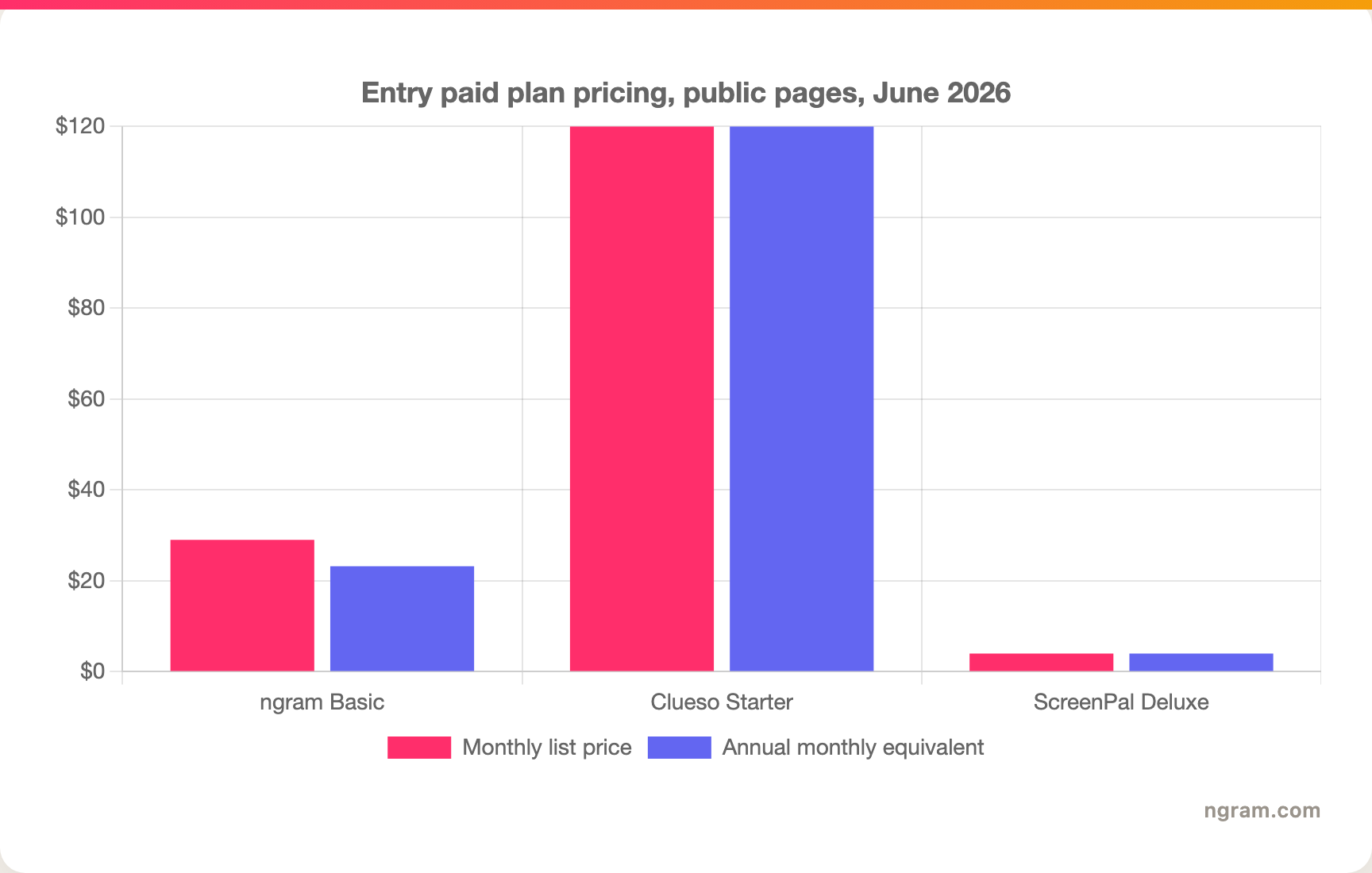
Winner: ScreenPal for low-cost recording and hosting. Clueso for teams that can justify premium AI video and documentation automation. ngram for teams that want broader business-video generation at a mid-market self-serve entry point.
Hosting, interactivity, and analytics
ScreenPal has the strongest built-in hosting and interactivity story. Its site lists video and image hosting, video channels, secure sharing, embeds, video quizzing, polls, ratings, comments, advanced integrations, and analytics. For education and training teams, quizzes and polls are not decorative. They can be the reason ScreenPal wins the buying decision.
Clueso is less about video portals and more about turning product knowledge into assets. The documentation output is the important second format: the same recording becomes a polished video and an article or SOP. Clueso also claims enterprise-grade security on higher plans and publishes SOC 2 Type II and ISO 27001 certifications on its site, which ngram should not try to match in copy today because ngram has no published certification claim in the product truth files.
Winner: ScreenPal for hosting, interactive learning, and video management. Clueso for paired video-plus-documentation output.
Where ngram fits: ngram publishes hosted watch pages and embed codes; it has no generally available owner analytics surface. It also exports finished videos as MP4 in channel-specific cuts prepared separately. ngram does not offer scene-level drop-off, watch-time analytics, LMS quizzes, or published security certifications today. If those are must-haves, ScreenPal or Clueso may be the safer fit.
Localization, branding, and team use
Clueso is strong for localization inside product education. Its public feature page says it supports video creation in more than 37 languages for script creation and AI voiceovers, and the CSV guidance notes translated voiceovers, captions, and docs for global teams. Clueso also supports logos, colors, and custom intros and outros, which matters when tutorials leave the help center and reach prospects.
ScreenPal goes wider on translation. Its homepage says videos can be translated into 100+ languages with AI-generated voiceovers and multilingual captions, and its AI video translator page says unlimited video translation is included with Solo Max and Team plans. ScreenPal also has team features, collaboration, SSO with SAML on Team Business, and education discounts.
Winner: ScreenPal for language breadth, education economics, and team hosting controls. Clueso for localized product demos that also need matching docs.
Where ngram fits: ngram can translate scripts, captions, and on-screen text, generate multilingual voiceover, and relip-sync avatars or talking heads per language. ngram has broad language coverage, but it does not publish a specific language count. ngram's brand kits cover logo, colors, fonts, motion style, image style, voice and tone preferences, approved phrases, blocked phrases, CTAs, and example assets.
1. ngram
Watch how ngram turns an idea into a finished video:
ngram is the best pick when the comparison is really about finished business video. It can start from a raw screen recording, but it can also start from a prompt, PDF, URL, screenshot, raw video, PPTX or PDF deck, or Shopify product URL. The agent drafts the script and storyboard, plans scenes, adds captions and voiceover, applies the brand kit, and lets you revise through chat or the timeline editor.
That makes ngram different from Clueso and ScreenPal in a practical way. Clueso is excellent when a product workflow should become a tutorial and article. ScreenPal is excellent when you need inexpensive capture, editing, hosting, and quizzes. ngram is for the team that needs a launch video, customer demo, sales enablement cut, onboarding tutorial, or localized product update from the same source material.
What makes ngram different
- Starts from more than recordings: prompts, PDFs, URLs, screenshots, screen recordings, raw video, decks, and Shopify product URLs.
- Plans before render: the agent drafts the script, storyboard, scenes, captions, and CTA so the user can review direction before generation.
- Adds production polish: cursor smoothing, click emphasis, dead-air trim, smart zooms, product callouts, captions, AI voiceover, background music, motion graphics, branded intros, and outros.
- Covers finished MP4 export; separate media tools can convert supplied media to GIF, WebM, PNG, or JPG.
- Supports localization: translated script, captions, on-screen text, multilingual voiceover, and avatar or talking-head relip sync.
Where ngram is honest about its limits
- ngram provides hosted video pages and embeds; a generally available owner analytics surface is not live.
- ngram does not publish SOC 2, ISO, or GDPR certification claims today.
- ngram Public API v1 uses self-service bearer API keys; webhook subscriptions expose `video.completed` and `video.failed`.
- ngram does not replace ScreenPal's LMS-style quizzes or Clueso's automatic docs-first tutorial packaging for every team.
Who ngram is best for
Choose ngram if your screen recordings need to become polished, on-brand videos for product marketing, sales enablement, customer education, onboarding, support, or internal updates. It is especially strong when the recording needs narration, brand controls, variants, localization, and follow-up edits without handing the file to a video editor.
Try ngram when the recording is only the start. Build a branded product video from a recording, doc, URL, or prompt at ngram.com, then compare plan fit on ngram pricing.
For direct competitor pages, see ngram vs Clueso and ngram vs ScreenPal.
2. Clueso
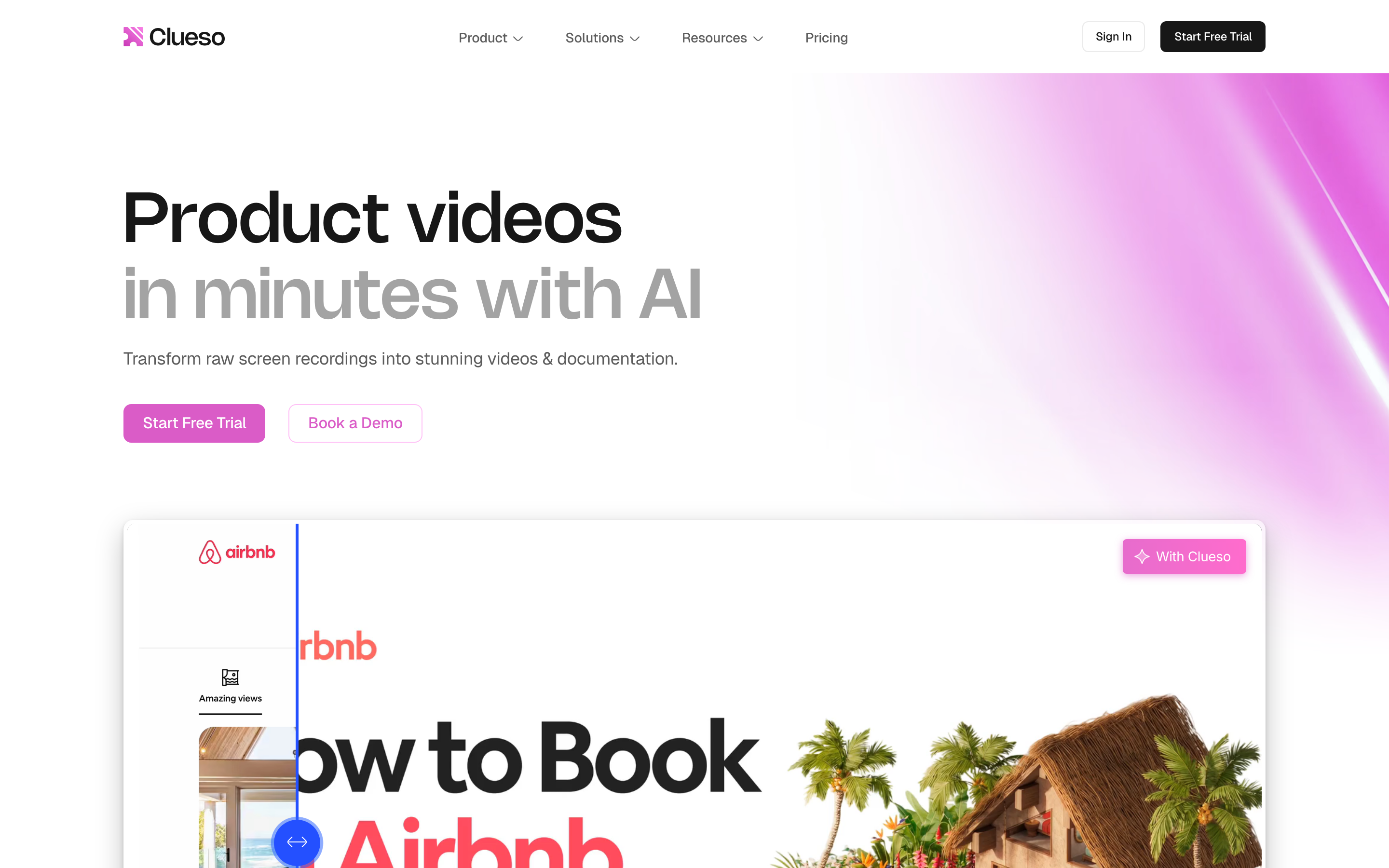
Clueso is the sharper product-demo automation choice in this pair. It is built around the idea that one raw workflow recording should become a polished tutorial video and matching documentation.
Key features
- Raw screen recording to polished product video.
- Step-by-step documentation generated from the same recording.
- AI script generation, filler-word removal, AI voiceovers, automatic zooms, backgrounds, titles, and pronunciation dictionary.
- Recording through an extension, existing screen-recording upload, slide deck to video, PDF to video, and image to video inputs.
- Brand elements such as logos, colors, and custom intros or outros.
What users say
Public reviews and competitor comparisons tend to praise Clueso's time savings for product demos and help-center content. The recurring hesitation is price: the first paid plan is much higher than classic screen recorders, so Clueso is easier to justify when video and documentation output are frequent, visible, and customer-facing.
Best for
Pick Clueso if your product, support, L&D, or customer education team needs repeatable product tutorials and docs from the same recording, and the budget supports a premium automation tool.
3. ScreenPal
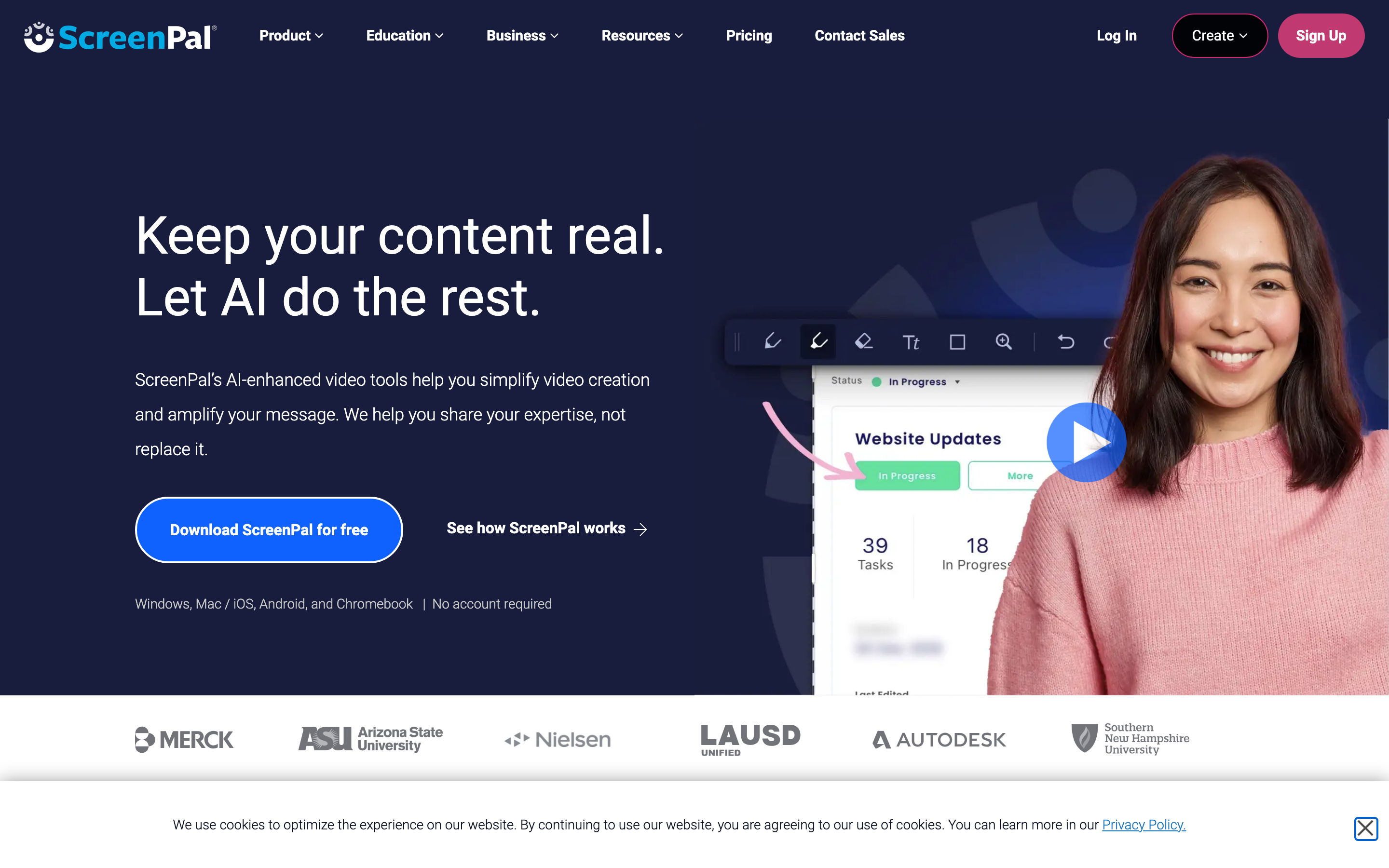
ScreenPal is the more mature capture and hosting platform. It is the better fit when teams care about recording, editing, storing, sharing, quizzes, and price before they care about AI rewriting a workflow into a product-marketing video.
Key features
- Screen and webcam recording, screenshot capture, drawing, and annotations.
- Full video editor, image editor, stock assets, and background removal.
- Video and image hosting, channels, secure sharing, searchable team video, and embeds.
- Quizzes, polls, ratings, comments, and interactive video tools.
- AI captions, transcription, text-to-speech narration, video translation, team collaboration, SSO with SAML, and developer-facing screen recording options.
What users say
Users often describe ScreenPal as approachable and affordable, especially in education and training. The tradeoff is depth. For high-polish customer-facing demos, teams may still need more automation or more manual editing than ScreenPal's capture-first workflow provides.
Best for
Pick ScreenPal if your priority is affordable screen recording, teaching content, video hosting, quizzes, team sharing, or embedded capture in an existing product workflow.
How we compared these tools
| Criteria | Weight | What we looked at |
|---|---|---|
| AI capabilities | 30 | How much of the recording-to-video workflow is automated, including script cleanup, captions, voiceover, zooms, and translation |
| Feature depth | 30 | Recording, editing, docs, hosting, interactivity, brand controls, team controls, and export options |
| Ease of use | 20 | How quickly a team can move from a raw recording to a useful asset without specialist editing skill |
| Value | 15 | Entry pricing, plan fit, included users, export limits, and whether the output justifies the tier |
| Support and governance | 5 | Published security posture, team controls, support model, and enterprise fit |
We used public product pages, pricing pages, and the local ngram product-state files as the source hierarchy. We did not use numerical review ratings, and we did not assume a missing feature unless it was absent from official positioning or the local truth files.
Common questions
Is Clueso better than ScreenPal?
Clueso is better than ScreenPal for polished product walkthrough videos and documentation generated from one recording. ScreenPal is better for affordable capture, editing, hosting, quizzes, education use, and sharing. The better choice depends on whether the recording needs to become a customer-facing tutorial package or a practical shared video.
Is ScreenPal cheaper than Clueso?
Yes. ScreenPal Deluxe is listed at $4 per month paid annually, while Clueso Starter is listed at $120 per month billed yearly. Clueso includes premium AI video and documentation automation, so the price comparison only makes sense if your team will use that automation often.
What is the best Clueso and ScreenPal alternative?
ngram is the best alternative when your goal is a finished branded business video rather than only a recorder or docs tool. ngram can use a screen recording as source material, then add script planning, storyboard review, captions, AI voiceover, smart zooms, product callouts, brand kits, localization, and MP4 export.
Which tool is best for training videos?
ScreenPal is strongest for classroom and training workflows that need quizzes, polls, hosting, secure sharing, and a low entry price. Clueso is stronger for product training where the same workflow needs a polished walkthrough and a step-by-step article. ngram is stronger when training material also needs brand, narration, variants, and localization.
Which one should you pick?
Pick Clueso if your team produces frequent product tutorials, help-center videos, SOPs, or customer education assets and you want AI to create both the polished video and documentation from one recording. Clueso is the premium automation pick.
Pick ScreenPal if you want a lower-cost screen recorder, editor, hosting platform, and interactive training tool. ScreenPal is the practical pick for educators, trainers, and teams that need capture and sharing more than AI-led product-demo production.
Use ngram if your recording needs to become a branded business video across marketing, sales, support, onboarding, or internal communication. ngram is the confident third option for teams that want source-aware planning, production polish, brand control, localization, and editable video variants from more than one input type.
---
Skip the recorder-only tradeoff. Start with a screen recording, prompt, URL, deck, or PDF, then turn it into a finished branded video with ngram.








