
Search for "Clueso vs Screen Studio" and you are comparing two tools that both make screen recordings look better, but they do it from opposite ends of the workflow. Clueso is built for teams that record a product flow once and need both a polished tutorial video and a written help article. Screen Studio is a macOS recorder for creators who want a single capture to look cinematic with automatic zooms, cursor smoothing, and clean exports.
Both are useful. Clueso fits customer education, support, L&D, and enablement teams that publish tutorials into a knowledge base. Screen Studio fits Mac-based founders, product marketers, and educators who want a beautiful demo fast. This guide compares Clueso vs Screen Studio across workflow, output, ease of use, pricing, and team fit. It also shows where ngram is the better third option when your real job is a finished business video, not only a recording or a help doc.
Clueso vs Screen Studio at a glance
Here is the short version before the deep dive. ngram sits in the table because many buyers in this category are really choosing between three jobs: generate a finished video, turn a recording into video plus docs, or polish a Mac capture.
| Tool | Best for | Starting price | Main distinction |
|---|---|---|---|
| ngram | Teams turning prompts, docs, URLs, decks, screenshots, and recordings into finished branded videos | Free, paid from $29/mo | Plans and builds the whole video, not just the capture |
| Clueso | Customer education, support, and training teams that need video plus step-by-step docs | Free trial, paid from $120/mo billed yearly | Produces a polished tutorial video and documentation from the same recording |
| Screen Studio | Mac creators making product demos, courses, tutorials, and social clips with minimal editing | From $9/mo billed yearly, or $29/mo monthly | Automatic zooms, cursor smoothing, iOS recording, and cinematic export |
Core workflow and output
The clearest split is the starting point.
Clueso expects you to record or upload a workflow first. Its official workflow is record or upload, let AI improve the script and visuals, customize the result, then download, embed, or share it. The payoff is dual output: a polished product or how-to video plus a step-by-step article from the same capture. On Clueso's pricing page, the included feature set covers AI script generation, filler word removal, studio-style AI voiceovers, automatic zooms, brand elements, docs in HTML, RichText, and Markdown, caption files, YouTube publishing, embeds, share links, and link analytics.
Screen Studio is narrower and faster. You record on macOS, then the app automatically zooms toward actions, smooths and resizes the cursor, removes background noise, normalizes voice volume, and exports an MP4 or GIF up to 4K 60fps. It also records webcam, microphone, system audio, and iPhone or iPad screens from the Mac. There is no generated help article, no AI-written documentation workflow, and no source-to-video planning layer, because that is not the product.
Winner: Clueso for video plus documentation, Screen Studio for the fastest polished Mac recording. If the deliverable is a help-center tutorial package, Clueso wins. If the deliverable is one great-looking recording, Screen Studio wins.
ngram fits when the recording is only one ingredient. You can start from a prompt, PDF, URL, screenshot, screen recording, raw video, or deck, then review the script and storyboard before rendering. For product marketing, sales enablement, support, and training teams, that plan-first step matters because the final asset often needs voiceover, captions, callouts, B-roll, brand styling, and an MP4 export, not only a cleaned-up recording.
Editing depth and ease of use
Clueso hides a lot of production work behind AI, but it still gives teams an editor for the generated result. You can rewrite the script with AI, edit manually, add inserts, blur sensitive information, use custom cursors, add spotlights and callouts, apply transitions, and keep fonts, colors, intros, outros, templates, and brand voice consistent. That makes it more of a tutorial production system than a simple recorder.
Screen Studio keeps the editor intentionally light. You can drag zooms on a timeline, adjust backgrounds, shadows, spacing, aspect ratio, cursor size, speed, cuts, and presets. Its strength is that the app makes a lot of style decisions automatically. Its weakness is the same thing: if you want a richer training package, brand governance, generated narration, written docs, or a full content pipeline, you will add other tools.
Winner: Clueso for structured tutorial editing and team-oriented controls, Screen Studio for shortest learning curve. Clueso has more places to tune the output. Screen Studio is easier because there is less to manage.
ngram sits closer to Clueso on production depth, but with a broader source-to-video workflow. You steer edits in agentic chat, use visual chat for scene-level changes, edit the script directly, regenerate a scene, or use the timeline editor when you need direct control. The practical difference is that ngram can fix the message before render, not only polish a recording after the fact.
Pricing and value
Pricing is the biggest difference between these two tools, and the numbers reflect two different buyers.
Clueso's pricing page lists a seven-day Free evaluation plan, then Starter at $120 per month billed yearly for two users, six hours of video exports per year, 360 article exports per year, watermark-free exports, in-app chat support, and video export up to 2K. Growth is $200 per month billed yearly for four users, 12 hours of video exports per year, 720 article exports per year, and up to 4K export. Enterprise is custom. The key point: Clueso is priced like a team system for repeat training and documentation output.
Screen Studio's public pricing on its own comparison page lists one plan with all features included: $29 per month on monthly billing, or $9 per month when billed yearly. That is dramatically cheaper than Clueso for a solo Mac creator. It is also a narrower purchase: you get the recorder, editor, share links, and export workflow, not an AI documentation platform.
Here is how entry paid plans compare on monthly and annual billing:
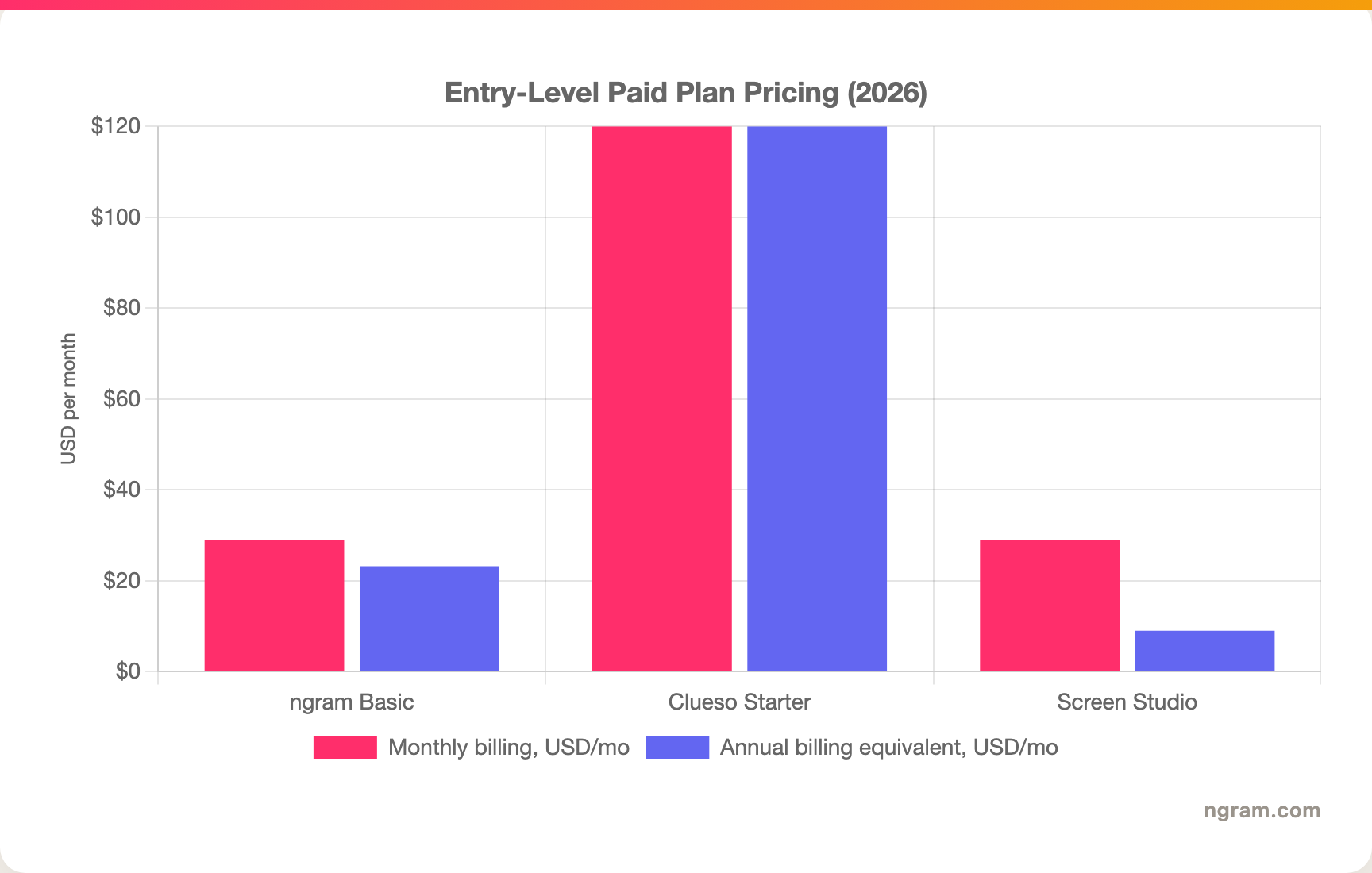
A note on that chart: Clueso's public Starter figure is shown as $120 per month billed yearly, so the chart uses $120 for both columns rather than inventing a monthly-only price. Screen Studio publishes both monthly and yearly figures. ngram Basic is $29 monthly, or $23.20 monthly on annual billing, with 3,000 credits per month.
Winner: Screen Studio for solo price, Clueso for teams that need video and docs in one subscription, ngram for teams that want finished videos from more source types at a lower entry price than Clueso.
Platform, sharing, and team fit
Screen Studio is a macOS app. Its homepage recommends macOS Ventura 13.1 or later, and the product is clearly built around native Mac capture, including iPhone and iPad recording. That is a real advantage for app demos and solo creators on Mac. It is also the dealbreaker for mixed teams, Windows users, and browser-first workflows.
Clueso is browser-centered and team-centered. It supports screen recording via extension, existing screen recording uploads, slide decks, PDFs, images, brand elements, article exports, share links, embeds, Slack sharing, and YouTube publishing. It is easier to standardize across a support or training team because the output includes written documentation and repeatable templates.
Winner: Clueso for cross-team tutorial programs, Screen Studio for Mac-native capture and iOS demos. The platform choice mostly follows your team shape.
ngram is browser-based and works across teams that need source-aware generation, brand kits, multilingual variants, hosted watch pages, embeds, and MP4 exports. It does not natively mirror an iPhone or iPad the way Screen Studio does, and it does not generate a formatted help-center article the way Clueso does. But when the job is a branded product demo, onboarding video, sales clip, or feature announcement, ngram covers more of the finished-video workflow than either point solution.
1. ngram, the better third option for finished videos
Watch how ngram turns an idea into a finished video:
ngram does the same core job Clueso and Screen Studio overlap on, turning rough screen material into a polished business video, then keeps going. Instead of starting only after a recording exists, ngram can start from a prompt, PDF, URL, screenshot, screen recording, raw video, deck, or Shopify product URL. The agent writes the script, plans the storyboard, maps scenes, captions, and calls to action, and lets you review the plan before rendering.
That matters when the finished asset needs to serve a business goal. A product walkthrough for prospects, a help-center tutorial, an onboarding clip, and a LinkedIn launch post all use screen content differently. ngram adapts the script, tone, format, and visuals to the audience and channel, then adds voiceover, captions, product callouts, motion graphics, brand styling, music, and MP4 export.
What makes ngram different
- Source-aware inputs - Start from a prompt, PDF, URL, screenshot, recording, raw video, deck, or Shopify product URL.
- Plan before render - Review the script, storyboard, scenes, captions, and CTA before spending credits on the final render.
- Screen-recording polish plus production - Cursor smoothing, click emphasis, dead-air trim, step labels, smart zooms, callouts, transitions, AI voiceover, and captions live in one workflow.
- Brand kits - Apply logo, colors, fonts, motion style, approved phrases, blocked phrases, tone, intros, and outros across generated videos.
- Localization - Translate script, captions, and on-screen text, generate multilingual voiceover, and re-lip-sync avatar or talking-head scenes per language.
- Multi-format publishing - Export Finished videos export as MP4; separate media tools can derive GIF, WebM, PNG, or JPG from supplied media, with hosted watch pages and an embeddable player.
Where ngram is honest about its limits
ngram provides hosted video pages and embeds, but it does not yet offer scene-level watch-time or drop-off analytics. Its Public API v1 uses self-service bearer API keys, with webhook subscriptions for `video.completed` and `video.failed`. ngram also has no published SOC 2 or ISO certification claims, so a compliance-bound buyer should confirm requirements before standardizing on it.
ngram also does not replace every specialist job here. Clueso is stronger if your primary deliverable is a written SOP or help article generated from the same recording. Screen Studio is stronger if you want a native Mac recorder with iPhone or iPad capture and dedicated motion blur.
Who ngram is best for
ngram is best for product marketing, growth, sales, customer success, support, and training teams that repeatedly turn source material into polished video. For current plan details, check ngram pricing. For direct single-tool comparisons, read ngram vs Clueso and ngram vs Screen Studio.
Ready to try ngram? Create a video from a prompt, doc, URL, deck, screenshot, or recording. Start free
2. Clueso
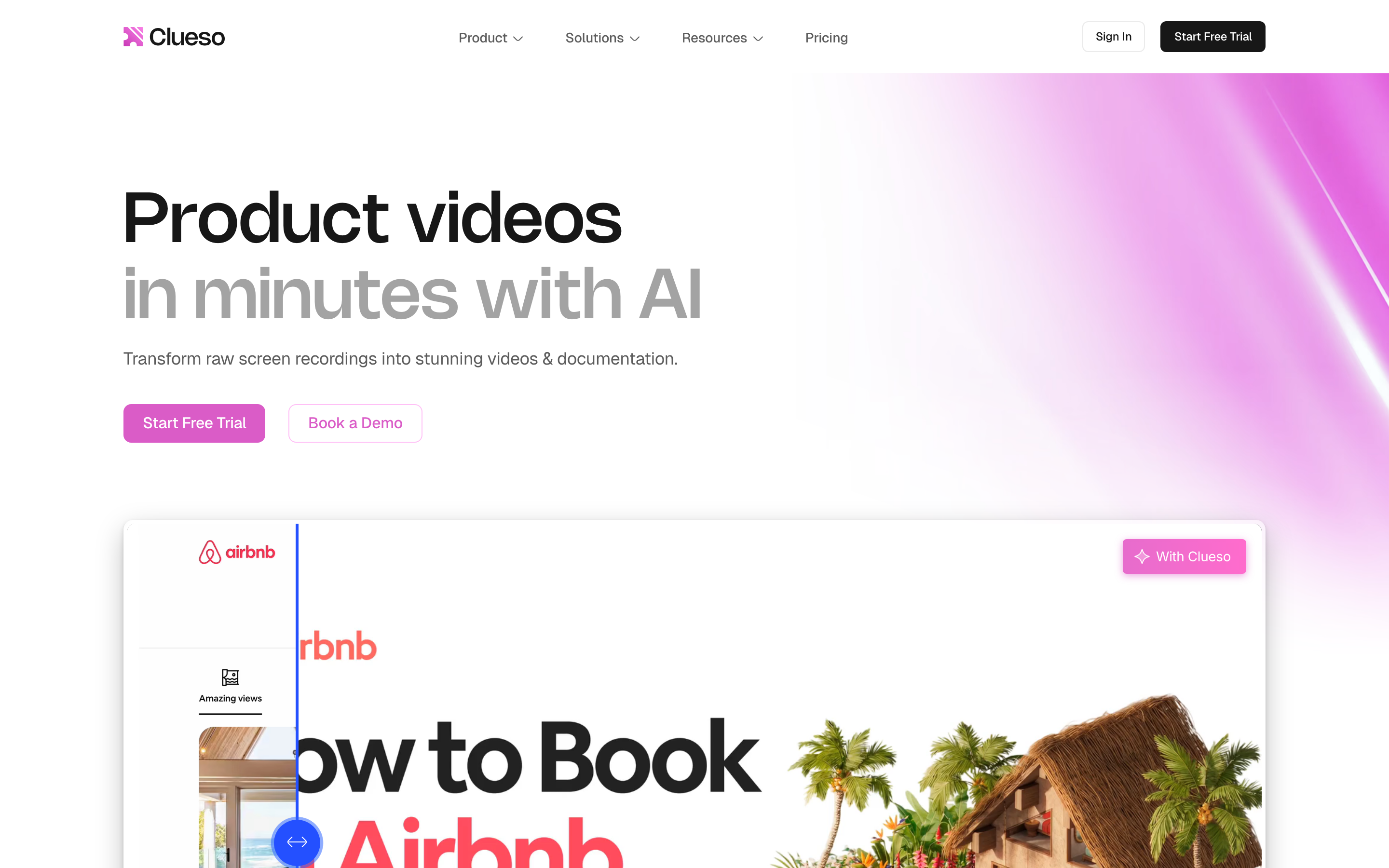
Clueso is best for customer education, product marketing, L&D, sales enablement, support, and product teams that need a polished video and written documentation from one recording. Public details were checked against Clueso's homepage, feature pages, and pricing page for this 2026 comparison.
Key features
- Recording to video plus docs - Record a workflow or upload a screen recording or slide deck, then generate a product video and step-by-step documentation.
- AI script and voiceover - Improve the original narration, remove filler words, edit the script, and generate AI voiceover.
- Documentation exports - Export written docs as HTML, RichText, or Markdown, plus SRT and VTT caption files.
- Branding and templates - Add brand fonts, colors, intros, outros, custom templates, callouts, spotlights, and transitions.
- Translation - Translate audio, captions, and step-by-step docs across a broad published language set.
What users say
Clueso's public customer stories emphasize the same theme: teams like moving tutorial and training production out of specialist video queues and into repeatable workflows. The praise clusters around speed, support, and the ability to update training content as product screens change. The trade-off is price and scope: Clueso makes sense when documentation is part of the package, but it can be too much tool for a solo creator who only wants one clean recording.
Best for
Choose Clueso when your team needs product tutorials, SOPs, training modules, help-center articles, and localized documentation from the same recording.
3. Screen Studio
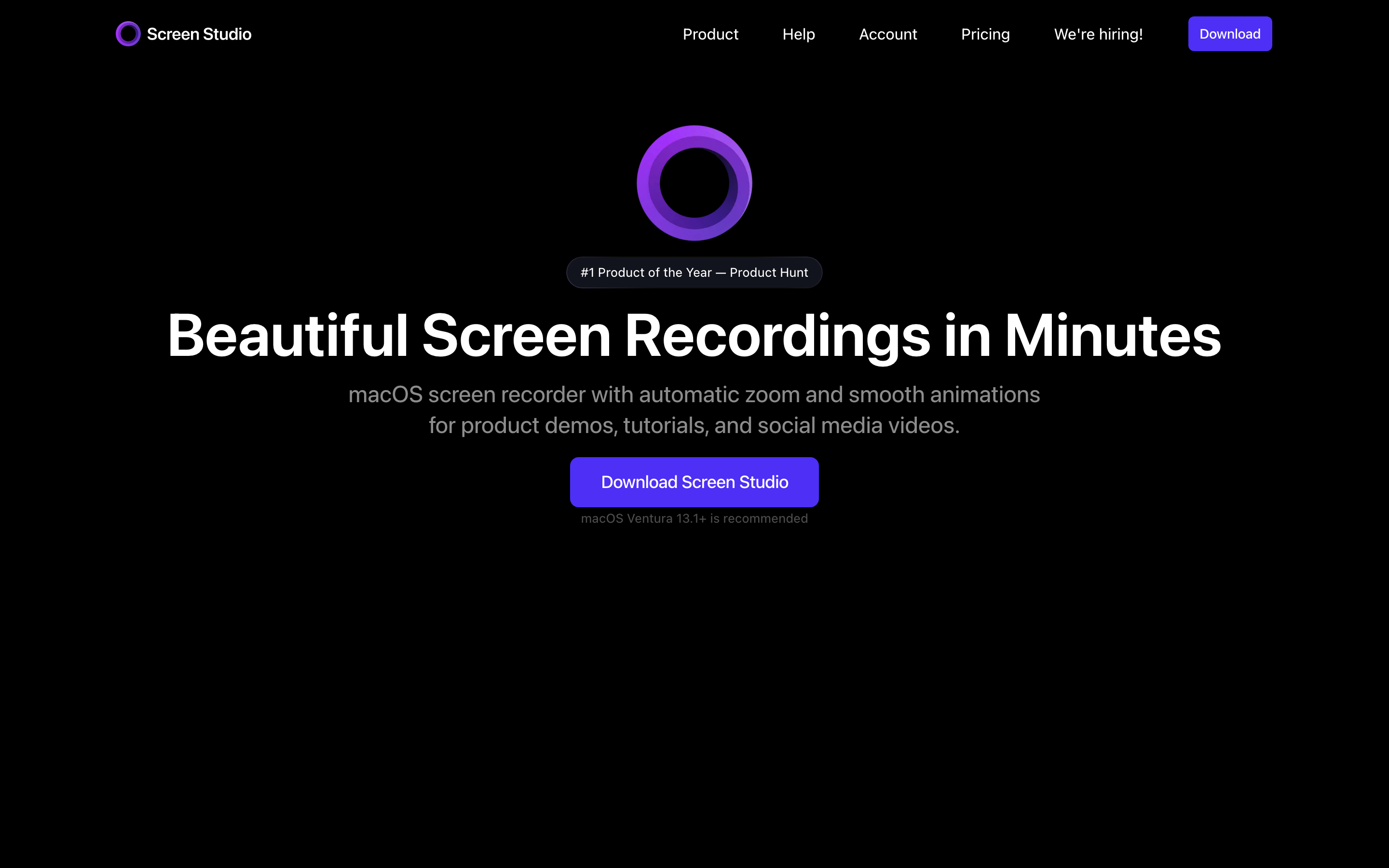
Screen Studio is best for Mac creators, founders, product teams, educators, and course makers who want a screen recording to look polished without learning a heavy editor. Public details were checked against the Screen Studio product page and its public pricing block.
Key features
- Automatic zooms - Screen Studio zooms toward the actions you perform and can adjust zooms for vertical exports.
- Cursor and motion polish - Smooth cursor movement, cursor resizing, automatic cursor hiding, cursor loopback, and motion blur.
- Audio and transcript tools - Record webcam, microphone, system audio, remove background noise, normalize voice volume, and generate an on-device transcript.
- iPhone and iPad recording - Record mobile screens from a Mac over USB, with automatic device detection and frame customization.
- Export and sharing - Export MP4 or GIF up to 4K 60fps, copy to clipboard, generate share links, and save shareable presets.
What users say
Public testimonials and review discussions praise Screen Studio for making product demos look polished almost immediately. The recurring cautions are the macOS-only platform, lighter editing depth compared with full editors, and subscription pricing for a tool many creators once expected to buy once.
Best for
Choose Screen Studio when you are on macOS and want a beautiful recording with automatic zooms, cursor smoothing, device frames, and minimal editing.
How we compared these tools
This is not a star rating. It is a decision-weighting model for buyers choosing between two screen-recording-video tools, with ngram included as the third option many teams actually need.
| Criteria | Weight | What we looked at |
|---|---|---|
| AI capabilities | 30% | Script support, automated polish, source handling, translation, and generation depth |
| Features | 30% | Recording, editing, documentation, branding, sharing, export, and team workflow |
| Ease of use | 20% | Time to a polished first output, learning curve, and how much manual editing remains |
| Value | 15% | Public pricing, billing model, seats, export limits, and whether the plan fits the job |
| Support | 5% | Published support, team controls, platform coverage, and buyer-fit clarity |
We reviewed official vendor pages, public pricing, existing ngram comparison pages, the competitor CSV, and current search results. We avoided numerical ratings because a single score hides the real decision: Clueso, Screen Studio, and ngram win for different workflows.
Common questions
Is Clueso better than Screen Studio?
Clueso is better if your team needs a polished tutorial video plus written documentation from the same recording. Screen Studio is better if you are on macOS and want one recording to look cinematic fast. The tools overlap on screen-recording polish, but Clueso is a team documentation workflow while Screen Studio is a focused Mac recorder.
Is Screen Studio cheaper than Clueso?
Yes. Screen Studio publishes $29 per month on monthly billing, or $9 per month billed yearly. Clueso Starter is $120 per month billed yearly for two users and a package of video and article exports. The cheaper tool is Screen Studio, but the cheaper complete workflow depends on whether you need docs, localization, and a team tutorial system.
What is the best Clueso and Screen Studio alternative?
ngram is the best alternative when the real job is a finished business video from source material. ngram starts from prompts, docs, URLs, decks, screenshots, recordings, or raw video, then adds script, storyboard, voiceover, captions, brand kits, product callouts, and MP4 export. Clueso and Screen Studio remain the specialist picks for docs-first tutorial workflows and Mac-native recording.
Can ngram replace Clueso documentation or Screen Studio iOS recording?
Not completely. ngram does not generate a formatted help-center article like Clueso, and it does not natively mirror an iPhone or iPad like Screen Studio. ngram is the stronger pick when those assets feed into a broader video workflow that needs script planning, voiceover, branding, localization, and MP4 publishing.
Which one should you pick?
The Clueso vs Screen Studio decision comes down to output and platform. Pick Clueso if your team records product workflows and needs polished tutorial videos plus written docs, especially for support, L&D, customer education, and global training. Pick Screen Studio if you are on a Mac and want a beautiful screen recording with auto-zoom, cursor polish, iOS capture, and minimal editing. Use ngram if the goal is a finished business video built from real source material, where a screen recording is only one part of the story.
---
Try ngram free, your first video in under 5 minutes. Turn a prompt, doc, URL, deck, screenshot, or recording into a polished, on-brand video without rebuilding everything from a blank timeline. Start free








