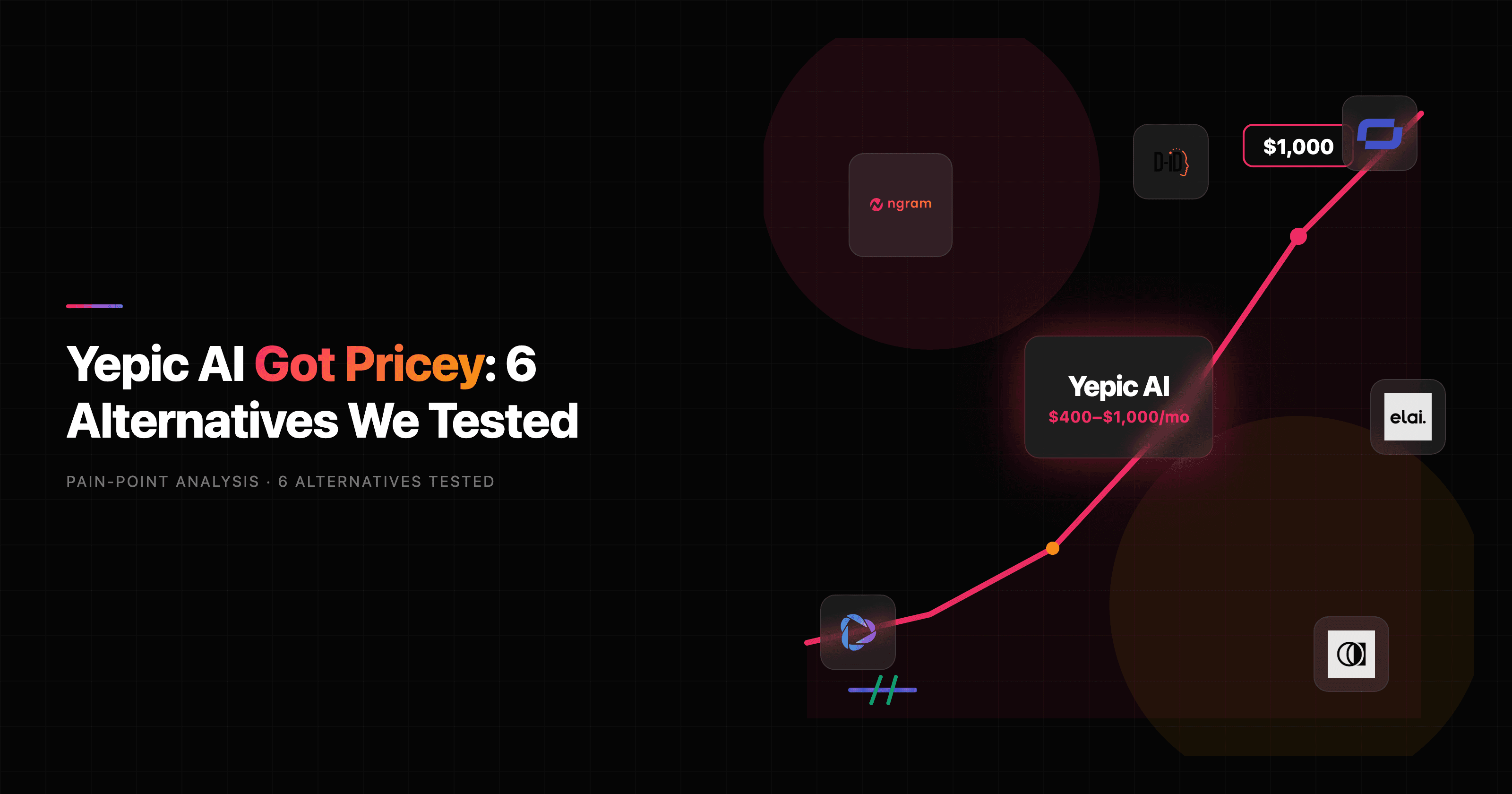

When Yepic AI launched, its pitch was simple: turn a photo and a script into a talking-avatar video, fast. The pricing pitch held up for a while too. Then it didn't. By 2026, Yepic AI's named plans climb from a starter tier into four figures a month (the Explore and Professional plans land around $400 and $1,000), and a wave of lifetime-deal buyers found their prepaid accounts cut off with, by their own accounts on Trustpilot, little warning and slow support replies. If you are searching for Yepic AI alternatives, you are probably not chasing a feature. You are chasing a bill, or a workflow that fits the video you actually need to ship.
Here is the honest framing this guide runs on. Yepic AI does several distinct jobs: asynchronous avatar videos, real-time interactive video agents powered by GPT-4o, talking-photo animation, and an avatar API for developers. No single alternative replaces all of that. So the right pick depends entirely on which Yepic AI job you are leaving behind. We tested six alternatives across avatars, language coverage, editing control, and price, and we are upfront about where each one (including ngram, our own tool) is the wrong call.
Quick comparison
| Tool | Best For | Starting Price | Key Differentiator |
|---|---|---|---|
| ngram | Finished business video from your existing assets | Free / $29/mo | Plans script and storyboard before render, not just an avatar |
| Synthesia | Enterprise training and compliance video | $29/mo | 240+ avatars, SCORM export, enterprise trust |
| HeyGen | High-volume avatar video and translation | $24/mo | 175+ languages, Video Agent, fast lip sync |
| Colossyan | L&D teams with an LMS | $27/seat/mo | SCORM, interactive branching, training depth |
| DeepBrain AI | Broadcast-grade corporate presenters | $24/mo | Studio-quality realism, twin in under 5 minutes |
| Elai.io | Affordable custom avatar ownership | $29/mo | $500 one-time custom digital twin |
| D-ID | Talking-photo and developer API | $5.9/mo | Upload any photo, get a talking portrait |
1. ngram
Watch how ngram turns an idea into a finished video:
Let's be precise about where ngram fits, because that is the whole point of an honest roundup. ngram is the strongest pick if your real Yepic AI job was a finished, recorded business video: a product demo, an onboarding walkthrough, a launch explainer, a localized training clip, or an avatar-led update you can reuse across marketing, sales, support, and L&D. ngram is not the pick if you specifically need Yepic AI's real-time conversational video agent, a deployed video chatbot, or raw avatar API infrastructure. Those are different products, and we will route you to the specialists below.
What makes ngram different from a pure avatar generator is that it plans the video before it renders one. You bring what you already have, a doc, a URL, a deck, a screen recording, a few screenshots, and ngram writes the script, maps a storyboard, picks visuals, generates voiceover and captions, and assembles export variants. You review the script and storyboard first, so direction stays yours. A pure avatar tool hands you a talking head; ngram hands you a structured video.
What makes ngram stand out
- Plan first, generate second - Approve the script and storyboard before anything renders, so a 5-minute video isn't a 5-minute surprise.
- Start from what you have - Text, docs, URLs, decks, screenshots, screen recordings, and raw footage all become source material.
- Avatars when you want them - A filterable avatar library, talking-head lip sync, custom faces you upload, and a Protagonist Generator for a synthetic on-brand presenter.
- Multilingual by default - Script, captions, on-screen text, and voiceover translate together, and avatar lip movements re-sync to the translated audio.
- Brand kits applied automatically - Logo, colors, fonts, intros, and outros land on every video without manual setup.
- MP4 export - The same video exports as MP4; channel-specific cuts require separate preparation with captions burned in.
Pros
- ✅ Builds a complete narrated video, not just an avatar clip, from assets you already have.
- ✅ Avatars, custom faces, and a synthetic presenter cover the talking-head use case Yepic users came for.
- ✅ Free plan with 600 credits and paid plans from $29/mo undercut Yepic's four-figure tiers by a wide margin.
Cons
- ❌ No real-time conversational video agent or deployed video chatbot, so Yepic's Video Agents job is out of scope.
- ❌ Public API v1 uses self-service bearer API keys, but ngram is not a real-time conversational avatar agent; solo developers building that kind of pipeline should look at Yepic or D-ID first.
Who is ngram best for?
Product marketing, growth, sales, customer success, and L&D teams who need polished, on-brand video out the door without a freelancer budget or a timeline editor. ngram has a generous free plan (600 credits, no card) with paid plans starting at $29 per month. For a structured walkthrough of how teams build these, see ngram's explainer video use case and customer onboarding video use case.
Ready to try ngram? Create your first video in under 5 minutes. Start free
2. Synthesia
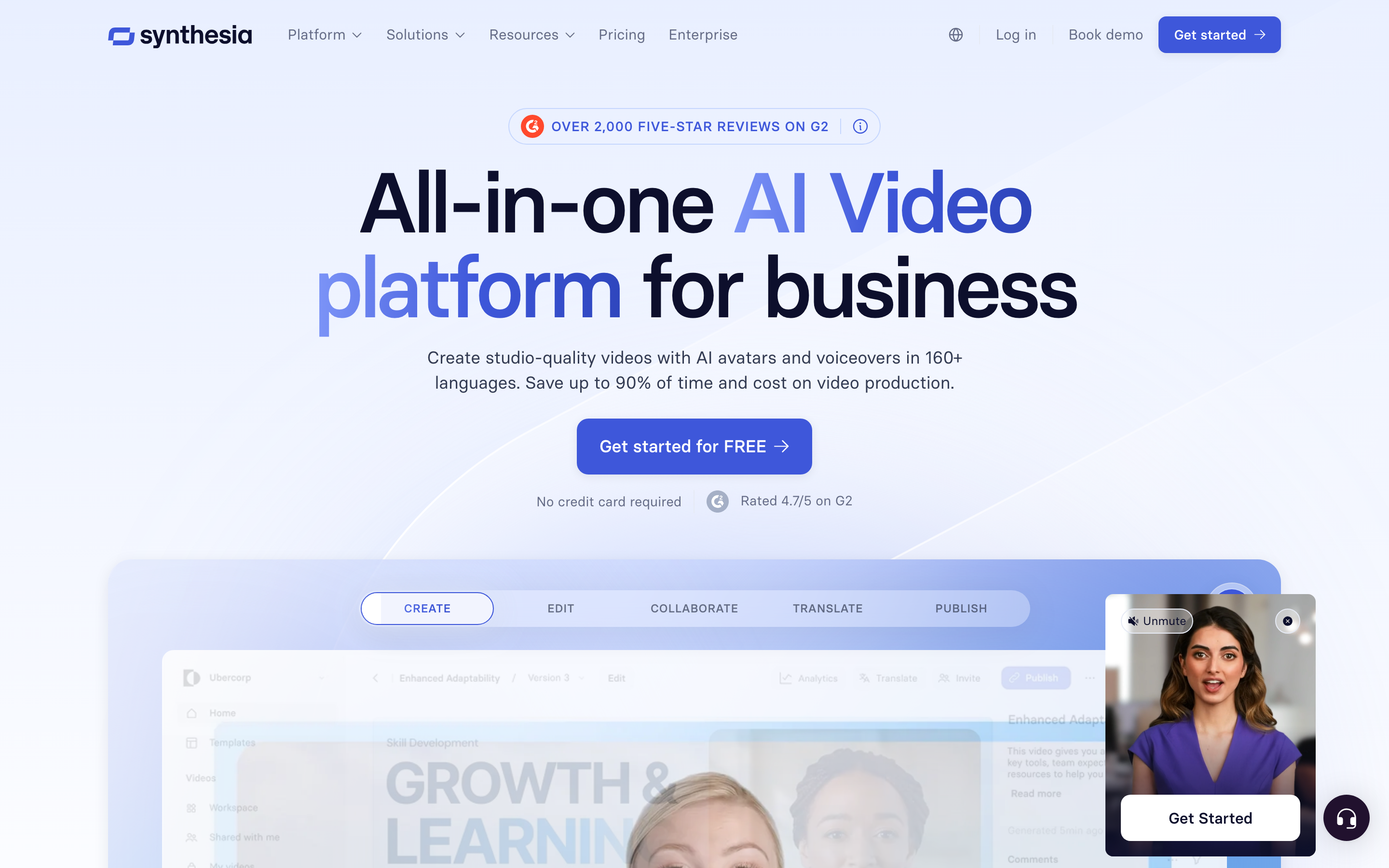
Synthesia is the enterprise default for avatar video, and it is the most direct swap for Yepic AI if your job is straightforward script-to-avatar at scale. It offers 240+ stock avatars and coverage across 160+ languages, plus the enterprise scaffolding Yepic was reaching for: SCORM export for LMS, interactive video, and the compliance posture larger buyers ask about.
Key features
- 240+ stock avatars - One of the largest libraries, many customizable down to clothing and background.
- 160+ languages - Broad localization with synthetic voiceover.
- SCORM and LMS export - Training videos drop straight into corporate learning systems.
- Brand and template controls - Structured editor built for repeatable corporate output.
- Enterprise governance - The trust and security story mid-market and enterprise buyers expect.
What users say
Reviewers consistently describe Synthesia as the safe enterprise choice. The avatar quality and language breadth get praise, and L&D teams like that finished training videos export to an LMS without extra tooling. The recurring gripe is cost: at roughly $29/month for the Starter tier and around $89/month for Creator, the per-minute math works out near $2.90 to $2.97 per finished minute, and mid-market deployments often budget $25,000 to $40,000 a year. Some users also find the editor more rigid than a free-form video tool, which is the same creative-control complaint people level at Yepic.
Pros
- ✅ Largest practical avatar and language library for enterprise localization.
- ✅ SCORM export and compliance features Yepic's mid-tier plans don't match cleanly.
- ✅ Reputation that gets a video tool approved by enterprise procurement.
Cons
- ❌ Per-minute pricing climbs fast for high-volume teams.
- ❌ Structured editor trades creative flexibility for consistency.
Best for
Enterprise training, HR, and compliance teams that need avatar video approved by procurement and dropped into an LMS. For a direct head-to-head, see the ngram vs Synthesia comparison.
3. HeyGen
HeyGen is the breadth-and-value pick. If you generate a high volume of avatar videos and translate them into many languages, HeyGen's 100+ avatars and 175+ languages plus its fast lip sync make it the workhorse. It also ships a Video Agent feature, which is the closest mainstream answer to Yepic AI's real-time agent ambitions, though most teams use HeyGen for recorded output.
Key features
- 100+ avatars, 175+ languages - The widest language coverage in this roundup.
- Avatar IV models - Strong lip sync and micro-expressions on recent avatar versions.
- Translation with lip sync - Re-dub a video into a new language with matched mouth movement.
- Video Agent - Automation that nudges toward interactive use cases.
- Creator-friendly entry price - Plans start near $24 to $29/month.
What users say
Mid-market teams gravitate to HeyGen for the lower Creator entry price and the natural avatar movement. The common surprise is that collaboration and brand controls live on the Business plan at around $149/month, so the real team cost is higher than the headline. Reviewers rate the avatars as among the most lifelike, and the translation feature gets specific praise for keeping lip sync believable across languages, which is exactly the multilingual job Yepic users care about.
Pros
- ✅ Widest language coverage here at 175+ languages with believable lip sync.
- ✅ Lower entry price than Synthesia for individual creators.
- ✅ Video Agent edges toward the interactive use case Yepic specializes in.
Cons
- ❌ Team collaboration features sit behind the pricier Business plan.
- ❌ Heavy output can still get expensive on per-minute terms.
Best for
High-volume creators and marketing teams that localize aggressively and want the most languages per dollar. See the ngram vs HeyGen comparison for where a finished-video workflow pulls ahead.
4. Colossyan
Colossyan is the purpose-built training pick. If you left Yepic AI specifically for e-learning, it is the most direct fit at a lower total cost when training features matter. It runs around $27 per seat per month, includes auto-translation across 80+ languages in mid-tier plans, and leans hard into interactive, branching, SCORM-exportable courses rather than one-off clips.
Key features
- L&D-first workflow - Built around courses, not single videos.
- SCORM and LMS export - Interactive, branching training drops into learning systems.
- 80+ languages with auto-translation - Localization bundled into mid-tier plans.
- Conversation and scene modes - Two avatars in dialogue for scenario-based training.
- Per-seat pricing - Predictable cost for a defined training team.
What users say
L&D reviewers call Colossyan the most training-aware tool in the category. The interactive quiz and branching features get repeat praise from enablement teams, and the per-seat model is easier to forecast than per-minute video pricing. The trade-off is focus: it is excellent for courses and thinner for the broad marketing, sales, and social variants a tool like ngram or HeyGen handles. For training specifically, that focus is the point.
Best for
Enterprise L&D, HR, and enablement teams building onboarding, compliance, and sales-enablement training that needs to live in an LMS.
---
Looking for the fastest way to create professional videos? ngram turns your docs, URLs, screen recordings, and decks into polished, on-brand videos in minutes, no timeline editing required. Try ngram free
---
5. DeepBrain AI
DeepBrain AI is the realism pick. If your Yepic AI videos needed to look broadcast-grade, DeepBrain's studio-style avatars carry natural micro-expressions and clean lip sync that corporate communications teams notice. Custom avatar creation is fast too: a digital twin with voice cloning in under five minutes, against the longer turnaround some rivals quote.
Key features
- Broadcast-quality avatars - Studio-style presenters built for corporate-grade output.
- Fast custom twins - Digital twin plus voice clone in under five minutes.
- 150+ languages - Broad localization for global teams.
- Script-to-video from text, docs, or URL - Standard ingestion paths for fast production.
- Tiered plans to high volume - Pricing runs from about $24/month up to roughly $600/month for 240 minutes.
What users say
Corporate communications reviewers single out the avatar realism as the differentiator, and the sub-five-minute custom twin gets called out as genuinely faster than the competition. The honest limitation is that DeepBrain is narrower than the broad creative tools, so teams wanting flexible marketing and social formats often pair it with something else. For a clean, realistic presenter reading a script, it is hard to beat.
Best for
Corporate communications and enterprise teams that prioritize avatar realism above editing flexibility.
6. Elai.io
Elai.io is the budget-ownership pick. It is the cleanest answer for teams that want to own a custom avatar without enterprise pricing, plus interactive training quizzes baked in. A custom digital twin runs a $500 one-time fee, cheaper than the roughly $1,000/year some rivals charge, and the $29/month plan gets you 15 minutes of video and 80+ stock avatars.
Key features
- Affordable custom avatars - A proper digital twin from about two minutes of footage, delivered in roughly 48 hours.
- Four avatar types - Selfie, Studio, Photo, and Animated Mascot presenters.
- Interactive video - Quizzes and clickable elements for training.
- Voice cloning and auto-translation - Localization with lip sync included.
- Low entry price - $29/month for 15 minutes and 80+ avatars.
What users say
Smaller teams and brands like that Elai puts custom avatar ownership within reach financially, and the interactive quiz feature gets praise from trainers who want more than a passive watch. Reviewers note the stock library and polish sit a notch below Synthesia and HeyGen, which is the expected trade for the lower price. If owning your own presenter cheaply is the goal, Elai is the value leader. See the ngram vs Elai comparison for the finished-video angle.
Best for
Budget-conscious brands and trainers who want to own a custom avatar and add interactive quizzes without enterprise spend.
7. D-ID
D-ID is the talking-photo and developer pick. It is closest to one specific Yepic AI capability: upload any photo and get a talking portrait. D-ID covers more use cases than a pure avatar studio and ships a strong API, which makes it the natural landing spot for developers who used Yepic's API to build avatar features into their own products.
Key features
- Photo-to-video - Animate a still photo into a talking portrait.
- Developer API - Robust API for building avatar generation into other apps.
- Real-time agent options - Conversational avatar features for interactive builds.
- Broad language and voice coverage - Localization across many languages.
- Low entry price - Self-serve plans start near $5.9/month.
What users say
Developers and product teams praise D-ID's API and the simplicity of the photo-to-video flow. The honest note from reviewers is that, like Yepic, the editing control is constrained compared with a full video tool, so it shines for portraits and embedded avatar features rather than polished long-form video. If you came to Yepic for the API or the talking-photo trick, D-ID is the most direct replacement. See the ngram vs D-ID comparison for where a full video workflow differs.
Best for
Developers building avatar features via API, and anyone whose core need is animating a single photo into a talking portrait.
Where Yepic AI falls short in 2026
Yepic AI does real things well: fast avatar generation, talking-photo animation, real-time agents, and a developer API, across 120+ languages. The problems pushing teams to look elsewhere are mostly commercial and editorial, not capability gaps.
Pricing climbed into four figures. Yepic's named plans run from a low starter tier up to roughly $400/month (Explore) and $1,000/month (Professional), with credit caps on top. For a team shipping a handful of videos a month, that math stopped making sense against rivals starting at $24 to $29.
Lifetime deals got pulled. The loudest complaint on Trustpilot is from prepaid lifetime-deal buyers who say their access was cut off well before they expected, with slow or absent support responses. That has become a trust problem, not just a pricing one.
Editing control is limited. Reviewers repeatedly note that Yepic constrains pacing, visuals, and storytelling compared with a real editor, and that the avatar aesthetic gets repetitive. It is built for structured business clips, not creative or social-first content.
Here is where each Yepic AI job actually lands among the alternatives:
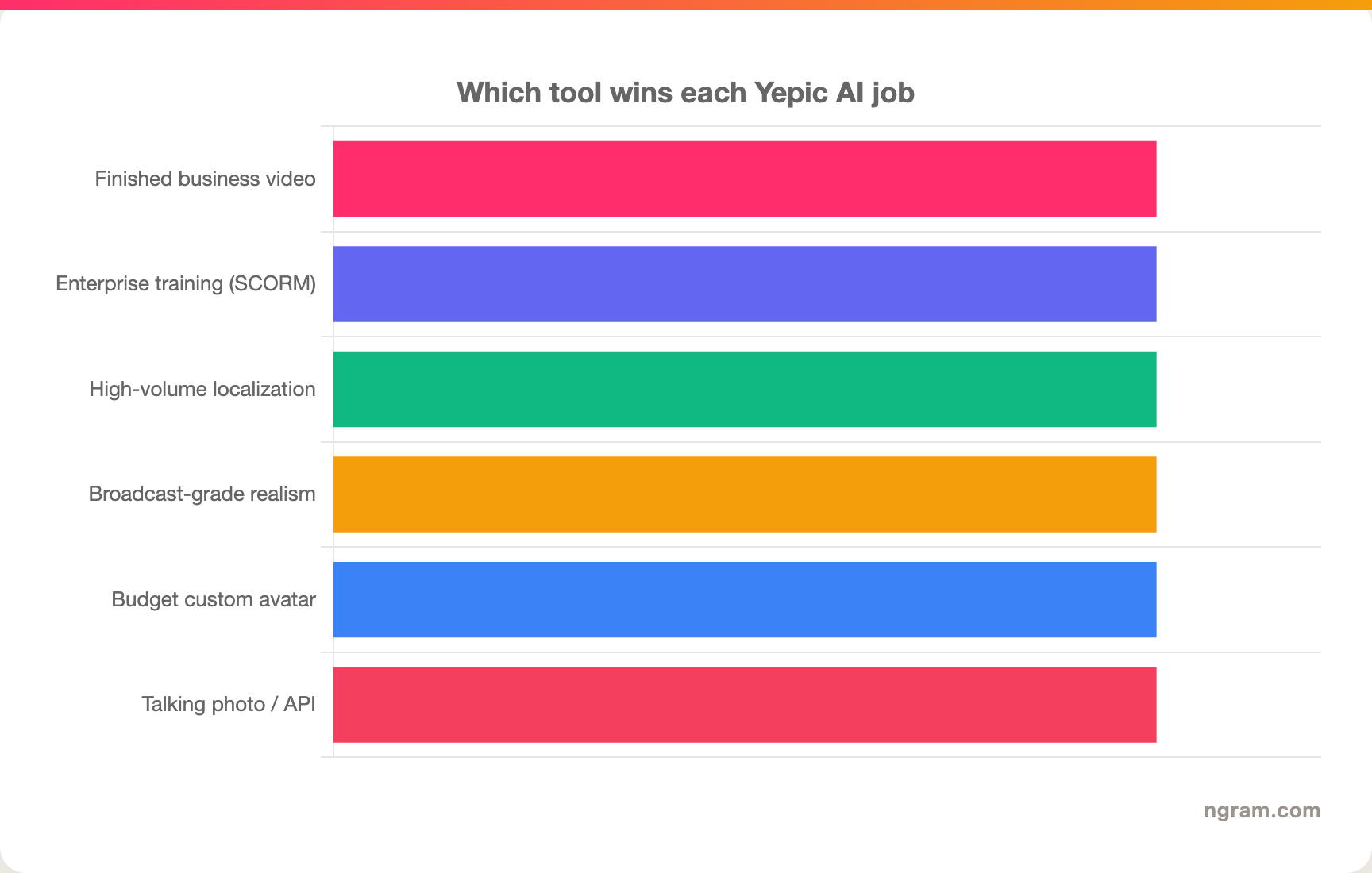
The reader takeaway: there is no single Yepic AI replacement, only the right tool for the job you are leaving.
The market context behind the switch
The reason this category has so many credible options is that money is pouring into it. The AI avatar market sat at about $9.78 billion in 2025 and is projected to reach $12.90 billion in 2026 on its way to roughly $142.62 billion by 2035, a 30.73% compound annual growth rate, per Precedence Research. The narrower AI avatar video subset is already a $5.1 billion market growing around 32% a year. And the economics that made Yepic appealing have only gotten better elsewhere: AI tooling has cut avatar video production cost by roughly 91%, from about $4,500 per minute to near $400, while collapsing a typical 60-second marketing video from 13 days of production to about 27 minutes.
Here is how the avatar market is scaling:
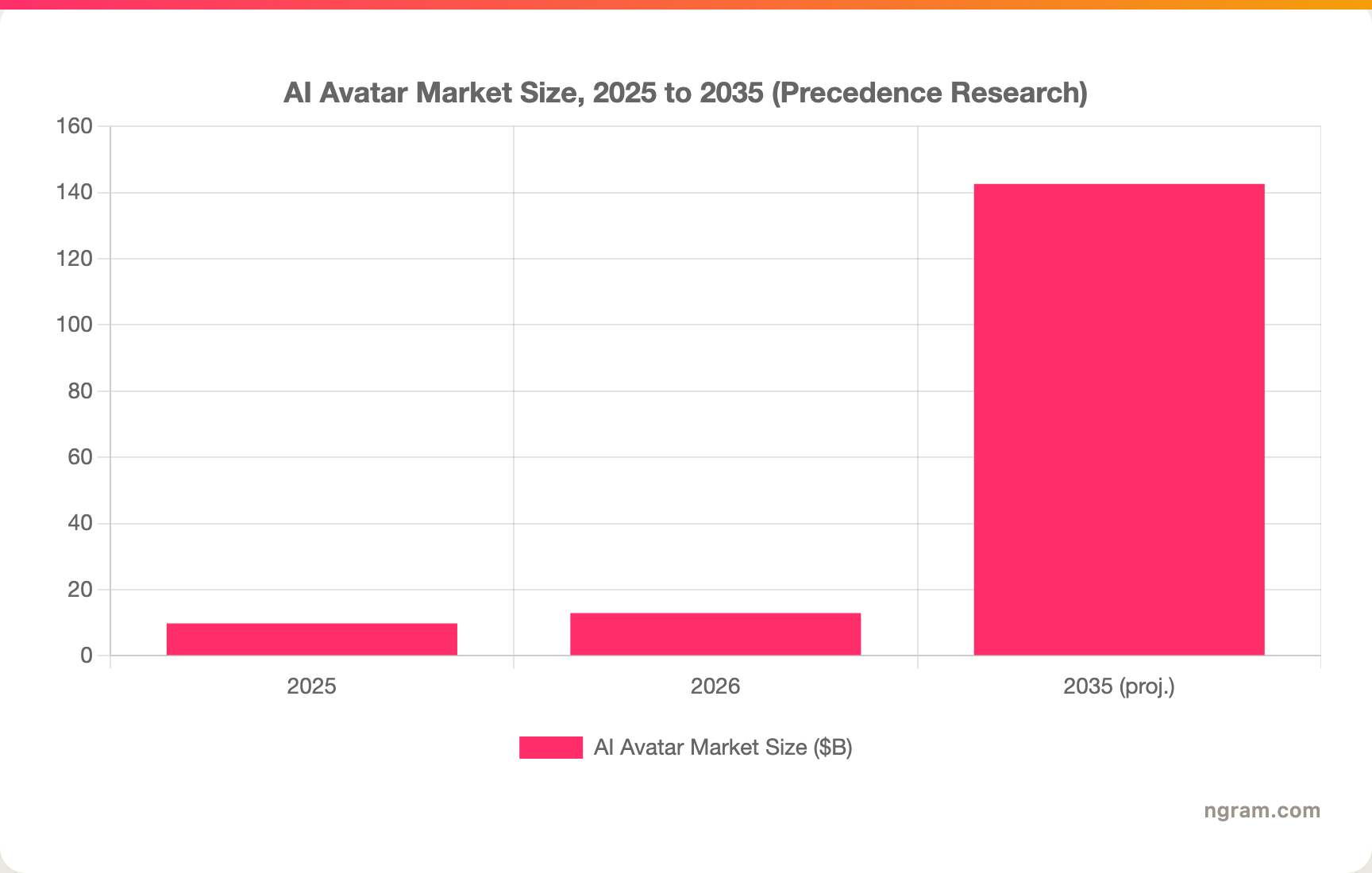
When the category grows this fast, getting locked into one vendor's pricing is the real risk, which is exactly what the Yepic lifetime-deal episode taught its early buyers.
How we evaluated these Yepic AI alternatives
We didn't just list tools. We tested them, read through user reviews on G2, Capterra, Trustpilot, and Reddit, and compared them across five weighted criteria tuned for the AI avatar video category:
| Criteria | Weight | What we looked at |
|---|---|---|
| AI Capabilities | 30% | Avatar realism, lip sync quality, language coverage, voice cloning, and translation. |
| Features | 30% | Editing control, custom avatars, interactivity, SCORM and export options. |
| Ease of Use | 20% | How fast a non-specialist gets from script to a finished, shareable video. |
| Value | 15% | Real per-minute or per-seat cost against output, not just the headline price. |
| Support & Community | 5% | Responsiveness and account reliability, weighted up given Yepic's support complaints. |
We also factored in real user sentiment (qualitative, not star scores), company stability and pricing transparency, integration with LMS and business tools, and where the AI avatar market is heading. Because the loudest Yepic complaints were about pricing and account reliability, we weighted value and support reliability more deliberately than a generic roundup would.
Frequently Asked Questions
What is the best Yepic AI alternative?
There is no single best Yepic AI alternative, because Yepic does several jobs. For finished, recorded business video from your own assets, ngram is the strongest pick. For pure enterprise avatar video, Synthesia. For the most languages, HeyGen. For training, Colossyan. For a talking-photo API, D-ID. Match the tool to the Yepic job you are replacing.
Is there a cheaper alternative to Yepic AI?
Yes, by a wide margin. Yepic's higher plans run roughly $400 to $1,000 per month, while D-ID starts near $5.9/month, ngram offers a free plan plus paid tiers from $29/month, and Synthesia, HeyGen, Colossyan, and Elai all start between $24 and $29/month. For most teams shipping a handful of videos, any of these is dramatically cheaper.
Why did Yepic AI lifetime deal users lose access?
Multiple Trustpilot reviewers report that Yepic AI stopped honoring prepaid lifetime-deal plans and cut off access earlier than expected, with slow support replies. We could not independently verify Yepic's reasoning, but the pattern of complaints is consistent enough that it is a fair factor in any switching decision.
Can ngram replace Yepic AI completely?
Not completely, and it would be dishonest to claim it. ngram replaces Yepic's recorded avatar-led and multilingual business video jobs, and it does that with full script-and-storyboard planning. It does not offer Yepic's real-time conversational video agents, deployed video chatbots, or self-serve avatar API. For those, keep Yepic or look at D-ID and HeyGen's agent features.
How does ngram compare to Synthesia for avatar video?
Synthesia is built avatar-first with the larger stock library and enterprise scaffolding. ngram is built video-first: it plans a complete narrated video from your docs, URLs, or recordings and uses avatars as one element rather than the whole product. If you need a talking head reading a script, Synthesia. If you need a finished, structured video, ngram. The ngram vs Synthesia comparison breaks it down.
The bottom line
The AI avatar space in 2026 is crowded and fast-moving, and Yepic AI's pricing climb plus its lifetime-deal fallout pushed a lot of teams to reassess. If your real goal is a finished, on-brand business video built from assets you already have, ngram is the pick to test first, and the free plan makes that a five-minute decision. If you specifically need Yepic's real-time video agents or its avatar API, ngram is the wrong tool and you should look at D-ID or HeyGen's agent features instead. Either way, the lesson from Yepic's early buyers is the same: match the tool to the job, and don't lock yourself into one vendor's bet.
---
Try ngram free, your first video in under 5 minutes. Turn docs, URLs, screen recordings, or decks into polished, on-brand videos without touching a timeline. Start free