
If you searched for Rask AI alternatives, you probably already like what Rask does. It translates, dubs, and lip-syncs an existing video across more than 130 languages, and for teams sitting on a back catalog of finished content, that is exactly the job. The gap shows up earlier in the pipeline. Rask starts from a video you already have. A lot of teams do not have that video yet. They have a release note, a help doc, a product URL, a rough screen recording, and a deadline to ship a localized explainer for three markets at once.
That is the split this guide is built around. Some of these Rask AI alternatives are dedicated dubbing and localization engines that do the same job Rask does, sometimes cheaper or in a specific region. One of them, ngram, sits a step earlier: it builds the finished business video from your source material and localizes it in the same pass. Which one you want depends entirely on whether the asset already exists.
We will be honest about that line throughout. If you have a 40-video library to dub by Friday, a generation tool is the wrong tool. If you are creating the video in the first place and localization is one requirement among several, you should not be exporting to a separate dubbing app at all.
Why teams look past Rask AI
Rask AI is good at what it does. It is a focused localization and dubbing platform with voice cloning, multi-speaker detection, and automated lip sync, and reviewers consistently praise how natural the dubbed output sounds compared to older text-to-speech dubs. The reasons people start shopping are rarely about quality.
It assumes you already have the video. Rask is a post-production layer. You upload a finished file and get a localized version back. If your team is still creating the source video, Rask is only half the workflow, and the first half lives in a different tool.
Per-minute costs add up on long content. Localization tools that price by output minute get expensive fast on webinars, courses, and long demos. Several users on Reddit and review sites mention watching a few hours of training content turn into a bill they did not budget for, which is the usual trigger for a "Rask AI alternatives" search.
It is one job in a multi-step process. Marketing and product teams rarely want "a dubbed file." They want a launch video, an onboarding walkthrough, or a social cut that also happens to ship in four languages. When localization is one line item on a bigger brief, bolting on a standalone dubbing tool adds a handoff nobody enjoys.
None of that makes Rask bad. It makes it specialized. The right alternative depends on whether you need a better dubbing engine or a tool that owns the whole video, localization included.
Here is how each tool splits across the two jobs behind a Rask AI alternatives search: creating the video from source material, and localizing a video that already exists. Higher bars mean stronger coverage of that job.
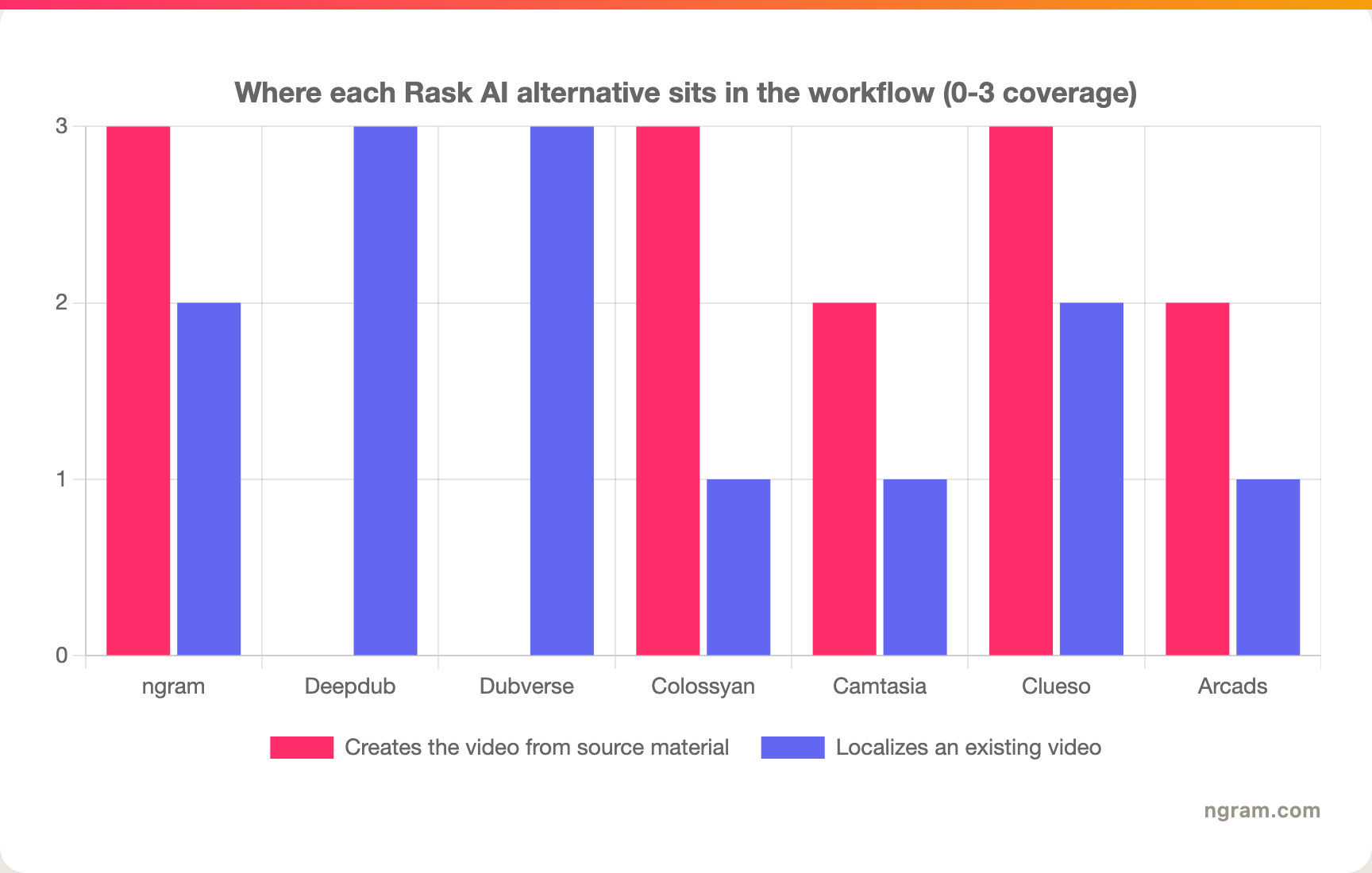
The pattern is clear: dubbing specialists own the right-hand job, generation tools own the left, and ngram is the one that covers both for the create-then-localize slice.
Quick comparison
| Tool | Best for | Starting price | Key differentiator |
|---|---|---|---|
| ngram | Creating a finished, localized business video from source material | Free / $29 per month | Builds the video and localizes it in one pass |
| Deepdub | Studio-grade dubbing of produced media and entertainment | Custom / contact sales | High-end voice artistry and enterprise pipeline |
| Dubverse | Fast, affordable dubbing and subtitling of existing videos | Free tier / paid plans | Self-serve speed at a lower price point |
| Colossyan | Turning scripts and docs into localized avatar training video | Free / paid plans | AI presenter plus SCORM training export |
| Camtasia | Editing and captioning screen-recorded tutorials yourself | One-time license | Manual desktop control over the edit |
| Clueso | Localized product tutorials from a screen recording | Paid plans | Screen recording to polished how-to plus docs |
| Arcads | Localized UGC-style ad creatives with AI actors | Paid plans | Many ad variants without filming creators |
1. ngram
Watch how ngram turns an idea into a finished video:
Here is the honest framing first, because it decides whether ngram belongs on your shortlist at all. ngram is not a bulk dubbing service for an existing library. If your job is "dub these 30 finished videos," scroll down to Deepdub or Dubverse. ngram is the pick for the other half of the Rask AI search: the team that has not made the video yet and needs it localized when it ships.
ngram is a source-to-video engine. You give it a prompt, a PDF, a product URL, a deck, screenshots, or a rough screen recording, and it writes the script, builds a storyboard you approve before anything renders, generates the voiceover, and lays in captions, motion graphics, and brand styling. Localization is part of the same workflow, not a separate export.
What makes ngram stand out
The difference is where you start. Rask localizes a video that exists. ngram creates the video and localizes it in the same pass, which removes the export-to-a-dubbing-tool handoff entirely. Because the script lives inside the tool, translation works on the actual words rather than re-transcribing a finished file, so the German and Spanish cuts stay faithful to the message.
Localization at ngram covers the script, the burned-in captions, the on-screen text, and the voiceover. Multilingual voiceover runs on ElevenLabs and MiniMax, and for avatar or talking-head scenes the lip movements regenerate to match the translated audio. You review the storyboard before render, so you catch a mistranslated callout before you have paid to generate four language variants of it.
The other reason teams land here from a Rask search is scope. A single project exports in 16:9, 9:16, and 1:1, with brand kit colors, logo, and fonts applied automatically, so the localized launch video, the vertical social cut, and the square ad all come out of one workflow. For a side-by-side on the overlap, see our ngram vs Rask AI comparison, and for the translation step specifically there is a dedicated video translator.
Pros
- ✅ One workflow takes you from source material to a finished, localized video, no export-to-a-dubbing-tool step
- ✅ You approve the script and storyboard before paying to render language variants
- ✅ Translation runs on the real script, not a re-transcription, so localized cuts stay faithful
- ✅ 16:9, 9:16, and 1:1 exports plus brand kit come standard
Cons
- ❌ Not built for bulk dubbing an existing video library, that is a specialist job
- ❌ Web-based only, no native desktop app
- ❌ Language coverage is broad but not published as a fixed number to match against Rask's 130-plus claim
Who is ngram best for?
Product marketing, growth, sales enablement, and customer success teams that are creating the video and need it to land in several markets. If localization is one requirement inside a bigger "ship this launch video" brief, this is the tool. ngram has a free plan with no credit card, and paid plans start at $29 per month.
Ready to try ngram? Create your first localized video in under 5 minutes. Start free
2. Deepdub
Deepdub is the high end of the dubbing world. It is built for studios, streaming services, and media companies localizing produced film, series, and premium content, and its pitch is voice artistry: emotionally accurate dubs that hold up next to professional voice acting.
It leans on proprietary voice models and a managed pipeline rather than a pure self-serve app, which is why you see it inside entertainment and enterprise localization rather than on a marketer's laptop. Reviewers and case studies highlight the naturalness of the dubbed performances and the control over voice direction.
Key features
- eTTV voice models for expressive, emotion-aware dubbing
- Multi-speaker detection and per-character voice assignment
- Studio-grade pipeline with human-in-the-loop quality control
- Enterprise compliance and security posture for large media clients
- Voice cloning for consistent talent across episodes
What users say
The consistent theme is quality. Teams that have used Deepdub on real entertainment content describe the output as closer to traditional dubbing than anything they had tried, and they value the per-project direction. The flip side is access and cost: it is a contact-sales, project-scoped relationship, not a credit-card-and-go tool, so smaller teams often find it is more platform than they need. If your content is a SaaS demo rather than a series, it is overkill.
Best for
Studios, streamers, and media companies localizing produced entertainment where dubbing quality is the headline requirement. Pricing is custom through sales.
3. Dubverse
Dubverse is the value pick in this list. It is a self-serve dubbing and subtitling platform aimed at creators, educators, and marketers who want to localize existing videos quickly without an enterprise contract, and it is especially strong on Indian and Asian languages.
It covers the core Rask job, upload a video, get a dubbed and subtitled version in another language, at a price point that is friendlier for individuals and small teams. The trade is that it is built for speed and breadth rather than the studio polish Deepdub chases.
Key features
- AI dubbing across a wide language set with a focus on Indian languages
- Auto subtitling and an in-browser subtitle editor
- Voice library with multiple synthetic speakers per language
- Bulk and API options for higher-volume localization
- Free tier to test before committing
What users say
Users like the speed and the price. For a YouTube creator or an education team localizing a backlog, Dubverse gets a watchable dubbed cut out the door fast and cheaply, and the subtitle editor gets praise for letting people fix the odd mistranslation by hand. The honest caveat in reviews is that the synthetic voices can sound less natural than higher-end tools on emotional or fast-paced content, so it shines on explainer and lecture material more than on cinematic work.
Best for
Creators, educators, and lean marketing teams localizing an existing video library on a budget. There is a free tier, with paid plans for volume.
4. Colossyan
Colossyan is an AI avatar video platform that overlaps with the localization crowd from a different angle. Instead of dubbing a video you filmed, it generates a talking-head presenter video from a script or document, and you can produce that same video in multiple languages by swapping the script and voice.
That makes it a real Rask alternative for one specific job: localized training and enablement video where a presenter reads structured content. It is built for L&D, HR, and enablement teams, and it can export interactive SCORM courses, which no pure dubbing tool does.
Key features
- AI avatars that present any script in many languages
- Document-to-video flow for turning SOPs and decks into training
- Multi-language generation by swapping script and voice
- SCORM export for LMS-based training courses
- Templates tuned for onboarding and compliance content
What users say
Enablement teams like that one English script becomes a Spanish, French, and German training video without re-filming a presenter, and the SCORM export is the feature that wins LMS-bound teams. The common critique is that avatar delivery still reads as synthetic on close watch, so it fits internal training better than customer-facing brand work. If your localized content is course material, it is a strong fit; if it is a polished launch film, it is not.
Best for
L&D, HR, and enablement teams producing localized training and onboarding video at scale.
---
Localizing a video you have not made yet? ngram writes the script, builds the storyboard you approve, and ships the finished video in every language you need from one workflow. Try ngram free
---
5. Camtasia
Camtasia is the odd one out here, and it is on the list on purpose. It is a desktop screen-recording and editing app, not an AI dubbing engine, so it represents the manual path: if you are localizing screen-recorded tutorials and want hands-on control, Camtasia lets you record, edit, caption, and re-voice each version yourself.
It is a long-standing favorite for trainers and software educators, cited by teams at companies like Google and Microsoft, and the appeal is predictability. There is no model deciding your cuts; you do.
Key features
- Screen recording with webcam and system audio capture
- Timeline editor for precise manual edits
- Captions you write and style yourself
- Asset library of intros, transitions, and music
- One-time license instead of a subscription
What users say
Reviewers value the control and the one-time purchase, and the learning curve is gentle for a real editor. The honest limit for a localization search is that Camtasia does not dub or translate for you. You would record or source each language track yourself and edit it in, which is fine for one or two languages and painful for many. The free trial exports with a watermark until you buy a license.
Best for
Trainers and educators who localize screen-recorded tutorials manually and want desktop-level control over each version.
6. Clueso
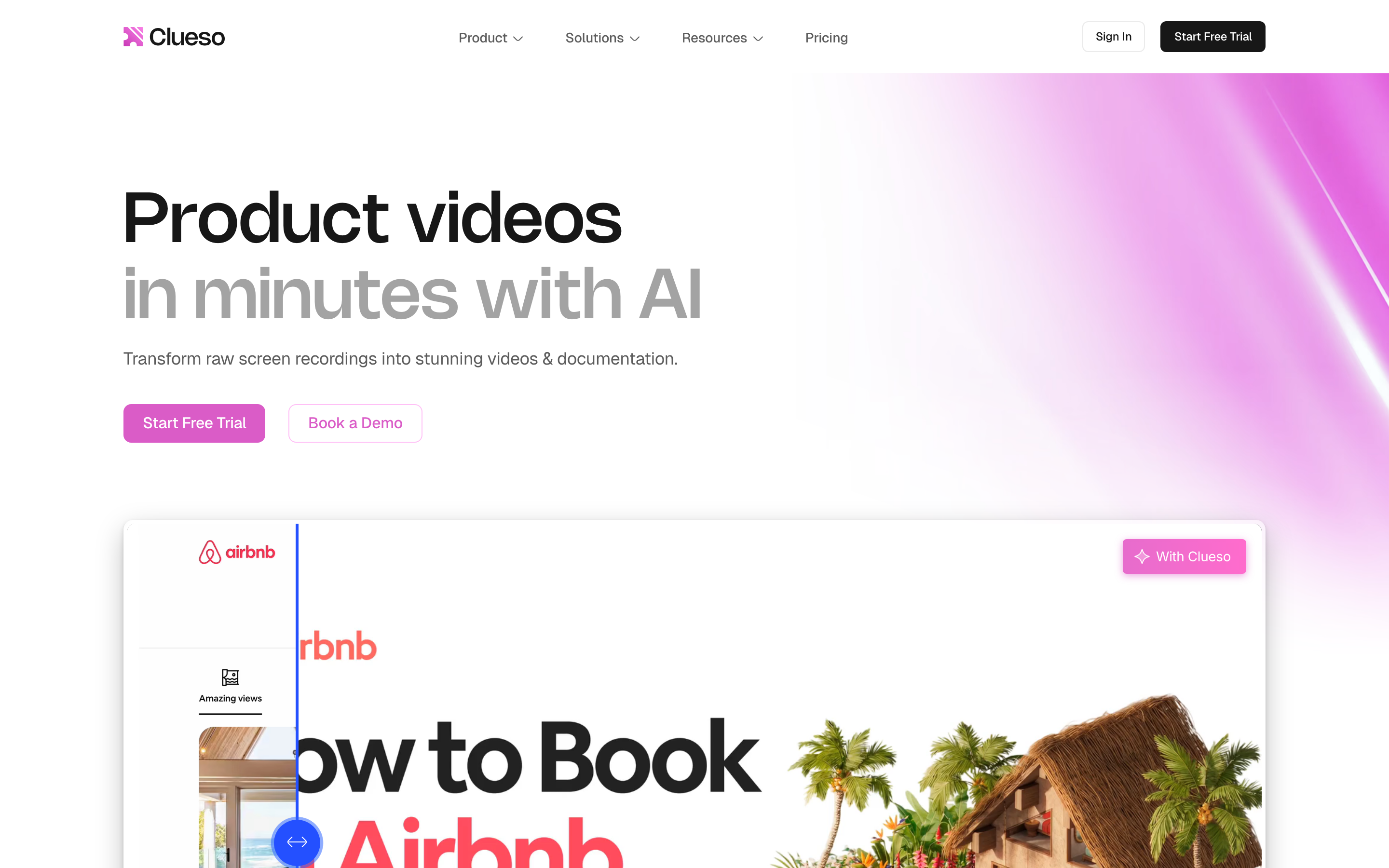
Clueso turns a screen recording into a polished product tutorial and a written help article at the same time, and it can produce those in multiple languages. It is aimed at customer education, product marketing, and support teams that need to scale how-to content, which overlaps with the slice of Rask users localizing product walkthroughs.
The pitch is that you record once and get both a clean narrated video and step-by-step documentation, then localize both. For teams whose Rask use case is specifically product tutorials, it removes the separate doc-writing step.
Key features
- Screen recording to polished video with AI voiceover and cleanup
- Auto-generated docs from the same recording
- Multi-language video and article output
- Brand styling for consistent tutorials
- Editing to refine the AI-generated cut
What users say
Product and support teams like getting a video and a help-center article from one recording, and the localized output saves a documentation pass. The caveat is scope: Clueso is built around screen-recorded product how-tos, so it is not the tool for dubbing arbitrary video or for non-tutorial content. Within its lane, the dual video-and-docs output is the differentiator.
Best for
Customer education, product marketing, and support teams localizing product tutorials and their documentation together.
7. Arcads
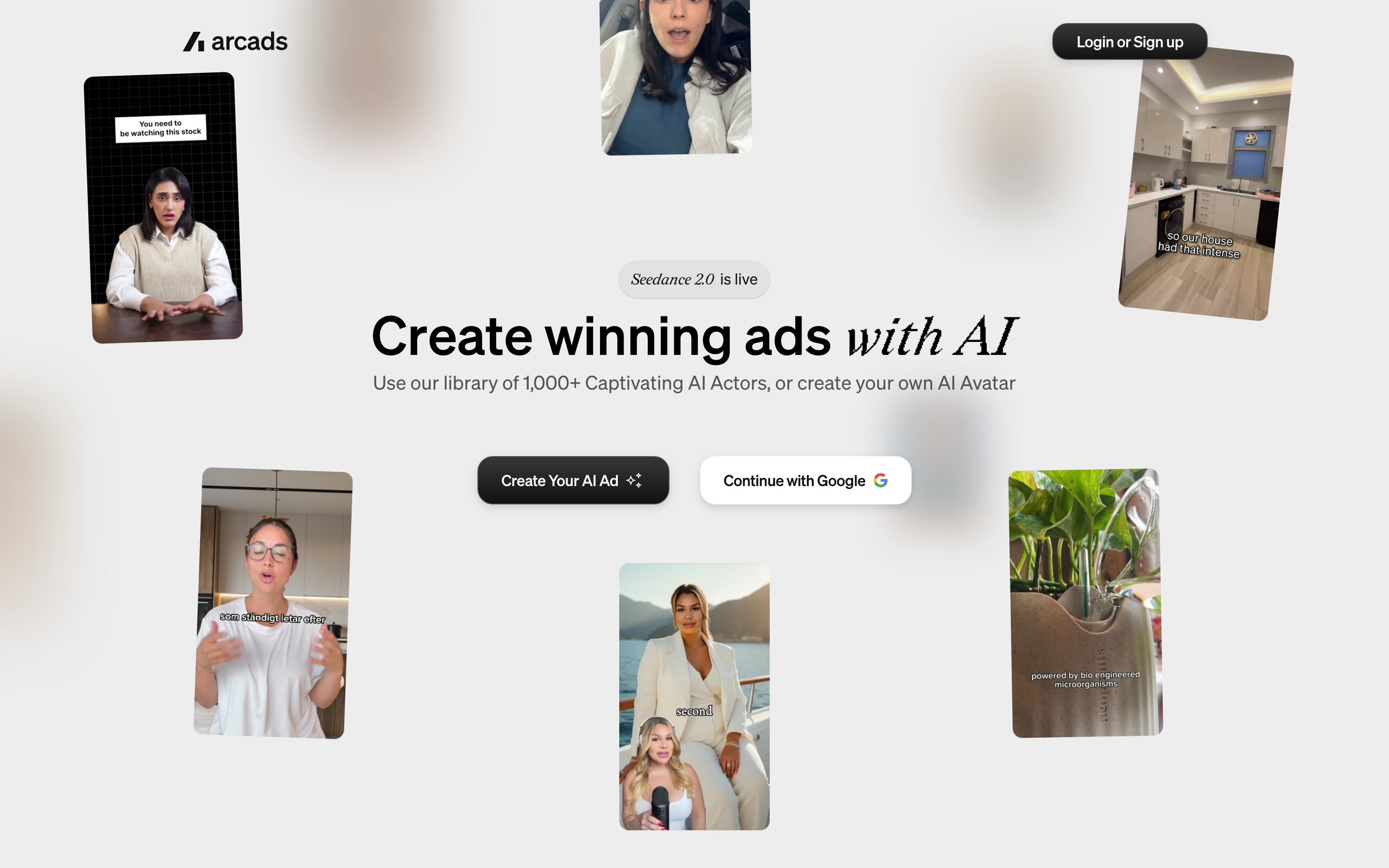
Arcads sits at the far edge of this list. It generates UGC-style ad creatives fronted by AI actors, and the reason it shows up next to Rask is localization of performance creative: you can produce the same ad concept with different actors and languages to test across markets.
It is built for performance marketers and agencies who want many ad variants without filming creators, and language is just another variant axis. This is not dubbing your existing content; it is generating new localized ad creative.
Key features
- AI actors delivering scripted UGC-style ad reads
- Many variants from one script for testing
- Multi-language ad generation
- Short-form vertical formats for social and paid
- Hooks and templates tuned for ad performance
What users say
Growth teams like the volume: spinning up dozens of localized ad variants to test beats booking creators in every market. The honest read is that the AI-actor delivery is purpose-built for short ad hooks and does not replace genuine creator content or longer-form video. For paid social testing across regions it earns its place; for anything else it is the wrong category.
Best for
Performance marketers and agencies testing localized UGC-style ad creative at volume.
How we compared these tools
We did not just list tools. We grouped them by the actual job behind a Rask AI alternatives search, then compared them across five weighted criteria tuned for AI video and localization work:
| Criteria | Weight | What we looked at |
|---|---|---|
| Voice & language support | 30% | Language breadth, voice naturalness, lip-sync quality |
| Features | 30% | Where each tool sits in the pipeline and what it actually produces |
| Ease of Use | 20% | Self-serve speed versus setup and learning curve |
| Value | 15% | Pricing model and cost behavior on long or high-volume content |
| Support & Community | 5% | Documentation, reviews, and ecosystem maturity |
We also factored in:
- Real user reviews from G2, Capterra, Reddit, and Product Hunt (qualitative sentiment, not numerical scores)
- Where each tool sits in the workflow (create the video versus localize an existing one)
- Pricing behavior on long-form and high-volume content
- Output fit for the buyer's actual deliverable, not just the dubbing step
The weighting reflects that for localization work, voice and language quality plus the right pipeline position matter more than raw editing depth.
Frequently Asked Questions
What is the best Rask AI alternative?
There is no single best one because it depends on the asset. If you are dubbing existing videos, Deepdub wins on studio quality and Dubverse wins on price and speed. If you are creating the video in the first place and need it localized, ngram is the better fit because it builds and localizes in one workflow.
Is there a free Rask AI alternative?
Yes. Dubverse offers a free tier for dubbing existing videos, and ngram has a free plan with no credit card for creating and localizing video from source material. Colossyan also offers a free plan for avatar-based localized video.
Can ngram replace Rask AI?
Only for one slice. ngram is not a bulk dubbing engine for an existing video library, so it does not replace Rask for that job. It replaces the workflow where you are still creating the video and localization is one of the requirements. For a dedicated catalog of finished videos to dub, keep a specialist like Rask, Deepdub, or Dubverse.
How does ngram compare to Rask AI?
Rask starts from a finished video and localizes it. ngram starts from your source material, a prompt, doc, URL, or recording, writes and storyboards the video, then localizes the script, captions, on-screen text, and voiceover in the same pass. See the full ngram vs Rask AI comparison for the head-to-head.
Which alternative is cheapest for high-volume dubbing?
For budget-conscious bulk dubbing of existing content, Dubverse is usually the cheapest credible option, with a free tier and lower per-minute pricing than studio-grade tools. Deepdub sits at the premium end and is priced through sales.
The bottom line
The localization market in 2026 is split between tools that dub a video you already have and tools that build the video in the first place. If your job is a back catalog of finished content, a dubbing specialist like Deepdub or Dubverse is the right call, and Rask itself may still be the one to beat. But if you are a product marketing, growth, or enablement team creating the video and localization is just one box to check, ngram is the strongest fit because it never makes you leave the workflow to dub. The fastest way to know which side of that line you are on is to try the one that matches your asset.
---
Try ngram free, your first localized video in under 5 minutes. Turn a doc, URL, or rough recording into a polished video that ships in every market you need, without a separate dubbing tool. Start free